
15 Best Hotel WiFi Management Software Solutions for 2026

Hotel WiFi Management Software Shortlist
Here’s my shortlist of hotel WiFi management software:


Hotel WiFi management software lets you control, monitor, and customize your property’s guest internet access from a single platform. If you’re searching for the best hotel WiFi management software, you’re likely facing pressure to deliver fast, reliable connectivity while balancing security, compliance, and guest satisfaction. The right solution can help you manage bandwidth, automate guest logins, and integrate with your PMS or marketing tools—without adding complexity for your team. In this guide, you’ll find a clear comparison of top options for 2026, so you can choose the best fit for your property’s needs and guest expectations.
Why Trust Our Software Reviews
We’ve been testing and reviewing hotel management software since 2023. As hotel managers ourselves, we know how critical and difficult it is to make the right decision when selecting software.
We invest in deep research to help our audience make better software purchasing decisions. We’ve tested more than 2,000 tools for different hotel management use cases and written over 1,000 comprehensive software reviews. Learn how we stay transparent & our software review methodology.
Best Hotel WiFi Management Software Summary
This comparison chart summarizes pricing details for my top hotel WiFi management software solutions to help you find the best one for your budget and business needs.
| Tool | Best For | Trial Info | Price | ||
|---|---|---|---|---|---|
| 1 | Best for multi-location management | Not available | Pricing upon request | Website | |
| 2 | Best for large property scalability | Not available | Pricing upon request | Website | |
| 3 | Best for in-room entertainment integration | Free assessment available | Pricing upon request | Website | |
| 4 | Best for customizable guest access controls | Not available | From $59/AP/year | Website | |
| 5 | Best for PMS integration options | Not available | Pricing upon request | Website | |
| 6 | Best for real-time usage analytics | Not available | From $2000/month | Website | |
| 7 | Best for self-service guest login | Free eBook available | Pricing upon request | Website | |
| 8 | Best for marketing data collection | Not available | Pricing upon request | Website | |
| 9 | Best for high-density network environments | Free demo available | Pricing upon request | Website | |
| 10 | Best for UK compliance requirements | Not available | Pricing upon request | Website |
-

roommaster
Visit WebsiteThis is an aggregated rating for this tool including ratings from Crozdesk users and ratings from other sites.4.3 -
Little Hotelier
Visit WebsiteThis is an aggregated rating for this tool including ratings from Crozdesk users and ratings from other sites.4 -
Roomstay Hotel Booking Engine
Visit Website


Hotel WiFi Management Software Reviews
Below are my detailed summaries of hotel WiFi management software that made it onto my shortlist. My reviews offer a detailed look at the features, integrations, and best use cases of each platform to help you find the best one for you.

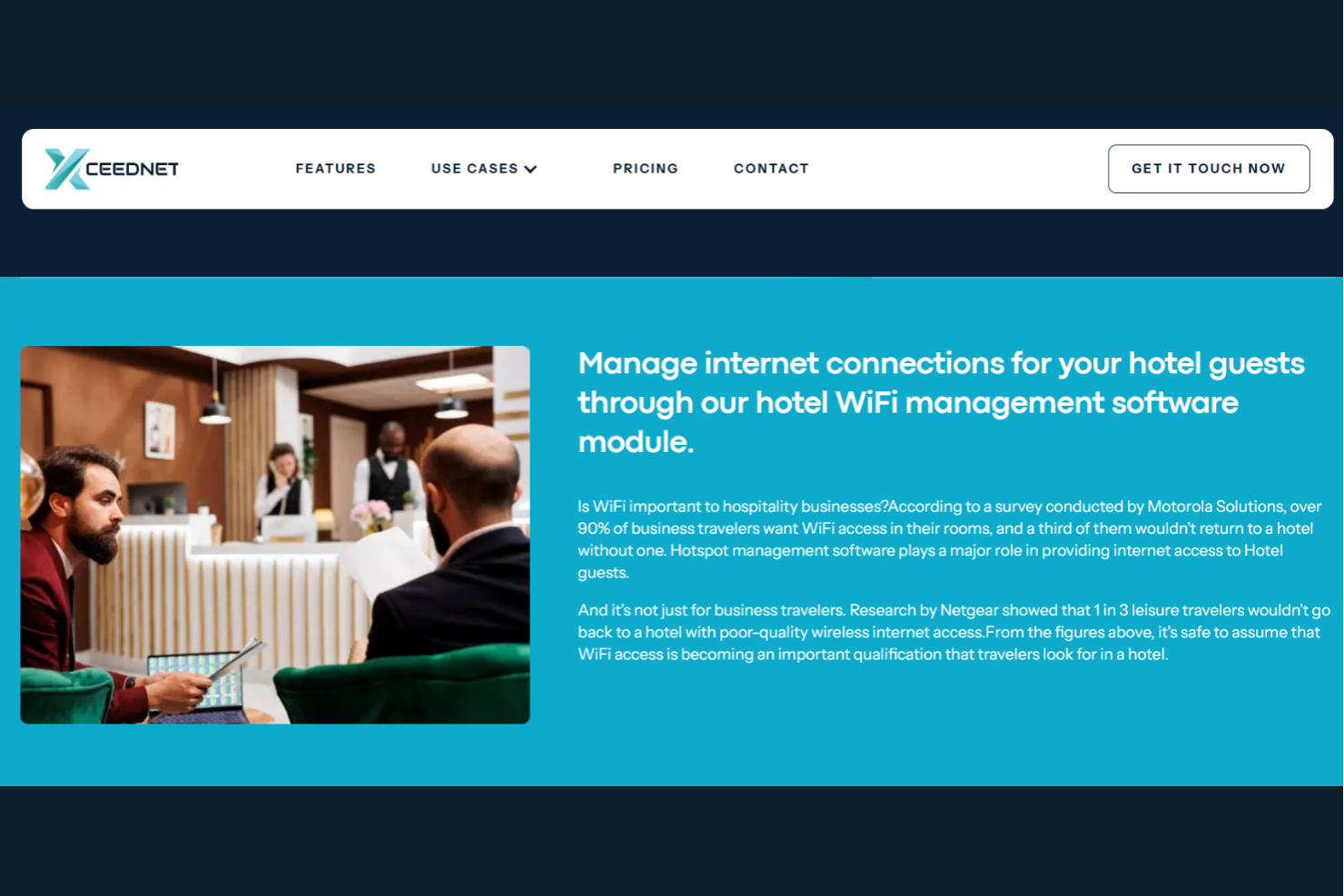
Xceednet is designed for hotel groups and hospitality brands that need to manage WiFi networks across multiple locations from a single platform. It’s especially useful for IT teams and operations managers who want unified control, consistent guest experiences, and centralized reporting. If you’re dealing with the complexity of supporting several properties, Xceednet helps you standardize network policies and monitor performance across your entire portfolio.
Why I Picked Xceednet
Managing WiFi across several hotel locations can get complicated fast, which is why Xceednet’s multi-location management capabilities caught my attention. The platform lets you control network settings, user access, and bandwidth policies for all your properties from a single dashboard. I picked Xceednet because it offers centralized monitoring and reporting, so you can quickly spot and address issues no matter where they occur. This approach helps hotel groups maintain consistent guest connectivity and enforce brand-wide standards without juggling multiple systems.
Xceednet Key Features
Some other features that stood out to me include:
- Voucher-Based Access Management: Lets you generate and manage guest internet access vouchers with customizable validity and speed limits.
- Customizable Captive Portals: Allows you to design branded login pages and set up different authentication methods for guests.
- Role-Based Access Control: Enables you to assign different permissions to staff, IT admins, and other user groups.
- Real-Time Usage Analytics: Provides live data on bandwidth consumption, user sessions, and device types across all locations.
Xceednet Integrations
Integrations are not publicly listed.
Pros and Cons
Pros:
- Role-based access segments staff permissions
- Real-time analytics show network activity
- Voucher access controls guest usage
Cons:
- No mention of mobile app support
- Limited online documentation and support
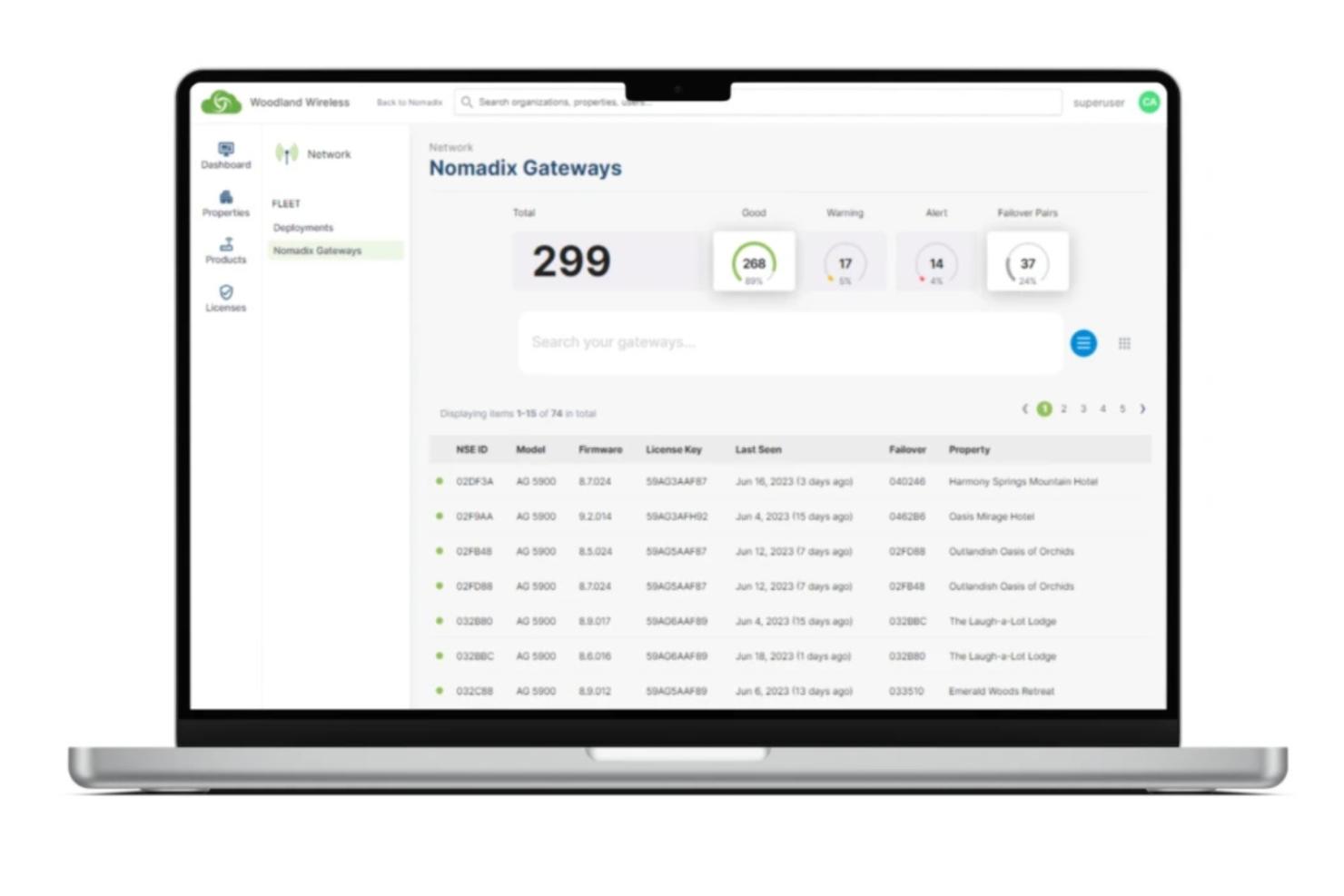
Nomadix is built for hotels and resorts that need WiFi infrastructure capable of supporting hundreds or thousands of devices at once. It’s a strong fit for large properties or multi-site operators who want reliable connectivity and centralized management across expansive networks. If your team faces challenges with scaling, guest authentication, or bandwidth control, Nomadix is designed to handle high demand without sacrificing performance.
Why I Picked Nomadix
For properties that need to support a high volume of guests and devices, Nomadix stands out for its scalability. The platform is designed to handle large-scale deployments, offering centralized network management and advanced bandwidth controls that help maintain consistent performance across multiple buildings or sites. I picked Nomadix because it provides features like guest authentication and automated device onboarding, which are essential for busy hotels and resorts. These capabilities make it a strong choice for operators who can’t afford downtime or inconsistent connectivity as their property grows.
Nomadix Key Features
In addition to its scalability, I also found these features worth noting:
- Property Management System (PMS) Integration: Connects directly with leading PMS platforms to automate guest WiFi access.
- Customizable Guest Portals: Lets you design branded login pages and tailor guest authentication flows.
- Network Access Control: Provides granular controls over device types, user roles, and access permissions.
- 24/7 Remote Monitoring: Offers continuous network health checks and alerts for proactive issue resolution.
Nomadix Integrations
Integrations are not publicly listed. However, Nomadix offers an API for custom integrations.
Pros and Cons
Pros:
- Bandwidth tools prioritize critical operations
- Automated onboarding reduces front desk workload
- Centralized dashboard manages multiple properties
Cons:
- Advanced features require extra hardware
- Setup requires specialized IT knowledge

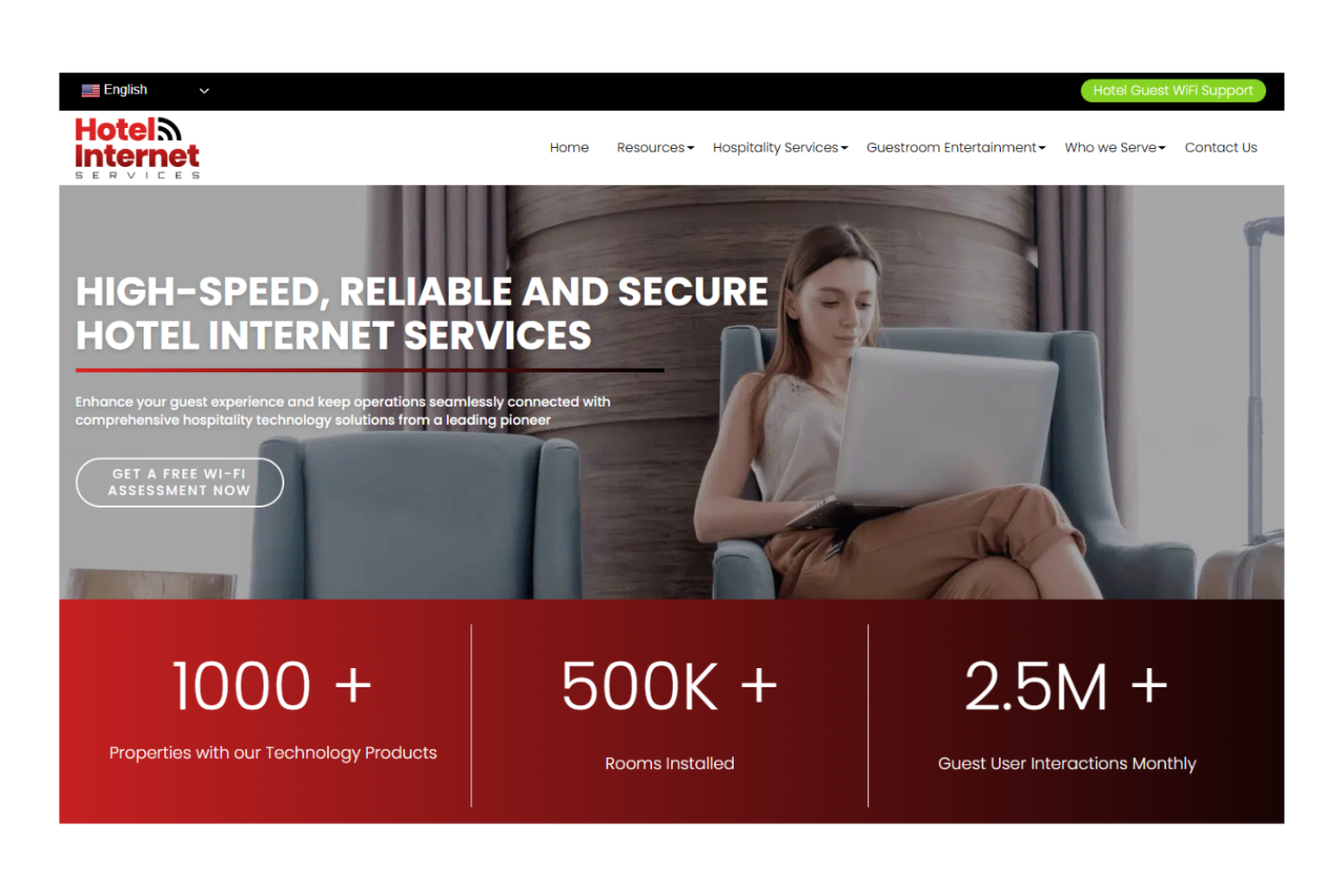
Hotel Internet Services is built for hotels that want to combine high-speed WiFi with advanced in-room entertainment options. It’s a strong fit for properties aiming to offer guests streaming, casting, and personalized content alongside reliable internet access. If you’re looking to manage both network connectivity and entertainment experiences from a single provider, this platform brings those capabilities together.
Why I Picked Hotel Internet Services
For hotels that want to elevate in-room entertainment alongside WiFi, Hotel Internet Services offers a unique combination. The platform supports casting and streaming from guests’ own devices, so visitors can watch their preferred content on in-room TVs. I picked this tool because it also provides secure, property-wide network coverage that’s designed to handle high-bandwidth entertainment needs. This makes it a strong choice for properties that see guest entertainment as a core part of the hospitality experience.
Hotel Internet Services Key Features
In addition to its entertainment integration, I also found these features worth noting:
- 24/7 Guest Support: Provides around-the-clock technical assistance for guests using the WiFi network.
- Customizable Login Portals: Lets you design branded access pages tailored to your property.
- Network Monitoring Dashboard: Offers real-time visibility into network performance and device connections.
- Flexible Hardware Options: Supports a range of access points and networking equipment to fit different property layouts.
Hotel Internet Services Integrations
Integrations are not publicly listed.
Pros and Cons
Pros:
- Supports flexible large property setups
- Provides real-time network monitoring
- Allows branded login portals
Cons:
- Limited transparency on security protocols
- Requires on-site installation and downtime

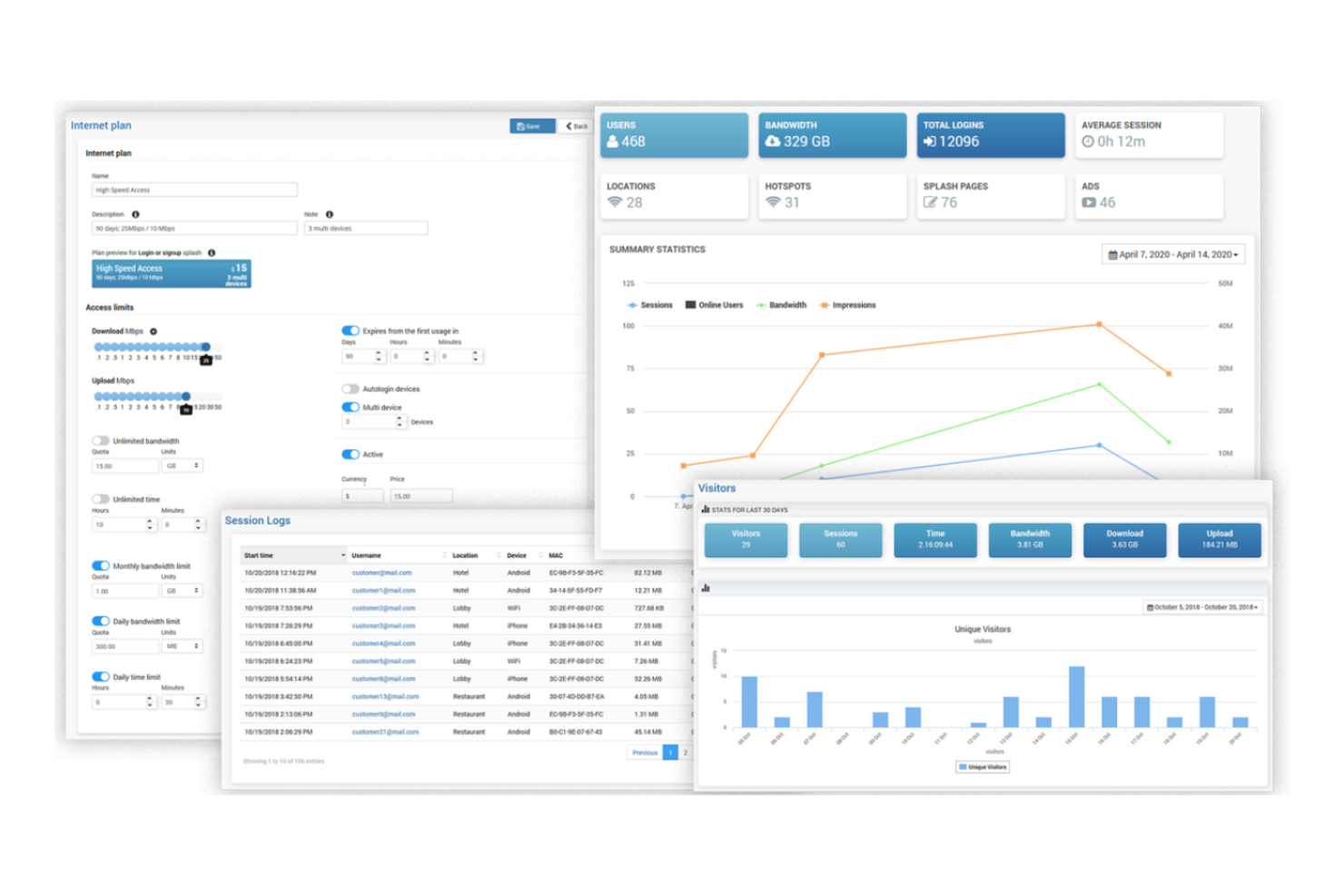
Antamedia offers hotel WiFi management software designed for properties that need granular control over guest internet access. It’s a strong fit for hotels, resorts, and boutique properties that want to customize login methods, bandwidth limits, and user authentication. If you’re looking to tailor guest access and manage network usage policies in detail, Antamedia provides a flexible solution.
Why I Picked Antamedia
I chose Antamedia for this list because its customizable guest access controls set it apart from other hotel WiFi management options. The platform lets you define unique login methods, such as vouchers, social media, or PMS integration, so you can tailor access to your property’s needs. You can also set bandwidth limits and session durations for different guest types, which helps manage network load and ensure fair usage. These features make Antamedia a strong choice for hotels that want precise control over how guests connect and use WiFi.
Antamedia Key Features
Some other features in Antamedia that are useful for hotel WiFi management include:
- Automated Billing Integration: Connects with property management systems to automate guest billing for internet usage.
- Customizable Splash Pages: Lets you design branded login and welcome screens for guests accessing the WiFi network.
- Remote Network Monitoring: Allows you to monitor network status and user activity from a centralized dashboard.
- Content Filtering: Enables you to block access to specific websites or categories to maintain a secure browsing environment for guests.
Antamedia Integrations
Integrations are not publicly listed.
Pros and Cons
Pros:
- Enables remote management via the Omada Cloud
- Provides customizable splash pages for branding
- Offers granular guest access and bandwidth limits
Cons:
- Limited automation for guest self-service options
- Requires on-premise hardware setup
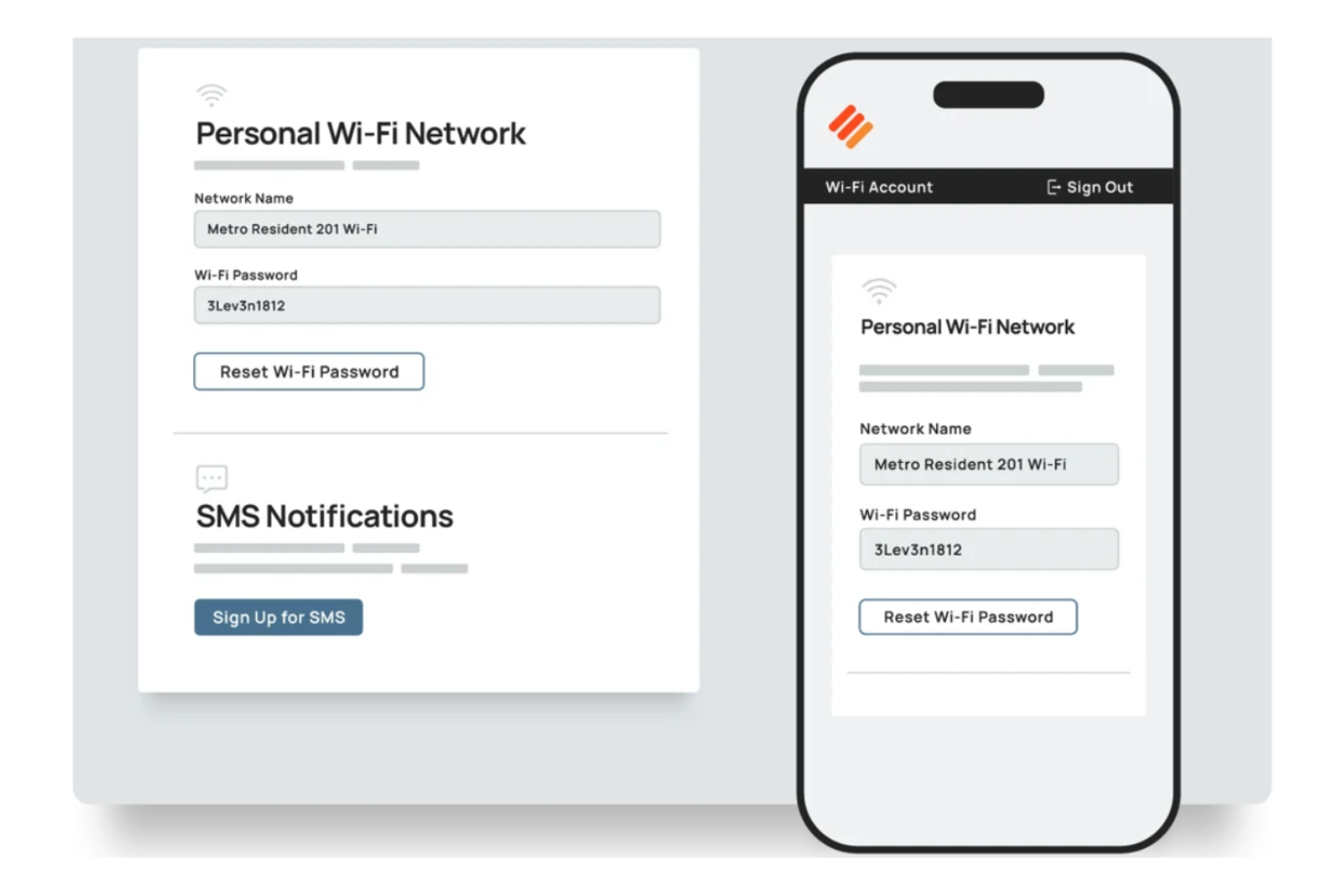
Eleven Software stands out for hotels that need WiFi management tightly integrated with their property management system. It’s designed for hospitality businesses that want to automate guest authentication and simplify network access through PMS connections. If you’re looking to connect WiFi access directly to guest reservations and profiles, Eleven Software offers a purpose-built solution.
Why I Picked Eleven Software
What drew me to Eleven Software is its focus on PMS integration, which is a top priority for many hotels looking to connect WiFi access with guest management. The platform links directly with leading property management systems, so you can automate guest authentication and tie WiFi access to reservation data. I appreciate that Eleven Software supports real-time syncing, which helps ensure only current guests can log in and that access is revoked at checkout. This level of integration is especially useful for properties that want to reduce manual work and deliver a more personalized guest experience.
Eleven Software Key Features
Some other features in Eleven Software that are helpful for hotel WiFi management include:
- Centralized Network Management: Lets you oversee multiple properties and networks from a single dashboard.
- Customizable Guest Portals: Allows you to design branded login pages and guest experiences.
- Bandwidth Management Tools: Enable you to set usage limits and prioritize traffic for different user groups.
- Automated Device Recognition: Detects returning guest devices and simplifies the login process for repeat visitors.
Eleven Software Integrations
Integrations are not publicly listed.
Pros and Cons
Pros:
- Prioritizes high-speed bandwidth for VIP guests
- Remembers returning devices for faster login
- Syncs with hotel systems for guest check-in
Cons:
- Needs expert IT support for initial deployment
- Requires physical hardware instead of cloud setup

Nanovise is designed for hotels that want deep visibility into guest WiFi usage and network performance. It’s especially useful for properties that need real-time analytics to monitor demand, spot issues, and optimize bandwidth allocation. If you’re looking to make data-based decisions about your network, this platform puts significant insights front and center.
Why I Picked Nanovise
What drew me to Nanovise is its focus on real-time usage analytics, which is a key differentiator for hotel wifi management. The platform gives you live dashboards that track guest connections, bandwidth consumption, and device types as they happen. I picked Nanovise because it lets you quickly identify network congestion or unusual activity, so you can respond before guests notice a problem. This level of visibility is especially valuable for hotels that want to proactively manage network quality and guest satisfaction.
Nanovise Key Features
Some other features that make Nanovise stand out include:
- Customizable Guest Access Portals: Lets you design branded login pages for guests connecting to WiFi.
- Automated Bandwidth Allocation: Dynamically manages bandwidth distribution based on real-time demand.
- Multi-Property Management: Allows you to oversee WiFi networks across several locations from a single dashboard.
- Scheduled Usage Reports: Delivers regular, detailed reports on network activity and guest usage patterns.
Nanovise Integrations
Integrations are not publicly listed.
Pros and Cons
Pros:
- Scheduled reports provide network insights
- Multi-property management enables centralized control
- Automated bandwidth allocation prevents congestion
Cons:
- Advanced analytics require technical expertise
- Limited transparency on security compliance

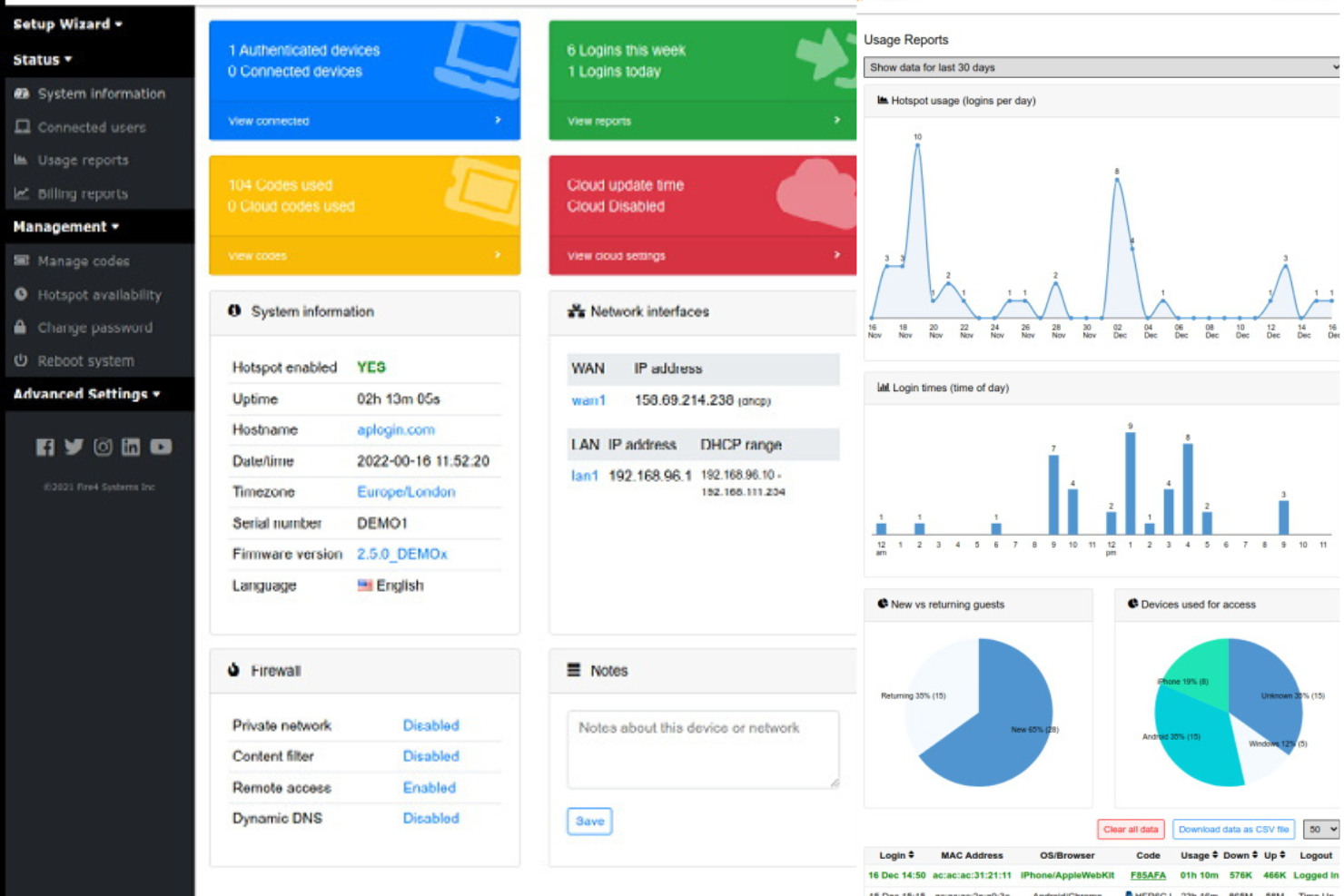
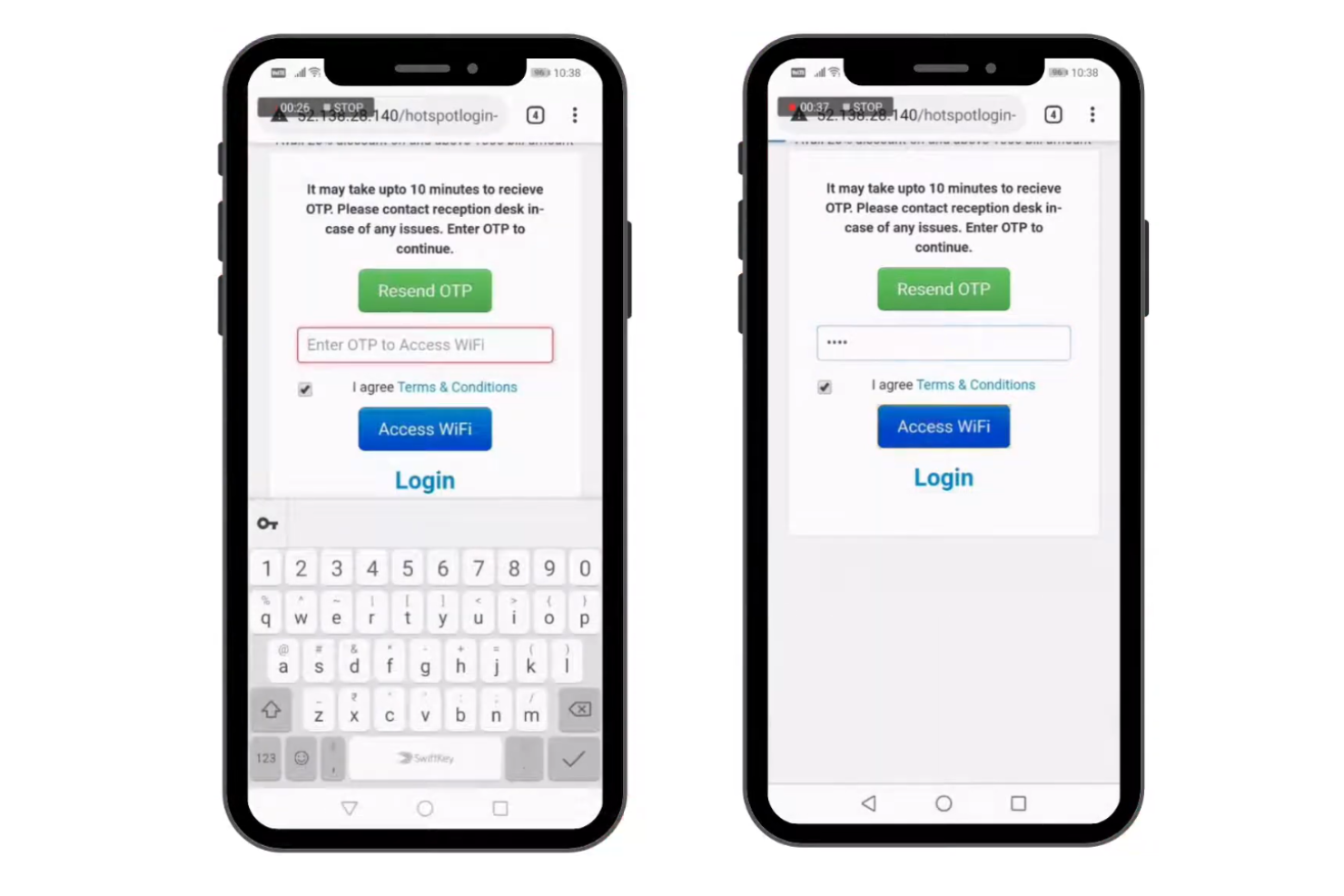
If you’re looking for a hotel WiFi solution that puts guest autonomy first, Guest Internet is worth considering. This tool is built for the hospitality industry and designed to give hotel guests a simple, self-service login experience without extra staff intervention. It’s a strong fit for properties aiming to reduce front desk workload while still maintaining a secure, customizable internet connection and managed hotspot access across the property.
Why I Picked Guest Internet
For hotels that want to empower guests to manage their own WiFi access, Guest Internet stands out for its self-service login options. The platform lets you set up customizable captive portals, so guests can connect using vouchers, social media, or email without staff involvement. I picked Guest Internet because it supports automated password generation and time-limited access, which helps you maintain security while reducing front desk workload. This approach is especially useful for busy properties that want to simplify check-in and minimize support requests related to internet access.
Guest Internet Key Features
Some other features that caught my attention include:
- Bandwidth Management Tools: Lets you set bandwidth limits for individual users or groups to prevent network congestion.
- Content Filtering: Allows you to block access to specific websites or categories to maintain a family-friendly environment.
- Multi-Device Support: Enables guests to connect multiple devices under a single login session.
- Remote System Monitoring: Provides the ability to monitor network status and device health from an off-site location.
Guest Internet Integrations
Integrations are not publicly listed.
Pros and Cons
Pros:
- Content filtering supports safe browsing
- Bandwidth tools prevent peak congestion
- Self-service logins reduce front desk workload
Cons:
- Limited captive portal design flexibility
- No native property system integrations
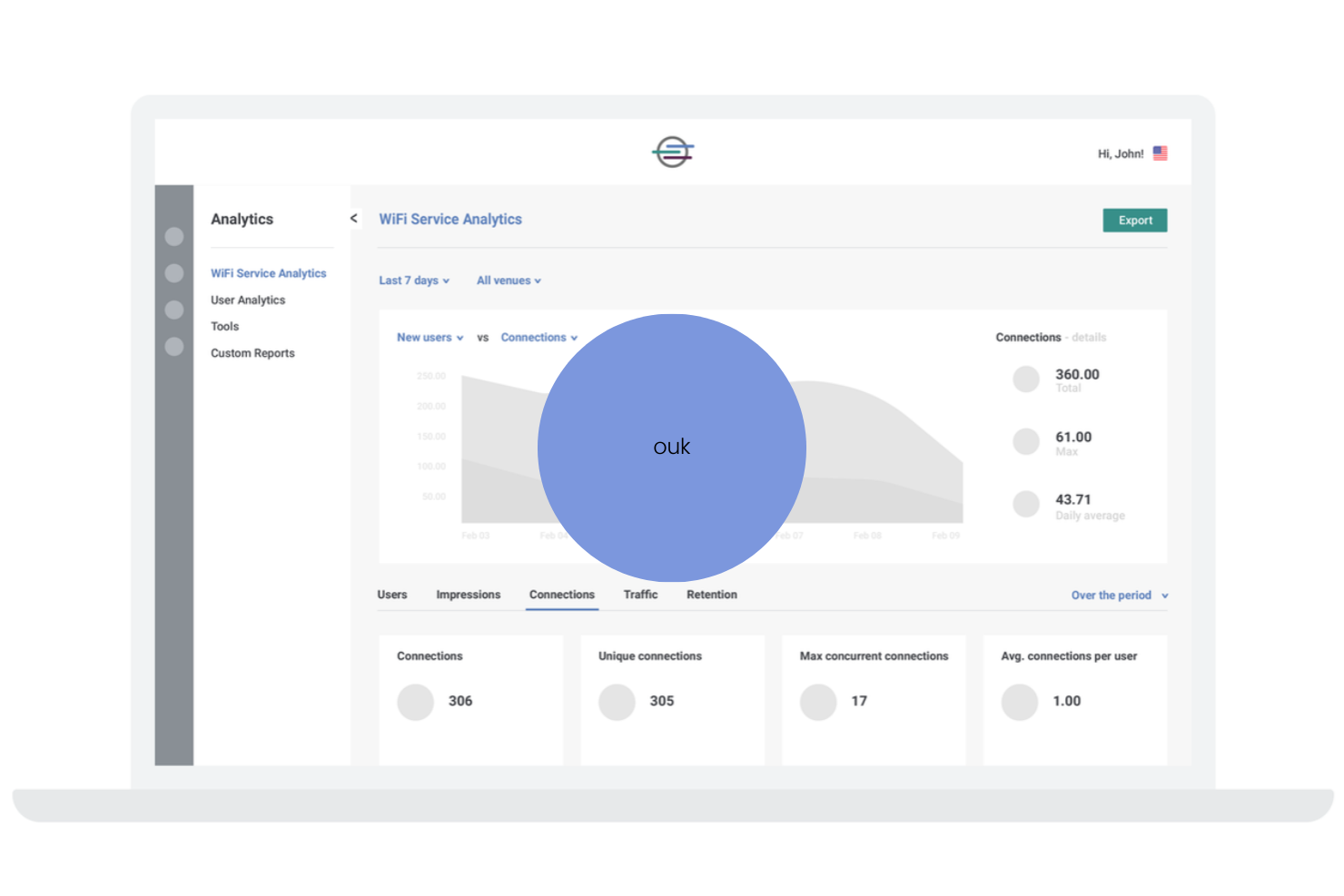
Cloud4Wi is designed for hospitality teams that want to turn guest WiFi into a marketing and data collection tool. It’s especially useful for hotels looking to capture guest information and behavior insights through customizable login portals. The platform delivers a user-friendly WiFi service with on-demand access and reliable WiFi connectivity for guests. This approach helps you build targeted marketing campaigns and better understand guest preferences, all while managing secure WiFi access.
Why I Picked Cloud4Wi
What sets Cloud4Wi apart is its focus on transforming guest WiFi into a marketing data engine for hotels. The platform lets you design branded login portals that collect guest details and consent, making it easy to build a rich marketing database. I picked Cloud4Wi because it offers real-time analytics on guest behavior and demographics, which helps you tailor promotions and communications. This makes it a strong choice for hotels that want to use WiFi access as a way to drive targeted marketing and improve guest engagement.
Cloud4Wi Key Features
In addition to its marketing data capabilities, I also found these features worth noting:
- Location-Based Services: Lets you trigger WiFi access or messages based on a guest’s physical location within your property.
- Customizable Access Policies: Allows you to set different WiFi access rules for guests, staff, or event attendees.
- Multi-Venue Management: Supports centralized control and monitoring of WiFi networks across multiple hotel locations.
- GDPR Compliance Tools: Provides built-in features to help you manage guest data privacy and consent in line with regulations.
Cloud4Wi Integrations
Integrations are not publicly listed.
Pros and Cons
Pros:
- GDPR tools support data privacy compliance
- Centralized dashboard manages multiple sites
- Location services enable targeted messaging
Cons:
- Some features focus more on marketing
- Limited public troubleshooting documentation
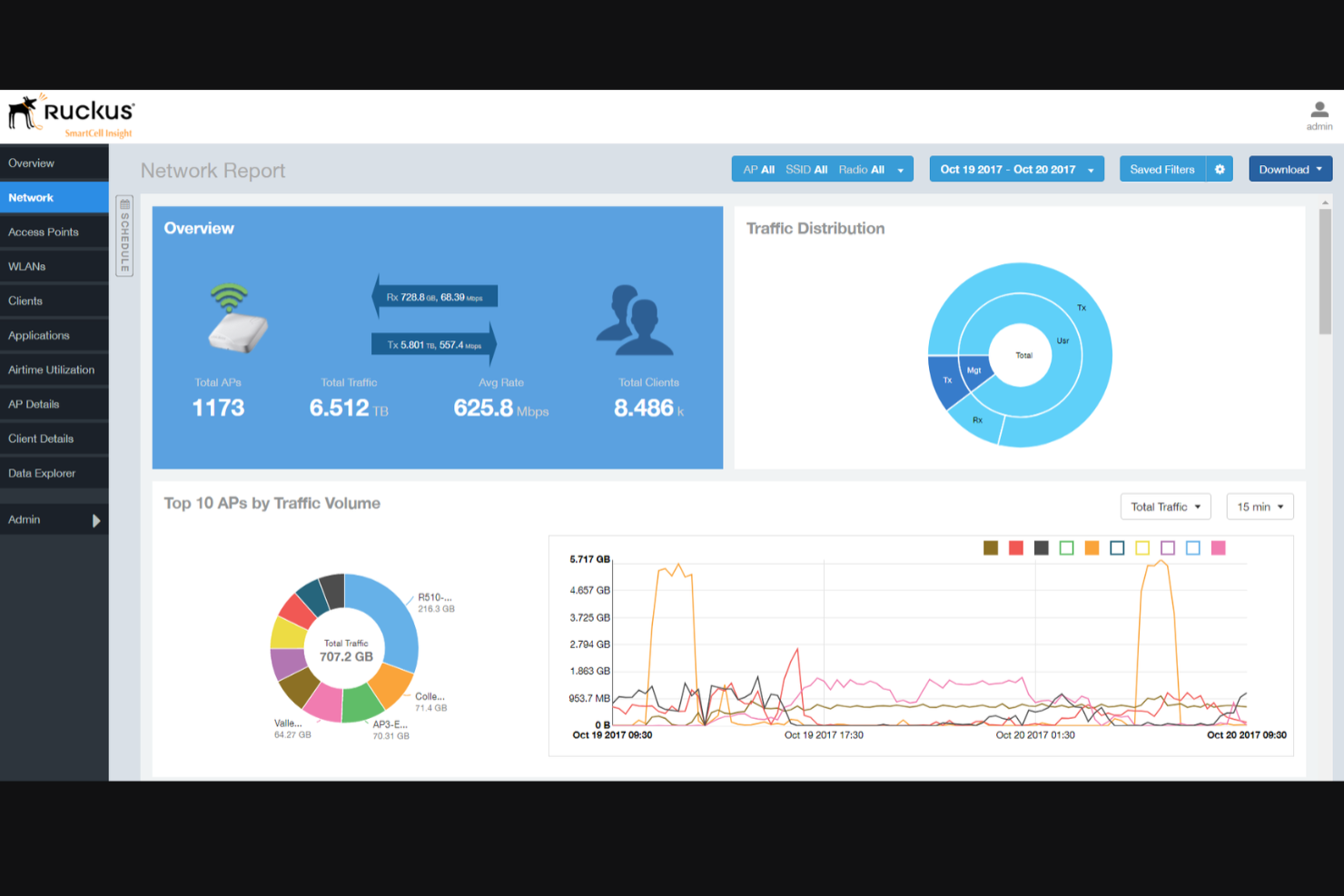
Ruckus Networks is built for hotels and resorts that need a reliable WiFi system in high-traffic areas like lobbies, conference spaces, and guest rooms. Its hardware and software solutions—including enterprise-grade routers and access points—are designed to handle large numbers of simultaneous connections without sacrificing speed or stability. The platform also supports secure WiFi hotspot deployment and works closely with service providers to deliver scalable connectivity. This makes it a strong fit for properties that host events, cater to business travellers, or want to ensure consistent connectivity throughout the entire property.
Why I Picked Ruckus Networks
For hotels that need to support hundreds or even thousands of devices at once, Ruckus Networks stands out for its high-density network capabilities. The platform uses patented antenna technology and advanced traffic management to maintain strong, stable connections even in crowded spaces. I picked Ruckus Networks because it’s built to handle the demands of large properties, busy event venues, and guest areas where WiFi congestion is a real concern. Its focus on reliable performance in challenging environments makes it a top choice for hotels that can’t afford connectivity issues.
Ruckus Networks Key Features
Some other features that make Ruckus Networks appealing for hotel WiFi management include:
- Cloud-Based Network Management: Lets you monitor and configure your entire network from a single online dashboard.
- Guest Access Portals: Provides customizable login pages for guests, including branding and authentication options.
- Role-Based Access Controls: Allows you to set different network permissions for staff, guests, and vendors.
- Automated Security Updates: Delivers regular firmware and security patches to all connected devices without manual intervention.
Ruckus Networks Integrations
Integrations are not publicly listed.
Pros and Cons
Pros:
- Cloud dashboard simplifies multi-property management
- Patented antennas improve complex coverage
- Handles many simultaneous guest connections
Cons:
- Guest portal customization less flexible
- Limited hospitality troubleshooting documentation
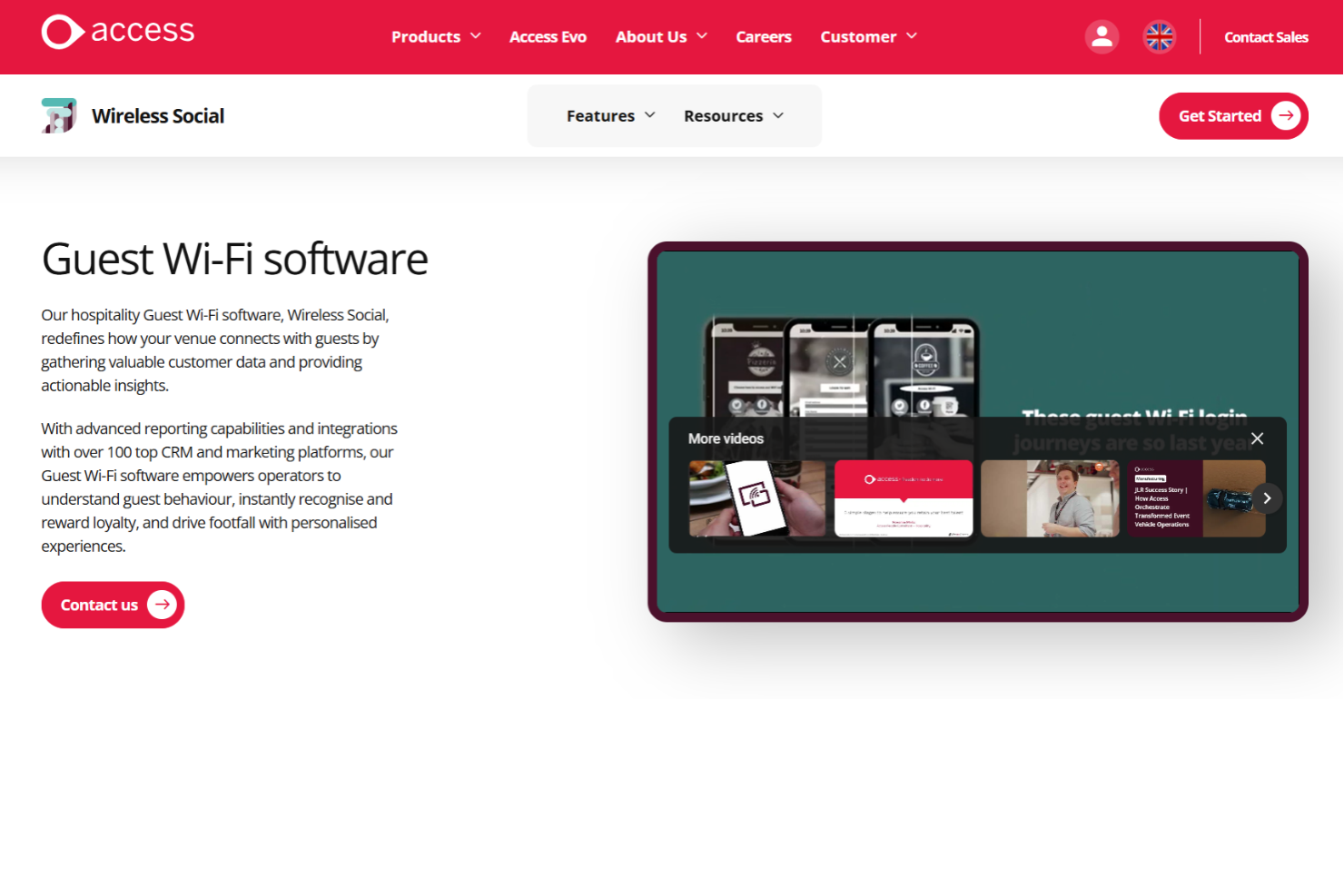
If your hotel operates in the UK and needs to meet strict data compliance standards, Access Wireless Social’s guest WiFi solution is designed with these requirements in mind. It’s built for hospitality businesses that want to offer secure, branded WiFi while ensuring GDPR and UK-specific legal compliance. This makes it especially useful for hotels that prioritize guest data protection and need to demonstrate regulatory adherence.
Why I Picked Access Wireless Social
When compliance with UK data protection laws is a top priority, Access Wireless Social offers a guest WiFi solution that’s purpose-built for this environment. The platform includes features like GDPR-compliant data capture and consent management, which help hotels meet legal obligations without extra manual work. I picked Access Wireless Social because it also provides detailed audit trails and reporting, making it easier for hotel teams to demonstrate compliance during inspections or audits. For properties operating in the UK, these compliance-focused tools set Access Wireless Social apart from more generic WiFi management options.
Access Wireless Social Key Features
Some other features that make Access Wireless Social’s guest WiFi solution useful for hotels include:
- Customizable Guest Login Pages: Lets you design branded login screens to match your hotel’s identity.
- Bandwidth Management Tools: Allows you to allocate and control internet speeds for different user groups.
- Real-Time Usage Analytics: Provides live data on guest WiFi usage and network performance.
- Automated Guest Messaging: Sends welcome messages or promotional offers to guests upon login.
Access Wireless Social Integrations
Integrations are not publicly listed.
Pros and Cons
Pros:
- Automated messaging supports upselling
- Real-time analytics show WiFi usage
- Built-in GDPR tools support UK compliance
Cons:
- Support may follow UK business hours
- Features less extensive than competitors
Other Hotel WiFi Management Software
Here are some additional hotel wifi management software options that didn’t make it onto my shortlist, but are still worth checking out:
- Cloudi-Fi
For cloud-based captive portals
- Indio Networks
For flexible hardware compatibility
- Cisco Meraki
For centralized remote network management
- ActivePrism Technologies
For automated bandwidth allocation


Hotel WiFi Management Software Selection Criteria
When selecting the best hotel wifi management software to include in this list, I considered common buyer needs and pain points like managing guest access securely and supporting a variety of network hardware. I also used the following framework to keep my evaluation structured and fair:
Core Functionality (25% of total score)
To be considered for inclusion in this list, each solution had to fulfill these common use cases:
- Manage guest and staff WiFi access
- Monitor network performance and uptime
- Set bandwidth limits and usage policies
- Create and manage captive portals
- Generate usage and activity reports
Additional Standout Features (25% of total score)
To help further narrow down the competition, I also looked for unique features, such as:
- Support for multiple hardware vendors
- Customizable guest authentication methods
- Integration with property management systems
- Automated bandwidth allocation
- Location-based marketing tools
Usability (10% of total score)
To get a sense of the usability of each system, I considered the following:
- Simple and intuitive admin dashboard
- Clear navigation and menu structure
- Minimal steps to complete common tasks
- Responsive design for mobile and tablet use
- Visual clarity of analytics and reporting
Onboarding (10% of total score)
To evaluate the onboarding experience for each platform, I considered the following:
- Availability of step-by-step setup guides
- Access to training videos and documentation
- Interactive product tours or walkthroughs
- Onboarding webinars or live training sessions
- In-app chatbots or help widgets
Customer Support (10% of total score)
To assess each software provider’s customer support services, I considered the following:
- 24/7 support availability
- Multiple support channels like chat, email, and phone
- Fast response times to support requests
- Access to a knowledge base or help center
- Availability of dedicated account managers
Value For Money (10% of total score)
To evaluate the value for money of each platform, I considered the following:
- Transparent and competitive pricing
- Flexible plans for different property sizes
- No hidden fees or surprise charges
- Discounts for annual or multi-property contracts
- Features included at each pricing tier
Customer Reviews (10% of total score)
To get a sense of overall customer satisfaction, I considered the following when reading customer reviews:
- Consistent positive feedback on reliability
- Reports of helpful and responsive support
- Comments on ease of setup and daily use
- Feedback on integration with existing systems
- Noted issues or limitations mentioned by multiple users
How to Choose Hotel WiFi Management Software
It’s easy to get bogged down in long feature lists and complex pricing structures. To help you stay focused as you work through your unique software selection process, here’s a checklist of factors to keep in mind:
| Factor | What to Consider |
|---|---|
| Scalability | Will the software support your property as you add rooms, locations, or new network hardware? |
| Integrations | Does it connect natively to your PMS, CRM, or other core hotel systems without custom development? |
| Customizability | Can you tailor guest login flows, branding, and access policies to match your property’s needs? |
| Ease of use | Will your front desk and IT staff be able to manage the system with minimal training? |
| Implementation and onboarding | How long will it take to deploy, and what resources or expertise will you need to get started? |
| Cost | Are all fees clear up front, and does the pricing model fit your occupancy patterns and budget? |
| Security safeguards | Does the platform offer guest data isolation, encryption, and compliance with local regulations? |
| Support availability | Can you reach support quickly during outages or peak guest hours, and through your preferred channel? |
What Is Hotel WiFi Management Software?
Hotel WiFi management software is a platform that lets hotels control, monitor, and secure their guest and staff wireless networks. It provides tools for managing user access, customizing login portals, setting bandwidth limits, and tracking network usage. These systems help hotel teams deliver reliable internet service, protect guest data, and adapt network policies to changing occupancy and operational needs.
Features of Hotel WiFi Management Software
When selecting hotel wifi management software, keep an eye out for the following key features:
- Guest access controls: Lets you manage how guests connect to WiFi, including authentication methods, session time limits, and device restrictions.
- Customizable captive portals: Allow you to design branded login pages with options for social login, voucher codes, or room number authentication.
- Bandwidth management: Enables you to set bandwidth limits and prioritize traffic for different user groups, helping to ensure fair and reliable internet access.
- Network monitoring dashboard: Provides real-time visibility into network health, device status, and usage patterns so you can quickly identify and address issues.
- Usage analytics and reporting: Delivers detailed reports on guest sessions, data consumption, and network performance to inform operational decisions.
- Multi-device support: Supports simultaneous connections from multiple devices per guest, accommodating modern traveller expectations.
- Role-based access: Lets you assign different permissions to staff, IT, and management, ensuring secure and appropriate system access.
- Voucher and coupon management: Allows you to generate, distribute, and track WiFi access codes for guests, events, or promotions.
- Remote management: Lets you configure, monitor, and troubleshoot the network from anywhere, which is especially useful for multi-property operations.
- Security safeguards: Includes features like guest network isolation, encryption, and compliance tools to protect guest data and meet regulatory requirements.
Hotel wifi management software solutions do not typically include AI as part of their feature offering.
Benefits of Hotel WiFi Management Software
Implementing hotel wifi management software provides several benefits for your team and your business. Here are a few you can look forward to:
- Consistent guest connectivity: Reliable access controls and bandwidth management help ensure every guest enjoys stable, high-quality internet throughout their stay.
- Stronger data security: Built-in safeguards like guest network isolation and encryption protect sensitive guest and business information.
- Simplified network oversight: Centralized dashboards and real-time monitoring make it easier for staff to manage, troubleshoot, and optimize WiFi across the property.
- Customizable guest experiences: Branded captive portals and flexible authentication options let you tailor the login process to your property’s standards and guest expectations.
- Actionable usage insights: Detailed analytics and reporting provide visibility into network usage patterns, helping you make informed operational and investment decisions.
- Efficient multi-device support: Support for multiple devices per guest meets the needs of today’s travellers without overloading your network.
- Flexible access management: Voucher and coupon systems allow you to control and track WiFi access for guests, events, or promotions with ease.
Costs & Pricing
Selecting hotel wifi management software requires an understanding of the various pricing models and plans available. Costs vary based on features, team size, add-ons, and more. The table below summarizes common plans, their average prices, and typical features included in hotel wifi management software solutions:
Plan Comparison Table for Hotel WiFi Management Software
| Plan Type | Average Price | Common Features |
|---|---|---|
| Free Plan | $0 | Basic guest access controls, limited bandwidth management, simple captive portal, and basic reporting. |
| Personal Plan | $10–$30/month | Customizable login pages, multi-device support, usage analytics, and email support. |
| Business Plan | $50–$150/month | Advanced network monitoring, role-based access, PMS integrations, and voucher management. |
| Enterprise Plan | $200–$500/month | Multi-property management, API access, custom SLAs, advanced security safeguards, and 24/7 support. |
Hotel WiFi Management Software FAQs
Here are some answers to common questions about hotel wifi management software:
How does hotel wifi management software improve guest satisfaction?
Hotel wifi management software improves guest satisfaction by providing reliable, high-speed internet access and easy login experiences. Features like customizable captive portals and bandwidth management help ensure guests can connect quickly and enjoy consistent service throughout their stay.
Can hotel wifi management software integrate with my property management system?
Yes, many hotel wifi management software solutions offer integrations with popular property management systems. This allows you to automate guest authentication, personalize login experiences, and simplify network access based on reservation data.
What security measures should I look for in hotel wifi management software?
Look for features like guest network isolation, data encryption, and compliance with local privacy regulations. These safeguards help protect guest information and reduce the risk of unauthorized access or data breaches.
Is it possible to manage multiple properties from a single dashboard?
Yes, many solutions support multi-property management from a centralized dashboard. This lets you monitor, configure, and troubleshoot networks across several locations without needing separate logins or systems.
What kind of support is available if I have issues with my hotel wifi management software?
Most providers offer support through channels like live chat, email, and phone. Some also provide 24/7 assistance, dedicated account managers, and access to knowledge bases or help centers for troubleshooting and training.