

10 Best Banquet Management Software for 2026

Banquet Management Software Shortlist


Banquet management software helps you organize, schedule, and coordinate events, bookings, and venue operations from a single platform. If you’re searching for the best banquet management software, you’re likely looking to simplify event planning, reduce manual work, and keep every detail on track—especially when juggling multiple bookings or venues.
This guide will help you compare leading solutions, understand what sets each apart, and choose the right tool to support your team’s workflow and guest experience.
Why Trust Our Software Recommendations
Our team has been testing and reviewing software since 2012. As hospitality leaders ourselves, we know how difficult—and important—it is to choose the right software.
For this guide, we evaluated tools using hands-on testing and independent research, scoring tools using our selection criteria.
Our reviews reflect our human editorial judgment, not a sales pitch.
Best Banquet Management Software Summary
This comparison chart summarizes pricing details for my top banquet management software selections to help you find the best one for your budget and business needs.
| Tool | Best For | Trial Info | Price | ||
|---|---|---|---|---|---|
| 1 | Best for CRM integration capabilities | Free trial + free demo available | From $249/month (billed annually) | Website | |
| 2 | Best for AI-driven event scheduling | 15-day free trial | From $15/month | Website | |
| 3 | Best for multi-venue event coordination | Free demo available | Pricing upon request | Website | |
| 4 | Best for real-time availability tracking | Free demo available | Pricing upon request | Website | |
| 5 | Best for visual floor plan design tools | Free demo available | From $199/month | Website | |
| 6 | Best for online reservation handling | Free plan + free trial available | From $12.50/month | Website | |
| 7 | Best for automated contract generation | Free 30-day trial available | From $10/event room/month | Website | |
| 8 | Best for private club event scheduling | Free demo available | Pricing upon request | Website | |
| 9 | Best for member-based event management | Not available | Pricing upon request | Website | |
| 10 | Best for property management system integration | Free demo available | Pricing upon request | Website |
Banquet Management Software Reviews
Below are my detailed summaries of the banquet management software that made it onto my shortlist. My reviews offer a detailed look at the features, best use cases, and integrations of each platform to help you find the best one for you.

Best for CRM integration capabilities
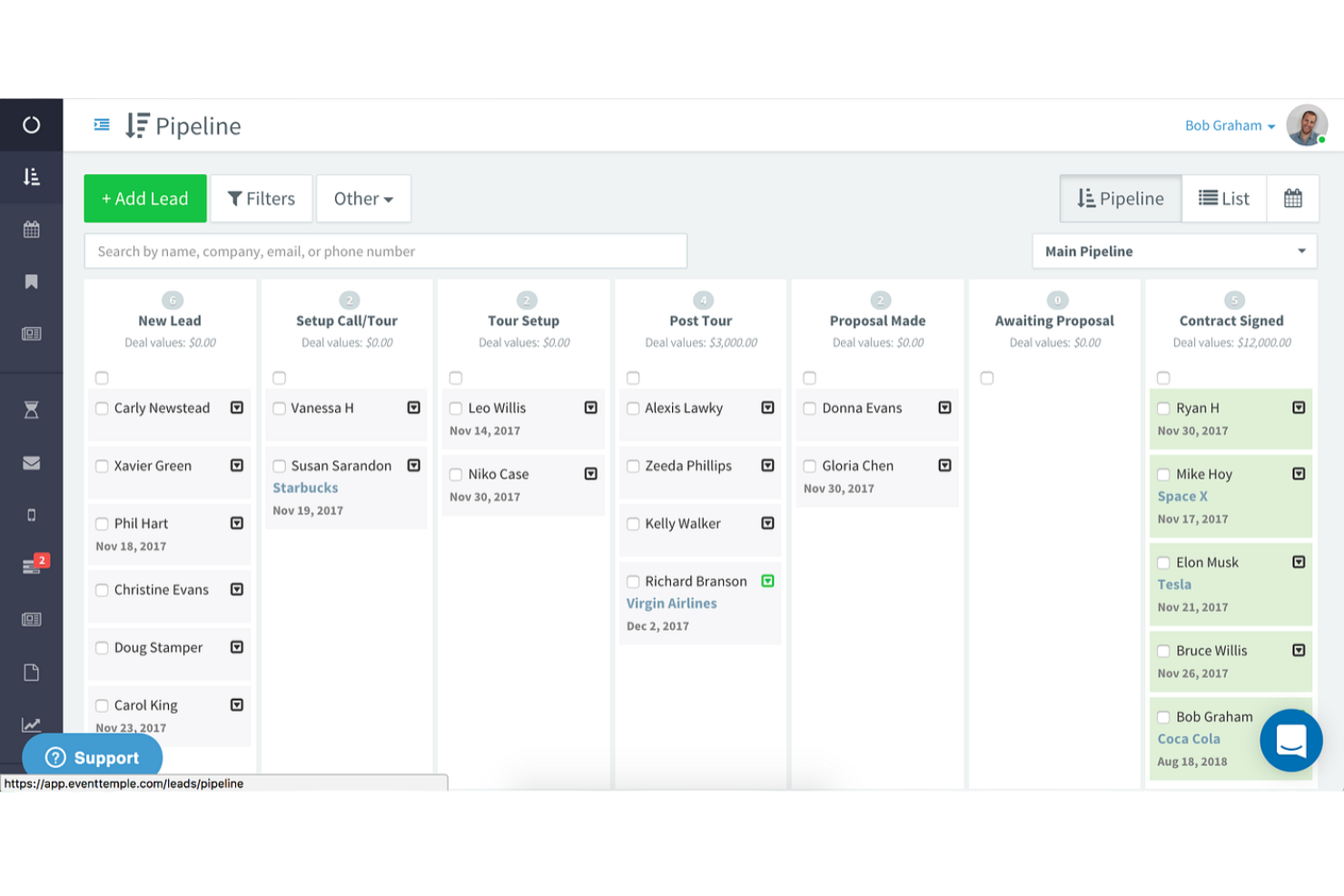
Event Temple is an all-in-one banquet management system is designed for hotels and venues that want to connect their banquet management with advanced CRM tools. It’s a strong fit for sales and events teams that need to manage leads, automate follow-ups, and keep guest data organized across multiple properties. The platform’s standout integration capabilities help unify sales, operations, and guest communications in one place.
Why I Picked Event Temple
For banquet teams that need to keep sales and guest data tightly connected, Event Temple’s CRM integration capabilities are a major advantage. The platform lets you automate lead capture, track every interaction, and sync guest profiles across your sales pipeline.
I like how you can set up automated follow-ups and reminders, which helps teams stay on top of client communications without missing a beat. These features make Event Temple a strong choice for venues that want to unify their sales and banquet operations.
Event Temple Key Features
Some other features that make Event Temple appealing include:
- Customizable Proposal Builder: Create and send branded proposals tailored to each client’s event.
- Banquet Event Order (BEO) Management: Generate and update BEOs for staff and vendors directly in the platform.
- Document E-signature Integration: Collect digital signatures on contracts and agreements without leaving the system.
- Multi-Property Management: Oversee bookings, contacts, and reporting across several venues from a single dashboard.
Event Temple Integrations
Integrations include EventFlow, Cvent, Opera Cloud PMS, FIRST-HOLD, Novicom Digital Signage, For-Sight, Loop24, Roosted, and more.
Pros and Cons
Pros:
- E-signature integration speeds up approvals
- Supports custom branding elements
- Syncs guest and sales data automatically
Cons:
- Guest meal preference tracking is unavailable
- No built-in banquet floor plan designer

Aiosell
Best for AI-driven event scheduling
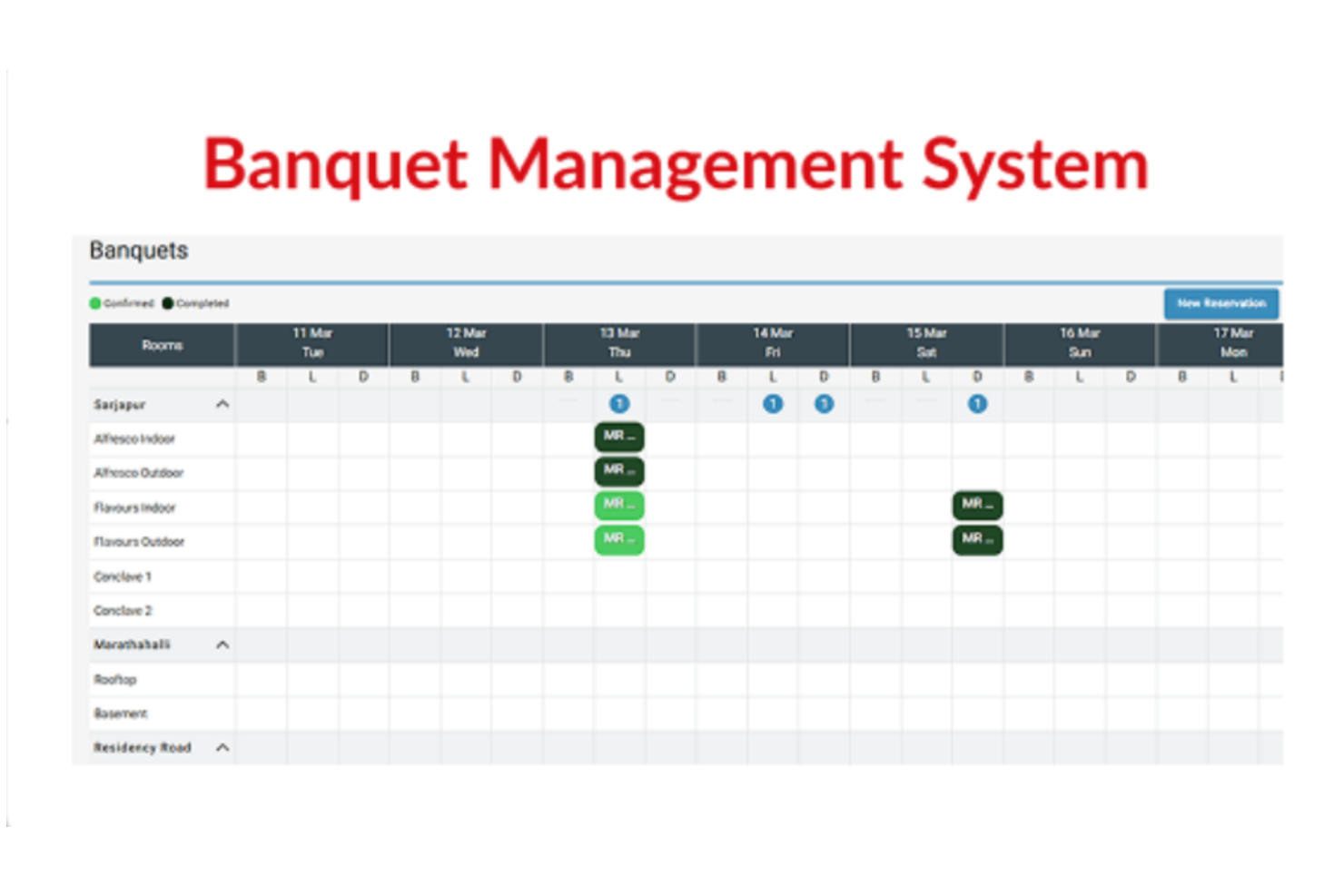
Aiosell brings AI-driven automation to event scheduling for hotels and banquet venues. It’s designed for hospitality teams that want to optimize bookings, manage availability, and reduce manual coordination. With its automated scheduling and dynamic pricing tools, Aiosell helps venues fill event spaces more efficiently and avoid double bookings.
Why I Picked Aiosell
For banquet venues that need to maximize event bookings without manual back-and-forth, Aiosell’s AI-driven event scheduling stands out. The platform uses AI to automatically manage room availability, suggest optimal booking times, and prevent double bookings. I like that it also adjusts event pricing dynamically based on demand and occupancy, which helps venues stay competitive. These features make Aiosell a strong fit for hospitality teams looking to automate and optimize their event scheduling process.
Aiosell Key Features
Some other features that make Aiosell useful for banquet management include:
- Channel Manager: Syncs event space availability across multiple booking platforms in real time.
- Automated Invoicing: Generates and sends invoices to clients directly from the platform.
- Analytics Dashboard: Provides detailed reports on bookings, revenue, and occupancy trends.
- Customizable Booking Engine: Lets you embed a branded booking widget on your website for direct event reservations.
Aiosell Integrations
Integrations are available via an API.
Pros and Cons
Pros:
- Automated invoicing for banquet event clients
- Real-time channel manager syncs all bookings
- AI adjusts event pricing based on demand
Cons:
- Limited support for multi-venue management
- No guest RSVP or seating chart features

Best for multi-venue event coordination
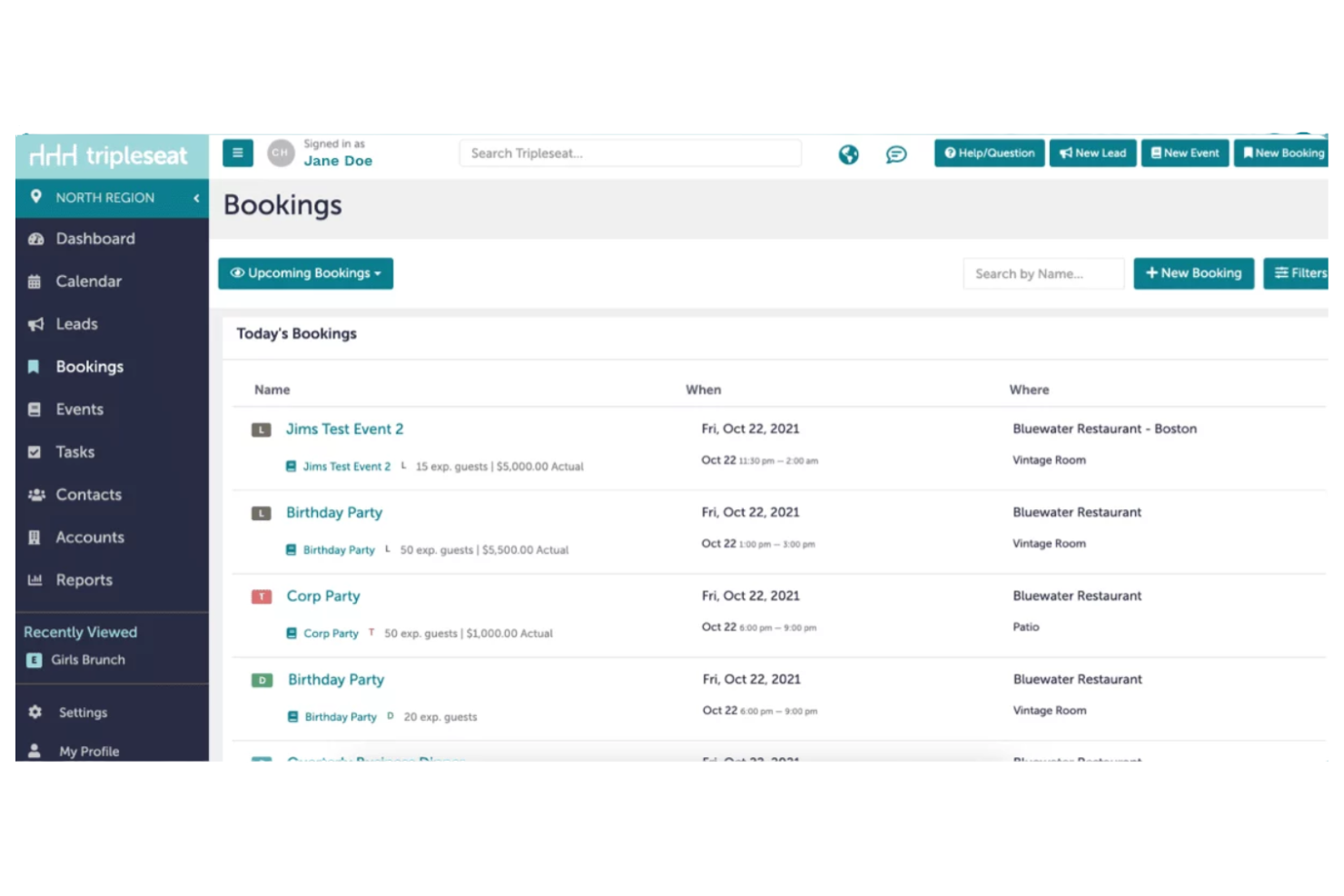
Tripleseat is designed for venues that need to coordinate events across multiple locations without losing track of details. It’s a strong fit for banquet managers and hospitality teams handling complex bookings and communications. The platform helps you centralize event information, manage leads, and keep every venue organized from one dashboard.
Why I Picked Tripleseat
I chose Tripleseat because it’s built to handle the challenges of managing events across several venues at once. The platform lets you view and coordinate bookings for multiple locations from a single dashboard, which is essential for banquet managers overseeing a portfolio of spaces.
I appreciate how Tripleseat centralizes communication, so you can track conversations and updates for each event without confusion. Its lead management tools also help you capture and organize inquiries for different venues, making it easier to keep every event on schedule.
Tripleseat Key Features
Some other features in Tripleseat that support event and banquet venue operations include:
- Customizable Event Templates: Create and reuse templates for different event types to standardize setup and documentation.
- Integrated Document Management: Store and manage contracts, BEOs, and invoices directly within the platform for easy access.
- Guest List Tracking: Maintain and update guest lists for each event, including meal preferences and RSVPs.
- Task Assignment Tools: Assign tasks to specific team members and track progress within each event’s workflow.
Tripleseat Integrations
Integrations include Constant Contact, Cvent, DoorDash, Facebook, Galley, Google Calendar, Infor, Maestro, Mailchimp, and OpenTable.
Pros and Cons
Pros:
- Tracks leads and inquiries by venue
- Offers customizable document templates
- Handles multi-venue bookings
Cons:
- Customization options for workflows are limited
- No transparent pricing listed
iVvy
Best for real-time availability tracking
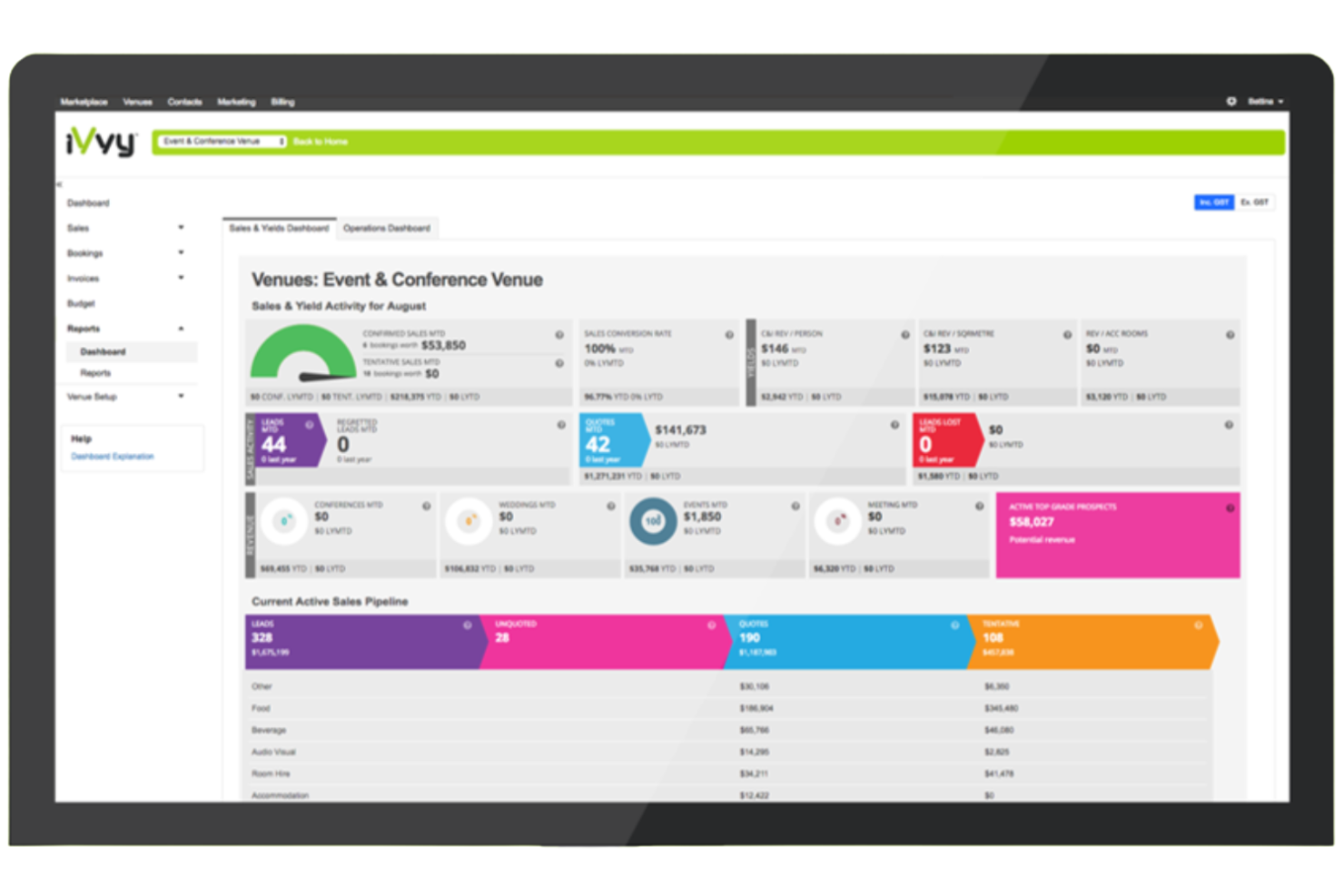
iVvy gives hotels, venues, and event managers a way to track and display real-time availability for function spaces and banquet rooms. It’s especially useful for teams that need to manage multiple bookings, avoid double-booking, and provide instant quotes to clients. The platform stands out for its live inventory management and online booking capabilities, which help simplify the entire event sales process.
Why I Picked iVvy
When you need to manage banquet spaces with up-to-the-minute accuracy, iVvy’s real-time availability tracking stands out. The venue management software lets you display live inventory for function rooms and instantly update availability as bookings are made or changed. I appreciate how this reduces the risk of double-booking and allows your team to provide immediate, accurate quotes to clients. For venues that handle frequent inquiries and overlapping events, these features make iVvy a strong fit for banquet management.
iVvy Key Features
Some other features that caught my attention include:
- Customizable Event Proposals: Build and send branded proposals directly from the platform.
- Integrated CRM: Manage client relationships and track communication history within the system.
- Online Payment Processing: Accept deposits and payments through secure online gateways.
- Banquet Event Order (BEO) Generation: Create detailed BEOs for staff and vendors with a few clicks.
iVvy Integrations
Integrations include Cvent, Google Analytics, HubSpot, Opera, Mews, Xero, QuickBooks, Salesforce, Stripe, and Outlook.
Pros and Cons
Pros:
- Offers banquet event order templates
- Supports online booking portal
- Real-time room availability updates
Cons:
- No built-in guest meal selection tracking
- Floor plan design tools are not included

Best for visual floor plan design tools
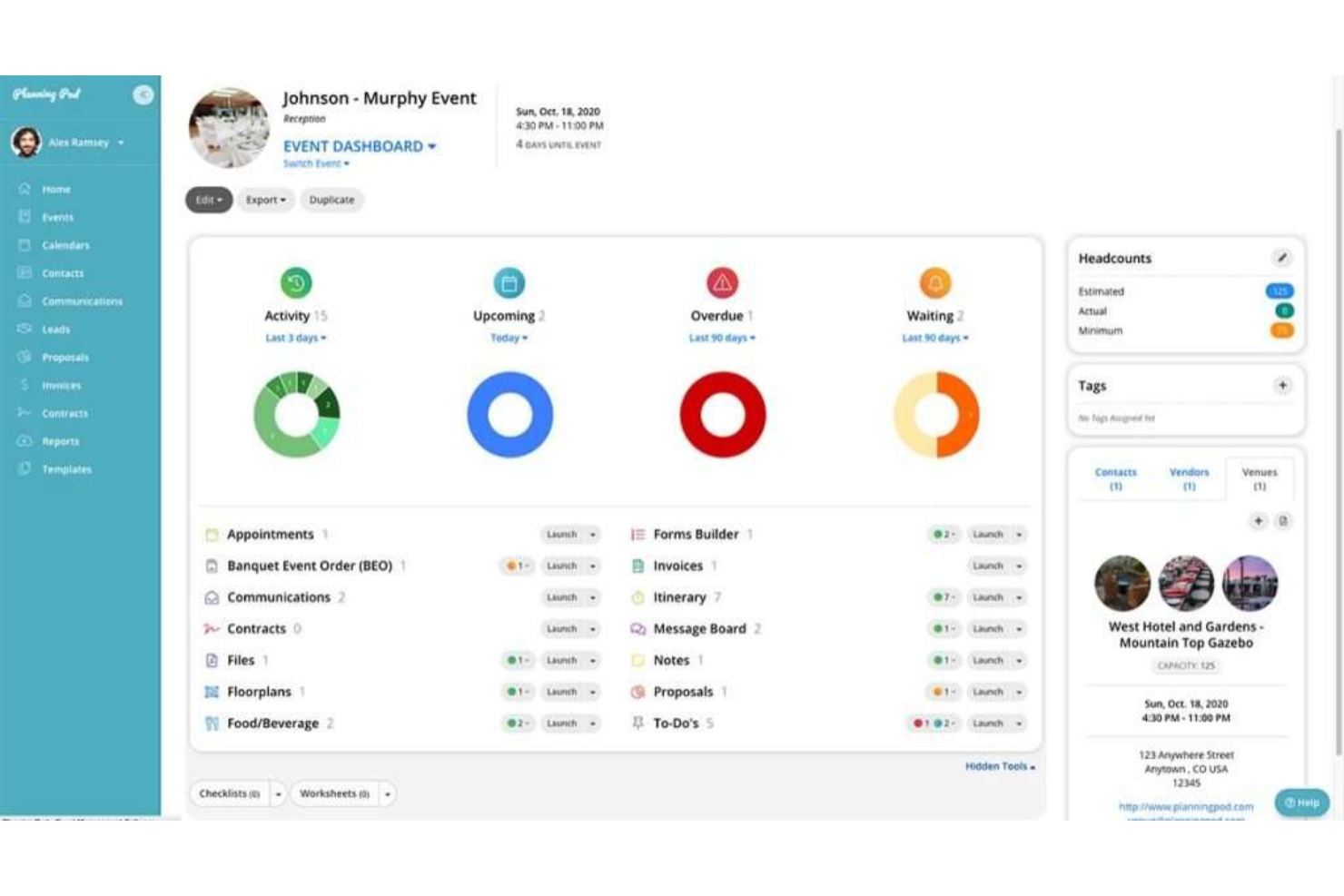
Planning Pod is built for banquet managers and event professionals who need detailed control over event layouts. Its visual floor plan design tools let you map out seating, tables, and room arrangements for any type of banquet or event. This makes it especially useful for venues that host complex events and want to avoid layout mistakes or last-minute changes.
Why I Picked Planning Pod
When it comes to managing banquets with complex layouts, Planning Pod’s visual floor plan design tools set it apart. The drag-and-drop floor plan builder lets you create detailed room diagrams, arrange tables, and assign seating with precision.
I appreciate that you can customize layouts for each event and instantly update plans as guest counts or requirements change. These features help banquet managers avoid layout conflicts and ensure every event runs smoothly from setup to execution.
Planning Pod Key Features
Some other features that make Planning Pod valuable for banquet management include:
- Online Event Registration: Collect guest RSVPs and manage attendee lists directly within the platform.
- Task and Checklist Management: Assign tasks to staff and track progress for each event.
- Document and Contract Storage: Store and share contracts, proposals, and event documents securely.
- Budget Tracking Tools: Monitor event expenses and payments with built-in budgeting features.
Planning Pod Integrations
Integrations include QuickBooks, Mailchimp, Google Calendar, Outlook, Slack, PayPal, Stripe, Eventbrite, Salesforce, and Xero.
Pros and Cons
Pros:
- Document storage for contracts and proposals
- Budget tracking tools for event expenses
- Built-in task lists for event coordination
Cons:
- Limited automation for recurring events
- No native catering software integrations

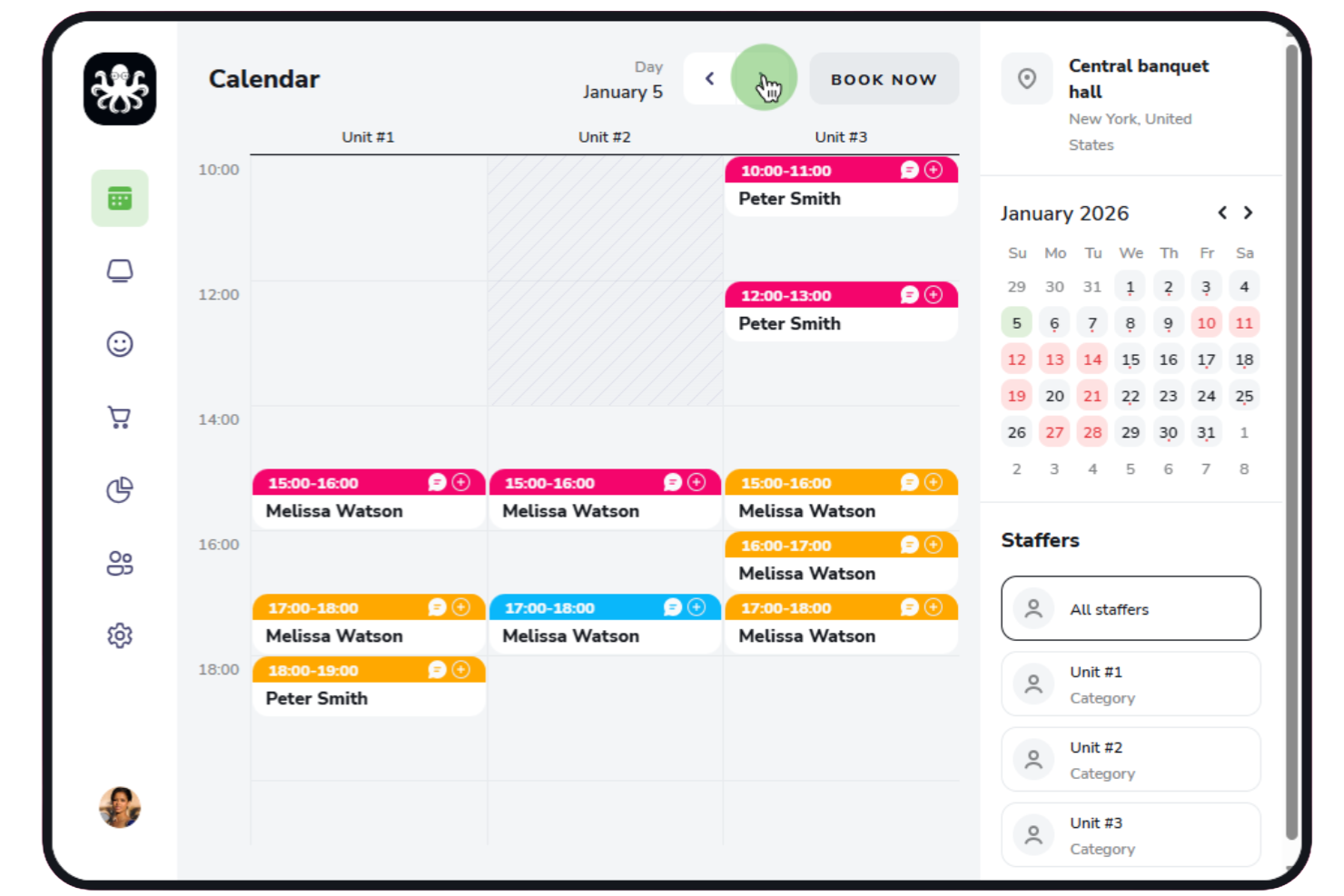
If you’re looking for a banquet management solution that prioritizes online reservations, EasyWeek is worth considering. The platform is designed for banquet halls and event venues that want to automate bookings and manage availability in real time. Its online scheduling tools help reduce double-bookings and make it easier for guests to reserve spaces directly from your website or social channels.
Why I Picked EasyWeek
For banquet venues that want to simplify and automate their reservation process, EasyWeek stands out for its online booking capabilities. The platform lets guests view real-time availability and book banquet spaces directly through a customizable widget on your website or social media.
I like that you can set up automated confirmations and reminders, which helps reduce no-shows and keeps communication clear. These features make EasyWeek a strong choice for venues that want to handle reservations digitally and minimize manual scheduling work.
EasyWeek Key Features
Some other features that make EasyWeek useful for banquet management include:
- Resource Allocation Management: Assign rooms, tables, and equipment to specific events within the platform.
- Automated Payment Collection: Accept deposits or full payments online through integrated payment gateways.
- Customizable Event Types: Set up different event categories with unique booking rules and requirements.
- Staff Scheduling Tools: Coordinate staff assignments and availability for each banquet or event.
EasyWeek Integrations
Integrations include Instagram, Stripe, Google Maps, Google Reserve, Telegram, WhatsApp, and more.
Pros and Cons
Pros:
- Staff scheduling tools included for event planning
- Automated payment collection for event reservations
- Online booking widget integrates with social media
Cons:
- No built-in banquet menu management
- Guest seating arrangement tools are unavailable

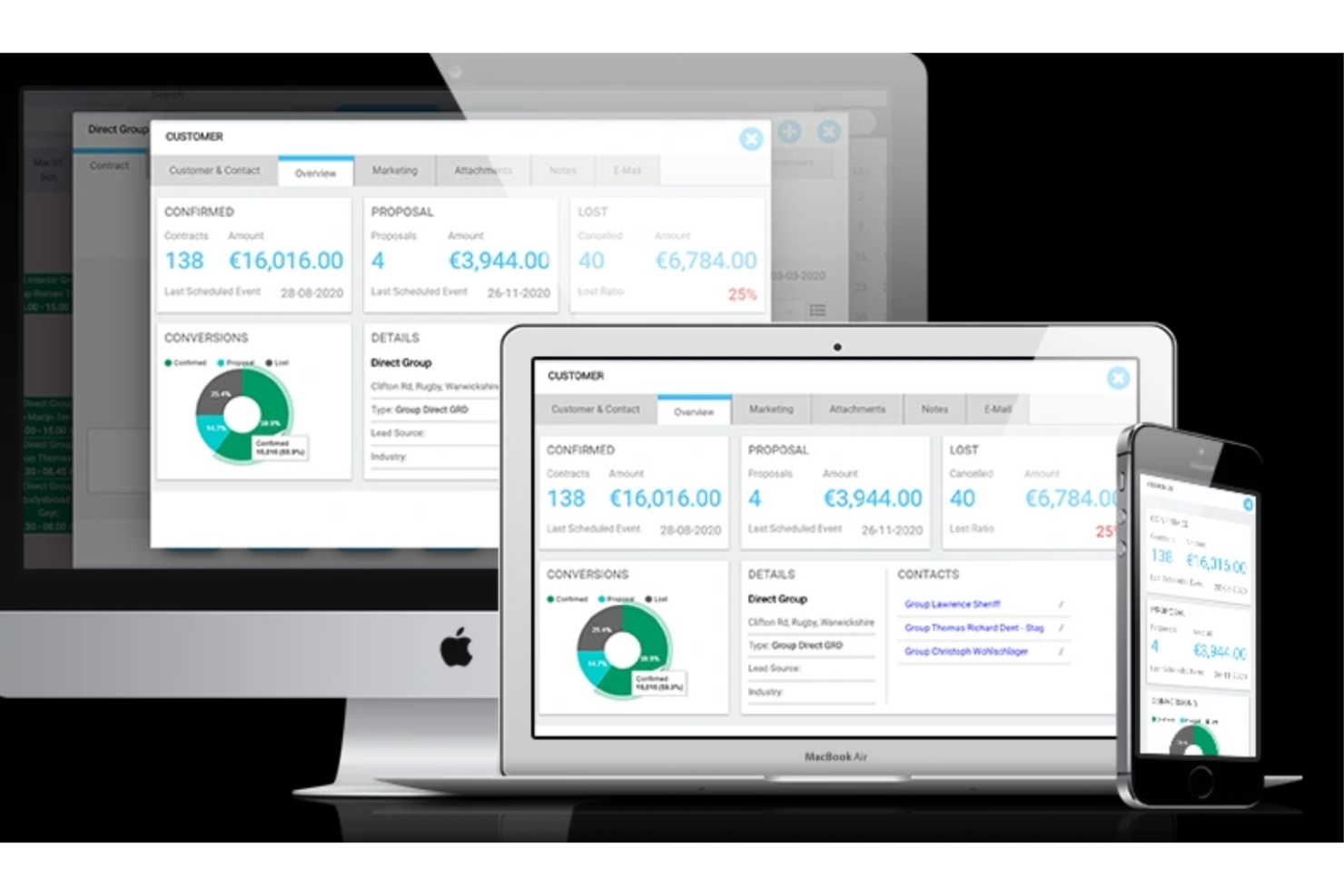
Pxier is an event management software designed for banquet venues that want to automate contract creation and event documentation. It’s especially useful for event managers and sales teams who handle high booking volumes and need to reduce manual paperwork. The platform helps you generate, send, and track contracts directly from each booking, cutting down on administrative time and errors.
Why I Picked Pxier
For venues that need to handle contracts quickly and accurately, Pxier offers automated contract generation that stands out in the banquet management space. The platform lets you create, customize, and send contracts directly from each event booking, so you don’t have to rely on manual templates or outside tools.
I like that Pxier also tracks contract status and stores signed documents within each event record. This approach helps reduce paperwork errors and keeps all event documentation organized in one place.
Pxier Key Features
In addition to its contract automation tools, Pxier offers several other features for banquet managers:
- Banquet Event Calendar: View and manage all upcoming events in a centralized calendar.
- Menu and Package Builder: Create and customize menus and event packages for different client needs.
- Online Booking Portal: Allow clients to submit event inquiries and booking requests online.
- Invoice and Payment Tracking: Generate invoices and monitor payment status for each event.
Pxier Integrations
Integrations include QuickBooks, Xero, Sage, Salesforce, Zoho, HubSpot, Lightspeed POS, Google Calendar, Outlook Calendar, and leading hotel PMS platforms.
Pros and Cons
Pros:
- Event calendar displays bookings and availability
- Menu builder supports detailed event customization
- Automated contract generation
Cons:
- Reporting restricted to contract dates
- Interface design appears dated

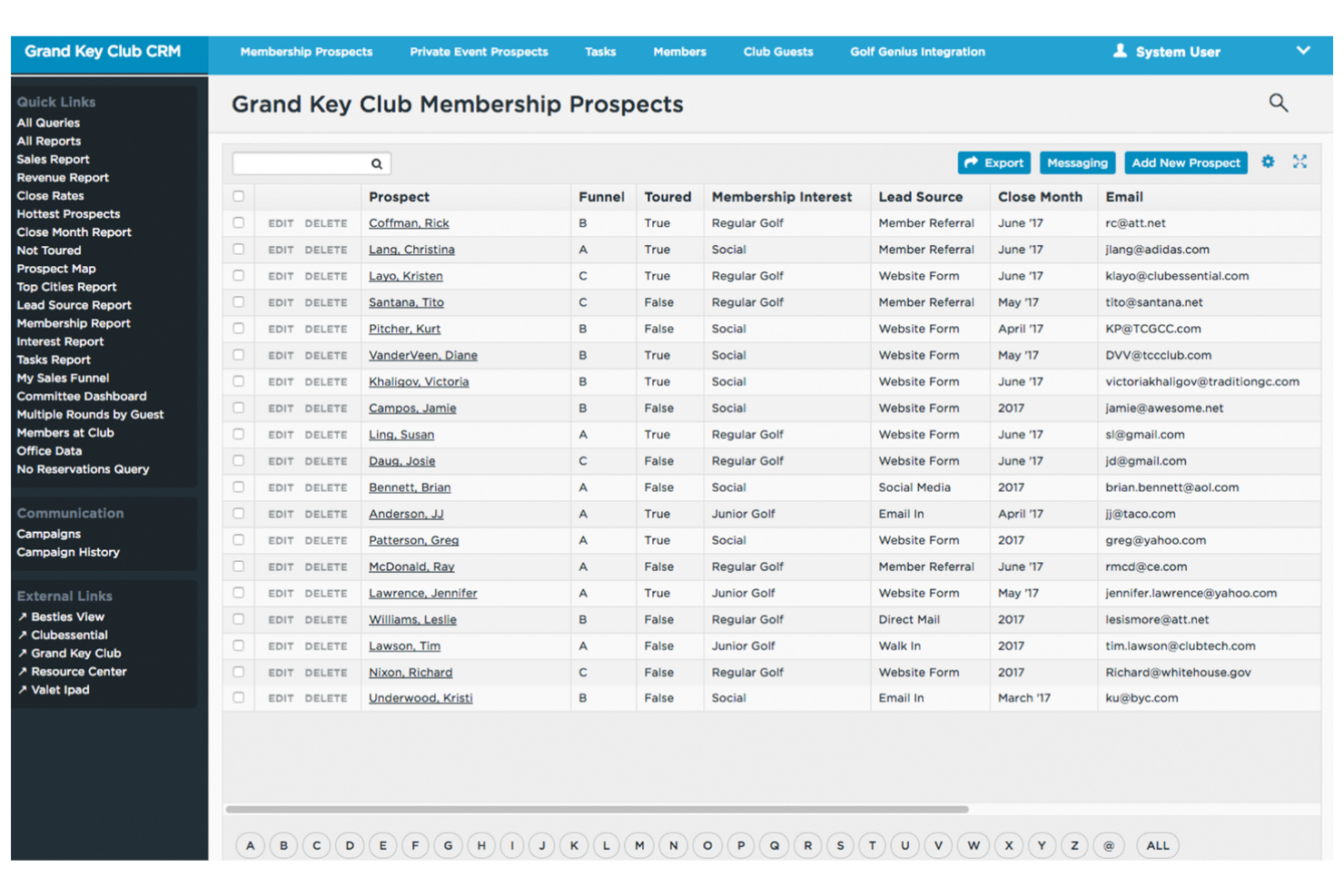
Clubessential is built for private clubs that need to coordinate member events, banquets, and facility bookings in one place. It’s especially useful for club managers and event coordinators who want to centralize scheduling and manage member communications. The platform helps simplify event planning while keeping club-specific needs—like member-only access and reservations—front and center.
Why I Picked Clubessential
When it comes to managing private club events, Clubessential offers scheduling tools tailored to the unique needs of member-based venues. The platform lets you coordinate event calendars, manage reservations, and set member access controls, all from a single dashboard.
I appreciate how Clubessential supports both recurring and one-off events, making it easier to handle everything from regular club dinners to large banquets. Its focus on member engagement and private event logistics makes it a strong fit for clubs that want to keep scheduling organized and exclusive.
Clubessential Key Features
Some other features that make Clubessential useful for banquet management include:
- Customizable Event Registration Forms: Collect attendee details and preferences directly through tailored online forms.
- Integrated Email Communication Tools: Send event invitations, confirmations, and updates to members from within the platform.
- Dining and Facility Management: Coordinate dining room layouts and facility usage for each event.
- Member Directory Integration: Access member profiles and contact information for targeted event communications.
Clubessential Integrations
Integrations include SchedulePop, Yellow Dog Inventory, Golf Genius, BlindHash Cyber, ClubUp, Tagmarshal, FAIRWAYiQ, and CourtReserve.
Pros and Cons
Pros:
- Automates waitlist management
- Integrated dining management
- Supports member-only event registration
Cons:
- Reporting tools lack advanced analytics options
- Limited support for non-member public events

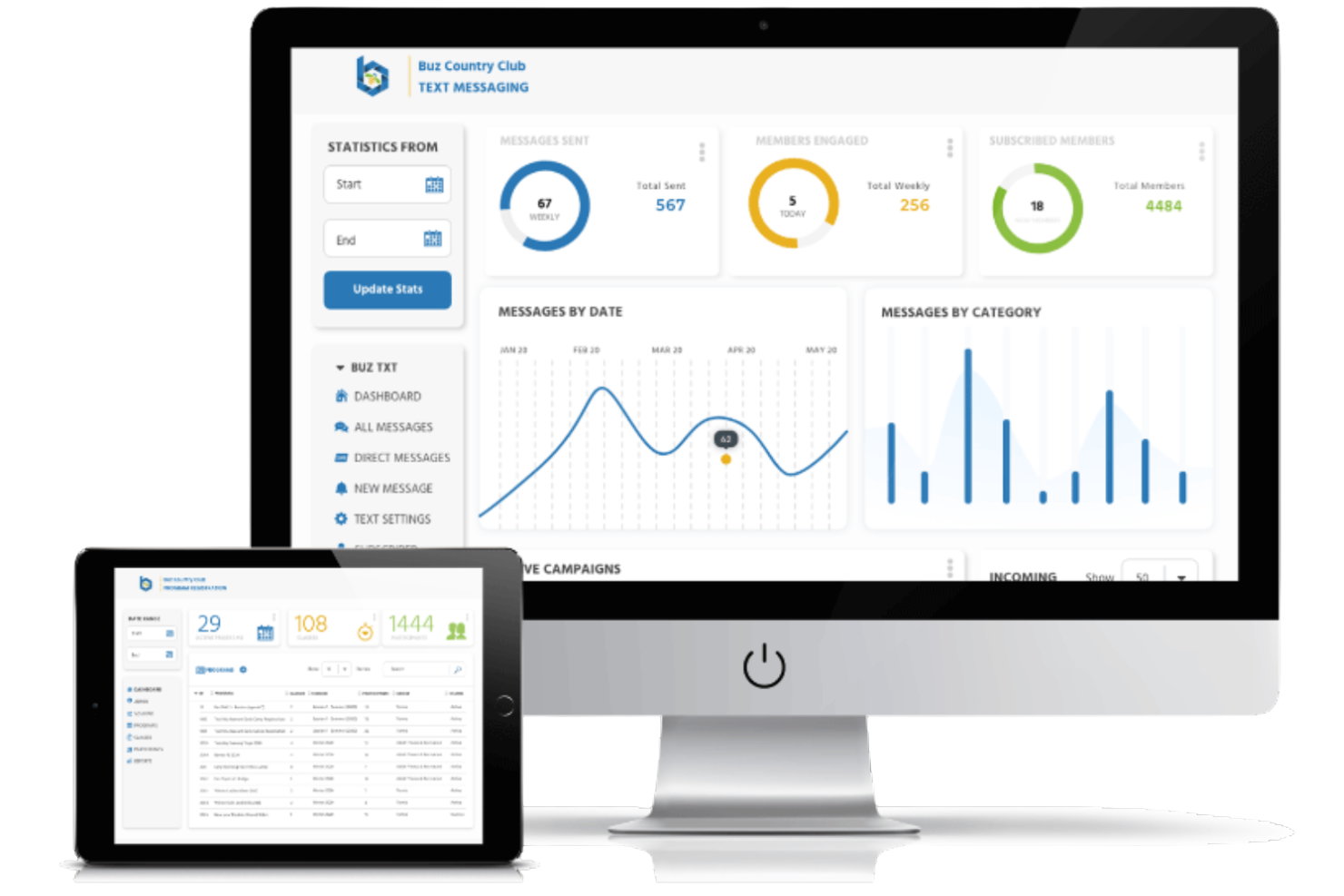
Buz Club Software is designed for private clubs and organizations that need to manage member-focused events and banquets. It’s a strong fit for club managers and event coordinators who want to handle reservations, member communications, and event billing in one place. The platform stands out for its ability to tie event management directly to member profiles and club accounting.
Why I Picked Buz Club Software
For clubs that prioritize member engagement in their event management, Buz Club Software offers tools built specifically for member-based event coordination. The platform connects event scheduling directly to member accounts, allowing you to track attendance, manage RSVPs, and handle member-specific billing. I like that it also supports detailed member communication features, so you can send targeted invitations and updates. This focus on member integration makes it a strong choice for clubs that want banquet management software tailored to their unique membership structure.
Buz Club Software Key Features
In addition to its member-focused event management, I also found these features worth noting:
- Banquet Room Availability Calendar: View and manage room bookings across multiple spaces in a single calendar.
- Customizable Event Templates: Create and reuse templates for recurring or similar events to save setup time.
- Integrated Food and Beverage Management: Track menu selections, dietary needs, and catering orders for each event.
- Automated Contract Generation: Generate event contracts and agreements directly from event details within the platform.
Buz Club Software Integrations
Integrations include Ottimate, Tag Marshall, Gravity Payments, and Elavon.
Pros and Cons
Pros:
- Event billing integrates with club accounting
- Banquet room calendar shows real-time availability
- Member profiles link directly to event bookings
Cons:
- Reporting features lack visual dashboards
- Limited public event management capabilities

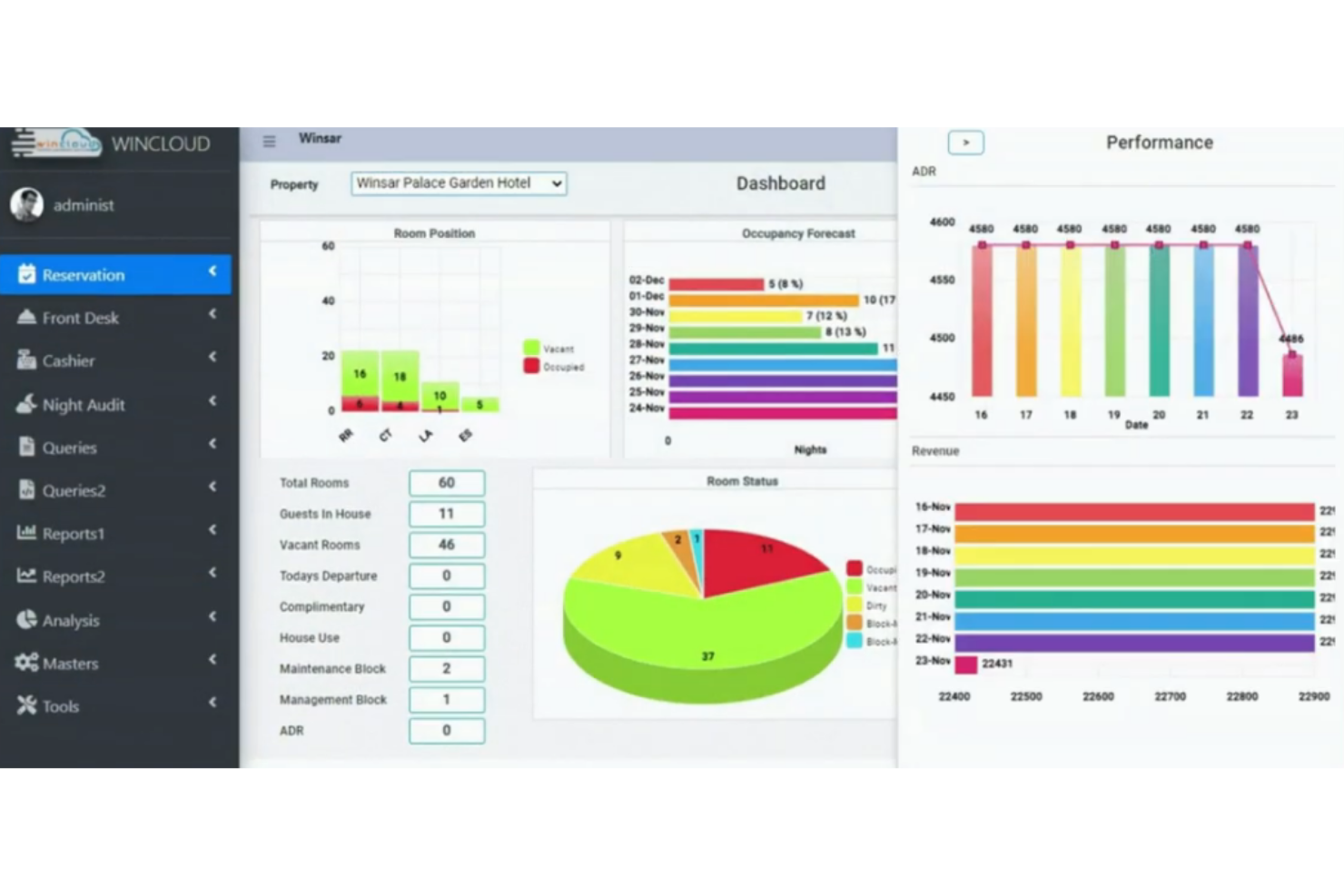
WINCLOUD stands out for hotels and venues that want their banquet management system to be tightly connected to their property management. It’s especially useful for operators who need real-time room, event, and guest data flowing between departments. The platform’s unified approach helps reduce manual entry and keeps event planning in sync with property operations.
Why I Picked WINCLOUD
When banquet management needs to work hand-in-hand with property operations, WINCLOUD offers a clear advantage. The platform connects banquet bookings directly with room inventory and guest profiles, so teams always have up-to-date information.
I appreciate how you can manage event spaces, guest stays, and billing from a single system, which helps reduce errors and double-bookings. This makes WINCLOUD a strong fit for hotels and venues that want to keep all property and event data unified.
WINCLOUD Key Features
Some other features that make WINCLOUD useful for banquet teams include:
- Banquet Event Order (BEO) Generation: Create and manage detailed BEOs for each event directly in the system.
- Inventory and Resource Tracking: Monitor availability of banquet equipment, linens, and other resources in real time.
- Customizable Reporting Tools: Generate reports on event revenue, occupancy, and resource usage with flexible templates.
- Automated Task Assignment: Assign setup, service, and cleanup tasks to staff based on event schedules.
WINCLOUD Integrations
Integrations include Sabre, SiteMinder, TravelClick, RateGain, Staah, IDeaS, Vingcard, and over 100 additional partner systems.
Pros and Cons
Pros:
- Real-time inventory tracking for event resources
- Supports automated Banquet Event Order creation
- Directly links banquet and guest room bookings
Cons:
- Limited drag-and-drop event calendar views
- No built-in banquet menu planning tools
Other Banquet Management Software
Here are some additional banquet management software options that didn’t make it onto my shortlist, but are still worth checking out:
- Caterease
For menu planning features
- Total Party Planner
For catering order management
- Momentus Technologies
With scalable event space tracking
- EventPro
For integrated event logistics
- Banquet Easy
For customizable booking workflows
- Banquet Hall Software
For small venue operations


How I Evaluate Banquet Management Software
I split my evaluation into two layers: core requirements like BEO creation, space booking, and catering management, and the differentiating factors that reveal which tool actually fits your operation.
Core Functionality (Table Stakes For This List)
When I'm selecting tools for my list, I rank each one on a scale from 0 (does not offer the functionality) to 5 (excels in this area) for each core functionality listed below. Then, I calculate the tool's total score into a percentage. Each tool needs to achieve a minimum total score of 65% to be considered for inclusion.
- Event Booking & Scheduling: I check whether the tool offers multi-space calendar views that flag conflicts when, say, two wedding receptions target the same ballroom on the same Saturday.
- BEO & Function Sheet Generation: Each tool should let your team build and distribute detailed BEOs covering timelines, setups, and service notes so every department works from the same page.
- Catering & Menu Management: I evaluate how well you can build event-specific menus with per-guest pricing, dietary tags, and package options rather than relying on static price lists.
- Proposals, Contracts & Invoicing: The sales-to-billing workflow matters here—I look for tools that move from a branded proposal through e-signature to deposit tracking in one flow.
- Hotel System Integrations: I check for native connections to hotel PMS and POS platforms so room blocks, guest folios, and F&B charges sync without manual re-entry.
- Resource & Staff Assignment: Your banquet captain needs to see which servers, AV rigs, and linens are allocated per event, so I look for assignment tools with conflict detection across overlapping functions.
Once I have a list of tools that meet the criteria, I consider what sets each platform apart.
Differentiating Factors (What Sets Vendors Apart)
Here's how I compare and contrast different vendors:
Standout Features
A client portal where event hosts can review BEOs, approve changes, and sign contracts on their own saves your team hours of back-and-forth emails before a big gala. I also look for mobile BEO access—banquet captains need real-time updates on the floor when a client adds 30 guests an hour before service. Revenue dashboards matter too, giving your F&B director visibility into banquet revenue per square foot and booking pace across seasons.
Beyond Features
I consider whether a tool fits your property type—a 50-room boutique hotel has different needs than a convention center juggling dozens of concurrent events. Hospitality ecosystem integrations also weigh heavily; I check for native connections to platforms like Opera, Mews, or Delphi so your banquet data flows into the broader tech stack. Pricing structure matters too, since per-property licensing can make more sense for multi-venue operators than per-user models that balloon with seasonal staff.
How to Choose Banquet Management Software
It’s easy to get bogged down in long feature lists and complex pricing structures. To help you stay focused as you work through your unique software selection process, here’s a checklist of factors to keep in mind:
| Factor | What to Consider |
|---|---|
| Scalability | Will the software handle your current and future event volume? Consider if it can grow with your venue or chain. |
| Integrations | Does it connect natively with your accounting, CRM, or POS systems? Check for compatibility with your existing tech stack. |
| Customizability | Can you tailor workflows, templates, or reports to match your venue’s processes? Avoid rigid systems that force you to adapt. |
| Ease of use | Will your team learn it quickly? Look for clear navigation and minimal training requirements, especially for seasonal or part-time staff. |
| Implementation and onboarding | How long will setup take, and what support is provided? Ask about data migration, training resources, and onboarding timelines. |
| Cost | Are pricing tiers transparent and predictable? Watch for hidden fees, per-user charges, or required add-ons that could inflate your budget. |
| Security safeguards | Does the vendor offer data encryption, user permissions, and regular backups? Ensure guest and payment data are protected. |
| Support availability | What support channels are offered, and during what hours? Consider if you need 24/7 help or local-language support for your team. |
What Is Banquet Management Software?
Banquet management software is a digital platform designed to help venues organize, schedule, and coordinate events such as banquets, weddings, and corporate gatherings. It centralizes tasks like booking management, payment tracking, document storage, and staff assignments.
By simplifying these processes, banquet management software helps venues deliver consistent guest experiences and maintain operational efficiency across all types of events.
Features
When selecting banquet management software, keep an eye out for the following key features:
- Event booking calendar: A centralized calendar that displays all upcoming events, helping you avoid double-bookings and manage availability at a glance.
- Payment tracking: Tools to record deposits, monitor outstanding balances, and generate payment reminders for clients.
- Document storage: A secure space to upload, organize, and access contracts, floor plans, and event-related documents.
- Task assignment: Functionality to delegate responsibilities to staff members and track progress for each event.
- Customizable templates: Pre-built templates for common event types that can be tailored to your venue’s needs, speeding up the planning process.
- Client management: A database to store client contact details, event histories, and communication logs for easy reference.
- Reporting and analytics: Dashboards and reports that summarize event performance, revenue, and operational trends.
- Guest list management: Tools to create, update, and track guest lists, including RSVP status and special requirements.
- Resource allocation: Features to assign rooms, equipment, and other resources to specific events, ensuring nothing is overlooked.
- Communication tools: Built-in messaging or email features to keep clients and staff informed throughout the planning and execution process.
Banquet management software solutions do not typically include AI as part of their feature offering.
Benefits
Implementing banquet management software provides several benefits for your team and your business. Here are a few you can look forward to:
- Centralized event organization: Keep all event details, documents, and communications in one place for easy access and coordination.
- Improved booking accuracy: Use a shared calendar and automated conflict detection to prevent double-bookings and scheduling errors.
- Simplified payment management: Track deposits, balances, and payment deadlines with built-in financial tools.
- Enhanced staff coordination: Assign tasks and monitor progress so everyone knows their responsibilities for each event.
- Faster event planning: Leverage customizable templates and automated workflows to reduce repetitive work and speed up setup.
- Better client communication: Use integrated messaging tools and client records to keep clients informed and respond quickly to requests.
- Actionable business insights: Access reporting and analytics features to monitor event performance and identify trends for future planning.
Costs and Pricing
Selecting banquet management software requires an understanding of the various pricing models and plans available. Costs vary based on features, team size, add-ons, and more. The table below summarizes common plans, their average prices, and typical features included in banquet management software solutions:
Plan Comparison Table for Banquet Management Software
| Plan Type | Average Price | Common Features |
|---|---|---|
| Free Plan | $0 | Basic event booking, limited document storage, and simple calendar management. |
| Personal Plan | $20-$50/user/month | Event booking, payment tracking, document storage, and basic reporting. |
| Business Plan | $60-$150/user/month | Advanced booking tools, task assignment, customizable templates, client management, and analytics. |
| Enterprise Plan | $200+/user/month | Multi-venue support, custom integrations, advanced security, dedicated support, and custom workflows. |
Banquet Management Software FAQs
Here are some answers to common questions about banquet management software:
How does banquet management software help with event coordination?
Banquet management software centralizes event details, schedules, and communications, making it easier for teams to coordinate tasks, track progress, and avoid miscommunication. Features like automated notifications ensure that every aspect of an event is covered. By using an end-to-end workflow, the software helps teams track progress in real-time, ensuring nothing falls through the cracks from the initial inquiry to the final bill.
Can banquet management software integrate with my existing hotel systems?
Yes, many banquet management software solutions offer integrations with accounting, CRM, and POS systems. Before choosing a tool, check if it supports specific platforms or offers a dedicated integration module to avoid manual data entry. This connectivity allows managers to make informed decisions based on accurate, property-wide data.
What should I consider when migrating from spreadsheets to banquet management software?
Start by organizing your current data and identifying which information needs to be imported. Look for software with onboarding support, data migration tools, and training resources to help your team transition smoothly and minimize disruptions to your operations.
Is banquet management software suitable for small venues?
Yes, many solutions offer flexible pricing and feature sets that work well for small venues. Even for smaller operations, using a specialized system can help increase profits by reducing administrative overhead and double-bookings. Many providers also offer a mobile app, allowing small teams to manage venue details on the go. Look for plans that match your event volume and staff size, and avoid paying for features you don’t need.
How secure is the data stored in banquet management software?
Most reputable banquet management software providers use encryption, user permissions, and regular backups to protect your data. Since it is a cloud-based system, you benefit from enterprise-level security that is often better than local spreadsheets. Always review a vendor’s security policies and ask about compliance with relevant data protection regulations before making a decision.