

Navegar por el mundo del software de gestión de conferencias puede ser un campo minado, pero créeme, yo he estado ahí. Con un mar de soluciones disponibles, elegir la adecuada puede sentirse como buscar una aguja en un pajar. Entonces, ¿qué hace un excelente software de gestión de conferencias? Optimiza todo el proceso de planificación del evento, desde la venta de entradas hasta la interacción con los asistentes y la analítica.
Los beneficios son enormes. Un buen software te ahorra tiempo y energía y se ajusta a tus necesidades, ya sea que organices un pequeño taller o una gran conferencia. Te dota de herramientas poderosas que simplifican tareas complejas, mejoran la experiencia de los asistentes y te brindan información valiosa para perfeccionar futuros eventos.
Todos conocemos los principales problemas de la organización de eventos: desorganización, procesos ineficientes, ausencia de datos en tiempo real, mala gestión de asistentes, etc. El software de gestión de conferencias adecuado soluciona estos inconvenientes de raíz, garantizando que organices un evento memorable que conecte con tus asistentes.
¿Listo para explorar las opciones? He evaluado y recopilado cuidadosamente una lista con el mejor software de gestión de conferencias para facilitarte el camino. Vamos allá.
Por qué confiar en nuestras recomendaciones de software
6,700+
Reviews
20
Industry experts
16+
Evaluation factors
14
Years
Nuestro equipo lleva probando y evaluando software desde 2012. Como líderes del sector hotelero, sabemos lo difícil —y lo importante— que es elegir el software adecuado.
Para esta guía, evaluamos las herramientas mediante pruebas prácticas e investigación independiente, puntuando las herramientas según nuestros criterios de selección.
Nuestras reseñas reflejan nuestro criterio editorial humano, no un discurso de ventas.
Resumen del mejor software de gestión de conferencias
Esta tabla comparativa resume los detalles de precios de mis mejores selecciones de software de gestión de conferencias para ayudarte a encontrar el adecuado para tu presupuesto y necesidades empresariales.
| Tool | Best For | Trial Info | Price | ||
|---|---|---|---|---|---|
| 1 | Best for mobile event app | Not available | From $2,495 | Website | |
| 2 | Best for flexible event design and registration | Free demo available | From $11,800/year (billed annually) | Website | |
| 3 | Best for user-friendly mobile networking | Free demo available | Pricing upon request | Website | |
| 4 | Best for efficient ticketing and fundraising | Free trial available | From $7,500/event | Website | |
| 5 | Best for robust event project management | Free plan + free demo available | From $9/user/month (billed annually) | Website | |
| 6 | Best for immersive hybrid conferences | Free demo available | Pricing upon request | Website | |
| 7 | Best for interactive virtual and hybrid events | Free trial available | Pricing upon request | Website | |
| 8 | Best for customizable event apps | Free demo available | Pricing upon request | Website | |
| 9 | Best for comprehensive venue sourcing solutions | Free demo available | Pricing upon request | Website | |
| 10 | Best for immersive virtual event experiences | 30-day free trial | From $99/organizer/month (billed annually) | Website |


Reseña del mejor software de gestión de conferencias
A continuación encontrarás mis resúmenes detallados sobre los mejores softwares de gestión de conferencias que entraron en mi lista. Mis reseñas ofrecen un análisis detallado de las funciones clave, ventajas y desventajas, integraciones y casos de uso ideales de cada herramienta para ayudarte a identificar la mejor opción para ti.

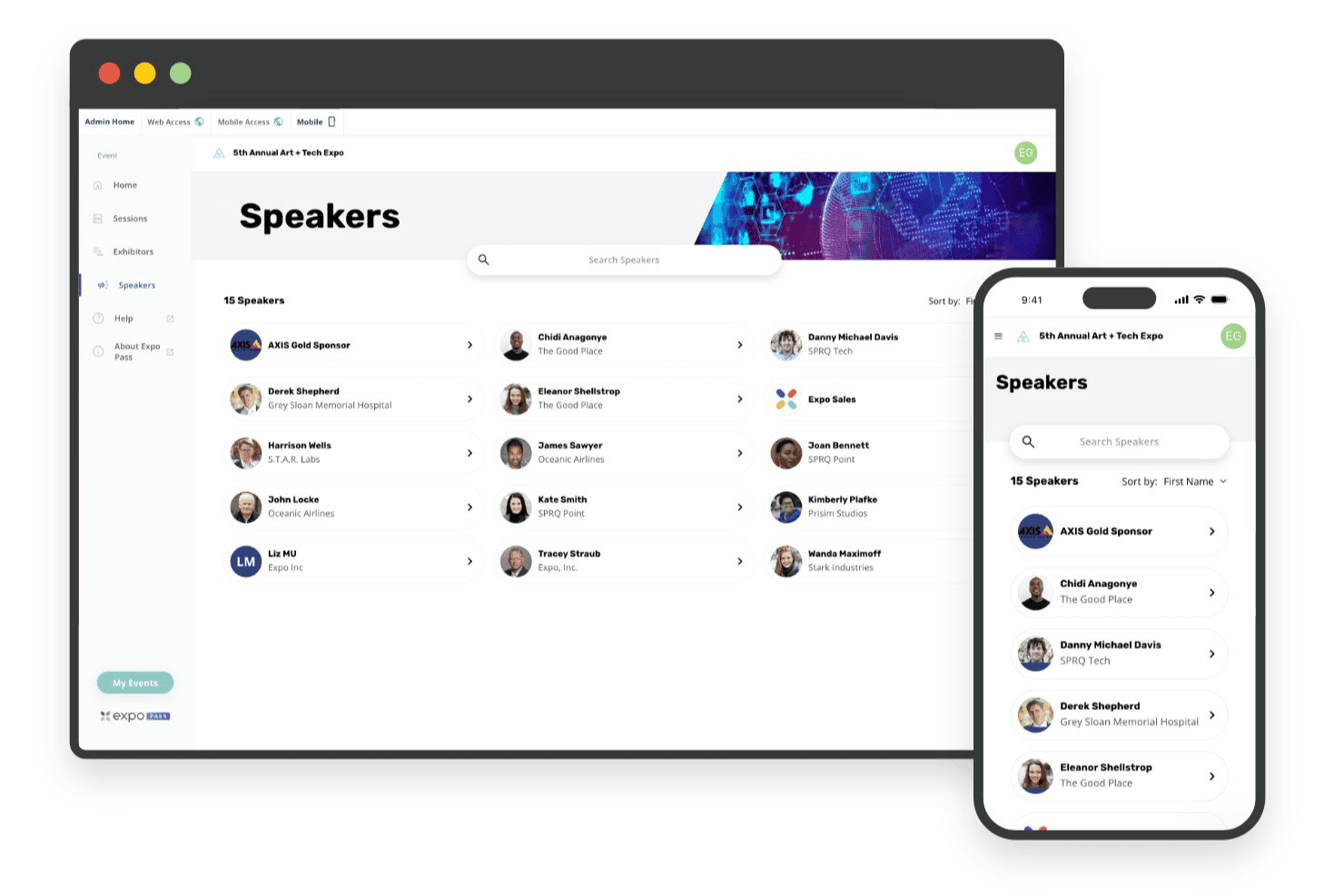
Expo Pass powers mobile event apps for check-in, schedules, and attendee updates Expo Pass is an event management platform covering online registration, on-site check-in, badge printing, lead retrieval, attendance tracking, and a mobile event app for in-person, virtual, and hybrid events.
Who Is Expo Pass Best For?
Expo Pass fits event organizers managing conferences, trade shows, and expos who want a strong mobile attendee experience at the center of their event.
Why I Picked Expo Pass
Expo Pass earns its spot on my shortlist because the mobile event app is genuinely one of the best I've seen for keeping attendees engaged across in-person, virtual, and hybrid formats. I love that attendees get personalized agendas, real-time messaging, and session networking on iOS, Android, or browser with no download required. Push notifications let me update schedules live, and sponsor placements are built right into the app experience.
Expo Pass Key Features
- On-site badge printing: Custom-branded badges print on demand via Zebra printers paired with plug-and-play iPad kiosks shipped directly to your event.
- CE/CEU credit tracking: Session scans automatically calculate credit eligibility and generate personalized certificates based on customizable attendance rules.
- Group room block management: Organizers set up room blocks, sub-blocks, and branded attendee booking pages, with real-time pickup tracking and hotel portal access.
- Lead retrieval: Exhibitors scan attendee badges via the Expo Pass app to capture, qualify, and export leads directly from the event floor.
Expo Pass Integrations
Expo Pass offers documented integrations with Stripe, Zoom, Vimeo, IBM Stream, and Linkroom. It doesn’t document native PMS, CRS, POS, CRM, Zapier, or API integrations.
Pros and Cons
Pros:
- Automated CE/CEU credit tracking available
- End-to-end onsite badge printing included
- Mobile event app needs no download
Cons:
- Lacks hotel function space management features
- No banquet event orders or catering tools
Learn more about Expo Pass: Best for flexible event design and registration
- Free demo available
- From $11,800/year (billed annually)
Visit WebsiteCustomer Rating:4.8/5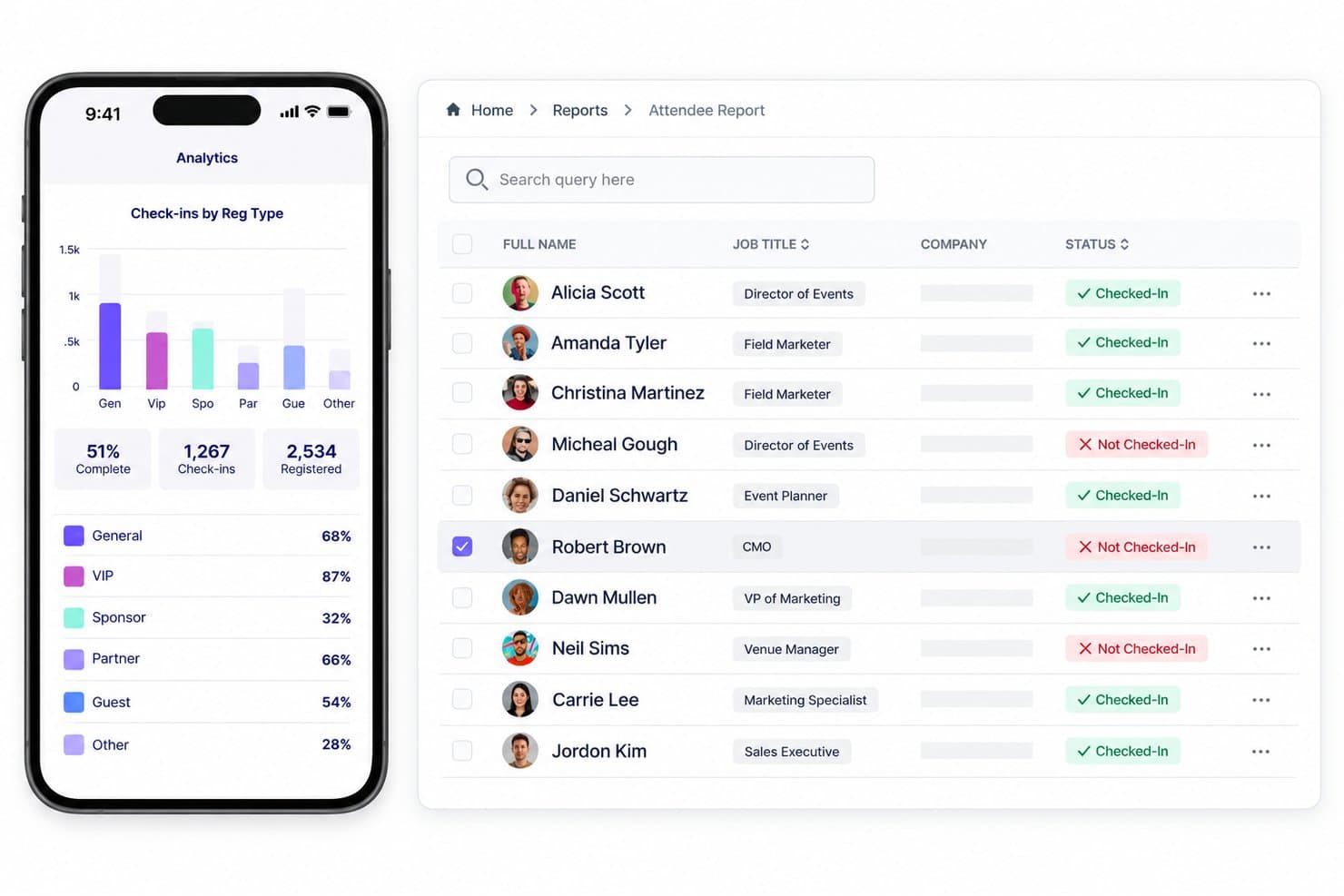
Swoogo unifies registration, sessions, speakers, check-in, rooms, and reporting. Swoogo is an event registration and management platform that covers attendee registration, event website building, session and speaker management, room block coordination, and on-site check-in for in-person, virtual, and hybrid events.
Who Is Swoogo Best For?
Swoogo is a strong fit for corporate event marketers and conference organizers who need highly configurable attendee registration and event websites for in-person, virtual, or hybrid events.
Why I Picked Swoogo
Swoogo earns its spot on my shortlist because the registration engine is genuinely one of the most flexible I've used, letting you build completely different registration paths for speakers, sponsors, and general attendees within a single event. I love that you can lock check-in and check-out dates to event dates inside the Hotels module, so attendees book the right room block without extra back-and-forth. The Combined Room Block Report pulls all block bookings into one view, which cuts out the spreadsheet tracking most conference teams still rely on.
Swoogo Key Features
- Conditional registration logic: Build distinct registration paths for different attendee types—speakers, sponsors, and general attendees—within a single event using unlimited conditional rules.
- Automated attendee workflows: Trigger confirmation emails, session assignments, and field updates automatically based on registration status changes like abandonment, modification, or cancellation.
- Multi-track session scheduling: Organize concurrent sessions across multiple tracks with a call-for-speakers submission portal that includes internal rating and review workflows.
- Cross-event attendee analytics: Access 15+ customizable reports and aggregate attendee data across multiple events to identify trends and measure engagement over time.
Swoogo Integrations
Swoogo offers 30+ native integrations, including Salesforce, HubSpot, Zoom, ON24, Passkey, Stripe, and Google Analytics. It also supports a REST API, outbound webhooks, and Zapier; hotel PMS, CRS, and POS integrations aren’t documented.
Pros and Cons
Pros:
- Strong event security and compliance controls
- Combined room block report for organizers
- Highly flexible multi-path registration workflows
Cons:
- Lacks RFP and group sales pipelines
- No hotel-side catering or space management
Learn more about Swoogo: Best for user-friendly mobile networking
- Free demo available
- Pricing upon request
Visit WebsiteCustomer Rating:4.8/5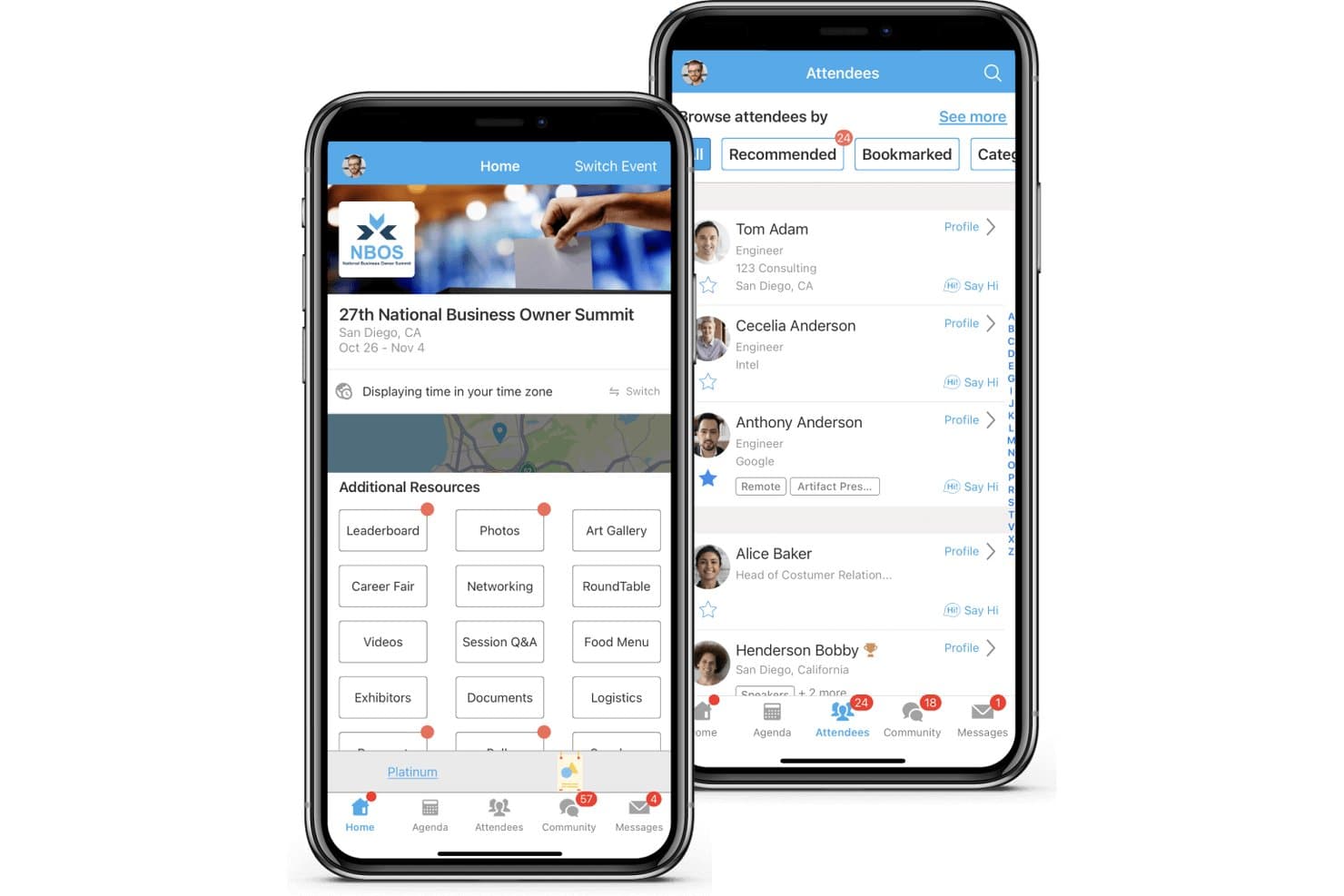
Whova combines registration, sessions, check-in, abstracts, exhibitors, and networking. Whova is a conference management platform for in-person, virtual, and hybrid events that covers attendee registration, mobile event apps, agenda management, networking, exhibitor booths, and post-event analytics.
Who Is Whova Best For?
Whova is a strong fit for conference organizers and association event teams who need a mobile-first platform to manage attendee engagement and networking.
Why I Picked Whova
I picked Whova as one of the best because its mobile networking tools go well beyond a simple attendee directory. Features like AI-powered matchmaking, Speed Networking video rooms, and the Community Board let attendees connect before, during, and after an event from their phones. I especially like the Meeting Scheduler, which lets attendees book 1:1 appointments and reserve space on-site, turning passive conference attendance into active relationship-building.
Whova Key Features
- Abstract management: A branded submission portal lets speakers submit session proposals, with customizable forms, single or double-blind peer review, and direct sync of accepted abstracts to your event agenda.
- Event website builder: Choose from 20+ templates to build a hosted event site that auto-syncs your agenda, speakers, and sponsors without any coding.
- Gamification tools: Trivia contests, photo contests, passport challenges, and leaderboards drive attendee participation throughout the event.
- Post-event analytics report: Whova generates a detailed post-event report covering session attendance, engagement metrics, networking activity, and sponsor impressions.
Whova Integrations
Whova integrates with Cvent, Eventbrite, Zoom, Stripe, HubSpot, Mailchimp, WildApricot, YourMembership, and Glue Up. It also supports API-key connections and Zapier.
Pros and Cons
Pros:
- Supports multi-track sessions with auto-syncing
- Gamification features drive attendee engagement
- Offers AI-powered attendee matchmaking tools
Cons:
- Provides no banquet event order capabilities
- Lacks hotel room block management tools
Learn more about Whova: Best for efficient ticketing and fundraising
- Free trial available
- From $7,500/event
Visit WebsiteCustomer Rating:4.7/5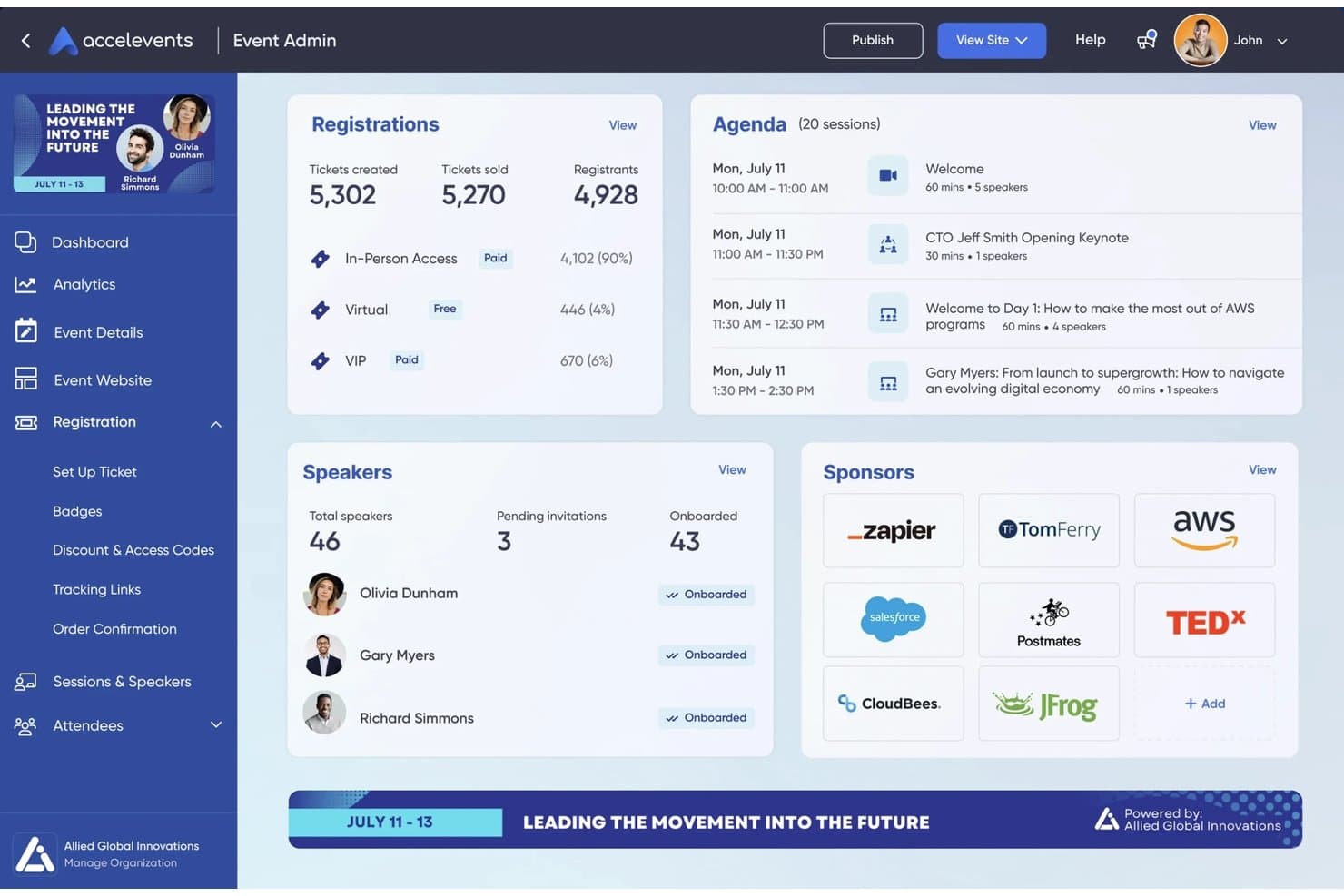
Accelevents covers registration, check-in, badges, engagement, and virtual events. Accelevents is an all-in-one event management platform that handles registration, ticketing, attendee check-in, badge printing, speaker management, exhibitor portals, and virtual event hosting for in-person, virtual, and hybrid conferences.
Who Is Accelevents Best For?
Accelevents is a strong fit for event planners, associations, and corporate marketing teams managing registration-heavy conferences with complex ticketing, fundraising, or hybrid attendance needs.
Why I Picked Accelevents
I picked Accelevents as one of the best because its ticketing and fundraising tools handle complexity that most platforms can't. I love that it supports conditional logic, approval workflows, and reserved seating across unlimited registration types, all without transaction fees. For conferences mixing paid tiers, group bookings, and access-coded sessions, that flexibility is hard to replicate.
Accelevents Key Features
- Multi-track agenda builder: Build and manage complex conference schedules across multiple tracks with bulk session updates for capacity, location, and session type.
- Virtual event hub: Host live-streamed and on-demand sessions natively, with automated transcription and interactive tools like polls and Q&A built into each session.
- Exhibitor Resource Center: A self-service portal where exhibitors manage tasks, upload materials, and capture attendee leads via QR scanning during the event.
- Unified analytics dashboard: Combines registration, onsite check-in, mobile app, and virtual engagement data into a single reporting view with custom, shareable reports.
Accelevents Integrations
Accelevents offers documented integrations with Salesforce, HubSpot, Marketo, Zoom, Vimeo, Cvent Passkey, ExpoFP, and Google Analytics GA4. It also provides a public REST API, webhooks, and Zapier support.
Pros and Cons
Pros:
- Badge printing with dynamic badge text colors
- Attendee hotel booking directly after registration
- Unlimited registration types and conditional ticketing
Cons:
- No hotel operations or block management tools
- No banquet event order management features
Learn more about Accelevents: Best for robust event project management
- Free plan + free demo available
- From $9/user/month (billed annually)
Visit WebsiteCustomer Rating:4.6/5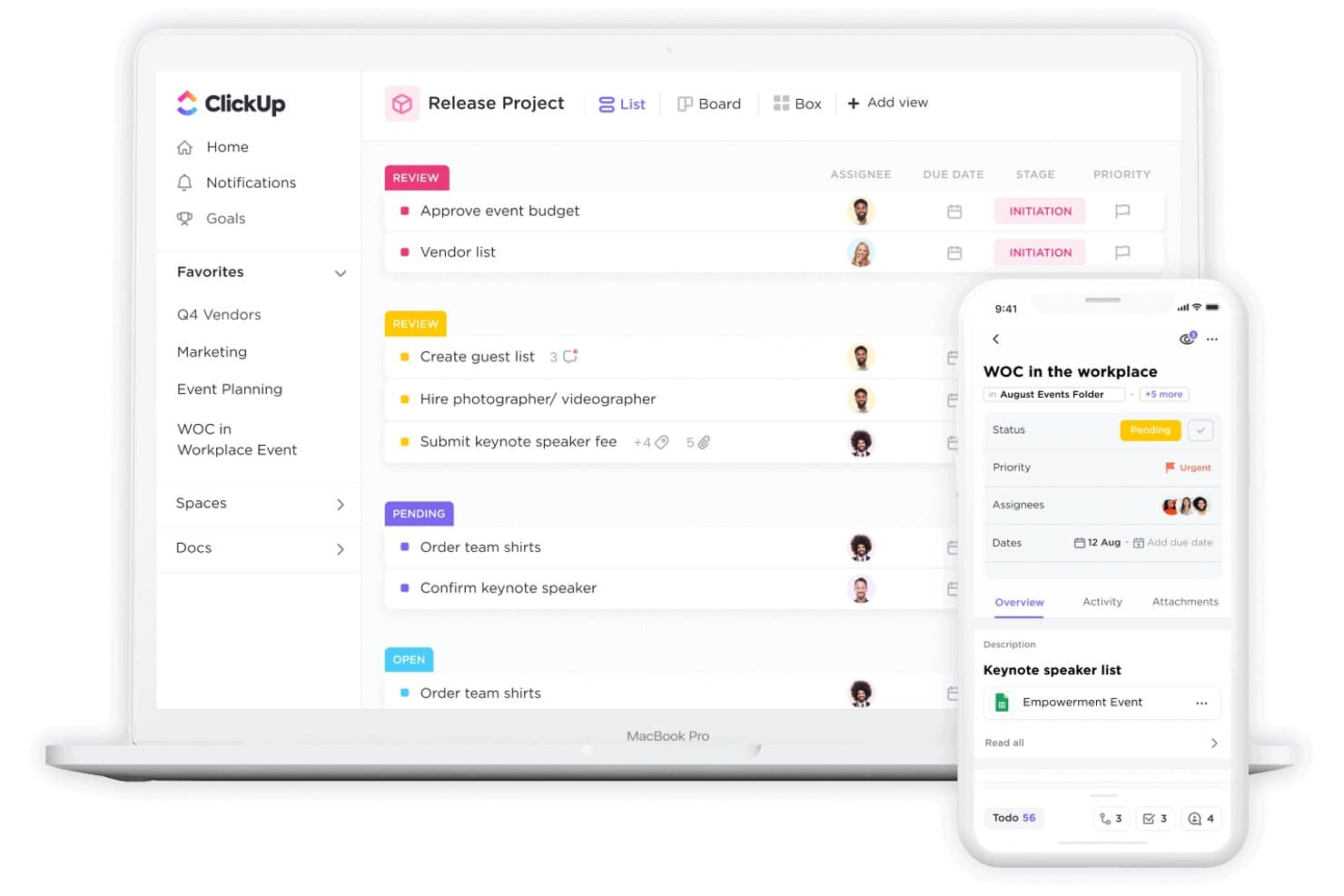
ClickUp tracks event tasks, statuses, and assignees across devices. ClickUp is a general-purpose project management platform that brings together task tracking, workflow automation, budgeting, team collaboration, and customizable dashboards to coordinate the moving parts of event planning.
Who Is ClickUp Best For?
ClickUp suits event teams that need a flexible project management hub to coordinate vendors, timelines, and budgets across large-scale conferences.
Why I Picked ClickUp
I've included ClickUp in my top picks because it brings serious project management muscle to conference planning, especially when you're coordinating across vendors, timelines, and internal teams simultaneously. I like its Conference Management Template, which breaks planning into defined phases like Preparation, On-site, and Post-Event with 19 custom task statuses that keep every moving part visible. Its custom dashboards let me track spend against budget in real time, which is exactly what large-scale conference coordination demands.
ClickUp Key Features
- Gantt chart view: Visualize event timelines with task dependencies, milestones, and scheduling across the full conference lifecycle.
- Guest access with permissions: Invite external vendors, speakers, or clients into your workspace with role-based access controls.
- No-code automations: Set trigger-based rules to auto-assign tasks, update statuses, and send notifications as planning progresses.
- ClickUp Docs: Create and link collaborative documents—like run-of-show guides or vendor briefs—directly to relevant tasks.
ClickUp Integrations
ClickUp advertises 1,000+ integrations, including native connections with Zoom, Slack, Microsoft Teams, Google Calendar, and Outlook Calendar. It also supports webhooks, Zapier, and a public API, but lacks native PMS, CRS, or POS integrations.
Pros and Cons
Pros:
- Guest access allows vendor collaboration
- No-code automations reduce manual task handoffs
- Custom dashboards visualize event budgets and timelines
Cons:
- No banquet event order (BEO) workflows
- No meeting room or room block management
Learn more about ClickUp: Best for immersive hybrid conferences
- Free demo available
- Pricing upon request
Visit WebsiteCustomer Rating:4.7/5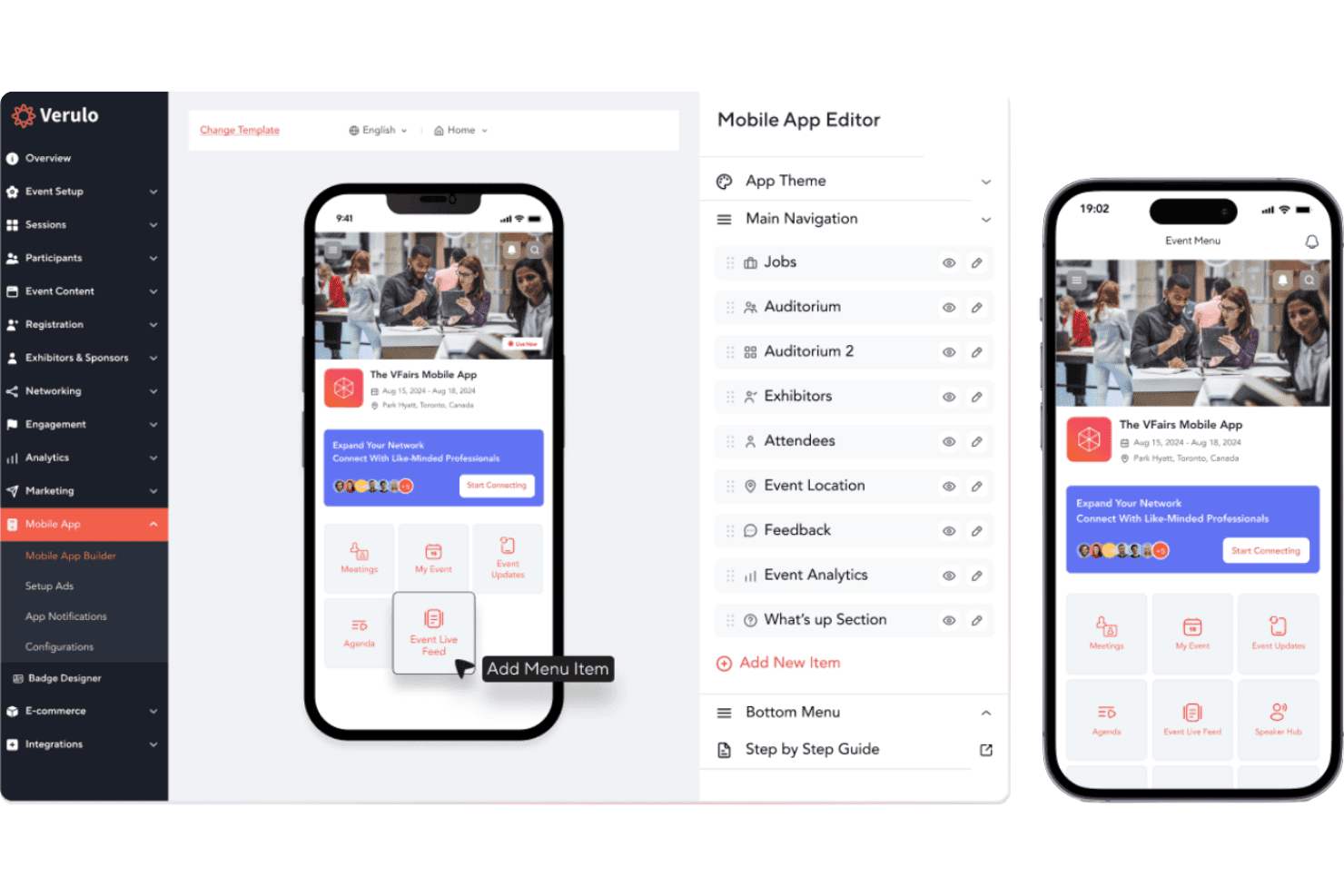
vFairs delivers registration, virtual venues, agendas, networking, and check-in. vFairs is a virtual and hybrid conference management platform that covers event registration, immersive 3D/2D virtual environments, multi-track agendas, attendee networking, abstract submission, onsite check-in, and accommodation coordination for event organizers.
Who Is vFairs Best For?
vFairs is a strong fit for event organizers and associations running large-scale virtual or hybrid conferences who need immersive attendee environments and built-in engagement tools.
Why I Picked vFairs
vFairs earns its spot on my shortlist because no other platform I've tested matches its immersive hybrid conference environments, where attendees navigate fully branded 3D lobbies, auditoriums, and networking lounges whether they're joining remotely or on-site. I particularly like the AI-powered smart matchmaking, which connects attendees, exhibitors, and speakers by interests and profile before they ever enter a session. The multi-track agenda builder with one-click session booking and automated reminders keeps both virtual and in-person attendees aligned across complex, multi-day programs.
vFairs Key Features
- Abstract submission portal: A branded, configurable portal for collecting and managing speaker and research submissions, with reviewer assignment and automated status notifications.
- Gamification engine: Awards attendees points for session attendance, downloads, and polls, with leaderboards, milestone badges, and prize redemption options.
- AI facial recognition check-in: Enables touchless, QR-free onsite check-in using facial recognition, with offline mode and real-time attendance tracking.
- White-label mobile event app: A fully branded attendee app with personalized schedules, push notifications, networking tools, and interactive maps.
vFairs Integrations
vFairs lists integrations with Zoom, Webex, Microsoft Teams, Restream, Salesforce, HubSpot, Slido, and 30+ payment gateways. It also offers a REST API, webhooks, custom integration development, and Zapier connectivity.
Pros and Cons
Pros:
- Attendee-facing accommodation management module
- AI-powered matchmaking for attendees and exhibitors
- Immersive 3D and 2D virtual environments
Cons:
- Room blocks not linked to hotel PMS
- No hotel meeting space or BEO tools
Learn more about vFairs: Best for interactive virtual and hybrid events
- Free trial available
- Pricing upon request
Visit WebsiteCustomer Rating:4.7/5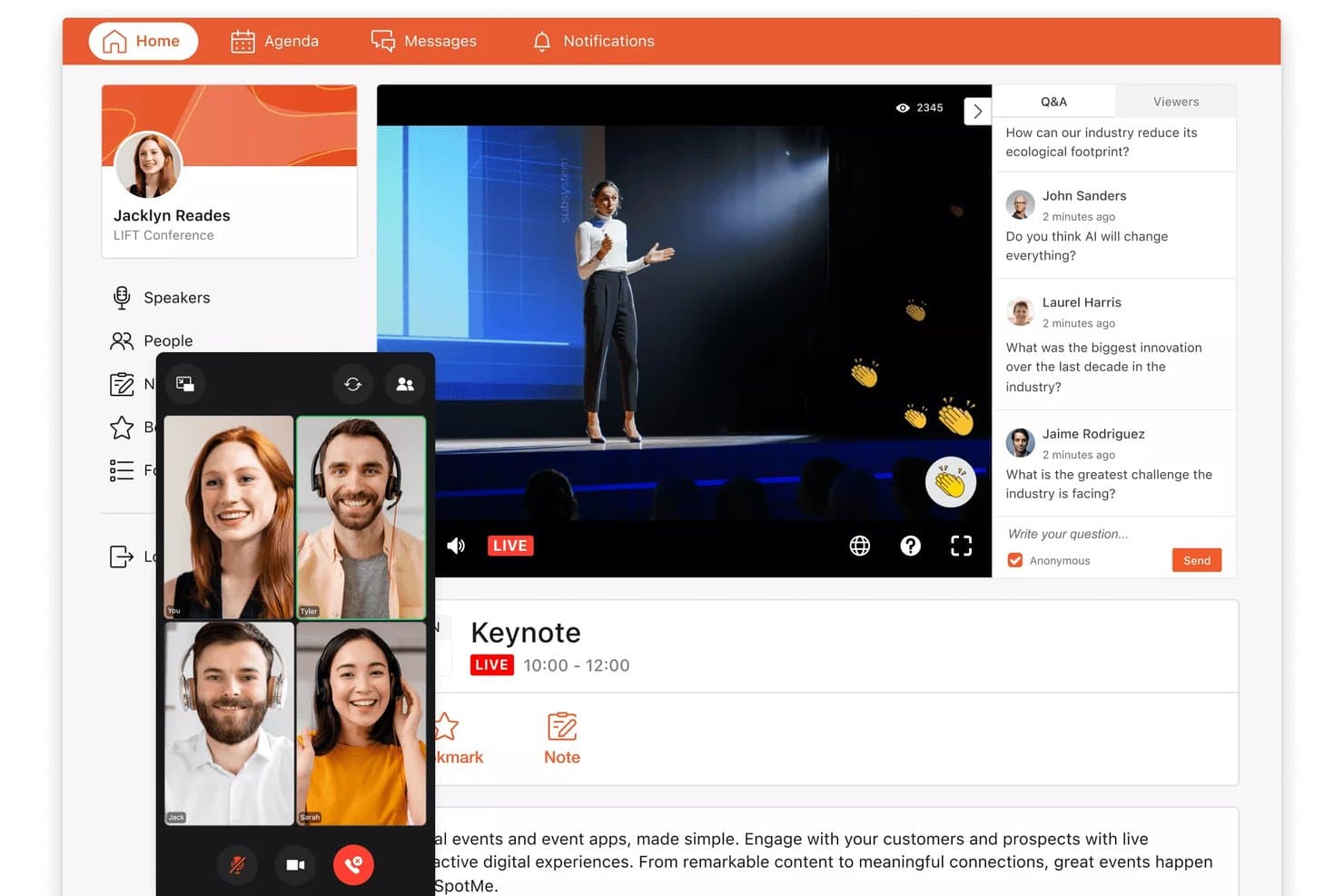
SpotMe lets attendees watch live keynotes and submit Q&A questions in real time. SpotMe is an event engagement platform that covers virtual, hybrid, and in-person conferences with tools for attendee registration, live streaming, mobile event apps, session interaction, networking, and post-event analytics.
Who Is SpotMe Best For?
SpotMe is a strong fit for enterprise event teams in life sciences and professional services that run high-volume virtual and hybrid programs.
Why I Picked SpotMe
SpotMe earns its spot on my shortlist because of how well it handles the interactive layer of virtual and hybrid events. I love that it combines live polling, Q&A, matchmaking, and breakout rooms into one branded experience, so attendees stay engaged whether they're in the room or joining remotely. Its SpotMe Studio lets you run multi-presenter live streams with branded lower thirds and real-time captioning in 30+ languages, which I've found makes a genuine difference for global hybrid conferences.
SpotMe Key Features
- QR code check-in: Scans attendee QR codes at entry points and tracks session-level attendance in real time, with room capacity limit enforcement built in.
- Gamification tools: Lets you award attendees points and badges for completing activities, with leaderboards and a prize store to drive participation throughout the event.
- CEU tracking and certification: Monitors individual session attendance to calculate continuing education credits and issues certifications automatically upon completion.
- On-demand content library: Stores session recordings, presentations, and documents in one place so attendees can revisit content after the event ends.
SpotMe Integrations
SpotMe offers native integrations with Salesforce, HubSpot, Veeva, IQVIA, Marketo, Eloqua, and Pardot, plus integrations with Cvent, RainFocus, and Swoogo. It also provides a REST API, OpenID Connect SSO, and RTMPS connectivity.
Pros and Cons
Pros:
- Customizable branded event apps included
- Provides live captioning in 30+ languages
- Offers 80+ attendee engagement features
Cons:
- Lacks banquet event order management
- No function space or hotel integrations
Learn more about SpotMe: Best for customizable event apps
- Free demo available
- Pricing upon request
Visit WebsiteCustomer Rating:4.6/5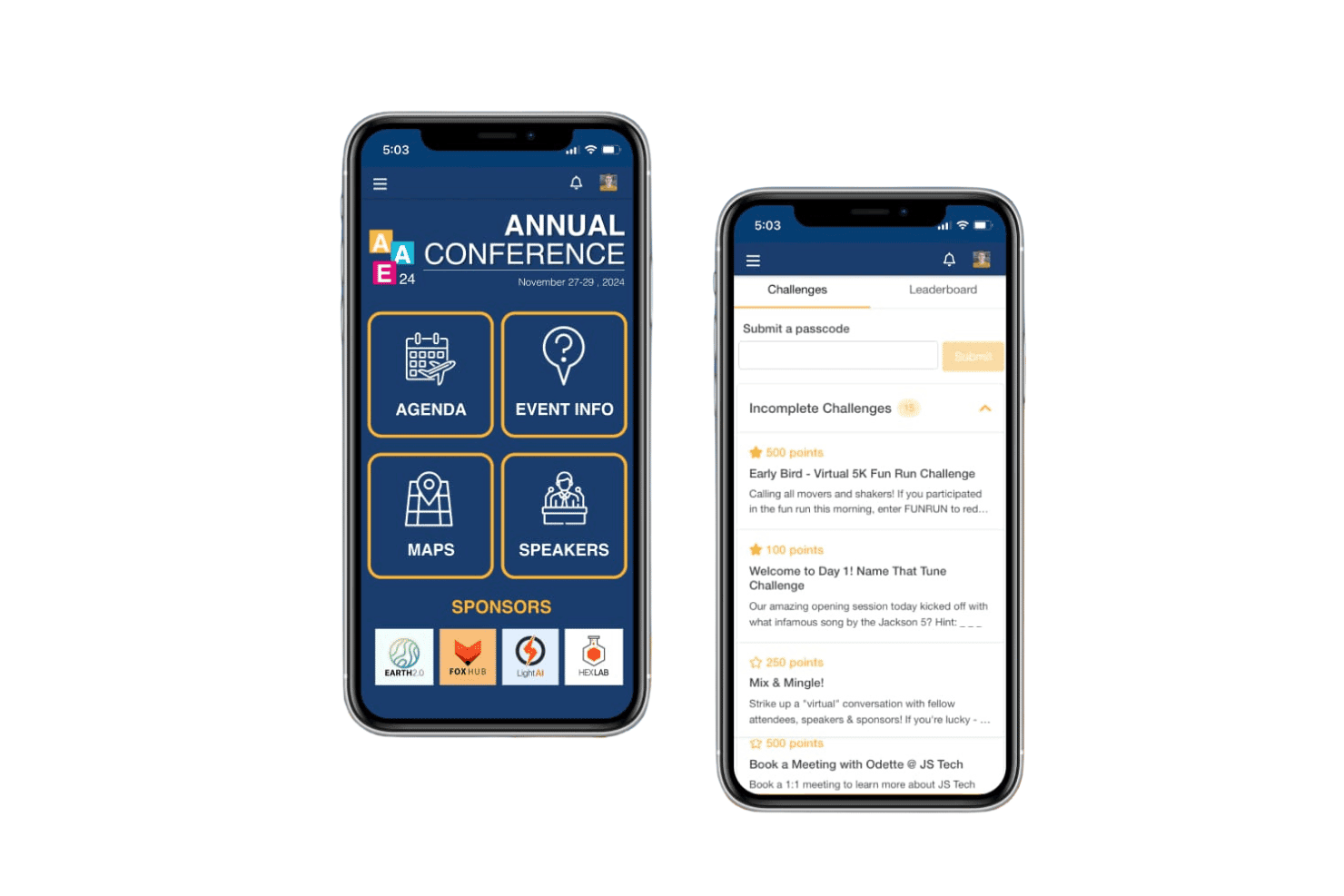
EventMobi manages registration, event apps, check-in, and attendee engagement. EventMobi is an event management platform that handles attendee registration, branded mobile event apps, virtual and hybrid event production, check-in, badge printing, and engagement tools like live polls, Q&A, and networking for in-person, virtual, and hybrid conferences.
Who Is EventMobi Best For?
EventMobi suits event organizers and association teams who need a branded, attendee-facing conference app with built-in engagement tools for in-person, virtual, or hybrid events.
Why I Picked EventMobi
EventMobi earns its spot on my shortlist because the app customization options are genuinely impressive. I love that the drag-and-drop Advanced Designer lets you build a fully branded attendee experience without touching a line of code. For hybrid conferences, the combination of personalized session agendas and EventMobi Studio's live stream production means in-person and remote attendees get a consistent, polished experience from the same platform.
EventMobi Key Features
- Attendee registration module: Supports multi-step registration with tiered pricing, invitation-only gating, and automated email workflows.
- Live polls and Q&A: Lets organizers run real-time polls, questions, and surveys directly within the event app during sessions.
- Gamification tools: Includes challenges, reward activities, and sponsored games to drive attendee participation throughout the event.
- Exhibitor lead capture: Enables exhibitors to scan attendee badges to collect and export leads from the event app.
EventMobi Integrations
EventMobi’s Integrations Hub supports 1,000+ app connections, including Salesforce, HubSpot, Marketo, Eventbrite, Cvent, Mailchimp, iMIS, MemberSuite, Wild Apricot, and Airtable. It also offers a free API and Zapier connectivity.
Pros and Cons
Pros:
- Check-in and badge printing are integrated
- Live polls and gamification boost engagement
- Drag-and-drop branded event app builder
Cons:
- No group room block management features
- No meeting room or function space tools
Learn more about EventMobi: Best for comprehensive venue sourcing solutions
- Free demo available
- Pricing upon request
Visit WebsiteCustomer Rating:4.4/5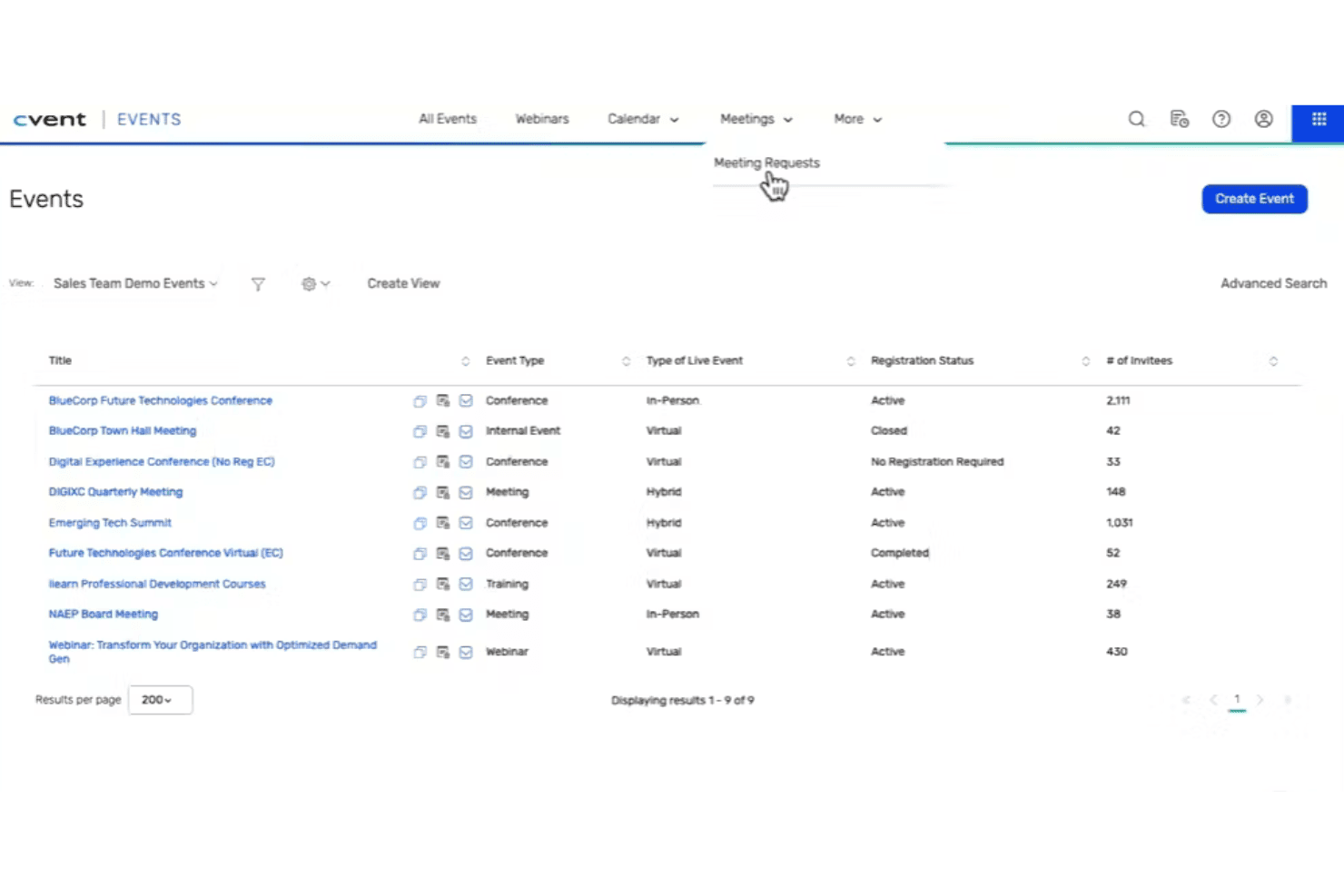
Cvent coordinates venues, registration, room blocks, engagement, and onsite check-in. Cvent is an AI-powered conference management platform that covers venue sourcing, RFP management, group room block management, event registration, attendee engagement, and on-site check-in for in-person, virtual, and hybrid events.
Who Is Cvent Best For?
Cvent is a strong fit for hotel sales teams and MICE operations managers at full-service and large-scale properties who need to manage high volumes of group RFPs, room blocks, and multi-event sourcing from a single platform.
Why I Picked Cvent
Cvent earns its spot as one of the best on my shortlist because no other platform comes close to its venue sourcing reach, with roughly 340,000 hotels and venues on the Cvent Supplier Network and over 155,000 active planners sending RFPs. I particularly like how CventIQ™ scores and prioritizes inbound group RFPs by estimated revenue and group fit, so hotel sales teams spend less time triaging and more time responding to the right leads. Cvent Passkey rounds this out with real-time room block pickup dashboards and automated cutoff alerts that eliminate the back-and-forth spreadsheet updates most teams still rely on.
Cvent Key Features
- Custom registration paths: Build multi-track registration flows with conditional logic, session selection, waitlists, and payment processing for in-person, virtual, or hybrid events.
- OnArrival on-site check-in: Supports kiosk and self-service check-in, on-demand badge printing, and real-time attendance dashboards at the event venue.
- Attendee Hub mobile app: A white-labeled app with live streaming, on-demand content, networking tools, Q&A, polling, and gamification for attendee engagement.
- CSN Business Intelligence: Delivers real-time RFP pipeline analytics, comp-set benchmarking, and pace tracking tied directly to Cvent's group sourcing network.
Cvent Integrations
Cvent documents 80+ native integrations, including Salesforce, Marketo, HubSpot, Microsoft Dynamics, Zoom, Webex, Microsoft Teams, and SAP Concur. Cvent Passkey has a certified two-way Maestro PMS integration, while an open API supports custom integrations.
Pros and Cons
Pros:
- Passkey automates group room block management
- AI automates RFP scoring and prioritization
- Venue sourcing marketplace with 340,000 properties
Cons:
- Full-suite cost out of reach for independents
- No native BEO authoring or distribution
 Best for immersive virtual event experiences
- 30-day free trial
- From $99/organizer/month (billed annually)
Visit WebsiteCustomer Rating:4.5/5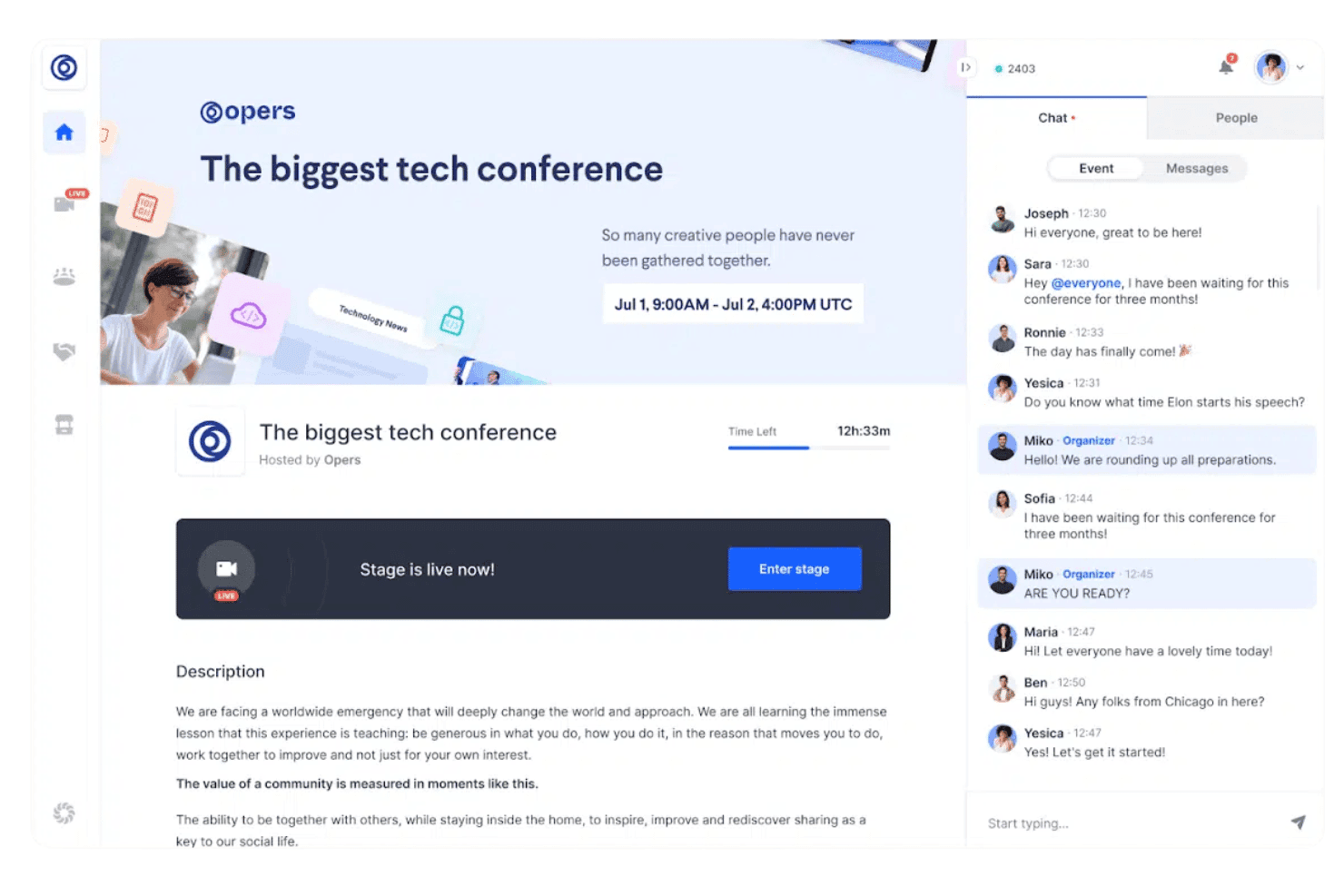
RingCentral Events supports registration, live streaming, multi-track sessions, networking, sponsor booths, and post-event content. RingCentral Events is a virtual and hybrid event platform that covers attendee registration, live streaming, multi-track sessions, networking, sponsor booths, and post-event content hosting.
Who Is RingCentral Events Best For?
RingCentral Events is a strong fit for corporate event marketers and communications teams running virtual or hybrid conferences at scale.
Why I Picked RingCentral Events
RingCentral Events earns its spot on my shortlist because it's built from the ground up for immersive virtual event experiences, with a structured virtual venue that gives attendees distinct spaces to move through, from keynote stages to expo booths to speed networking rooms. I especially like the automated attendee matchmaking, which connects participants based on profile data rather than leaving networking to chance. The AI Clips feature in Creator Lab also stands out to me, since it auto-generates highlight reels and social snippets from session recordings, extending the life of your event content well beyond the live day.
RingCentral Events Key Features
- Multi-track session management: Run concurrent breakout sessions alongside a main stage, letting attendees move between tracks during live events.
- Branded registration pages: Build customizable registration pages with promo codes, UTM tracking, and support for 135+ currencies.
- Onsite check-in suite: Use kiosk mode, badge printing, and access control tools to manage attendee flow at physical event venues.
- Content Hub: Host session replays, clips, and resources on a branded post-event webpage to extend content access after the event ends.
RingCentral Events Integrations
RingCentral Events offers 40+ marketplace integrations, including HubSpot, Salesforce, Marketo, Cvent, Eventbrite, Kahoot, Miro, Slido, and Interprefy. It also provides a public REST API and connects with 9,000+ apps via Zapier.
Pros and Cons
Pros:
- Automated attendee matchmaking for networking
- Built-in registration, check-in, and badge printing
- AI-powered highlight reels and social snippets
Cons:
- Floor plans are static, not interactive
- No hotel room block or BEO management
Learn more about RingCentral Events:
Otros softwares de gestión de conferencias
Aquí tienes algunas otras opciones de software de gestión de conferencias que no entraron en mi lista principal, pero que igualmente vale la pena revisar:
- 11Zoho BackstageBest for end-to-end event management features
- 12Lasso.ioBest for advanced event analytics
- 13RainFocusBest for enterprise conference data and marketing ROI
- 14WrikeBest for collaborative event planning
- 15GrenadineBest for multi-track conference scheduling
- 16ON24Best for virtual conference engagement
- 17BizzaboBest for data-driven conference engagement
- 18EventsAirBest for interactive conference experiences
- 19EventTempleBest for venue-focused conference sales
- 20EventSquidBest for configurable conference workflows
Criterios de selección del software de gestión de conferencias
Al seleccionar el mejor software de gestión de conferencias para incluir en esta lista, tuve en cuenta las necesidades y puntos de dolor habituales de los compradores, como la gestión del registro de asistentes y la coordinación de agendas múltiples de eventos. Además, utilicé este marco para que mi evaluación fuera estructurada y justa:
Funcionalidad principal (25% de la puntuación total)
Para ser incluido en esta lista, cada solución debía cumplir estos casos de uso:
- Gestionar el registro de asistentes
- Coordinar la programación del evento
- Manejar la venta de entradas y los pagos
- Ofrecer analíticas del evento
- Facilitar la comunicación con los asistentes
Características adicionales destacadas (25% de la puntuación total)
Para afinar aún más la selección, también busqué funciones únicas, como:
- Integración con plataformas de redes sociales
- Aplicaciones de evento personalizables
- Recomendaciones de networking impulsadas por IA
- Experiencias de eventos en realidad virtual
- Soporte multilingüe
Usabilidad (10% de la puntuación total)
Para obtener una idea de la facilidad de uso de cada sistema, consideré lo siguiente:
- Interfaz de usuario intuitiva
- Navegación sencilla
- Curva de aprendizaje mínima
- Diseño responsivo
- Instrucciones claras y concisas
Incorporación (10% del puntaje total)
Para evaluar la experiencia de incorporación en cada plataforma, consideré lo siguiente:
- Disponibilidad de videos de capacitación
- Tours interactivos del producto
- Plantillas accesibles
- Seminarios web para nuevos usuarios
- Asistencia mediante chatbot
Atención al cliente (10% del puntaje total)
Para valorar los servicios de atención al cliente de cada proveedor de software, consideré lo siguiente:
- Disponibilidad 24/7
- Tiempo de respuesta a las consultas
- Disponibilidad de chat en vivo
- Centro de ayuda integral
- Opciones de soporte personalizado
Relación calidad-precio (10% del puntaje total)
Para evaluar la relación calidad-precio de cada plataforma, consideré lo siguiente:
- Transparencia en los precios
- Niveles de precios competitivos
- Funciones incluidas en cada plan
- Descuentos por contratos a largo plazo
- Retorno de la inversión
Opiniones de clientes (10% del puntaje total)
Para tener una visión general de la satisfacción del cliente, consideré lo siguiente al leer las reseñas de los usuarios:
- Calificaciones generales de satisfacción
- Opiniones sobre la facilidad de uso
- Comentarios sobre la efectividad de las funciones
- Reportes sobre la experiencia con el soporte
- Testimonios sobre la relación calidad-precio
Cómo elegir un software de gestión de conferencias
Es fácil perderse entre largas listas de funciones y estructuras de precios complejas. Para ayudarte a mantener el enfoque durante el proceso único de selección de software, aquí tienes una lista de factores a tener en cuenta:
| Factor | Qué considerar |
|---|---|
| FactorEscalabilidad | Qué considerar¿Puede el software crecer con tu negocio? Considera si puede gestionar eventos más grandes a medida que evolucionan tus necesidades. |
| FactorIntegraciones | Qué considerar¿Funciona con tus herramientas actuales? Verifica la compatibilidad con CRM, sistemas de pago y plataformas de marketing. |
| FactorPersonalización | Qué considerar¿Puedes adaptarlo a tus necesidades? Busca opciones para ajustar flujos de trabajo, la imagen de marca y roles de usuario. |
| FactorFacilidad de uso | Qué considerar¿Es fácil de usar para tu equipo? Evalúa la interfaz y la rapidez con la que los miembros pueden aprender a utilizarlo. |
| FactorImplementación e incorporación | Qué considerar¿Qué tan rápido puedes empezar? Considera el tiempo y recursos necesarios para configurar y capacitar a tu equipo. |
| FactorCosto | Qué considerar¿Se ajusta a tu presupuesto? Compara planes y posibles tarifas ocultas en relación a las funciones ofrecidas. |
| FactorMedidas de seguridad | Qué considerar¿Tus datos están seguros? Busca cifrado, políticas de protección de datos y cumplimiento de regulaciones como la GDPR. |
| FactorDisponibilidad de soporte | Qué considerar¿Qué canales de soporte están disponibles? Asegúrate de contar con ayuda confiable por chat, correo electrónico o teléfono cuando lo necesites. |
¿Qué es el software de gestión de conferencias?
El software de gestión de conferencias es una herramienta que ayuda a organizar y administrar conferencias y eventos. Los organizadores de eventos, coordinadores y gerentes de hoteles suelen utilizar estas herramientas para simplificar la logística y mejorar la experiencia de los asistentes. Las funciones de registro, programación y comunicación ayudan a gestionar participantes, coordinar agendas y mantener a todos informados. En general, estas herramientas ahorran tiempo y reducen la complejidad de organizar eventos exitosos.
Funciones
Al seleccionar un software de gestión de conferencias, presta atención a las siguientes funciones clave:
- Gestión de inscripciones: Simplifica los procesos de registro y pago de los asistentes, facilitando el seguimiento de la participación.
- Coordinación de la agenda: Ayuda a organizar el programa del evento y gestionar múltiples sesiones, asegurando que todo funcione sin contratiempos.
- Herramientas de comunicación: Facilita la comunicación directa con los asistentes mediante correos electrónicos y notificaciones para mantenerlos informados.
- Capacidades de integración: Se conecta con los sistemas de CRM, marketing y pagos existentes para ofrecer un flujo de trabajo sin interrupciones.
- Personalización: Permite adaptar los flujos de trabajo, la imagen de marca y los roles de usuario a las necesidades específicas del evento.
- Análisis e informes: Proporciona información sobre el rendimiento del evento y la participación de los asistentes para orientar la planificación futura.
- Soporte para eventos virtuales: Ofrece herramientas para organizar conferencias y seminarios web en línea, ampliando el alcance de tu audiencia.
- Acceso móvil: Garantiza que asistentes y organizadores puedan acceder a la información y actualizaciones del evento desde cualquier lugar.
- Funciones de seguridad: Protege los datos sensibles mediante cifrado y cumplimiento de normativas como la GDPR.
- Servicios de soporte: Proporciona acceso a atención al cliente a través de varios canales para recibir asistencia rápida cuando sea necesario.
Beneficios
Implementar un software de gestión de conferencias ofrece varios beneficios para tu equipo y tu negocio. Aquí tienes algunos a los que puedes aspirar:
- Ahorro de tiempo: Automatiza tareas como el registro y la programación, liberando a tu equipo para que se concentre en otras actividades importantes.
- Mejor organización: Mantiene todos los detalles del evento en un solo lugar, facilitando la gestión y coordinación de eventos complejos.
- Comunicación mejorada: Ofrece herramientas para mantener informados y comprometidos a los asistentes, reduciendo malentendidos y mejorando la experiencia general.
- Información basada en datos: Proporciona funciones de análisis e informes que te ayudan a comprender el comportamiento de los asistentes y mejorar futuros eventos.
- Escalabilidad: Se adapta al tamaño de tu evento, ya sea una pequeña reunión o una gran conferencia, sin complicaciones adicionales.
- Mayor alcance: Admite la realización de eventos virtuales, permitiendo que te conectes con una audiencia global.
- Eficiencia de costos: Ayuda a optimizar la asignación de recursos y reducir gastos innecesarios a través de una mejor planificación y gestión.
Costos y Precios
Seleccionar un software de gestión de conferencias requiere comprender los diferentes modelos y planes de precios disponibles. Los costos varían según las funciones, el tamaño del equipo, los complementos y más. La siguiente tabla resume los planes más comunes, sus precios promedio y las características típicas incluidas en las soluciones de software para gestión de conferencias:
Tabla comparativa de planes para software de gestión de conferencias
| Tipo de Plan | Precio Promedio | Funciones Comunes |
|---|---|---|
| Tipo de PlanPlan Gratuito | Precio Promedio$0 | Funciones ComunesRegistro básico, programación de eventos limitada y soporte por correo electrónico. |
| Tipo de PlanPlan Personal | Precio Promedio$10-$30/user/month | Funciones ComunesPersonalización de marca, análisis básico y soporte por correo electrónico y chat. |
| Tipo de PlanPlan Empresarial | Precio Promedio$50-$100/user/month | Funciones ComunesRegistro avanzado, capacidades de integración y soporte telefónico. |
| Tipo de PlanPlan Enterprise | Precio Promedio$150-$300/user/month | Funciones ComunesPersonalización completa, gestor de cuenta dedicado, análisis avanzado y capacitación. |
Preguntas frecuentes sobre software de gestión de conferencias
Aquí tienes respuestas a preguntas comunes sobre el software de gestión de conferencias:
¿Cómo maneja el software de gestión de conferencias la seguridad de los datos?
El software de gestión de conferencias normalmente incluye medidas de seguridad como cifrado y protocolos de protección de datos para salvaguardar la información de los asistentes. Es importante verificar si el software cumple con normativas como GDPR o HIPAA si aplican a tus eventos. Esto garantiza que tus datos permanezcan seguros y protegidos.
¿Qué opciones de soporte están disponibles con el software de gestión de conferencias?
Las opciones de soporte varían según el proveedor, pero a menudo incluyen recursos como chat en vivo, soporte por correo electrónico y centros de ayuda. Algunos proveedores también ofrecen gestores de cuentas dedicados para planes empresariales. Considera las necesidades de soporte de tu equipo y elige un proveedor que brinde la asistencia suficiente para tus operaciones.
¿Es posible personalizar el software de gestión de conferencias?
La mayoría de las herramientas de gestión de conferencias permiten personalización para ajustarse a tu marca y los requerimientos de tu evento. Generalmente puedes modificar temas, diseños y rutas de los asistentes. Revisa si el software ofrece la flexibilidad que necesitas para reflejar la identidad de tu marca y cumplir con las necesidades específicas del evento.
¿Cómo evaluar la capacidad de una plataforma para gestionar conferencias híbridas?
Debes comprobar si admite tanto elementos presenciales como virtuales — transmisión en vivo, salas de trabajo grupal, sesiones de pósteres virtuales y chat para asistentes. También observa con qué fluidez el sistema permite cambiar entre modos presenciales y en línea. Prueba si los asistentes virtuales y presenciales pueden interactuar (preguntas y respuestas, encuestas, networking) sin fricciones.
¿Qué informes y análisis deberías esperar después de la conferencia?
Deberías ver asistencia por sesión, tasas de abandono, desgloses demográficos, informes de prospectos de patrocinadores y encuestas de satisfacción. También busca poder exportar los datos brutos para hacer tu propio análisis. Cuanto más puedas profundizar (por pista, día, tipo de asistente), más útiles serán tus conclusiones.
¿Cómo gestionas la comunicación y notificaciones a asistentes en flujos de trabajo avanzados?
Comprueba si puedes configurar correos electrónicos automáticos para recordatorios de sesiones, cancelaciones, avisos de lista de espera o cambios en el programa. Además, verifica si puedes personalizar los mensajes según la ruta o estado de cada asistente. La capacidad de suprimir o agrupar notificaciones ayuda a evitar la sobrecarga de correos electrónicos.
¿Qué sigue?
Si estás investigando software de gestión de conferencias, conéctate con un asesor de SoftwareSelect para recibir recomendaciones gratuitas.
Completarás un formulario y tendrás una charla breve donde se profundizará en tus necesidades específicas. Luego recibirás una lista corta de software para revisar. Incluso te apoyarán durante todo el proceso de compra, incluidas las negociaciones de precios.