

Whova Review: Pros, Cons, Features, and Pricing
Whova brings your entire event management process into one platform, from planning and registration to attendee engagement and networking.

We review tools independently, and commissions help fund our testing. See our transparency policy, our methodology, or suggest a tool.
Whova is an event management software for organizers who need to coordinate attendee registration, session scheduling, networking, and on-site check-in from one platform. I'd consider it a stronger fit than Cvent if you're planning conferences or corporate events and want a platform you can configure without a dedicated implementation team—while still getting a full suite of attendee engagement tools.
Whova Evaluation Summary
4.8/5
- Pricing upon request
- Free demo available
Why Trust Our Software Recommendations
6,700+
Reviews
20
Industry experts
16+
Evaluation factors
14
Years
Our team has been testing and reviewing software since 2012. As hospitality leaders ourselves, we know how difficult—and important—it is to choose the right software.
For this guide, we evaluated tools using hands-on testing and independent research, scoring tools using our selection criteria.
Our reviews reflect our human editorial judgment, not a sales pitch.
Whova Overview
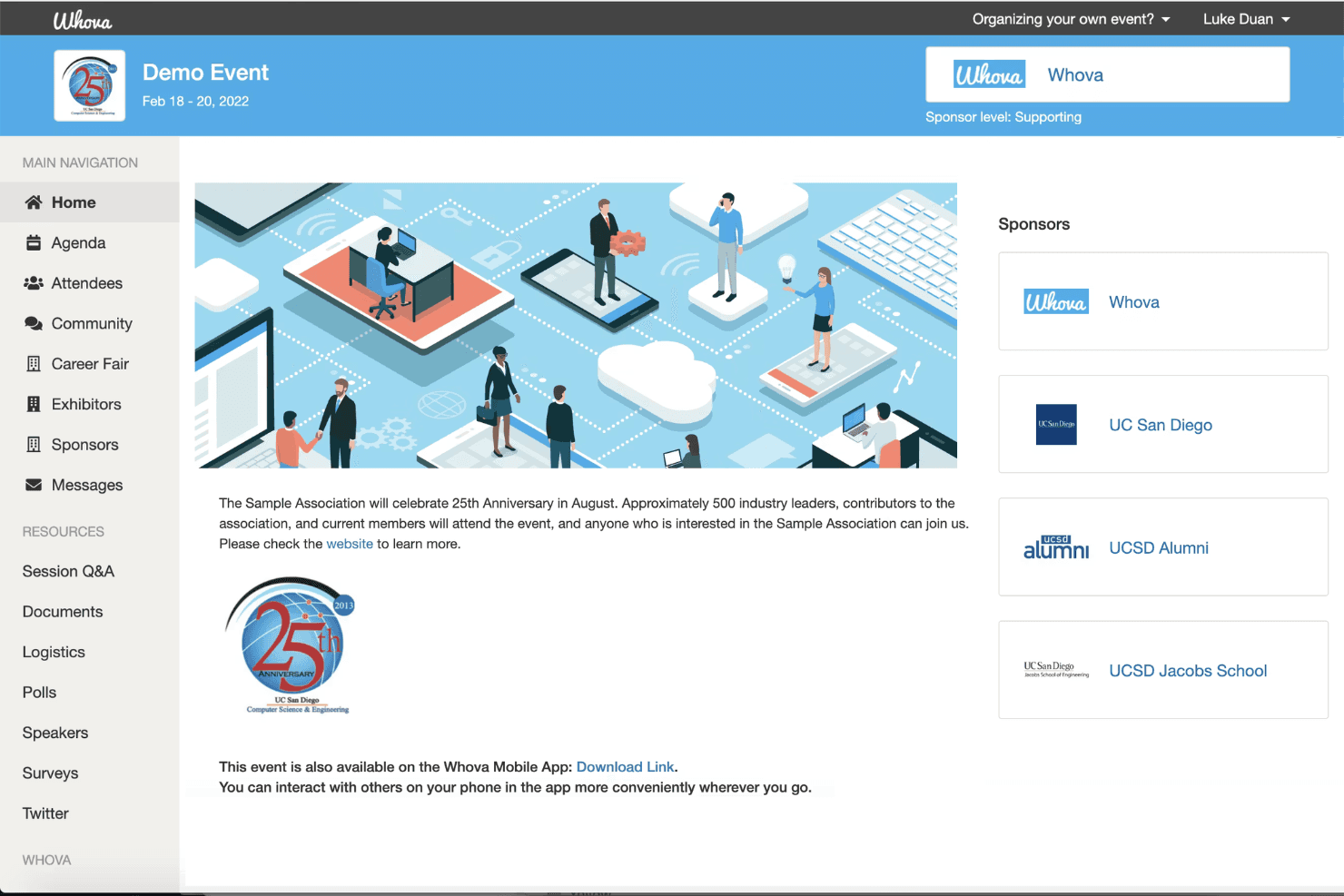
When I compare Whova to other event management software, I think its attendee engagement tools and mobile app are a step ahead, especially for hybrid or multi-day events. The interface is intuitive, onboarding is quick, and support is responsive. Pricing is competitive for the feature set, though some advanced integrations are limited.
I’d suggest Whova is best for hotels or venues that want a unified platform for registration, networking, and agenda management without a steep learning curve. If you’re judging by ease of use and attendee experience, Whova is a strong contender.
Pros
- You can easily manage event logistics with Whova's intuitive interface.
- It enhances attendee engagement through interactive features.
- Your team will appreciate the robust agenda management tools.
Cons
- You might find the customization options somewhat limited.
- Some users feel that the initial setup takes longer than expected.
- Your team may encounter occasional glitches in the mobile app.
Is Whova Right For Your Needs?
Who Would be a Good Fit for Whova?
Whova is perfect for corporate event planners and conference organizers who handle complex events with diverse audiences. Its robust agenda management and attendee engagement features make it ideal for industries such as tech conferences, academic symposia, and trade shows.
If your team needs to manage logistics and boost attendee engagement efficiently, Whova’s intuitive interface and interactive features offer a solid solution.
- Tech ConferencesWhova’s agenda management and networking features enhance both the planning and attendee experience.
- Trade ShowsYou can manage multiple exhibitors and sessions with ease using Whova’s logistics tools.
- Academic SymposiumsWhova’s organized scheduling and attendee interaction tools are a perfect fit for academic gatherings.
- Corporate EventsYour team will appreciate Whova’s ability to handle complex schedules and large audiences smoothly.
- Non-Profit EventsWhova’s cost-effective tools help you engage attendees and manage logistics efficiently.
- Workshops and TrainingWhova’s interactive features keep participants engaged and informed throughout the event.
Who Would be a Bad Fit for Whova?
Whova isn’t the best fit for small businesses or teams hosting simple, one-off events with minimal logistics. If your event doesn’t require extensive scheduling or attendee engagement features, Whova’s comprehensive tools might feel excessive. Small community gatherings or informal meetups may find Whova’s setup and features more than they need, leading to unnecessary complexity.
- Small MeetupsWhova’s robust features could overwhelm simple, casual gatherings with minimal planning needs.
- Local Community EventsYou might find Whova’s setup too complex for small, local events with straightforward logistics.
- Single Department MeetingsIf your meeting requires little more than a basic schedule, Whova’s capabilities may be excessive.
- Simple WorkshopsFor workshops with few participants and basic needs, Whova’s features might feel unnecessary.
- Family ReunionsManaging a casual family gathering doesn’t require Whova’s extensive event management tools.
- One-Time PartiesFor events like birthday parties, Whova’s advanced functionalities are likely overkill.
How We Test & Score Tools
We’ve spent years building, refining, and improving our software testing and scoring system. The rubric is designed to capture the nuances of software selection and what makes a tool effective, focusing on critical aspects of the decision-making process.
Below, you can see exactly how our testing and scoring works across seven criteria. It allows us to provide an unbiased evaluation of the software based on core functionality, standout features, ease of use, onboarding, customer support, integrations, customer reviews, and value for money.
Core Functionality (25% of final scoring)
The starting point of our evaluation is always the core functionality of the tool. Does it have the basic features and functions that a user would expect to see? Are any of those core features locked to higher-tiered pricing plans? At its core, we expect a tool to stand up against the baseline capabilities of its competitors.
Standout Features (25% of final scoring)
Next, we evaluate uncommon standout features that go above and beyond the core functionality typically found in tools of its kind. A high score reflects specialized or unique features that make the product faster, more efficient, or offer additional value to the user.
We also evaluate how easy it is to integrate with other tools typically found in the tech stack to expand the functionality and utility of the software. Tools offering plentiful native integrations, 3rd party connections, and API access to build custom integrations score best.
Ease of Use (10% of final scoring)
We consider how quick and easy it is to execute the tasks defined in the core functionality using the tool. High scoring software is well designed, intuitive to use, offers mobile apps, provides templates, and makes relatively complex tasks seem simple.
Onboarding (10% of final scoring)
We know how important rapid team adoption is for a new platform, so we evaluate how easy it is to learn and use a tool with minimal training. We evaluate how quickly a team member can get set up and start using the tool with no experience. High scoring solutions indicate little or no support is required.
Customer Support (10% of final scoring)
We review how quick and easy it is to get unstuck and find help by phone, live chat, or knowledge base. Tools and companies that provide real-time support score best, while chatbots score worst.
Customer Reviews (10% of final scoring)
Beyond our own testing and evaluation, we consider the net promoter score from current and past customers. We review their likelihood, given the option, to choose the tool again for the core functionality. A high scoring software reflects a high net promoter score from current or past customers.
Value for Money (10% of final scoring)
Lastly, in consideration of all the other criteria, we review the average price of entry level plans against the core features and consider the value of the other evaluation criteria. Software that delivers more, for less, will score higher.
Core Features
Mobile Event App
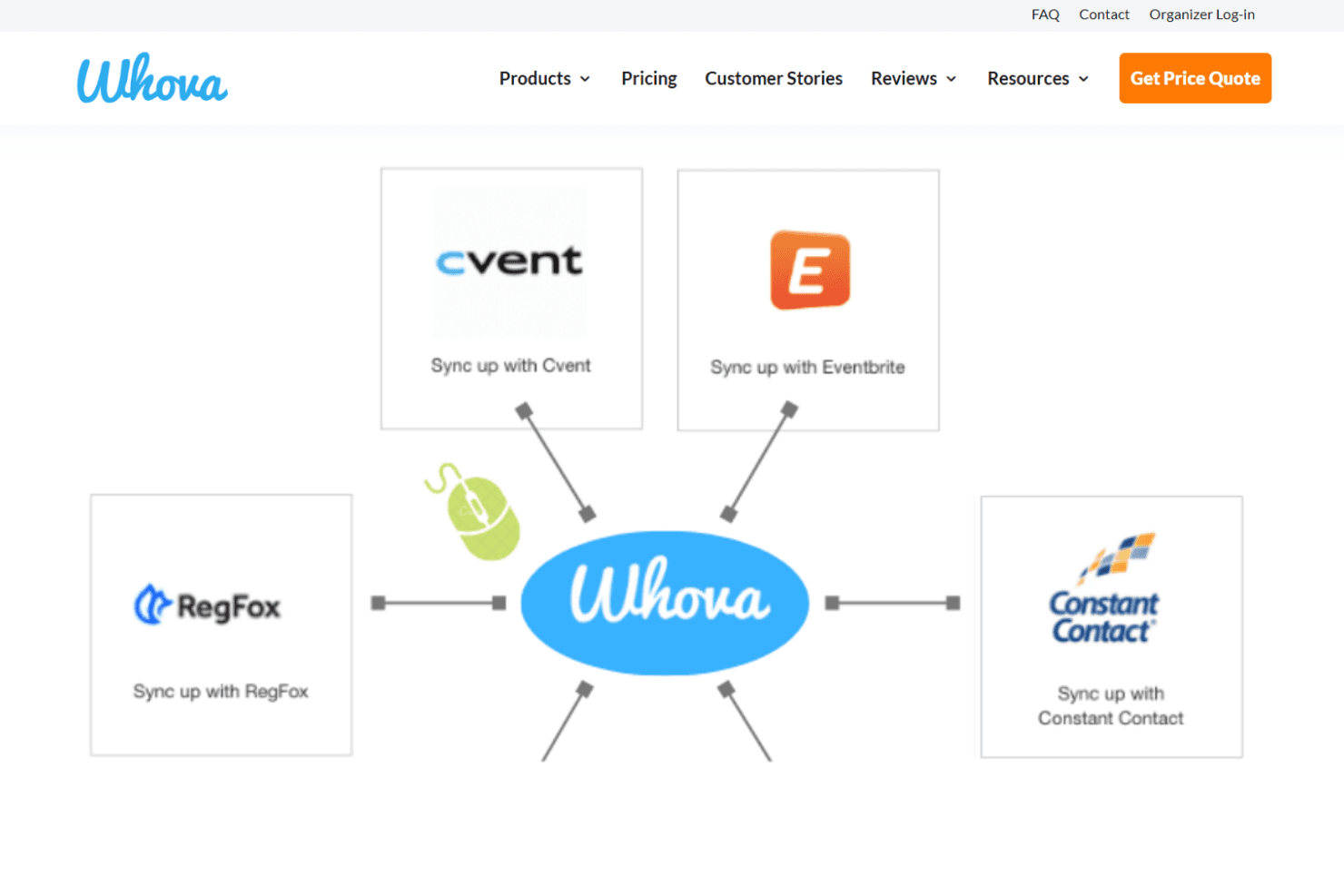
Attendees access schedules, maps, and updates from their phones. The app supports live notifications and interactive features like Q&A.
Agenda Management
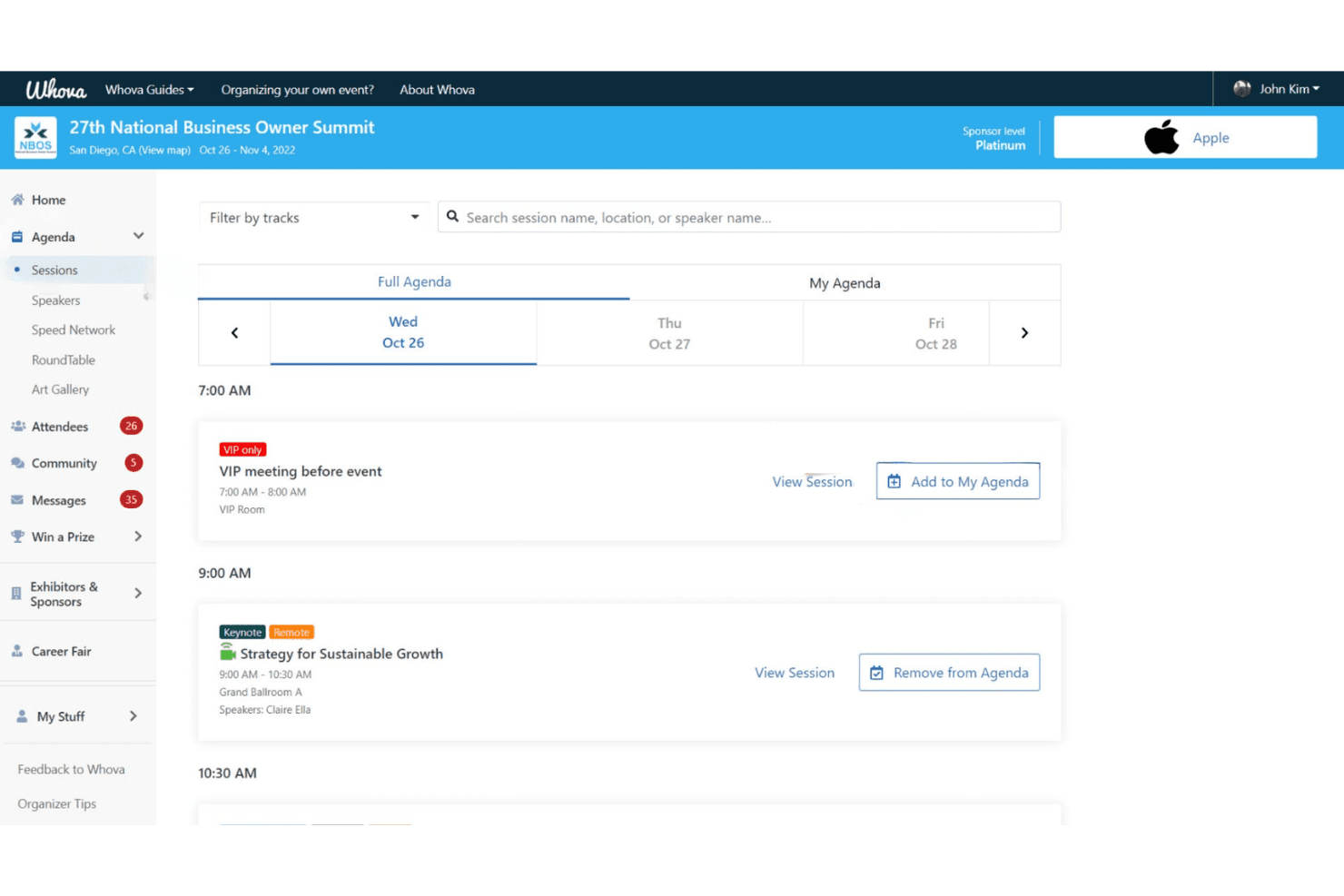
Organizers create, update, and share multi-track agendas in real time. Attendees can personalize their schedules and receive instant changes.
Attendee Networking
Whova offers in-app messaging, community boards, and attendee profiles. These tools help guests connect before, during, and after events.
Registration and Ticketing
Set up custom registration forms, sell tickets, and track sales in one place. Payment processing and attendee check-in are built in.
Live Polling and Surveys
Run polls, collect feedback, and display results instantly during sessions. This boosts engagement and helps gather actionable insights.
Sponsor and Exhibitor Tools
Sponsors get branded listings, lead retrieval, and digital booths. Exhibitors can interact with attendees and track engagement metrics.
Ease of Use
Whova is one of the most user-friendly event management platforms I’ve tried. The dashboard is clean, the setup is guided, and most users can launch events with minimal training. Attendees consistently mention how easy it is to navigate the mobile app, find sessions, and connect with others.
I think the built-in templates, drag-and-drop agenda builder, and real-time updates make Whova especially approachable for busy hotel teams and first-time organizers.
Integrations
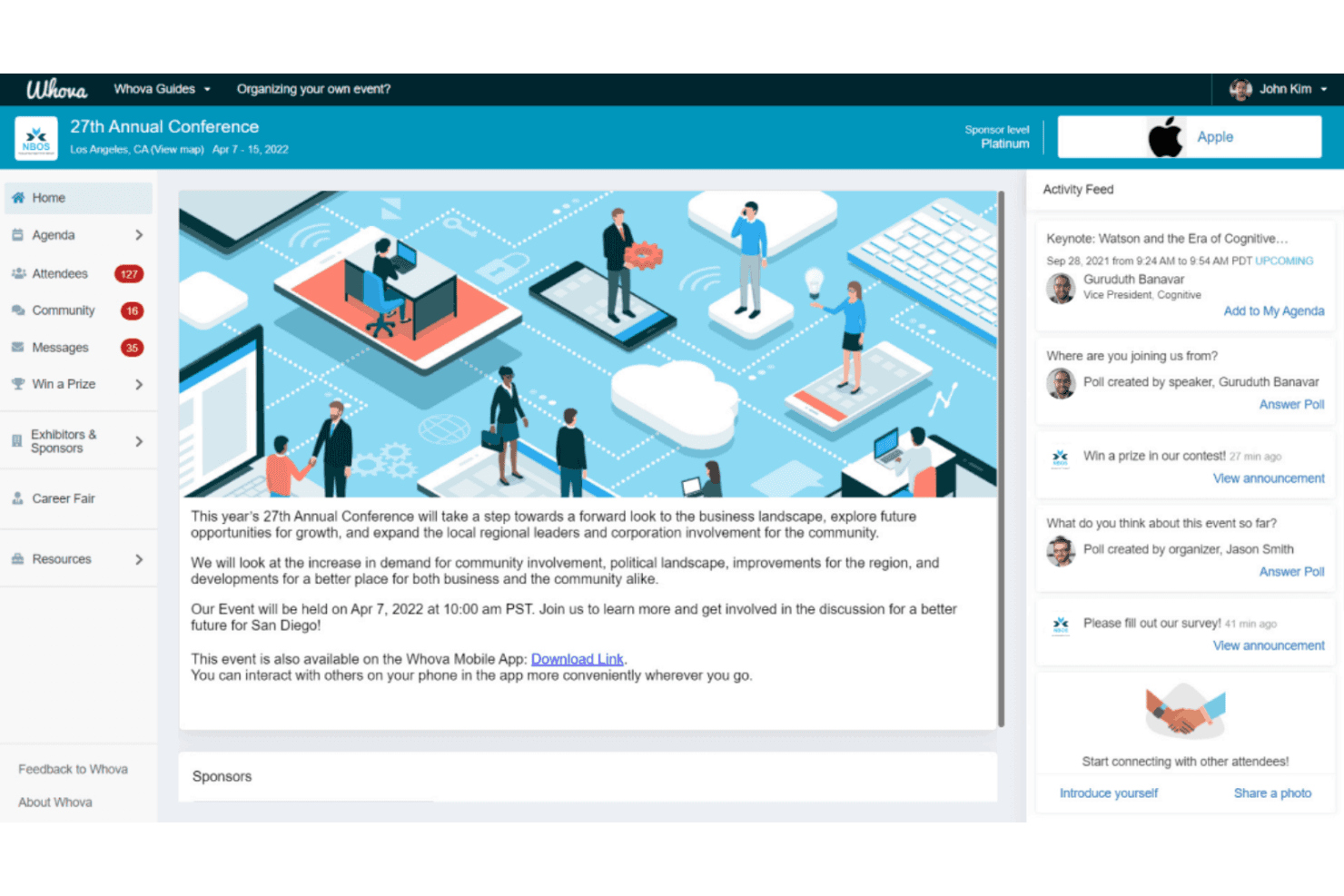
Whova integrates with Eventbrite, Cvent, RegFox, YourMembership, Glue Up, Mailchimp, Constant Contact, Zapier, Jotform, and SurveyMonkey, among others.
Whova also offers an API for custom integrations and connects with third-party integration tools like Zapier.
Whova Specs
- Accounts Payable: No
- Accounts Receivable: No
- API: Yes
- Audience Targeting: No
- Budgeting: No
- Calendar Management: Yes
- Contact Management: Yes
- Customer Management: No
- Dashboard: Yes
- Data Export: Yes
- Data Import: Yes
- Data Visualization: Yes
- Expense Tracking: No
- External Integrations: Yes
- Forecasting: No
- General Account Ledger: No
- Inventory Tracking: No
- Lead Management: Yes
- Lead Scoring: No
- Marketing Automation: Yes
- Multi-User: Yes
- Notifications: Yes
- Project Management: No
- Scheduling: Yes
- Social-Media Integration: Yes
- Supplier Management: No
- Third-Party Plugins/Add-Ons: Yes
- Travel Management: No


