
Choosing hotel reservation software is one of those decisions that touches every corner of your operation—from how guests book to how your front desk starts each shift. I've seen properties rush this choice and spend years working around a system that never quite fit. The wrong tool creates real friction: rate mismatches, OTA overbookings, reporting gaps that obscure your actual RevPAR picture. This guide walks you through the features, integrations, and cost considerations that matter most, so you can evaluate your options with clarity and confidence.
5 Things to Look for When Choosing Hotel Reservation Software
Based on my experience testing reservation systems with hotel teams, I recommend focusing on these five areas before comparing vendors:
“Hotel management software has evolved from transactional systems of record to the strategic command hub of modern hotels.”
1. Integration With Existing Hotel Systems
Choose reservation software that connects with your property management system, channel manager, payment system, point-of-sale platform, and housekeeping tools. These integrations keep availability, rates, guest details, and payment records consistent across departments, while poor connections can create manual updates and booking errors. Ask vendors which integrations are native, certified, or dependent on third-party connectors, and confirm whether each connection includes setup fees or ongoing charges.
2. Multi-Property and Mobile Support
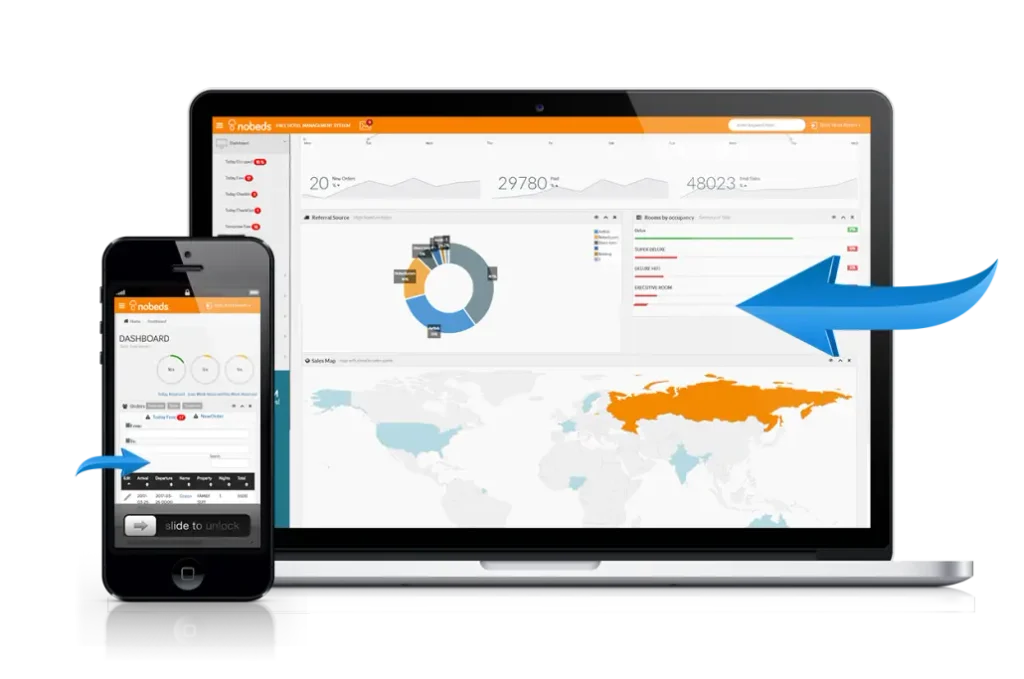
Choose hotel reservation software that manages multiple properties from one account while preserving each property’s rates, inventory, users, and reporting. Mobile access should support core tasks such as checking reservations, updating availability, processing payments, and reviewing guest details from a phone or tablet. Ask whether mobile features work during connectivity problems, and avoid systems that force each property into separate databases or require desktop access for routine changes.

Have an account? Log In
3. Onboarding and Ongoing Support Quality
Choose hotel reservation software with structured onboarding, role-based training, and responsive support for your team. Look for named implementation contacts, searchable help resources, and support hours that match your operating schedule, while avoiding vendors that hand you login details without migration guidance or training. Ask, “Who will help us resolve a booking or payment issue during peak check-in?”
4. Revenue Reporting and Analytics Depth
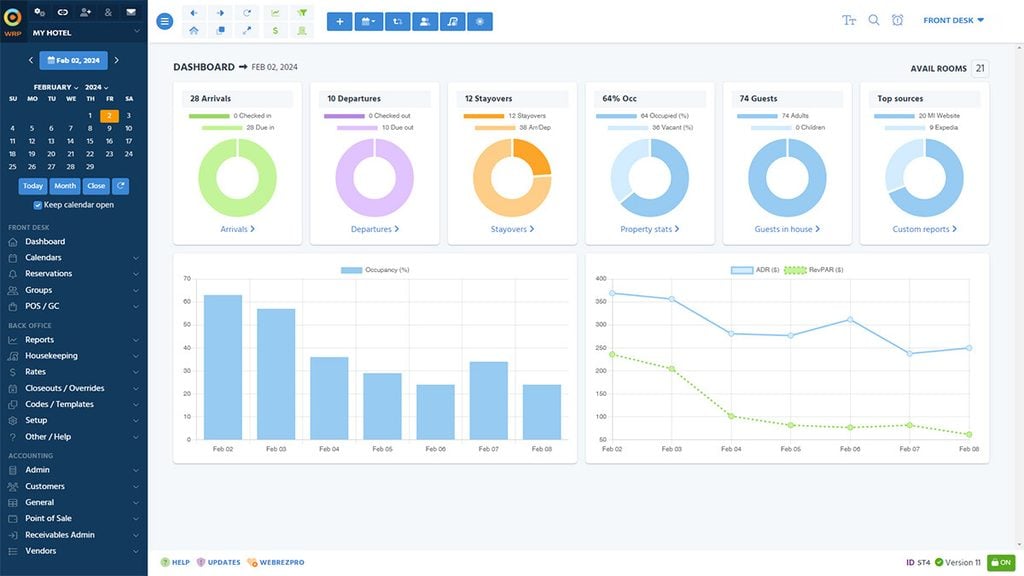
Choose hotel reservation software that reports occupancy, ADR, RevPAR, booking pace, cancellations, and revenue by channel, room type, and property. Look for configurable reports with exportable data and historical comparisons, and avoid dashboards that show totals without explaining rate performance or booking sources. Ask vendors whether you can build a weekly revenue report from live data, then test it with your own reservations before signing.
5. Guest Data Customization Options
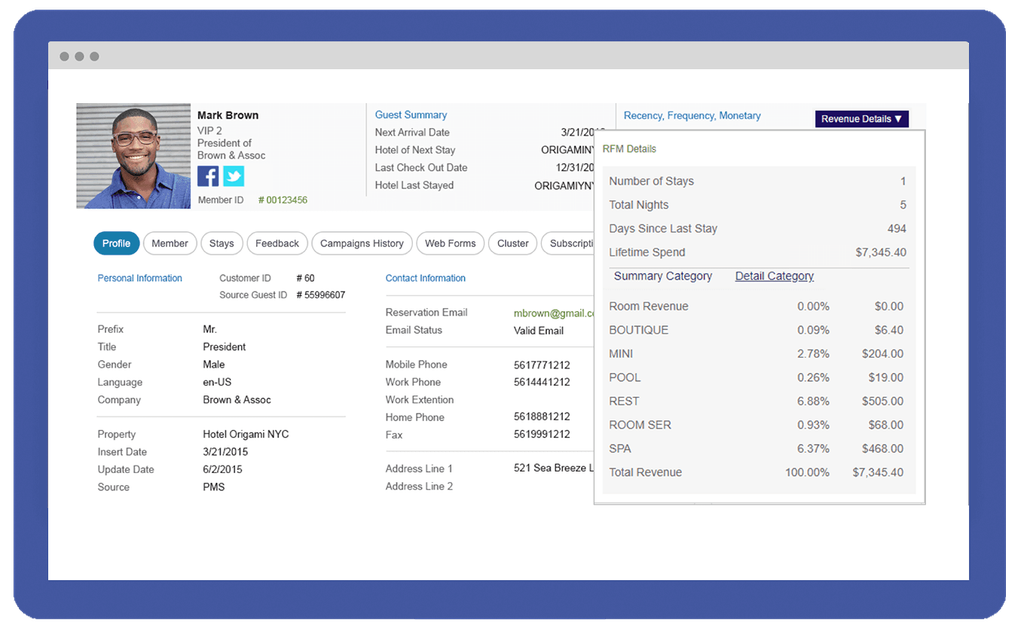
Choose hotel reservation software that lets you configure guest profiles, custom fields, preferences, consent records, and internal notes without altering core booking data. This matters when you need to record accessibility requests, arrival preferences, loyalty details, or service history while limiting access to sensitive information. Ask whether your team can add and report on custom fields during a trial, and avoid systems that bury guest data in free-text notes or make exports difficult.
How to Choose Hotel Reservation Software: A 5-Step Framework
Use these five steps to assess your operational needs, compare vendors, and select software your team can support over time:
“In a word – flexibility. What’s right for you now may be what slows you down in 3 years.”
Step 1: Identify Your Needs
Start by understanding what a hotel reservation system is and how it supports your property's booking operations. Then look at where your reservations actually come from. Break bookings down by direct website, OTAs, phone, walk-ins, and other channels, and identify where you are losing revenue or creating unnecessary manual work.
Pay particular attention to your direct booking performance. If guests regularly reach your booking page but fail to complete a reservation, the issue may be your booking engine rather than demand.
Review:
- Direct booking conversion rate
- OTA versus direct booking share
- Mobile booking abandonment
- Average booking value by channel
- Cancellation and no-show rates
- Manual reservation entry volume
Your goal is to identify the booking problems the new system needs to solve before you start comparing features.
Then work through these questions on your own before any vendor conversation:
- How many properties and room types do I need to manage?
- Which systems—PMS, channel manager, payment processor—does new software need to connect with?
- Do I need direct booking functionality, or will reservations come entirely through OTAs?
- What does my team's tech comfort level look like, and how much training time is realistic?
- Am I replacing a system mid-season, or do I have a clean transition window?
Use this table to organize what you learn before moving to vendor research:
| Area | Current Problem | Must-Have Fix | Nice to Have |
|---|---|---|---|
| AreaReservations | Current Probleme.g., manual OTA updates | Must-Have FixTwo-way channel sync | Nice to HaveAutomated rate rules |
| AreaReporting | Current Probleme.g., no RevPAR by channel | Must-Have FixChannel-level revenue report | Nice to HaveForecasting tools |
| AreaGuest data | Current Probleme.g., notes buried in bookings | Must-Have FixCustom profile fields | Nice to HavePreference history |
| AreaSupport | Current Probleme.g., no weekend coverage | Must-Have FixWeekend support hours | Nice to HaveDedicated account manager |
By the end of this step, you should have a short list of non-negotiables—the features or integrations your property genuinely can't operate without—and a separate list of features that would be useful but won't make or break your decision. That distinction will save you a lot of time when vendors start demoing everything their system can do.
Step 2: Research Hotel Reservation Software Vendors
A reservation system should make it easy for guests to move from room search to confirmation without unnecessary friction. Test each shortlisted platform as if you were booking a stay yourself.
Check how quickly guests can search dates, compare room types, understand rates, select extras, enter details, and complete payment. Run the same test on desktop and mobile.
Look closely at:
- Number of steps required to complete a booking
- Mobile usability
- Room and rate presentation
- Availability accuracy
- Upsell placement
- Payment experience
- Confirmation messages
I’d also test less straightforward scenarios, such as booking multiple rooms or changing dates midway through checkout. These are often where poor booking-engine design becomes obvious.
Use this table to log what you find as you work through your vendor list:
| Research Area | What to Look For | Red Flags |
|---|---|---|
| Research AreaPeer reviews | What to Look ForRecent feedback from similar property types | Red FlagsOnly large-chain or only small-property reviews |
| Research AreaChannel compatibility | What to Look ForConfirmed connections with your OTAs | Red FlagsVague "integration available" language |
| Research AreaProduct updates | What to Look ForActive release history in the past 12 months | Red FlagsNo public changelog or update history |
| Research AreaSupport structure | What to Look ForHospitality-specific team, documented hours | Red FlagsGeneric help desk, no onboarding mention |
| Research AreaCompany stability | What to Look ForYears in market, customer base size | Red FlagsLimited public information about the company |
By the end of this step, you should have a shortlist of four to six vendors that plausibly fit your property type, technical environment, and support expectations. That list is what you take into demos—not an open-ended search.
Top Hotel Reservation Software to Consider
Here's my shortlist of the best hotel reservation software solutions:
Step 3: Make a Hotel Reservation Software Shortlist
Next, test whether rates and availability stay consistent across your direct booking engine and third-party channels.
Change a room rate or restriction in the system and confirm that the update reaches every connected channel correctly. Then make test reservations through different sources and verify that inventory adjusts everywhere without delay.
Use this table to score each vendor against what you actually need before requesting a demo:
| Criteria | Weight | What to Check |
|---|---|---|
| CriteriaSystem integrations | WeightHigh | What to CheckPMS, channel manager, payment processor compatibility |
| CriteriaSupport coverage | WeightHigh | What to CheckHours, onboarding structure, implementation contact |
| CriteriaMobile functionality | WeightMedium | What to CheckCore tasks accessible without desktop |
| CriteriaReporting depth | WeightMedium | What to CheckOccupancy, ADR, RevPAR, channel-level breakdowns |
| CriteriaGuest data tools | WeightMedium | What to CheckCustom fields, profile configuration, export options |
| CriteriaPricing transparency | WeightHigh | What to CheckPer-property fees, setup costs, contract length |
Check:
- Rate synchronization
- Real-time room availability
- Minimum-stay restrictions
- Closed-to-arrival rules
- Promotional rates
- Package availability
- OTA reservation imports
A reservation system that cannot keep inventory synchronized creates exactly the kind of overbooking and pricing errors you are trying to eliminate.
By the end of this step, you'll have a shortlist of three to four vendors your operation can realistically evaluate—and a set of questions to bring into each demo. You can also use a hotel PMS RFP as a reference for structuring vendor questions about integrations, implementation, pricing, and support, even if you're evaluating a standalone reservation system.
More Articles
Step 4: Build the Business Case
Do not evaluate payment functionality only by checking whether a card can be charged. Test how the software handles the policies behind different reservation types.
Create sample bookings with refundable, non-refundable, advance-purchase, and deposit-based rates. Confirm that the correct amount is collected at the correct time and that cancellation rules are applied consistently.
Test scenarios such as:
- Percentage deposits
- Full prepayment
- Pay-at-property bookings
- Refundable rates
- Non-refundable rates
- Cancellation penalties
- No-show charges
- Refunds and partial refunds
Next, build your cost estimate. Be honest and thorough here—underestimating costs is the fastest way to lose credibility with ownership:
Use this table to organize your cost inputs before you present anything:
| Cost Category | One-Time | Recurring | Notes |
|---|---|---|---|
| Cost CategorySoftware licensing | One-Time— | RecurringMonthly or annual fee | NotesPer-property or flat rate |
| Cost CategorySetup and onboarding | One-TimeYes | Recurring— | NotesAsk vendors directly |
| Cost CategoryIntegration fees | One-TimeYes | RecurringPossibly | NotesPer connector or bundled |
| Cost CategoryStaff training time | One-TimeYes | Recurring— | NotesEstimate lost productivity hours |
| Cost CategoryData migration | One-TimeYes | Recurring— | NotesOften underquoted |
On implementation timelines, I'd build in more buffer than any vendor quotes you. In my experience, migrations rarely go faster than expected—they go sideways in ways you didn't anticipate. A realistic hotel reservation software implementation runs four to twelve weeks depending on your property complexity, integration count, and whether you're mid-season.
Finally, address risks head-on. Decision-makers will raise them anyway, so get there first:
- Staff adoption risk: Name it, then explain your mitigation—phased rollout, training plan, a go-live window during a lower-occupancy period.
- Integration failure risk: Flag which connections are native versus third-party, and note whether your shortlisted vendors have confirmed those connections in writing.
- Data loss or migration errors: Explain how guest history, rate plans, and future reservations will be transferred and verified before cutover.
- Timing risk: If you're switching systems during a peak period, quantify what a 48-hour disruption would cost. If you're not, say so explicitly.
By the end of this step, you'll have a one- or two-page document that frames the investment in terms your stakeholders understand—not feature lists, but recoverable costs, labor savings, and a clear timeline. That document is what moves a decision from "we should probably do this" to a signed contract.
Step 5: Compare Reservation Performance and Revenue Reporting
Before choosing a system, make sure you can measure what happens after bookings start flowing through it.
Look for reporting that helps you understand not just how many reservations you received, but which channels, rates, and booking behaviors are producing the strongest results.
Review whether the system can report on:
- Direct booking conversion
- Revenue by booking source
- ADR and RevPAR
- Booking pace
- Lead time
- Length of stay
- Cancellation rate
- Channel production
- Room-type performance
- Upsell revenue
Use this table to assign ownership before your go-live date:
| Task | Owner | Deadline |
|---|---|---|
| TaskData migration sign-off | OwnerInternal owner + vendor | DeadlinePre-launch |
| TaskRole-specific training sessions | OwnerDepartment leads | DeadlineOne week before go-live |
| TaskStaff communication about cutover | OwnerGeneral manager | DeadlineTwo weeks before go-live |
| TaskPost-launch feedback check-in | OwnerInternal owner | DeadlineWeek two post-launch |
| TaskFirst reporting review | OwnerRevenue manager | DeadlineEnd of month one |
By the end of this step, you should know which reservation system provides the reporting your property needs to track booking performance, evaluate revenue by channel, and identify opportunities to improve occupancy and RevPAR. Prioritize vendors that make these insights accessible and actionable for your team, so you can make informed decisions based on actual reservation and revenue data. That's the outcome worth working toward—not just a go-live date, but a team that actually trusts the system they're using.
Ready to Take the Next Step?
Once you've defined your requirements and tested the workflows that matter most, explore my guide to the best hotel reservation software to compare platforms and find a solution that fits your property's booking channels, integrations, and operational needs.