

O software de gestão de conferências pode facilitar o planeamento e a realização de eventos, reunindo o registo, a venda de bilhetes, o envolvimento dos participantes, a programação e os relatórios num único sistema.
A plataforma certa pode reduzir o trabalho manual, melhorar a coordenação e dar aos organizadores uma melhor visibilidade sobre a atividade dos participantes e o desempenho do evento. Isto é especialmente útil para gerir conferências complexas com várias sessões, oradores, expositores e grandes grupos de participantes.
Avaliei vários softwares de gestão de conferências com base nas suas funcionalidades, facilidade de utilização e capacidades de gestão de eventos. A lista abaixo destaca as opções que se distinguem para diferentes necessidades de conferências.
Why Trust Our Software Recommendations
6,700+
Reviews
20
Industry experts
16+
Evaluation factors
14
Years
Our team has been testing and reviewing software since 2012. As hospitality leaders ourselves, we know how difficult—and important—it is to choose the right software.
For this guide, we evaluated tools using hands-on testing and independent research, scoring tools using our selection criteria.
Our reviews reflect our human editorial judgment, not a sales pitch.
Tabela comparativa de software de gestão de conferências
Esta tabela comparativa resume os detalhes de preços das minhas principais escolhas de software de gestão de conferências:
| Tool | Best For | Trial Info | Price | ||
|---|---|---|---|---|---|
| 1 | Best for mobile event app | Free demo available | From $2,495 | Website | |
| 2 | Best for flexible event design and registration | Free demo available | From $11,800/year (billed annually) | Website | |
| 3 | Best for user-friendly mobile networking | Free demo available | Pricing upon request | Website | |
| 4 | Best for efficient ticketing and fundraising | Free demo available | From $7,500/event | Website | |
| 5 | Best for interactive virtual and hybrid events | Free trial available | Pricing upon request | Website | |
| 6 | Best for immersive hybrid conferences | Free demo available | Pricing upon request | Website | |
| 7 | Best for customizable event apps | Free demo available | Pricing upon request | Website | |
| 8 | Best for immersive virtual event experiences | Free demo available | From $99/user/month (billed annually) | Website | |
| 9 | Best for comprehensive venue sourcing solutions | Free trial available | Pricing upon request | Website | |
| 10 | Best for end-to-end event management features | Free trial + free demo available | From $99/month (billed annually) | Website |


Análise do melhor software de gestão de conferências
Apresento abaixo os meus resumos detalhados do melhor software de gestão de conferências que integrou a minha lista restrita. As minhas análises apresentam uma visão detalhada das principais funcionalidades, vantagens & desvantagens, integrações e casos de utilização ideais de cada ferramenta, para o ajudar a encontrar a melhor opção para si.

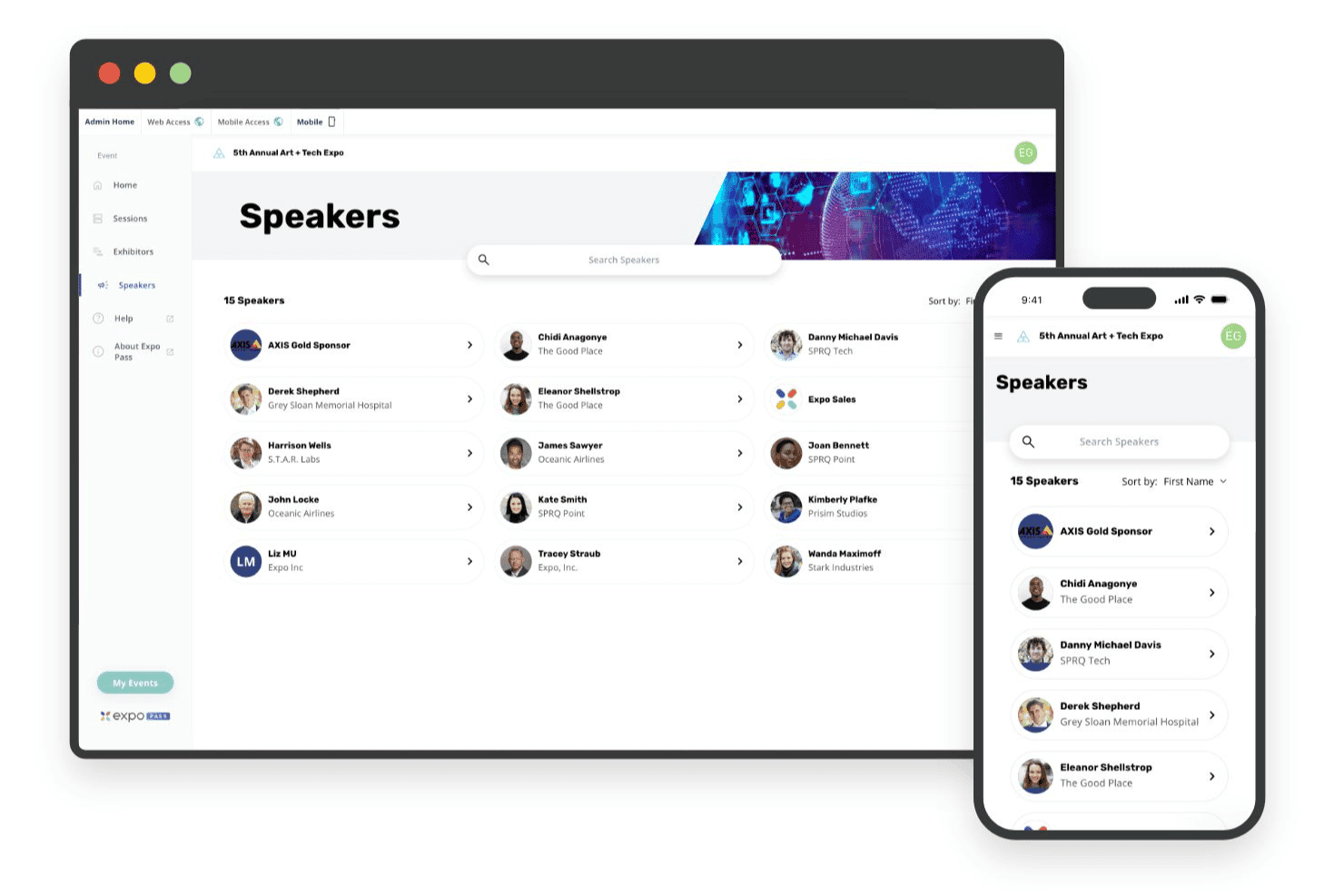
Expo Pass powers mobile event apps for check-in, schedules, and attendee updates Expo Pass is an event management platform covering online registration, on-site check-in, badge printing, lead retrieval, attendance tracking, and a mobile event app for in-person, virtual, and hybrid events.
Who Is Expo Pass Best For?
Expo Pass fits event organizers managing conferences, trade shows, and expos who want a strong mobile attendee experience at the center of their event.
Why I Picked Expo Pass
Expo Pass earns its spot on my shortlist because the mobile event app is genuinely one of the best I've seen for keeping attendees engaged across in-person, virtual, and hybrid formats. I love that attendees get personalized agendas, real-time messaging, and session networking on iOS, Android, or browser with no download required. Push notifications let me update schedules live, and sponsor placements are built right into the app experience.
Expo Pass Key Features
- On-site badge printing: Custom-branded badges print on demand via Zebra printers paired with plug-and-play iPad kiosks shipped directly to your event.
- CE/CEU credit tracking: Session scans automatically calculate credit eligibility and generate personalized certificates based on customizable attendance rules.
- Group room block management: Organizers set up room blocks, sub-blocks, and branded attendee booking pages, with real-time pickup tracking and hotel portal access.
- Lead retrieval: Exhibitors scan attendee badges via the Expo Pass app to capture, qualify, and export leads directly from the event floor.
Expo Pass Integrations
Expo Pass offers documented integrations with Stripe, Zoom, Vimeo, IBM Stream, and Linkroom. It doesn’t document native PMS, CRS, POS, CRM, Zapier, or API integrations.
Pros and Cons
Pros:
- Automated CE/CEU credit tracking available
- End-to-end onsite badge printing included
- Mobile event app needs no download
Cons:
- Lacks hotel function space management features
- No banquet event orders or catering tools
Learn more about Expo Pass: Best for flexible event design and registration
- Free demo available
- From $11,800/year (billed annually)
Visit WebsiteCustomer Rating:4.8/5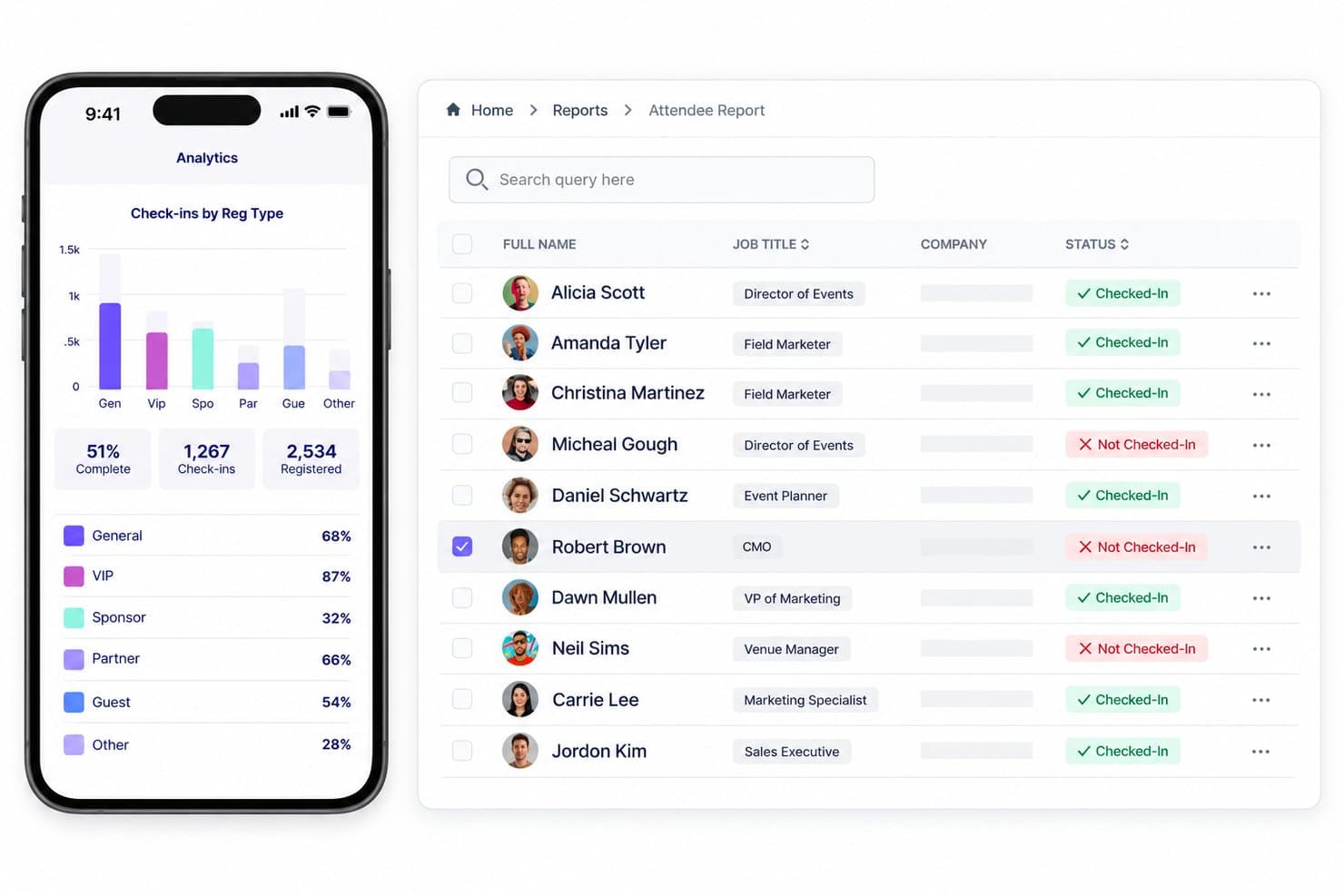
Swoogo unifies registration, sessions, speakers, check-in, rooms, and reporting. Swoogo is an event registration and management platform that covers attendee registration, event website building, session and speaker management, room block coordination, and on-site check-in for in-person, virtual, and hybrid events.
Who Is Swoogo Best For?
Swoogo is a strong fit for corporate event marketers and conference organizers who need highly configurable attendee registration and event websites for in-person, virtual, or hybrid events.
Why I Picked Swoogo
Swoogo earns its spot on my shortlist because the registration engine is genuinely one of the most flexible I've used, letting you build completely different registration paths for speakers, sponsors, and general attendees within a single event. I love that you can lock check-in and check-out dates to event dates inside the Hotels module, so attendees book the right room block without extra back-and-forth. The Combined Room Block Report pulls all block bookings into one view, which cuts out the spreadsheet tracking most conference teams still rely on.
Swoogo Key Features
- Conditional registration logic: Build distinct registration paths for different attendee types—speakers, sponsors, and general attendees—within a single event using unlimited conditional rules.
- Automated attendee workflows: Trigger confirmation emails, session assignments, and field updates automatically based on registration status changes like abandonment, modification, or cancellation.
- Multi-track session scheduling: Organize concurrent sessions across multiple tracks with a call-for-speakers submission portal that includes internal rating and review workflows.
- Cross-event attendee analytics: Access 15+ customizable reports and aggregate attendee data across multiple events to identify trends and measure engagement over time.
Swoogo Integrations
Swoogo offers 30+ native integrations, including Salesforce, HubSpot, Zoom, ON24, Passkey, Stripe, and Google Analytics. It also supports a REST API, outbound webhooks, and Zapier; hotel PMS, CRS, and POS integrations aren’t documented.
Pros and Cons
Pros:
- Strong event security and compliance controls
- Combined room block report for organizers
- Highly flexible multi-path registration workflows
Cons:
- Lacks RFP and group sales pipelines
- No hotel-side catering or space management
Learn more about Swoogo: Best for user-friendly mobile networking
- Free demo available
- Pricing upon request
Visit WebsiteCustomer Rating:4.8/5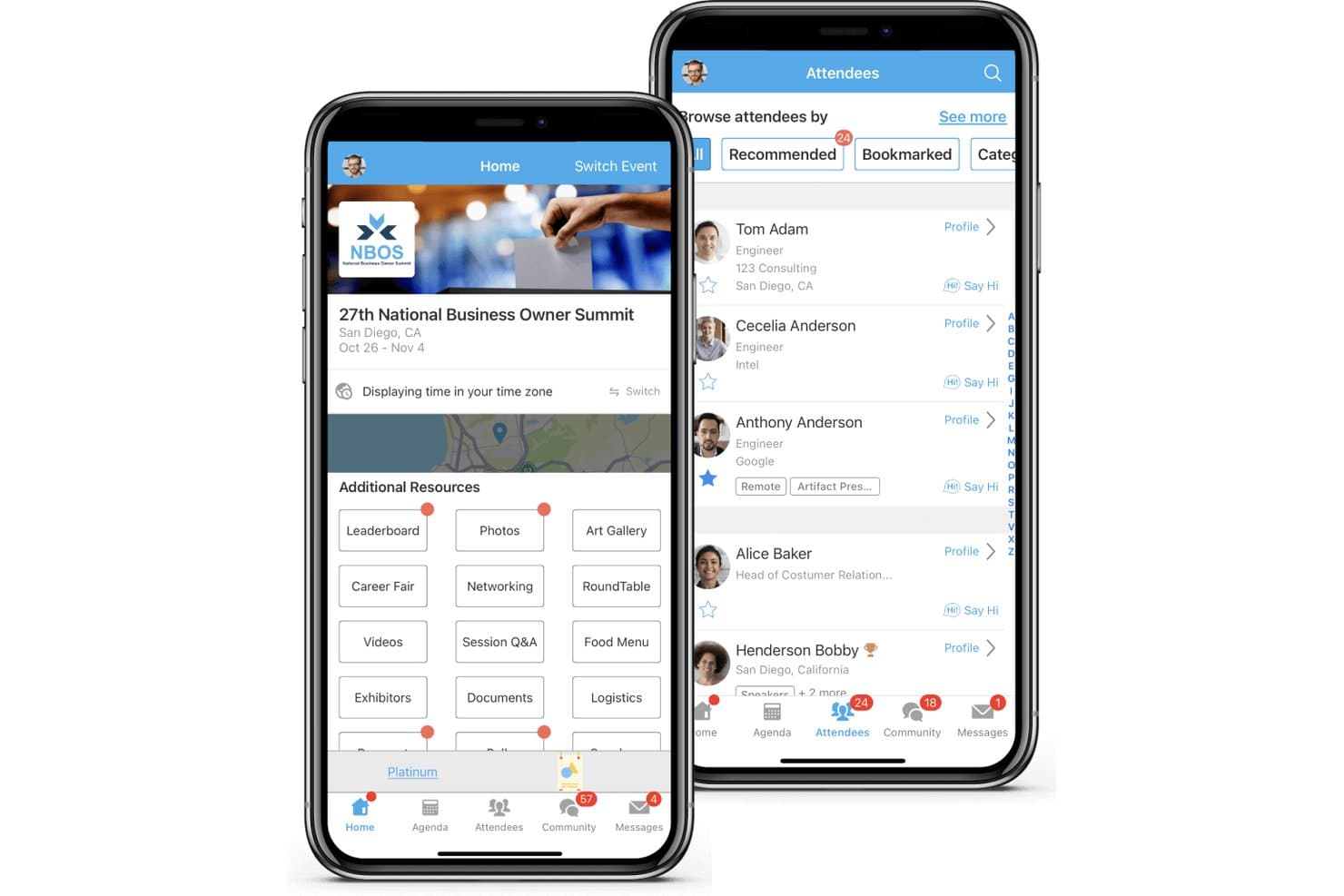
Whova combines registration, sessions, check-in, abstracts, exhibitors, and networking. Whova is a conference management platform for in-person, virtual, and hybrid events that covers attendee registration, mobile event apps, agenda management, networking, exhibitor booths, and post-event analytics.
Who Is Whova Best For?
Whova is a strong fit for conference organizers and association event teams who need a mobile-first platform to manage attendee engagement and networking.
Why I Picked Whova
I picked Whova as one of the best because its mobile networking tools go well beyond a simple attendee directory. Features like AI-powered matchmaking, Speed Networking video rooms, and the Community Board let attendees connect before, during, and after an event from their phones. I especially like the Meeting Scheduler, which lets attendees book 1:1 appointments and reserve space on-site, turning passive conference attendance into active relationship-building.
Whova Key Features
- Abstract management: A branded submission portal lets speakers submit session proposals, with customizable forms, single or double-blind peer review, and direct sync of accepted abstracts to your event agenda.
- Event website builder: Choose from 20+ templates to build a hosted event site that auto-syncs your agenda, speakers, and sponsors without any coding.
- Gamification tools: Trivia contests, photo contests, passport challenges, and leaderboards drive attendee participation throughout the event.
- Post-event analytics report: Whova generates a detailed post-event report covering session attendance, engagement metrics, networking activity, and sponsor impressions.
Whova Integrations
Whova integrates with Cvent, Eventbrite, Zoom, Stripe, HubSpot, Mailchimp, WildApricot, YourMembership, and Glue Up. It also supports API-key connections and Zapier.
Pros and Cons
Pros:
- Supports multi-track sessions with auto-syncing
- Gamification features drive attendee engagement
- Offers AI-powered attendee matchmaking tools
Cons:
- Provides no banquet event order capabilities
- Lacks hotel room block management tools
Learn more about Whova: Best for efficient ticketing and fundraising
- Free demo available
- From $7,500/event
Visit WebsiteCustomer Rating:4.7/5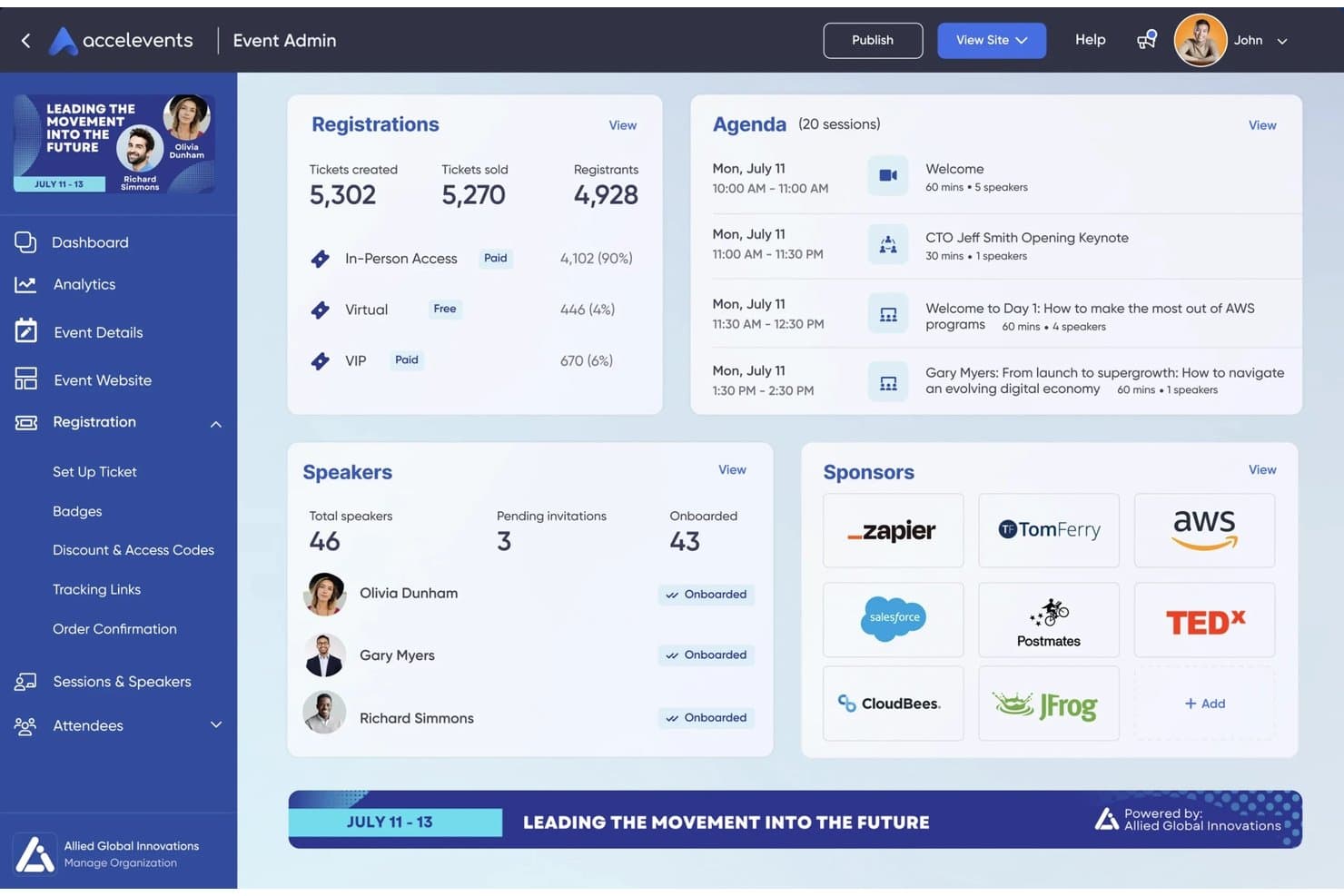
Accelevents covers registration, check-in, badges, engagement, and virtual events. Accelevents is an all-in-one event management platform that handles registration, ticketing, attendee check-in, badge printing, speaker management, exhibitor portals, and virtual event hosting for in-person, virtual, and hybrid conferences.
Who Is Accelevents Best For?
Accelevents is a strong fit for event planners, associations, and corporate marketing teams managing registration-heavy conferences with complex ticketing, fundraising, or hybrid attendance needs.
Why I Picked Accelevents
I picked Accelevents as one of the best because its ticketing and fundraising tools handle complexity that most platforms can't. I love that it supports conditional logic, approval workflows, and reserved seating across unlimited registration types, all without transaction fees. For conferences mixing paid tiers, group bookings, and access-coded sessions, that flexibility is hard to replicate.
Accelevents Key Features
- Multi-track agenda builder: Build and manage complex conference schedules across multiple tracks with bulk session updates for capacity, location, and session type.
- Virtual event hub: Host live-streamed and on-demand sessions natively, with automated transcription and interactive tools like polls and Q&A built into each session.
- Exhibitor Resource Center: A self-service portal where exhibitors manage tasks, upload materials, and capture attendee leads via QR scanning during the event.
- Unified analytics dashboard: Combines registration, onsite check-in, mobile app, and virtual engagement data into a single reporting view with custom, shareable reports.
Accelevents Integrations
Accelevents offers documented integrations with Salesforce, HubSpot, Marketo, Zoom, Vimeo, Cvent Passkey, ExpoFP, and Google Analytics GA4. It also provides a public REST API, webhooks, and Zapier support.
Pros and Cons
Pros:
- Badge printing with dynamic badge text colors
- Attendee hotel booking directly after registration
- Unlimited registration types and conditional ticketing
Cons:
- No hotel operations or block management tools
- No banquet event order management features
Learn more about Accelevents: Best for interactive virtual and hybrid events
- Free trial available
- Pricing upon request
Visit WebsiteCustomer Rating:4.7/5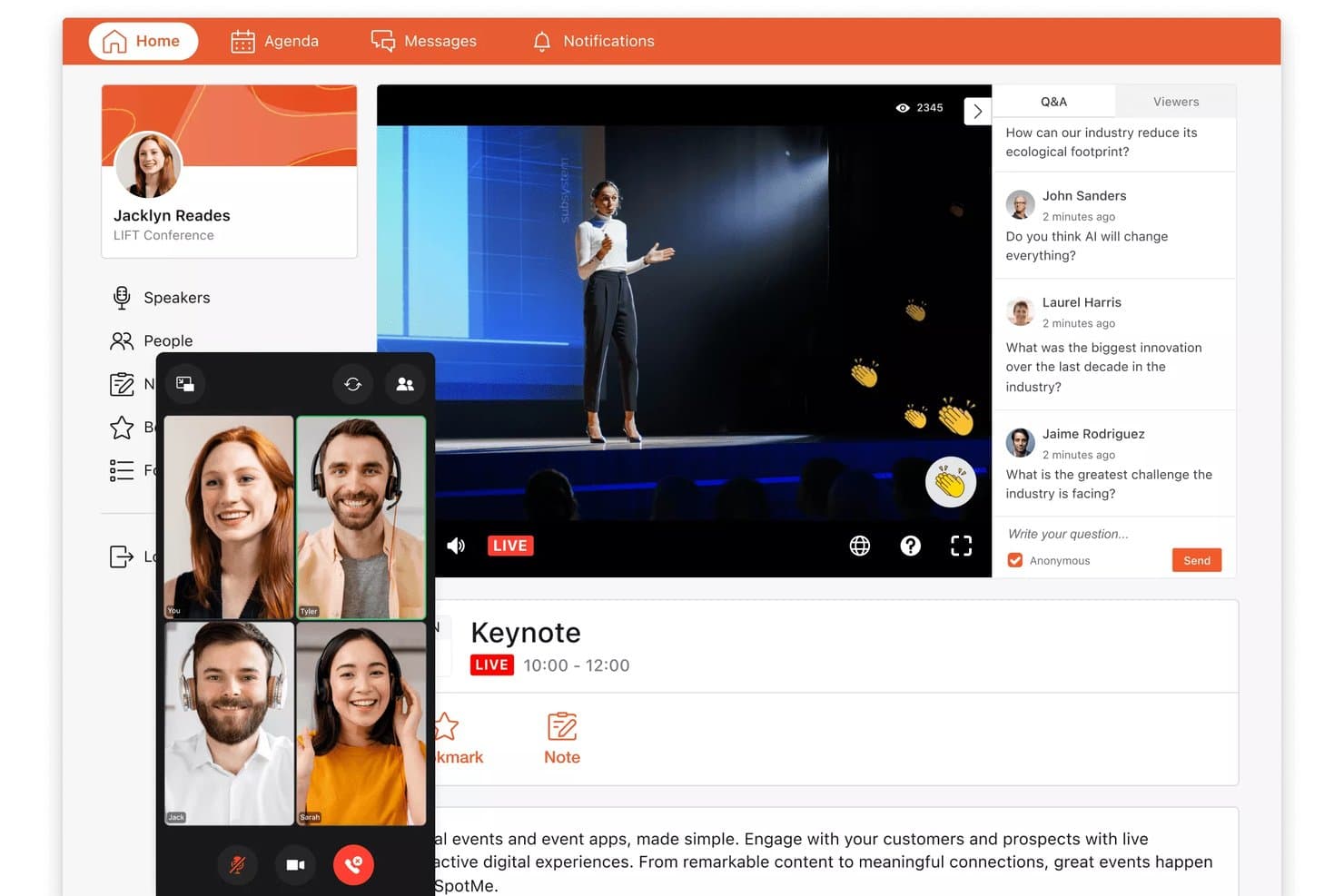
SpotMe lets attendees watch live keynotes and submit Q&A questions in real time. SpotMe is an event engagement platform that covers virtual, hybrid, and in-person conferences with tools for attendee registration, live streaming, mobile event apps, session interaction, networking, and post-event analytics.
Who Is SpotMe Best For?
SpotMe is a strong fit for enterprise event teams in life sciences and professional services that run high-volume virtual and hybrid programs.
Why I Picked SpotMe
SpotMe earns its spot on my shortlist because of how well it handles the interactive layer of virtual and hybrid events. I love that it combines live polling, Q&A, matchmaking, and breakout rooms into one branded experience, so attendees stay engaged whether they're in the room or joining remotely. Its SpotMe Studio lets you run multi-presenter live streams with branded lower thirds and real-time captioning in 30+ languages, which I've found makes a genuine difference for global hybrid conferences.
SpotMe Key Features
- QR code check-in: Scans attendee QR codes at entry points and tracks session-level attendance in real time, with room capacity limit enforcement built in.
- Gamification tools: Lets you award attendees points and badges for completing activities, with leaderboards and a prize store to drive participation throughout the event.
- CEU tracking and certification: Monitors individual session attendance to calculate continuing education credits and issues certifications automatically upon completion.
- On-demand content library: Stores session recordings, presentations, and documents in one place so attendees can revisit content after the event ends.
SpotMe Integrations
SpotMe offers native integrations with Salesforce, HubSpot, Veeva, IQVIA, Marketo, Eloqua, and Pardot, plus integrations with Cvent, RainFocus, and Swoogo. It also provides a REST API, OpenID Connect SSO, and RTMPS connectivity.
Pros and Cons
Pros:
- Customizable branded event apps included
- Provides live captioning in 30+ languages
- Offers 80+ attendee engagement features
Cons:
- Lacks banquet event order management
- No function space or hotel integrations
Learn more about SpotMe: Best for immersive hybrid conferences
- Free demo available
- Pricing upon request
Visit WebsiteCustomer Rating:4.7/5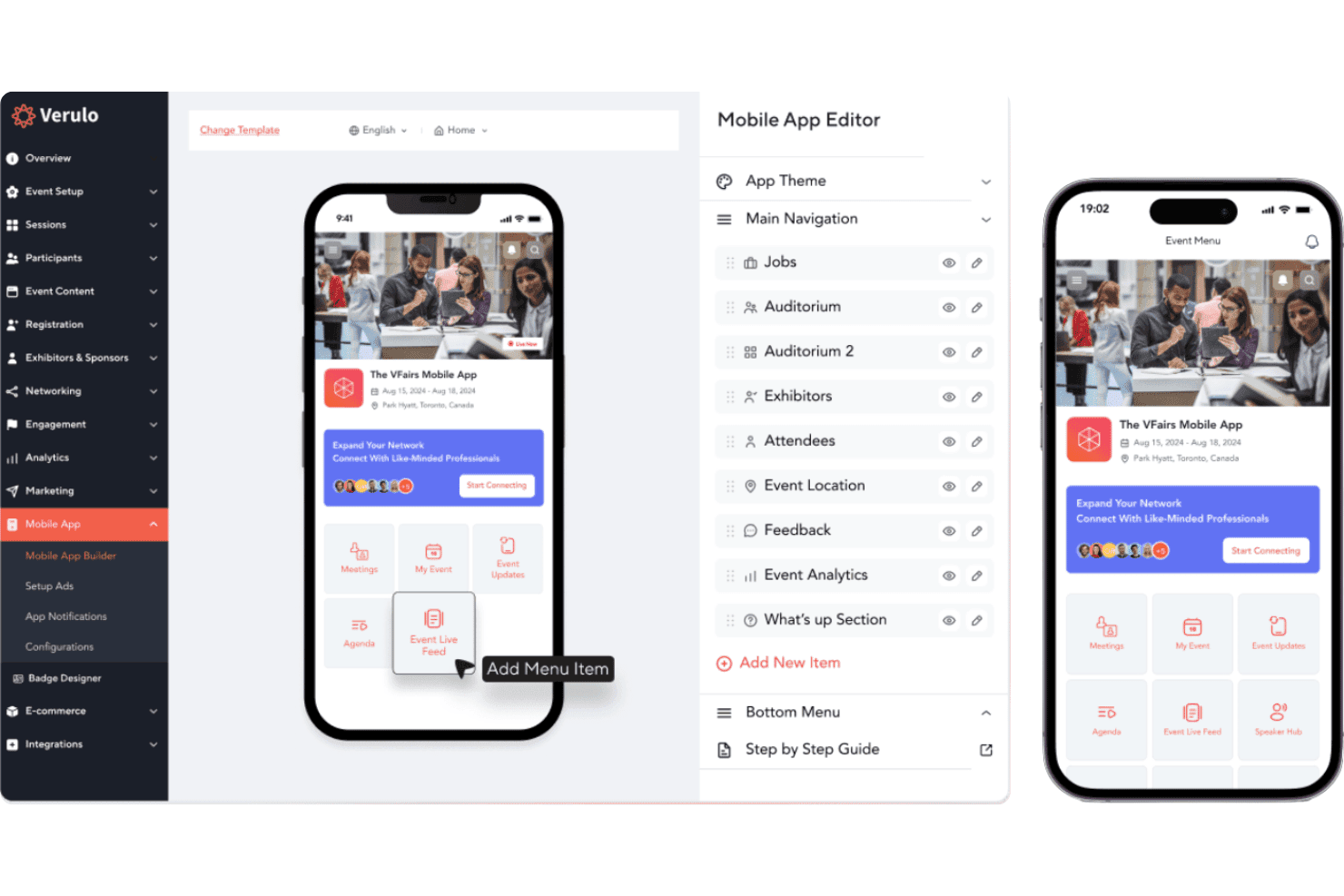
vFairs delivers registration, virtual venues, agendas, networking, and check-in. vFairs is a virtual and hybrid conference management platform that covers event registration, immersive 3D/2D virtual environments, multi-track agendas, attendee networking, abstract submission, onsite check-in, and accommodation coordination for event organizers.
Who Is vFairs Best For?
vFairs is a strong fit for event organizers and associations running large-scale virtual or hybrid conferences who need immersive attendee environments and built-in engagement tools.
Why I Picked vFairs
vFairs earns its spot on my shortlist because no other platform I've tested matches its immersive hybrid conference environments, where attendees navigate fully branded 3D lobbies, auditoriums, and networking lounges whether they're joining remotely or on-site. I particularly like the AI-powered smart matchmaking, which connects attendees, exhibitors, and speakers by interests and profile before they ever enter a session. The multi-track agenda builder with one-click session booking and automated reminders keeps both virtual and in-person attendees aligned across complex, multi-day programs.
vFairs Key Features
- Abstract submission portal: A branded, configurable portal for collecting and managing speaker and research submissions, with reviewer assignment and automated status notifications.
- Gamification engine: Awards attendees points for session attendance, downloads, and polls, with leaderboards, milestone badges, and prize redemption options.
- AI facial recognition check-in: Enables touchless, QR-free onsite check-in using facial recognition, with offline mode and real-time attendance tracking.
- White-label mobile event app: A fully branded attendee app with personalized schedules, push notifications, networking tools, and interactive maps.
vFairs Integrations
vFairs lists integrations with Zoom, Webex, Microsoft Teams, Restream, Salesforce, HubSpot, Slido, and 30+ payment gateways. It also offers a REST API, webhooks, custom integration development, and Zapier connectivity.
Pros and Cons
Pros:
- Attendee-facing accommodation management module
- AI-powered matchmaking for attendees and exhibitors
- Immersive 3D and 2D virtual environments
Cons:
- Room blocks not linked to hotel PMS
- No hotel meeting space or BEO tools
Learn more about vFairs: Best for customizable event apps
- Free demo available
- Pricing upon request
Visit WebsiteCustomer Rating:4.6/5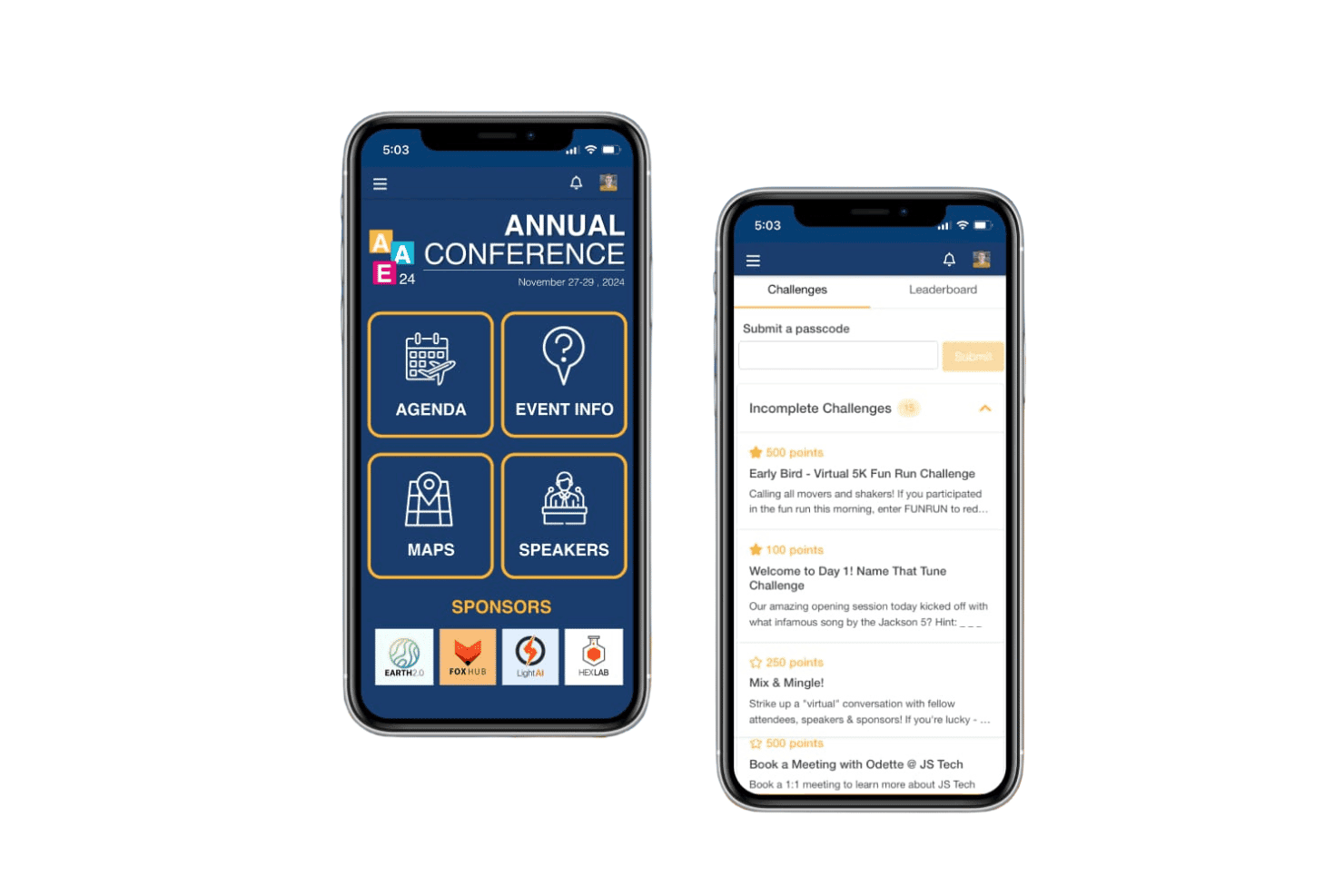
EventMobi manages registration, event apps, check-in, and attendee engagement. EventMobi is an event management platform that handles attendee registration, branded mobile event apps, virtual and hybrid event production, check-in, badge printing, and engagement tools like live polls, Q&A, and networking for in-person, virtual, and hybrid conferences.
Who Is EventMobi Best For?
EventMobi suits event organizers and association teams who need a branded, attendee-facing conference app with built-in engagement tools for in-person, virtual, or hybrid events.
Why I Picked EventMobi
EventMobi earns its spot on my shortlist because the app customization options are genuinely impressive. I love that the drag-and-drop Advanced Designer lets you build a fully branded attendee experience without touching a line of code. For hybrid conferences, the combination of personalized session agendas and EventMobi Studio's live stream production means in-person and remote attendees get a consistent, polished experience from the same platform.
EventMobi Key Features
- Attendee registration module: Supports multi-step registration with tiered pricing, invitation-only gating, and automated email workflows.
- Live polls and Q&A: Lets organizers run real-time polls, questions, and surveys directly within the event app during sessions.
- Gamification tools: Includes challenges, reward activities, and sponsored games to drive attendee participation throughout the event.
- Exhibitor lead capture: Enables exhibitors to scan attendee badges to collect and export leads from the event app.
EventMobi Integrations
EventMobi’s Integrations Hub supports 1,000+ app connections, including Salesforce, HubSpot, Marketo, Eventbrite, Cvent, Mailchimp, iMIS, MemberSuite, Wild Apricot, and Airtable. It also offers a free API and Zapier connectivity.
Pros and Cons
Pros:
- Check-in and badge printing are integrated
- Live polls and gamification boost engagement
- Drag-and-drop branded event app builder
Cons:
- No group room block management features
- No meeting room or function space tools
Learn more about EventMobi: Best for immersive virtual event experiences
- Free demo available
- From $99/user/month (billed annually)
Visit WebsiteCustomer Rating:4.5/5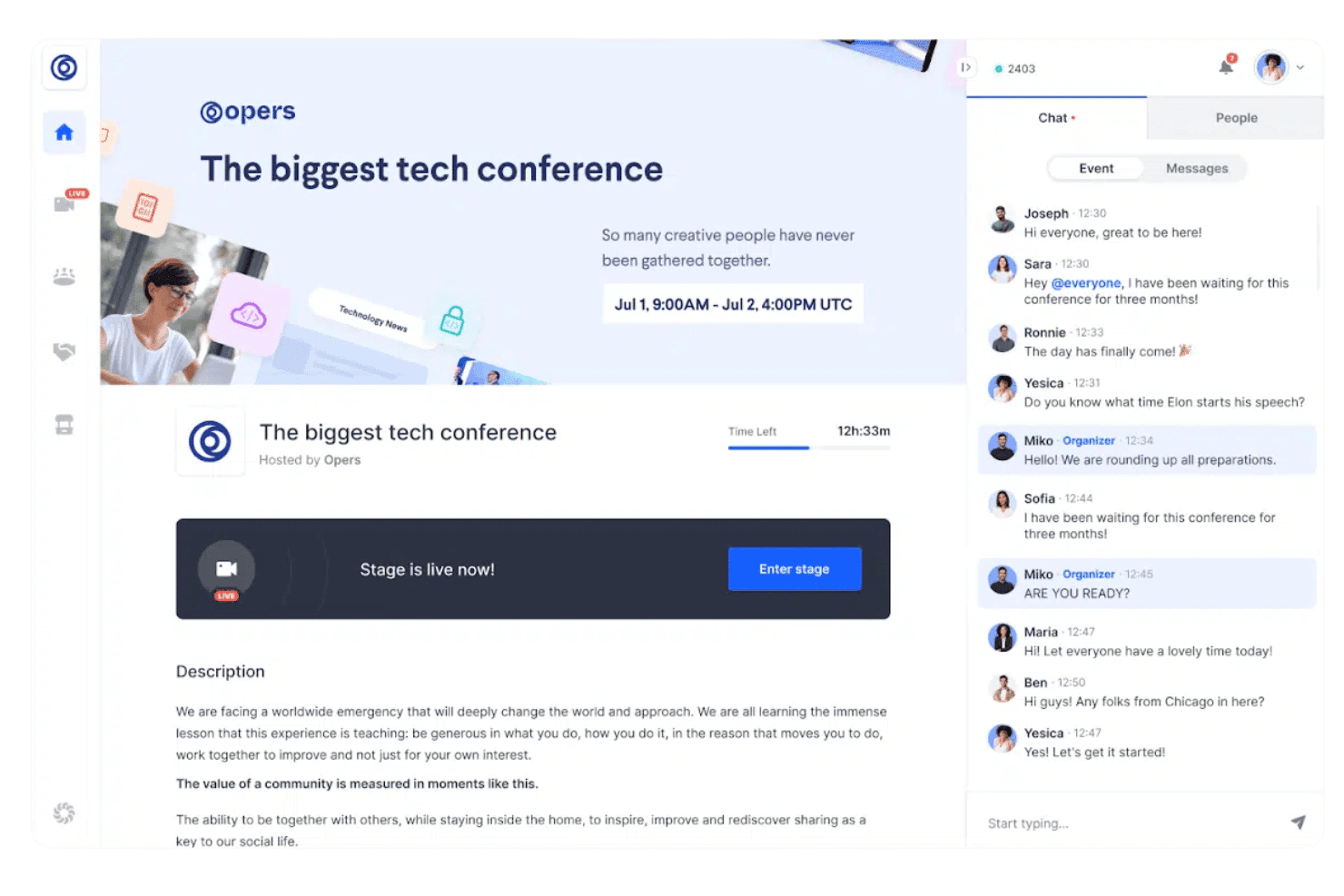
RingCentral Events supports registration, live streaming, multi-track sessions, networking, sponsor booths, and post-event content. RingCentral Events is a virtual and hybrid event platform that covers attendee registration, live streaming, multi-track sessions, networking, sponsor booths, and post-event content hosting.
Who Is RingCentral Events Best For?
RingCentral Events is a strong fit for corporate event marketers and communications teams running virtual or hybrid conferences at scale.
Why I Picked RingCentral Events
RingCentral Events earns its spot on my shortlist because it's built from the ground up for immersive virtual event experiences, with a structured virtual venue that gives attendees distinct spaces to move through, from keynote stages to expo booths to speed networking rooms. I especially like the automated attendee matchmaking, which connects participants based on profile data rather than leaving networking to chance. The AI Clips feature in Creator Lab also stands out to me, since it auto-generates highlight reels and social snippets from session recordings, extending the life of your event content well beyond the live day.
RingCentral Events Key Features
- Multi-track session management: Run concurrent breakout sessions alongside a main stage, letting attendees move between tracks during live events.
- Branded registration pages: Build customizable registration pages with promo codes, UTM tracking, and support for 135+ currencies.
- Onsite check-in suite: Use kiosk mode, badge printing, and access control tools to manage attendee flow at physical event venues.
- Content Hub: Host session replays, clips, and resources on a branded post-event webpage to extend content access after the event ends.
RingCentral Events Integrations
RingCentral Events offers 40+ marketplace integrations, including HubSpot, Salesforce, Marketo, Cvent, Eventbrite, Kahoot, Miro, Slido, and Interprefy. It also provides a public REST API and connects with 9,000+ apps via Zapier.
Pros and Cons
Pros:
- Automated attendee matchmaking for networking
- Built-in registration, check-in, and badge printing
- AI-powered highlight reels and social snippets
Cons:
- Floor plans are static, not interactive
- No hotel room block or BEO management
Learn more about RingCentral Events: Best for comprehensive venue sourcing solutions
- Free trial available
- Pricing upon request
Visit WebsiteCustomer Rating:4.3/5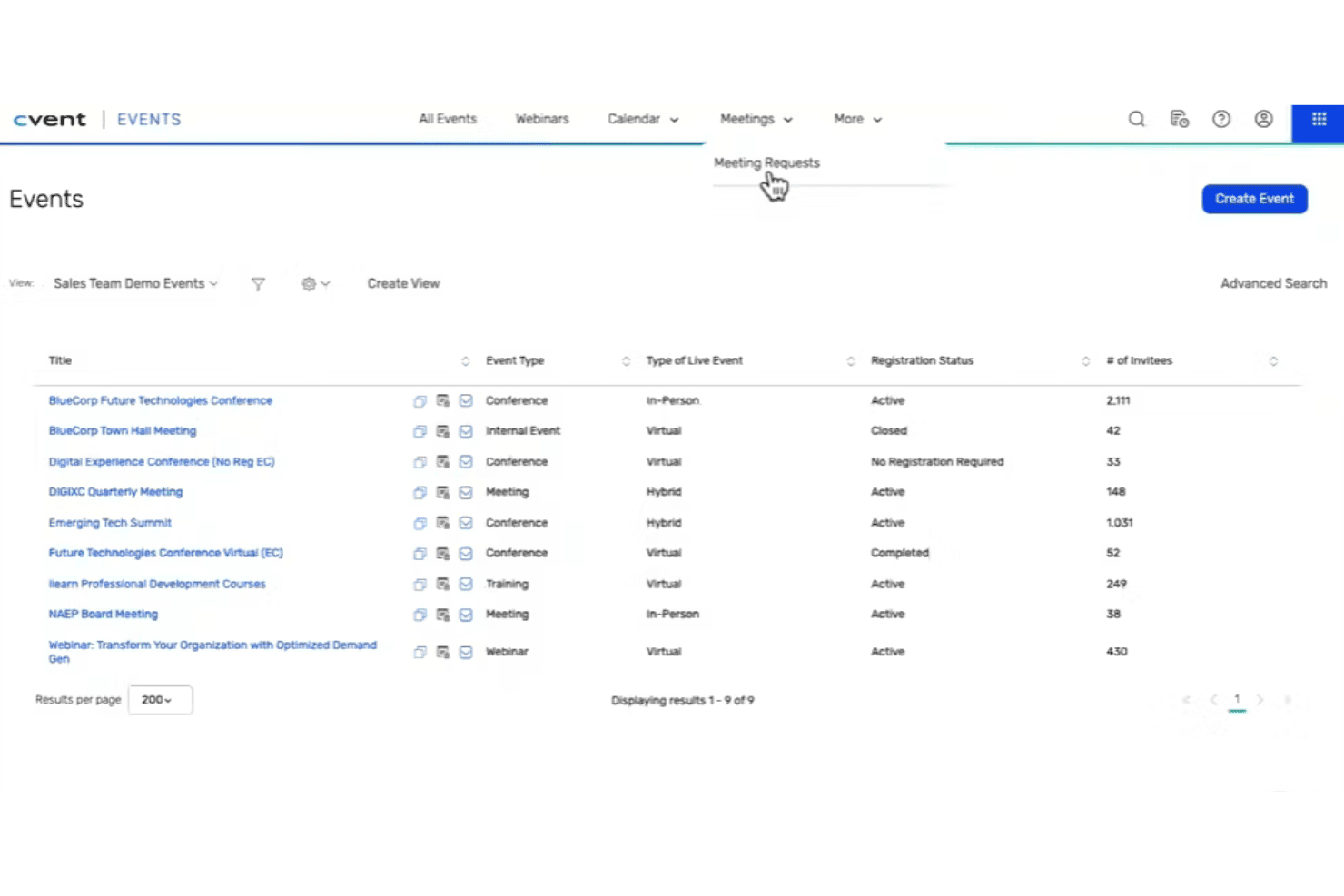
Cvent coordinates venues, registration, room blocks, engagement, and onsite check-in. Cvent is an AI-powered conference management platform that covers venue sourcing, RFP management, group room block management, event registration, attendee engagement, and on-site check-in for in-person, virtual, and hybrid events.
Who Is Cvent Best For?
Cvent is a strong fit for hotel sales teams and MICE operations managers at full-service and large-scale properties who need to manage high volumes of group RFPs, room blocks, and multi-event sourcing from a single platform.
Why I Picked Cvent
Cvent earns its spot as one of the best on my shortlist because no other platform comes close to its venue sourcing reach, with roughly 340,000 hotels and venues on the Cvent Supplier Network and over 155,000 active planners sending RFPs. I particularly like how CventIQ™ scores and prioritizes inbound group RFPs by estimated revenue and group fit, so hotel sales teams spend less time triaging and more time responding to the right leads. Cvent Passkey rounds this out with real-time room block pickup dashboards and automated cutoff alerts that eliminate the back-and-forth spreadsheet updates most teams still rely on.
Cvent Key Features
- Custom registration paths: Build multi-track registration flows with conditional logic, session selection, waitlists, and payment processing for in-person, virtual, or hybrid events.
- OnArrival on-site check-in: Supports kiosk and self-service check-in, on-demand badge printing, and real-time attendance dashboards at the event venue.
- Attendee Hub mobile app: A white-labeled app with live streaming, on-demand content, networking tools, Q&A, polling, and gamification for attendee engagement.
- CSN Business Intelligence: Delivers real-time RFP pipeline analytics, comp-set benchmarking, and pace tracking tied directly to Cvent's group sourcing network.
Cvent Integrations
Cvent documents 80+ native integrations, including Salesforce, Marketo, HubSpot, Microsoft Dynamics, Zoom, Webex, Microsoft Teams, and SAP Concur. Cvent Passkey has a certified two-way Maestro PMS integration, while an open API supports custom integrations.
Pros and Cons
Pros:
- Passkey automates group room block management
- AI automates RFP scoring and prioritization
- Venue sourcing marketplace with 340,000 properties
Cons:
- Full-suite cost out of reach for independents
- No native BEO authoring or distribution
 Best for end-to-end event management features
- Free trial + free demo available
- From $99/month (billed annually)
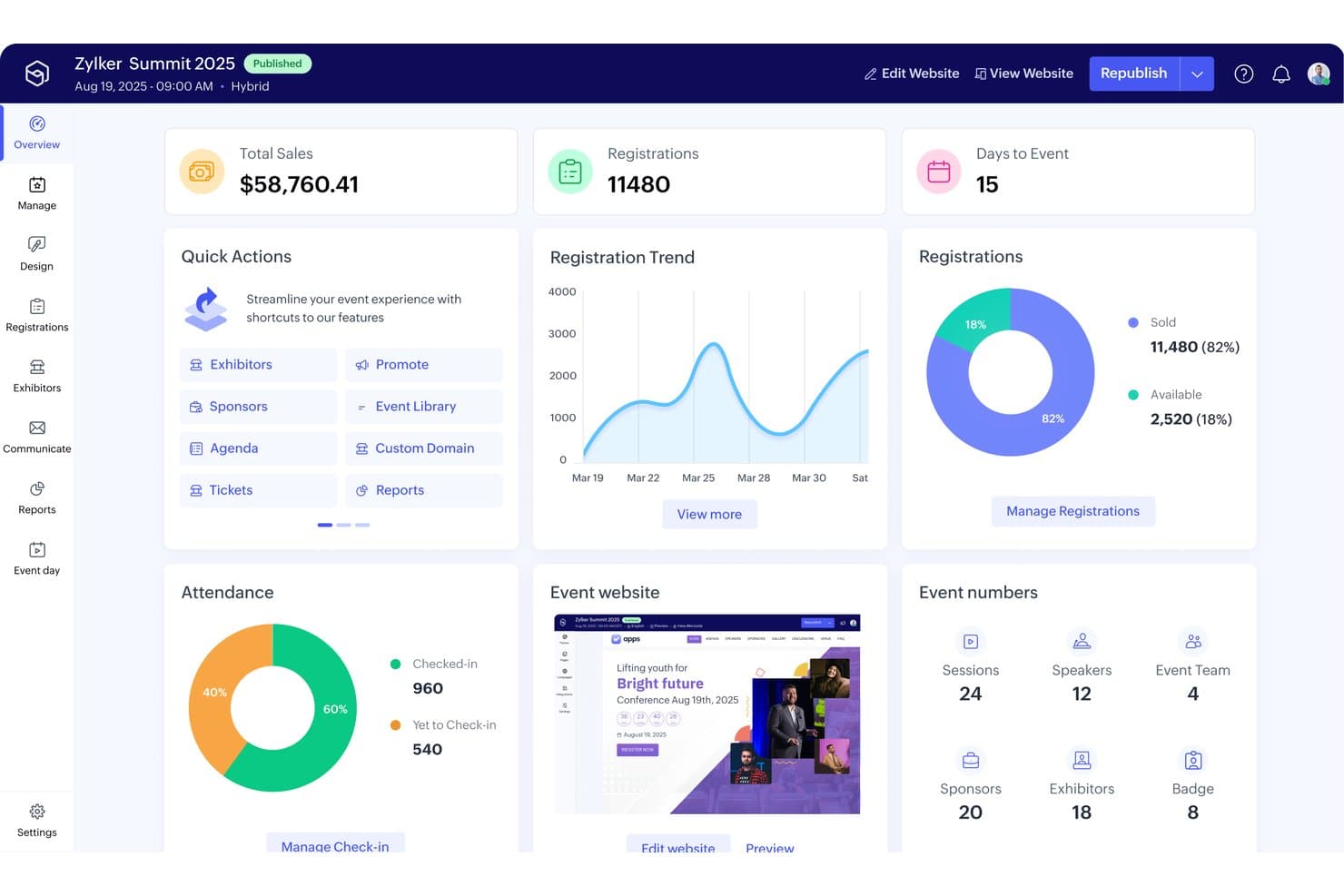
Zoho Backstage centralizes event metrics, registrations, and attendance in one dashboard. Zoho Backstage is a cloud-based event management platform that covers event website creation, registration, ticketing, attendee engagement, exhibitor and floor plan management, and virtual and hybrid event hosting across in-person, online, and hybrid formats.
Who Is Zoho Backstage Best For?
Zoho Backstage is a strong fit for independent event planners and associations managing conferences, trade shows, or expos who need registration, ticketing, and attendee engagement in one platform.
Why I Picked Zoho Backstage
Zoho Backstage earns its spot on my list because it covers more of the event management lifecycle in one platform than most tools in this space. I particularly like the end-to-end scope: from building a branded event website and managing multi-track session agendas to running real-time exhibitor booth allocation through the drag-and-drop floor plan builder. The Backstage OnAir module also lets me host live-cast sessions with polls, Q&A, and screen sharing without switching to a separate virtual event tool.
Zoho Backstage Key Features
- AI-powered attendee matchmaking: Automatically suggests relevant 1:1 connections between attendees based on shared interests and goals.
- Abstract submission and review workflows: Lets speakers submit session proposals that organizers can review and approve directly in the platform.
- Multi-track session agenda builder: Supports up to 10 agenda tracks per event, with individual session scheduling and speaker assignments.
- QR code check-in and badge printing: Enables onsite attendee check-in via QR code scan with custom badge design and on-demand printing.
Zoho Backstage Integrations
Zoho Backstage offers native integrations with Zoho CRM, Zoho Campaigns, Zoho Analytics, Zoho Meeting, and Zoho Webinar, plus Zoom, WhatsApp, Mailchimp, HubSpot, and Google Analytics. It supports custom connectivity through Zoho Flow, webhooks, and Zapier, but no native PMS, CRS, or hotel POS integrations.
Pros and Cons
Pros:
- All event formats managed in one platform
- Drag-and-drop expo floor plan builder
- AI-powered attendee matchmaking and networking
Cons:
- Event invitation emails often hit spam folders
- No hotel group room block management
Learn more about Zoho Backstage:
Outro software de gestão de conferências
Eis algumas opções adicionais de software de gestão de conferências que não integraram a minha lista restrita, mas que ainda vale a pena consultar:
- 11Lasso.ioBest for advanced event analytics
- 12RainFocusBest for enterprise conference data and marketing ROI
- 13ClickUpBest for robust event project management
- 14WrikeBest for collaborative event planning
- 15GrenadineBest for multi-track conference scheduling
- 16ON24Best for virtual conference engagement
- 17BizzaboBest for data-driven conference engagement
- 18EventsAirBest for interactive conference experiences
- 19EventTempleBest for venue-focused conference sales
- 20EventSquidBest for configurable conference workflows
How I Evaluate Conference Management Software
I split every evaluation into baseline must-haves—like BEO workflows and PMS integration—and the differentiators that separate a strong fit from the right one.
Core Functionality (Table Stakes For This List)
When I'm selecting tools for my list, I rank each one on a scale from 0 (does not offer the functionality) to 5 (excels in this area) for each core functionality listed below. Then, I calculate the tool's total score into a percentage. Each tool needs to achieve a minimum total score of 65% to be considered for inclusion.
- Function Space Management: I check whether a platform tracks real-time availability across ballrooms, breakout rooms, and boardrooms, including setup/teardown buffers that prevent double-booking.
- Group Room Block Management: Managing pickup against contracted blocks is where mistakes cost revenue, so I look for cutoff tracking, wash calculations, and rooming list handling.
- Banquet Event Order (BEO) Workflows: I evaluate how each tool creates, versions, and distributes BEOs to kitchen, banquets, and AV teams—especially when a planner changes a lunch count 48 hours out.
- RFP & Proposal Management: The path from inbound lead to signed contract matters, so I look at how tools capture RFPs, generate branded proposals, and move deals through approval stages.
- PMS/CRS Integration: I check for certified two-way connections with property management and central reservation systems like Opera, Mews, or Infor HMS to keep inventory and guest data in sync.
- Group Revenue & Reporting: Pace reports, catering forecasts, and displacement analysis are what I look for—the kind of reporting that helps a revenue team decide whether to accept a group bid.
Once I have a list of tools that meet this criteria, I consider what sets each platform apart.
Differentiating Factors (What Sets Vendors Apart)
Here's how I compare and contrast different vendors:
Standout Features
Multi-property management is a major differentiator for hotel groups. I look for platforms that let a regional sales team share leads and compare pace across properties from a single dashboard. Mobile BEO access also matters—banquet captains and chefs need real-time updates on the floor, not a printout from three days ago. Interactive floor plan tools round things out by giving sales teams a way to walk clients through setups visually during the booking process.
Beyond Features
Hospitality ecosystem integrations are one of the first things I evaluate. A platform that connects with your PMS, POS, and lead sources like Cvent or Knowland saves hours of manual data entry. I also consider property type fit—a convention hotel with 40 breakout rooms has very different needs than a boutique property hosting occasional board retreats. Pricing structure matters too, since per-property licensing can get expensive fast for a growing portfolio compared to per-user models.
Como escolher um software de gestão de conferências
A escolha de um software de gestão de conferências depende do formato do evento, do número de participantes, da complexidade das sessões e dos requisitos no local. Considere se precisa de registo, programação com várias faixas, ferramentas para expositores, gestão de resumos ou capacidades para eventos híbridos.
| Se a sua prioridade for... | Procure... |
|---|---|
| Se a sua prioridade for...Gerir agendas de conferências complexas | Procure...Programação com várias faixas e gestão de sessões |
| Se a sua prioridade for...Gerir oradores e submissões | Procure...Portais para oradores e gestão de resumos |
| Se a sua prioridade for...Melhorar as operações no local | Procure...Check-in, impressão de crachás e leitura de participantes |
| Se a sua prioridade for...Apoiar patrocinadores e expositores | Procure...Portais para expositores, captação de contactos e gestão de stands |
| Se a sua prioridade for...Aumentar a participação dos participantes | Procure...Networking, aplicações móveis, sondagens e Q&A |
| Se a sua prioridade for...Organizar conferências híbridas ou virtuais | Procure...Transmissão em direto e alojamento de sessões virtuais |
Como avaliar a sua lista restrita
- Teste o seu fluxo de inscrições: Crie vários tipos de participantes, categorias de bilhetes, códigos de desconto e perguntas de inscrição personalizadas.
- Crie um programa de conferência de exemplo: Adicione várias áreas temáticas, sessões, oradores e salas para verificar como são geridos os conflitos de horários.
- Avalie as ferramentas destinadas aos participantes: Teste a aplicação móvel, os programas pessoais, as ferramentas de criação de redes de contactos, os alertas de sessões, as sondagens e as funcionalidades de perguntas e respostas.
- Analise as funcionalidades no local: Verifique como o software gere a credenciação dos participantes, a impressão de crachás, a leitura das sessões e as alterações de última hora às inscrições.
- Teste os fluxos de trabalho dos expositores e patrocinadores: Crie perfis de expositores de exemplo, atribuições de espaços de exposição, pacotes de patrocínio e processos de captação de contactos.
- Compromisso: plataforma completa ou ferramentas especializadas: Decida se uma única plataforma deve gerir toda a conferência ou ligar-se a ferramentas independentes de inscrições, transmissão e envolvimento.
O que é o software de gestão de conferências?
O software de gestão de conferências é uma plataforma para planear, organizar e realizar conferências, desde as inscrições até aos relatórios pós-evento.
Estas plataformas suportam normalmente as inscrições dos participantes, o agendamento de sessões, a gestão de oradores, a credenciação, a impressão de crachás, a criação de redes de contactos e a elaboração de relatórios. Algumas também disponibilizam a gestão de resumos, ferramentas para expositores, aplicações móveis para eventos e funcionalidades para conferências virtuais.
Funcionalidades do software de gestão de conferências
Ao escolher um software de gestão de conferências, tenha em atenção as seguintes funcionalidades principais:
- Inscrições dos participantes: Recolhe as informações dos participantes, gere os tipos de bilhetes, processa as inscrições e suporta formulários de inscrição personalizados.
- Gestão de sessões e programas: Organiza áreas temáticas, sessões, salas, oradores e horários de conferências num único calendário central.
- Gestão de oradores: Armazena perfis de oradores, atribuições de sessões, ficheiros de apresentações, disponibilidade e histórico de comunicações.
- Gestão de resumos: Recolhe propostas de apresentações, gere revisões por pares, acompanha aprovações e atribui as propostas aceites às sessões.
- Credenciação no local e impressão de crachás: Processa a chegada dos participantes e imprime crachás personalizados para uma entrada mais rápida.
- Criação de redes de contactos entre participantes: Disponibiliza diretórios de participantes, agendamento de reuniões, mensagens, correspondência entre participantes e outras ferramentas de criação de redes de contactos.
- Aplicações móveis para eventos: Permite aos participantes aceder a programas, informações sobre oradores, anúncios, mapas, criação de redes de contactos e atualizações das sessões.
- Gestão de patrocinadores e expositores: Gere perfis de expositores, atribuições de espaços de exposição, conteúdos dos patrocinadores, captação de contactos e atividades de interação.
- Ferramentas para eventos virtuais e híbridos: Suporta transmissão em direto, sessões virtuais, criação de redes de contactos online e participação remota dos participantes.
- Relatórios de conferências: Acompanha as inscrições, a participação, a presença nas sessões, o envolvimento, os contactos e outros dados de desempenho do evento.
Vantagens do software de gestão de conferências
A implementação de um software de gestão de conferências oferece várias vantagens aos organizadores de conferências e às equipas de eventos:
- Planeamento centralizado da conferência: Mantém as informações dos participantes, oradores, sessões, expositores e operações numa única plataforma.
- Processamento mais rápido dos participantes: As inscrições digitais, os códigos QR e a impressão de crachás reduzem as tarefas manuais de credenciação.
- Melhor coordenação das sessões: As ferramentas de agendamento facilitam a gestão de sessões sobrepostas, oradores, salas e áreas temáticas da conferência.
- Maior participação dos participantes: A criação de redes de contactos, as sondagens, as perguntas e respostas, as notificações e os programas personalizados incentivam uma maior interação.
- Administração simplificada dos oradores: Os portais para oradores disponibilizam um único local para recolher biografias, apresentações, disponibilidades e detalhes das sessões.
- Operações dos expositores mais organizadas: Os portais para expositores e as ferramentas de captação de contactos facilitam a gestão das atividades dos patrocinadores e dos espaços de exposição.
- Maior visibilidade do evento: As ferramentas de elaboração de relatórios revelam tendências de inscrições, participação nas sessões, níveis de envolvimento e comportamento dos participantes.
- Suporte para vários formatos de eventos: Os organizadores podem gerir conferências presenciais, virtuais e híbridas utilizando a mesma plataforma.
Custos e preços do software de gestão de conferências
O preço do software de gestão de conferências varia consoante o número de participantes, a frequência dos eventos, as funcionalidades e os requisitos de serviço.
Alguns fornecedores cobram por evento ou participante, enquanto outros oferecem subscrições anuais ou contratos empresariais personalizados. Podem aplicar-se custos adicionais a aplicações móveis, equipamento no local, impressão de crachás, ferramentas para eventos virtuais ou suporte premium.
Tabela de comparação de planos para software de gestão de conferências
| Tipo de plano | Preço médio | Funcionalidades comuns |
|---|---|---|
| Tipo de planoPlano gratuito | Preço médio$0 | Funcionalidades comunsRegisto básico, agendamento limitado de eventos e suporte por e-mail. |
| Tipo de planoPlano pessoal | Preço médio$10-$30/utilizador/mês | Funcionalidades comunsMarca personalizada, análises básicas e suporte por e-mail e chat. |
| Tipo de planoPlano empresarial | Preço médio$50-$100/utilizador/mês | Funcionalidades comunsRegisto avançado, capacidades de integração e suporte telefónico. |
| Tipo de planoPlano empresarial avançado | Preço médio$150-$300/utilizador/mês | Funcionalidades comunsPersonalização completa, gestor de conta dedicado, análises avançadas e formação. |
Perguntas frequentes sobre software de gestão de conferências
Eis algumas respostas a perguntas comuns sobre software de gestão de conferências:
Como é que o software de gestão de conferências trata a segurança dos dados?
O software de gestão de conferências inclui normalmente medidas de segurança, como encriptação e protocolos de proteção de dados, para salvaguardar as informações dos participantes. É importante verificar se o software está em conformidade com regulamentações como o RGPD ou a HIPAA, caso sejam aplicáveis aos seus eventos. Isto garante que os seus dados permanecem seguros e protegidos.
Que opções de suporte estão disponíveis com o software de gestão de conferências?
As opções de suporte variam consoante o fornecedor, mas incluem frequentemente recursos como chat em direto, suporte por e-mail e centros de ajuda. Alguns fornecedores também oferecem gestores de conta dedicados nos planos empresariais. Considere as necessidades de suporte da sua equipa e escolha um fornecedor que ofereça assistência suficiente para as suas operações.
É possível personalizar o software de gestão de conferências?
A maioria das ferramentas de gestão de conferências permite personalizações para se adaptar à sua marca e aos requisitos do evento. Normalmente, pode ajustar temas, esquemas e percursos dos participantes. Verifique se o software oferece a flexibilidade necessária para refletir a identidade da sua marca e responder às necessidades específicas do evento.
Como se avalia a capacidade de uma plataforma para gerir conferências híbridas?
Deve verificar se suporta elementos presenciais e virtuais — transmissão em direto, salas de sessões paralelas, sessões virtuais de apresentação de pósteres e chat dos participantes. Verifique também com que fluidez o sistema gere a alternância entre sessões no local e sessões online. Teste se os participantes virtuais e presenciais conseguem interagir (perguntas e respostas, sondagens, networking) sem dificuldades.
Que relatórios e análises deve esperar após a conferência?
Deve conseguir consultar a participação por sessão, as taxas de abandono, os dados demográficos, os relatórios de potenciais clientes dos patrocinadores e os inquéritos de satisfação. Procure também dados brutos exportáveis para realizar a sua própria análise. Quanto mais detalhado for o nível de análise (por sessão temática, dia ou tipo de participante), mais úteis serão os seus conhecimentos.
Como gerir as comunicações e notificações dos participantes em fluxos de trabalho avançados?
Verifique se pode configurar e-mails acionados: para lembretes de sessões, cancelamentos, notificações de listas de espera ou alterações de horários. Verifique também se pode personalizar as mensagens por sessão temática ou estado de cada participante. A possibilidade de suprimir ou agrupar notificações ajuda a evitar uma sobrecarga de e-mails.