Choosing hotel property management software comes down to more than picking the platform with the best demo. I've sat through enough slick sales presentations to know that what looks good in a walkthrough doesn't always hold up at 2 a.m. during a full house. The wrong system creates friction at every touchpoint—front desk, housekeeping, reservations, and beyond. This guide cuts through the noise and walks you through the criteria that actually matter: features, integrations, pricing models, and support quality. By the end, you'll know exactly what to look for before you commit.
4 Things to Look for When Choosing Hotel Property Management Software
From my experience testing hotel PMS platforms, I recommend focusing on these four areas before committing to a system:
1. Compatibility With Existing Hotel Systems
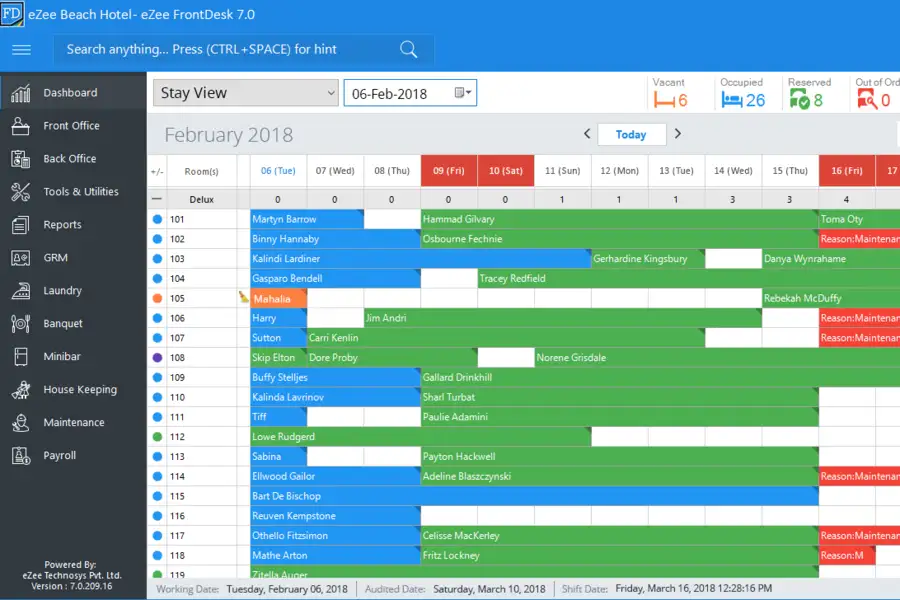
Your PMS should connect with your channel manager, booking engine, POS, payment processor, door locks, and accounting software. Prioritize documented integrations and open APIs so your team isn’t forced into manual data entry or costly custom work. Before buying, ask vendors to demonstrate your exact integrations and explain who supports troubleshooting when systems fail.
2. Scalability for Multi-Property Operations
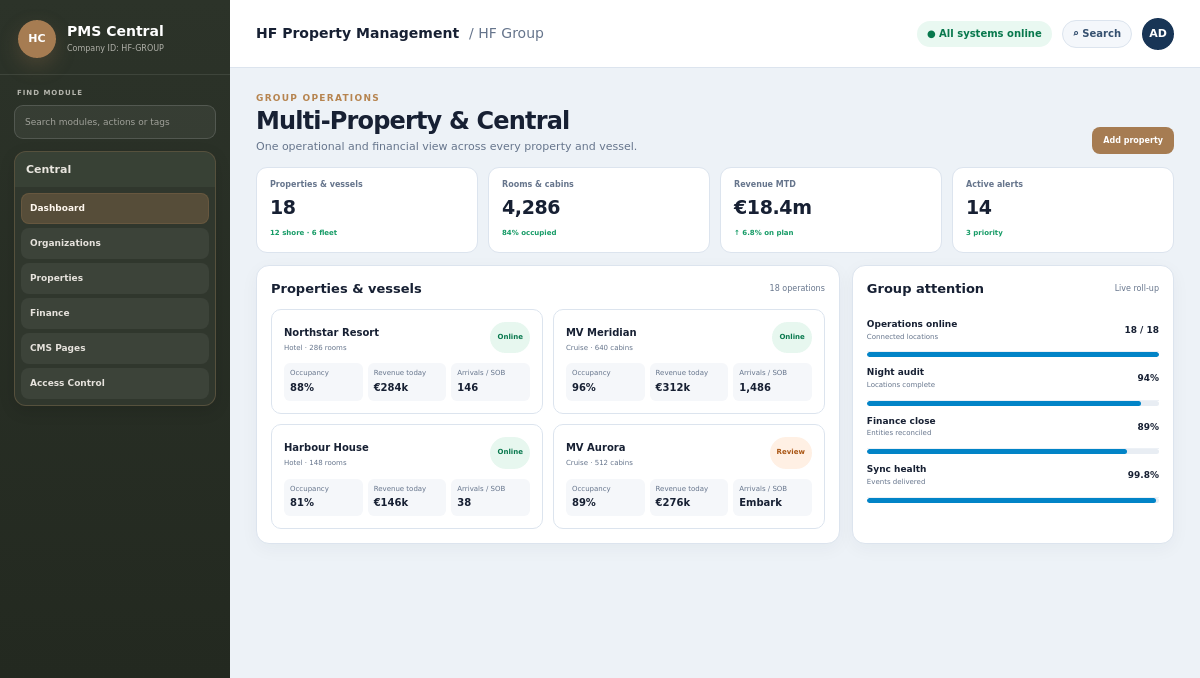
Choose hotel property management software that supports multiple properties, shared reporting, centralized user controls, and property-level settings without duplicating administrative work. Look for flexible portfolio management and transparent pricing, and avoid systems that require separate databases or costly upgrades as you add locations. Ask vendors to show how you’d add a property, assign permissions, and compare performance across your portfolio.

Have an account? Log In
3. Cloud-Based vs. On-Premise Deployment
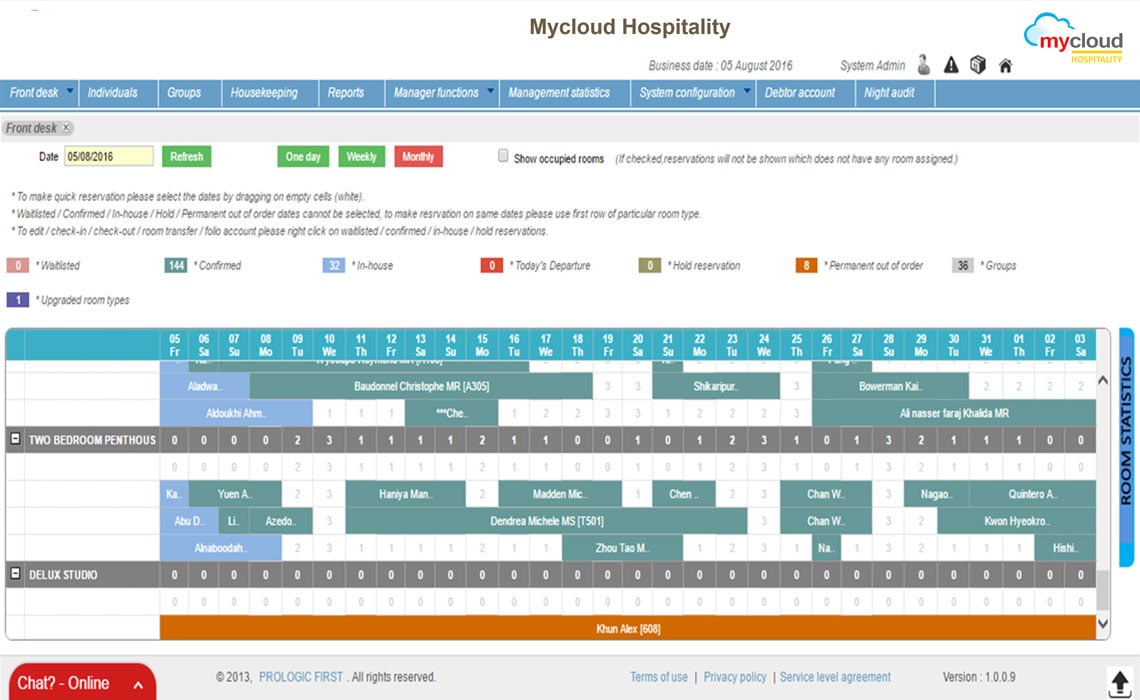
Cloud-based hotel PMS software runs on vendor-hosted servers, while on-premise systems require your property to manage local infrastructure, updates, backups, and security. Cloud deployment usually supports remote access and automatic updates, but on-premise software may suit properties that need greater control over data and network access. Ask vendors what happens during an internet outage, including whether staff can check guests in, access reservations, and process payments offline.
4. Staff Training and Vendor Support
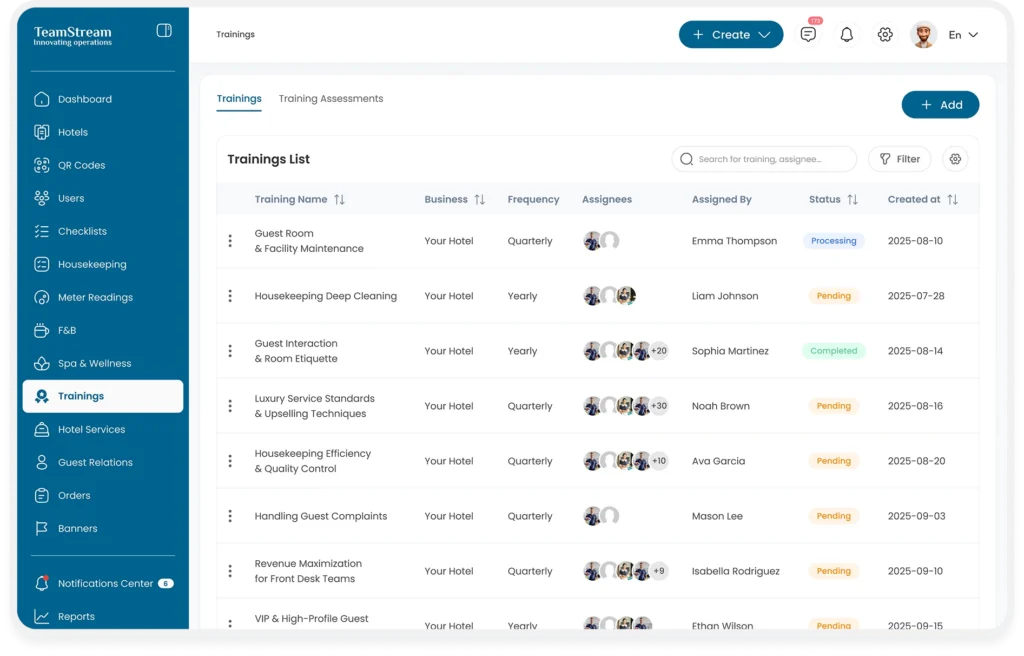
Choose hotel property management software with role-based training, searchable documentation, and support during operational hours. Ask how quickly the vendor responds when check-in or payments fail, and avoid providers that charge extra for basic onboarding or limit support to email. Before signing, request a training plan for front desk, housekeeping, and managers, then confirm who handles urgent issues after launch.
How to Choose Hotel Property Management Software: A 5-Step Framework
Use these five steps to compare hotel property management software against your operation’s needs before signing a contract:
Step 1: Identify Your Needs
Before you look at a single demo, talk to the people who actually use your current system every day. In my experience, the biggest mistakes in PMS selection happen when the decision is made by leadership without input from front desk agents, housekeeping supervisors, or night auditors. Those are the people who experience firsthand how your current system's limitations affect daily operations.
Start by running a short internal audit. You don't need a formal process—just structured conversations with the right people.
Talk to these stakeholders first:
- Front desk agents: Ask what slows them down at check-in, check-out, and during peak hours.
- Housekeeping supervisors: Find out how they currently receive room status updates and where communication breaks down.
- Night auditors: Ask what manual steps they take every night that should be automated.
- Revenue or reservations managers: Identify gaps in rate management, OTA syncing, and reporting.
- IT or operations leads: Understand your current infrastructure, especially if you're evaluating cloud vs. on-premise options.
Once you've gathered that input, use it to define your non-negotiables. Start by identifying your hotel's operational and technical requirements, including reservations, billing, housekeeping, reporting, and integrations. My guide to hotel PMS integrations can help you determine which system connections matter most before evaluating vendors. I'd categorize needs into three buckets:
| Category | What to Capture |
|---|---|
| CategoryMust-have | What to CaptureFeatures you can't operate without (e.g., channel manager integration, mobile check-in) |
| CategoryNice-to-have | What to CaptureFeatures that would improve operations but aren't blockers |
| CategoryOut of scope | What to CaptureFeatures you're paying for now but don't actually use |
From there, ask yourself these questions before moving forward:
- How many properties and room types does the system need to support?
- Which third-party tools does your PMS need to connect with on day one?
- What does your current reporting miss that costs you time or revenue?
- Do you need offline functionality, or is reliable internet consistent across your property?
- What's your realistic timeline for implementation and staff training?
The output of this step should be a one-page needs summary you can hand to any vendor. It keeps demos focused and gives you a clear standard to evaluate against—instead of getting swept up in features you'll never use.
The system is the core part of the hotel’s technology, and other solutions connect to it. If the platform’s architecture is strong and well-built, then it becomes easy to adapt to change, new legislation, and connected solutions.
Step 2: Research Hotel Property Management Software Vendors
Once you have your needs summary in hand, the research phase is about narrowing the market down to vendors worth your time. I've learned to treat this step as due diligence, not shopping. The goal isn't to find the most popular platform—it's to find the ones that can plausibly meet your specific requirements.
Start your research across these sources, in roughly this order:
- Peer networks first: Talk to hoteliers who run properties similar to yours in size, type, and market. Their experience with a vendor's support team, onboarding process, and real-world performance will tell you more than any review site.
- Industry review platforms: Sites that aggregate verified user reviews give you a cross-section of sentiment from operators. Look for patterns in negative reviews, not just the rating score. Recurring complaints about billing, support response times, or missing features are signals worth taking seriously.
- Hospitality associations and forums: Regional and national hospitality associations often publish buyer's guides or run member forums where operators share unfiltered opinions. These are underused resources that I'd strongly recommend tapping.
- Vendor websites and documentation: Once a vendor clears your basic criteria, read their actual documentation. Marketing pages will always look good—the depth of their knowledge base and API documentation tells you a lot more about the product's maturity.
- Case studies from comparable properties: Look specifically for case studies that match your property type and scale. A case study from a 400-room resort doesn't tell you much if you're running a 30-room boutique.
As you gather information, track what you find in a simple comparison table. You don't need to go deep yet—just capture enough to decide who makes the shortlist:
Use this table to log what you learn about each vendor before shortlisting:
| Vendor | Deployment Type | Target Property Size | User Review Sentiment | Red Flags Noted |
|---|---|---|---|---|
| VendorVendor A | Deployment TypeCloud | Target Property SizeMid-scale, 50–200 rooms | User Review SentimentGenerally positive; support complaints | Red Flags NotedLimited offline functionality |
| VendorVendor B | Deployment TypeCloud/On-premise | Target Property SizeIndependent, boutique | User Review SentimentMixed; pricing concerns | Red Flags NotedOnboarding fees unclear |
| VendorVendor C | Deployment TypeCloud | Target Property SizeMulti-property groups | User Review SentimentPositive; strong integrations noted | Red Flags NotedLess suited to smaller teams |
A few things I keep an eye out for during this stage:
- Recency of reviews: A vendor with great reviews from three years ago may have changed ownership, pricing, or support quality since then. Filter for reviews from the last 12–18 months.
- How vendors respond to criticism: If a vendor's public responses to negative reviews are defensive or dismissive, that's a preview of how they'll handle support tickets when something goes wrong at your property.
- Funding and stability signals: A PMS migration is expensive and disruptive. I always check whether a vendor has had recent ownership changes, funding gaps, or product pivots—any of which can affect long-term reliability.
By the end of this step, you should have a shortlist of four to six vendors who align with your property type, scale, and integration requirements. That list becomes the input for your demo and evaluation process.
Top Hotel Property Management Software to Consider
Here's my shortlist of the best hotel property management software solutions:
Step 3: Make a Hotel Property Management Software Shortlist
By this point, you have a needs summary and a rough sense of which vendors are worth exploring. Now it's time to get disciplined. The goal of this step is to cut your list down to three or four vendors you'll actually spend time evaluating—not ten.
Here's how I'd approach the narrowing process:
- Apply your non-negotiables first: Go back to your must-have list from Step 1. Any vendor that can't clearly demonstrate support for those requirements gets cut immediately, regardless of how polished their website looks.
- Filter by property type and scale: Vendors often specialize. A platform built for large branded hotels will feel over-engineered for a 20-room independent property, and vice versa. Match the vendor's core customer profile to yours.
- Check integration fit before anything else: List every tool you rely on daily—your channel manager, POS, payment processor, and booking engine. If a vendor's integration documentation is vague or incomplete, that's a signal worth taking seriously.
- Weigh recent sentiment over overall ratings: A vendor's reputation from three years ago may not reflect their current product or support team. Focus on reviews from the last 12 to 18 months, and pay attention to how vendors respond to criticism publicly.
- Flag pricing transparency: Vendors who make you contact sales just to see ballpark pricing tend to have complex fee structures that surface later. I'd rather spend time on vendors who are upfront about costs.
Use this table to score shortlist candidates before committing to demos:
| Criteria | Weight | What to Look For |
|---|---|---|
| CriteriaMust-have feature coverage | WeightHigh | What to Look ForConfirmed, not just claimed |
| CriteriaIntegration compatibility | WeightHigh | What to Look ForDocumented, tested connections |
| CriteriaProperty type fit | WeightMedium | What to Look ForSimilar customer base and scale |
| CriteriaRecent review sentiment | WeightMedium | What to Look ForPatterns in last 12–18 months |
| CriteriaPricing clarity | WeightMedium | What to Look ForTransparent tiers, no hidden costs |
| CriteriaSupport access | WeightMedium | What to Look ForAvailable during your operating hours |
Once you've scored your candidates, you should have a clear top three or four. That's when I'd reach out to vendors directly—but not just to book a demo. Contact them first with a short list of your specific requirements and ask whether they can address them. How quickly they respond and how specifically they answer tells you a lot about the support experience you can expect post-sale.
Book demos only after a vendor confirms they can meet your core needs. A demo with an unqualified vendor wastes your time and your team's. The output of this step is a shortlist of three to four vendors ready for structured evaluation, each confirmed to fit your property type, integration requirements, and budget range. To compare their proposals consistently, use my guide on how to write a hotel PMS RFP to organize your requirements and vendor questions.
More Articles
Step 4: Build the Business Case
A business case isn't just a budget justification—it's what gets a PMS decision across the finish line with stakeholder buy-in. In my experience, this is the step most hoteliers skip or rush, and it's also the reason good software decisions stall or get reversed after go-live.
The goal here is simple: translate your operational needs into financial language that leadership, ownership, or your finance team can evaluate clearly.
Start by quantifying what your current system actually costs you. Think beyond the subscription fee:
- Labor inefficiency: How many hours per week do front desk agents, housekeeping staff, and night auditors spend on manual tasks your new PMS would automate?
- Distribution costs: Are you overpaying OTA commissions because your channel management is slow or unreliable?
- Revenue leakage: How often do double bookings, missed upsells, or rate errors cost you real money?
- Support and maintenance: What does your current system cost in IT support, workarounds, or third-party integrations that don't work reliably?
Once you've captured those figures, use this table to build your ROI summary:
| Cost or Gain Category | Current State | Expected Change | Estimated Annual Impact |
|---|---|---|---|
| Cost or Gain CategoryStaff hours on manual tasks | Current StateX hours/week | Expected ChangeReduced by Y% | Estimated Annual Impact$ saved |
| Cost or Gain CategoryOTA commission rate | Current StateX% | Expected ChangeReduced through direct booking | Estimated Annual Impact$ saved |
| Cost or Gain CategoryReservation errors or losses | Current StateX per month | Expected ChangeNear-zero with automation | Estimated Annual Impact$ recovered |
| Cost or Gain CategoryIT/support overhead | Current State$X/month | Expected ChangeReduced or eliminated | Estimated Annual Impact$ saved |
| Cost or Gain CategoryNew PMS subscription cost | Current State— | Expected Change$X/month | Estimated Annual Impact$ new cost |
Next, build a realistic cost estimate for implementation. I'd recommend breaking this into three categories:
- Direct costs: Licensing fees, setup fees, hardware (if any), and integration work
- Indirect costs: Staff time during training, reduced productivity during the transition period, and any temporary overlap between old and new systems
- Ongoing costs: Monthly or annual subscription, support tiers, and future add-ons
Pair that with a phased implementation timeline. In my experience, properties underestimate how long data migration and staff training actually take. Build in buffer time before a high-occupancy period, and never plan a PMS go-live during peak season.
Finally, address risks head-on. Ownership and finance teams respect honesty about what could go wrong. I'd flag these areas directly in your business case:
- Integration delays: Some connections take longer than vendors promise. Name the integrations that are business-critical and confirm their go-live timelines in writing.
- Staff adoption: A PMS only delivers ROI if your team uses it correctly. Budget for training time and plan for a learning curve in the first 30 to 60 days.
- Data migration issues: Historical reservation data, guest profiles, and rate plans don't always transfer cleanly. Flag this as a risk and ask your vendor what the remediation process looks like.
The output of this step is a one-page business case summary you can present to decision-makers. It should cover expected ROI, total cost of ownership, an implementation timeline, and a short risk register. Keep it focused—three pages with clear numbers will do more work than a 20-page slide deck with vague projections.
Step 5: Implement Your Hotel Property Management Software and Onboard Your Users
Signing the contract is the easy part. In my experience, implementation is where PMS projects either deliver on their promise or quietly fall apart—and the difference almost always comes down to how well you prepare your team, not how good the software is.
Before your go-live date, get clear on two things: who owns what, and what "done" looks like. Vague ownership leads to gaps, and gaps at go-live show up as front desk agents calling you at 11 p.m. because no one trained them on check-in workflows.
Start with a focused pre-launch checklist:
- Assign a project owner: One person—not a committee—should be accountable for go-live readiness. They coordinate with the vendor, track open items, and make decisions when timelines slip.
- Map your go-live date to your calendar: Never launch during peak occupancy. Build in at least two to three weeks of buffer after training before your first high-volume period.
- Confirm integrations in writing: Every business-critical connection—channel manager, payment processor, POS—should be tested and signed off before staff training begins. Don't train your team on a system that isn't fully connected yet.
- Run a data migration audit: Check that historical reservations, guest profiles, and rate plans transferred correctly. Errors here are much easier to fix before launch than after.
- Communicate the rollout to your team early: Staff who learn about a system change the week it goes live are the ones most likely to resist it. Give people context, timeline, and a chance to ask questions.
For training, I'd structure it by role, not by feature:
Use this breakdown to build a training plan that matches what each group actually needs:
| Role | Training Focus | Format |
|---|---|---|
| RoleFront desk agents | Training FocusCheck-in, check-out, reservations, payment handling | FormatHands-on, scenario-based |
| RoleHousekeeping supervisors | Training FocusRoom status updates, task assignment, reporting | FormatShort walkthroughs, daily use |
| RoleNight auditors | Training FocusEnd-of-day reconciliation, reporting, audit trails | FormatGuided practice with real data |
| RoleRevenue managers | Training FocusRate management, OTA sync, performance reporting | FormatDeep-dive sessions |
| RoleIT or operations lead | Training FocusSystem settings, user permissions, troubleshooting | FormatVendor-led technical onboarding |
Build feedback loops from day one. I'd schedule a 30-day and 60-day check-in with each department lead after go-live. Ask what's working, what's creating friction, and what questions keep coming up at the desk. That feedback tells you where training gaps are—and where the system itself may need configuration adjustments.
The outcome of this step is a team that uses the PMS the way it was designed to be used, not just the parts they figured out on their own. That's what turns a good software decision into a real operational improvement.
Ready to Find the Right Hotel PMS?
Once you've identified your property's requirements and shortlisted potential vendors, the next step is requesting proposals that address your operational needs, integrations, and budget. Use my hotel PMS RFP guide to structure your requirements, compare vendor responses, and make a more informed purchasing decision.