

Hotel WiFi solutions let you control, monitor, and customize your property’s guest internet access from a single platform. If you’re searching for the best hotel WiFi management software, you’re likely facing pressure to deliver fast, reliable connectivity while balancing security, compliance, and guest satisfaction. The right solution can help you manage bandwidth, automate guest logins, and integrate with your PMS or marketing tools—without adding complexity for your team. In this guide, you’ll find a clear comparison of top options for 2026, so you can choose the best fit for your property’s needs and guest expectations.
Why Trust Our Software Recommendations
6,700+
Reviews
20
Industry experts
16+
Evaluation factors
14
Years
Our team has been testing and reviewing software since 2012. As hospitality leaders ourselves, we know how difficult—and important—it is to choose the right software.
For this guide, we evaluated tools using hands-on testing and independent research, scoring tools using our selection criteria.
Our reviews reflect our human editorial judgment, not a sales pitch.
Hotel WiFi Solutions Comparison Table
This comparison table summarizes pricing details for my top hotel WiFi solutions selections:
| Tool | Best For | Trial Info | Price | ||
|---|---|---|---|---|---|
| 1 | Best for guest Wi-Fi as a marketing channel | Free demo available | Pricing upon request | Website | |
| 2 | Best for enterprise multi-site network oversight | 90-day free trial | Pricing upon request | Website | |
| 3 | Best for enterprise-grade hotel IoT and Wi-Fi 7 | 90-day free trial | From $150/AP/year (billed annually) | Website | |
| 4 | Best for compliance-heavy multi-property IT teams | 14-day free trial | From $13/access point/month | Website | |
| 5 | Best for monetizing tiered guest WiFi plans | Not available | From $59/AP/year | Website | |
| 6 | Best for guest device casting via private networks | Free plan + free demo + 30-day free trial available | Pricing upon request | Website | |
| 7 | Best for Passpoint frictionless Wi-Fi roaming | Not available | Pricing upon request | Website | |
| 8 | Best for PMS-linked Wi-Fi provisioning | Not available | Pricing upon request | Website | |
| 9 | Best for per-room private network segmentation | Free demo available | Pricing upon request | Website | |
| 10 | Best for guest private device network access | Free demo available | Pricing upon request | Website |


Hotel WiFi Solutions Reviews
Below are my detailed summaries of hotel WiFi solutions that made it onto my shortlist. My reviews offer a detailed look at the features, integrations, and best use cases of each platform to help you find the best one for you.
 Best for guest Wi-Fi as a marketing channel
- Free demo available
- Pricing upon request
Visit WebsiteCustomer Rating:4.8/5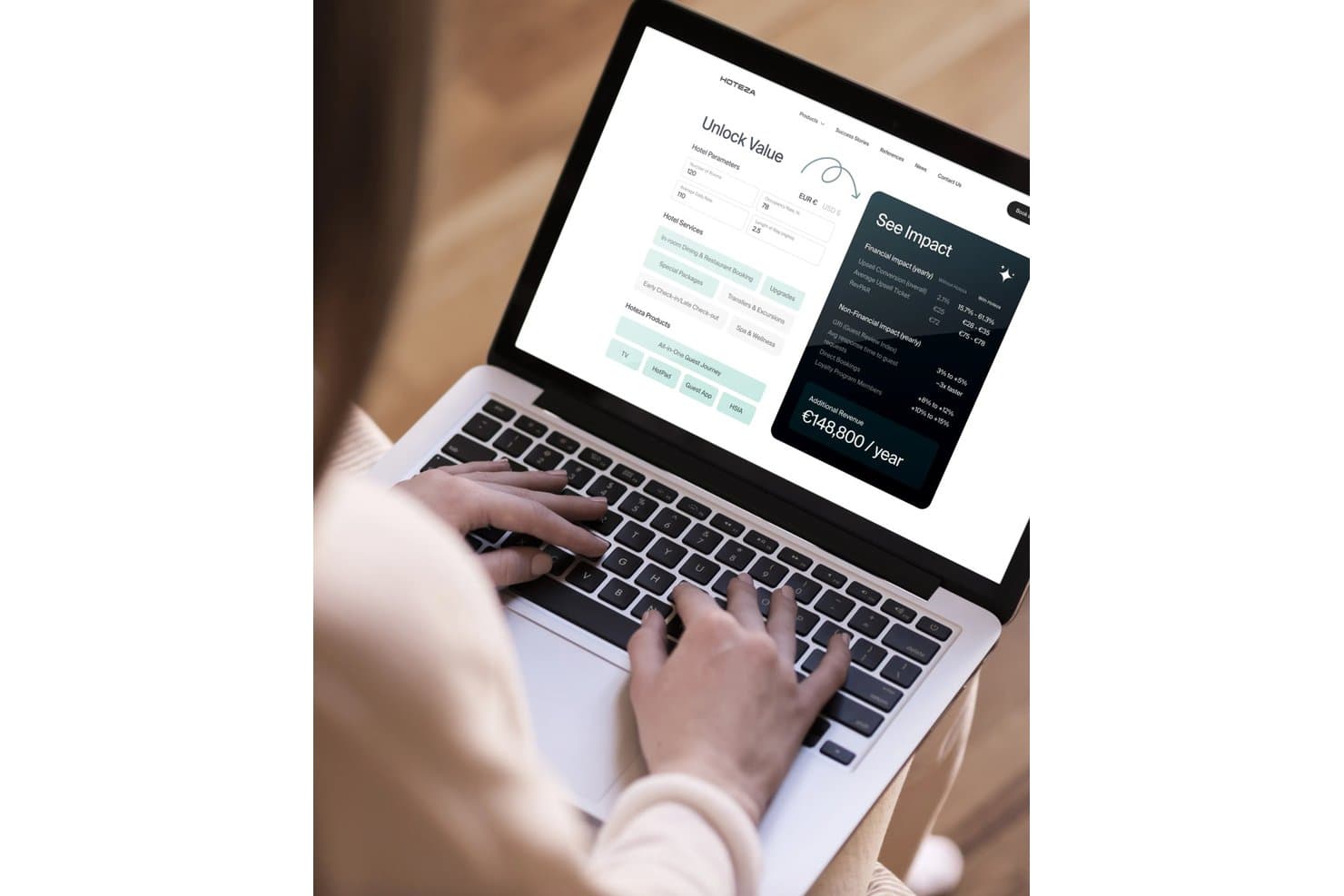
Hoteza lets users calculate projected annual revenue impact from hotel services. My Evaluation Score
- PMS Integration
- Excels
- Roaming & Device Handoff
- Minimal
- Captive Portal Management
- Excels
- Guest Data & Compliance Security
- Adequate
- Bandwidth & Tiered Access Control
- Excels
- Multi-Property Network Monitoring
- Strong
Hoteza is a hospitality-native Wi-Fi management platform that combines a branded captive portal, tiered bandwidth control, PMS-integrated guest authentication, and multi-property network monitoring with casting support and a built-in guest marketing layer.
Who Is Hoteza Best For?
Hoteza is a strong fit for mid-size to large hotels and multi-property groups that want to turn guest Wi-Fi into an active revenue and marketing channel rather than a passive amenity.
Why I Picked Hoteza
Hoteza earns its spot on my shortlist because the captive portal is genuinely built to market, not just authenticate. I love that at login, the portal can display upsell offers, capture guest emails with consent, and sync that data directly to a CRM, all in one flow. Returning guests get a personalized welcome-back message automatically, which turns a routine Wi-Fi login into a touchpoint that drives loyalty enrollment and in-stay revenue.
Hoteza Key Features
- Family login: Lets one guest authentication session cover multiple devices at once, so traveling parties don't each log in separately.
- Smart Traffic Prioritization: Dynamically allocates bandwidth in real time to prevent congestion during peak usage periods.
- PMS folio posting: Automatically charges tiered internet fees directly to a guest's room bill through bi-directional PMS integration.
- Multi-property cluster dashboard: Gives operations managers a single portal to monitor network health and alerts across all properties simultaneously.
Hoteza Integrations
Hoteza documents 200+ integrations, including Oracle OPERA, Mews, Protel, Shiji PMS, StayNTouch, Micros Simphony, Stripe, HPE Networking Instant On, Aruba Central, Google Cast, and Apple AirPlay. Its REST API supports custom integrations.
Pros and Cons
Pros:
- Family login covers group devices at once
- Automated PMS authentication and folio posting
- Branded captive portal built for guest marketing
Cons:
- No PAN or Passpoint fast roaming features
- No documented PCI-DSS compliance for HSIA
Learn more about Hoteza: Best for enterprise multi-site network oversight
- 90-day free trial
- Pricing upon request
Visit WebsiteCustomer Rating:4.3/5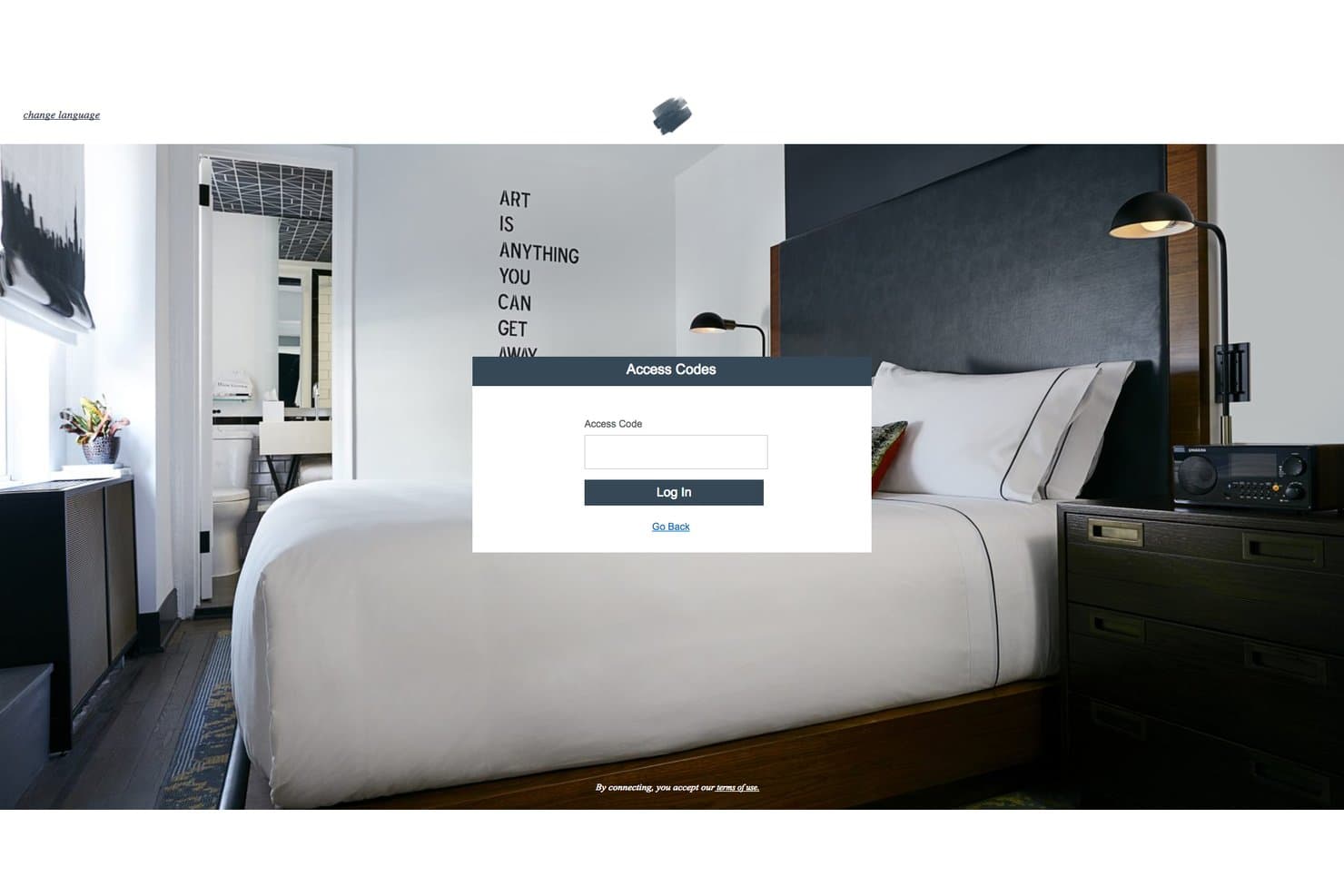
Cisco Meraki displays a guest portal with access code login for hotels. My Evaluation Score
- PMS Integration
- Adequate
- Roaming & Device Handoff
- Excels
- Captive Portal Management
- Adequate
- Guest Data & Compliance Security
- Excels
- Bandwidth & Tiered Access Control
- Excels
- Multi-Property Network Monitoring
- Excels
Cisco Meraki is an enterprise network management platform that delivers cloud-based Wi-Fi infrastructure, centralized multi-site monitoring via the Meraki dashboard, bandwidth and traffic shaping controls, guest splash page authentication, and network security tools including VLAN segmentation and firewall management.
Who Is Cisco Meraki Best For?
Cisco Meraki is the right fit for multi-property hotel groups and large-scale hospitality operators whose IT teams need centralized visibility and control across dozens or hundreds of sites from a single dashboard.
Why I Picked Cisco Meraki
Cisco Meraki earns its spot on my shortlist because no other platform comes close to its multi-site visibility at enterprise scale. I love how the Meraki dashboard lets IT teams monitor every property from a single pane of glass, with Meraki Insight adding WAN health, VoIP quality, and web app performance tracking on top. The Wi-Fi Personal Network (WPN) feature is genuinely impressive too, giving each guest their own private network segment on a shared SSID so they can use AirPlay or cast to their devices without exposing anything to other guests.
Cisco Meraki Key Features
- Hotspot 2.0 / Passpoint support: Automatically authenticates loyalty members to the network via device certificates, bypassing the splash page entirely.
- Layer 7 traffic shaping: Lets you throttle, prioritize, or block traffic by application category—think P2P, video streaming, or social media—across any SSID.
- Remote packet capture: Captures live network traffic from any AP across any property directly through the dashboard, without needing anyone on-site.
- Meraki mobile app: Gives IT teams on-the-go access to device status, client counts, and network health across all properties from their phones.
Cisco Meraki Integrations
Integrations include Cisco ISE, Mews via Cisco Developer Hub API, and Opera Micros through Splash Access. Cloud4Wi is available through the Meraki Marketplace, while Meraki’s API supports custom PMS and hospitality workflows.
Pros and Cons
Pros:
- Comprehensive cloud dashboard for real-time monitoring
- Wi-Fi Personal Network ensures guest device privacy
- Excels at centralized multi-property network oversight
Cons:
- Native captive portal lacks guest marketing features
- PMS integration requires third-party solutions
Learn more about Cisco Meraki: Best for enterprise-grade hotel IoT and Wi-Fi 7
- 90-day free trial
- From $150/AP/year (billed annually)
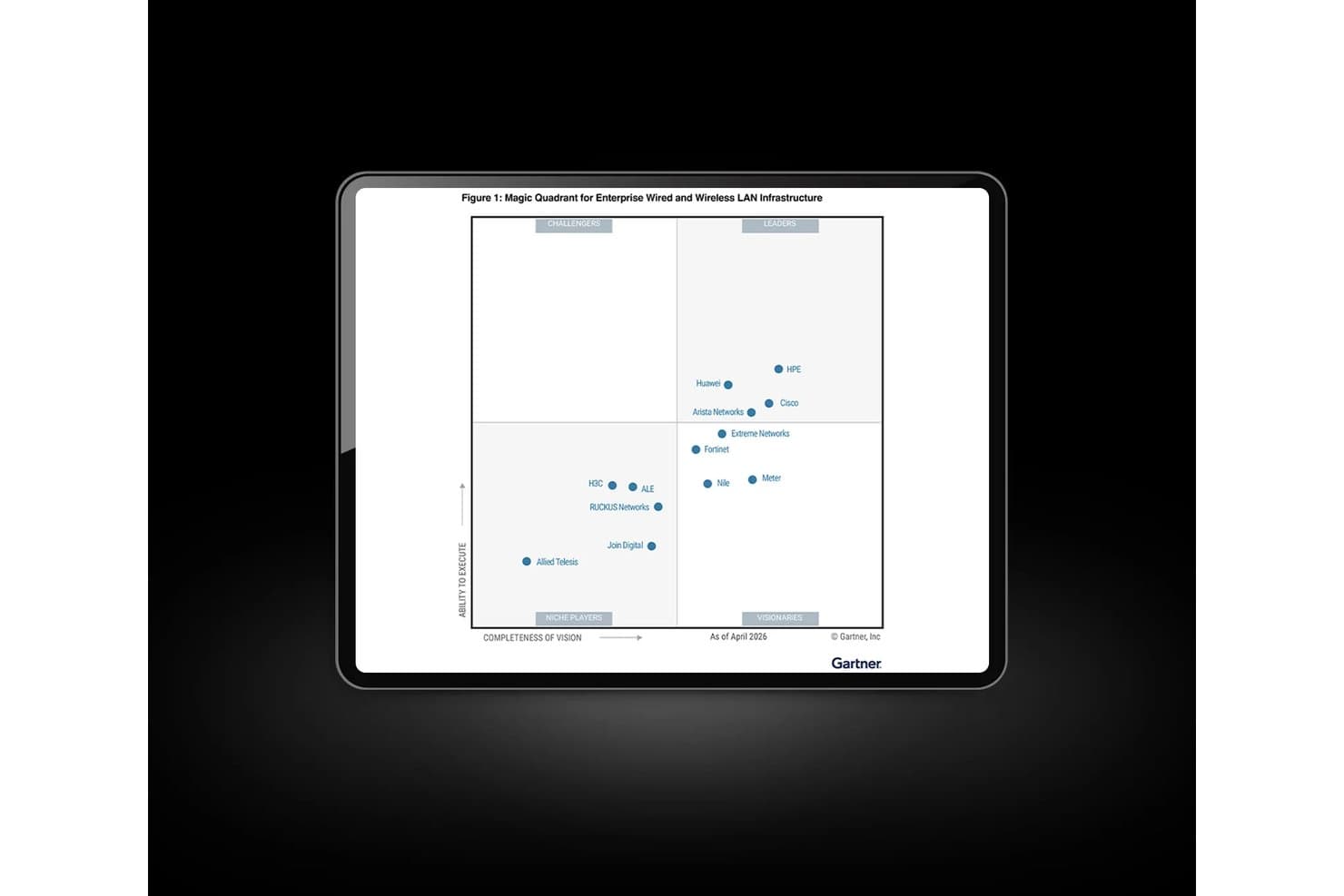
HPE Aruba Networking ranks as a Leader in Gartner's 2026 Magic Quadrant. My Evaluation Score
- PMS Integration
- Adequate
- Roaming & Device Handoff
- Strong
- Captive Portal Management
- Strong
- Guest Data & Compliance Security
- Excels
- Bandwidth & Tiered Access Control
- Strong
- Multi-Property Network Monitoring
- Excels
HPE Aruba Networking is an enterprise networking platform built for hospitality environments, offering cloud-managed Wi-Fi, IoT device connectivity, network security, and multi-property monitoring through its Aruba Central management suite and purpose-built hospitality access points.
Who Is HPE Aruba Networking Best For?
HPE Aruba Networking is the right fit for multi-property hotel groups and enterprise hotel chains with dedicated IT teams managing large-scale network infrastructure across dozens or hundreds of locations.
Why I Picked HPE Aruba Networking
HPE Aruba Networking earns its spot on my shortlist because its 720H Wi-Fi 7 access points are purpose-built for hotel rooms, with integrated BLE and Zigbee radios that connect smart locks, thermostats, and lighting from the same AP delivering guest Wi-Fi. I'm also a fan of Aruba Central's multi-property AIOps engine, which proactively detects issues across every site before guests notice them. Nobu Hotels' global deployment is proof this infrastructure holds up at scale.
HPE Aruba Networking Key Features
- ClearPass Guest portal: Delivers customizable branded splash pages with multiple authentication options, including SMS verification, social login, and username/password self-registration.
- Air Slice QoS: Enables policy-based application traffic prioritization and per-user bandwidth contracts to differentiate between free and premium guest internet tiers.
- RAPIDS rogue AP detection: Continuously scans the RF environment to identify and alert on unauthorized access points that could compromise guest network security.
- 802.11r/k/v roaming support: Enables fast, standards-based client handoff between access points so guest devices stay connected as they move through the property.
HPE Aruba Networking Integrations
Integrations include Nevotek, Xpossible, Purple, MyWiFi Networks, Cloudi-Fi, AWS, Azure, Zscaler, and Palo Alto Networks. HPE Aruba Networking also supports REST APIs, Active Directory, MDM platforms, and SIEM systems for custom connectivity.
Pros and Cons
Pros:
- Advanced Zero Trust security architecture
- Wi-Fi 7 access points with IoT radios
- Built for multi-property cloud network management
Cons:
- Requires partners for guest Wi-Fi marketing
- No built-in PMS integration module
Learn more about HPE Aruba Networking: Best for compliance-heavy multi-property IT teams
- 14-day free trial
- From $13/access point/month
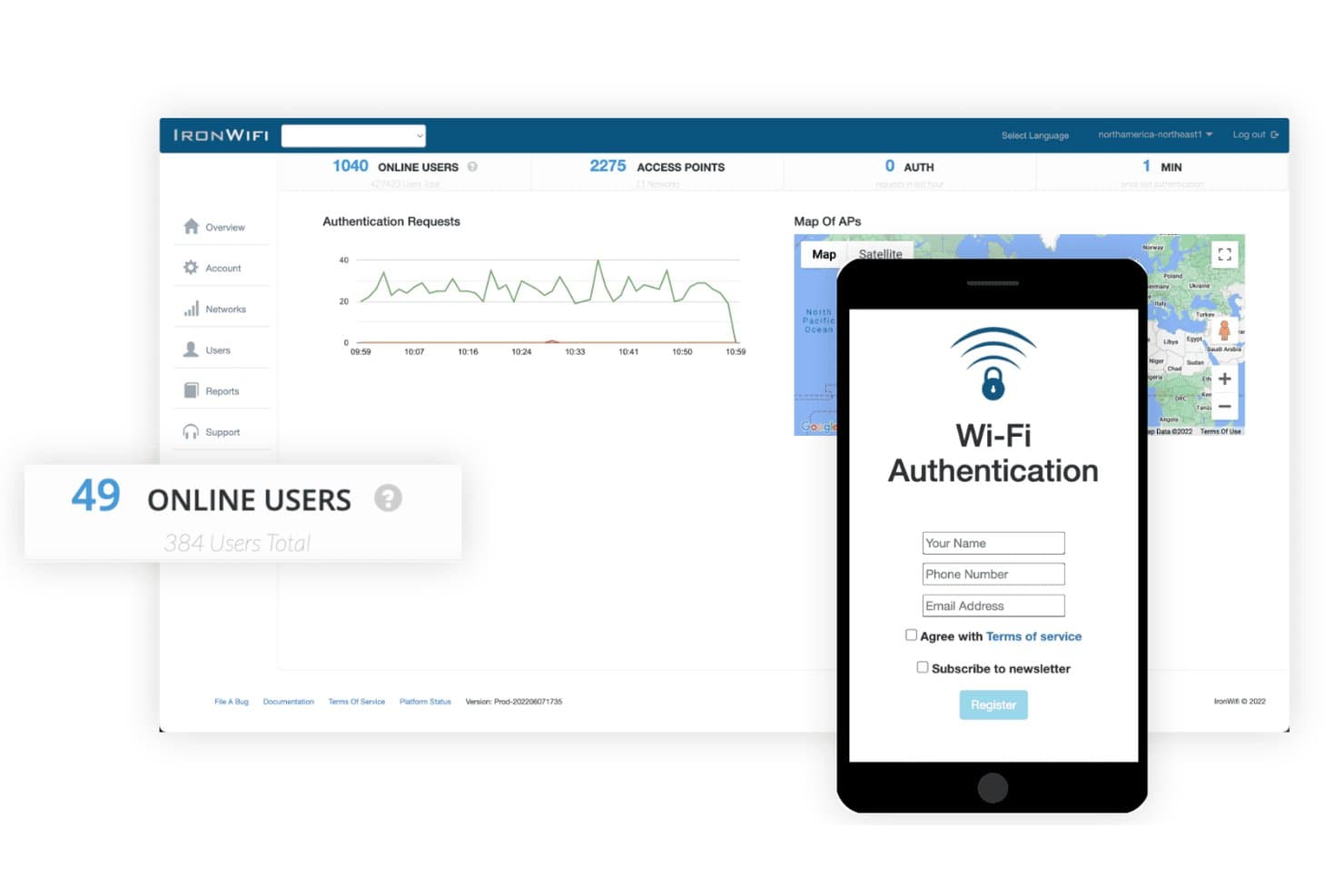
IronWiFi displays a captive portal login form for hotel guest Wi-Fi access. My Evaluation Score
- PMS Integration
- Strong
- Roaming & Device Handoff
- Strong
- Captive Portal Management
- Excels
- Guest Data & Compliance Security
- Excels
- Bandwidth & Tiered Access Control
- Excels
- Multi-Property Network Monitoring
- Strong
IronWiFi is a cloud-managed WiFi identity platform that combines RADIUS-based guest authentication, branded captive portals, PMS-linked room number login, bandwidth tiering, and compliance-grade security across multi-property hotel networks.
Who Is IronWiFi Best For?
IronWiFi fits IT directors and network administrators managing multi-property hotel portfolios where compliance, security, and enterprise-grade authentication take priority over guest-facing marketing tools.
Why I Picked IronWiFi
IronWiFi earns its spot on my shortlist because no other tool on this list matches its compliance depth for multi-property hotel networks. I picked it specifically for IT-led teams managing enterprise chains where SOC 2 Type II, GDPR, and PCI DSS readiness aren't optional. In practice, that means your network admin can enforce 802.1X/WPA3-Enterprise authentication and RadSec encryption across 50+ AP brands without replacing existing hardware. I also like that room number and last name login connects directly to Oracle Opera, Mews, or Cloudbeds to auto-provision and de-provision guest access at check-in and check-out.
IronWiFi Key Features
- Passpoint (Hotspot 2.0) support: Enables devices to connect automatically to your WiFi network without a login screen, using WPA3-Enterprise encryption throughout a guest's stay.
- Social and SMS login methods: Guests can authenticate via Facebook, Google, Instagram, Apple ID, or SMS verification through Twilio or Clickatell at the captive portal.
- Payment-gated WiFi tiers: Integrates with Stripe, PayPal, Square, and Shift4 so guests can purchase premium bandwidth packages directly through the captive portal.
- SIEM and syslog export: Pushes authentication logs to Splunk, Datadog, Microsoft Sentinel, or any CEF-compatible platform for centralized security monitoring.
IronWiFi Integrations
IronWiFi offers native integrations with Oracle Opera, Mews, Cloudbeds, Protel, RMS Cloud, RoomRaccoon, Apaleo, Stripe, PayPal, and Square. It also supports REST API, webhooks, Syslog/CEF, and Zapier for custom connectivity.
Pros and Cons
Pros:
- PMS-linked guest login automates access on check-in
- Compliance standards align with global hotel operations
- Passpoint and OpenRoaming enable seamless device roaming
Cons:
- No personal area network or casting support
- No built-in marketing automation tools
Learn more about IronWiFi:

Antamedia provides small hotels with a WiFi solution to manage guest access and billing effectively. My Evaluation Score
- PMS Integration
- Excels
- Roaming & Device Handoff
- Minimal
- Captive Portal Management
- Excels
- Guest Data & Compliance Security
- Adequate
- Bandwidth & Tiered Access Control
- Excels
- Multi-Property Network Monitoring
- Strong
Antamedia offers hotel WiFi management software designed for properties that need granular control over guest internet access. It’s a strong fit for hotels, resorts, and boutique properties that want to customize login methods, bandwidth limits, and user authentication. If you’re looking to tailor guest access and manage network usage policies in detail, Antamedia provides a flexible solution.
Why I Picked Antamedia
I chose Antamedia for this list because its customizable guest access controls set it apart from other hotel WiFi management options. The platform lets you define unique login methods, such as vouchers, social media, or PMS integration, so you can tailor access to your property’s needs. You can also set bandwidth limits and session durations for different guest types, which helps manage network load and ensure fair usage. These features make Antamedia a strong choice for hotels that want precise control over how guests connect and use WiFi.
Antamedia Key Features
Some other features in Antamedia that are useful for hotel WiFi management include:
- Automated Billing Integration: Connects with property management systems to automate guest billing for internet usage.
- Customizable Splash Pages: Lets you design branded login and welcome screens for guests accessing the WiFi network.
- Remote Network Monitoring: Allows you to monitor network status and user activity from a centralized dashboard.
- Content Filtering: Enables you to block access to specific websites or categories to maintain a secure browsing environment for guests.
Antamedia Integrations
Integrations are not publicly listed.
Pros and Cons
Pros:
- Enables remote management via the Omada Cloud
- Provides customizable splash pages for branding
- Offers granular guest access and bandwidth limits
Cons:
- Limited automation for guest self-service options
- Requires on-premise hardware setup
Learn more about Antamedia: Best for guest device casting via private networks
- Free plan + free demo + 30-day free trial available
- Pricing upon request
Visit WebsiteCustomer Rating:3.1/5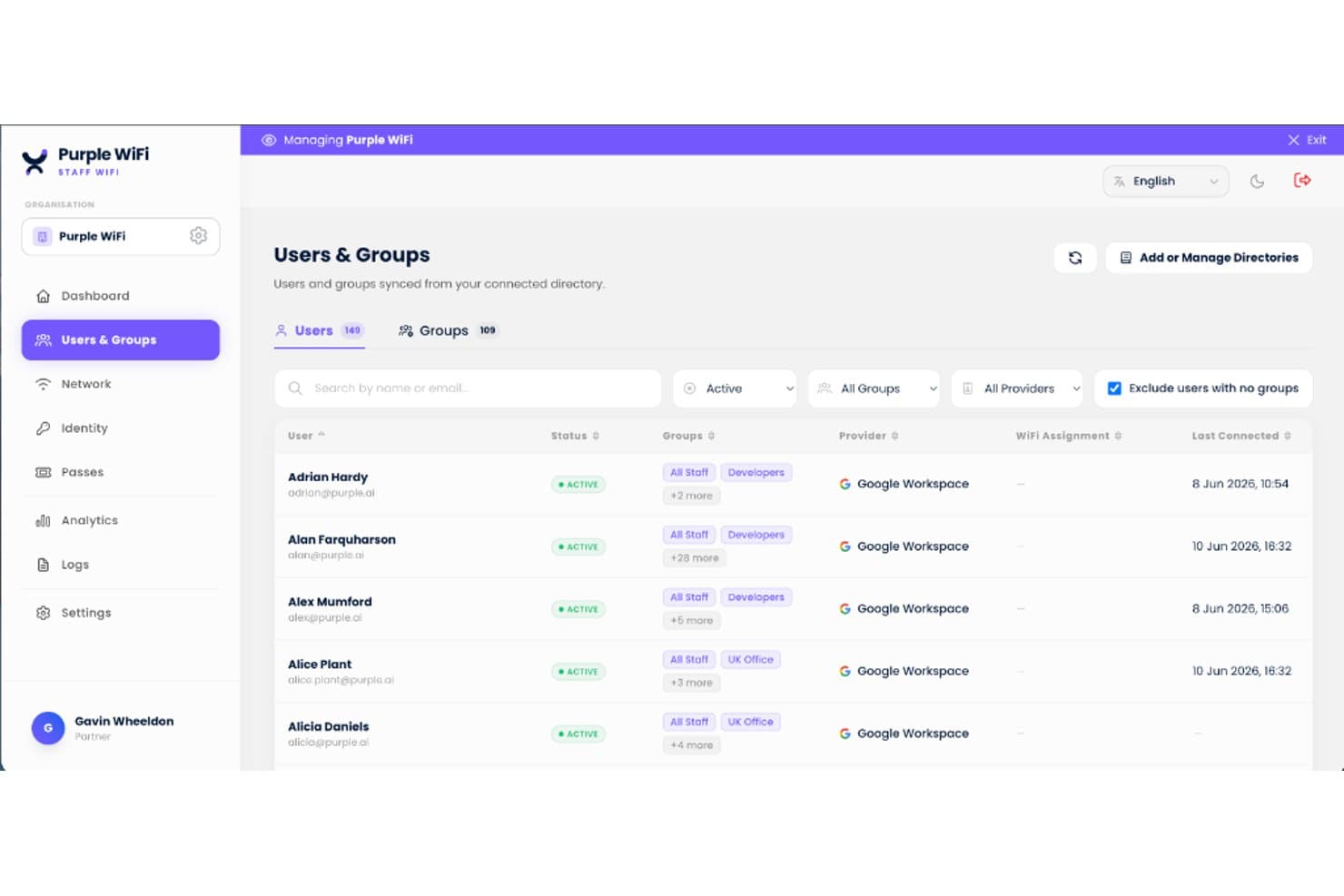
Purple centralizes staff WiFi user and group management in one dashboard. My Evaluation Score
- PMS Integration
- Excels
- Roaming & Device Handoff
- Excels
- Captive Portal Management
- Excels
- Guest Data & Compliance Security
- Excels
- Bandwidth & Tiered Access Control
- Strong
- Multi-Property Network Monitoring
- Strong
Purple is a cloud-based hotel WiFi management platform that combines branded captive portal building, iPSK-powered Personal Area Networks, guest data capture, and multi-property network analytics across vendor-agnostic wireless infrastructure.
Who Is Purple Best For?
Purple is a strong fit for multi-property hotel groups that want to give guests private, home-like connectivity for casting and streaming on their own devices.
Why I Picked Purple
Purple earns its spot on my shortlist because its iPSK-powered Personal Area Networks solve one of the most frustrating connectivity problems in hotels: guests can't cast to in-room Chromecast or Apple TV devices because captive portals block headless device authentication. With Purple, each reservation gets a unique WPA2/WPA3 passphrase that places all of a guest's devices into an isolated micro-VLAN, so casting works exactly like it does at home. PMS integrations with OPERA Cloud, Mews, and Cloudbeds automate passphrase provisioning at check-in and revocation at checkout.
Purple Key Features
- Branded captive portal builder: A drag-and-drop portal editor supports 25+ languages with auto-detection, multiple authentication flows, and GDPR-compliant consent capture at login.
- Cloud RADIUS-as-a-service: Purple delivers 802.1X enterprise authentication without any on-premises server, syncing with Microsoft Entra ID, Okta, and Google Workspace for staff WiFi.
- Automated post-stay review requests: Upon checkout, Purple triggers review requests to TripAdvisor and Google, with CRM export pushing guest data to 400+ tools including Salesforce and Mailchimp.
- IoT VLAN segmentation: Dedicated IoT network isolation keeps smart TVs, thermostats, and door locks on a separate VLAN with restricted firewall rules to prevent lateral movement.
Purple Integrations
Purple has five documented native PMS integrations: Oracle Hospitality OPERA Cloud, Mews, Cloudbeds, Stayntouch, and Apaleo. It also connects with Cisco Meraki, HPE Aruba, Ruckus, Ubiquiti UniFi, Juniper Mist, and 400+ CRM tools through REST APIs and webhooks.
Pros and Cons
Pros:
- Strong PMS-driven WiFi credential automation
- Personal Area Networks isolate devices per guest
- Enables guest device casting with private networks
Cons:
- Support quality varies between plans and regions
- Splash page editor requires HTML for customization
Learn more about Purple :
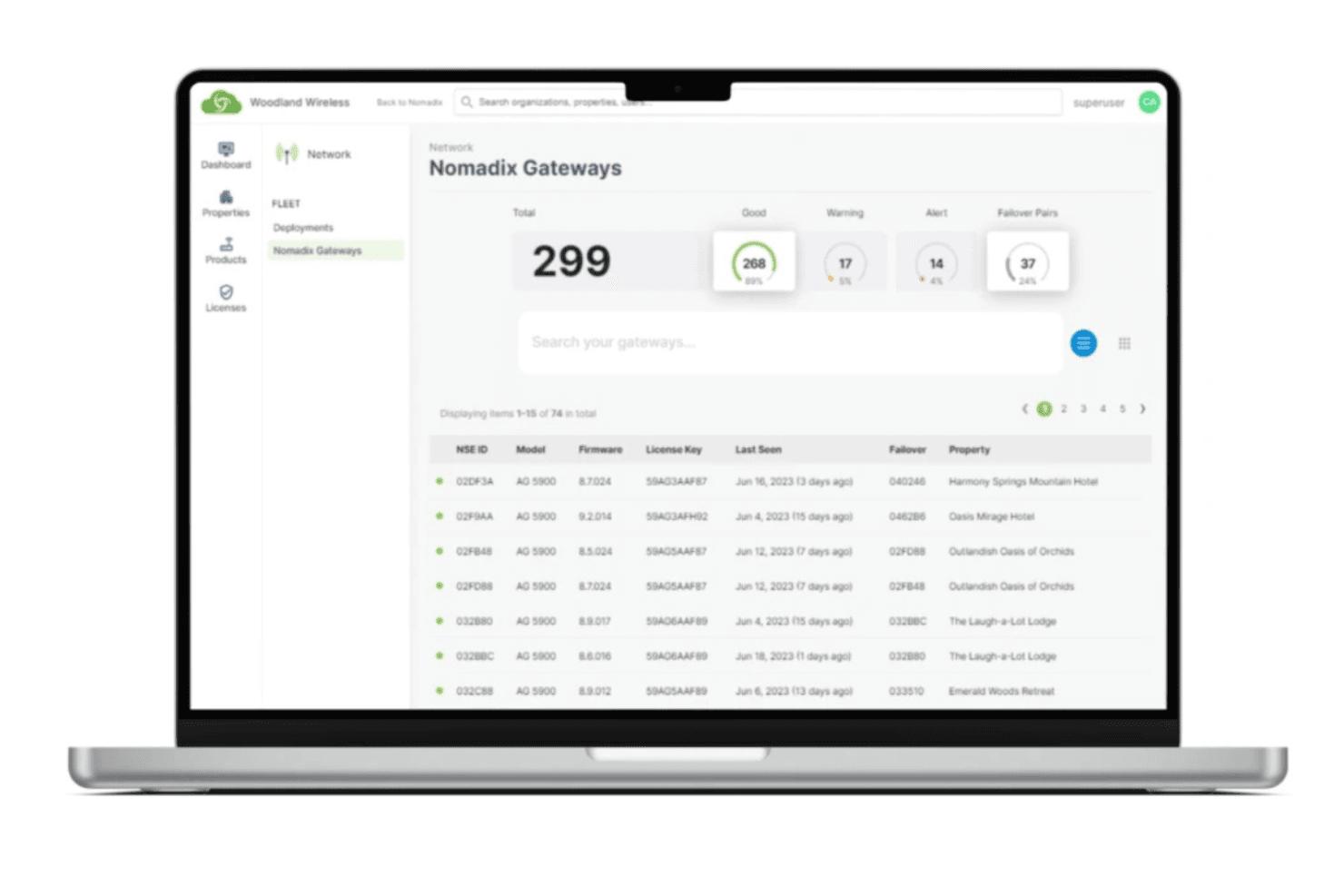
Nomadix delivers a global WiFi solution that ensures consistent connectivity across locations worldwide. My Evaluation Score
- PMS Integration
- Strong
- Roaming & Device Handoff
- Excels
- Captive Portal Management
- Excels
- Guest Data & Compliance Security
- Strong
- Bandwidth & Tiered Access Control
- Excels
- Multi-Property Network Monitoring
- Excels
Nomadix is a hospitality Wi-Fi management platform built around internet gateway hardware, offering captive portal management, patented bandwidth control, Passpoint-based guest authentication, multi-property network monitoring, and integrations with casting, cloud telephony, and energy management.
Who Is Nomadix Best For?
Nomadix is built for mid-size to large hotels, resorts, and multi-property groups that need enterprise-grade network infrastructure with frictionless guest Wi-Fi roaming at scale.
Why I Picked Nomadix
Nomadix earns its spot on my shortlist because it helped define the Passpoint/Hotspot 2.0 standard, and that foundation shows in its implementation. Once a guest authenticates, Passpoint handles every future reconnection automatically, across rooms, lobbies, and outdoor areas, the way cellular roaming works. The 2025 Passpoint SDK goes further, letting hotels embed that frictionless enrollment directly into their loyalty apps.
Nomadix Key Features
- Captive portal builder: A no-code, template-based portal with multilingual support and multiple authentication options, including SMS, social login, vouchers, and PMS room lookup.
- Dynamic bandwidth redistribution: Patented gateway technology that reallocates unused bandwidth from lower-priority users to higher-priority tiers in real time.
- Fleet Dashboard: A cloud-based monitoring interface that shows live connectivity status, firmware versions, and license details across every property in your portfolio.
- Conference room scheduler: A dedicated module that lets IT managers set per-event bandwidth limits, device caps, and custom landing pages for individual meeting rooms or events.
Nomadix Integrations
Nomadix offers nine documented PMS integrations, including Oracle Hospitality (OPERA), Maestro PMS, Stayntouch, WebRezPro, SkyTouch Technology, RoomKey PMS, roommaster, Priority Software, and Planet. It also provides APIs for custom integrations and supports CAPPORT API, SIP, Zigbee, and BLE.
Pros and Cons
Pros:
- Vendor-agnostic gateway works with any access points
- Bandwidth dynamically prioritized for conferences and VIPs
- Passpoint-powered roaming across large hotel portfolios
Cons:
- No built-in guest marketing or analytics suite
- Advanced features require on-site gateway hardware
Learn more about Nomadix: Best for PMS-linked Wi-Fi provisioning
- Not available
- Pricing upon request

Eleven Software delivers a WiFi solution that captures guest analytics and actionable insights. My Evaluation Score
- PMS Integration
- Excels
- Roaming & Device Handoff
- Excels
- Captive Portal Management
- Excels
- Guest Data & Compliance Security
- Strong
- Bandwidth & Tiered Access Control
- Excels
- Multi-Property Network Monitoring
- Strong
Eleven Software stands out for hotels that need WiFi management tightly integrated with their property management system. It’s designed for hospitality businesses that want to automate guest authentication and simplify network access through PMS connections. If you’re looking to connect WiFi access directly to guest reservations and profiles, Eleven Software offers a purpose-built solution.
Why I Picked Eleven Software
What drew me to Eleven Software is its focus on PMS integration, which is a top priority for many hotels looking to connect WiFi access with guest management. The platform links directly with leading property management systems, so you can automate guest authentication and tie WiFi access to reservation data. I appreciate that Eleven Software supports real-time syncing, which helps ensure only current guests can log in and that access is revoked at checkout. This level of integration is especially useful for properties that want to reduce manual work and deliver a more personalized guest experience.
Eleven Software Key Features
Some other features in Eleven Software that are helpful for hotel WiFi management include:
- Centralized Network Management: Lets you oversee multiple properties and networks from a single dashboard.
- Customizable Guest Portals: Allows you to design branded login pages and guest experiences.
- Bandwidth Management Tools: Enable you to set usage limits and prioritize traffic for different user groups.
- Automated Device Recognition: Detects returning guest devices and simplifies the login process for repeat visitors.
Eleven Software Integrations
Integrations are not publicly listed.
Pros and Cons
Pros:
- Prioritizes high-speed bandwidth for VIP guests
- Remembers returning devices for faster login
- Syncs with hotel systems for guest check-in
Cons:
- Needs expert IT support for initial deployment
- Requires physical hardware instead of cloud setup
Learn more about Eleven Software: Best for per-room private network segmentation
- Free demo available
- Pricing upon request

Ruckus Networks provides a high-speed WiFi solution that ensures fast and reliable guest connectivity. My Evaluation Score
- PMS Integration
- Strong
- Roaming & Device Handoff
- Excels
- Captive Portal Management
- Adequate
- Guest Data & Compliance Security
- Excels
- Bandwidth & Tiered Access Control
- Excels
- Multi-Property Network Monitoring
- Excels
Ruckus Networks is built for hotels and resorts that need a reliable WiFi system in high-traffic areas like lobbies, conference spaces, and guest rooms. Its hardware and software solutions—including enterprise-grade routers and access points—are designed to handle large numbers of simultaneous connections without sacrificing speed or stability. The platform also supports secure WiFi hotspot deployment and works closely with service providers to deliver scalable connectivity. This makes it a strong fit for properties that host events, cater to business travellers, or want to ensure consistent connectivity throughout the entire property.
Why I Picked Ruckus Networks
For hotels that need to support hundreds or even thousands of devices at once, Ruckus Networks stands out for its high-density network capabilities. The platform uses patented antenna technology and advanced traffic management to maintain strong, stable connections even in crowded spaces. I picked Ruckus Networks because it’s built to handle the demands of large properties, busy event venues, and guest areas where WiFi congestion is a real concern. Its focus on reliable performance in challenging environments makes it a top choice for hotels that can’t afford connectivity issues.
Ruckus Networks Key Features
Some other features that make Ruckus Networks appealing for hotel WiFi management include:
- Cloud-Based Network Management: Lets you monitor and configure your entire network from a single online dashboard.
- Guest Access Portals: Provides customizable login pages for guests, including branding and authentication options.
- Role-Based Access Controls: Allows you to set different network permissions for staff, guests, and vendors.
- Automated Security Updates: Delivers regular firmware and security patches to all connected devices without manual intervention.
Ruckus Networks Integrations
Integrations are not publicly listed.
Pros and Cons
Pros:
- Cloud dashboard simplifies multi-property management
- Patented antennas improve complex coverage
- Handles many simultaneous guest connections
Cons:
- Guest portal customization less flexible
- Limited hospitality troubleshooting documentation
Learn more about Ruckus Networks: Best for guest private device network access
- Free demo available
- Pricing upon request
Fourteen IP provides a scalable hotel communications guide for management groups. My Evaluation Score
- PMS Integration
- Excels
- Roaming & Device Handoff
- Excels
- Captive Portal Management
- Strong
- Guest Data & Compliance Security
- Strong
- Bandwidth & Tiered Access Control
- Excels
- Multi-Property Network Monitoring
- Excels
Fourteen IP is a fully managed hotel WiFi platform that covers network design, deployment, captive portal management, tiered bandwidth control, multi-property monitoring, and guest device networking through its Evolution Gateway and Evolution Monitoring tools.
Who Is Fourteen IP Best For?
Fourteen IP is a strong fit for multi-property hotel operators and management companies that want a fully managed WiFi service—from site survey to 24/7 monitoring—without burdening in-house IT teams.
Why I Picked Fourteen IP
I picked Fourteen IP as one of the best because its Personal Area Network (PAN) feature genuinely sets it apart for hotels where guests expect their devices to talk to each other. A guest can connect their phone, laptop, and streaming device to a private SSID with its own PSK, keeping their personal device ecosystem intact. Fourteen IP also lets hotels offer PAN access as a survey incentive, turning guest feedback into a value exchange.
Fourteen IP Key Features
- Evolution Monitoring dashboard: A centralized cloud dashboard that tracks AP status, firmware versions, bandwidth utilization, and network events across all properties at no additional cost.
- Survey-triggered tier upgrades: Guests who complete a survey can be automatically granted access to a higher service tier, linking guest feedback collection to a WiFi access incentive.
- 802.1X onboarding: Guests are automatically enrolled with secure WiFi profiles on their devices, with native support for automatic profile installation on Apple products.
- IoT-ready AP infrastructure: Next-generation access points include built-in radios that support asset tracking, keyless entry, geo-fencing, and smart room sensor management on a converged network.
Fourteen IP Integrations
Fourteen IP connects with 100+ PMS systems through TigerTMS and Comtrol Lodging Link, including Opera, Mews, Cloudbeds, Amadeus, Agilysys, Infor HMS, Maestro, Hilton OnQ, and Fosse. It also supports HPE Aruba and Ruckus Wireless hardware.
Pros and Cons
Pros:
- 24/7 proactive monitoring and NOC support
- Centralized dashboard supports multi-property portfolios
- Personal Area Networks for guest device privacy
Cons:
- Guest portal social login not documented
- No public pricing or self-service trial
Learn more about Fourteen IP:
Other Hotel WiFi Solutions
Here are some additional hotel WiFi solutions that didn’t make it onto my shortlist, but are still worth checking out:
- 11WifirstBest for European managed hotel network services
- 12DatavaletBest for private per-guest device networks
- 13Hotel Internet ServicesBest for in-room entertainment integration
- 14Cloud4WiBest for guest WiFi marketing data collection
How I Evaluate Hotel WiFi Solutions
I split my evaluation into baseline criteria—like PMS-authenticated captive portals and bandwidth tiering—and differentiators that separate the best options from the rest.
Core Functionality (Table Stakes For This List)
When I'm selecting tools for my list, I rank each one on a scale from 0 (does not offer the functionality) to 5 (excels in this area) for each core functionality listed below. Then, I calculate the tool's total score into a percentage. Each tool needs to achieve a minimum total score of 55% to be considered for inclusion.
- Captive Portal Management: I look at how much control you get over the guest login experience—branded splash pages, multiple auth methods like SMS or room number, and multi-language support.
- Bandwidth & Tiered Access Control: Each platform should let you set per-device or per-room limits and offer tiered plans, such as free basic Wi-Fi plus a paid premium tier for streaming.
- PMS Integration: I check whether the tool connects with major PMS platforms like Opera, Mews, or Cloudbeds to auto-authenticate guests using room number and last name at check-in.
- Multi-Property Network Monitoring: For operators running more than one site, I evaluate whether you get a centralized dashboard with real-time uptime, device counts, and alerts across properties.
- Guest Data & Compliance Security: Every tool should support guest network isolation, encrypted sessions, and compliance frameworks like PCI-DSS and GDPR that apply to public hotel networks.
- Roaming & Device Handoff: I look for fast roaming support (802.11r/k/v) so guests stay connected as they move between their room, the lobby, and pool areas without drops or re-authentication.
Once I have a list of tools that meet this criteria, I consider what sets each platform apart.
Differentiating Factors (What Sets Vendors Apart)
Here's how I compare and contrast different vendors:
Standout Features
Guest marketing and analytics capabilities turn your captive portal into a revenue channel—I evaluate whether platforms can capture guest emails, push upsell offers for spa or dining, and feed data into loyalty programs. Casting and streaming support matters too, since guests expect to watch their own content on in-room TVs without pairing headaches. I also consider IoT and smart room support, where the platform segments traffic for smart locks, thermostats, and voice assistants on dedicated VLANs.
Beyond Features
Deployment model matters a lot here—I check whether a platform is cloud-managed, requires on-premise controllers, or locks you into proprietary access points from vendors like Ruckus or Aruba. Property type and portfolio fit is equally important, since a 30-room boutique has very different needs than a 500-room resort with conference halls and pool decks. I also evaluate implementation support, including whether the vendor offers site surveys, AP installation, and SLA-backed uptime guarantees with 24/7 NOC monitoring.
How to Choose Hotel WiFi Solutions
It’s easy to get bogged down in long feature lists and complex pricing structures. To help you stay focused as you work through your unique software selection process, here’s a checklist of factors to keep in mind:
| Factor | What to Consider |
|---|---|
| FactorScalability | What to ConsiderWill the software support your property as you add rooms, locations, or new network hardware? |
| FactorIntegrations | What to ConsiderDoes it connect natively to your PMS, CRM, or other core hotel systems without custom development? |
| FactorCustomizability | What to ConsiderCan you tailor guest login flows, branding, and access policies to match your property’s needs? |
| FactorEase of use | What to ConsiderWill your front desk and IT staff be able to manage the system with minimal training? |
| FactorImplementation and onboarding | What to ConsiderHow long will it take to deploy, and what resources or expertise will you need to get started? |
| FactorCost | What to ConsiderAre all fees clear up front, and does the pricing model fit your occupancy patterns and budget? |
| FactorSecurity safeguards | What to ConsiderDoes the platform offer guest data isolation, encryption, and compliance with local regulations? |
| FactorSupport availability | What to ConsiderCan you reach support quickly during outages or peak guest hours, and through your preferred channel? |
What are Hotel WiFi Solutions?
Hotel WiFi solutions are platforms that let hotels control, monitor, and secure their guest and staff wireless networks. It provides tools for managing user access, customizing login portals, setting bandwidth limits, and tracking network usage. These systems help hotel teams deliver reliable internet service, protect guest data, and adapt network policies to changing occupancy and operational needs.
Features of Hotel WiFi Solutions
When selecting hotel WiFi solutions, keep an eye out for the following key features:
- Guest access controls: Lets you manage how guests connect to WiFi, including authentication methods, session time limits, and device restrictions.
- Customizable captive portals: Allow you to design branded login pages with options for social login, voucher codes, or room number authentication.
- Bandwidth management: Enables you to set bandwidth limits and prioritize traffic for different user groups, helping to ensure fair and reliable internet access.
- Network monitoring dashboard: Provides real-time visibility into network health, device status, and usage patterns so you can quickly identify and address issues.
- Usage analytics and reporting: Delivers detailed reports on guest sessions, data consumption, and network performance to inform operational decisions.
- Multi-device support: Supports simultaneous connections from multiple devices per guest, accommodating modern traveller expectations.
- Role-based access: Lets you assign different permissions to staff, IT, and management, ensuring secure and appropriate system access.
- Voucher and coupon management: Allows you to generate, distribute, and track WiFi access codes for guests, events, or promotions.
- Remote management: Lets you configure, monitor, and troubleshoot the network from anywhere, which is especially useful for multi-property operations.
- Security safeguards: Includes features like guest network isolation, encryption, and compliance tools to protect guest data and meet regulatory requirements.
Hotel WiFi management software solutions do not typically include AI as part of their feature offering.
Benefits of Hotel WiFi Solutions
Implementing hotel WiFi solutions provides several benefits for your team and your business. Here are a few you can look forward to:
- Consistent guest connectivity: Reliable access controls and bandwidth management help ensure every guest enjoys stable, high-quality internet throughout their stay.
- Stronger data security: Built-in safeguards like guest network isolation and encryption protect sensitive guest and business information.
- Simplified network oversight: Centralized dashboards and real-time monitoring make it easier for staff to manage, troubleshoot, and optimize WiFi across the property.
- Customizable guest experiences: Branded captive portals and flexible authentication options let you tailor the login process to your property’s standards and guest expectations.
- Actionable usage insights: Detailed analytics and reporting provide visibility into network usage patterns, helping you make informed operational and investment decisions.
- Efficient multi-device support: Support for multiple devices per guest meets the needs of today’s travellers without overloading your network.
- Flexible access management: Voucher and coupon systems allow you to control and track WiFi access for guests, events, or promotions with ease.
Costs & Pricing
Selecting hotel WiFi management software requires an understanding of the various pricing models and plans available. Costs vary based on features, team size, add-ons, and more. The table below summarizes common plans, their average prices, and typical features included in hotel WiFi management software solutions:
Plan Comparison Table for Hotel WiFi Solutions
| Plan Type | Average Price | Common Features |
|---|---|---|
| Plan TypeFree Plan | Average Price$0 | Common FeaturesBasic guest access controls, limited bandwidth management, simple captive portal, and basic reporting. |
| Plan TypePersonal Plan | Average Price$10–$30/month | Common FeaturesCustomizable login pages, multi-device support, usage analytics, and email support. |
| Plan TypeBusiness Plan | Average Price$50–$150/month | Common FeaturesAdvanced network monitoring, role-based access, PMS integrations, and voucher management. |
| Plan TypeEnterprise Plan | Average Price$200–$500/month | Common FeaturesMulti-property management, API access, custom SLAs, advanced security safeguards, and 24/7 support. |
Hotel WiFi Solutions FAQs
Here are some answers to common questions about hotel wifi management software:
How does hotel wifi management software improve guest satisfaction?
Hotel wifi management software improves guest satisfaction by providing reliable, high-speed internet access and easy login experiences. Features like customizable captive portals and bandwidth management help ensure guests can connect quickly and enjoy consistent service throughout their stay.
Can hotel wifi management software integrate with my property management system?
Yes, many hotel wifi management software solutions offer integrations with popular property management systems. This allows you to automate guest authentication, personalize login experiences, and simplify network access based on reservation data.
What security measures should I look for in hotel wifi management software?
Look for features like guest network isolation, data encryption, and compliance with local privacy regulations. These safeguards help protect guest information and reduce the risk of unauthorized access or data breaches.
Is it possible to manage multiple properties from a single dashboard?
Yes, many solutions support multi-property management from a centralized dashboard. This lets you monitor, configure, and troubleshoot networks across several locations without needing separate logins or systems.
What kind of support is available if I have issues with my hotel wifi management software?
Most providers offer support through channels like live chat, email, and phone. Some also provide 24/7 assistance, dedicated account managers, and access to knowledge bases or help centers for troubleshooting and training.