

Avis SiteMinder : Avantages, Inconvénients, Fonctionnalités et Tarifs
SiteMinder est un logiciel de gestion hôtelière qui aide les établissements à gérer leur distribution, augmenter les réservations et optimiser leurs revenus.

Nous évaluons les outils de façon indépendante, et les commissions aident à financer nos tests. Consultez notre politique de transparence, notre méthodologie ou suggérez un outil.
SiteMinder is a hotel management software built around channel distribution. It gives hotels a centralized way to manage rates, availability, and inventory across hundreds of OTAs and booking platforms. I'd consider it if your main priority is maximizing distribution reach. Compared to tools like Cloudbeds, SiteMinder connects to a broader range of booking channels. That makes it a stronger option for properties that drive most of their occupancy through OTAs.
SiteMinder Evaluation Summary
4.2/5
- Pricing upon request
- Free demo available
Pourquoi faire confiance à nos recommandations de logiciels
6,700+
Reviews
20
Industry experts
16+
Evaluation factors
14
Years
Notre équipe teste et évalue des logiciels depuis 2012. En tant que leaders de l’hôtellerie nous-mêmes, nous savons à quel point il est difficile — et important — de choisir le bon logiciel.
Pour ce guide, nous avons évalué les outils grâce à des tests pratiques et une recherche indépendante, en notant les outils selon nos critères de sélection.
Nos avis reflètent notre jugement éditorial humain, et non un argumentaire de vente.
SiteMinder Overview
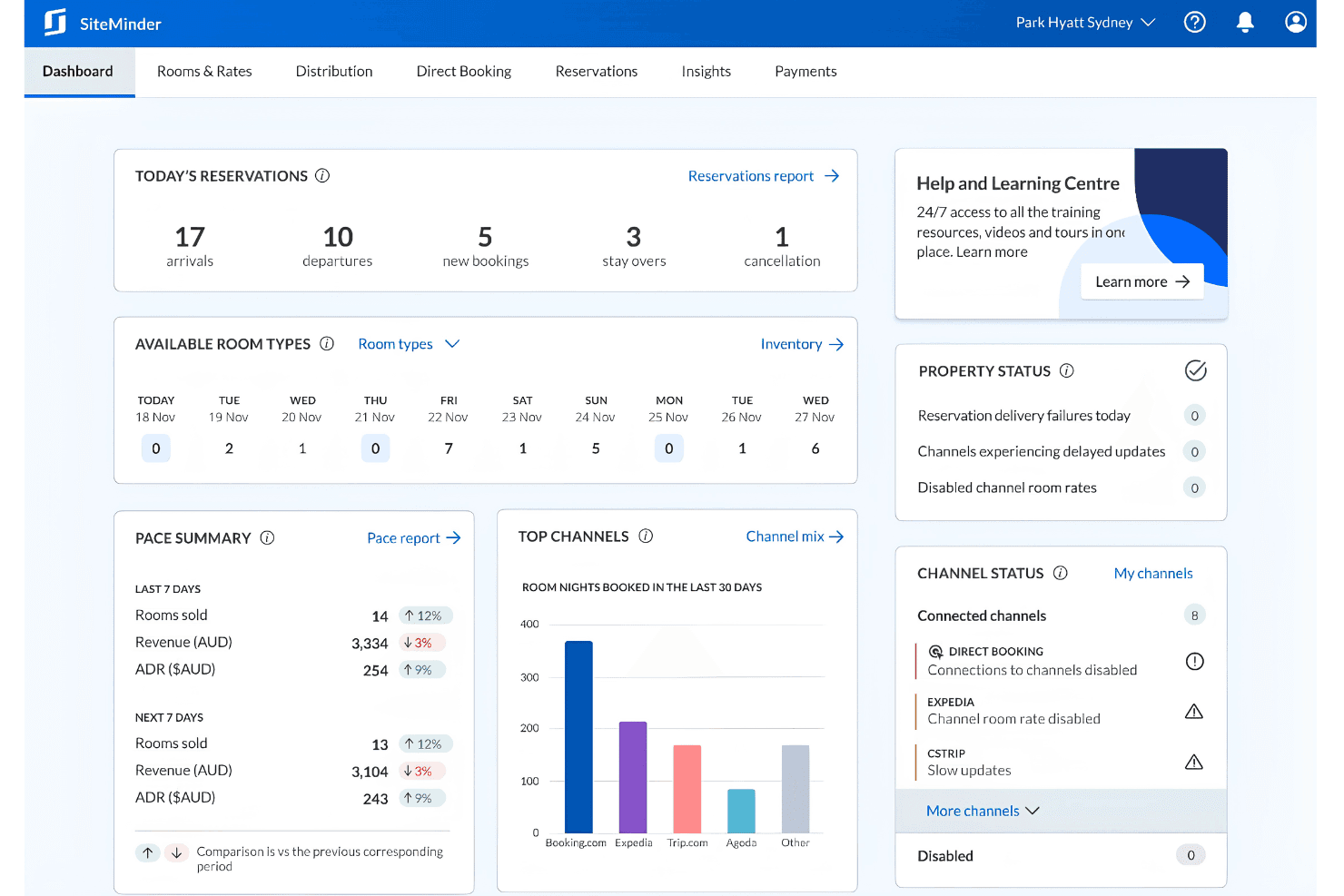
If you’re judging SiteMinder against other hotel management software, I think its channel management and booking engine are top-tier, especially for properties juggling multiple OTAs. The interface is clean, and onboarding is quick, but you might find some advanced reporting or niche integrations missing. Pricing is transparent, and support is responsive, which I appreciate.
I’d suggest SiteMinder is best for independent hotels or small groups that want reliable distribution tools without a steep learning curve. If you’re selecting software for a boutique property or mid-sized hotel, SiteMinder deserves a close look.
Pros
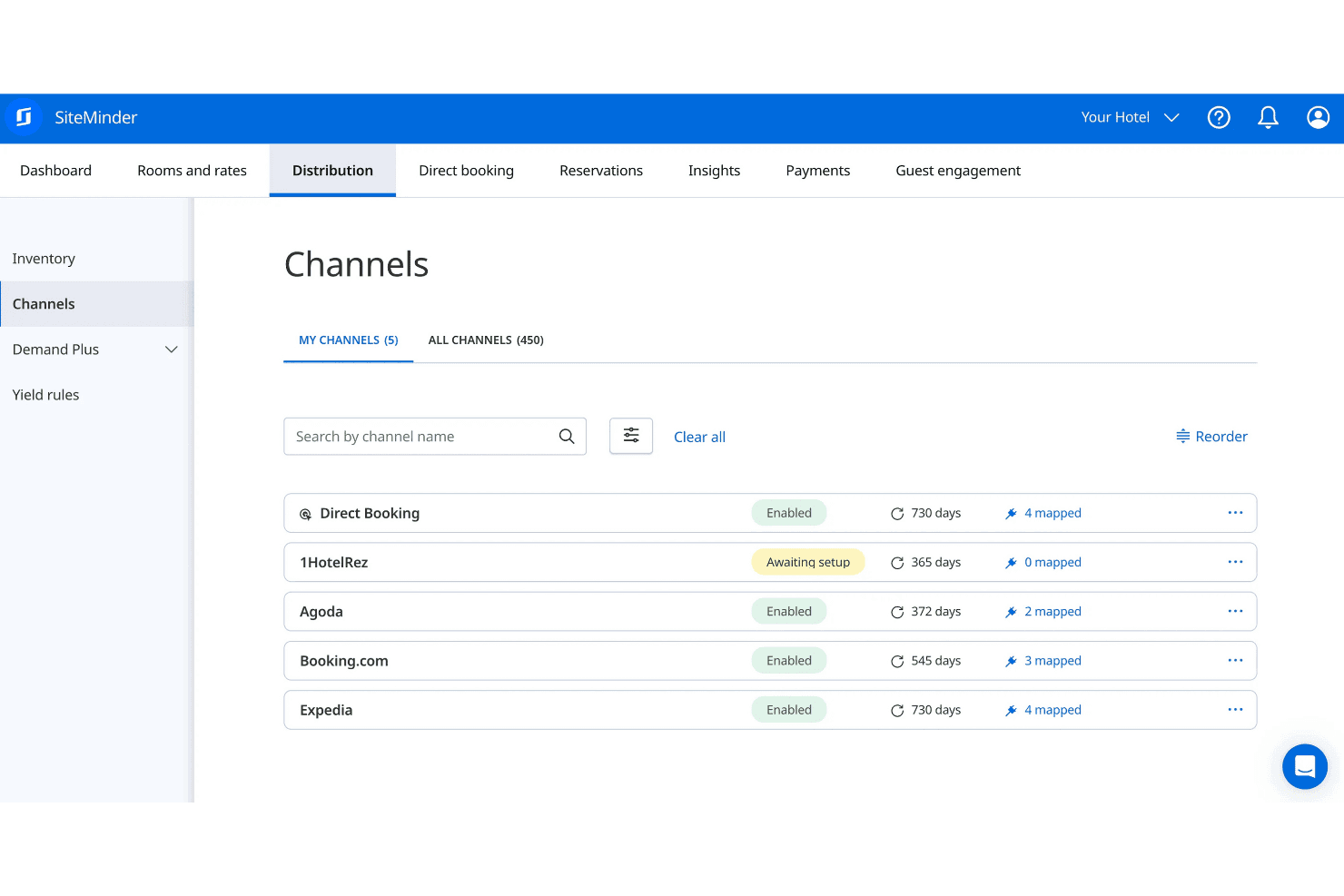
- Channel management covers 450+ global booking channels.
- Real-time pricing recommendations help maximize revenue opportunities.
- Booking engine is commission-free and supports direct bookings.
Cons
- Reporting features lack depth for advanced analytics.
- Costs can escalate with add-ons and premium features.
- Some users report slow system speed during peak times.
Is SiteMinder Right For Your Needs?
Who Would be a Good Fit for SiteMinder?
SiteMinder is a strong choice for hotels and accommodation providers who need reliable channel management, direct booking tools, and real-time rate updates. I think it’s especially well-suited for teams that want to automate distribution and maximize occupancy without investing in complex IT resources. If your business relies on multiple OTAs or wants to grow direct bookings, SiteMinder’s features and support make it a practical pick.
- Vacation RentalsMulti-channel distribution helps reach more guests and fill occupancy gaps.
- Front Desk TeamsAutomated inventory updates reduce manual work and overbooking risk.
- Revenue Management TeamsReal-time pricing recommendations help optimize rates and boost revenue.
- Small Hotel GroupsCentralized management of multiple properties streamlines distribution and pricing.
- Boutique PropertiesDirect booking tools and customizable widgets support unique guest experiences.
- Independent HotelsSiteMinder’s channel manager and booking engine help maximize online visibility.
Who Would be a Bad Fit for SiteMinder?
SiteMinder may not be the best fit for businesses that need deep property management features, highly specialized integrations, or advanced analytics. If your team relies on custom workflows or requires detailed reporting, you might find SiteMinder’s capabilities limiting compared to other options.
- Analytics TeamsReporting features are basic and lack advanced data visualization.
- Corporate Travel ManagersNo dedicated tools for negotiated rates or corporate contracts.
- Luxury ResortsMissing advanced guest profiling and loyalty program features.
- Conference CentersNo built-in tools for event or group booking management.
- HostelsLimited support for complex dormitory or shared room inventory structures.
- Large Hotel ChainsSiteMinder lacks the deep PMS integrations large chains often require.
Comment nous testons et évaluons les outils
Nous avons passé des années à développer, affiner et améliorer notre système d’évaluation et de notation des logiciels. Notre grille d’analyse est conçue pour prendre en compte les nuances du choix d’un logiciel et déterminer ce qui rend un outil efficace, en se concentrant sur les aspects essentiels du processus décisionnel. Vous trouverez ci-dessous le détail de notre méthode d’évaluation et de notation selon sept critères. Cette approche nous permet de fournir un avis impartial sur le logiciel, en se basant sur les fonctionnalités principales, les caractéristiques différenciantes, la facilité d’utilisation, l’intégration, l’accompagnement client, l’intégration avec d’autres outils, les avis clients et le rapport qualité/prix.
Fonctionnalités de base (25% de la note finale)
Le point de départ de notre évaluation est toujours la fonctionnalité de base de l’outil. Possède-t-il les fonctions minimales attendues par un utilisateur ? Certaines fonctionnalités essentielles sont-elles réservées à des plans plus onéreux ? Nous attendons d’un bon outil qu’il soit au moins équivalent à la concurrence sur les fondamentaux.
Caractéristiques différenciantes (25% de la note finale)
Ensuite, nous évaluons les fonctionnalités originales qui vont au-delà de la base généralement présente dans cette catégorie de produits. Une bonne note reflète des options spécialisées ou uniques rendant le produit plus rapide, plus efficace, ou offrant une valeur ajoutée à l’utilisateur. Nous évaluons également la facilité d’intégration avec d’autres outils souvent utilisés dans la pile technologique pour étendre les fonctionnalités et l’utilité du logiciel. Les outils proposant de nombreuses intégrations natives, connexions tierces et accès API pour personnaliser les intégrations sont privilégiés.
Facilité d’utilisation (10% de la note finale)
Nous évaluons la rapidité et la simplicité d’exécution des tâches principales au sein de l’outil. Un logiciel bien noté est bien conçu, intuitif, propose des applications mobiles, fournit des modèles et simplifie les tâches relativement complexes.
Mise en route (10% de la note finale)
Sachant combien il est important qu’une équipe adopte rapidement une nouvelle plateforme, nous évaluons la facilité d’apprentissage et d’utilisation de l’outil avec un minimum de formation. Nous examinons aussi la rapidité d’installation et la mise en route pour un nouvel utilisateur sans expérience. Une note élevée indique qu’un accompagnement minimal, voire nul, est nécessaire.
Support client (10% de la note finale)
Nous examinons la facilité et la rapidité d’obtention d’une aide par téléphone, chat en direct ou base de connaissances. Les outils et entreprises proposant un soutien en temps réel obtiennent la meilleure note, tandis que les chatbots sont moins bien notés.
Avis clients (10% de la note finale)
Au-delà de nos propres tests et évaluations, nous prenons en compte le net promoter score des clients actuels et passés. Nous mesurons leur tendance à vouloir choisir à nouveau cet outil pour les fonctionnalités principales. Un logiciel bien noté reflète un net promoter score élevé des utilisateurs actuels ou passés.
Rapport qualité/prix (10% de la note finale)
Enfin, nous comparons le prix moyen des abonnements d’entrée de gamme aux fonctionnalités principales et à l’ensemble des critères évalués. Les logiciels offrant plus, pour moins, obtiennent la meilleure note.
Core Features
Channel Manager
Distribute room inventory across 450+ booking channels in real time. This helps prevent overbookings and keeps rates consistent everywhere.
Booking Engine
Accept direct bookings from your website with a commission-free engine. Customizable widgets let you match your brand and capture more guests.
Rate Insights
Get real-time pricing recommendations based on market demand and competitor rates. This helps you adjust prices quickly to maximize revenue.
Automated Inventory Updates
Sync availability and rates instantly across all connected channels. This reduces manual work and minimizes the risk of double bookings.
Central Reservations
Manage reservations from all sources in one dashboard. Easily track, modify, or cancel bookings without switching systems.
Performance Reporting
Access reports on bookings, revenue, and channel performance. Use these insights to spot trends and make informed decisions.
Ease of Use
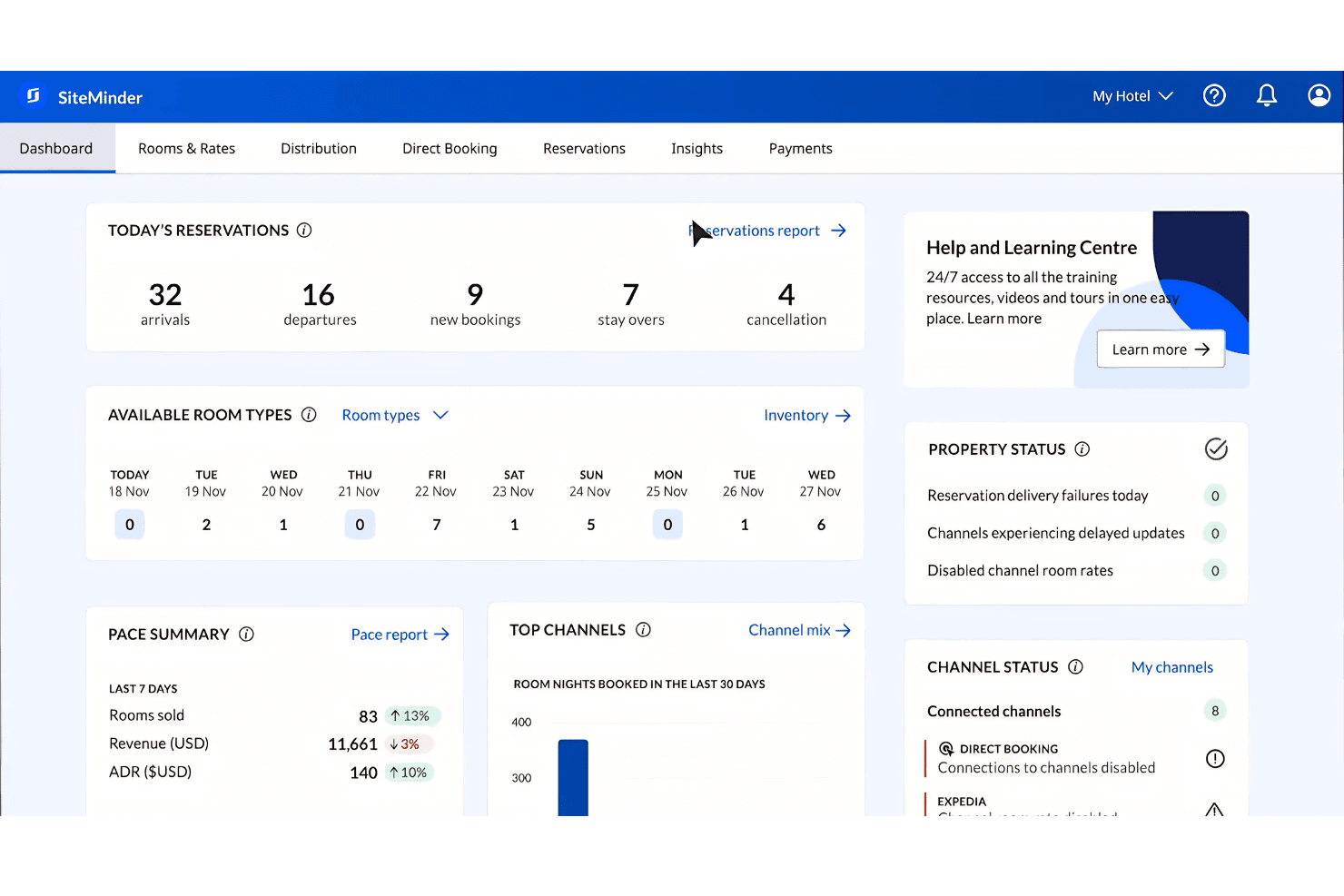
SiteMinder is user-friendly, with a clean dashboard and intuitive navigation that most hotel teams can pick up quickly. I’ve seen users mention that setup is straightforward and daily tasks like updating rates or managing bookings are simple.
The platform avoids clutter and keeps essential tools front and center, which helps reduce training time. However, some users wish for more advanced customization, especially in reporting and workflow options.
Integrations
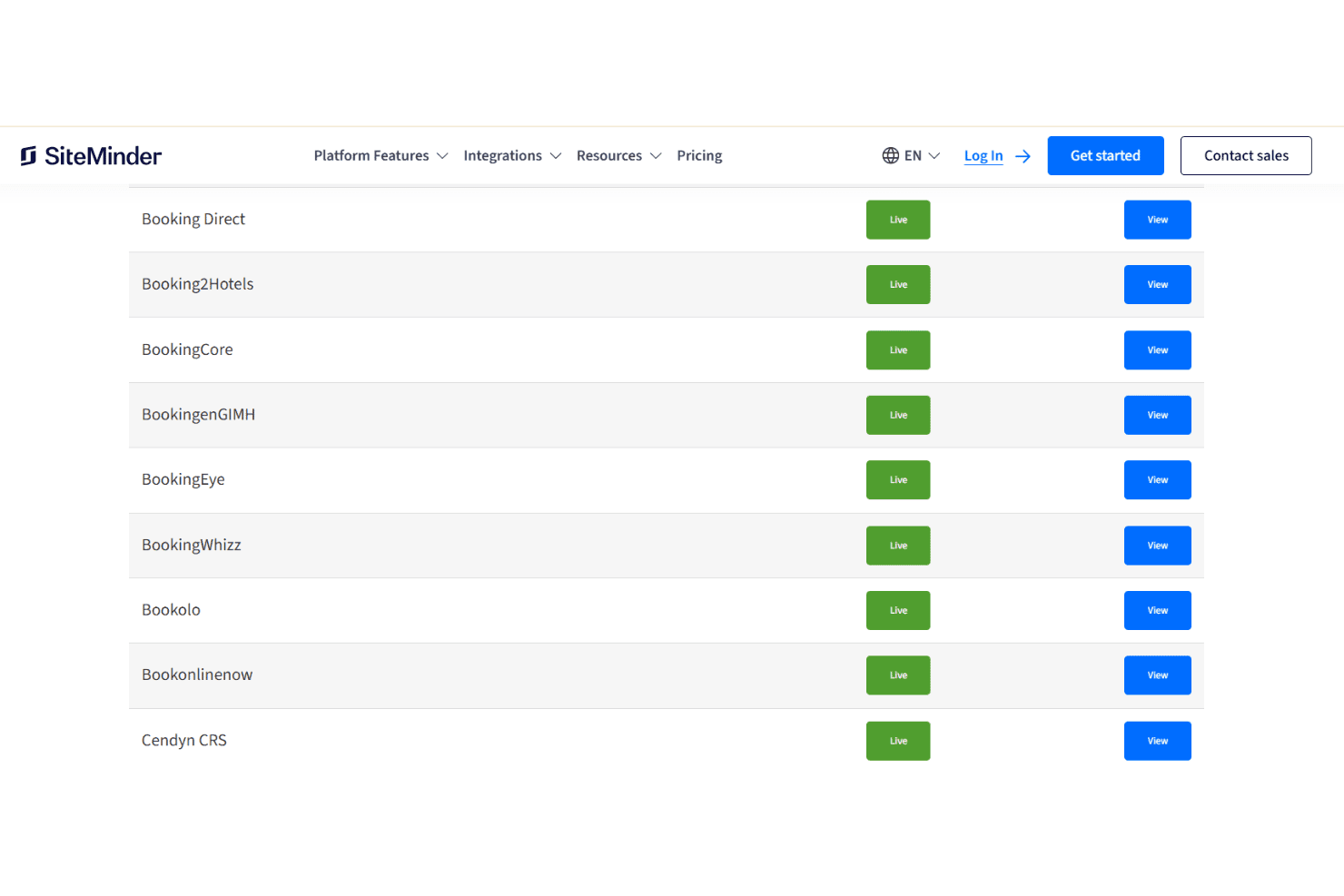
SiteMinder integrates with BookingDirect, Expedia, Airbnb, Agoda, Oracle OPERA PMS, Mews, Cloudbeds, Google Hotel Ads, Trivago, and Amadeus GDS, among others.
SiteMinder also offers an open API and connects with a wide range of third-party hotel technology solutions.
SiteMinder Specs
- API: Yes
- Budgeting: No
- Calendar Management: Yes
- Compliance Tracking: No
- Contact Management: Yes
- Customer Management: Yes
- Dashboard: Yes
- Data Export: Yes
- Data Import: Yes
- Data Visualization: Yes
- Document Management: No
- Expense Tracking: No
- External Integrations: Yes
- Forecasting: No
- Inventory Tracking: No
- Multi-Currency: Yes
- Multi-User: Yes
- Notifications: Yes
- Organization Management: No
- Payment Processor: No
- Payroll: No
- Scheduling: Yes
- Supplier Management: Yes
- Tax Management: No
- Workflow Management: No


