

SiteMinder Review: Pros, Cons, Features and Pricing
SiteMinder is a hotel management software that helps properties manage distribution, increase bookings, and optimize revenue.

We review tools independently, and commissions help fund our testing. See our transparency policy, our methodology, or suggest a tool.
SiteMinder is a hotel management software built around channel distribution. It gives hotels a centralized way to manage rates, availability, and inventory across hundreds of OTAs and booking platforms. I'd consider it if your main priority is maximizing distribution reach. Compared to tools like Cloudbeds, SiteMinder connects to a broader range of booking channels. That makes it a stronger option for properties that drive most of their occupancy through OTAs.
SiteMinder Evaluation Summary
4.2/5
- Pricing upon request
- Free demo available
Why Trust Our Software Recommendations
6,700+
Reviews
20
Industry experts
16+
Evaluation factors
14
Years
Our team has been testing and reviewing software since 2012. As hospitality leaders ourselves, we know how difficult—and important—it is to choose the right software.
For this guide, we evaluated tools using hands-on testing and independent research, scoring tools using our selection criteria.
Our reviews reflect our human editorial judgment, not a sales pitch.
SiteMinder Overview
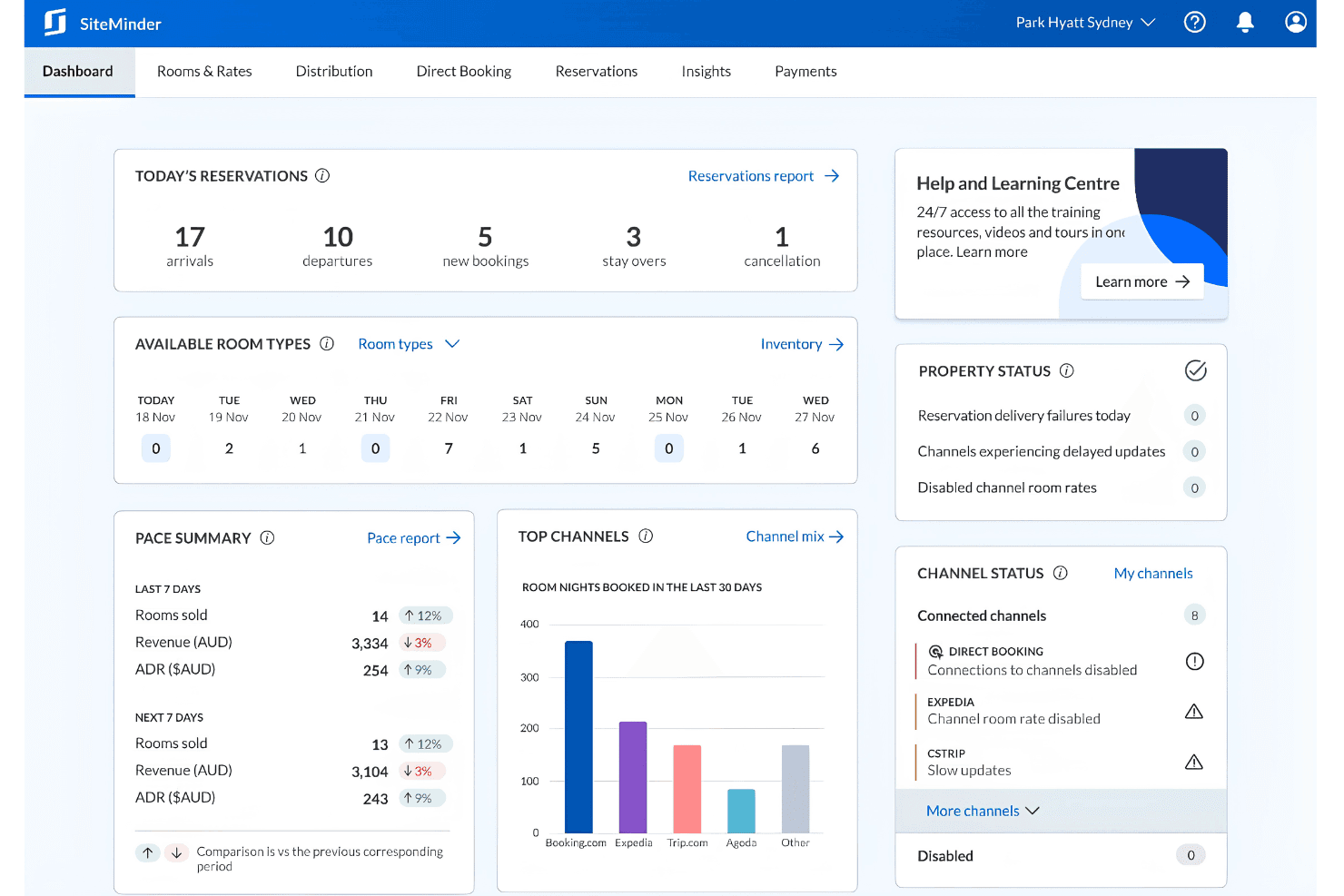
If you’re judging SiteMinder against other hotel management software, I think its channel management and booking engine are top-tier, especially for properties juggling multiple OTAs. The interface is clean, and onboarding is quick, but you might find some advanced reporting or niche integrations missing. Pricing is transparent, and support is responsive, which I appreciate.
I’d suggest SiteMinder is best for independent hotels or small groups that want reliable distribution tools without a steep learning curve. If you’re selecting software for a boutique property or mid-sized hotel, SiteMinder deserves a close look.
Pros
- Channel management covers 450+ global booking channels.
- Real-time pricing recommendations help maximize revenue opportunities.
- Booking engine is commission-free and supports direct bookings.
Cons
- Reporting features lack depth for advanced analytics.
- Costs can escalate with add-ons and premium features.
- Some users report slow system speed during peak times.
Is SiteMinder Right For Your Needs?
Who Would be a Good Fit for SiteMinder?
SiteMinder is a strong choice for hotels and accommodation providers who need reliable channel management, direct booking tools, and real-time rate updates. I think it’s especially well-suited for teams that want to automate distribution and maximize occupancy without investing in complex IT resources. If your business relies on multiple OTAs or wants to grow direct bookings, SiteMinder’s features and support make it a practical pick.
- Vacation RentalsMulti-channel distribution helps reach more guests and fill occupancy gaps.
- Front Desk TeamsAutomated inventory updates reduce manual work and overbooking risk.
- Revenue Management TeamsReal-time pricing recommendations help optimize rates and boost revenue.
- Small Hotel GroupsCentralized management of multiple properties streamlines distribution and pricing.
- Boutique PropertiesDirect booking tools and customizable widgets support unique guest experiences.
- Independent HotelsSiteMinder’s channel manager and booking engine help maximize online visibility.
Who Would be a Bad Fit for SiteMinder?
SiteMinder may not be the best fit for businesses that need deep property management features, highly specialized integrations, or advanced analytics. If your team relies on custom workflows or requires detailed reporting, you might find SiteMinder’s capabilities limiting compared to other options.
- Analytics TeamsReporting features are basic and lack advanced data visualization.
- Corporate Travel ManagersNo dedicated tools for negotiated rates or corporate contracts.
- Luxury ResortsMissing advanced guest profiling and loyalty program features.
- Conference CentersNo built-in tools for event or group booking management.
- HostelsLimited support for complex dormitory or shared room inventory structures.
- Large Hotel ChainsSiteMinder lacks the deep PMS integrations large chains often require.
How We Test & Score Tools
We’ve spent years building, refining, and improving our software testing and scoring system. The rubric is designed to capture the nuances of software selection and what makes a tool effective, focusing on critical aspects of the decision-making process.
Below, you can see exactly how our testing and scoring works across seven criteria. It allows us to provide an unbiased evaluation of the software based on core functionality, standout features, ease of use, onboarding, customer support, integrations, customer reviews, and value for money.
Core Functionality (25% of final scoring)
The starting point of our evaluation is always the core functionality of the tool. Does it have the basic features and functions that a user would expect to see? Are any of those core features locked to higher-tiered pricing plans? At its core, we expect a tool to stand up against the baseline capabilities of its competitors.
Standout Features (25% of final scoring)
Next, we evaluate uncommon standout features that go above and beyond the core functionality typically found in tools of its kind. A high score reflects specialized or unique features that make the product faster, more efficient, or offer additional value to the user.
We also evaluate how easy it is to integrate with other tools typically found in the tech stack to expand the functionality and utility of the software. Tools offering plentiful native integrations, 3rd party connections, and API access to build custom integrations score best.
Ease of Use (10% of final scoring)
We consider how quick and easy it is to execute the tasks defined in the core functionality using the tool. High scoring software is well designed, intuitive to use, offers mobile apps, provides templates, and makes relatively complex tasks seem simple.
Onboarding (10% of final scoring)
We know how important rapid team adoption is for a new platform, so we evaluate how easy it is to learn and use a tool with minimal training. We evaluate how quickly a team member can get set up and start using the tool with no experience. High scoring solutions indicate little or no support is required.
Customer Support (10% of final scoring)
We review how quick and easy it is to get unstuck and find help by phone, live chat, or knowledge base. Tools and companies that provide real-time support score best, while chatbots score worst.
Customer Reviews (10% of final scoring)
Beyond our own testing and evaluation, we consider the net promoter score from current and past customers. We review their likelihood, given the option, to choose the tool again for the core functionality. A high scoring software reflects a high net promoter score from current or past customers.
Value for Money (10% of final scoring)
Lastly, in consideration of all the other criteria, we review the average price of entry level plans against the core features and consider the value of the other evaluation criteria. Software that delivers more, for less, will score higher.
Core Features
Channel Manager
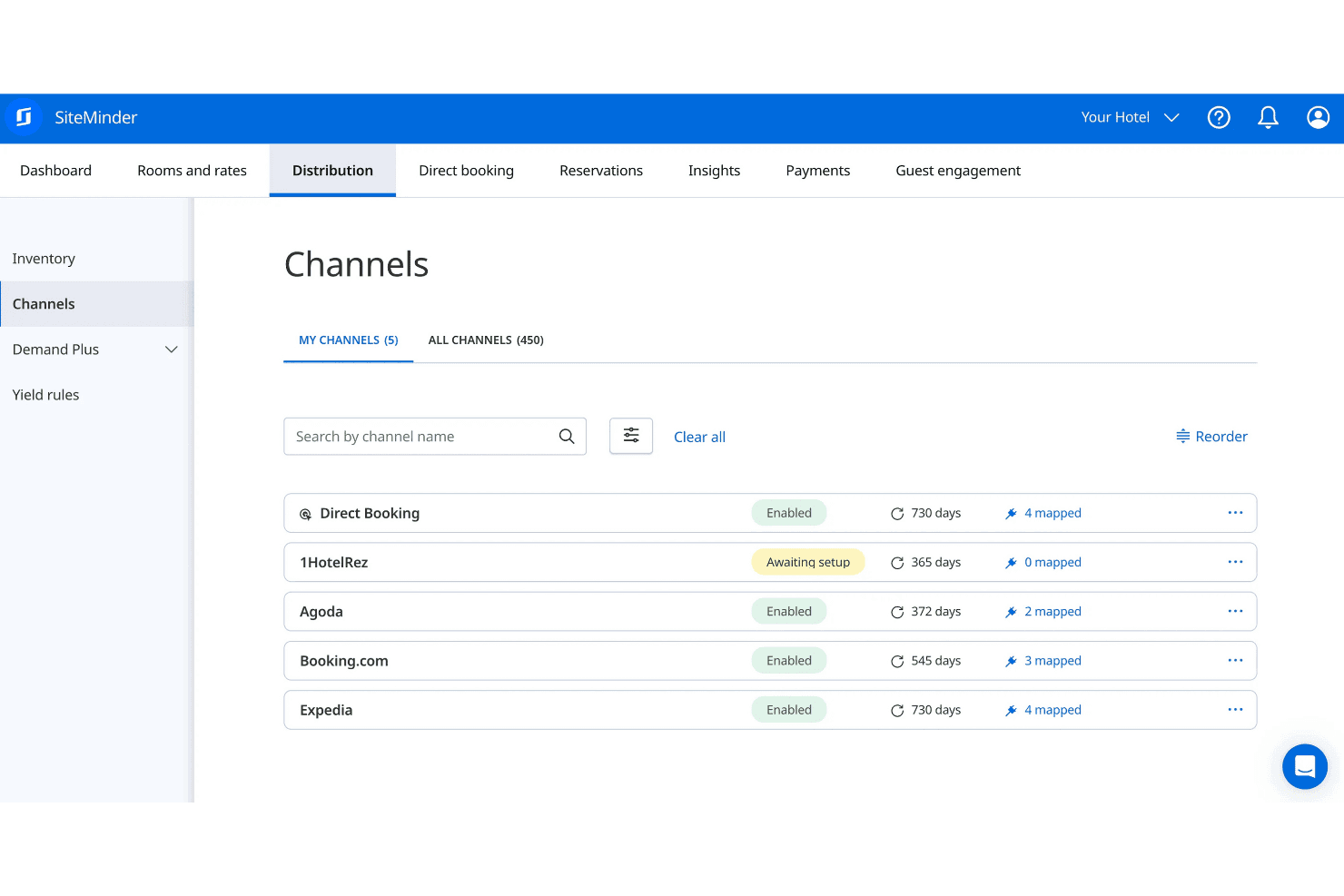
Distribute room inventory across 450+ booking channels in real time. This helps prevent overbookings and keeps rates consistent everywhere.
Booking Engine
Accept direct bookings from your website with a commission-free engine. Customizable widgets let you match your brand and capture more guests.
Rate Insights
Get real-time pricing recommendations based on market demand and competitor rates. This helps you adjust prices quickly to maximize revenue.
Automated Inventory Updates
Sync availability and rates instantly across all connected channels. This reduces manual work and minimizes the risk of double bookings.
Central Reservations
Manage reservations from all sources in one dashboard. Easily track, modify, or cancel bookings without switching systems.
Performance Reporting
Access reports on bookings, revenue, and channel performance. Use these insights to spot trends and make informed decisions.
Ease of Use
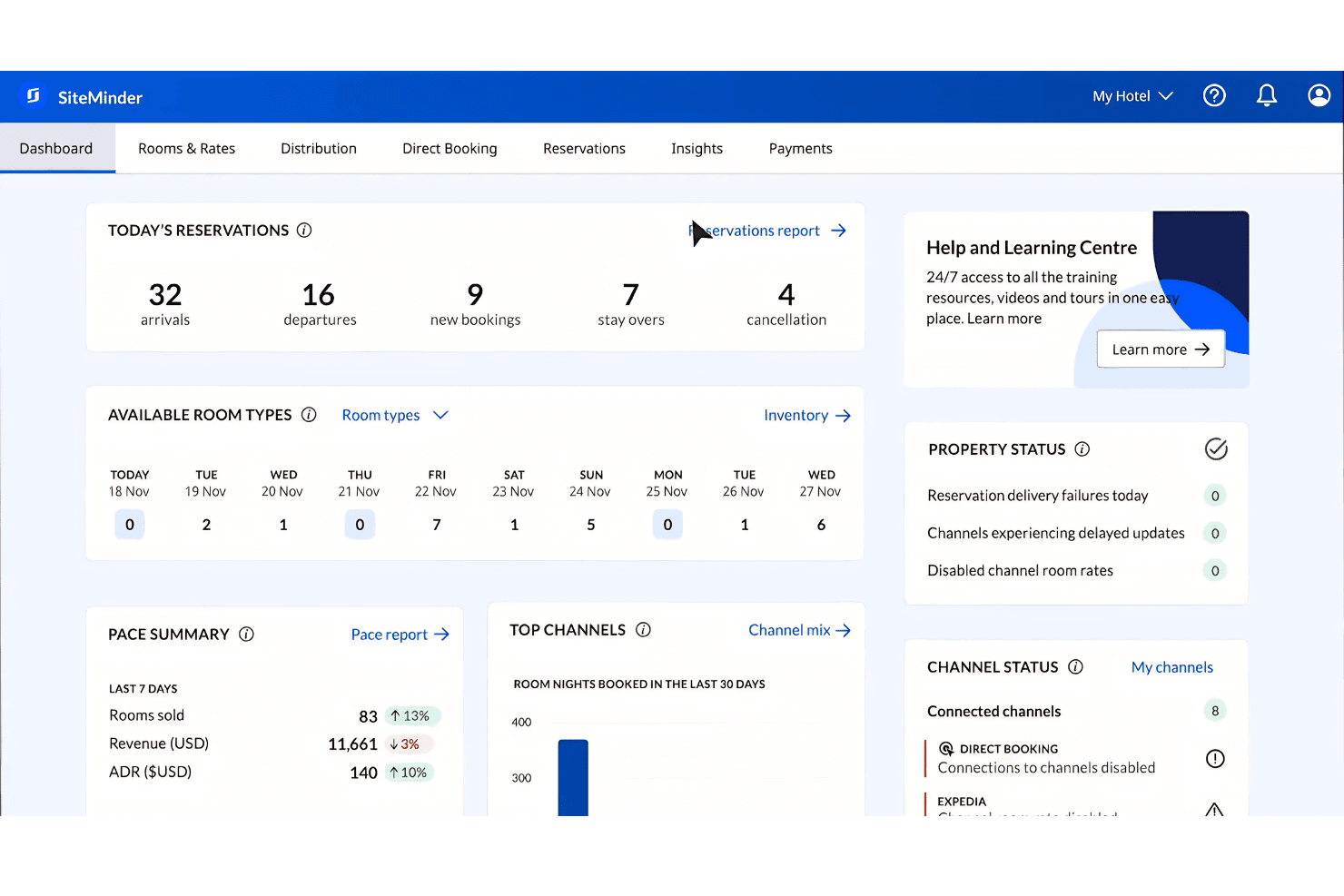
SiteMinder is user-friendly, with a clean dashboard and intuitive navigation that most hotel teams can pick up quickly. I’ve seen users mention that setup is straightforward and daily tasks like updating rates or managing bookings are simple.
The platform avoids clutter and keeps essential tools front and center, which helps reduce training time. However, some users wish for more advanced customization, especially in reporting and workflow options.
Integrations
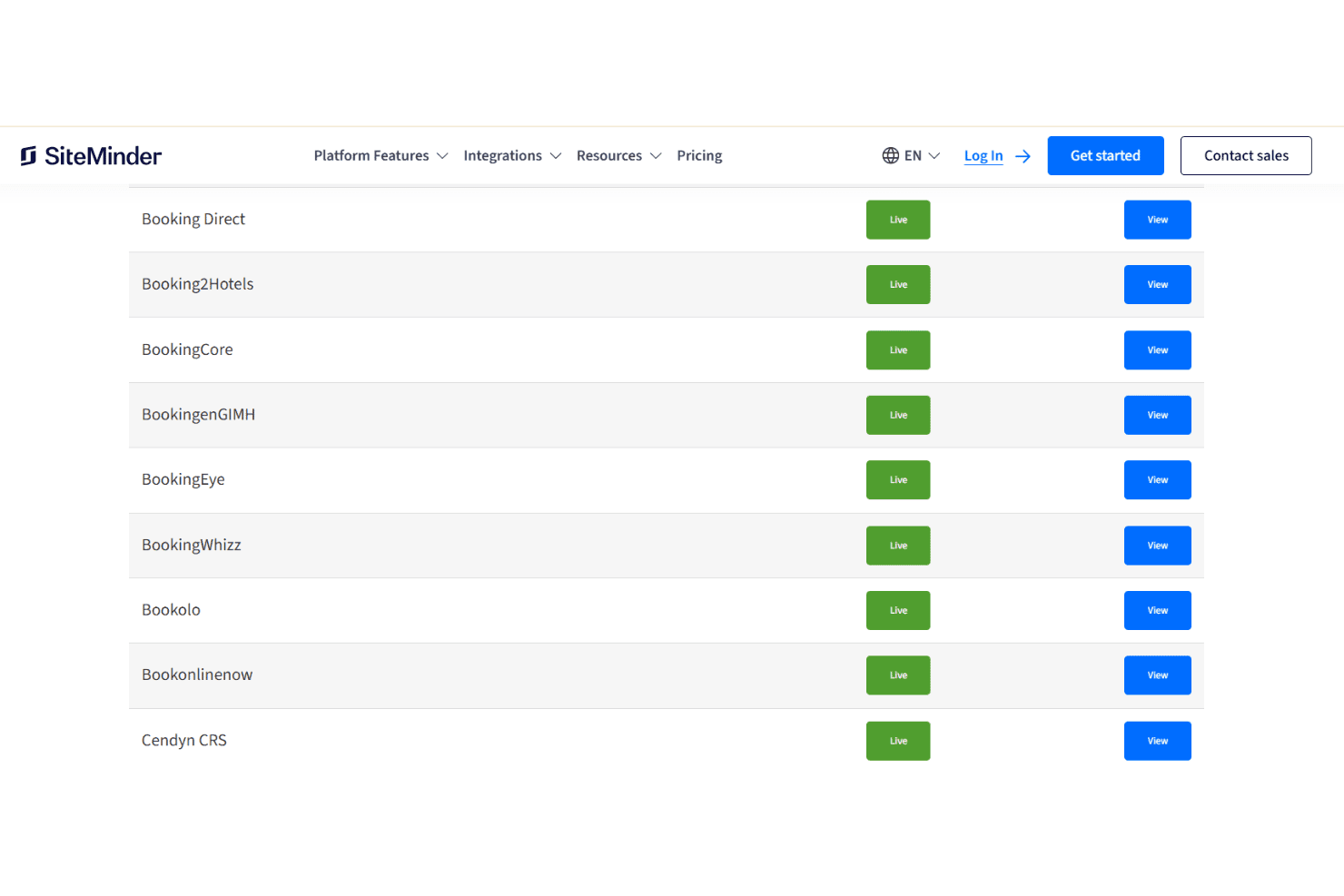
SiteMinder integrates with BookingDirect, Expedia, Airbnb, Agoda, Oracle OPERA PMS, Mews, Cloudbeds, Google Hotel Ads, Trivago, and Amadeus GDS, among others.
SiteMinder also offers an open API and connects with a wide range of third-party hotel technology solutions.
SiteMinder Specs
- API: Yes
- Budgeting: No
- Calendar Management: Yes
- Compliance Tracking: No
- Contact Management: Yes
- Customer Management: Yes
- Dashboard: Yes
- Data Export: Yes
- Data Import: Yes
- Data Visualization: Yes
- Document Management: No
- Expense Tracking: No
- External Integrations: Yes
- Forecasting: No
- Inventory Tracking: No
- Multi-Currency: Yes
- Multi-User: Yes
- Notifications: Yes
- Organization Management: No
- Payment Processor: No
- Payroll: No
- Scheduling: Yes
- Supplier Management: Yes
- Tax Management: No
- Workflow Management: No


