
SkyTouch Review: Pros, Cons, Features and Pricing
SkyTouch stands out for its intuitive design and flexible features, making it a smart PMS pick for hotels seeking cloud-based efficiency without the usual tech headaches.

We review tools independently, and commissions help fund our testing. See our transparency policy, our methodology, or suggest a tool.
SkyTouch is a cloud-based property management system built for hotels that need to manage reservations, front desk operations, and rate distribution from a single platform. I'd mainly consider it if you're running a mid-scale or economy property and want something more accessible and quicker to deploy than Oracle Opera, without sacrificing the rate management and channel distribution tools that independent and branded hotels actually rely on day-to-day.
SkyTouch Evaluation Summary
4.5/5
- Pricing upon request
- Free demo available
Why Trust Our Software Recommendations
6,700+
Reviews
20
Industry experts
16+
Evaluation factors
14
Years
Our team has been testing and reviewing software since 2012. As hospitality leaders ourselves, we know how difficult—and important—it is to choose the right software.
For this guide, we evaluated tools using hands-on testing and independent research, scoring tools using our selection criteria.
Our reviews reflect our human editorial judgment, not a sales pitch.
SkyTouch Overview
If you’re judging cloud-based PMS options, I think SkyTouch is a strong contender for hotels that want a straightforward interface, responsive support, and flexible integrations. Its onboarding is quick, and the dashboard makes daily tasks easy for teams with varying tech skills. Pricing is transparent, and the system scales well for mid-sized properties.
While some advanced reporting and customization options lag behind the most feature-rich competitors, I’d suggest SkyTouch is best for operators who value reliability, ease of use, and a support team that’s easy to reach when you need help.
Pros
- Reliable uptime with minimal reported outages
- Fast onboarding and simple for new staff to learn
- Responsive US-based support team available 24/7
Cons
- Limited options for deep customization of workflows
- System updates can cause occasional slowdowns
- Reporting features are less advanced than some competitors
Is SkyTouch Right For Your Needs?
Who Would be a Good Fit for SkyTouch?
SkyTouch is ideal for independent hotels and small to mid-sized hotel chains looking to streamline operations without complex systems. If you manage a hotel where efficiency and quick guest service are priorities, SkyTouch’s intuitive interface and responsive support can make a big difference. For example, if your team needs to manage reservations and room assignments quickly, SkyTouch’s ease of use will help you stay on top of tasks with minimal training.
- Hotel Operations ManagersUser-friendly dashboards streamline daily task tracking and staff oversight.
- Extended Stay PropertiesAutomated rate and inventory tools help manage longer guest stays.
- Hospitality Management CompaniesCloud access allows managers to monitor several locations remotely.
- Independent Boutique HotelsFlexible features support unique guest experiences without heavy IT needs.
- Mid-Sized Hotel ChainsCentralized management tools make it easy to oversee multiple properties.
- Limited Service HotelsSkyTouch simplifies front desk and housekeeping coordination for smaller teams.
Who Would be a Bad Fit for SkyTouch?
Large hotel chains or resorts with complex operational needs might not find SkyTouch suitable due to its limited advanced features and reporting capabilities. If your team requires extensive customization or detailed analytics, SkyTouch might not meet your expectations. Businesses that rely heavily on data analysis for strategic decisions might find the reporting tools lacking in depth compared to more robust systems.
- Conference Center HotelsEvent management and group booking tools are less robust.
- Corporate Travel DepartmentsDetailed analytics and custom billing features are limited.
- Casino HotelsGaming and loyalty program integrations are not natively available.
- Multi-Brand Hospitality GroupsComplex integration requirements may not be fully supported.
- Luxury Hotel BrandsHigh-touch guest personalization features are limited compared to others.
- Large Resort ComplexesAdvanced reporting and customization needs may exceed SkyTouch’s capabilities.
How We Test & Score Tools
We’ve spent years building, refining, and improving our software testing and scoring system. The rubric is designed to capture the nuances of software selection and what makes a tool effective, focusing on critical aspects of the decision-making process.
Below, you can see exactly how our testing and scoring works across seven criteria. It allows us to provide an unbiased evaluation of the software based on core functionality, standout features, ease of use, onboarding, customer support, integrations, customer reviews, and value for money.
Core Functionality (25% of final scoring)
The starting point of our evaluation is always the core functionality of the tool. Does it have the basic features and functions that a user would expect to see? Are any of those core features locked to higher-tiered pricing plans? At its core, we expect a tool to stand up against the baseline capabilities of its competitors.
Standout Features (25% of final scoring)
Next, we evaluate uncommon standout features that go above and beyond the core functionality typically found in tools of its kind. A high score reflects specialized or unique features that make the product faster, more efficient, or offer additional value to the user.
We also evaluate how easy it is to integrate with other tools typically found in the tech stack to expand the functionality and utility of the software. Tools offering plentiful native integrations, 3rd party connections, and API access to build custom integrations score best.
Ease of Use (10% of final scoring)
We consider how quick and easy it is to execute the tasks defined in the core functionality using the tool. High scoring software is well designed, intuitive to use, offers mobile apps, provides templates, and makes relatively complex tasks seem simple.
Onboarding (10% of final scoring)
We know how important rapid team adoption is for a new platform, so we evaluate how easy it is to learn and use a tool with minimal training. We evaluate how quickly a team member can get set up and start using the tool with no experience. High scoring solutions indicate little or no support is required.
Customer Support (10% of final scoring)
We review how quick and easy it is to get unstuck and find help by phone, live chat, or knowledge base. Tools and companies that provide real-time support score best, while chatbots score worst.
Customer Reviews (10% of final scoring)
Beyond our own testing and evaluation, we consider the net promoter score from current and past customers. We review their likelihood, given the option, to choose the tool again for the core functionality. A high scoring software reflects a high net promoter score from current or past customers.
Value for Money (10% of final scoring)
Lastly, in consideration of all the other criteria, we review the average price of entry level plans against the core features and consider the value of the other evaluation criteria. Software that delivers more, for less, will score higher.
Core Features
Reservations Management
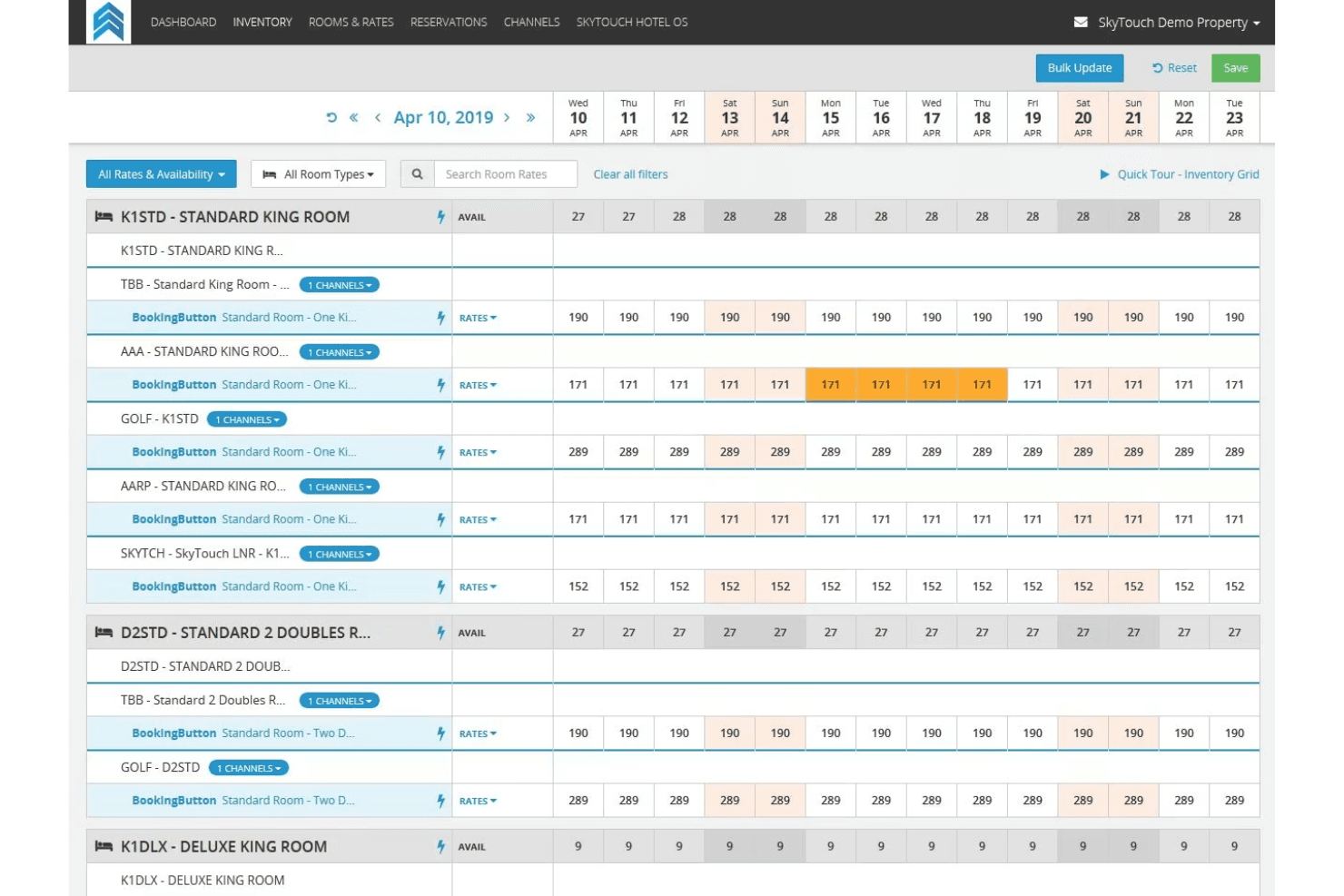
Handle individual and group bookings with real-time availability updates. The system makes it easy to modify, cancel, or extend stays.
Direct Billing
Automate invoicing and manage accounts receivable for corporate and group clients. This feature helps reduce manual billing errors.
Group Management
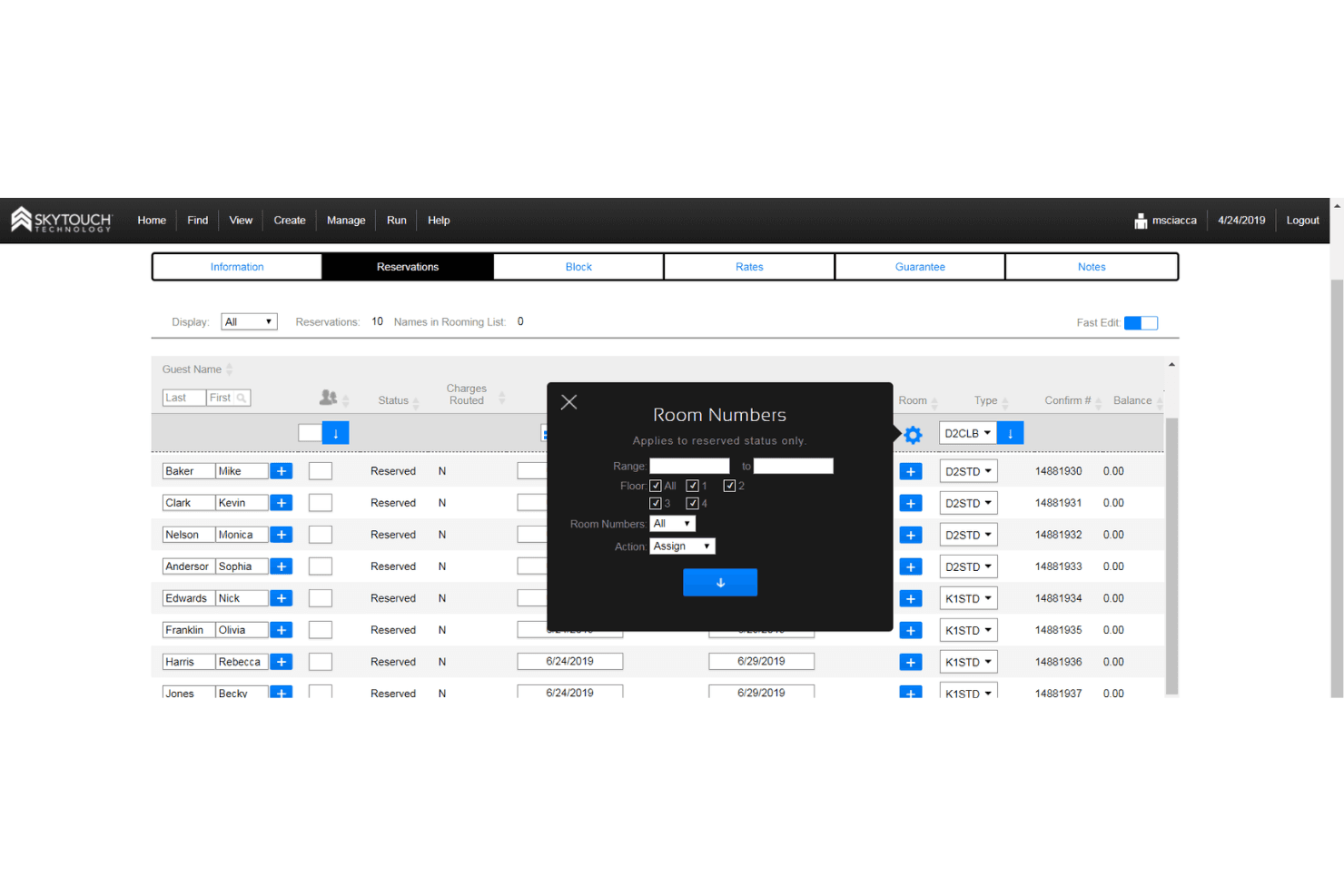
Organize group blocks, track room pick-up, and manage group rates. It’s designed for events, conferences, and tour bookings.
Housekeeping Management
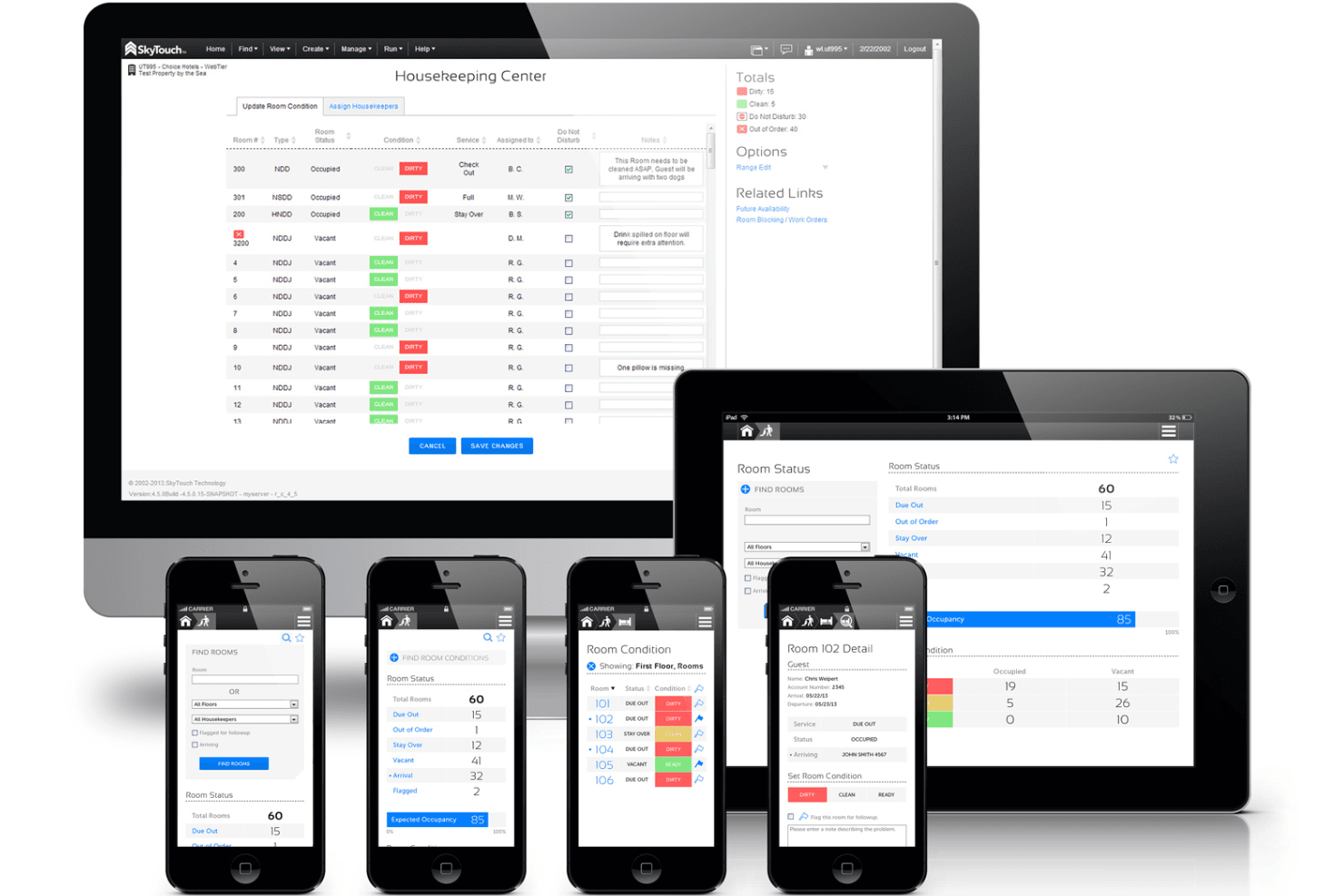
Assign rooms, track cleaning status, and update front desk teams instantly. The dashboard gives a live view of room readiness.
Automated Night Audits
Run daily audits automatically to reconcile transactions and close out the business day. This reduces manual work and ensures accuracy.
Reporting and Analytics
Access standard and custom reports on occupancy, revenue, and operations. Managers can quickly spot trends and make informed decisions.
Standout Features
Mobile Management App
SkyTouch offers a mobile app that lets managers and staff handle reservations, housekeeping, and guest requests from anywhere. This gives teams real-time access to property data and task updates on the go.
24/7 US-Based Support
SkyTouch provides round-the-clock support from a US-based team, not outsourced call centers. Users get quick, knowledgeable help any time issues or questions come up.
Ease of Use
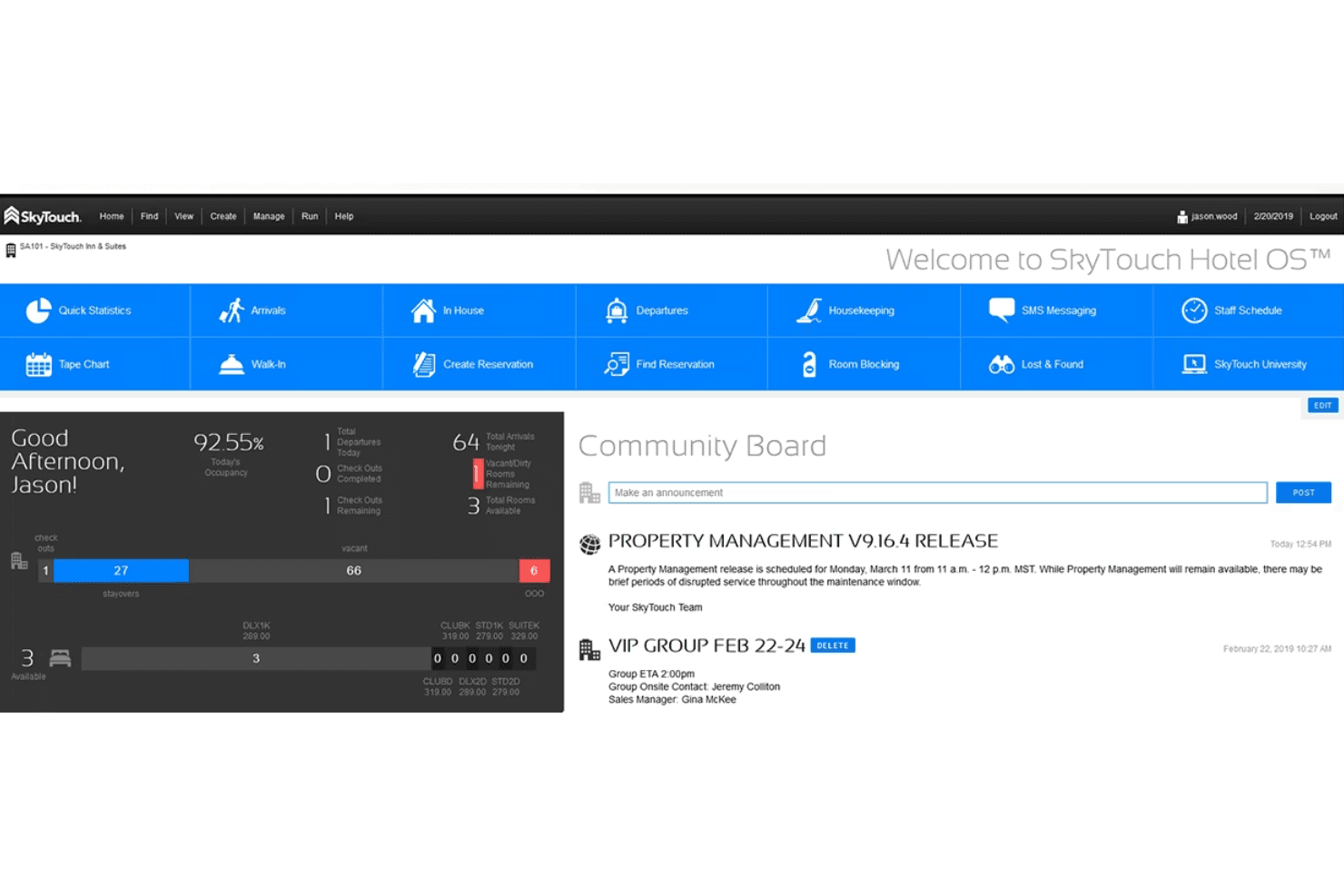
SkyTouch is widely recognized for its clean interface and straightforward navigation, making it approachable for staff with varying tech skills. Most users say daily tasks like check-ins, room assignments, and billing are quick to learn and perform.
The dashboard is logically organized, and the onboarding process is fast, so new hires can get up to speed without much training. I think this ease of use is a major reason many hotels stick with SkyTouch.
Onboarding
SkyTouch stands out for its fast, guided onboarding process and hands-on support. New users often mention that setup is smooth, with dedicated trainers walking teams through each step and answering questions in real time.
The platform offers responsive support team, so staff can quickly get comfortable with the system. I think this approach helps hotels see value from SkyTouch almost immediately after implementation.
Customer Support
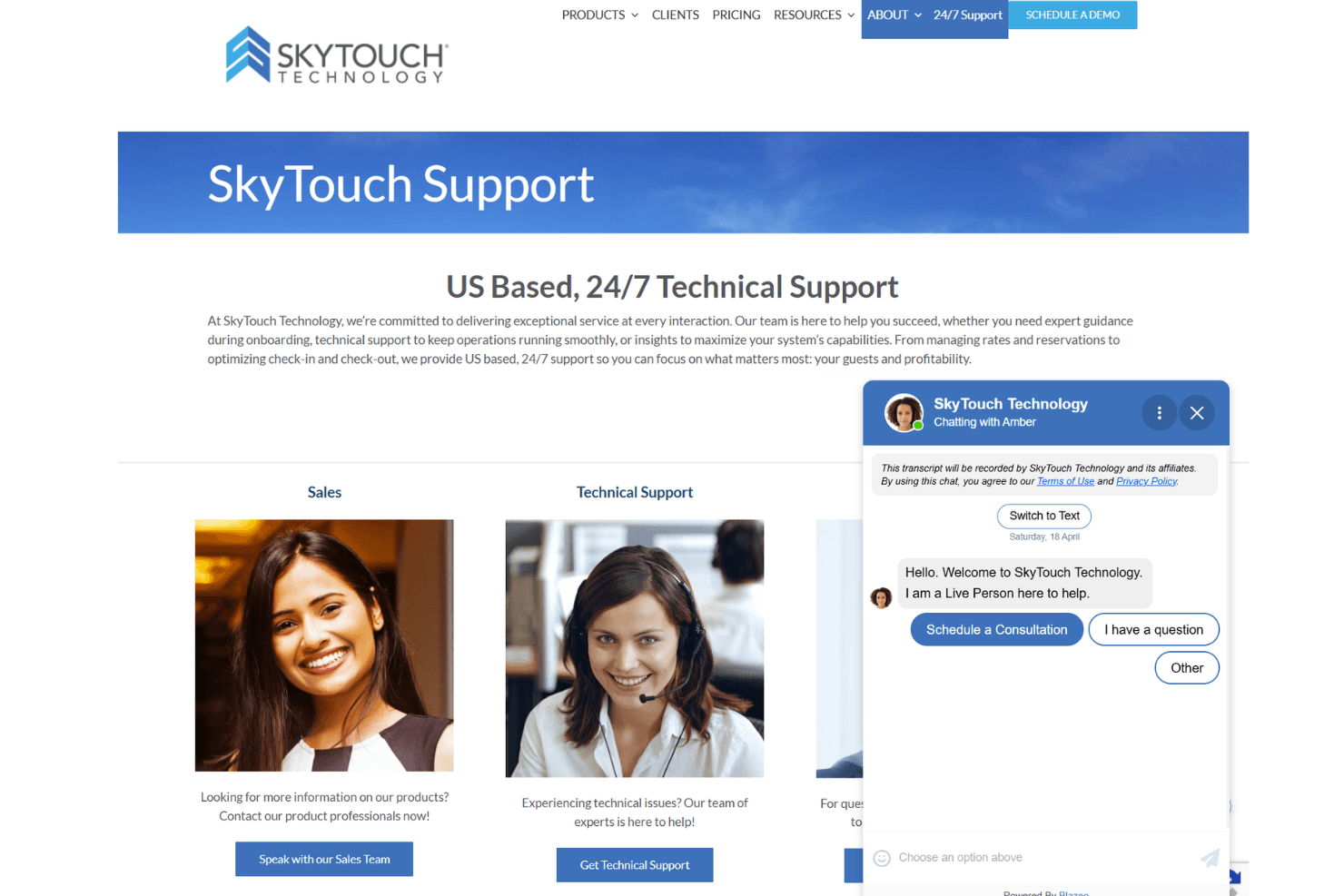
SkyTouch earns high marks for its 24/7 US-based customer support, which users say is quick to respond and knowledgeable about hospitality operations. Many hoteliers appreciate being able to reach a real person by phone or chat at any hour, especially during busy periods or emergencies.
I think this level of accessible, expert support gives teams confidence that help is always available when they need it most.
Integrations
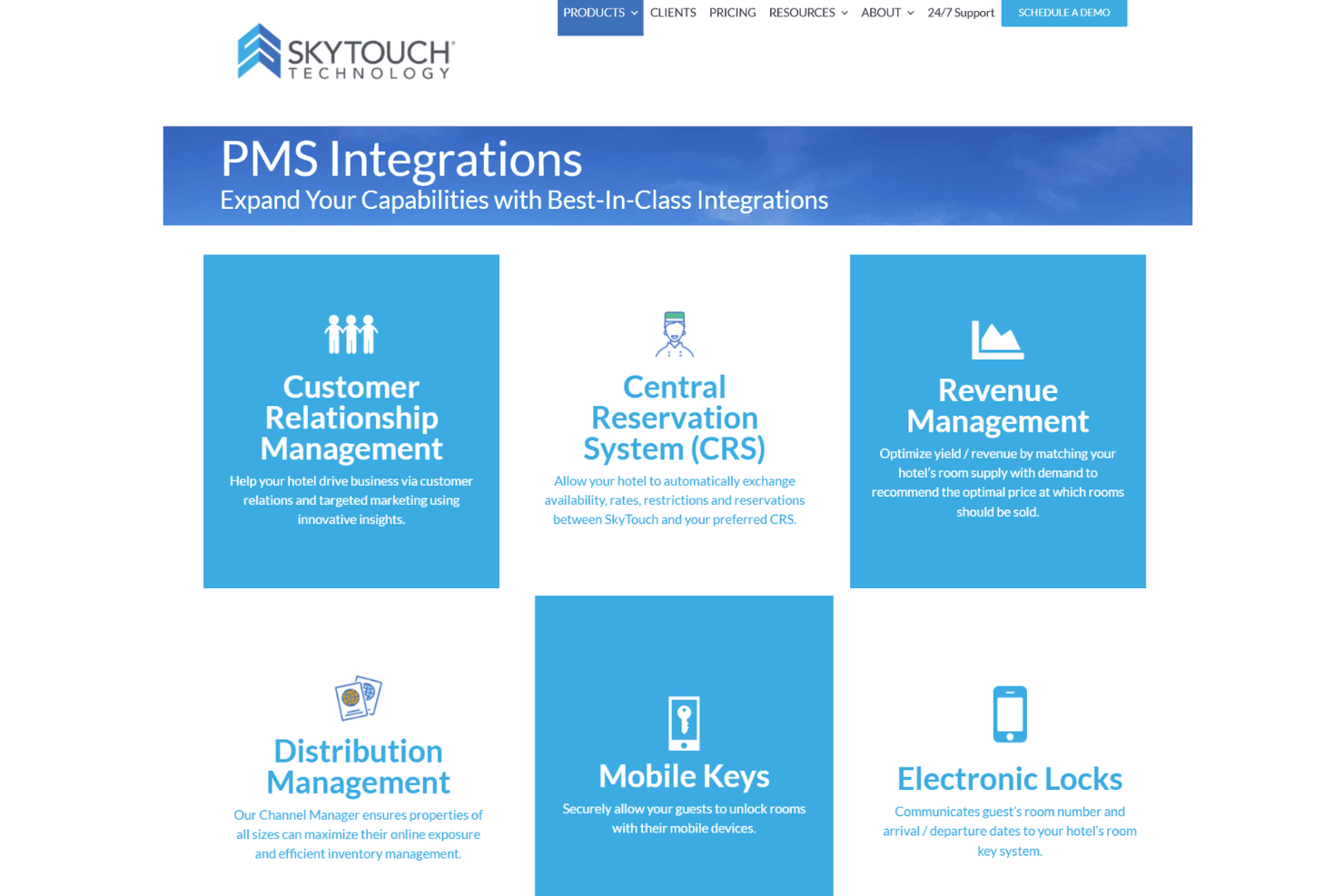
SkyTouch integrates with Toast, OpenKey, Medallia, Assa Abloy, Onity, GuestHub, Canary, Sojern, M3 Accounting, and iHotelier, among others.
SkyTouch also offers an API for custom integrations and connects with a wide range of third-party tools.
Value for Money
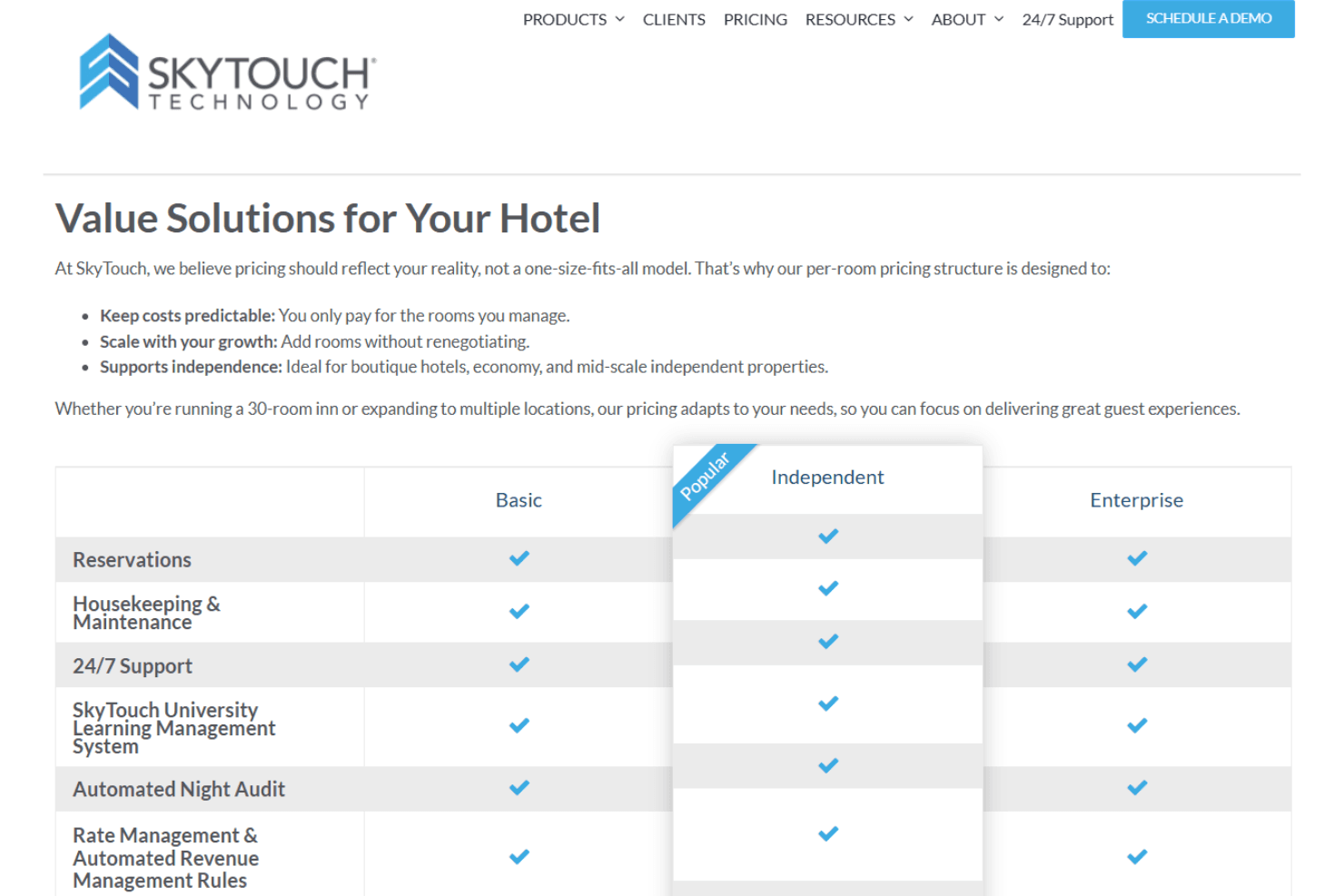
SkyTouch is seen as a solid value, especially for mid-sized hotels and growing properties that want predictable monthly pricing and strong support. Users say the cost is justified by the reliable uptime, responsive service, and included training.
Flexible plans let hotels choose features that fit their needs without paying for extras they won’t use.
- Basic: Core PMS features, reservations, housekeeping, and basic reporting.
- Independent: Adds group management, advanced reporting, and direct billing.
- Enterprise: Includes multi-property management, custom workflows, and premium support.
SkyTouch Specs
- API: Yes
- Budgeting: No
- Calendar Management: Yes
- Compliance Tracking: Yes
- Contact Management: Yes
- Customer Management: Yes
- Dashboard: Yes
- Data Export: Yes
- Data Import: Yes
- Data Visualization: Yes
- Document Management: Yes
- Expense Tracking: No
- External Integrations: Yes
- Forecasting: Yes
- Inventory Tracking: Yes
- Multi-Currency: Yes
- Multi-User: Yes
- Notifications: Yes
- Organization Management: Yes
- Payment Processor: Yes
- Payroll: No
- Scheduling: Yes
- Supplier Management: No
- Tax Management: No
- Workflow Management: Yes
SkyTouch FAQs
SkyTouch Company Overview & History
SkyTouch Technology launched in 2013 and is headquartered in the United States. The company was created by the team behind Choice Hotels’ choiceADVANTAGE PMS to bring cloud-based property management to independent hotels and small to mid-sized chains. SkyTouch is known for its focus on customer success and continued innovation in hotel technology. Notable clients include GrandStay Hotels, GreenTree, Real Hospitality Group, and Amsterdam Inn & Suites.
SkyTouch Major Milestones
- 2013: SkyTouch Technology founded and launches its cloud-based PMS.
- 2013: Platform made available to independent hotels and small to mid-sized chains.
- 2016: Expanded adoption among independent hotels across North America.
- 2021: Continued expansion of integrations and partnerships with hospitality technology providers.