
RMS-beoordeling: voor- en nadelen, functies en prijsoverzicht
RMS brengt vastgoedbeheer samen in één platform, van reserveringen en gastbeheer tot huishouding, rapportage, betalingen en horecawerkzaamheden.

We review tools independently, and commissions help fund our testing. See our transparency policy, our methodology, or suggest a tool.
RMS is a hotel property management software built for accommodation operators who need to manage reservations, rates, housekeeping, and guest communications from one platform. I'd consider it if you run a resort, holiday park, or multi-property portfolio. RMS handles complex accommodation types and multi-site operations better than something like Cloudbeds, which tends to be a stronger fit for traditional independent hotels with simpler operational structures.
RMS Evaluation Summary
4.4/5
- Pricing upon request
- Free demo available
Waarom u onze softwareaanbevelingen kunt vertrouwen
6,700+
Reviews
20
Industry experts
16+
Evaluation factors
14
Years
Ons team test en beoordeelt software sinds 2012. Als leiders in de horeca weten we zelf hoe moeilijk — en belangrijk — het is om de juiste software te kiezen.
Voor deze gids hebben we tools geëvalueerd met behulp van praktijktests en onafhankelijk onderzoek, waarbij we tools beoordeelden aan de hand van onze selectiecriteria.
Onze reviews weerspiegelen ons menselijke redactionele oordeel, geen verkooppraatje.
RMS Overview
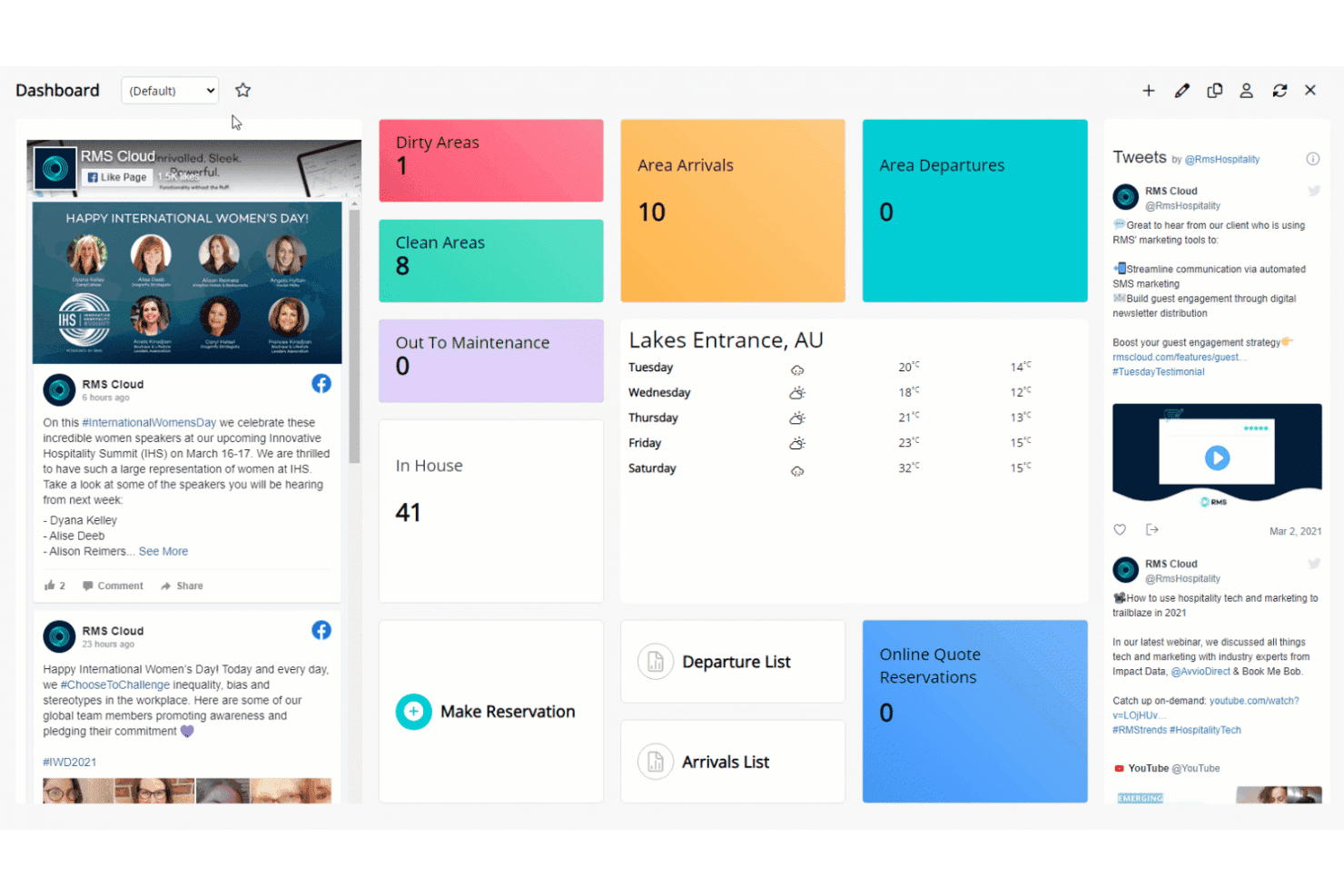
In my opinion, RMS stands out for its powerful customization, automation, and flexible pricing compared to most options on the market. I think the interface feels modern and easy for new users, and you get extensive integrations—especially helpful if you want to connect channel managers or payment gateways. Onboarding takes effort but is well-supported. When I compare RMS to others, I notice its reporting is more advanced, though small boutiques may find the setup more than they need.
I’d suggest RMS is best for mid-sized or multi-property hotels wanting centralized control and scalable operations.
Pros
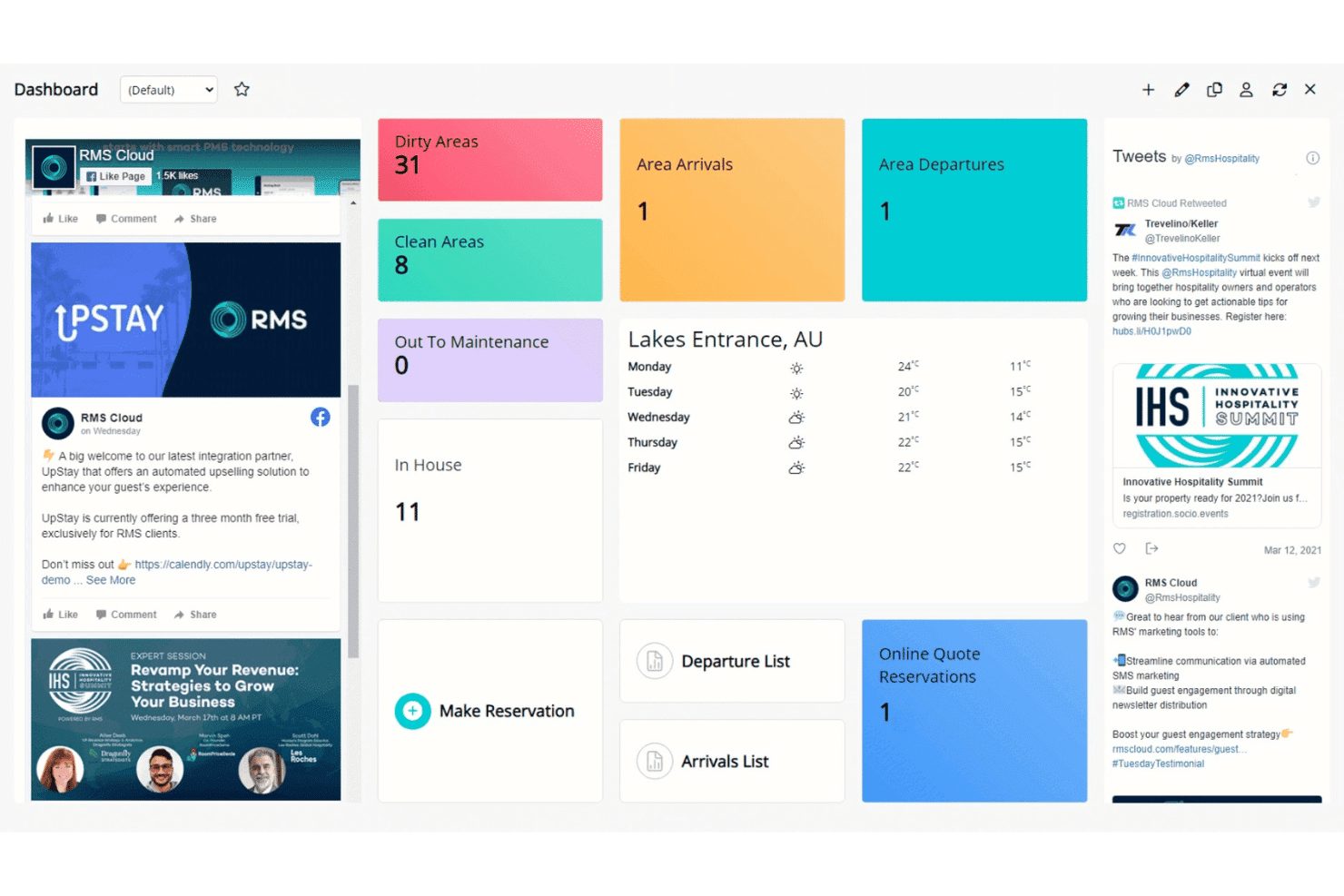
- Customizable dashboards to tailor workflows for different properties
- Advanced rate and revenue management tools included
- Automated guest messaging and communication features
Cons
- Initial system setup can be time-consuming for new users
- Some users report slow customer response times
- Reports interface can feel overwhelming for smaller teams
Is RMS Right For Your Needs?
Who Would be a Good Fit for RMS?
RMS is well-suited for operators who need automation, multi-property oversight, and advanced rate management. Large hotels, resorts, and portfolios benefit from its customizable workflows and robust reporting. Teams managing complex operations or high guest volumes will appreciate features like the interactive tape chart, guest portal, and deep analytics.
RMS also supports properties that want branded guest self-service and flexible booking rules.
- Large Hotel ChainsRMS supports centralized oversight, advanced analytics, and multi-property management with custom dashboards for regional and head office teams.
- Resorts and CampgroundsFeatures like dynamic pricing, diverse accommodation support, and guest portals help manage various inventory types and guest flows.
- Serviced ApartmentsAutomated invoicing, long-stay rate structures, and guest self-service tools are ideal for apartment-style operations with repeat and extended-stay clients.
- Multi-Location OperatorsRMS handles multiple properties, regions, or brands in one unified platform, allowing shared workflows and consolidated reporting.
- Revenue Management TeamsThe advanced pricing, rules engine, and real-time updates suit teams focused on maximizing profit and controlling rate strategy.
- IT/Admin DepartmentsCustom workflows, an API, and flexible configuration levels provide IT teams with tools to tailor RMS to unique property processes.
Who Would be a Bad Fit for RMS?
RMS is less suitable for small, single-property operators and businesses where simplicity or low cost is the main priority. Seasonal operators or teams with frequent staff turnover may find the robust feature set more than they need. Boutique inns and those with highly basic operational needs could find the onboarding and ongoing management cumbersome compared to leaner solutions.
- Small B&BsRMS’s feature set and cost usually outweigh the operational needs of small bed and breakfasts handling only a handful of rooms.
- Solo Property ManagersIts depth and training requirements add unnecessary complexity for a single-person operation.
- Vacation Rental OwnersSimple platforms tailored specifically to short-term rentals may provide a quicker setup and easier owner management than RMS.
- Event VenuesEvent-focused businesses may not require accommodation-centric features, making much of RMS’s functionality unnecessary.
- Seasonal LodgesShort operation periods often don’t justify the effort of learning, configuring, and maintaining an advanced platform like RMS.
- Non-technical TeamsDepartments lacking dedicated tech or admin resources may struggle with initial setup and ongoing customization due to RMS’s range of configuration options.
How We Test & Score Tools
We’ve spent years building, refining, and improving our software testing and scoring system. The rubric is designed to capture the nuances of software selection and what makes a tool effective, focusing on critical aspects of the decision-making process.
Below, you can see exactly how our testing and scoring works across seven criteria. It allows us to provide an unbiased evaluation of the software based on core functionality, standout features, ease of use, onboarding, customer support, integrations, customer reviews, and value for money.
Core Functionality (25% of final scoring)
The starting point of our evaluation is always the core functionality of the tool. Does it have the basic features and functions that a user would expect to see? Are any of those core features locked to higher-tiered pricing plans? At its core, we expect a tool to stand up against the baseline capabilities of its competitors.
Standout Features (25% of final scoring)
Next, we evaluate uncommon standout features that go above and beyond the core functionality typically found in tools of its kind. A high score reflects specialized or unique features that make the product faster, more efficient, or offer additional value to the user.
We also evaluate how easy it is to integrate with other tools typically found in the tech stack to expand the functionality and utility of the software. Tools offering plentiful native integrations, 3rd party connections, and API access to build custom integrations score best.
Ease of Use (10% of final scoring)
We consider how quick and easy it is to execute the tasks defined in the core functionality using the tool. High scoring software is well designed, intuitive to use, offers mobile apps, provides templates, and makes relatively complex tasks seem simple.
Onboarding (10% of final scoring)
We know how important rapid team adoption is for a new platform, so we evaluate how easy it is to learn and use a tool with minimal training. We evaluate how quickly a team member can get set up and start using the tool with no experience. High scoring solutions indicate little or no support is required.
Customer Support (10% of final scoring)
We review how quick and easy it is to get unstuck and find help by phone, live chat, or knowledge base. Tools and companies that provide real-time support score best, while chatbots score worst.
Customer Reviews (10% of final scoring)
Beyond our own testing and evaluation, we consider the net promoter score from current and past customers. We review their likelihood, given the option, to choose the tool again for the core functionality. A high scoring software reflects a high net promoter score from current or past customers.
Value for Money (10% of final scoring)
Lastly, in consideration of all the other criteria, we review the average price of entry level plans against the core features and consider the value of the other evaluation criteria. Software that delivers more, for less, will score higher.
Core Features
Reservation and Booking Management
RMS lets you manage direct and OTA bookings in a unified calendar. You can quickly update availability, assign rooms, and handle group reservations with ease.
Rate and Revenue Management
Adjust rates, create dynamic pricing, and manage packages or discounts with RMS’s tools. Automated updates help maximize occupancy and revenue in real time.
Housekeeping Management
Track room status, assign cleaning tasks, and update maintenance issues from one dashboard. Staff can mark rooms clean or ready for inspection on any device.
Guest Messaging and Communication
Send automated emails or SMS for confirmations, pre-arrival, and upsells. This keeps guests informed and reduces repetitive front desk calls.
Reporting and Analytics
Access detailed operational and financial reports with customizable dashboards. Export data to monitor trends like occupancy, revenue, and guest profiles.
Online Guest Portal
Guests can check-in online, update details, and request services through a branded portal. This streamlines arrivals and enhances self-service for guests.
Ease of Use
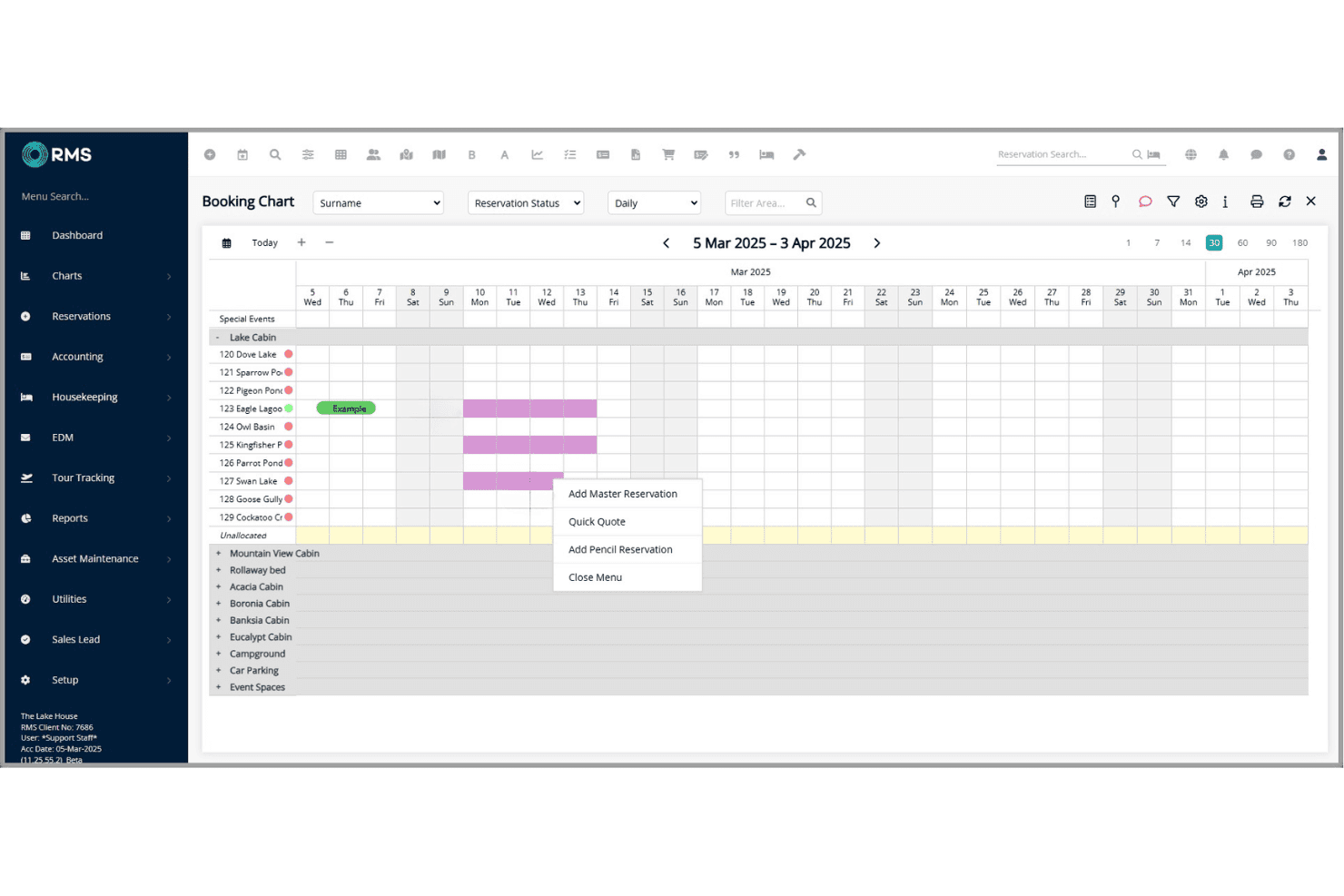
In my experience, RMS is user-friendly for daily tasks like check-ins, but the depth of options can feel complex at first. Features like the drag-and-drop tape chart and guest messaging are intuitive, yet some users mention the setup and reporting tools take extra time to master.
Overall, I think staff will find routine functions quick, but power users benefit most from its advanced controls.
Integrations
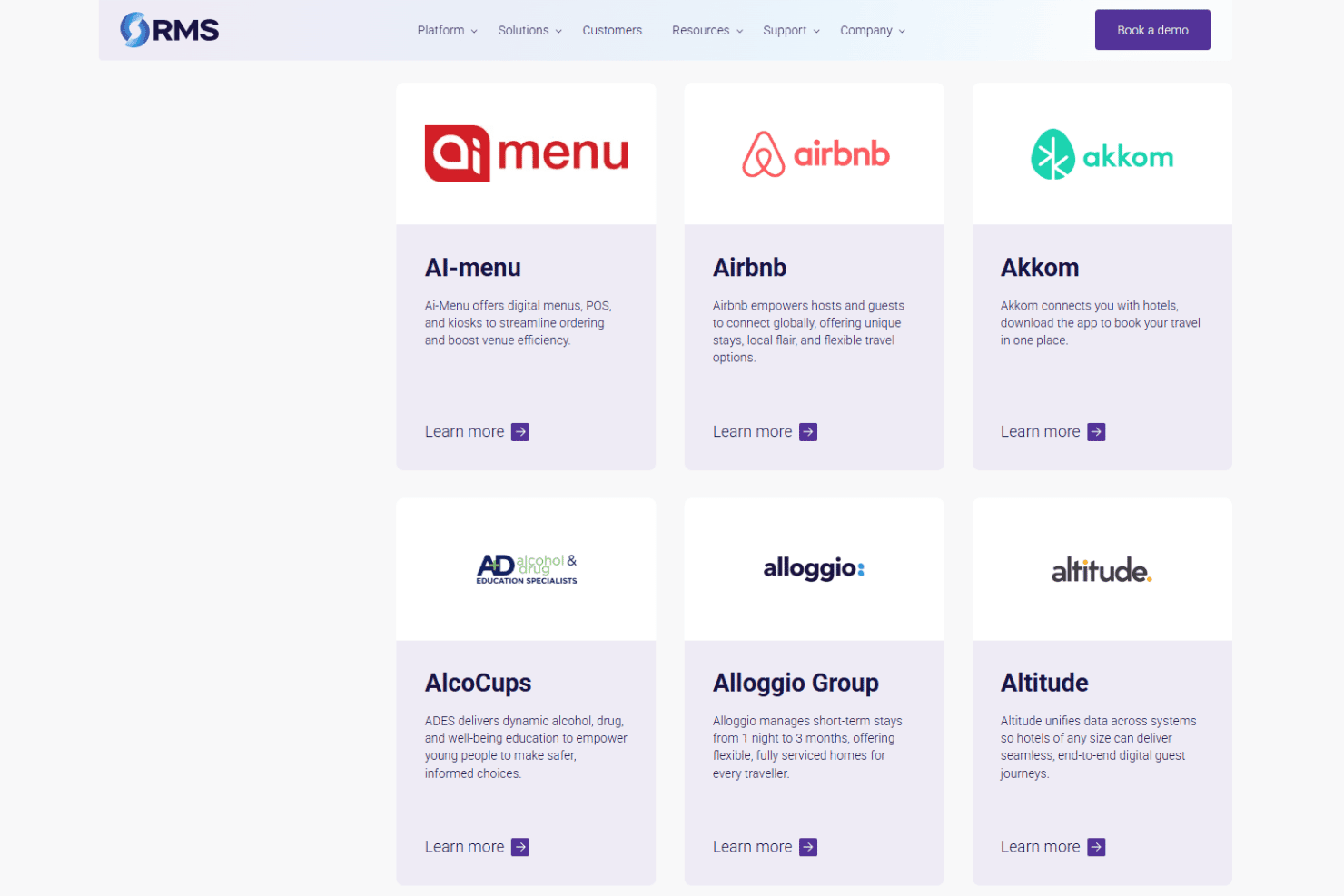
RMS integrates with RoomPriceGenie, 4WiFi, 934 Systems, AdriaScan, Agoda, Ai-Menu, Airbnb, Advance, Altitude, and Alloggio Group, among others.
RMS also offers a REST API so you can build custom connections to other products.
RMS Specs
- API: Yes
- Budgeting: Yes
- Calendar Management: Yes
- Compliance Tracking: Yes
- Contact Management: Yes
- Customer Management: Yes
- Dashboard: Yes
- Data Export: Yes
- Data Import: Yes
- Data Visualization: Yes
- Document Management: Yes
- Expense Tracking: Yes
- External Integrations: Yes
- Forecasting: Yes
- Inventory Tracking: Yes
- Multi-Currency: Yes
- Multi-User: Yes
- Notifications: Yes
- Organization Management: Yes
- Payment Processor: Yes
- Payroll: No
- Scheduling: Yes
- Supplier Management: Yes
- Tax Management: Yes
- Workflow Management: Yes


