

Reseña de Virtual PRO 2026: Ventajas, Desventajas, Características y Precios
Virtual PRO es un software de gestión de eventos diseñado para eventos virtuales e híbridos, que ofrece herramientas para la participación, producción y análisis. Descubre cómo ayuda a los equipos a crear mejores experiencias en eventos.

Revisamos las herramientas de forma independiente, y las comisiones ayudan a financiar nuestras pruebas. Consulta nuestra política de transparencia, nuestra metodología o sugiere una herramienta.
Virtual PRO is an event management software built for hotel teams coordinating property-level events, from banquets and conferences to private dining and corporate retreats. I'd consider it if your team handles events in-house and needs a tool designed around hospitality operations rather than a general enterprise platform. If you've looked at Cvent, Virtual PRO is worth a closer look—Cvent is built for large-scale, multi-event programs, while Virtual PRO focuses on the property-level workflows that hotel event teams actually deal with day to day.
Virtual PRO Evaluation Summary
4.6/5
- From $15,000/year
- Free demo available
Por qué confiar en nuestras recomendaciones de software
6,700+
Reviews
20
Industry experts
16+
Evaluation factors
14
Years
Nuestro equipo lleva probando y evaluando software desde 2012. Como líderes del sector hotelero, sabemos lo difícil —y lo importante— que es elegir el software adecuado.
Para esta guía, evaluamos las herramientas mediante pruebas prácticas e investigación independiente, puntuando las herramientas según nuestros criterios de selección.
Nuestras reseñas reflejan nuestro criterio editorial humano, no un discurso de ventas.
Virtual PRO Overview
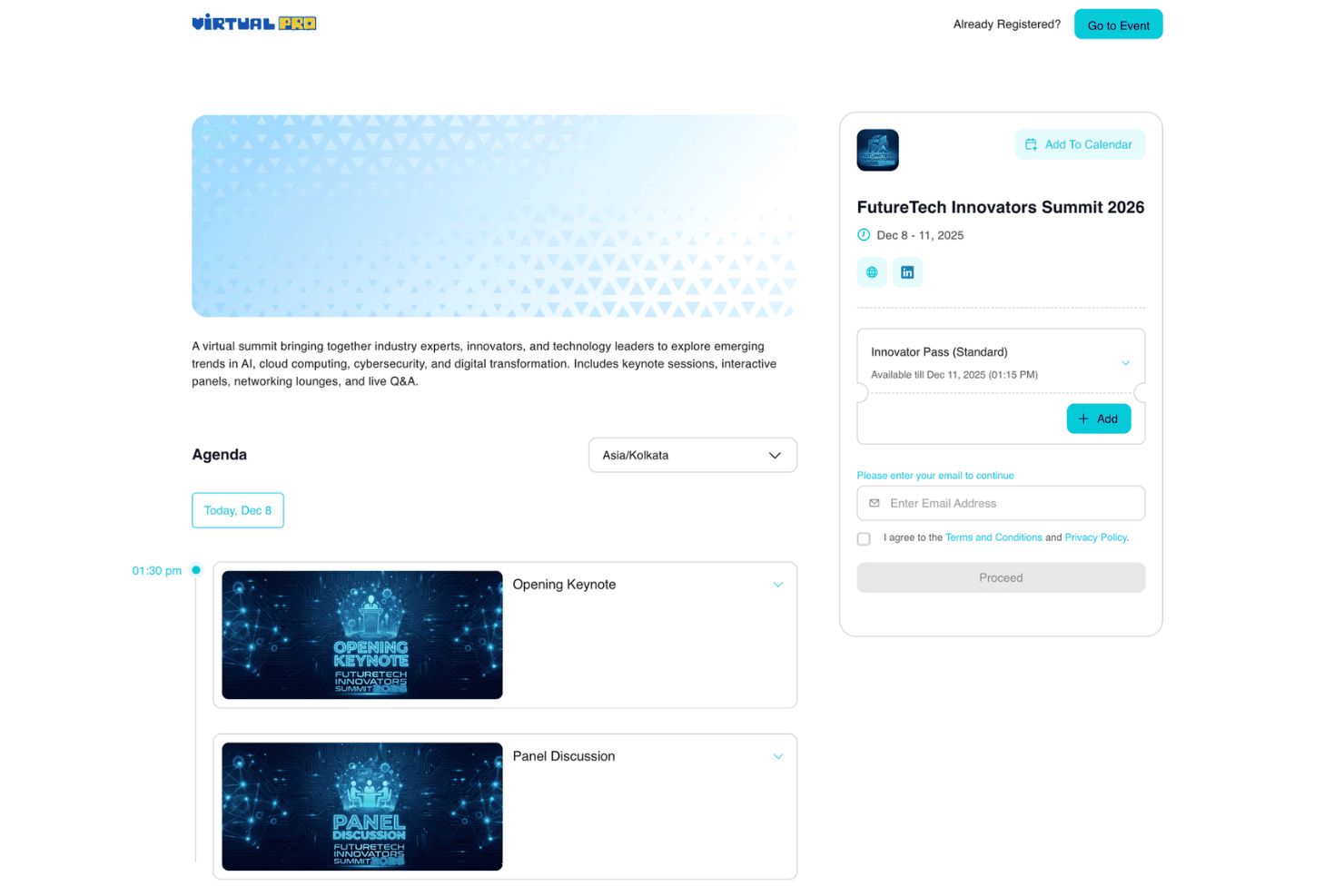
In my opinion, Virtual PRO stands out for its virtual event production tools, audience engagement features, and structured event workflows. Its interface makes it easier for teams to create branded online experiences, manage attendees, and measure engagement.
While it may not be the best fit for teams focused only on in-person venue management, it works well for organizations running virtual events, webinars, and hybrid experiences.
Pros
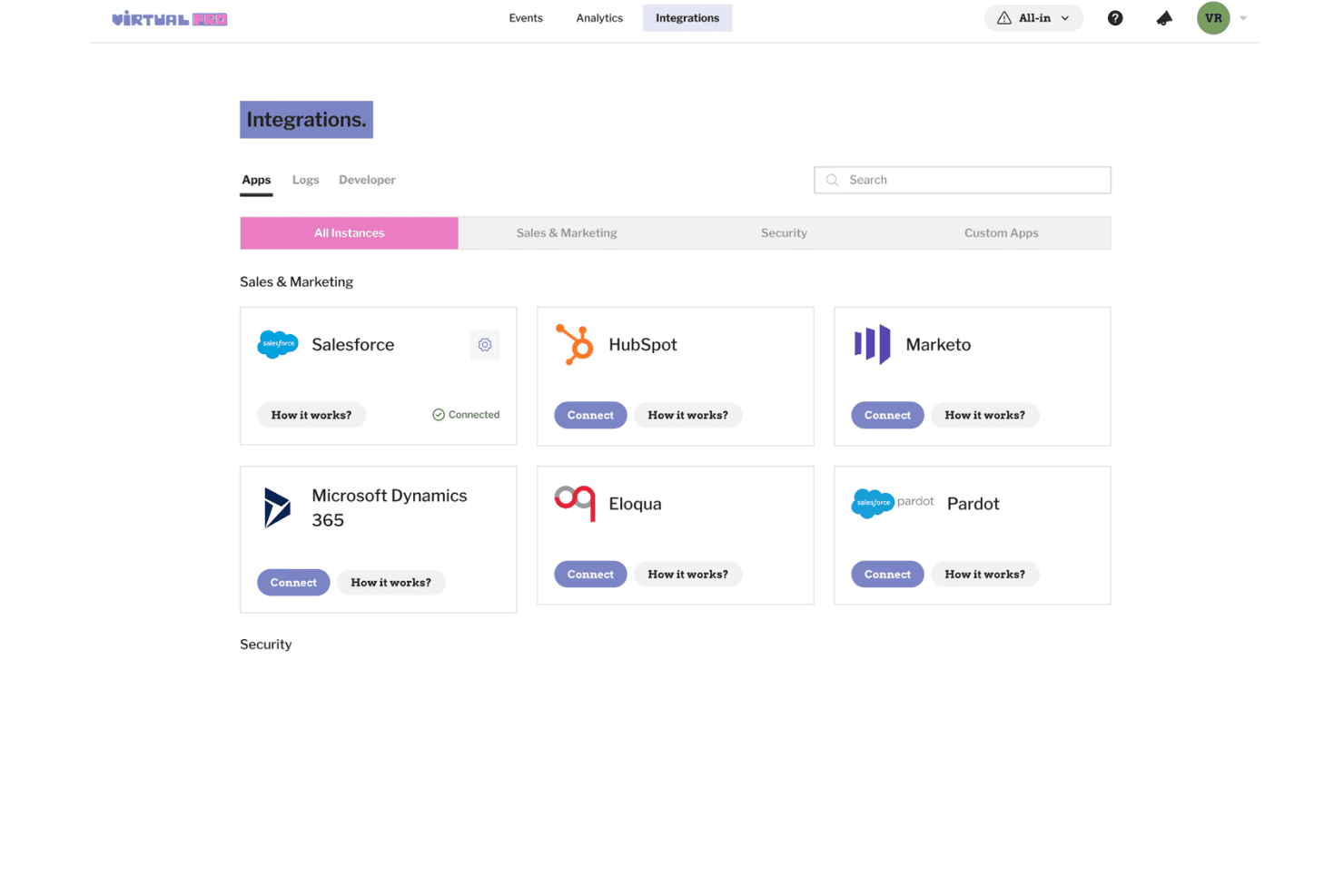
- Centralizes event registration, audience engagement, and event management tools
- Provides analytics for tracking attendee activity and event performance
- Supports branded virtual experiences with interactive engagement features
Cons
- Event reporting options are limited compared to other platforms
- No integrated mobile app for attendee experience
- Payment processing setup can be complex for first-time users
Is Virtual PRO Right For Your Needs?
Who Would be a Good Fit for Virtual PRO?
Virtual PRO is a great choice for hospitality, higher education, large venues, and organizations that run frequent or complex multi-day events. I think event teams needing central registration, detailed analytics, or sponsor management will benefit the most. Its blend of ease-of-use and advanced workflow tools matches teams that want both control and flexibility for recurring, mid-to-large scale events.
- Hotels and ResortsEvent management and guest communications are all handled in a single platform, saving time for hospitality teams.
- Corporate Event PlannersLarge-scale agenda and attendee tracking, plus custom branding and sponsor modules, suit professional meetings or conferences.
- UniversitiesYou can organize multi-day academic events or campus activities with advanced scheduling and automated notifications for students and staff.
- Convention CentersThe robust dashboard and session management tools make it easy to coordinate high-capacity, multi-room conventions.
- Nonprofit OrganizationsCustom workflows and affordable tiers help nonprofits manage fundraisers, galas, or donor events on a budget.
- Marketing DepartmentsGreat for teams designing branded product launches, workshops, or roadshows with integrated promotion and registration.
Who Would be a Bad Fit for Virtual PRO?
Virtual PRO may not fit every event type or scale, especially for pop-up gatherings, very small teams, or organizations needing deep custom code-level control. I don’t recommend it for use cases where mobile-first apps, on-site badge printing, or hands-on tech integration are must-haves, as its feature set is best for structured, broad events over ultra-niche use.
- Small Social ClubsOverly complex and feature-rich for simple monthly gatherings or clubs with under 20 people.
- Freelancer Event PlannersThe platform’s cost and advanced tools aren’t justified for one-person operations running occasional small events.
- Music FestivalsNo native mobile app or real-time mapping makes it less useful for large, highly mobile outdoor events.
- Trade Show ExhibitorsLacks fine-tuned lead tracking and badge printing tools exhibitors need for trade show booth management.
- Pop-Up ShopsBurdensome setup and unnecessary analytics for one-day, single-location events with no registration required.
- Tech StartupsCompanies needing open APIs for custom event app development or in-depth integration with proprietary systems will feel limited.
Cómo Probamos y Puntamos Herramientas
Hemos pasado años construyendo, refinando y mejorando nuestro sistema de pruebas y puntuación de software. La rúbrica está diseñada para capturar las particularidades de la selección de software y lo que hace que una herramienta sea efectiva, enfocándose en aspectos críticos del proceso de toma de decisiones. A continuación, puedes ver exactamente cómo funcionan nuestras pruebas y puntuaciones en siete criterios. Nos permite proporcionar una evaluación imparcial del software basada en funcionalidad principal, características destacadas, facilidad de uso, incorporación, soporte al cliente, integraciones, opiniones de clientes y relación calidad-precio.
Funcionalidad Principal (25% de la puntuación final)
El punto de partida de nuestra evaluación es siempre la funcionalidad principal de la herramienta. ¿Tiene las características y funciones básicas que un usuario esperaría ver? ¿Alguna de esas funciones básicas está limitada a planes de precios superiores? En esencia, esperamos que una herramienta esté a la altura de las capacidades mínimas de sus competidores.
Características Destacadas (25% de la puntuación final)
Luego, evaluamos las características destacadas poco comunes que van más allá de la funcionalidad principal, típicamente encontrada en herramientas de su tipo. Una puntuación alta refleja funciones especializadas o únicas que hacen que el producto sea más rápido, eficiente u ofrezca valor adicional al usuario. También evaluamos lo fácil que resulta integrar con otras herramientas normalmente presentes en el paquete tecnológico para ampliar la funcionalidad y utilidad del software. Las herramientas con abundantes integraciones nativas, conexiones de terceros y acceso a API para crear integraciones personalizadas obtienen la mejor puntuación.
Facilidad de Uso (10% de la puntuación final)
Consideramos qué tan rápido y fácil es ejecutar las tareas definidas en la funcionalidad principal usando la herramienta. El software que obtiene una puntuación alta está bien diseñado, es intuitivo de usar, ofrece aplicaciones móviles, proporciona plantillas y hace que tareas relativamente complejas parezcan sencillas.
Incorporación (10% de la puntuación final)
Sabemos lo importante que es la adopción rápida del equipo para una nueva plataforma, por eso evaluamos la facilidad para aprender y usar una herramienta con mínima capacitación. Analizamos qué tan rápido un miembro del equipo puede configurarse y comenzar a usar la herramienta sin experiencia. Las soluciones que obtienen una puntuación alta requieren poco o ningún soporte.
Soporte al Cliente (10% de la puntuación final)
Revisamos qué tan rápido y fácil es obtener ayuda por teléfono, chat en vivo o base de conocimientos. Las herramientas y empresas que ofrecen soporte en tiempo real obtienen la mejor puntuación, mientras que los chatbots obtienen la peor.
Opiniones de Clientes (10% de la puntuación final)
Más allá de nuestras propias pruebas y evaluaciones, consideramos el índice neto de promotores de clientes actuales y anteriores. Analizamos la probabilidad de que elijan la herramienta de nuevo para la función principal. Un software con alta puntuación refleja un alto índice neto de promotores de clientes actuales o anteriores.
Relación Calidad-Precio (10% de la puntuación final)
Por último, considerando todos los demás criterios, revisamos el precio promedio de los planes iniciales frente a las características principales y valoramos los otros criterios de evaluación. El software que ofrece más por menos obtiene una mejor puntuación.
Core Features
Branded Event Experiences
Create customized virtual event spaces with branded designs, content, and attendee experiences. Virtual PRO helps teams deliver polished online and hybrid events at scale.
Session Management
Build multi-session events with speakers, content, and structured programming. Teams can organize event experiences while keeping attendees engaged.
Audience Networking Tools
Create networking opportunities through 1:1 matchmaking, rooms, roundtables, lounges, and private meetings. Attendees can connect and collaborate throughout the event.
Sponsor and Exhibitor Management
Create sponsor experiences with virtual booths and engagement options. Teams can showcase sponsors and encourage audience interactions.
Live Streaming and Production Tools
Host virtual sessions with streaming tools, production support, and interactive event features. Virtual PRO helps teams deliver professional online events.
Event Analytics
Track attendee activity, session performance, and engagement insights. Teams can use event data to measure results and improve future experiences.
Ease of Use
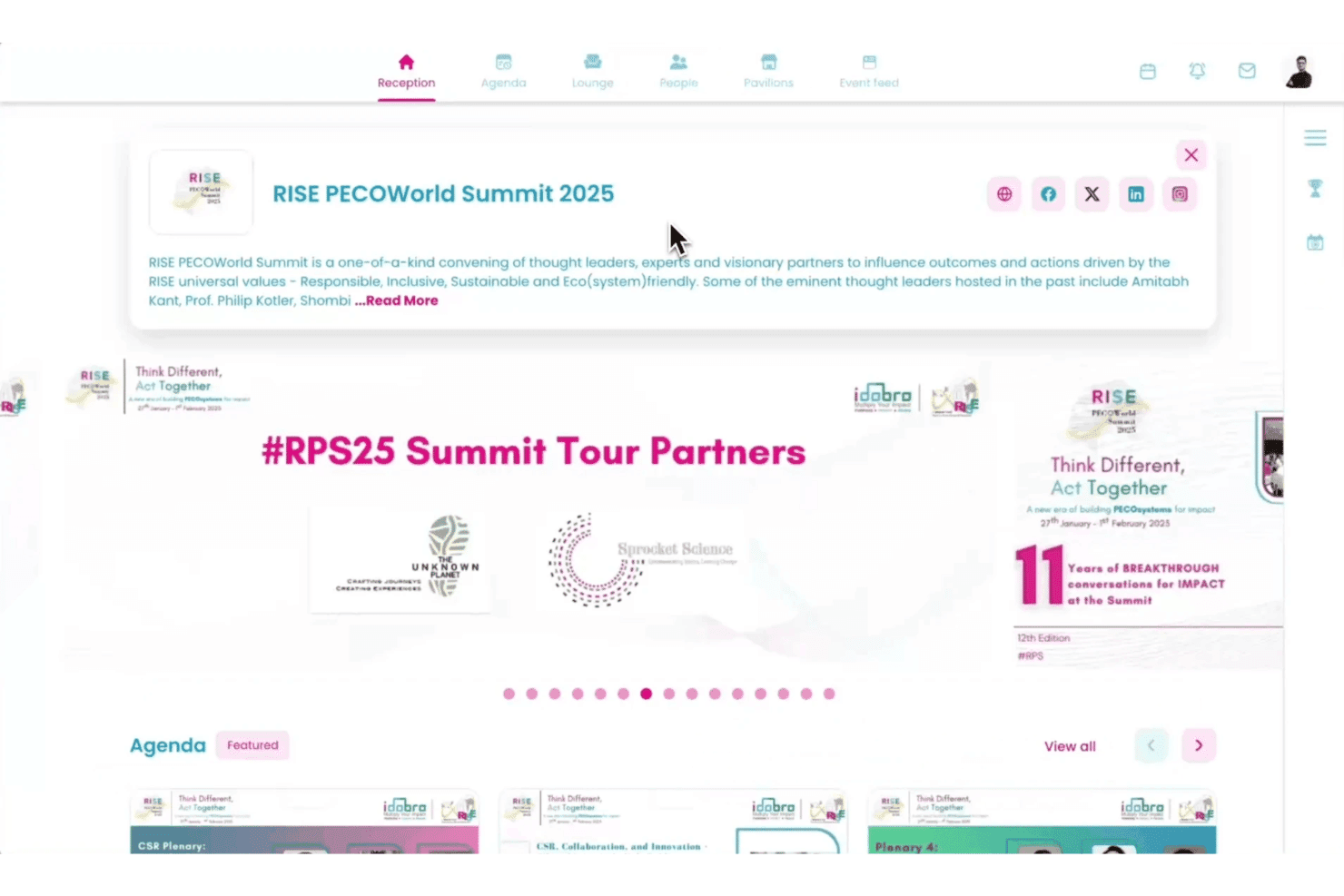
Virtual PRO’s clean interface and organized workflows make it easy for event teams to create and manage virtual experiences. I find features like attendee tracking, session management, and engagement tools help users handle event tasks without navigating complex menus.
Users highlight the platform’s straightforward setup and support resources as helpful for launching events faster.
Integrations
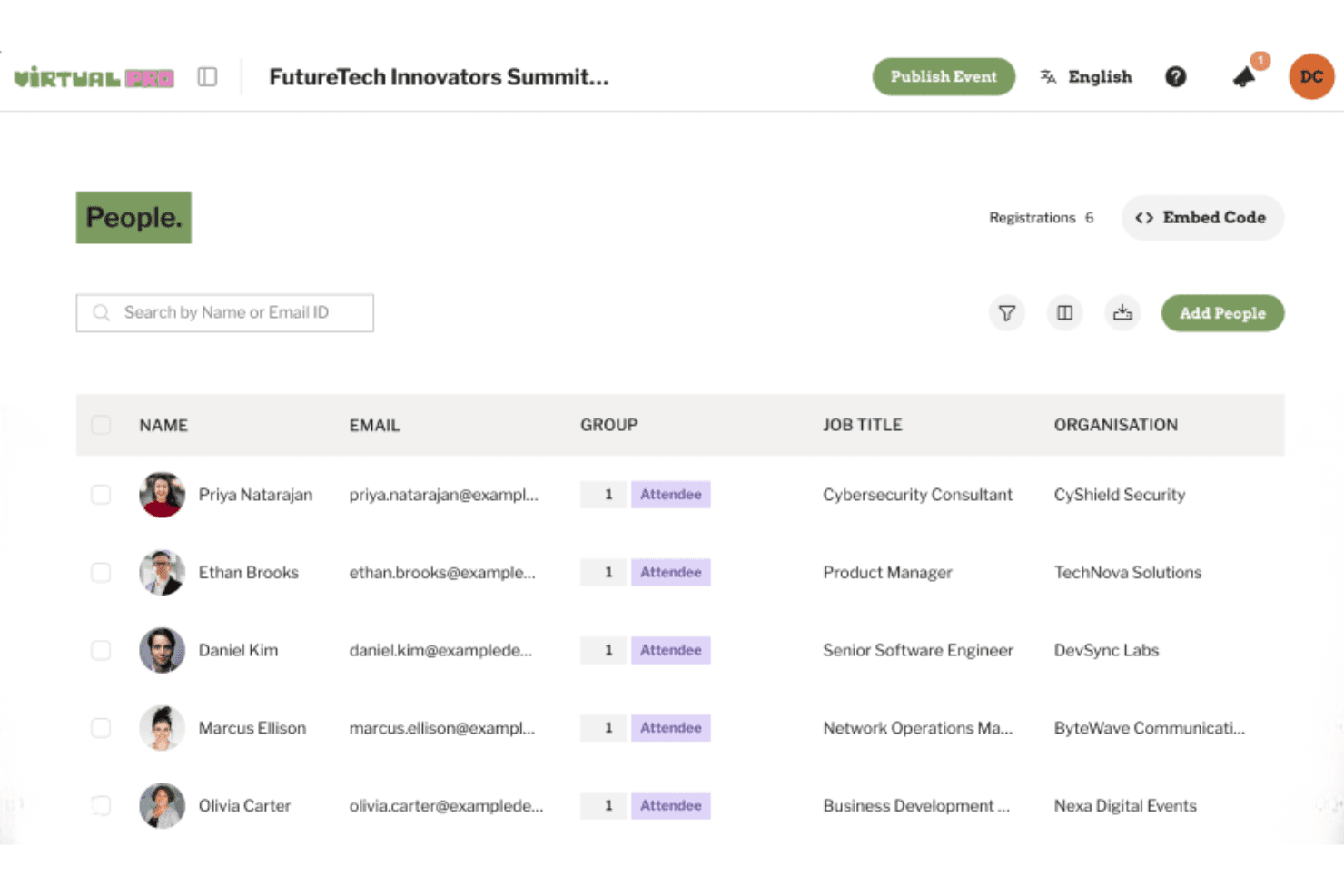
Virtual PRO integrates with Salesforce, HubSpot, Marketo, Microsoft Dynamics 365, Eloqua, Pardot, and other tools to support event data syncing and marketing workflows.
Virtual PRO also offers developer tools and API support for custom integrations based on event and enterprise requirements.
Virtual PRO Specs
- Accounts Payable: No
- Accounts Receivable: No
- API: Yes
- Audience Targeting: No
- Budgeting: No
- Calendar Management: Yes
- Contact Management: No
- Customer Management: No
- Dashboard: Yes
- Data Export: Yes
- Data Import: Yes
- Data Visualization: No
- Expense Tracking: No
- External Integrations: Yes
- Forecasting: No
- General Account Ledger: No
- Inventory Tracking: No
- Lead Management: Yes
- Lead Scoring: No
- Marketing Automation: No
- Multi-User: Yes
- Notifications: Yes
- Project Management: No
- Scheduling: Yes
- Social-Media Integration: No
- Supplier Management: No
- Third-Party Plugins/Add-Ons: Yes
- Travel Management: No


