
Reseña de vFairs: Ventajas, Desventajas, Características y Precios
vFairs reúne la gestión de eventos virtuales, híbridos y presenciales en una sola plataforma, combinando espacios de eventos personalizables, herramientas de participación para asistentes y funciones de networking para garantizar experiencias de evento fluidas.

Revisamos las herramientas de forma independiente, y las comisiones ayudan a financiar nuestras pruebas. Consulta nuestra política de transparencia, nuestra metodología o sugiere una herramienta.
vFairs is an event management software built for teams that need to host virtual, hybrid, and in-person events with registration, ticketing, networking, and analytics in one place. I'd consider it if your property runs conferences, trade shows, or corporate events and you want more customization and flexibility than Cvent offers—without the enterprise price tag and implementation complexity that comes with it.
vFairs Evaluation Summary
4.7/5
- Pricing upon request
- Free demo available
Por qué confiar en nuestras recomendaciones de software
6,700+
Reviews
20
Industry experts
16+
Evaluation factors
14
Years
Nuestro equipo lleva probando y evaluando software desde 2012. Como líderes del sector hotelero, sabemos lo difícil —y lo importante— que es elegir el software adecuado.
Para esta guía, evaluamos las herramientas mediante pruebas prácticas e investigación independiente, puntuando las herramientas según nuestros criterios de selección.
Nuestras reseñas reflejan nuestro criterio editorial humano, no un discurso de ventas.
vFairs Overview
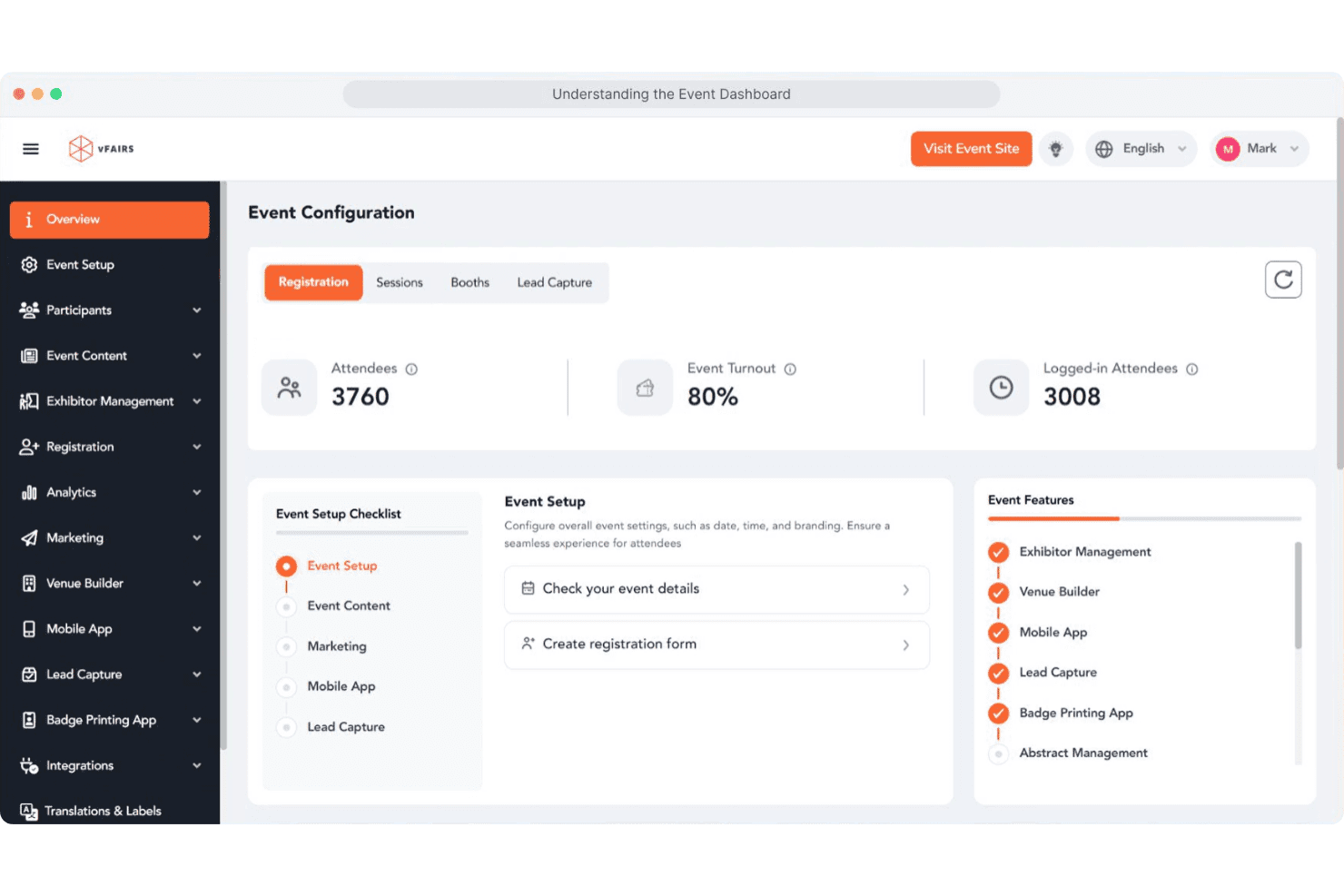
I think vFairs is a top pick if you want a visually engaging, all-in-one event management platform with strong support and easy onboarding. Its 3D virtual venues, interactive booths, and networking tools set it apart, especially for large-scale or hybrid events. Pricing is higher than some, but you get hands-on help and customization.
I’d suggest vFairs for hotels hosting conferences, expos, or multi-session events where attendee engagement and branded experiences matter most. If you need deep integrations or advanced analytics, you might find some limits compared to other options.
Pros
- You can create highly customizable virtual event environments that engage attendees.
- Your team will appreciate the intuitive interface that makes managing events straightforward.
- You get access to robust analytics tools that help track and improve event performance.
Cons
- Users often find the initial setup process time-consuming.
- Some report that the platform can be overwhelming due to its extensive features.
- You might experience occasional technical glitches during live events.
Is vFairs Right For Your Needs?
Who Would be a Good Fit for vFairs?
Vfairs is perfect for large enterprises, educational institutions, and tech companies looking to host dynamic virtual and hybrid events. Your marketing teams and HR departments will benefit from its customizable environments and robust analytics.
If your work involves engaging large audiences or providing complex event experiences, Vfairs’s comprehensive features make it a top choice. Its ability to handle extensive attendee lists and provide interactive elements helps your team deliver memorable events.
- Large EnterprisesYour enterprise can manage complex events with Vfairs’s scalable and customizable solutions.
- Educational InstitutionsYou can host virtual fairs and conferences that engage students and staff with interactive tools.
- Tech CompaniesYour tech firm can showcase products and build networks using Vfairs’s detailed analytics and custom branding.
- Marketing TeamsYou can create engaging virtual experiences that captivate audiences and collect valuable insights.
- Human Resources DepartmentsYou can organize virtual job fairs and training sessions that enhance employee engagement and recruitment.
- Nonprofit OrganizationsYour nonprofit can reach broader audiences with cost-effective virtual fundraising and awareness events.
Who Would be a Bad Fit for vFairs?
Small businesses or teams with limited resources might find Vfairs overwhelming due to its extensive feature set and initial setup demands. If your events are small-scale or simple, you might not need the advanced capabilities Vfairs offers. Additionally, organizations that require quick, straightforward virtual meetings without the need for customization or analytics might find Vfairs’s comprehensive tools unnecessary.
- Small BusinessesYour small team might not need the full range of features or find Vfairs cost-effective for simple events.
- FreelancersAs an individual, you might find the platform’s complexity excessive for basic event needs.
- Local MeetupsFor local gatherings, the extensive customization and analytics might be more than you require.
- Short-term ProjectsIf your project demands quick execution, Vfairs’s setup time might not be suitable.
- Ad-hoc MeetingsFor spontaneous meetings, Vfairs’s detailed features might slow down the process.
- Basic WebinarsIf your webinars are straightforward, Vfairs’s advanced tools might be unnecessary.
Cómo Probamos y Puntamos Herramientas
Hemos pasado años construyendo, refinando y mejorando nuestro sistema de pruebas y puntuación de software. La rúbrica está diseñada para capturar las particularidades de la selección de software y lo que hace que una herramienta sea efectiva, enfocándose en aspectos críticos del proceso de toma de decisiones. A continuación, puedes ver exactamente cómo funcionan nuestras pruebas y puntuaciones en siete criterios. Nos permite proporcionar una evaluación imparcial del software basada en funcionalidad principal, características destacadas, facilidad de uso, incorporación, soporte al cliente, integraciones, opiniones de clientes y relación calidad-precio.
Funcionalidad Principal (25% de la puntuación final)
El punto de partida de nuestra evaluación es siempre la funcionalidad principal de la herramienta. ¿Tiene las características y funciones básicas que un usuario esperaría ver? ¿Alguna de esas funciones básicas está limitada a planes de precios superiores? En esencia, esperamos que una herramienta esté a la altura de las capacidades mínimas de sus competidores.
Características Destacadas (25% de la puntuación final)
Luego, evaluamos las características destacadas poco comunes que van más allá de la funcionalidad principal, típicamente encontrada en herramientas de su tipo. Una puntuación alta refleja funciones especializadas o únicas que hacen que el producto sea más rápido, eficiente u ofrezca valor adicional al usuario. También evaluamos lo fácil que resulta integrar con otras herramientas normalmente presentes en el paquete tecnológico para ampliar la funcionalidad y utilidad del software. Las herramientas con abundantes integraciones nativas, conexiones de terceros y acceso a API para crear integraciones personalizadas obtienen la mejor puntuación.
Facilidad de Uso (10% de la puntuación final)
Consideramos qué tan rápido y fácil es ejecutar las tareas definidas en la funcionalidad principal usando la herramienta. El software que obtiene una puntuación alta está bien diseñado, es intuitivo de usar, ofrece aplicaciones móviles, proporciona plantillas y hace que tareas relativamente complejas parezcan sencillas.
Incorporación (10% de la puntuación final)
Sabemos lo importante que es la adopción rápida del equipo para una nueva plataforma, por eso evaluamos la facilidad para aprender y usar una herramienta con mínima capacitación. Analizamos qué tan rápido un miembro del equipo puede configurarse y comenzar a usar la herramienta sin experiencia. Las soluciones que obtienen una puntuación alta requieren poco o ningún soporte.
Soporte al Cliente (10% de la puntuación final)
Revisamos qué tan rápido y fácil es obtener ayuda por teléfono, chat en vivo o base de conocimientos. Las herramientas y empresas que ofrecen soporte en tiempo real obtienen la mejor puntuación, mientras que los chatbots obtienen la peor.
Opiniones de Clientes (10% de la puntuación final)
Más allá de nuestras propias pruebas y evaluaciones, consideramos el índice neto de promotores de clientes actuales y anteriores. Analizamos la probabilidad de que elijan la herramienta de nuevo para la función principal. Un software con alta puntuación refleja un alto índice neto de promotores de clientes actuales o anteriores.
Relación Calidad-Precio (10% de la puntuación final)
Por último, considerando todos los demás criterios, revisamos el precio promedio de los planes iniciales frente a las características principales y valoramos los otros criterios de evaluación. El software que ofrece más por menos obtiene una mejor puntuación.
Core Features
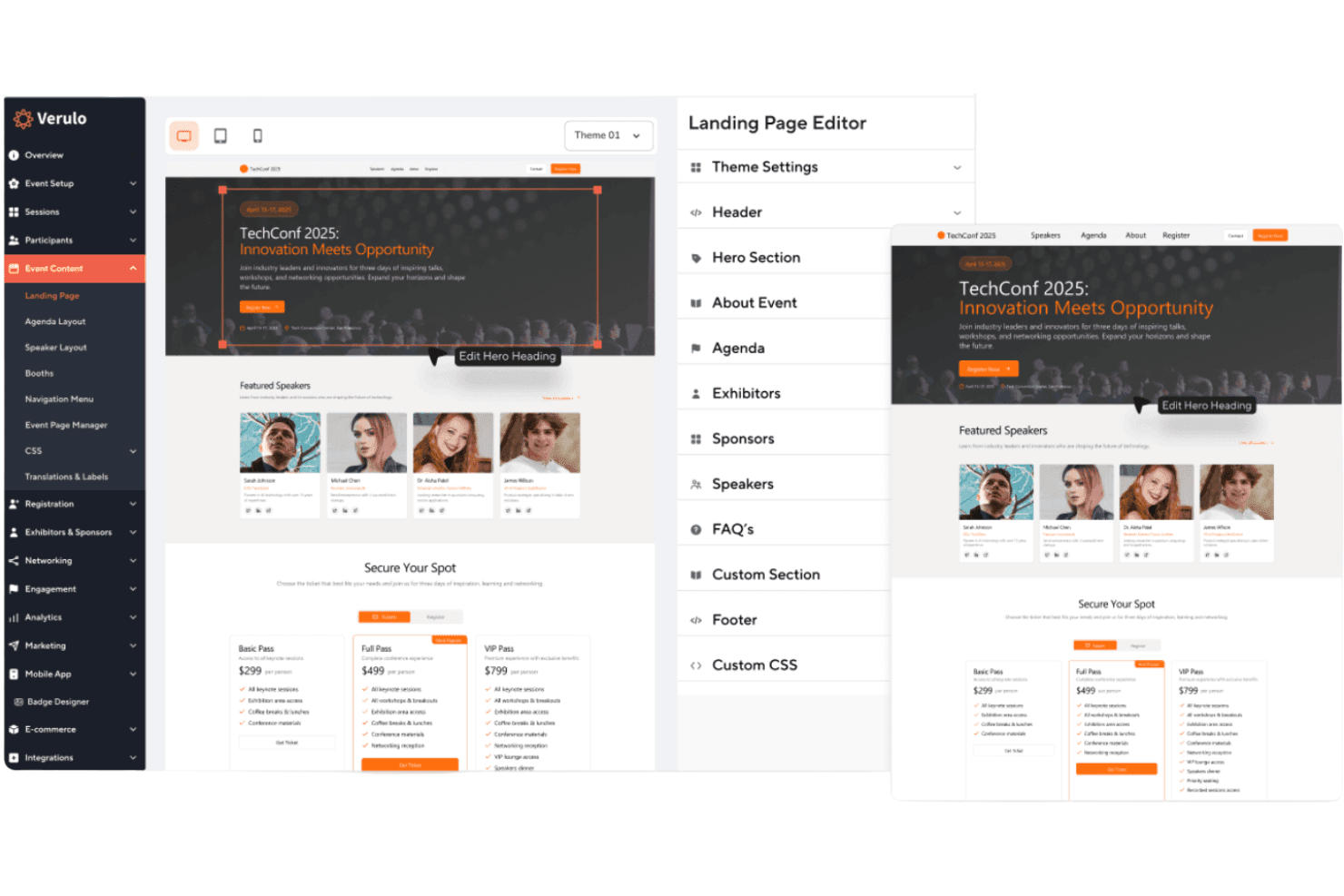
Custom-Branded Event Websites
Create fully branded event websites with custom registration forms and ticketing options.
3D Virtual Venues
Host immersive virtual events with customizable 3D environments and interactive exhibit halls.
Badge Printing and Check-In
Use instant badge printing and self-service kiosks for fast, secure onsite check-in.
Mobile Event App
Offer attendees a branded mobile app for agendas, networking, and lead capture.
Exhibitor and Sponsor Management
Give sponsors and exhibitors their own portals to manage content and track meetings.
Dedicated Project Manager
Work with a project manager for setup, configuration, and live event support.
Ease of Use
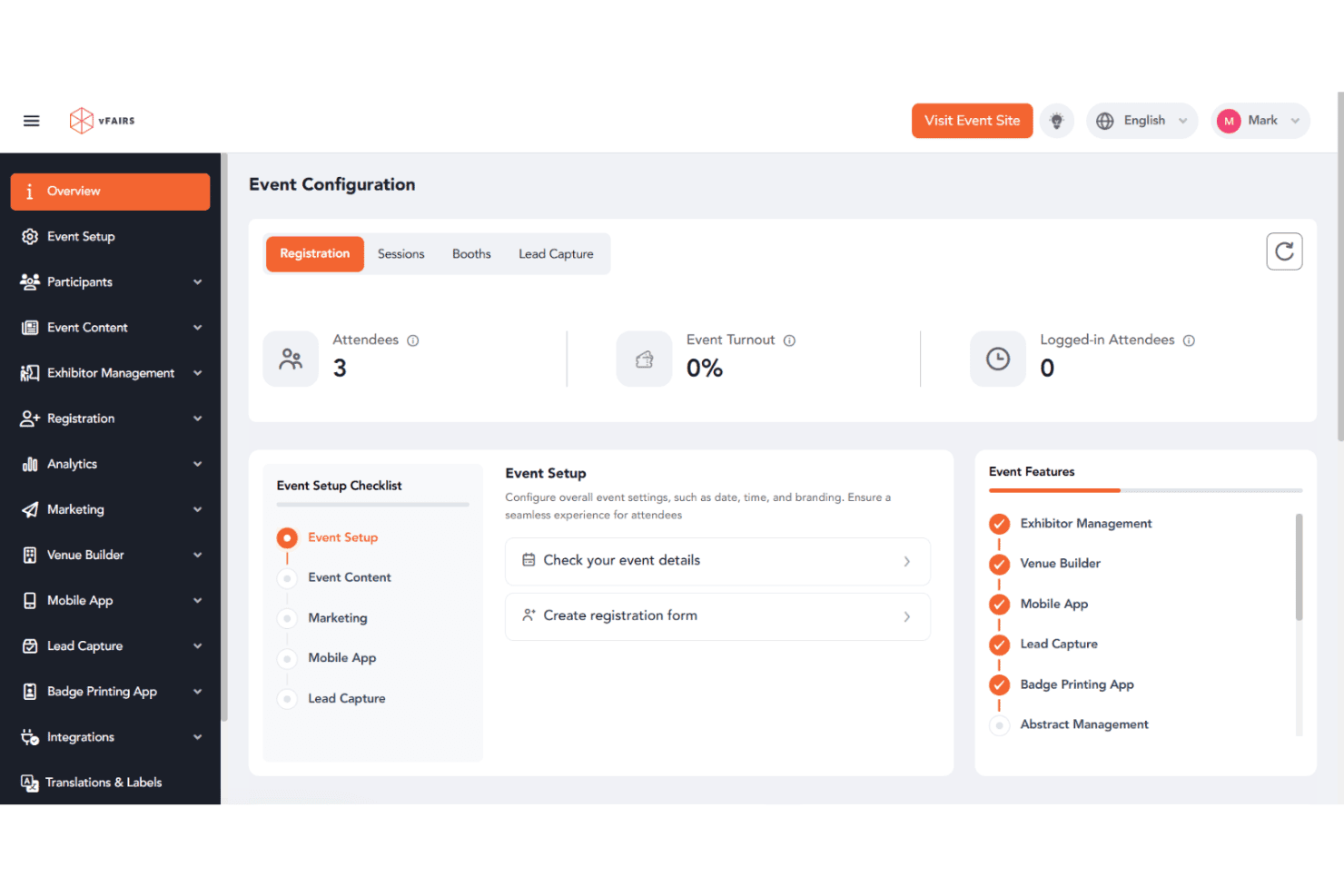
vFairs is user-friendly, especially for event organizers who want hands-on support and guided onboarding. The interface is clean, and most users say setup is straightforward thanks to dedicated project managers and detailed walkthroughs. Attendees find navigation intuitive, whether joining via desktop or mobile.
Some users mention minor challenges with the mobile app, but overall, vFairs makes it easy to manage complex events without needing deep technical skills.
Integrations
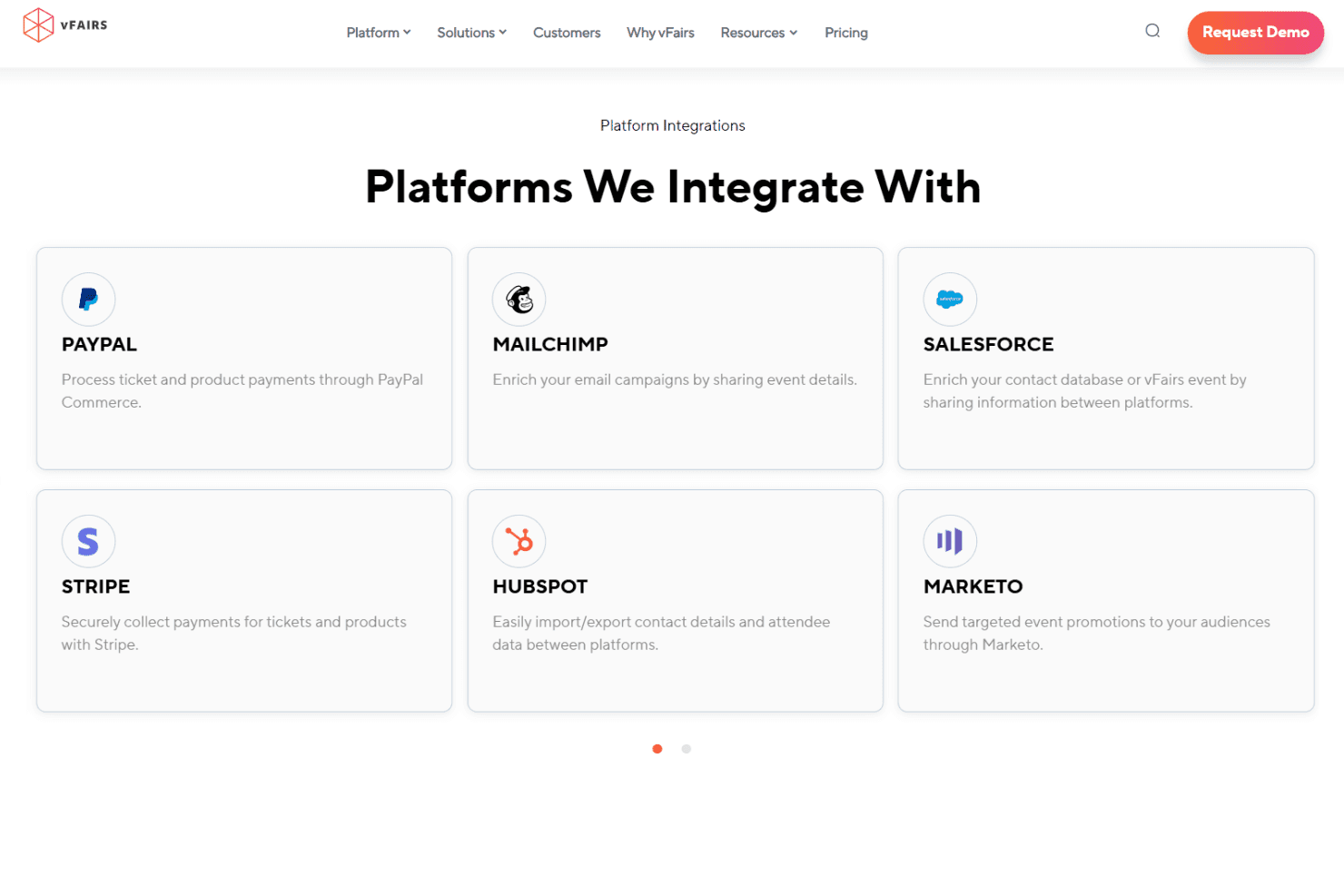
vFairs integrates with Zoom, Webex, Microsoft Teams, Salesforce, HubSpot, Mailchimp, Stripe, PayPal, Marketo, and Slido, among others.
vFairs also offers a RESTful API and connects with thousands of apps through Zapier and custom integrations.
vFairs Specs
- 2-Factor Authentication: Yes
- 360 Degree Feedback: No
- API: Yes
- Application Tracking: Yes
- Attendance Tracking: Yes
- Batch Permissions & Access: No
- Compliance Tracking: No
- Dashboard: Yes
- Data Export: Yes
- Data Import: Yes
- Data Visualization: Yes
- Employee Database: No
- Employee Engagement: No
- Employee Incentive Management: No
- Employee Onboarding: Yes
- Employee Training: Yes
- Expense Tracking: No
- External Integrations: Yes
- Feedback Management: Yes
- Multi-User: Yes
- Notifications: Yes
- Payroll: No
- Performance Appraisal: No
- Scheduling: Yes
- Time Management: No
- Timesheets: No
- Travel Management: No
- Vacation & Absence Calendar: No


