

Virtual PRO Review: Pros, Cons, Features and Pricing
Virtual PRO is an event management software designed for virtual and hybrid events, offering tools for engagement, production, and analytics. Learn how it helps teams create better event experiences.

We review tools independently, and commissions help fund our testing. See our transparency policy, our methodology, or suggest a tool.
Virtual PRO is an event management software built for hotel teams coordinating property-level events, from banquets and conferences to private dining and corporate retreats. I'd consider it if your team handles events in-house and needs a tool designed around hospitality operations rather than a general enterprise platform. If you've looked at Cvent, Virtual PRO is worth a closer look—Cvent is built for large-scale, multi-event programs, while Virtual PRO focuses on the property-level workflows that hotel event teams actually deal with day to day.
Virtual PRO Evaluation Summary
4.6/5
- From $15,000/year
- Free demo available
Why Trust Our Software Recommendations
6,700+
Reviews
20
Industry experts
16+
Evaluation factors
14
Years
Our team has been testing and reviewing software since 2012. As hospitality leaders ourselves, we know how difficult—and important—it is to choose the right software.
For this guide, we evaluated tools using hands-on testing and independent research, scoring tools using our selection criteria.
Our reviews reflect our human editorial judgment, not a sales pitch.
Virtual PRO Overview
In my opinion, Virtual PRO stands out for its virtual event production tools, audience engagement features, and structured event workflows. Its interface makes it easier for teams to create branded online experiences, manage attendees, and measure engagement.
While it may not be the best fit for teams focused only on in-person venue management, it works well for organizations running virtual events, webinars, and hybrid experiences.
Pros
- Centralizes event registration, audience engagement, and event management tools
- Provides analytics for tracking attendee activity and event performance
- Supports branded virtual experiences with interactive engagement features
Cons
- Event reporting options are limited compared to other platforms
- No integrated mobile app for attendee experience
- Payment processing setup can be complex for first-time users
Is Virtual PRO Right For Your Needs?
Who Would be a Good Fit for Virtual PRO?
Virtual PRO is a great choice for hospitality, higher education, large venues, and organizations that run frequent or complex multi-day events. I think event teams needing central registration, detailed analytics, or sponsor management will benefit the most. Its blend of ease-of-use and advanced workflow tools matches teams that want both control and flexibility for recurring, mid-to-large scale events.
- Hotels and ResortsEvent management and guest communications are all handled in a single platform, saving time for hospitality teams.
- Corporate Event PlannersLarge-scale agenda and attendee tracking, plus custom branding and sponsor modules, suit professional meetings or conferences.
- UniversitiesYou can organize multi-day academic events or campus activities with advanced scheduling and automated notifications for students and staff.
- Convention CentersThe robust dashboard and session management tools make it easy to coordinate high-capacity, multi-room conventions.
- Nonprofit OrganizationsCustom workflows and affordable tiers help nonprofits manage fundraisers, galas, or donor events on a budget.
- Marketing DepartmentsGreat for teams designing branded product launches, workshops, or roadshows with integrated promotion and registration.
Who Would be a Bad Fit for Virtual PRO?
Virtual PRO may not fit every event type or scale, especially for pop-up gatherings, very small teams, or organizations needing deep custom code-level control. I don’t recommend it for use cases where mobile-first apps, on-site badge printing, or hands-on tech integration are must-haves, as its feature set is best for structured, broad events over ultra-niche use.
- Small Social ClubsOverly complex and feature-rich for simple monthly gatherings or clubs with under 20 people.
- Freelancer Event PlannersThe platform’s cost and advanced tools aren’t justified for one-person operations running occasional small events.
- Music FestivalsNo native mobile app or real-time mapping makes it less useful for large, highly mobile outdoor events.
- Trade Show ExhibitorsLacks fine-tuned lead tracking and badge printing tools exhibitors need for trade show booth management.
- Pop-Up ShopsBurdensome setup and unnecessary analytics for one-day, single-location events with no registration required.
- Tech StartupsCompanies needing open APIs for custom event app development or in-depth integration with proprietary systems will feel limited.
How We Test & Score Tools
We’ve spent years building, refining, and improving our software testing and scoring system. The rubric is designed to capture the nuances of software selection and what makes a tool effective, focusing on critical aspects of the decision-making process.
Below, you can see exactly how our testing and scoring works across seven criteria. It allows us to provide an unbiased evaluation of the software based on core functionality, standout features, ease of use, onboarding, customer support, integrations, customer reviews, and value for money.
Core Functionality (25% of final scoring)
The starting point of our evaluation is always the core functionality of the tool. Does it have the basic features and functions that a user would expect to see? Are any of those core features locked to higher-tiered pricing plans? At its core, we expect a tool to stand up against the baseline capabilities of its competitors.
Standout Features (25% of final scoring)
Next, we evaluate uncommon standout features that go above and beyond the core functionality typically found in tools of its kind. A high score reflects specialized or unique features that make the product faster, more efficient, or offer additional value to the user.
We also evaluate how easy it is to integrate with other tools typically found in the tech stack to expand the functionality and utility of the software. Tools offering plentiful native integrations, 3rd party connections, and API access to build custom integrations score best.
Ease of Use (10% of final scoring)
We consider how quick and easy it is to execute the tasks defined in the core functionality using the tool. High scoring software is well designed, intuitive to use, offers mobile apps, provides templates, and makes relatively complex tasks seem simple.
Onboarding (10% of final scoring)
We know how important rapid team adoption is for a new platform, so we evaluate how easy it is to learn and use a tool with minimal training. We evaluate how quickly a team member can get set up and start using the tool with no experience. High scoring solutions indicate little or no support is required.
Customer Support (10% of final scoring)
We review how quick and easy it is to get unstuck and find help by phone, live chat, or knowledge base. Tools and companies that provide real-time support score best, while chatbots score worst.
Customer Reviews (10% of final scoring)
Beyond our own testing and evaluation, we consider the net promoter score from current and past customers. We review their likelihood, given the option, to choose the tool again for the core functionality. A high scoring software reflects a high net promoter score from current or past customers.
Value for Money (10% of final scoring)
Lastly, in consideration of all the other criteria, we review the average price of entry level plans against the core features and consider the value of the other evaluation criteria. Software that delivers more, for less, will score higher.
Core Features
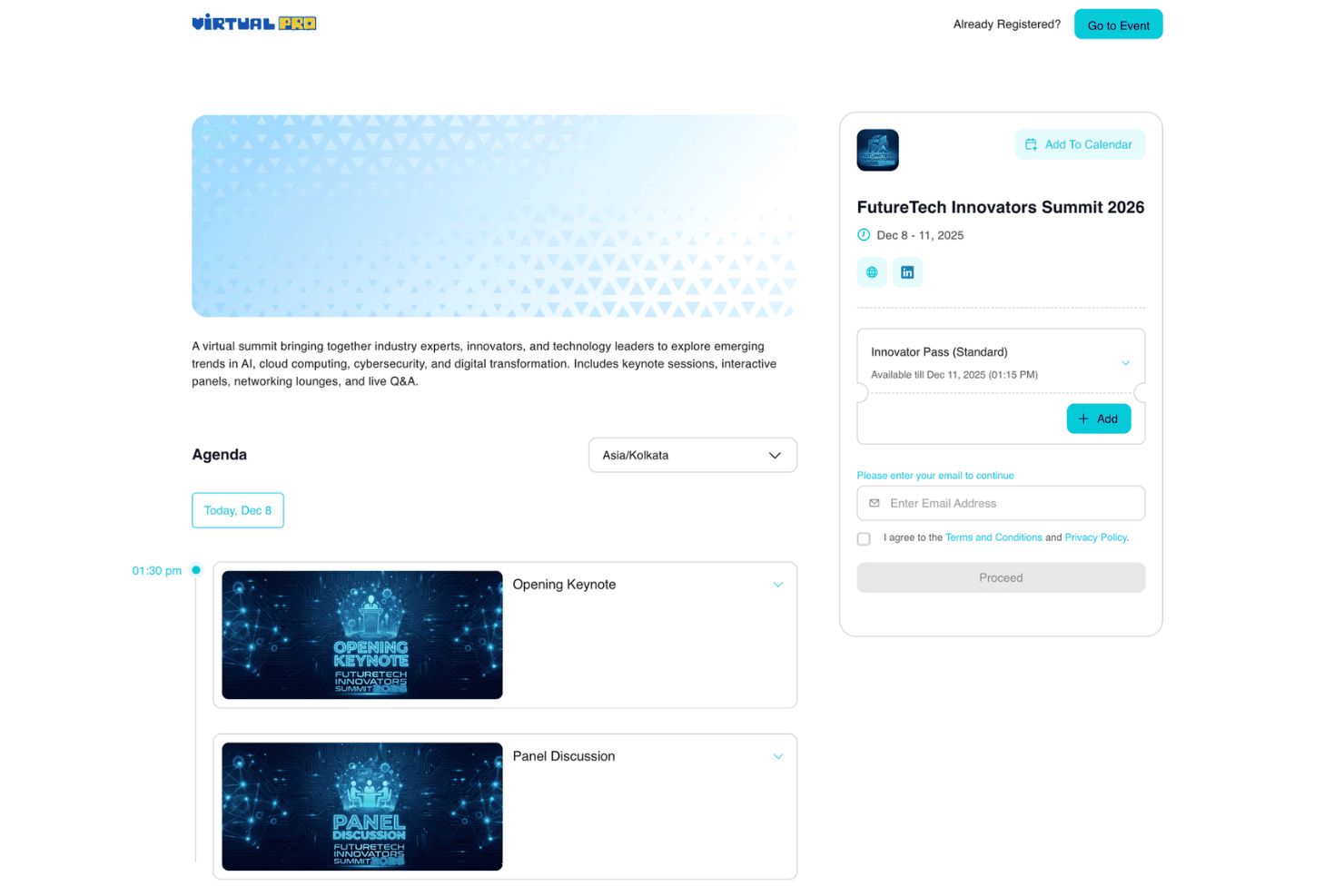
Branded Event Experiences
Create customized virtual event spaces with branded designs, content, and attendee experiences. Virtual PRO helps teams deliver polished online and hybrid events at scale.
Session Management
Build multi-session events with speakers, content, and structured programming. Teams can organize event experiences while keeping attendees engaged.
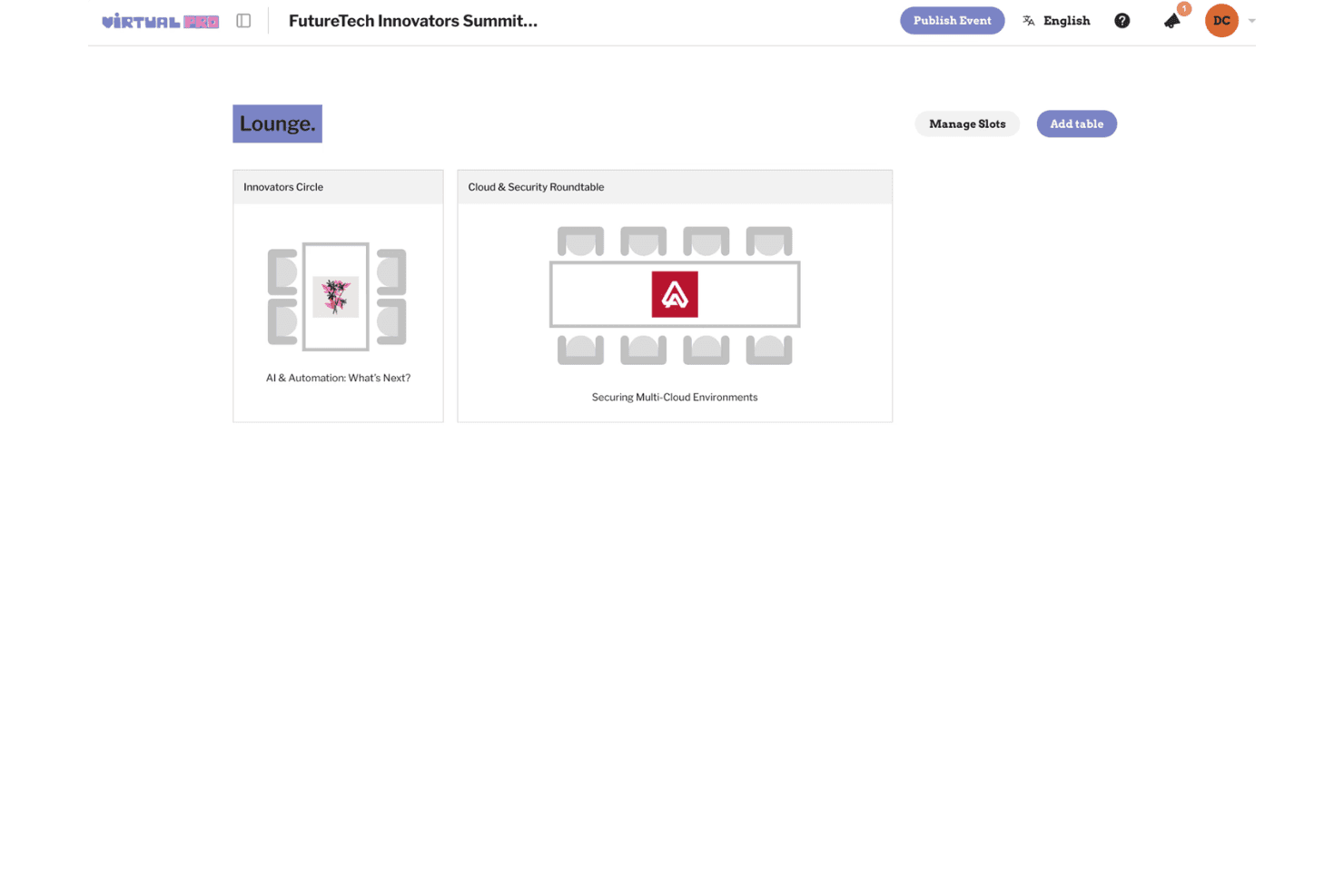
Audience Networking Tools
Create networking opportunities through 1:1 matchmaking, rooms, roundtables, lounges, and private meetings. Attendees can connect and collaborate throughout the event.
Sponsor and Exhibitor Management
Create sponsor experiences with virtual booths and engagement options. Teams can showcase sponsors and encourage audience interactions.
Live Streaming and Production Tools
Host virtual sessions with streaming tools, production support, and interactive event features. Virtual PRO helps teams deliver professional online events.
Event Analytics
Track attendee activity, session performance, and engagement insights. Teams can use event data to measure results and improve future experiences.
Standout Features
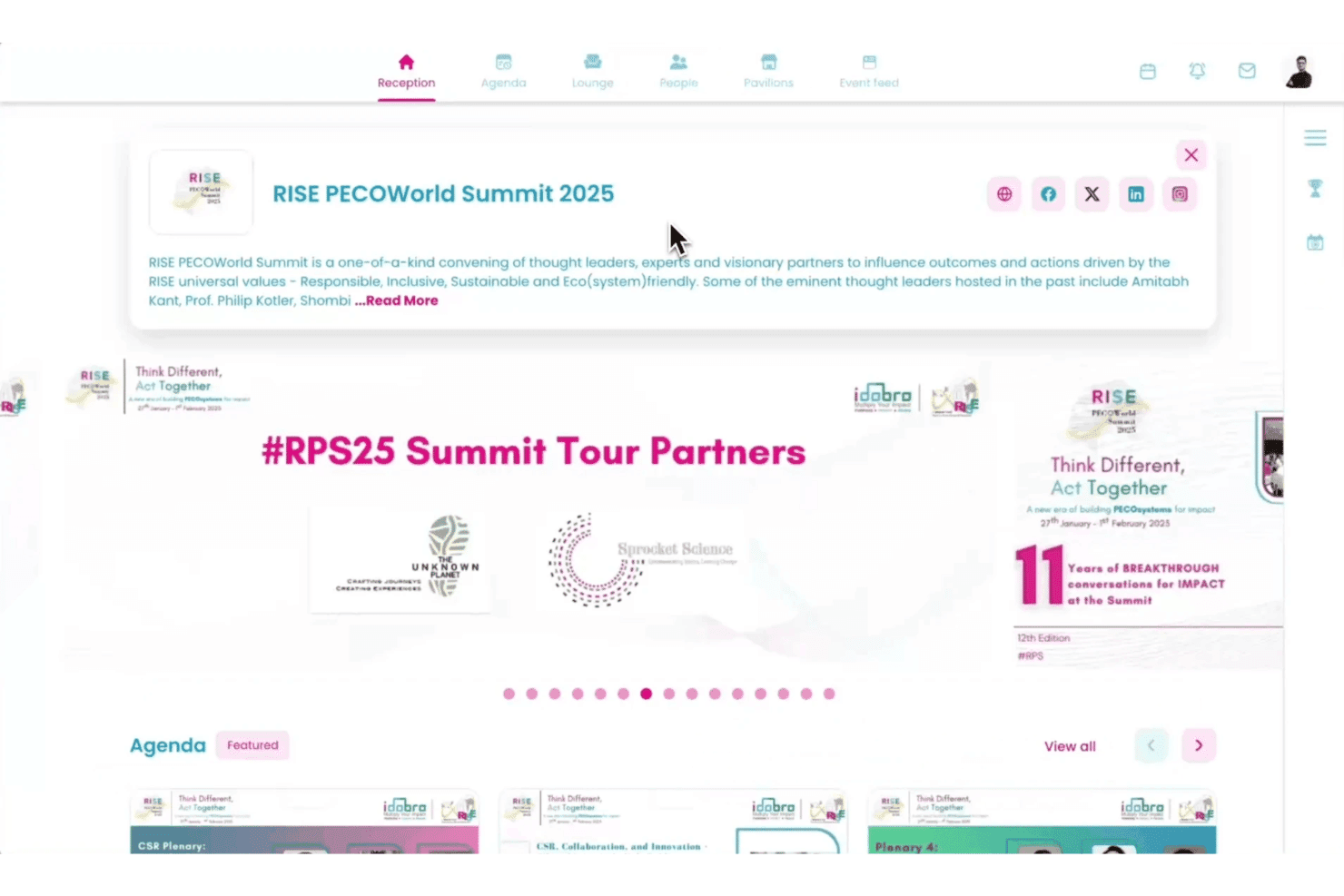
Interactive Networking Spaces
Offer attendees dedicated spaces like lounges, roundtables, and private meetings. Virtual PRO helps recreate meaningful event connections online.
High-Production Virtual Events
Create cinematic virtual experiences with branded design, content coordination, and production-focused tools. Teams can run large digital events without managing multiple platforms.
Ease of Use
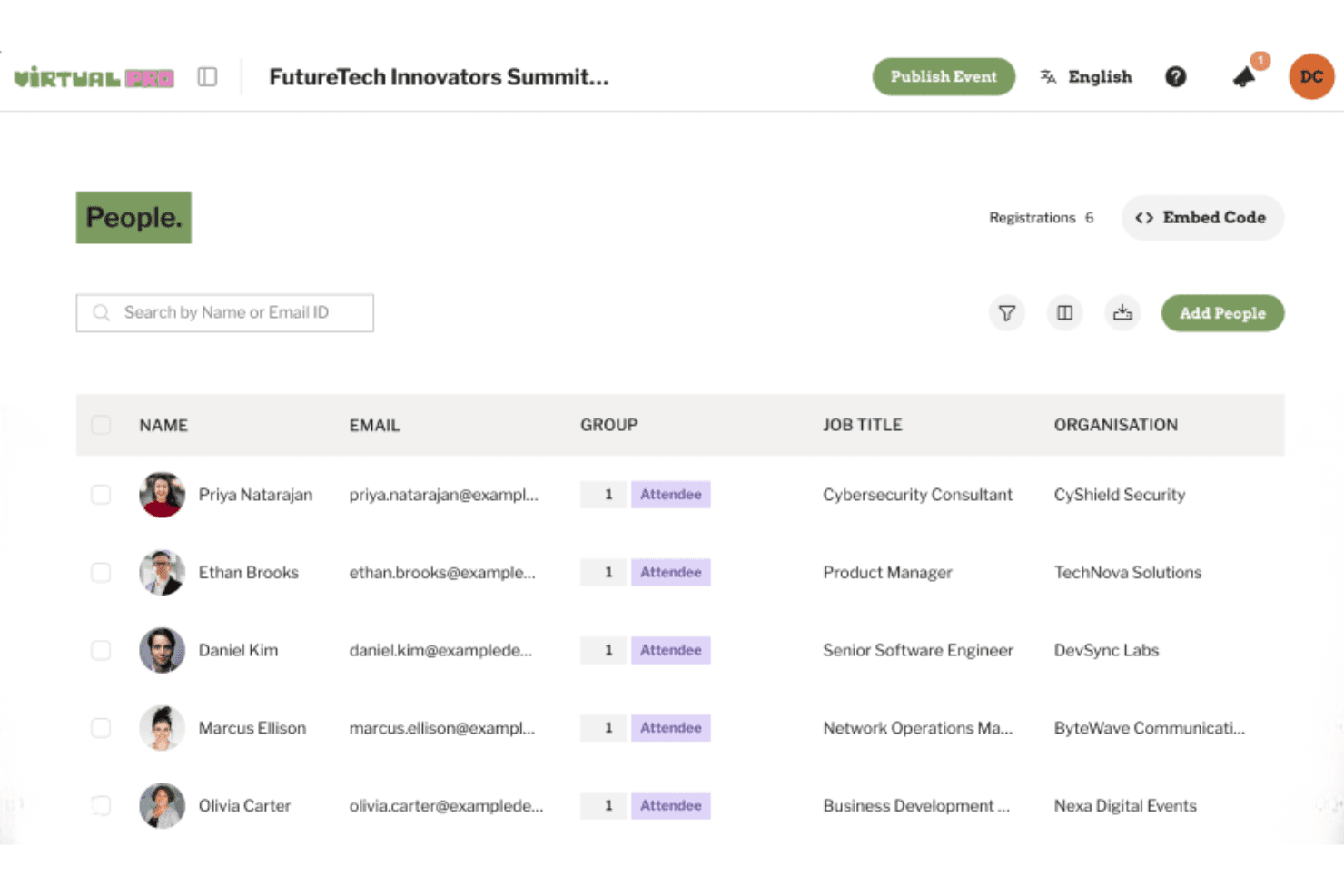
Virtual PRO’s clean interface and organized workflows make it easy for event teams to create and manage virtual experiences. I find features like attendee tracking, session management, and engagement tools help users handle event tasks without navigating complex menus.
Users highlight the platform’s straightforward setup and support resources as helpful for launching events faster.
Onboarding
Virtual PRO helps users get started with onboarding resources and support designed for event teams. Its setup process helps teams learn the platform, configure event experiences, and prepare virtual or hybrid events without relying on multiple tools.
Customer Support
Virtual PRO’s customer support stands out for its fast response times and knowledgeable team, with users consistently praising live chat and email support. I think the extensive FAQ library and access to one-on-one support sessions make it easier for hotels to resolve issues quickly, even during event crunch times.
Integrations
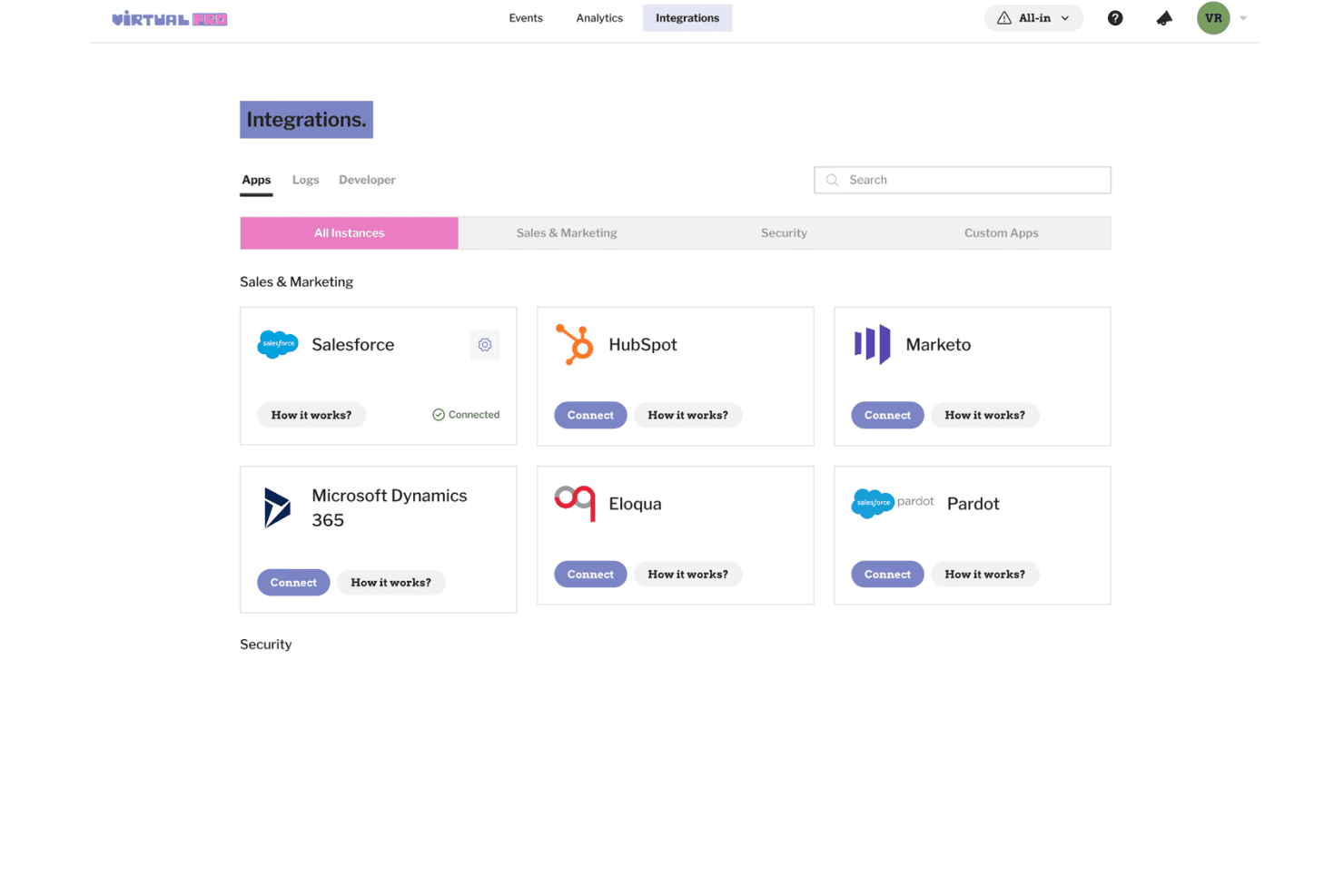
Virtual PRO integrates with Salesforce, HubSpot, Marketo, Microsoft Dynamics 365, Eloqua, Pardot, and other tools to support event data syncing and marketing workflows.
Virtual PRO also offers developer tools and API support for custom integrations based on event and enterprise requirements.
Value for Money
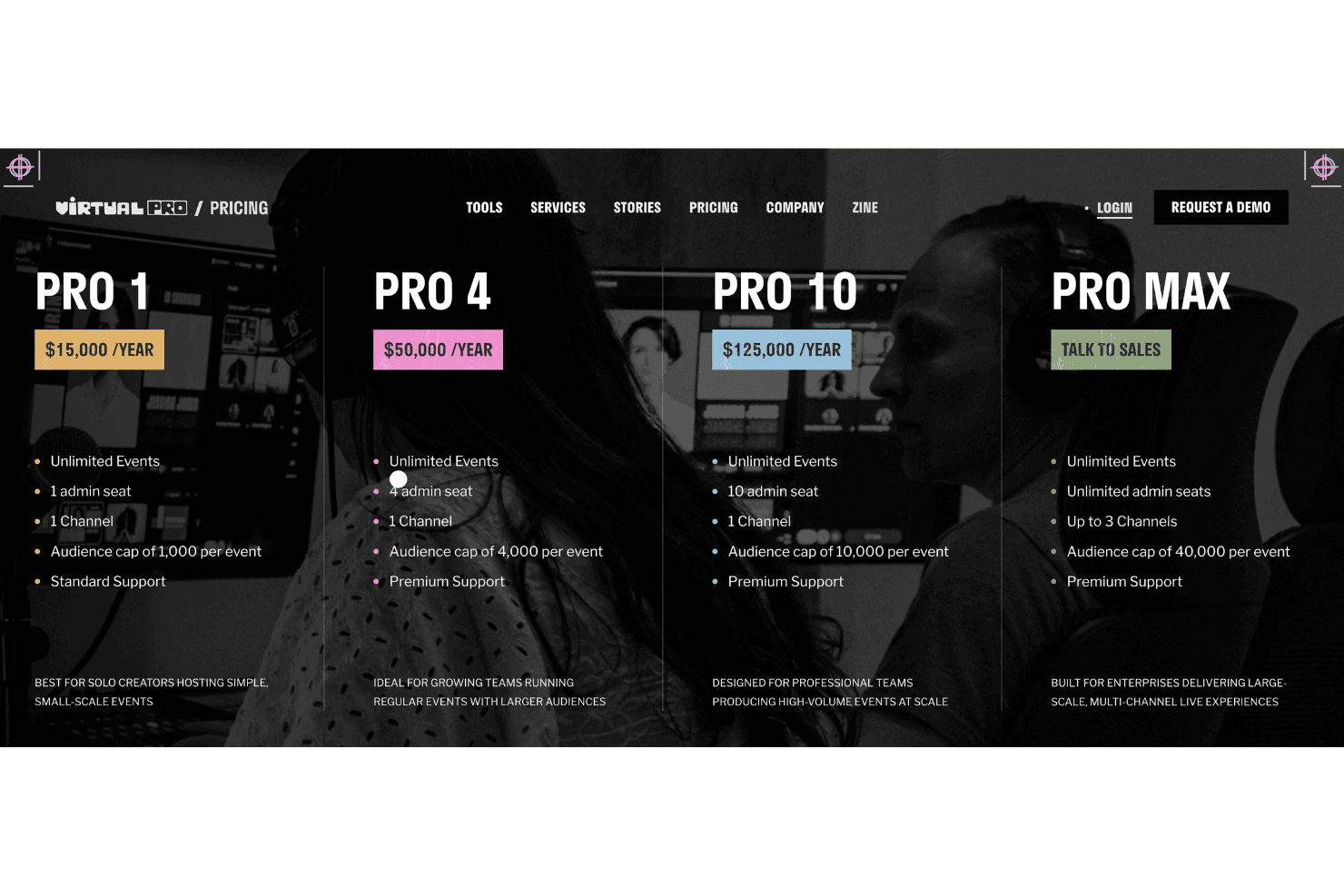
Virtual PRO’s annual pricing is based on the number of admin seats, audience size, support level, and event program scale. Its plans are built for teams producing virtual events regularly, from small solo-led events to large enterprise programs.
- PRO 1: Includes unlimited events, 1 admin seat, 1 channel, a 1,000-attendee cap per event, AI captions, and standard support for simple, small-scale events.
- PRO 4: Adds 4 admin seats, a 4,000-attendee cap per event, AI captions, and premium support for growing teams running regular events.
- PRO 10: Includes 10 admin seats, a 10,000-attendee cap per event, up to 3 channels, AI captions, and premium support for teams producing events at scale.
- PRO MAX: Offers unlimited admin seats, up to 3 channels, a 40,000-attendee cap per event, AI captions, and premium support for enterprise live experiences.
Virtual PRO Specs
- Accounts Payable: No
- Accounts Receivable: No
- API: Yes
- Audience Targeting: No
- Budgeting: No
- Calendar Management: Yes
- Contact Management: No
- Customer Management: No
- Dashboard: Yes
- Data Export: Yes
- Data Import: Yes
- Data Visualization: No
- Expense Tracking: No
- External Integrations: Yes
- Forecasting: No
- General Account Ledger: No
- Inventory Tracking: No
- Lead Management: Yes
- Lead Scoring: No
- Marketing Automation: No
- Multi-User: Yes
- Notifications: Yes
- Project Management: No
- Scheduling: Yes
- Social-Media Integration: No
- Supplier Management: No
- Third-Party Plugins/Add-Ons: Yes
- Travel Management: No
Virtual PRO FAQs
Virtual PRO Company Overview & History
Virtual PRO is a virtual and hybrid event platform designed for event teams, conference organizers, and enterprises. Formerly Hubilo, the platform helps teams create branded virtual experiences with event production tools, audience engagement features, registration management, analytics, and integrations.
Hubilo was founded in 2015 as an event technology company focused on virtual and hybrid event experiences. It was later acquired by Brandlive and evolved into Virtual PRO, expanding its focus toward high-production digital events, immersive experiences, and enterprise event solutions.
Virtual PRO Major Milestones
- 2015: Hubilo was founded as an event technology platform.
- 2020: Hubilo expanded its virtual event platform as demand for online events increased.
- 2023: Hubilo was acquired by Brandlive to strengthen virtual and hybrid event capabilities.
- 2026: Virtual PRO launched as the next evolution of Hubilo, focusing on premium virtual events, production tools, and audience engagement.