
Swapcard Review: Pros, Cons, Features, and Pricing
Swapcard is an event management platform that supports event planning, networking, and engagement through AI-powered tools.

We review tools independently, and commissions help fund our testing. See our transparency policy, our methodology, or suggest a tool.
Swapcard is an event management software built around attendee engagement and AI-powered networking for in-person, virtual, and hybrid events. I'd consider it if your priority is giving attendees a connected, interactive experience rather than just managing event logistics. Compared to Cvent, Swapcard is a more accessible option that puts attendee networking and matchmaking front and center, rather than burying those features under layers of complex operations tools built primarily for large enterprise teams.
Swapcard Evaluation Summary
4.6/5
- From $540/year
- Free trial available
Why Trust Our Software Recommendations
6,700+
Reviews
20
Industry experts
16+
Evaluation factors
14
Years
Our team has been testing and reviewing software since 2012. As hospitality leaders ourselves, we know how difficult—and important—it is to choose the right software.
For this guide, we evaluated tools using hands-on testing and independent research, scoring tools using our selection criteria.
Our reviews reflect our human editorial judgment, not a sales pitch.
Swapcard Overview
If you’re judging event management platforms on networking, hybrid event support, and a clean interface, I think Swapcard is a top contender. Its AI-powered matchmaking and customizable agendas outperform most options for attendee engagement, while pricing is competitive for mid-sized and large events. I’ve found onboarding is quick, and integrations with registration and CRM tools are solid. Support is responsive, though some advanced reporting features lag behind others.
I’d suggest Swapcard for hotels and venues that want to deliver interactive, branded events without a steep learning curve.
Pros
- You can boost engagement with Swapcard's interactive networking tools.
- The platform makes it easy to manage virtual and hybrid events.
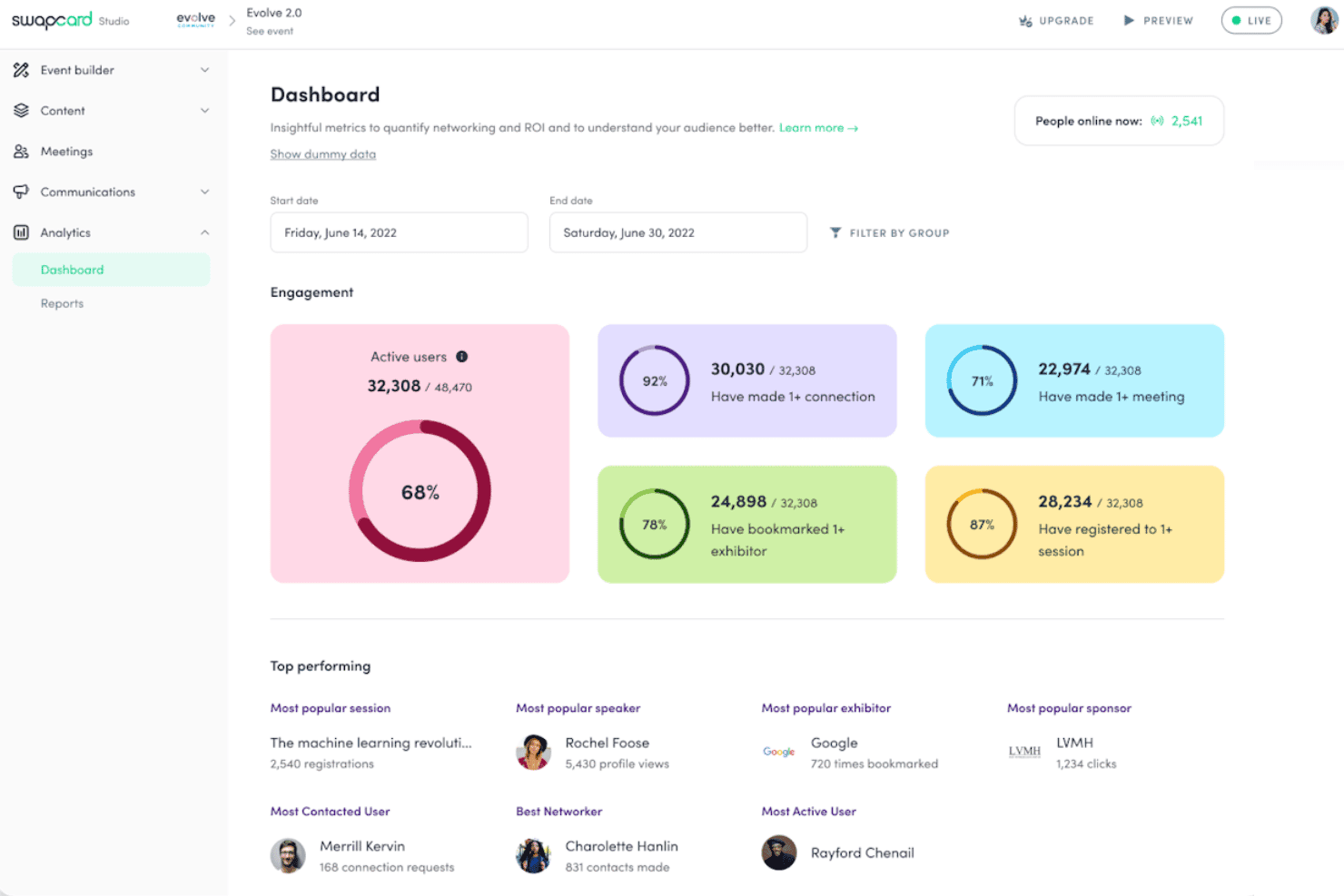
- You get real-time insights with Swapcard's analytics features.
Cons
- You might find the initial setup a bit overwhelming.
- The mobile app could be more intuitive.
- Some users report that customizing the interface is limited.
Is Swapcard Right For Your Needs?
Who Would be a Good Fit for Swapcard?
Swapcard suits industries like tech and education where networking is key, helping your team connect through its interactive tools. It’s ideal for event planners managing virtual or hybrid conferences, as it offers real-time analytics and easy event management. Teams looking to enhance attendee engagement with networking features will find Swapcard invaluable.
If your work involves coordinating large-scale events with diverse audiences, Swapcard’s capabilities make it a practical choice.
- Tech ConferencesSwapcard’s networking tools and real-time insights help your attendees connect and engage, creating a dynamic experience.
- Educational SeminarsThe platform supports virtual and hybrid formats, making it perfect for reaching diverse audiences in education.
- Trade ShowsSwapcard’s interactive features let your exhibitors and attendees engage effectively, boosting networking opportunities.
- Corporate EventsFor your team, managing internal or external corporate events is smoother with Swapcard’s event logistics capabilities.
- Industry WorkshopsSwapcard’s analytics and interactive tools enhance your workshop’s impact by providing real-time feedback and engagement.
- NonprofitsSwapcard helps your organization manage fundraising events with ease, thanks to its user-friendly platform and networking features.
Who Would be a Bad Fit for Swapcard?
Small businesses with tight budgets might not find Swapcard ideal due to its setup complexity and learning curve. Teams that need a simple, straightforward event tool may struggle with Swapcard’s robust features, which can be overwhelming if you don’t need advanced networking or analytics. If your events are small and don’t require extensive attendee interaction, Swapcard’s capabilities might be more than you need.
- Small MeetupsFor small gatherings, Swapcard’s extensive features can be overkill and unnecessarily complex.
- Local WorkshopsIf you’re hosting local workshops with limited interaction, Swapcard’s networking tools might not provide value.
- Budget-Conscious NonprofitsNonprofits with limited budgets might find Swapcard’s setup and features too costly or complex for simple events.
- Simple WebinarsFor basic webinars, the platform’s advanced features might complicate rather than simplify your process.
- Small TeamsTeams with limited tech resources may find Swapcard’s setup and management challenging without tech support.
- Local Community EventsIf your events focus on local participation, Swapcard’s global reach and networking features might be unnecessary.
How We Test & Score Tools
We’ve spent years building, refining, and improving our software testing and scoring system. The rubric is designed to capture the nuances of software selection and what makes a tool effective, focusing on critical aspects of the decision-making process.
Below, you can see exactly how our testing and scoring works across seven criteria. It allows us to provide an unbiased evaluation of the software based on core functionality, standout features, ease of use, onboarding, customer support, integrations, customer reviews, and value for money.
Core Functionality (25% of final scoring)
The starting point of our evaluation is always the core functionality of the tool. Does it have the basic features and functions that a user would expect to see? Are any of those core features locked to higher-tiered pricing plans? At its core, we expect a tool to stand up against the baseline capabilities of its competitors.
Standout Features (25% of final scoring)
Next, we evaluate uncommon standout features that go above and beyond the core functionality typically found in tools of its kind. A high score reflects specialized or unique features that make the product faster, more efficient, or offer additional value to the user.
We also evaluate how easy it is to integrate with other tools typically found in the tech stack to expand the functionality and utility of the software. Tools offering plentiful native integrations, 3rd party connections, and API access to build custom integrations score best.
Ease of Use (10% of final scoring)
We consider how quick and easy it is to execute the tasks defined in the core functionality using the tool. High scoring software is well designed, intuitive to use, offers mobile apps, provides templates, and makes relatively complex tasks seem simple.
Onboarding (10% of final scoring)
We know how important rapid team adoption is for a new platform, so we evaluate how easy it is to learn and use a tool with minimal training. We evaluate how quickly a team member can get set up and start using the tool with no experience. High scoring solutions indicate little or no support is required.
Customer Support (10% of final scoring)
We review how quick and easy it is to get unstuck and find help by phone, live chat, or knowledge base. Tools and companies that provide real-time support score best, while chatbots score worst.
Customer Reviews (10% of final scoring)
Beyond our own testing and evaluation, we consider the net promoter score from current and past customers. We review their likelihood, given the option, to choose the tool again for the core functionality. A high scoring software reflects a high net promoter score from current or past customers.
Value for Money (10% of final scoring)
Lastly, in consideration of all the other criteria, we review the average price of entry level plans against the core features and consider the value of the other evaluation criteria. Software that delivers more, for less, will score higher.
Core Features
AI Matchmaking and Networking
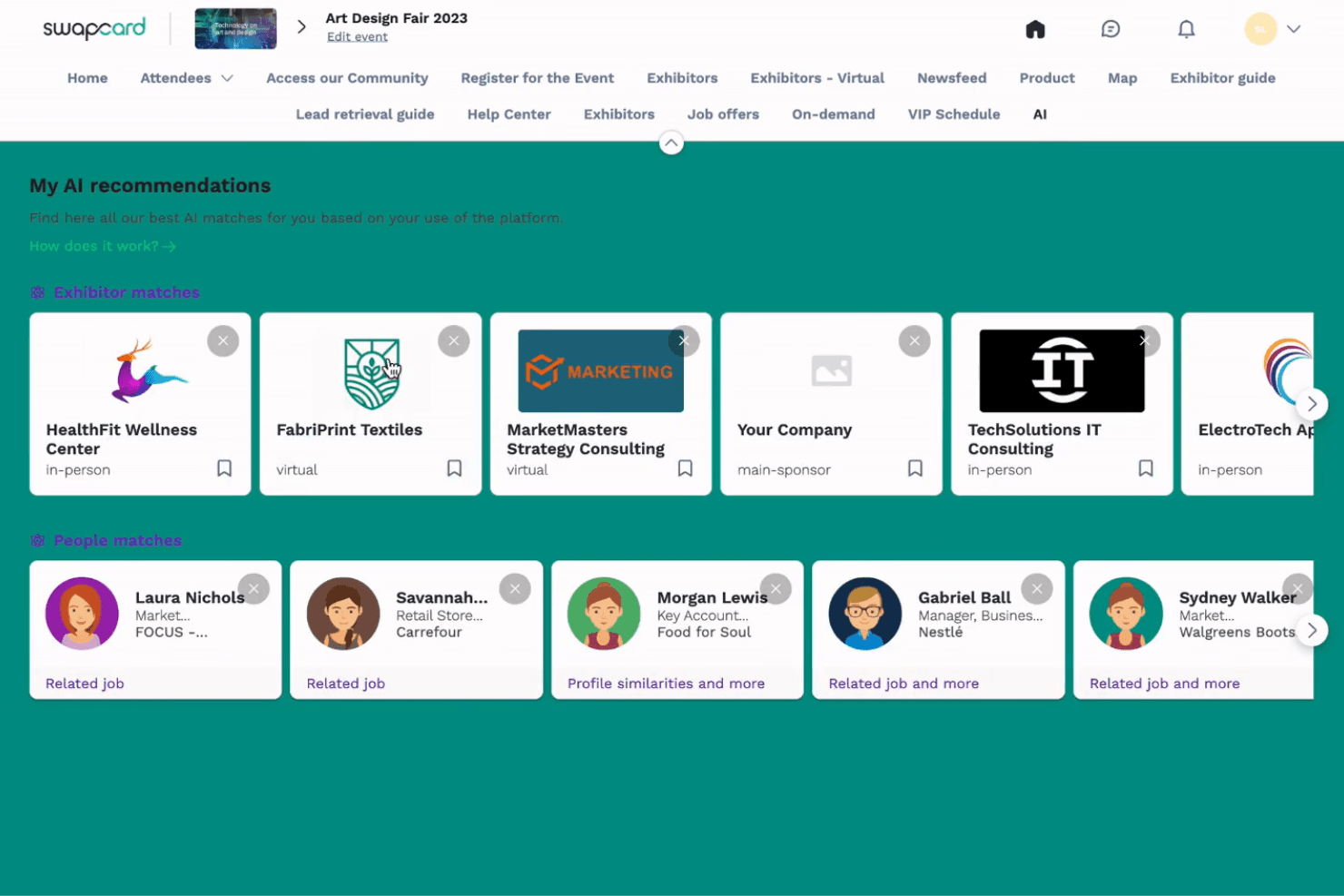
Swapcard uses AI to recommend relevant contacts, sessions, and exhibitors, helping attendees make high-value connections at scale.
Flexible Registration and Ticketing
Create custom registration flows, automate tiered pricing, and embed registration on your website for any event format.
Mobile Event App
Deliver a branded mobile experience with high adoption rates, offering schedules, networking, and live updates in one place.
Exhibitor and Sponsor Tools
Give exhibitors a portal to manage profiles, capture leads, and purchase add-ons, while sponsors get premium visibility options.
Agenda and Session Management
Build complex, multi-track agendas with unlimited session hierarchies, speaker profiles, and live or pre-recorded streaming.
Analytics and Reporting
Track attendee engagement, registration trends, and exhibitor ROI with unified dashboards and exportable data.
Standout Features
Year-Round Community Spaces
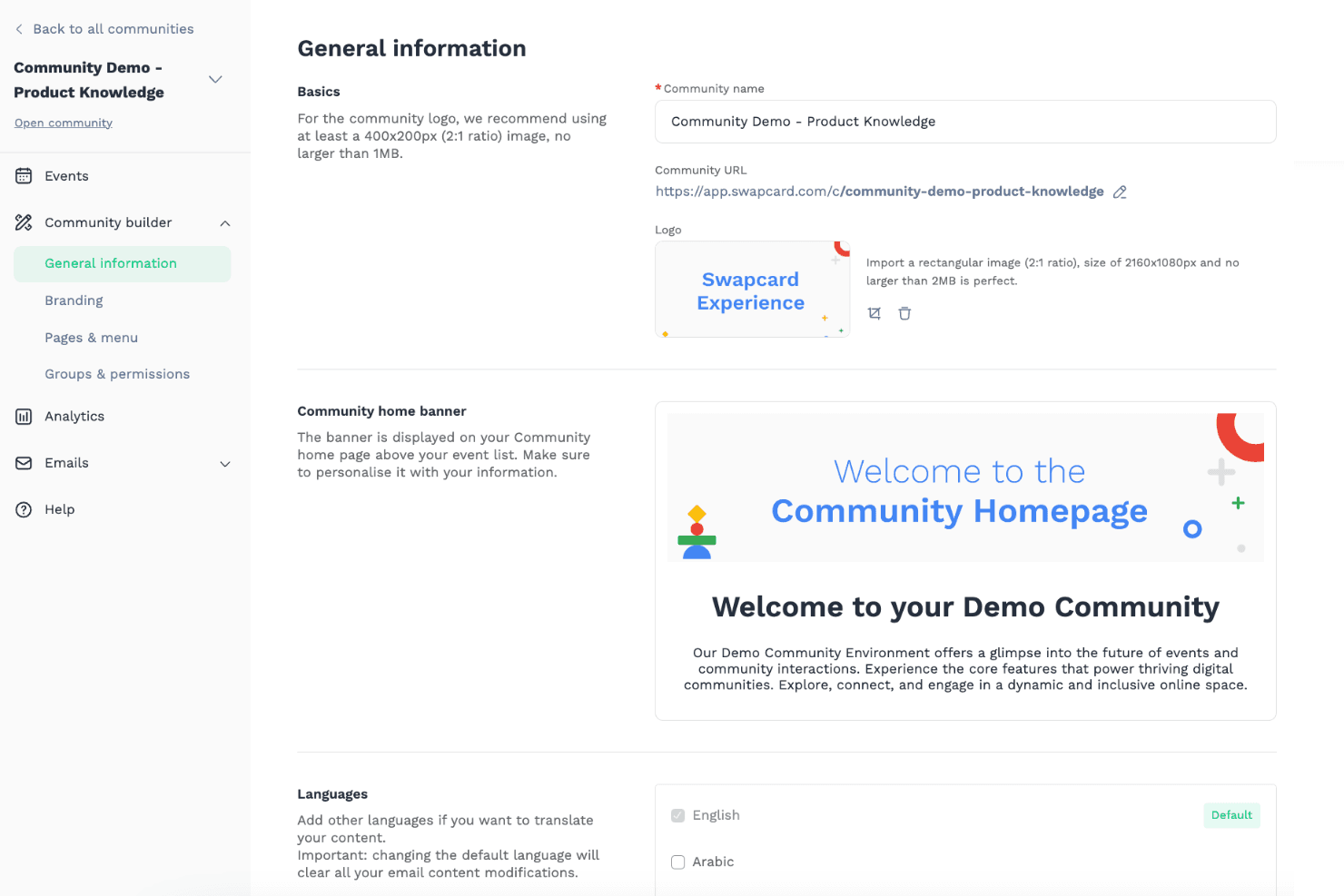
Swapcard lets you create ongoing digital communities that extend beyond single events, supporting networking and content sharing all year. This helps hotels and venues nurture client relationships and drive repeat engagement.
Dynamic Content Hubs
You can curate on-demand libraries of videos, documents, and sponsor materials for attendees to access before, during, and after events. This feature boosts sponsor value and keeps guests engaged with your brand long-term.
Ease of Use
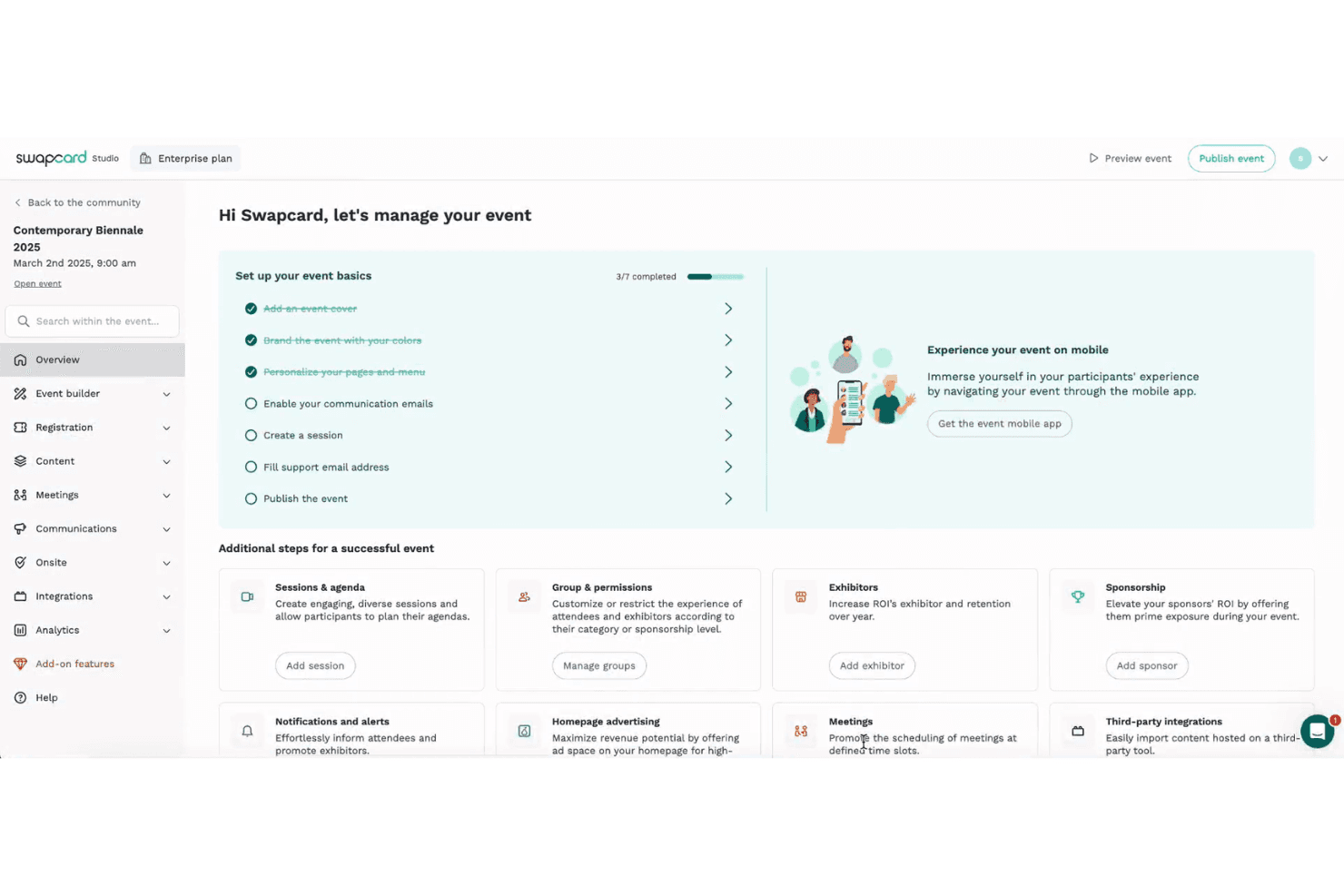
Swapcard’s interface is clean and intuitive, making it easy for hotel teams to set up events, manage agendas, and onboard attendees quickly. Users often mention the drag-and-drop agenda builder and real-time updates as standout features that simplify planning. I think the mobile app’s high adoption rates and clear navigation help guests engage without confusion, though some users wish for more streamlined profile editing.
Overall, it’s user-friendly for both planners and participants.
Onboarding
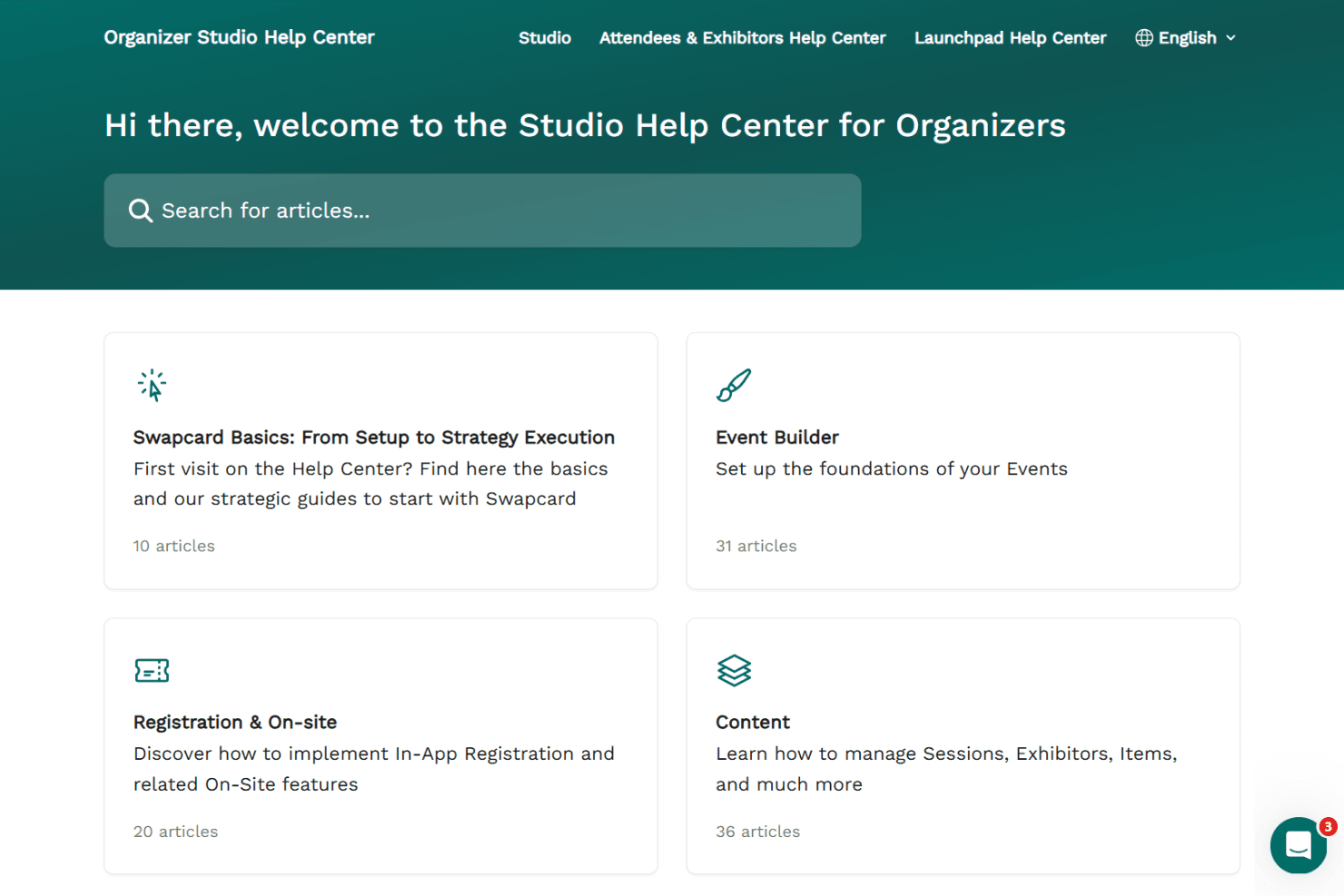
Swapcard offers a guided onboarding flow with helpful tutorials, live chat, and a detailed help center, so most hotel teams can launch their first event quickly. Users say the platform’s setup wizards and responsive support staff make it easy to get started, even for complex events.
I think the combination of in-app tips, video guides, and one-on-one support helps new users reach value fast, though some advanced features may require extra guidance.
Customer Support
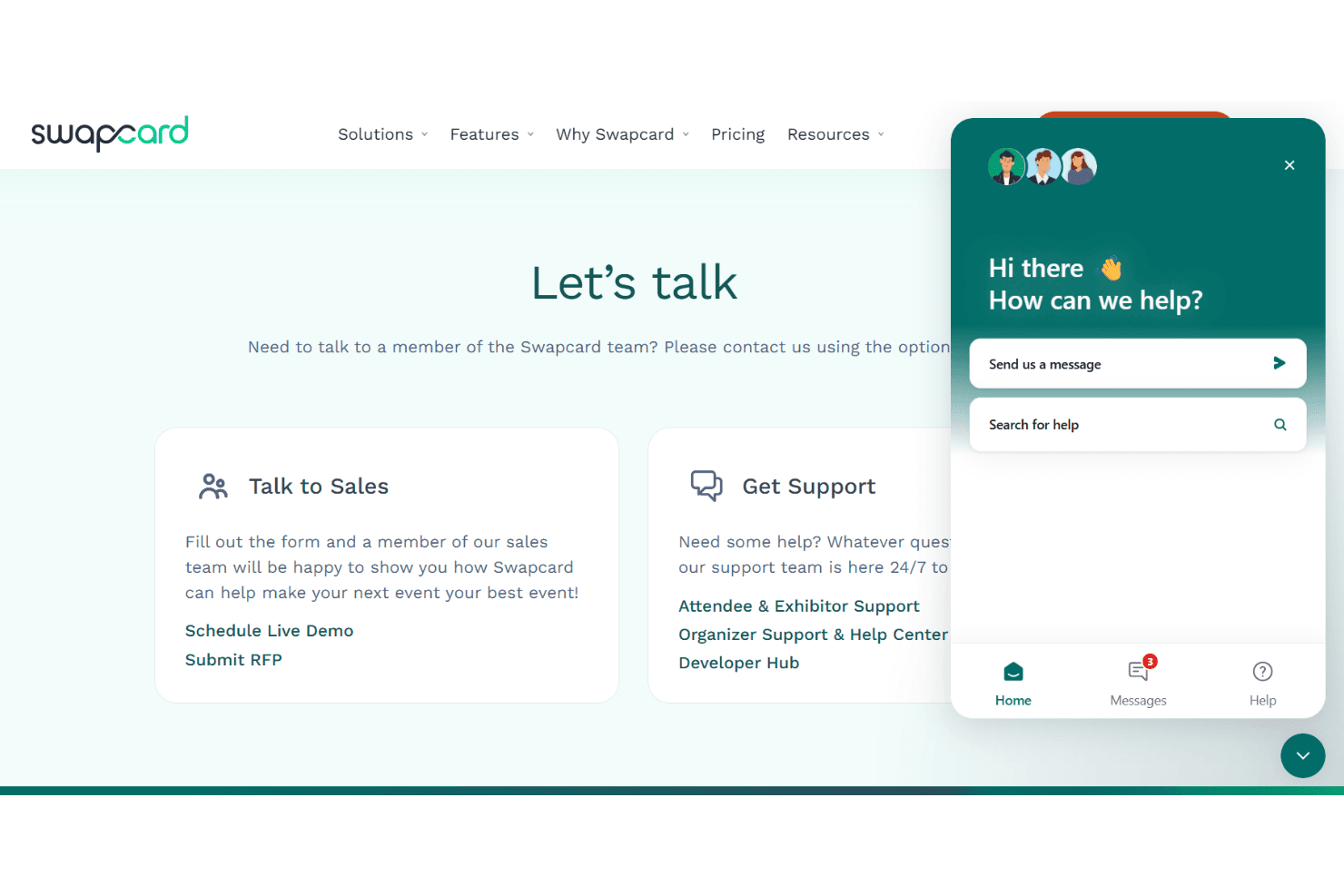
Swapcard’s customer support is responsive and knowledgeable, with live chat, email, and a comprehensive help center available for users. Many reviewers highlight quick response times and helpful troubleshooting, especially during live events. I think the dedicated account managers and proactive outreach for larger events set Swapcard apart, though some users mention occasional delays during peak periods.
Overall, support is reliable and accessible for most hotel event teams.
Integrations
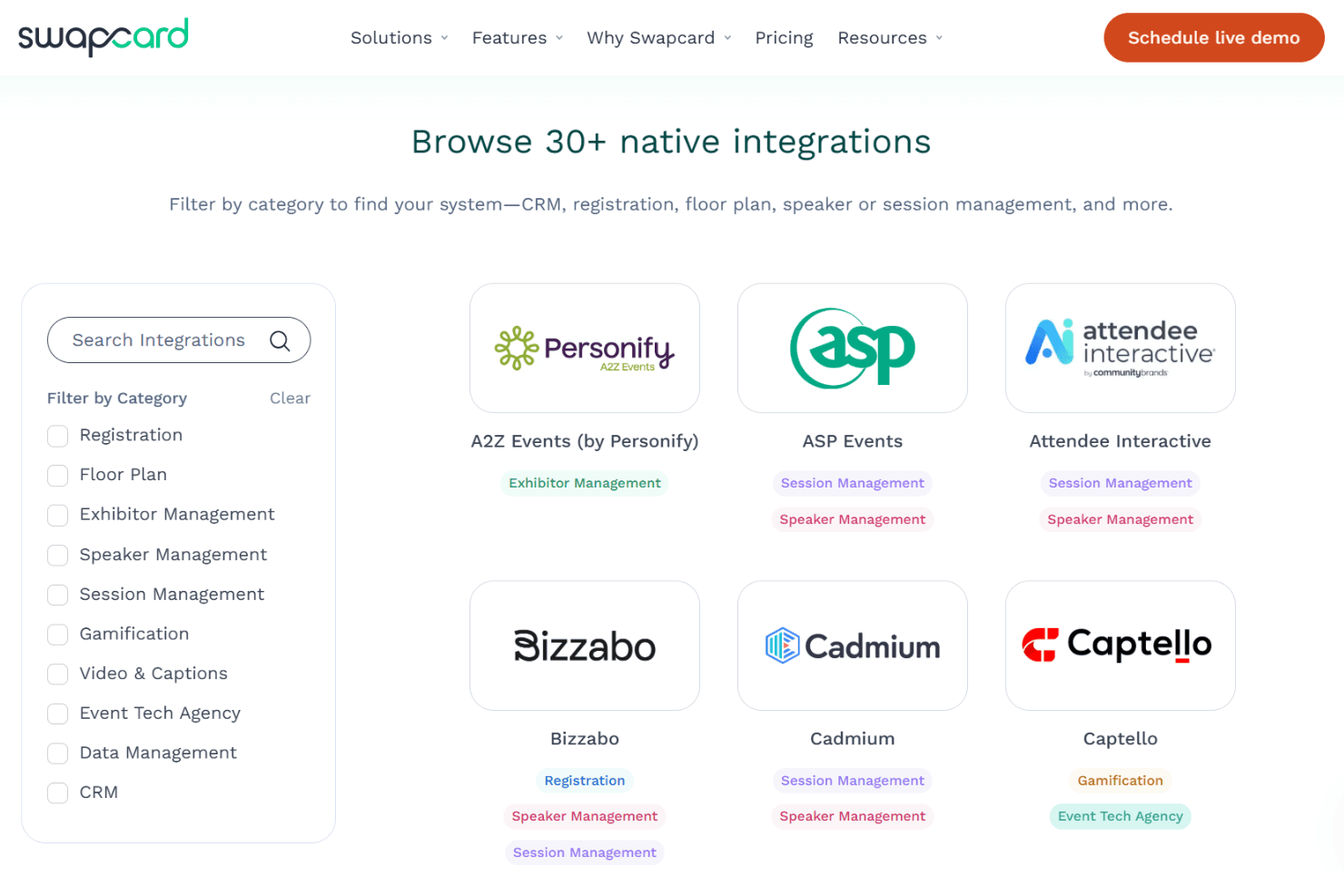
Swapcard integrates with Salesforce, Cvent, Eventbrite, HubSpot, Swoogo, Rainfocus, Cadmium, ExpoFP, Map Your Show, and Zapier, among others.
Swapcard also offers a developer API and supports webhooks for custom integrations and third-party connections.
Value for Money
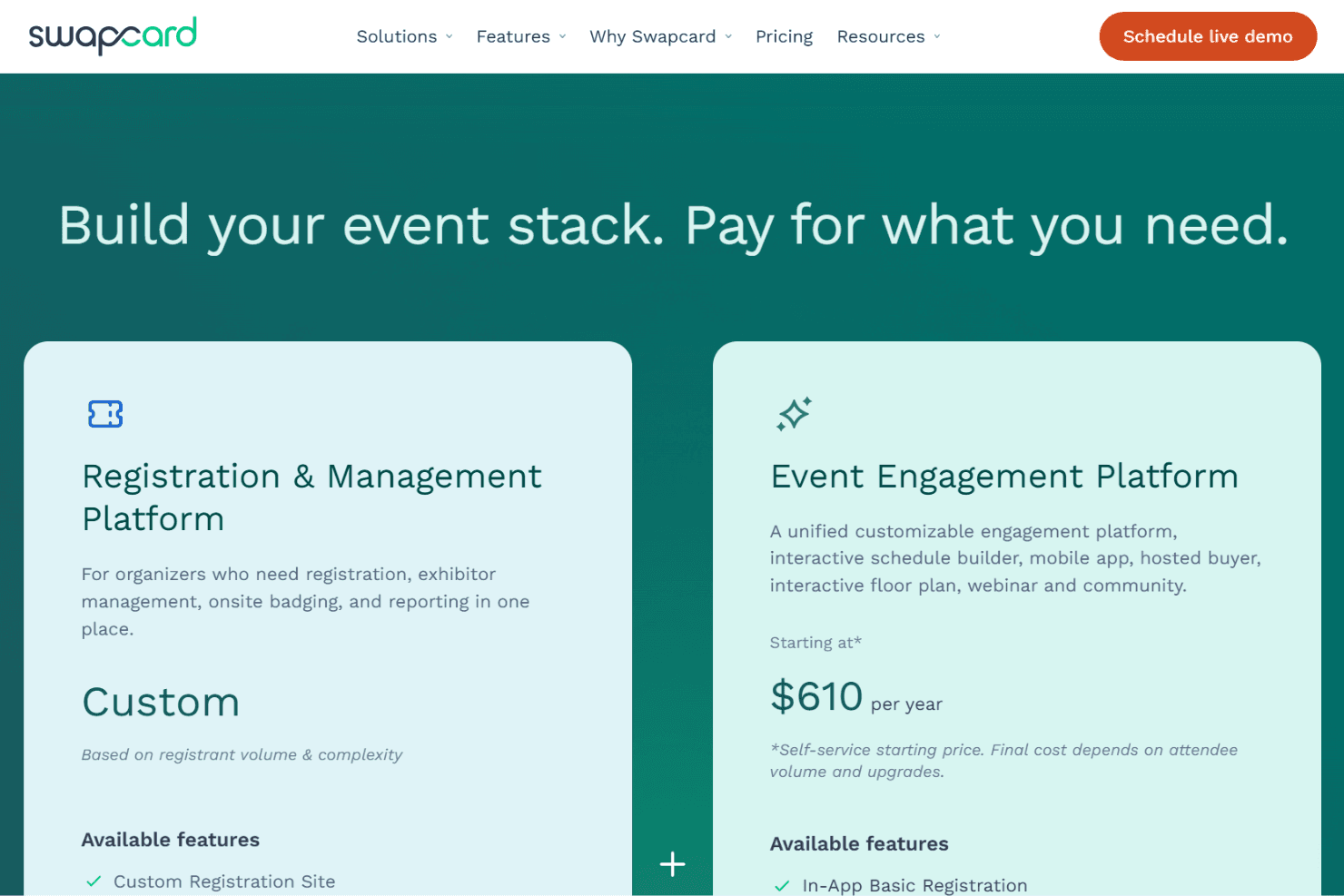
Swapcard offers flexible value because buyers can choose a focused product stack instead of paying for unnecessary modules. The low published entry point for engagement software suits smaller programs, while custom pricing for registration reflects more complex operational needs. Costs can rise with scale, but modular buying keeps spending aligned to requirements.
- Registration & Management Platform: Based on registrant volume & complexity, with registration, exhibitor management, onsite badging, and reporting in one place.
- Event Engagement Platform: Includes a customizable engagement platform, interactive schedule builder, mobile app, hosted buyer, interactive floor plan, webinar, and community.
Swapcard Specs
- 2-Factor Authentication: No
- Accounts Payable: No
- Accounts Receivable: No
- API: Yes
- Approval Workflows: Yes
- Balance Sheet: No
- Billing/Invoicing: Yes
- Budgeting: No
- Calendar Management: Yes
- Comparative Reporting: No
- CRM Integration: Yes
- Custom Reports: Yes
- Customer Management: Yes
- Dashboard: Yes
- Data Export: Yes
- Data Import: Yes
- Data Visualization: Yes
- Expense Tracking: No
- External Integrations: Yes
- Forecasting: No
- General Account Ledger: No
- Historical Data Analysis: Yes
- Inventory Tracking: No
- Multi-Currency: Yes
- Multi-User: Yes
- Notifications: Yes
- P&L: No
- Payroll: No
- Scenario Planning: No
- Scheduling: Yes
- Supplier Management: Yes
- Tax Management: No
- Time Management: Yes
Swapcard FAQs
Swapcard Company Overview & History
Swapcard is an AI-powered event and community platform founded in 2013 and headquartered in Paris, France. The company was founded by Baptiste Boulard, Damien Courbon, and Godefroy des Francs.
Swapcard supports thousands of events globally and focuses on AI-driven networking, engagement, and event management. Its client base includes organizations such as Informa Tech, HLTH Europe, IAAPA, and Vicenzaoro, with a user base spanning millions of attendees and exhibitors worldwide.
Swapcard Major Milestones
- 2013: Founded in Paris, France.
- 2018: Introduced AI-powered event engagement and matchmaking features.
- 2022: Supported over 4,000 events across 90+ countries, engaging millions of attendees.