

ReservationKey Review: Pros, Cons, Features and Pricing
ReservationKey brings hotel reservation management into one platform, from online bookings and channel management to guest communication and payment processing for small lodging properties.

We review tools independently, and commissions help fund our testing. See our transparency policy, our methodology, or suggest a tool.
ReservationKey is a hotel reservation software built for small, independent properties that need online booking, reservation management, and channel distribution without a steep learning curve or enterprise-level pricing. I'd consider it seriously if you run a B&B, inn, or boutique property. It gives you more functionality than a basic booking widget, but it's far less complex to set up and maintain than a full-featured platform like Cloudbeds—which tends to be better suited to larger operations with dedicated tech support.
ReservationKey Evaluation Summary
4.9/5
- From $37/month
- 30-day free trial
Why Trust Our Software Recommendations
6,700+
Reviews
20
Industry experts
16+
Evaluation factors
14
Years
Our team has been testing and reviewing software since 2012. As hospitality leaders ourselves, we know how difficult—and important—it is to choose the right software.
For this guide, we evaluated tools using hands-on testing and independent research, scoring tools using our selection criteria.
Our reviews reflect our human editorial judgment, not a sales pitch.
ReservationKey Overview
In my experience, ReservationKey stands out for its affordability, high degree of customization, and responsive support. While its interface isn’t as modern as some competitors' and its integrations are a bit limited, its flexibility and clean calendar view make it a smart choice for small hotels, B&Bs, and vacation rentals looking for direct booking control.
Onboarding is straightforward, and I think owners who value simplicity and personal service will find it beats pricier, complicated options.
Pros
- The user interface is intuitive, making it easy for your team to manage bookings.
- ReservationKey offers reliable customer support to help you resolve issues quickly.
- The software provides excellent value, maximizing your investment in reservation management.
Cons
- The reporting features could be more detailed for in-depth analysis.
- Users have noted that customizing templates can be somewhat limited.
- Some users feel the mobile version could be more robust for on-the-go access.
Is ReservationKey Right For Your Needs?
Who Would be a Good Fit for ReservationKey?
ReservationKey works best for small hospitality businesses, like B&Bs, boutique hotels, and independent vacation rentals—run by owners or small teams who want an affordable, direct solution. The simple feature set is perfect for property managers or innkeepers who need full control without steep learning curves or expensive extras. It’s also a great fit for niche lodging types and teams that care about personalized support.
- Bed and BreakfastsYou get hands-on reservation control and customizable booking flows suited to owner-operated inns.
- Boutique HotelsThe all-in-one dashboard and guest messaging options support personalized service without complex onboarding.
- Vacation RentalsAccept direct and OTA bookings in the same calendar and sync availability across platforms.
- Nonprofit Retreat CentersYou’ll appreciate low fees, private event codes, and simple group management tools.
- Small Hotel GroupsManagement features let you coordinate multiple properties while keeping costs predictable.
- Family-Run MotelsSimple reporting and owner-operator support make this a cost-effective pick for smaller teams.
Who Would be a Bad Fit for ReservationKey?
ReservationKey is less suitable for larger hotels or resorts that require advanced automation, complex integrations, or specialized modules, like restaurant POS or spa management. Franchises and enterprise-scale properties may find the system lacks corporate features for multi-brand operations or deep customization. Teams that need extensive automation or internationalization options might be better served elsewhere.
- Luxury ResortsLacks high-end guest features, advanced reporting, and multi-department modules for sprawling resort operations.
- Large Chain HotelsNo support for brand-level integrations, rewards programs, or corporate rate management.
- Conference HotelsMissing built-in event management and group room block handling.
- Full-Service CasinosCannot manage gaming, dining, spa, or loyalty complex needs.
- Enterprise Hotel ChainsDoes not scale to hundreds of users or offer deep API-based automation.
- Multi-Location FranchisesLimited tools for managing brand consistency and centralized oversight across many properties.
How We Test & Score Tools
We’ve spent years building, refining, and improving our software testing and scoring system. The rubric is designed to capture the nuances of software selection and what makes a tool effective, focusing on critical aspects of the decision-making process.
Below, you can see exactly how our testing and scoring works across seven criteria. It allows us to provide an unbiased evaluation of the software based on core functionality, standout features, ease of use, onboarding, customer support, integrations, customer reviews, and value for money.
Core Functionality (25% of final scoring)
The starting point of our evaluation is always the core functionality of the tool. Does it have the basic features and functions that a user would expect to see? Are any of those core features locked to higher-tiered pricing plans? At its core, we expect a tool to stand up against the baseline capabilities of its competitors.
Standout Features (25% of final scoring)
Next, we evaluate uncommon standout features that go above and beyond the core functionality typically found in tools of its kind. A high score reflects specialized or unique features that make the product faster, more efficient, or offer additional value to the user.
We also evaluate how easy it is to integrate with other tools typically found in the tech stack to expand the functionality and utility of the software. Tools offering plentiful native integrations, 3rd party connections, and API access to build custom integrations score best.
Ease of Use (10% of final scoring)
We consider how quick and easy it is to execute the tasks defined in the core functionality using the tool. High scoring software is well designed, intuitive to use, offers mobile apps, provides templates, and makes relatively complex tasks seem simple.
Onboarding (10% of final scoring)
We know how important rapid team adoption is for a new platform, so we evaluate how easy it is to learn and use a tool with minimal training. We evaluate how quickly a team member can get set up and start using the tool with no experience. High scoring solutions indicate little or no support is required.
Customer Support (10% of final scoring)
We review how quick and easy it is to get unstuck and find help by phone, live chat, or knowledge base. Tools and companies that provide real-time support score best, while chatbots score worst.
Customer Reviews (10% of final scoring)
Beyond our own testing and evaluation, we consider the net promoter score from current and past customers. We review their likelihood, given the option, to choose the tool again for the core functionality. A high scoring software reflects a high net promoter score from current or past customers.
Value for Money (10% of final scoring)
Lastly, in consideration of all the other criteria, we review the average price of entry level plans against the core features and consider the value of the other evaluation criteria. Software that delivers more, for less, will score higher.
Core Features
Booking Management
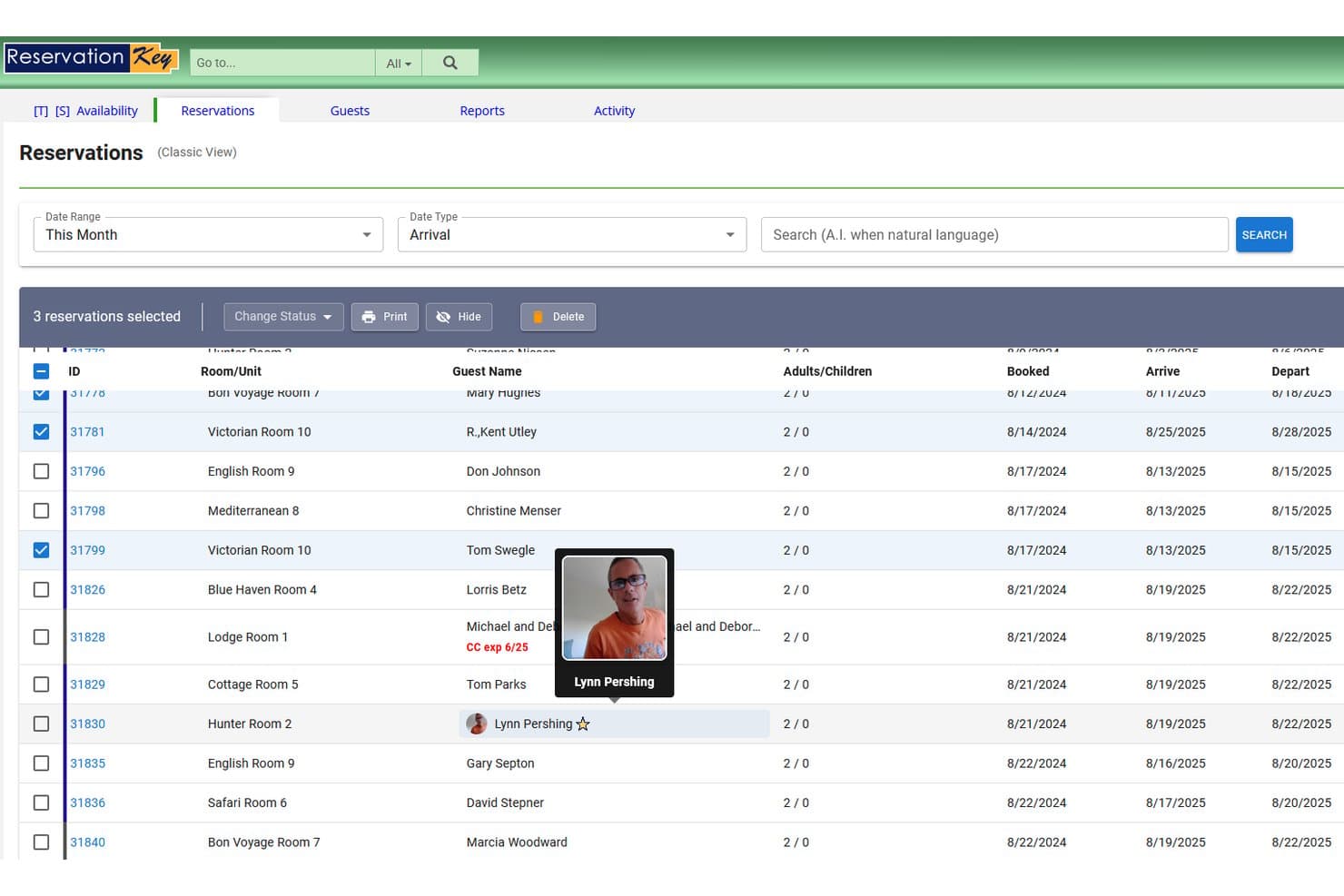
ReservationKey lets you handle bookings effortlessly with an easy-to-use interface. You can quickly view, add, and manage reservations without any hassle.
Calendar View
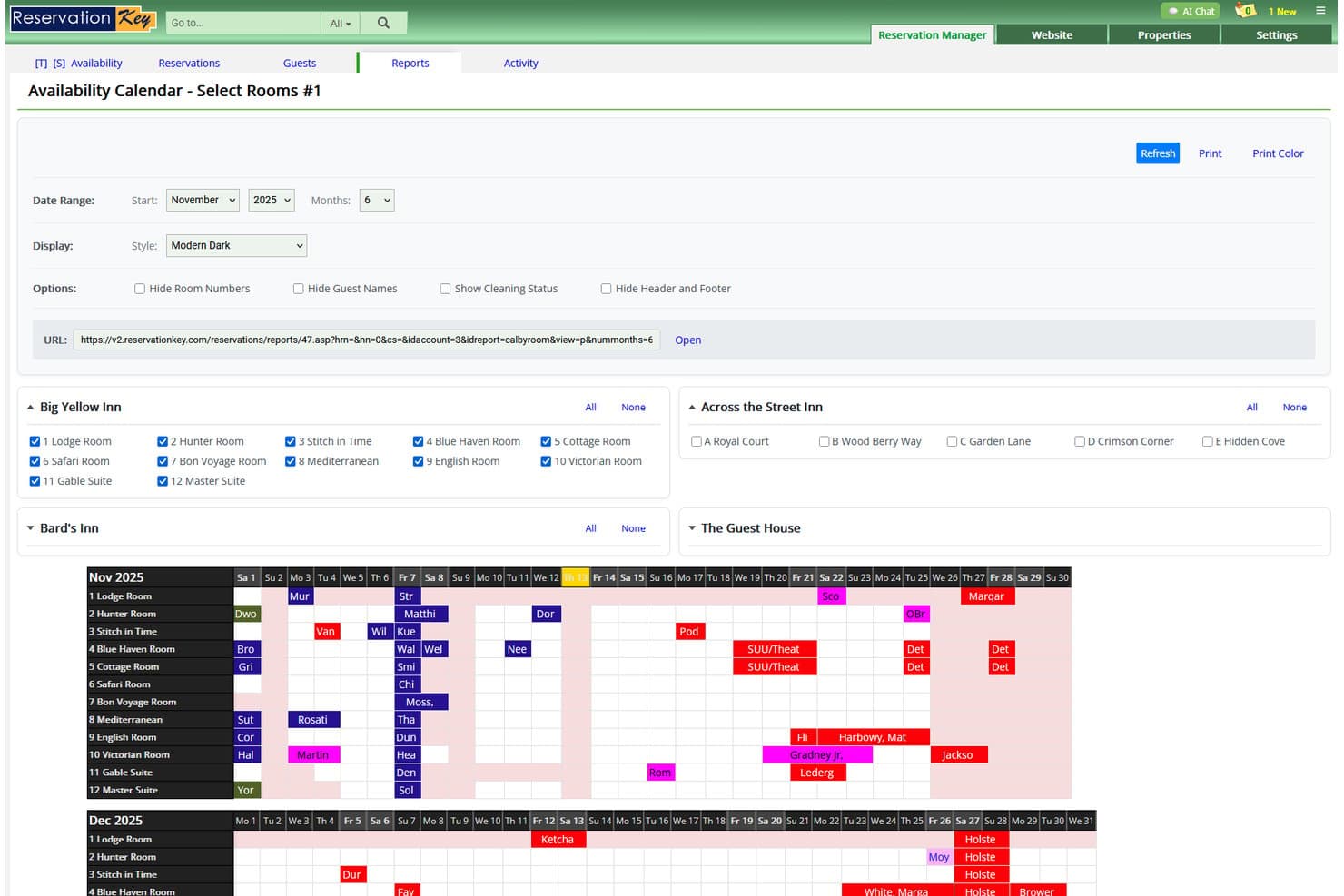
Its calendar view provides a clear visual of your bookings, helping you track availability and avoid overbooking. You can easily adjust bookings directly from the calendar.
Guest Management
Keep track of guest details and preferences to enhance their stay. This feature helps you provide personalized service and improve guest satisfaction.
Automated Emails
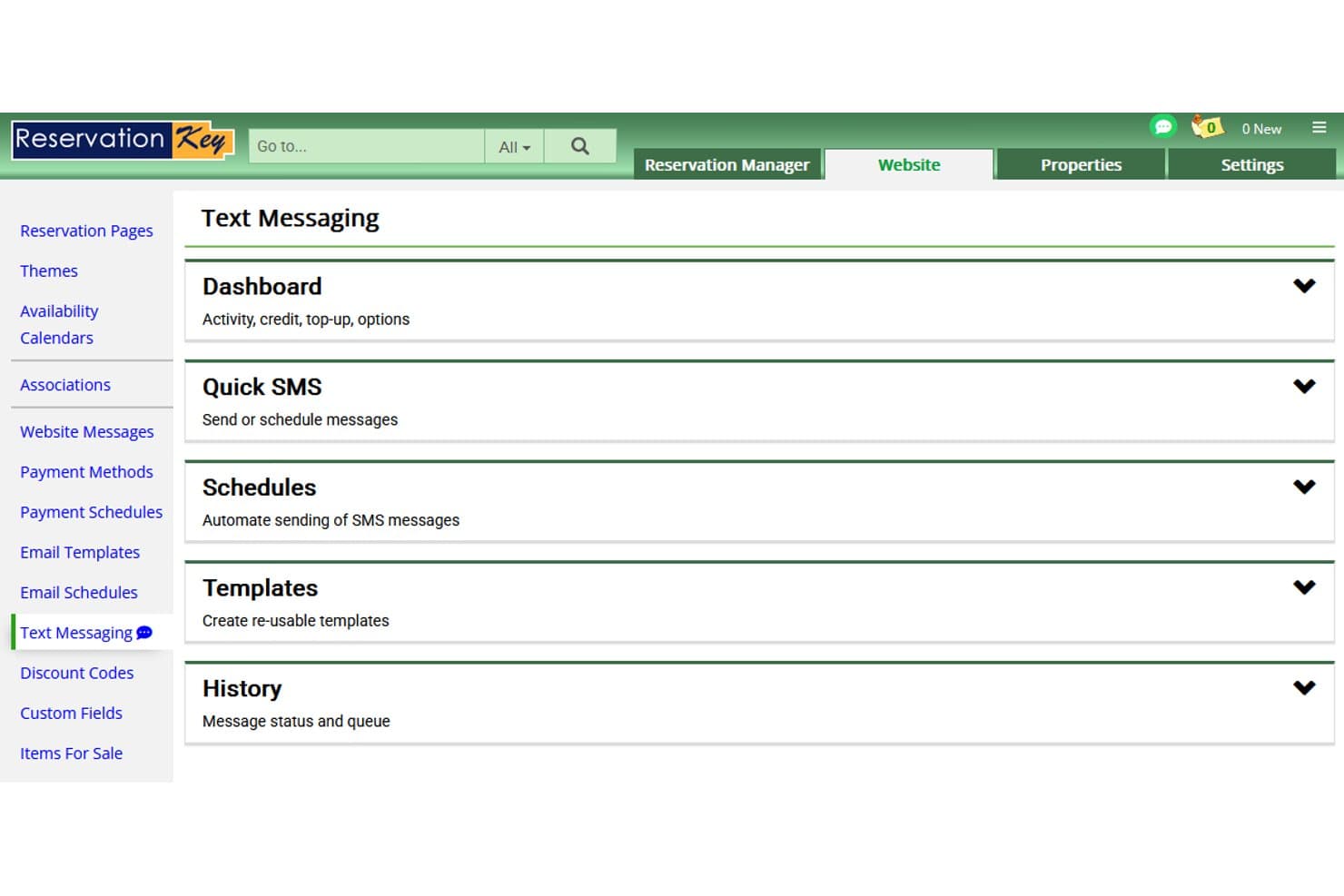
Use automated emails to communicate with your guests efficiently. Send confirmations, reminders, and thank-you notes without lifting a finger.
Rate Management
Easily set and adjust room rates based on demand and seasons. This flexibility helps you maximize your revenue.
Payment Processing
Securely handle payments directly through the software. This feature ensures smooth transactions and keeps your financial data organized.
Ease of Use
ReservationKey feels straightforward to navigate, especially with its simple calendar and drag-and-drop reservations. Users say setup is direct, and most tasks—like managing rates or running reports—don’t require extra training. While the interface looks dated, the clean organization helps managers find what they need without searching through menus.
Integrations
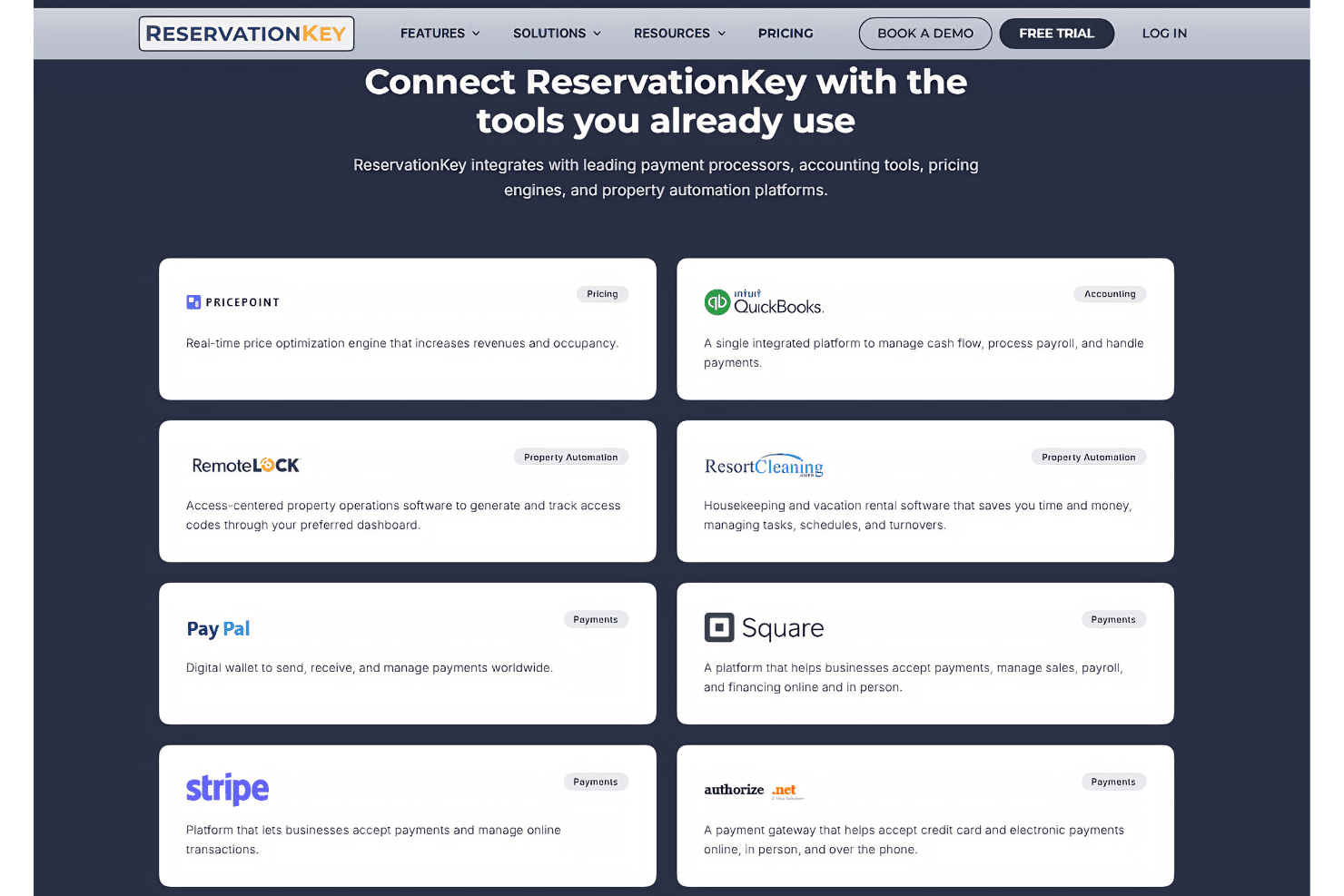
ReservationKey integrates with Booking.com, Airbnb, Expedia, Vrbo, Google Hotels, TripAdvisor, eRentalLock, Pricepoint, Stripe, and Authorize.net. ReservationKey also provides API access for custom integrations and connecting with third-party tools.
ReservationKey Specs
- API: No
- Budgeting: No
- Calendar Management: Yes
- Compliance Tracking: No
- Contact Management: Yes
- Customer Management: Yes
- Dashboard: Yes
- Data Export: Yes
- Data Import: Yes
- Data Visualization: Yes
- Document Management: No
- Expense Tracking: Yes
- External Integrations: Yes
- Forecasting: Yes
- Inventory Tracking: Yes
- Multi-Currency: No
- Multi-User: Yes
- Notifications: No
- Organization Management: Yes
- Payment Processor: Yes
- Payroll: No
- Scheduling: Yes
- Supplier Management: No
- Tax Management: Yes
- Workflow Management: Yes


