
Checkfront Review: Pros, Cons, Features and Pricing
Checkfront brings your entire booking management process into one platform, from reservations and payments to waivers and reporting.

We review tools independently, and commissions help fund our testing. See our transparency policy, our methodology, or suggest a tool.
Checkfront is a hotel booking software built for properties that need to manage reservations, packages, and bookable add-ons from a single platform. It's worth considering if your property offers experiences or activities alongside accommodations and you need guests to book everything together. If you've been looking at Cloudbeds but find it skews toward larger multi-property operations, Checkfront gives independent properties more flexible booking management without the complexity that comes with an enterprise-focused system.
Checkfront Evaluation Summary
4.5/5
- From $99 per month + 3% online booking fee
- Free demo available
Why Trust Our Software Recommendations
6,700+
Reviews
20
Industry experts
16+
Evaluation factors
14
Years
Our team has been testing and reviewing software since 2012. As hospitality leaders ourselves, we know how difficult—and important—it is to choose the right software.
For this guide, we evaluated tools using hands-on testing and independent research, scoring tools using our selection criteria.
Our reviews reflect our human editorial judgment, not a sales pitch.
Checkfront Overview
When I compare Checkfront to other booking management software, I think its clean interface, flexible pricing, and strong integrations make it a top pick for hotels and tour operators who want control without complexity. The onboarding is straightforward, and support is responsive, but some advanced reporting features feel limited. If you’re judging options for multi-location properties or activity-based businesses, Checkfront’s real-time inventory and customizable booking flows stand out.
I’d suggest it’s best for teams who value ease of use and want to connect with payment gateways, channel managers, and marketing tools without a steep learning curve.
Pros
- Real-time availability calendar prevents double bookings.
- Automated resource management saves time on manual tasks
- Flexible pricing options for seasonal rates and discounts.
Cons
- Reporting features are less detailed than some competitors.
- Modifying existing bookings can be confusing for staff.
- Limited customization for guest-facing booking pages.
Is Checkfront Right For Your Needs?
Who Would be a Good Fit for Checkfront?
Checkfront is a strong choice for businesses that manage time-based bookings, need real-time inventory control, and want to automate guest communications. Its flexible pricing, resource management, and integrations with payment gateways make it ideal for activity-based businesses, boutique hotels, and multi-location operators. Teams that value automation and want to reduce manual admin will find Checkfront’s features especially useful.
- Activity ParksSupports timed ticketing, group bookings, and seasonal pricing with ease.
- Event VenuesCustomizable booking flows fit unique event requirements and packages.
- Multi-Location ResortsCentralized dashboard manages bookings across several properties in one place.
- Equipment Rental ShopsAutomated resource tracking prevents double bookings and inventory errors.
- Boutique HotelsReal-time inventory and automated guest emails support small hotel operations.
- Adventure Tour OperatorsCheckfront handles complex scheduling and resource allocation for tours and activities.
Who Would be a Bad Fit for Checkfront?
Checkfront isn’t the best fit for businesses that need deep customization, advanced reporting, or highly specialized workflows. Large hotels with complex PMS needs, organizations with strict branding requirements, or those needing granular analytics may find Checkfront’s feature set limiting compared to more specialized solutions.
- Conference CentersReporting and analytics are too basic for large-scale event planning.
- Luxury SpasGuest-facing booking pages offer minimal branding customization.
- Franchise Fitness StudiosLimited recurring membership management and class scheduling options.
- Medical Appointment ClinicsMissing HIPAA compliance and healthcare-specific scheduling tools.
- Corporate Travel AgenciesDoesn’t support complex travel itineraries or multi-service packaging.
- Large Hotel ChainsLacks advanced PMS features and deep integration with legacy systems.
How We Test & Score Tools
We’ve spent years building, refining, and improving our software testing and scoring system. The rubric is designed to capture the nuances of software selection and what makes a tool effective, focusing on critical aspects of the decision-making process.
Below, you can see exactly how our testing and scoring works across seven criteria. It allows us to provide an unbiased evaluation of the software based on core functionality, standout features, ease of use, onboarding, customer support, integrations, customer reviews, and value for money.
Core Functionality (25% of final scoring)
The starting point of our evaluation is always the core functionality of the tool. Does it have the basic features and functions that a user would expect to see? Are any of those core features locked to higher-tiered pricing plans? At its core, we expect a tool to stand up against the baseline capabilities of its competitors.
Standout Features (25% of final scoring)
Next, we evaluate uncommon standout features that go above and beyond the core functionality typically found in tools of its kind. A high score reflects specialized or unique features that make the product faster, more efficient, or offer additional value to the user.
We also evaluate how easy it is to integrate with other tools typically found in the tech stack to expand the functionality and utility of the software. Tools offering plentiful native integrations, 3rd party connections, and API access to build custom integrations score best.
Ease of Use (10% of final scoring)
We consider how quick and easy it is to execute the tasks defined in the core functionality using the tool. High scoring software is well designed, intuitive to use, offers mobile apps, provides templates, and makes relatively complex tasks seem simple.
Onboarding (10% of final scoring)
We know how important rapid team adoption is for a new platform, so we evaluate how easy it is to learn and use a tool with minimal training. We evaluate how quickly a team member can get set up and start using the tool with no experience. High scoring solutions indicate little or no support is required.
Customer Support (10% of final scoring)
We review how quick and easy it is to get unstuck and find help by phone, live chat, or knowledge base. Tools and companies that provide real-time support score best, while chatbots score worst.
Customer Reviews (10% of final scoring)
Beyond our own testing and evaluation, we consider the net promoter score from current and past customers. We review their likelihood, given the option, to choose the tool again for the core functionality. A high scoring software reflects a high net promoter score from current or past customers.
Value for Money (10% of final scoring)
Lastly, in consideration of all the other criteria, we review the average price of entry level plans against the core features and consider the value of the other evaluation criteria. Software that delivers more, for less, will score higher.
Core Features
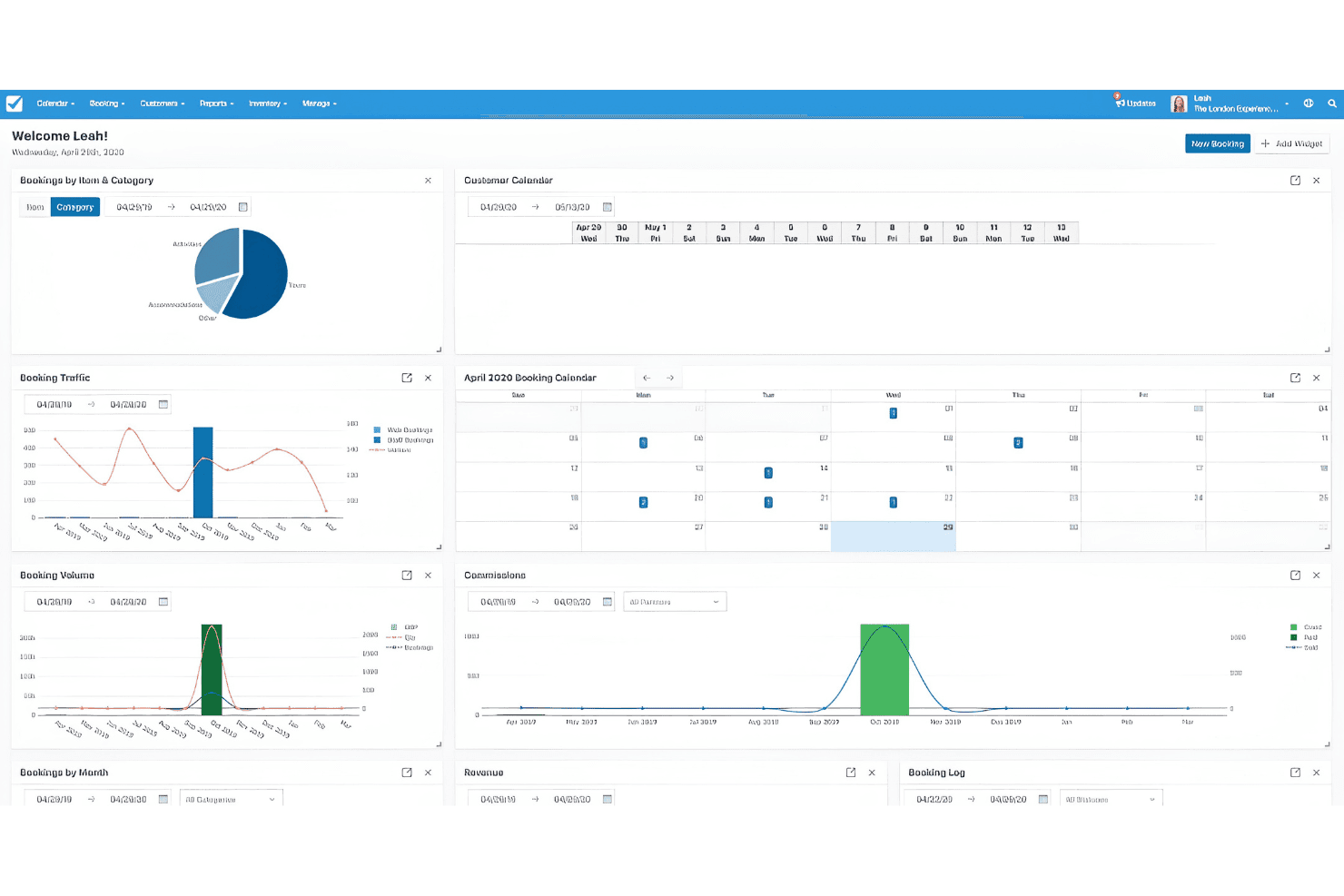
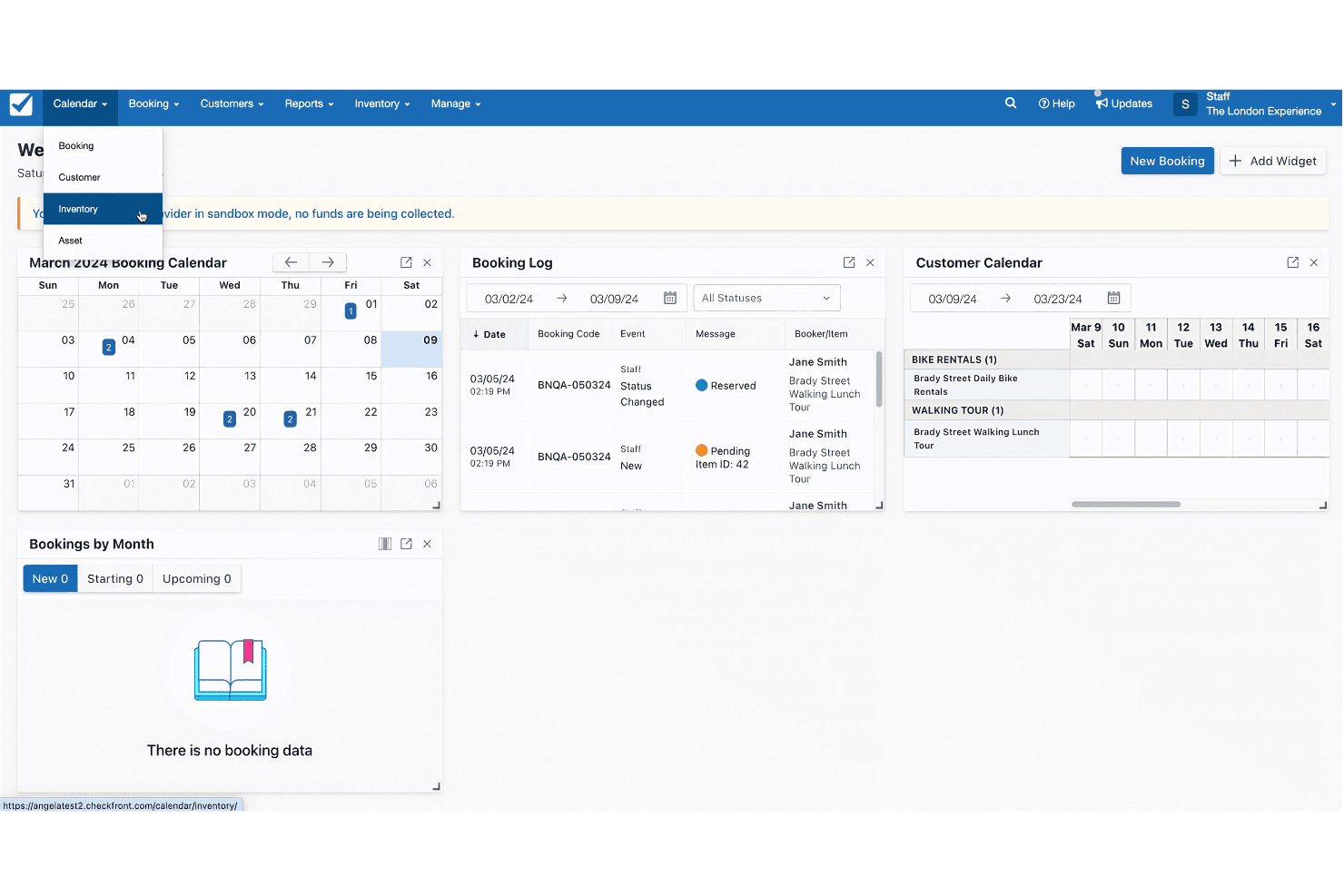
Real-Time Availability Calendar
Displays up-to-date inventory and prevents double bookings across all channels.
Automated Notifications
Sends instant email or SMS confirmations, reminders, and updates to guests and staff.
Customizable Booking Forms
Lets you tailor data collection fields to match your property’s unique requirements.
Resource Management
Tracks rooms, equipment, or staff availability and automatically allocates resources for each booking.
Flexible Pricing Rules
Supports seasonal rates, discounts, and package deals for different dates or guest types.
Centralized Dashboard
Gives you a single view to manage bookings, payments, and guest details in one place.
Standout Features
Channel Management Tools
Checkfront lets you sync availability and rates with OTAs and sales channels from one platform. This reduces manual updates and helps you avoid overbookings across multiple sites.
Built-In Waivers and Digital Documents
You can collect digital signatures and required documents directly within the booking process. This is especially useful for tours, rentals, or activities that need liability waivers or guest agreements.
Ease of Use
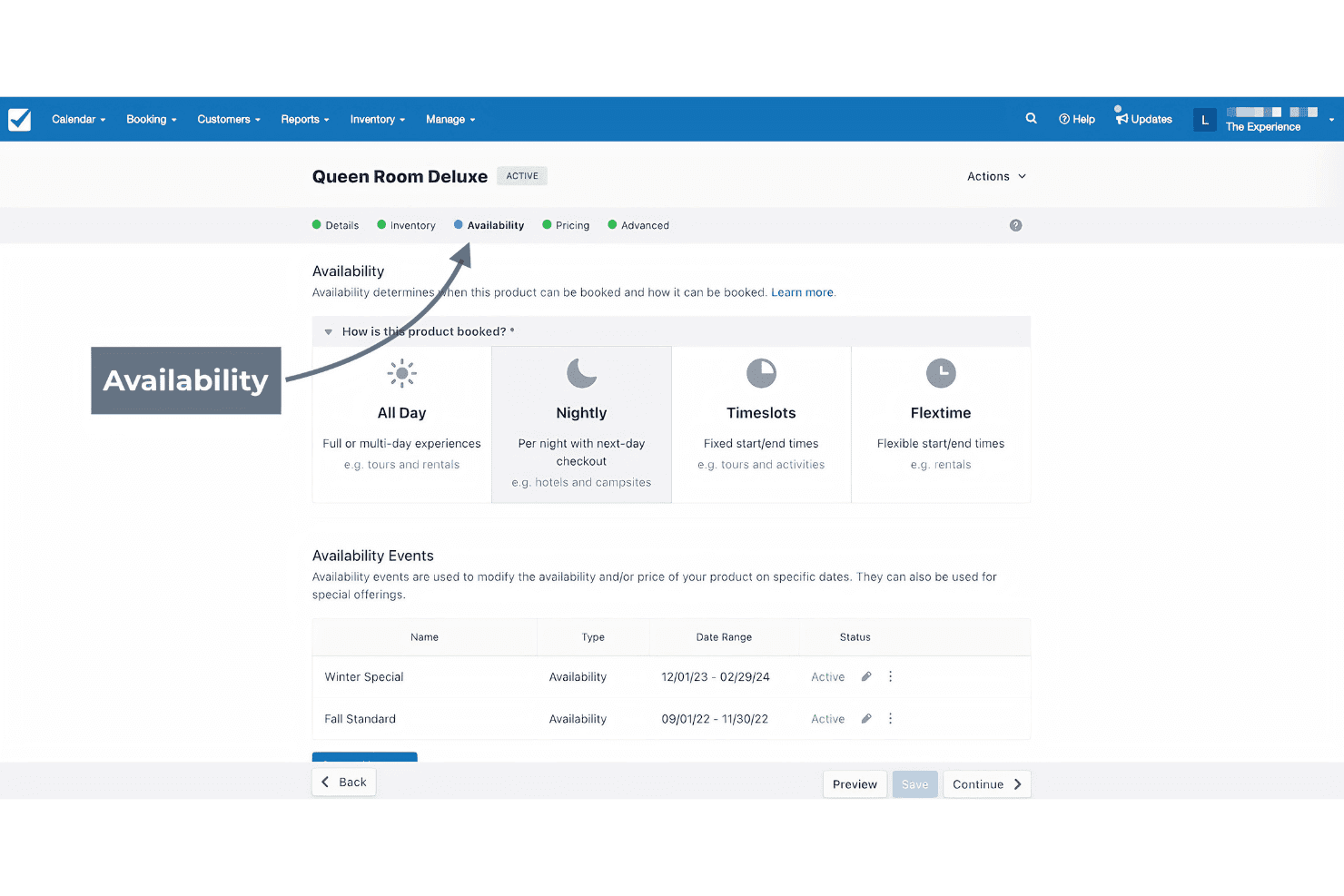
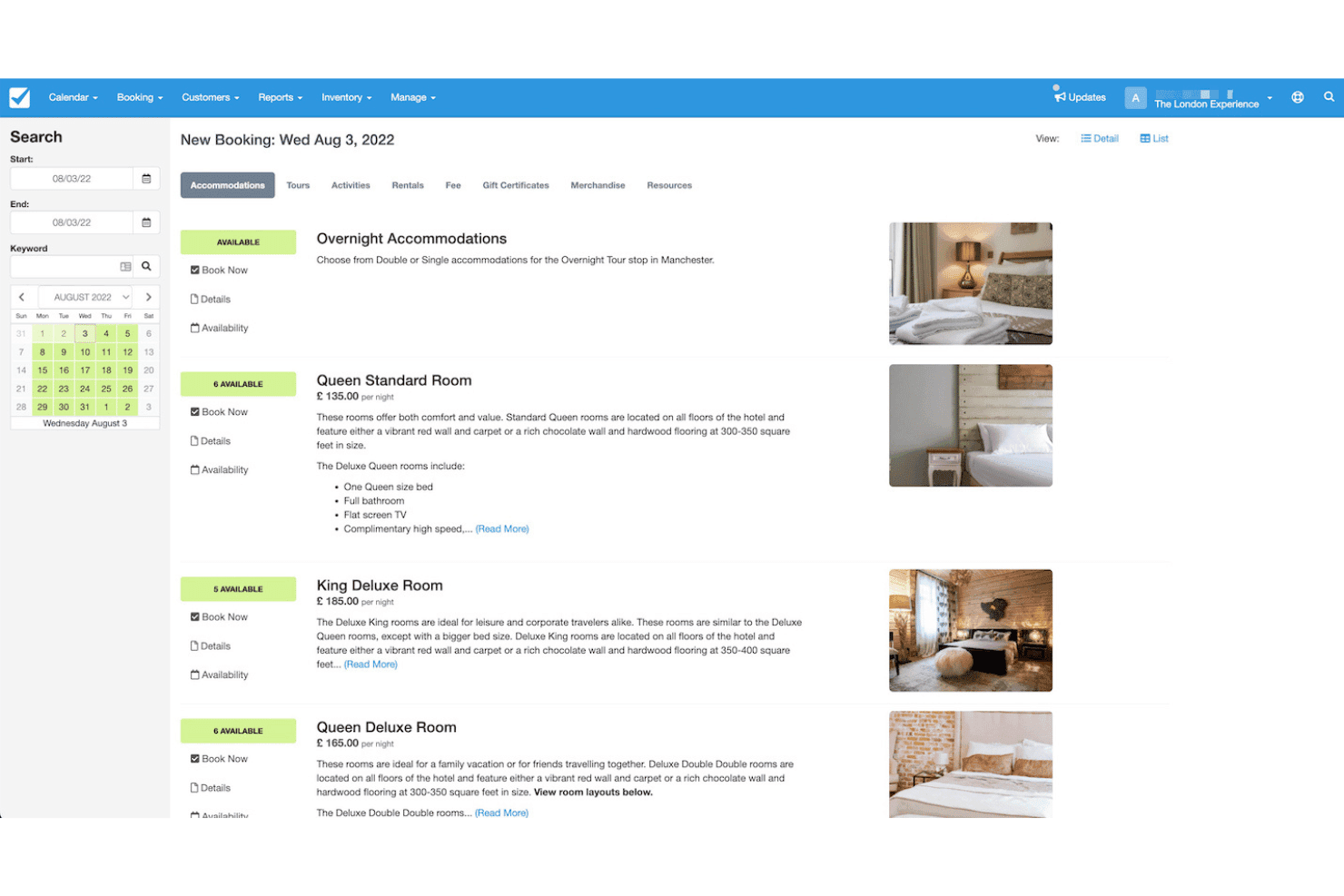
Checkfront stands out for its intuitive dashboard and clear navigation, making it easy for new users to get started without extensive training. Most users say setup is straightforward, and the booking calendar is visually clear. The drag-and-drop tools for managing inventory and bookings save time, while built-in help guides and responsive support reduce frustration.
Some users report minor confusion with booking edits, but overall, the platform feels approachable and efficient for daily operations.
Onboarding
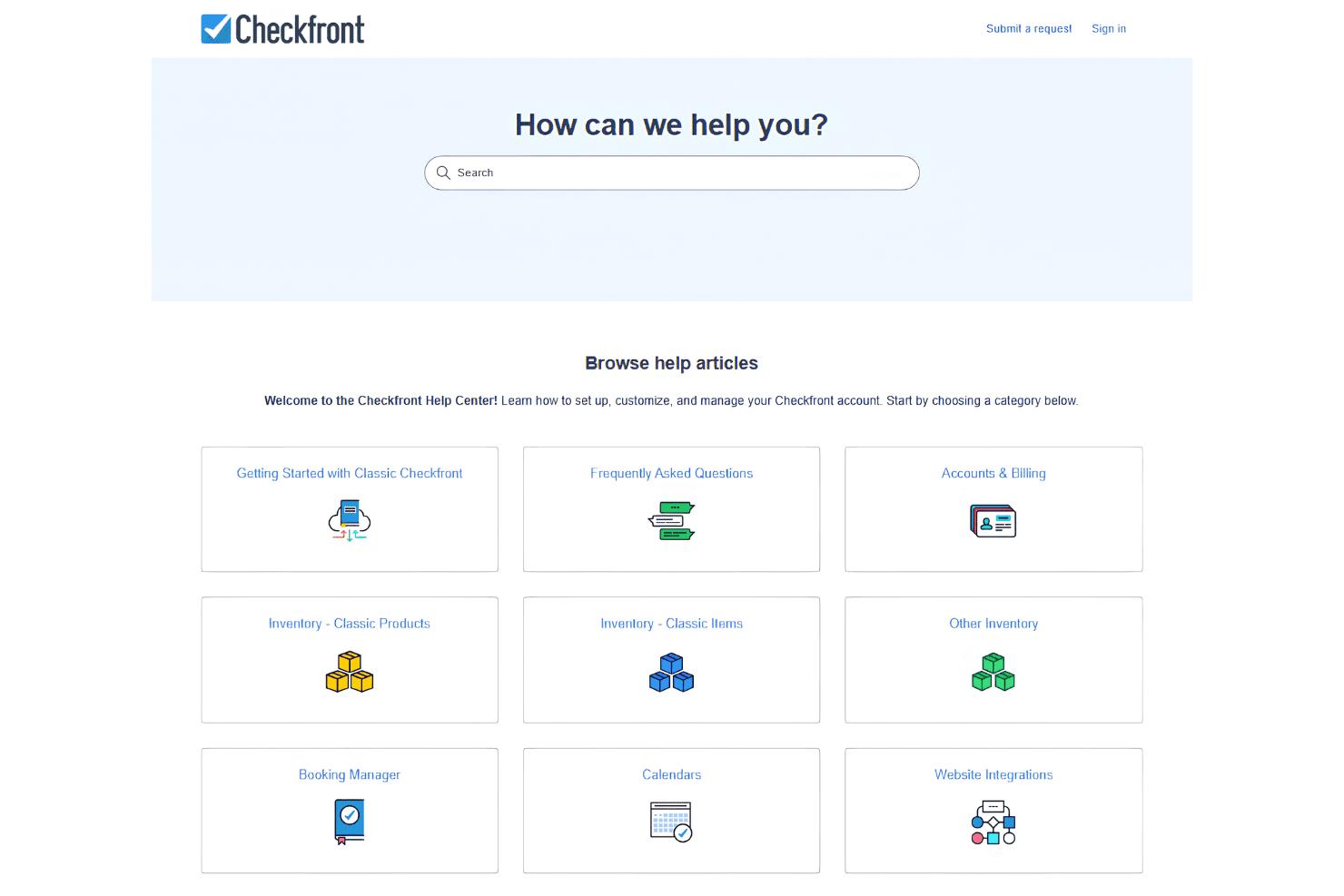
Checkfront’s onboarding process is quick and guided, with step-by-step setup wizards and helpful tooltips throughout the platform. New users get access to a detailed knowledge base, video tutorials, and live chat support, which most reviewers say speeds up the learning curve. The demo environment lets you test features before going live, and support staff are responsive to setup questions. Overall, you can expect to get up and running with Checkfront in just a few days.
Customer Support
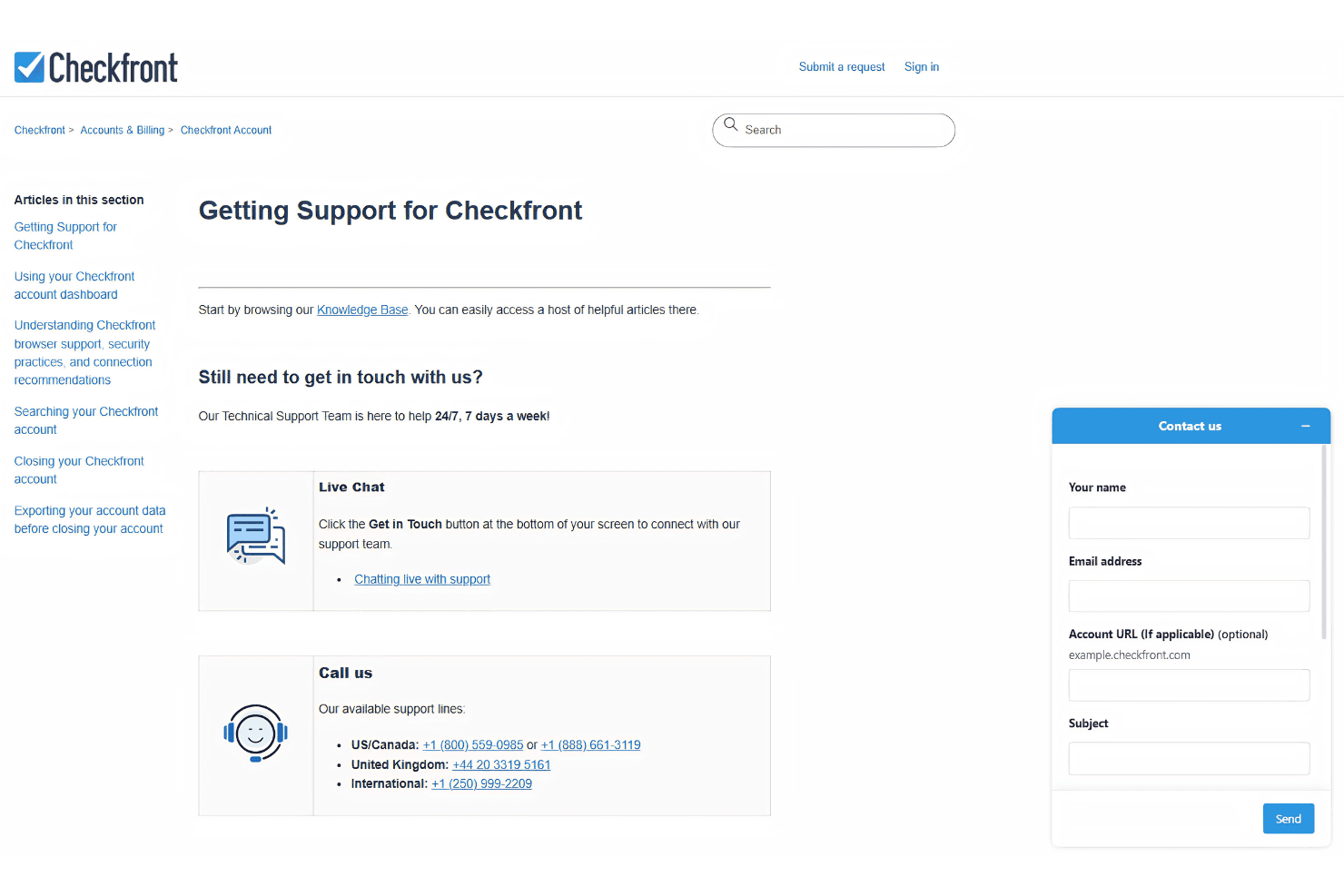
Checkfront offers responsive customer support through live chat, email, and a detailed help center, which users often praise for quick and helpful responses. Many reviewers highlight the knowledgeable support team and the value of having access to real people when troubleshooting issues. The platform’s resource library and community forums provide extra guidance, making it easy to find answers without waiting.
Overall, Checkfront’s support stands out for its accessibility and consistent follow-through.
Integrations
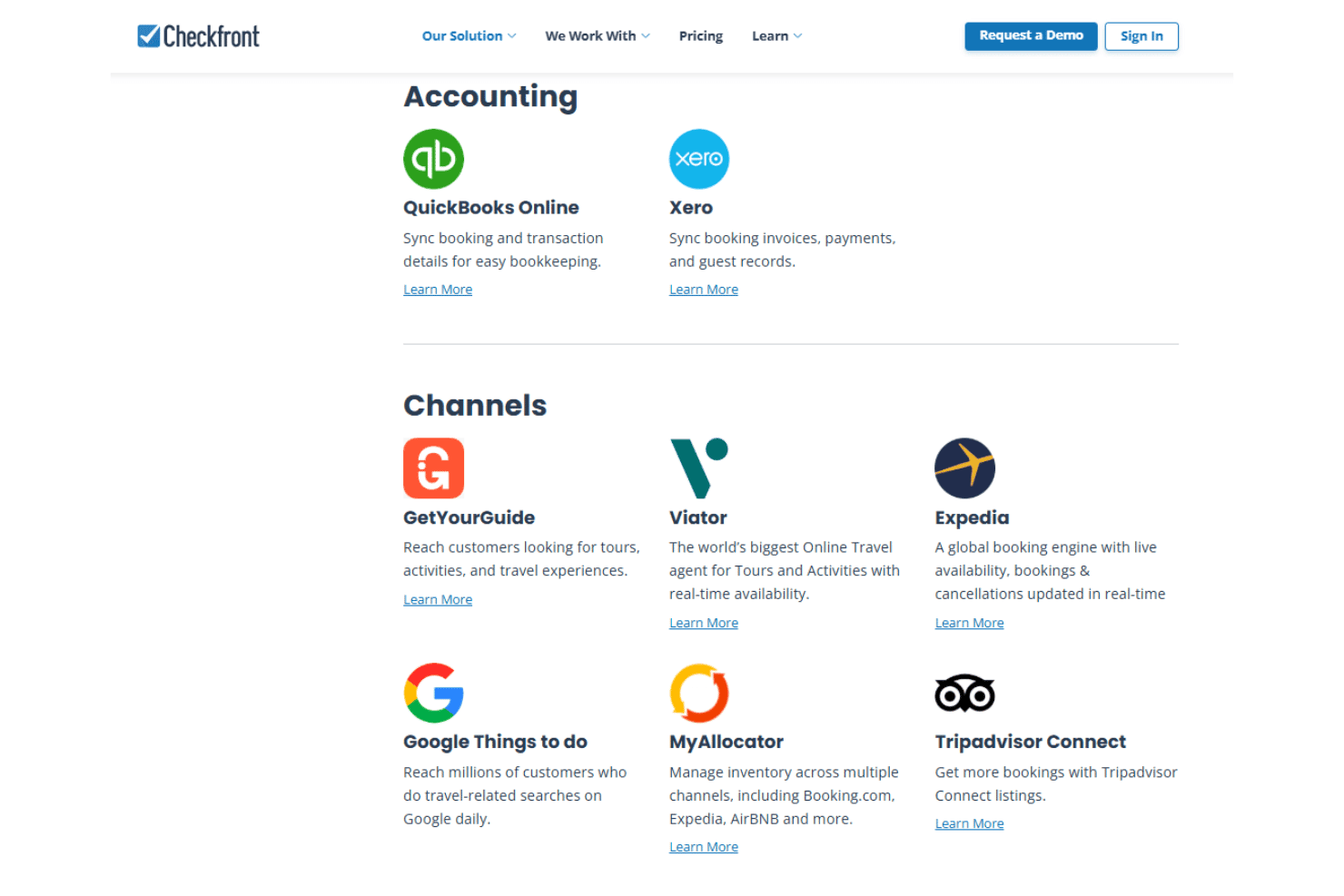
Checkfront integrates with QuickBooks Online, Xero, GetYourGuide, Viator, Expedia, Google Things to do, MyAllocator, Tripadvisor Connect, Stripe, and Square, among others.
Checkfront also offers an API and connects with third-party integration tools like Zapier.
Value for Money
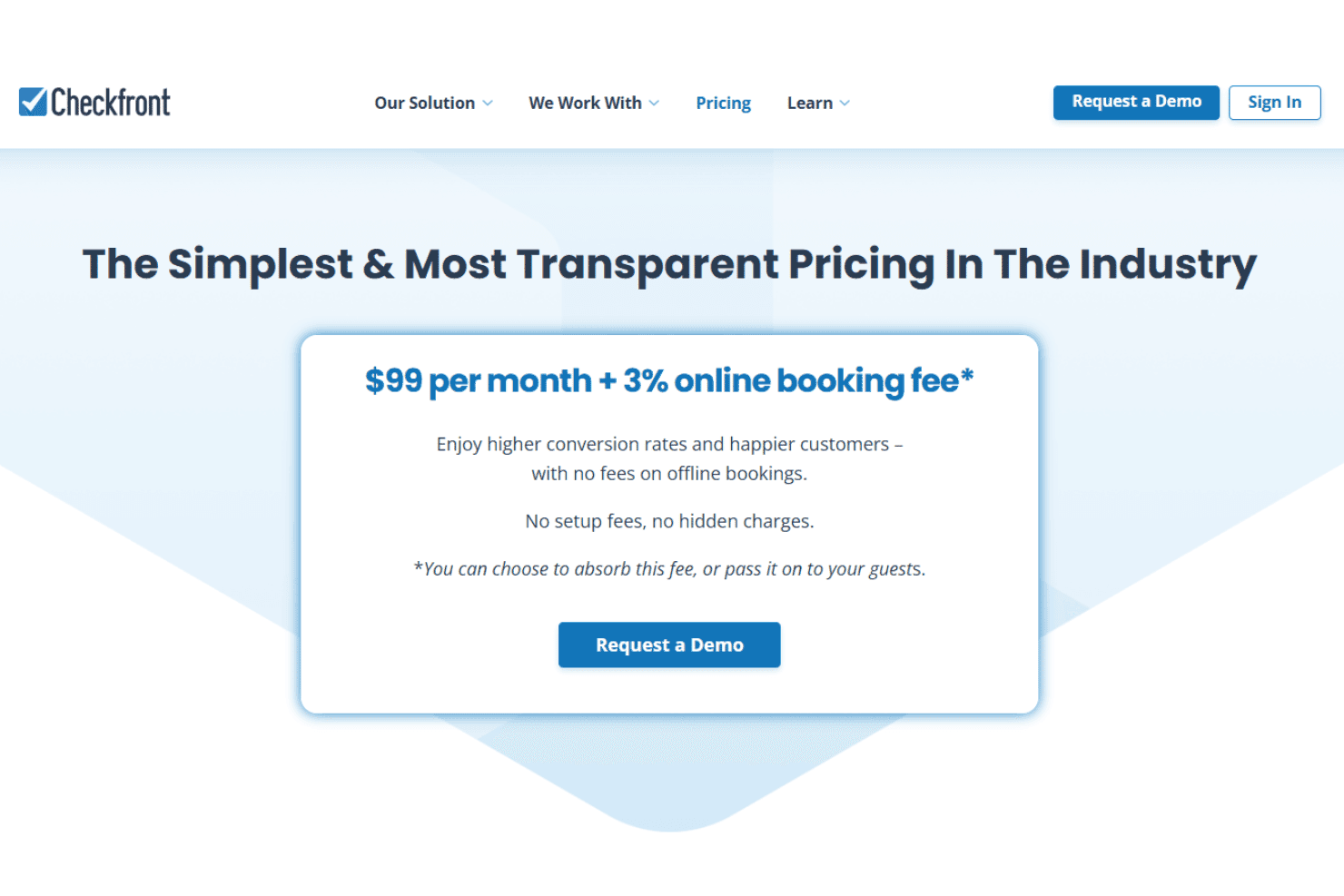
Checkfront is generally considered well-priced for the range of features and automation it offers, particularly for small to mid-sized businesses. Instead of multiple feature-based tiers, it uses a simple pricing approach where all customers get access to the full platform, including booking management, integrations, and support. This eliminates the need to upgrade plans to unlock additional functionality.
The pricing structure is transparent, with no setup fees or hidden charges, and costs scale alongside business activity. This makes it easier for businesses to predict expenses while growing, without being limited by plan restrictions.
Checkfront Specs
- API: Yes
- Budgeting: No
- Calendar Management: Yes
- Compliance Tracking: No
- Contact Management: Yes
- Customer Management: Yes
- Dashboard: Yes
- Data Export: Yes
- Data Import: Yes
- Data Visualization: Yes
- Document Management: Yes
- Expense Tracking: No
- External Integrations: Yes
- Forecasting: Yes
- Inventory Tracking: Yes
- Multi-Currency: Yes
- Multi-User: Yes
- Notifications: Yes
- Organization Management: Yes
- Payment Processor: Yes
- Payroll: No
- Scheduling: Yes
- Supplier Management: No
- Tax Management: No
- Workflow Management: Yes
Checkfront FAQs
Checkfront Company Overview & History
Checkfront is a booking management software company headquartered in Victoria, British Columbia, Canada. The company focuses on providing flexible, cloud-based booking solutions for experience-based businesses, including hotels, tours, and rentals. Checkfront is independently owned and does not list affiliations with other products or parent companies.
The platform is used by thousands of businesses worldwide, but specific financial details, workforce size, or notable clients are not publicly disclosed on their website.
Checkfront Major Milestones
- 2010: Checkfront founded in Victoria, British Columbia, Canada.
- 2011: Public launch of the Checkfront booking management platform.
- 2015: Reached thousands of global customers and expanded integration options.
- 2020: Introduced advanced resource management and digital waiver features.
- 2026: Continues to serve a diverse range of experience-based businesses worldwide.