

A hotel POS is a point-of-sale system built to handle restaurant, bar, and other F&B operations inside hotels—while connecting directly with your property management system for smooth guest billing and folio charges.
If you're searching for the best hotel POS, you’re likely looking for software that helps your team handle high guest volume, eliminate billing mistakes, sync charges to rooms, and manage the complexity of multi-outlet operations.
Choosing the right system means fewer guest complaints, less back-office reconciliation, and better visibility for every location. This guide will walk you through top-rated hotel POS options so you can deliver better service, reduce operational headaches, and stay ahead of ever-changing guest expectations.
Why Trust Our Software Recommendations
6,700+
Reviews
20
Industry experts
16+
Evaluation factors
14
Years
Our team has been testing and reviewing software since 2012. As hospitality leaders ourselves, we know how difficult—and important—it is to choose the right software.
For this guide, we evaluated tools using hands-on testing and independent research, scoring tools using our selection criteria.
Our reviews reflect our human editorial judgment, not a sales pitch.
Comparison Table: Hotel POS Systems
This comparison table summarizes pricing details for my hotel POS systems.
| Tool | Best For | Trial Info | Price | ||
|---|---|---|---|---|---|
| 1 | Best for native PMS-POS chain deployments | Free demo available | Pricing upon request | Website | |
| 2 | Best for F&B-heavy hotels with multiple outlets | Free demo available | From $69/month | Website | |
| 3 | Best for F&B across multi-outlet hotel properties | Free demo available | From $69/month (billed annually) | Website | |
| 4 | Best for multi-outlet F&B across hotel properties | Free demo available | Pricing upon request | Website | |
| 5 | Best for F&B ops across all hotel outlets | Free demo available | Pricing upon request | Website | |
| 6 | Best for PMS-native room charge posting | Not available | Pricing upon request | Website | |
| 7 | Best for enterprise multi-property F&B billing | Free demo available | Pricing upon request | Website | |
| 8 | Best for multi-property F&B charge posting | Free demo available | Pricing upon request | Website | |
| 9 | Best for OPERA Cloud-native folio posting | Free demo available | Pricing upon request | Website | |
| 10 | Best for PMS-connected multi-outlet hotel F&B | Free demo available | Pricing upon request | Website |


Hotel POS Systems Reviews
Below are my detailed summaries of the best hotel POS systems that made it onto my shortlist. My reviews offer a detailed look at the features, best use cases, and integrations of each system to help you find the best one for you.
 Best for native PMS-POS chain deployments
- Free demo available
- Pricing upon request
Visit WebsiteCustomer Rating:4.7/5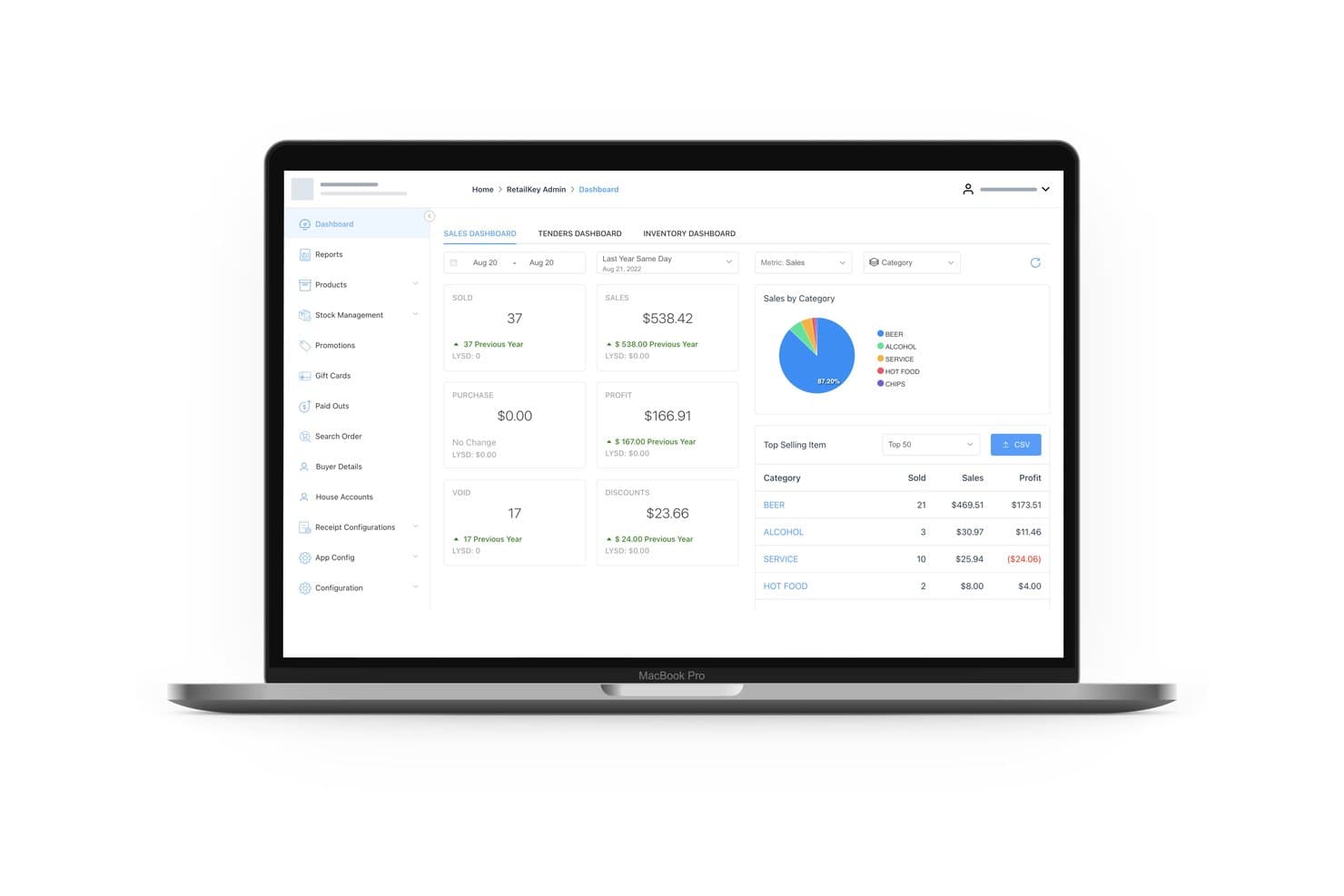
RetailKey manages hotel F&B, retail, and spa sales with multi-outlet support, direct room charging, and centralized multi-property reporting. RetailKey by HotelKey is a cloud-native hotel POS system with multi-outlet support across F&B, retail, and spa, built natively into the HotelKey property management platform with direct charge-to-room posting and centralized multi-property reporting.
Who Is HotelKey Best For?
HotelKey is a natural fit for hotel chains and multi-property operators that want PMS and POS running on one platform without third-party middleware in between.
Why I Picked HotelKey
HotelKey earns its spot on my shortlist because RetailKey is built into the same platform as HotelKey's PMS, so charge-to-room posting happens natively without a middleware layer in between. I've seen this matter most when sub-charge types are configured per outlet, so a guest's folio shows exactly what they ordered at the pantry versus the spa. For chain operators running 100-plus properties, that level of folio accuracy at scale is where HotelKey genuinely pulls ahead.
HotelKey Key Features
- Kitchen display system: Orders route from the POS directly to a KDS on any smart screen, with ticket prioritization and real-time order status tracking.
- Recipe costing and food cost reporting: Each menu item is linked to ingredient-level costs, giving you food cost percentages and margin data per outlet.
- Predictive purchase orders: The system generates automated purchase order suggestions based on inventory levels and sales trends, with built-in vendor management.
- Mobile Manager App: A dedicated mobile app gives you real-time dashboards, KPI tracking, inventory alerts, and per-outlet performance data from any device.
HotelKey Integrations
HotelKey integrates with Shift4, FreedomPay, Elavon, Adyen, Stripe, Windcave, M3, ProfitSword, and Sage. Private APIs support custom rate updates and third-party connectivity.
Pros and Cons
Pros:
- Multi-property dashboards across all outlets
- Real-time charge-to-room posting accuracy
- Native PMS and POS sharing guest data
Cons:
- Advanced restaurant workflows not fully documented
- Credit cards not supported in offline mode
Learn more about HotelKey: Best for F&B-heavy hotels with multiple outlets
- Free demo available
- From $69/month
Visit WebsiteCustomer Rating:4.2/5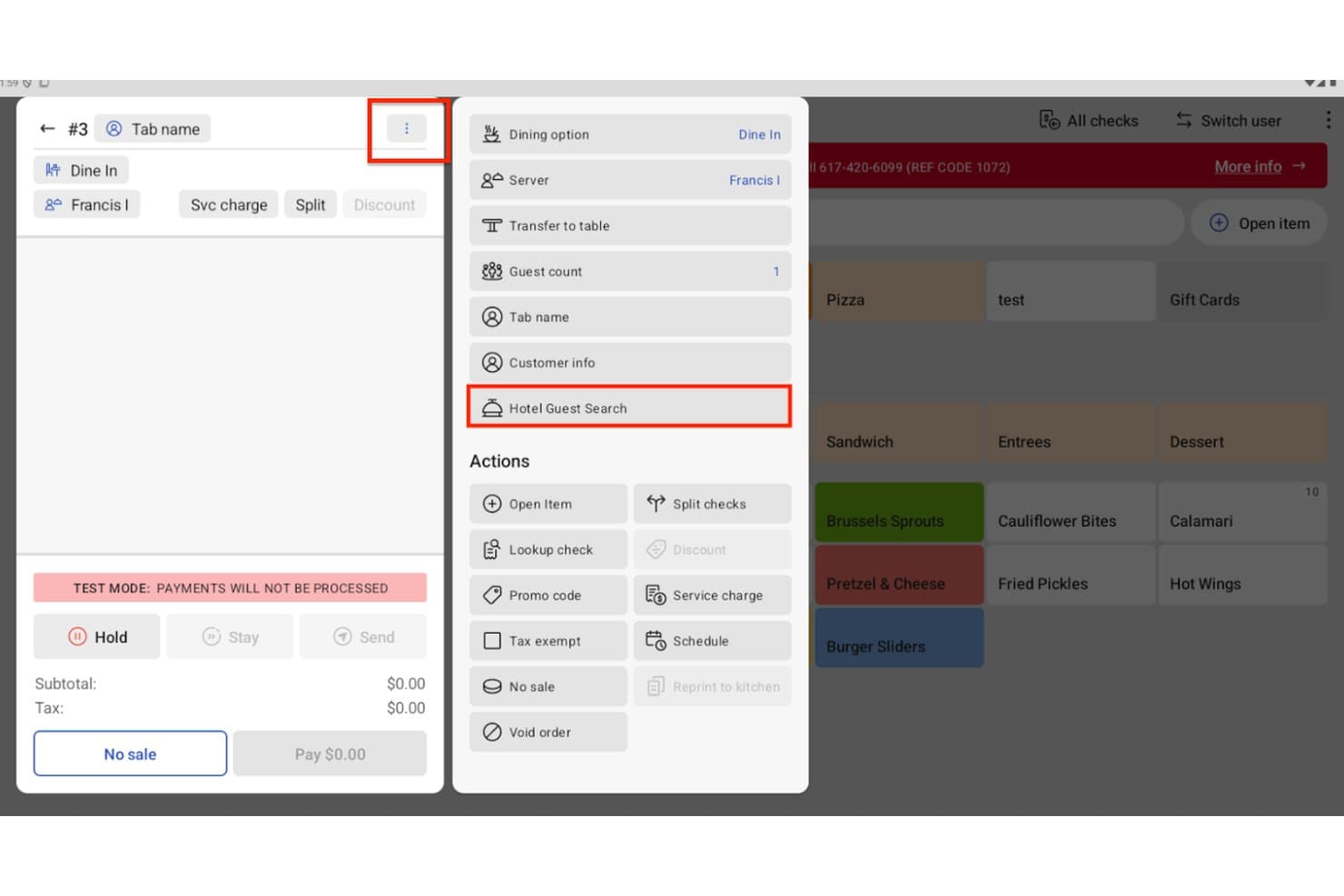
Toast lets hotel staff charge orders directly to a guest's room. Toast is a restaurant-focused POS platform adapted for hotel F&B operations, offering table management, multi-outlet order routing, PMS-integrated room charge posting, a catering and events module, and back-office inventory tools through xtraCHEF.
Who Is Toast Best For?
Toast is a strong fit for F&B directors managing multiple dining outlets across a hotel or resort, where restaurant-grade order management is the core operational priority.
Why I Picked Toast
Toast earns its spot on my shortlist because of how well it handles multi-outlet F&B operations under one roof. I especially like the Catering & Events module, which manages the full BEO lifecycle from deposit collection to kitchen prep sheets without a separate system. Pair that with Toast Go 3 LTE handhelds for poolside or patio service, and your team can run every F&B outlet on property from a single platform.
Toast Key Features
- PMS room charge posting: Search guests by name or room number directly from the POS and post F&B charges to their folio across 13+ certified PMS integrations, including Opera Cloud, Cloudbeds, and Stayntouch.
- xtraCHEF inventory suite: Automate supplier invoice processing, run actual vs. theoretical usage reports, and track COGS across all F&B outlets from one back-office tool.
- Toast Now mobile dashboard: Monitor real-time sales, labor, and outlet performance across your entire property from a mobile device.
- Offline card capture: Continue processing card payments during network outages using local caching, so dine-in service keeps running even when connectivity drops.
Toast Integrations
Toast offers 13+ certified PMS integrations, including Opera Cloud, Cloudbeds, Stayntouch, Maestro, Marriott FOSSE, and Marriott Full Service PMS. Mews and Infor HMS connect through Omniboost, while a 300+ partner ecosystem supports additional integrations.
Pros and Cons
Pros:
- Multi-outlet support for all F&B types
- PMS integration supports room charge posting
- Menu management with recipe-level costing options
Cons:
- PMS room charge posting disabled offline
- No native spa or golf POS integration
Learn more about Toast: Best for F&B across multi-outlet hotel properties
- Free demo available
- From $69/month (billed annually)
Visit WebsiteCustomer Rating:4.3/5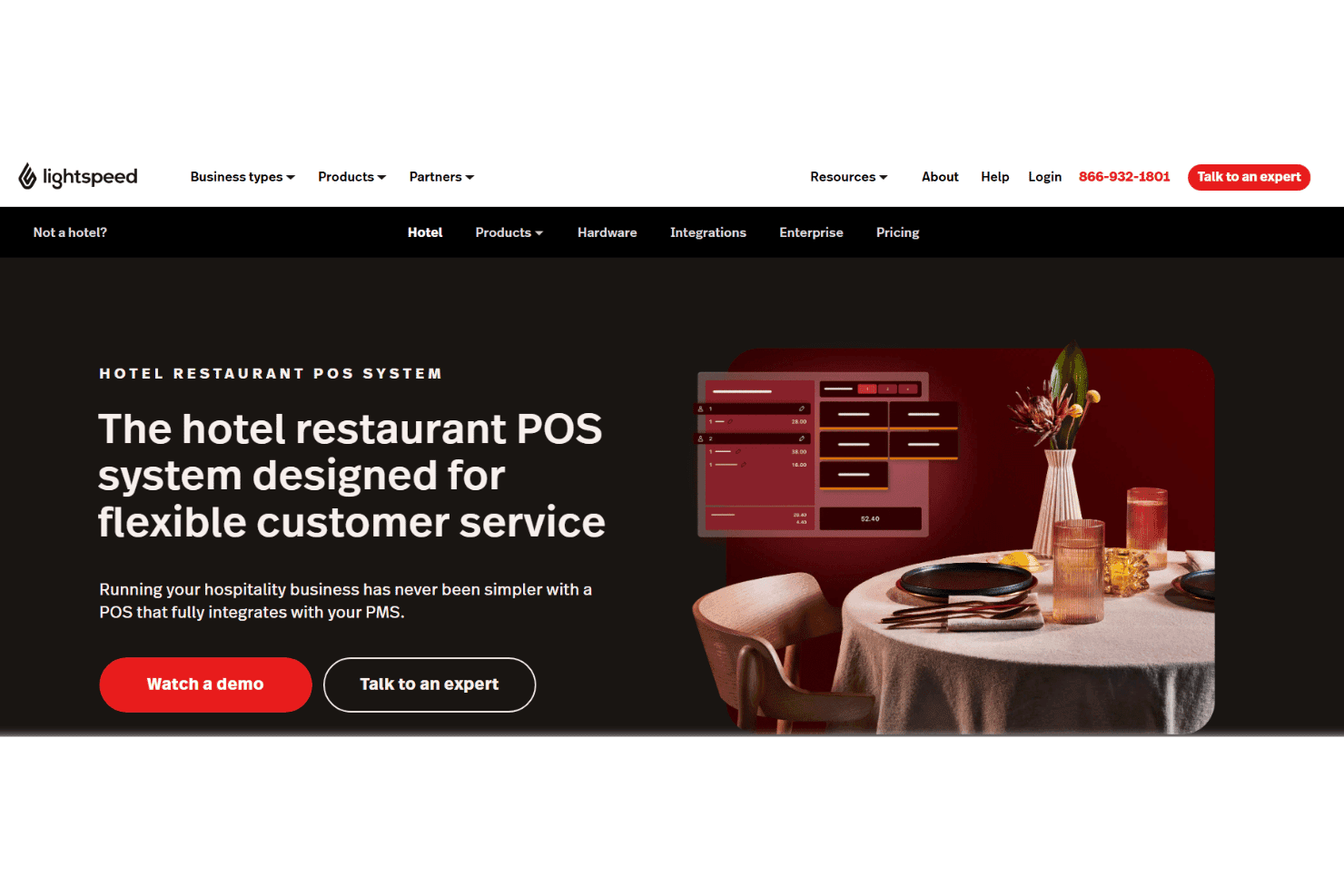
Lightspeed Restaurant handles hotel F&B with multi-outlet table management, tableside ordering, kitchen routing, ingredient tracking, and PMS room charge posting. Lightspeed Restaurant is a cloud-based restaurant POS built for hotel F&B operations, with multi-outlet table management, tableside ordering, kitchen display routing, ingredient-level inventory tracking, and real-time PMS integration for room charge posting across 20+ property management systems.
Who Is Lightspeed Restaurant Best For?
Lightspeed Restaurant is a strong fit for hotel F&B directors managing multiple dining venues, bars, or room service operations under one property roof.
Why I Picked Lightspeed Restaurant
I picked Lightspeed Restaurant as one of the best because it's purpose-built to handle F&B across multiple outlets within a single property. I particularly like how the Premium plan supports unlimited revenue centers, each with its own floor plan, menu, and KDS routing, while rolling everything into one consolidated F&B report. Its real-time room charge posting works across 20+ PMS platforms, including Oracle OPERA Cloud, so a dinner charge at your rooftop bar hits the guest folio before they're back in the elevator.
Lightspeed Restaurant Key Features
- Ingredient-level inventory tracking: Automatically depletes stock by ingredient as items are sold, with low-stock alerts and automated supplier reordering built in.
- Lightspeed Pulse mobile app: Lets managers monitor real-time sales performance across all outlets from a single mobile dashboard.
- Pre-authorization bar mode: Opens a tab with a card swipe and closes it in one tap, keeping bar service moving during high-volume periods.
- Advanced Insights with AI querying: Lets managers type plain-language questions about sales or performance data and receive data-backed answers directly within the reporting dashboard.
Lightspeed Restaurant Integrations
Lightspeed Restaurant supports 20+ PMS integrations, including Oracle OPERA, Mews, Stayntouch, WebRezPro, Shiji, RoomRaccoon, and Apaleo. It also integrates with QuickBooks, Xero, and Sage, with raw API access available on Premium for custom integrations.
Pros and Cons
Pros:
- Comprehensive multi-outlet and venue reporting
- Ingredient-level inventory tracking for F&B outlets
- Excels at real-time PMS room charge posting
Cons:
- No native banquet or event management
- PMS integrations require premium-tier subscription
Learn more about Lightspeed Restaurant: Best for multi-outlet F&B across hotel properties
- Free demo available
- Pricing upon request
Visit WebsiteCustomer Rating:4/5
Squirrel supports hotel F&B across dining, bars, poolside, and room service with table management, KDS routing, PMS integration, and digital ordering. Squirrel is a hospitality POS platform built for hotels and resorts, covering multi-outlet F&B service, table management, KDS order routing, PMS integration, and digital ordering across dining rooms, bars, poolside, and room service.
Who Is Squirrel Best For?
Squirrel is a natural fit for F&B directors and operations teams at full-service hotels and resorts managing multiple dining outlets, bars, and room service under one property.
Why I Picked Squirrel
Squirrel earns its spot on my shortlist because of how well it handles the complexity of running F&B across multiple hotel outlets from a single system. I love that KDS routing with load balancing keeps kitchen stations coordinated across a formal dining room, a poolside bar, and room service simultaneously. Multi-coursing and seat-level ordering logic mean servers aren't manually tracking course timing during a busy dinner service.
Squirrel Key Features
- PMS integration: Connects with 25+ property management systems, including Opera, Infor, Maestro, Stayntouch, and WebRezPro, enabling room charge posting directly to guest folios.
- Multi-location management: Centralize menu updates, pricing, promotions, and user permissions across multiple properties, with store grouping and location-specific configuration controls.
- Digital ordering channels: Manage QR code room service ordering, kiosk ordering, and third-party delivery integrations from a single POS hub with real-time menu synchronization.
- Offline mode: Continue capturing orders and processing payments during internet outages, with automatic data sync once connectivity is restored.
Squirrel Integrations
Squirrel lists 25+ PMS integrations, including Opera, Infor, Maestro, Stayntouch, and WebRezPro, plus Shift4, Elavon, Yellow Dog Software, Restaurant365, Paytronix, SevenRooms, and Eat App. Squirrel Cloud provides a REST API, while Squirrel 11 supports SDK, gateway API, and SQL interfaces.
Pros and Cons
Pros:
- Offline mode for uninterrupted F&B operations
- Room charge posting to folios supported
- Handles F&B across multiple hotel outlets
Cons:
- No built-in hotel loyalty program
- Advanced inventory requires third-party integration
Learn more about Squirrel: Best for F&B ops across all hotel outlets
- Free demo available
- Pricing upon request
Visit WebsiteCustomer Rating:3.8/5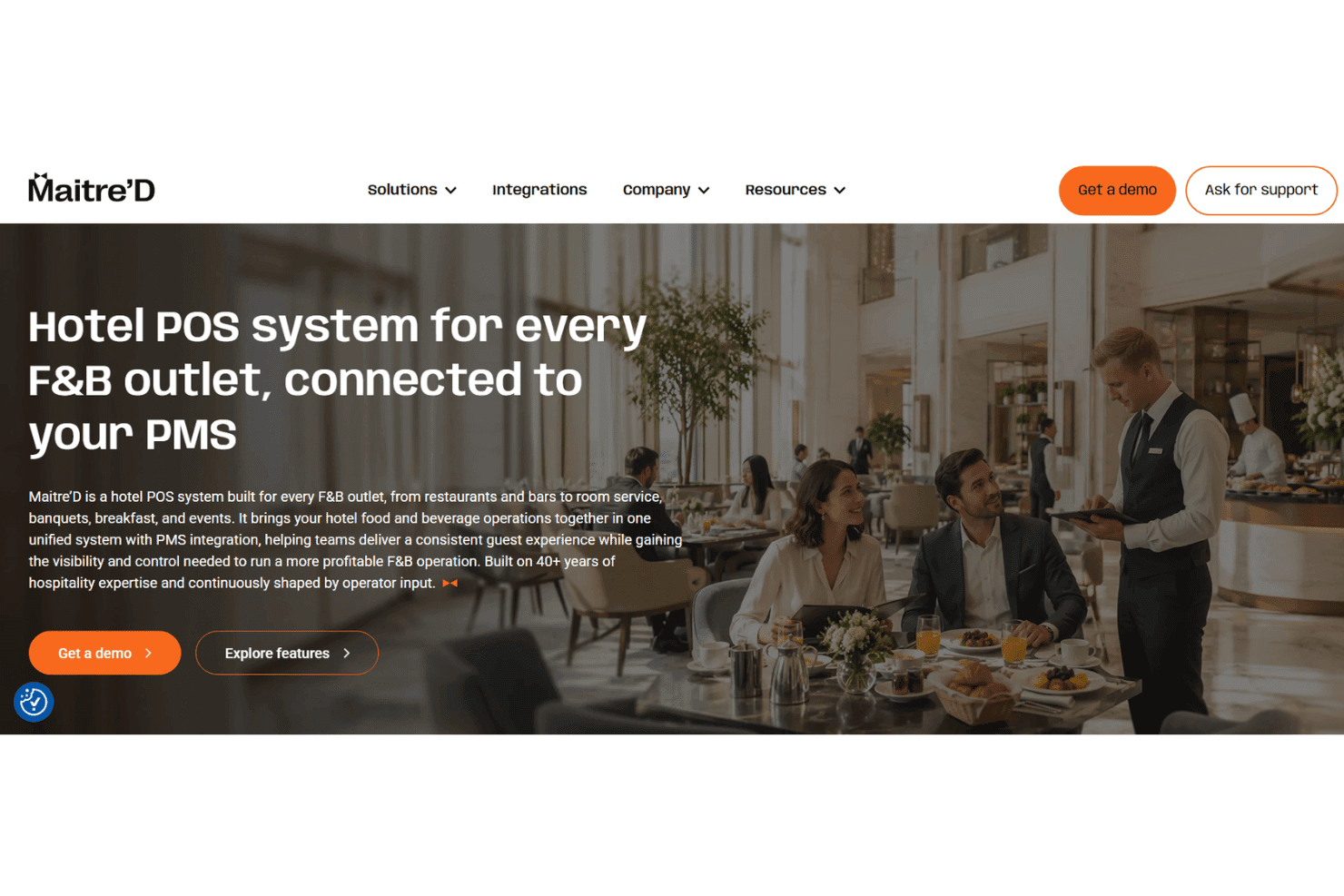
Maitre'D coordinates hotel F&B across restaurants, bars, banquets, and room service with table service, kitchen routing, mobile ordering, and room charge posting. Maitre'D is a hospitality-focused F&B POS platform that covers table service, KDS-driven kitchen routing, mobile ordering, bar management, room charge posting, and multi-outlet reporting across hotel restaurant, bar, banquet, and room service operations.
Who Is Maitre'D Best For?
Maitre'D is a strong fit for hotel F&B directors managing multiple dining outlets—restaurant, bar, banquet, and room service—who need a single platform to handle ordering, kitchen routing, and charge posting across all of them.
Why I Picked Maitre'D
Maitre'D earns its spot on my shortlist because it's purpose-built for hotel F&B operations across every outlet type, from the main restaurant and rooftop bar to banquet events and room service, all managed from one centralized back office. I like how the KDS routes orders to the right kitchen station per outlet while VelPAY handhelds let poolside and banquet staff take orders and process payments tableside. Room charge posting to named PMS platforms like Oracle OPERA and Mews means charges flow directly to guest folios without manual reconciliation.
Maitre'D Key Features
- Banquet and event billing: Route group event orders through the KDS, manage event floor plans, and post charges directly to room folios or master accounts via PMS.
- VelMIX Bar module: Track alcohol pours at the milliliter and ounce level with automated reorder alerts and ingredient-level cost reporting across bar outlets.
- Multi-property menu management: Push menu updates, pricing changes, and promotions across all outlets simultaneously or configure them individually per location from a central back office.
- Offline order processing: Continue taking orders, routing tickets to the kitchen, and capturing payments if the internet or PMS connection drops, with automatic data sync on reconnection.
Maitre'D Integrations
Maitre'D has eight named PMS integrations, including Oracle OPERA, Mews, Maestro, RoomKeyPMS, WebRezPro, Hotello, Reservit, and Amadeus Hotels. It also integrates with OpenTable, Deliverect, Givex, and offers a REST API for custom integrations.
Pros and Cons
Pros:
- Centralized menus and reporting across outlets
- Granular inventory with milliliter pour tracking
- Direct room charge posting to PMS
Cons:
- No explicit spa or retail support
- Outdated user interface for back office
Learn more about Maitre'D: Best for PMS-native room charge posting
- Not available
- Pricing upon request
Visit WebsiteCustomer Rating:4.8/5
Mews POS handles hotel F&B orders, multi-outlet sales, embedded payments, and real-time room charge posting through Mews PMS. Mews POS is a hotel point-of-sale system built natively on the Mews PMS platform, covering F&B order management, multi-outlet operations, embedded payments, and real-time room charge posting across restaurants, bars, and other on-property revenue centers.
Who Is Mews POS Best For?
Mews POS is the strongest fit for hotels already running Mews PMS that want F&B charges, guest profiles, and reconciliation to work as one unified system.
Why I Picked Mews POS
I've included Mews POS in my top picks because the POS and PMS live on the same platform, which means room charge posting isn't an integration. It's automatic. When a guest orders at the bar, the charge hits their folio in real time, guest profiles surface at the point of sale, and end-of-shift reconciliation happens without any manual matching. Meiser Hotels cut two hours of daily reconciliation per property to zero after switching to the unified setup.
Mews POS Key Features
- Kitchen display system: A dedicated KDS app routes orders to the kitchen with ticket time tracking and order prioritization built in.
- Offline mode: The POS continues processing orders during connectivity outages and automatically syncs transactions once the connection is restored.
- Mobile ordering on any Android device: Staff take orders and process payments on any Android smartphone or tablet, with no proprietary hardware required.
- Inventory management add-on: Tracks stock at the ingredient level with recipe costing, low-stock alerts, and automated supplier reordering.
Mews POS Integrations
Mews POS integrates natively with Mews PMS and Mews Payments, with 1,000+ Marketplace integrations including QuickBooks, Xero, Sage, Uber Eats, and DoorDash. Enterprise plans include Open API access for custom integrations.
Pros and Cons
Pros:
- End-of-shift reconciliation is fully automated
- Mobile ordering on any Android device
- Native PMS integration with instant room charge posting
Cons:
- Banquet and event management features limited
- Inventory and digital ordering are paid add-ons
Learn more about Mews POS: Best for enterprise multi-property F&B billing
- Free demo available
- Pricing upon request
Visit WebsiteCustomer Rating:3.8/5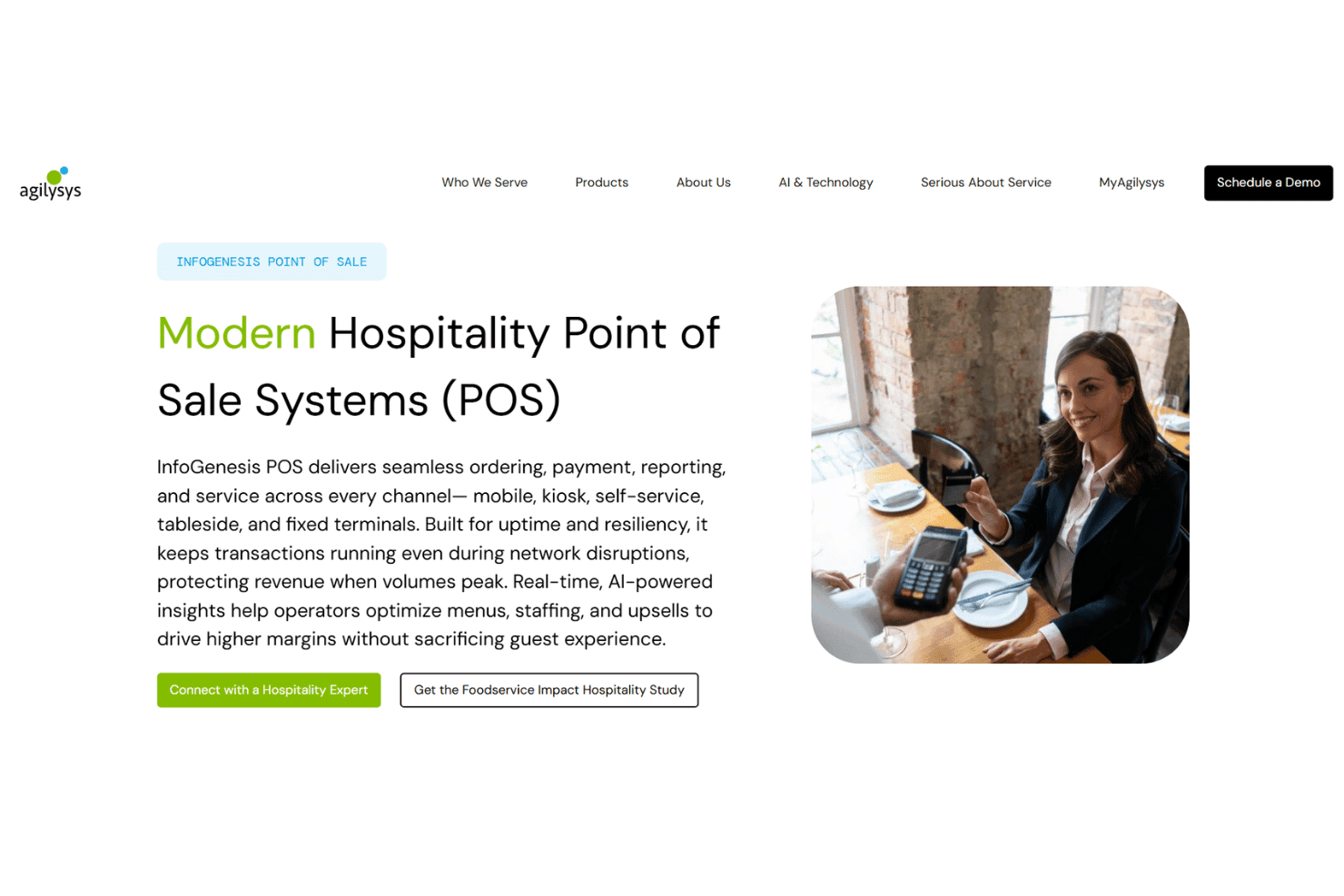
Agilysys InfoGenesis POS manages hotel F&B orders, kitchen workflows, kiosks, mobile ordering, payments, inventory costing, and cross-outlet reporting. Agilysys InfoGenesis POS is an enterprise hotel POS platform built for multi-property and resort environments, covering F&B ordering, kitchen management, self-service kiosks, mobile staff ordering, payment processing, inventory costing, and cross-outlet reporting.
Who Is Agilysys InfoGenesis POS Best For?
InfoGenesis POS is built for large hotels, resorts, and multi-property groups that need a single platform managing F&B, payments, and reporting across every outlet.
Why I Picked Agilysys InfoGenesis POS
Agilysys InfoGenesis POS earns its spot on my shortlist because it's built from the ground up for multi-property F&B billing at enterprise scale. I love how its centralized configuration portal pushes menus, pricing, and promotions across every outlet simultaneously, whether that's 5 restaurants on one property or 40+ locations across a casino resort portfolio. Native two-way PMS integration means charges post directly to guest folios in real time, with no manual reconciliation required.
Agilysys InfoGenesis POS Key Features
- Agilysys Pay: A natively integrated payment platform supporting EMV, NFC/contactless, Apple Pay, Google Pay, tokenization, and PCI-validated P2PE across all outlets.
- IG Fly mobile ordering: A dedicated handheld tool for staff to take orders and process payments at poolside, tableside, banquet, and remote service areas.
- Agilysys Analyze dashboards: Role-specific reporting dashboards that consolidate POS, PMS, spa, golf, and retail data into a single property-wide or multi-property view.
- Agilysys SWS inventory: An integrated procurement and recipe costing module with real-time stock tracking, vendor bid comparison, and mobile barcode scanning across all outlets.
Agilysys InfoGenesis POS Integrations
Native integrations include Agilysys PMS, Agilysys Analyze, Agilysys SWS, Agilysys Pay, Agilysys Loyalty & Promotions, and IG KDS. It also integrates with Oracle Opera, Infor HMS, Sabre SynXis, Amadeus, and IHG PMS platforms, with an open API for custom connections.
Pros and Cons
Pros:
- Offers strong offline mode for remote venues
- Handles room charges across all outlets instantly
- Centralizes menu and pricing updates property-wide
Cons:
- Customization requires paid vendor technician services
- Below-average ratings for customer support
Learn more about Agilysys InfoGenesis POS: Best for multi-property F&B charge posting
- Free demo available
- Pricing upon request
Infrasys supports hotel F&B with multi-outlet ordering, mobile service, payments, room charges, and centralized multi-property reporting. Infrasys is a cloud-native hotel POS built for enterprise F&B operations, supporting multi-outlet order management, tableside and mobile ordering, integrated payments, room charge posting, and centralized multi-property reporting.
Who Is Infrasys Best For?
Infrasys is a strong fit for multi-property hotel groups and branded chains that need centralized F&B management across multiple outlets and locations.
Why I Picked Infrasys
I picked Infrasys as one of the best because it handles multi-property F&B charge posting better than anything else I've seen at this scale. When a guest orders poolside at one property and dines at another outlet that evening, Infrasys posts both charges to the same room folio in real time, across PMS platforms like Opera Cloud, Amadeus, and Apaleo. I also like that centralized menu and pricing configurations push across all properties from a single back office, which is a genuine advantage for branded hotel groups managing F&B operations at scale.
Infrasys Key Features
- Offline resiliency: Infrasys keeps order-taking, payment capture, and kitchen printing running during internet outages, then syncs transactions automatically when connectivity is restored.
- Infrasys POS Move: A dedicated mobile ordering app with a staff-facing interface and docking station, built for poolside attendants, lobby servers, and banquet teams.
- Self-service kiosks: Through its Rivalry Tech integration, Infrasys supports guest-facing self-ordering kiosks for marketplace, counter, and table-service outlets.
- Fiscal compliance across 100+ countries: Infrasys handles local tax rules, service charges, and fiscalization requirements across Europe, LATAM, APAC, and the Middle East.
Infrasys Integrations
Infrasys integrates with 6+ PMS platforms, including Daylight, Amadeus, Agilysys ResortSuite, Apaleo, Cloudbeds, and Aspen Club Management. It also supports Adyen, FreedomPay, Apicbase, and Yellow Dog, with an open API for custom integrations.
Pros and Cons
Pros:
- Real-time guest room posting across properties
- Centralized menu and pricing for all outlets
- Resilient cloud-managed operations during outages
Cons:
- Full inventory features need third-party tools
- Backend configuration is complex for new users
Learn more about Infrasys: Best for OPERA Cloud-native folio posting
- Free demo available
- Pricing upon request
Visit WebsiteCustomer Rating:3.6/5
Oracle MICROS Simphony manages hotel F&B operations with order management, kitchen displays, mobile ordering, payments, inventory tracking, and OPERA Cloud integration. Oracle MICROS Simphony is a cloud-based hotel POS platform built for multi-outlet hospitality environments, covering F&B order management, kitchen display, mobile tableside ordering, payment processing, inventory tracking, and native integration with Oracle OPERA Cloud.
Who Is Oracle MICROS Simphony Best For?
Oracle MICROS Simphony is a strong fit for full-service and enterprise hotels running Oracle OPERA Cloud that need native, real-time folio posting across multiple F&B outlets.
Why I Picked Oracle MICROS Simphony
Oracle MICROS Simphony earns its spot on my shortlist because of how deeply it's built around OPERA Cloud. When a guest orders at the pool bar or hotel restaurant, charges post directly to their folio in real time, no manual reconciliation needed at checkout. I also like that shared guest profiles surface loyalty status and dining preferences right at the POS terminal, which is something most hotel POS platforms can't do natively.
Oracle MICROS Simphony Key Features
- Kitchen display system (KDS): Routes orders from POS terminals to heat- and spill-resistant kitchen displays, with bump boards and remote view for managing ticket flow across multiple kitchen stations.
- Simphony Frontline Manager: Web-based back office tool for pushing menu updates, pricing changes, and configuration across all outlets from a single interface.
- Oracle InMotion mobile app: Delivers real-time sales tracking, forecasts, and exception alerts for voids and discounts directly to iOS and Android devices.
- CrowdTwist loyalty integration: Connects F&B and retail spend to Oracle's loyalty platform, surfacing reward balances and personalized promotions at the point of service.
Oracle MICROS Simphony Integrations
Oracle MICROS Simphony has native integration with Oracle OPERA Cloud and supports 200+ marketplace integrations, including FreedomPay, Elavon, Adyen, Uber Eats, DoorDash, and Deliverect. OHIP provides an API for custom connections, with Oracle Analytics Cloud and CrowdTwist also supported.
Pros and Cons
Pros:
- Reliable offline mode for uninterrupted service
- Centralized menu management for all outlets
- Real-time folio posting with OPERA Cloud
Cons:
- Report customization is frequently flagged as limited
- Implementation takes several months for hotels
Learn more about Oracle MICROS Simphony: Best for PMS-connected multi-outlet hotel F&B
- Free demo available
- Pricing upon request
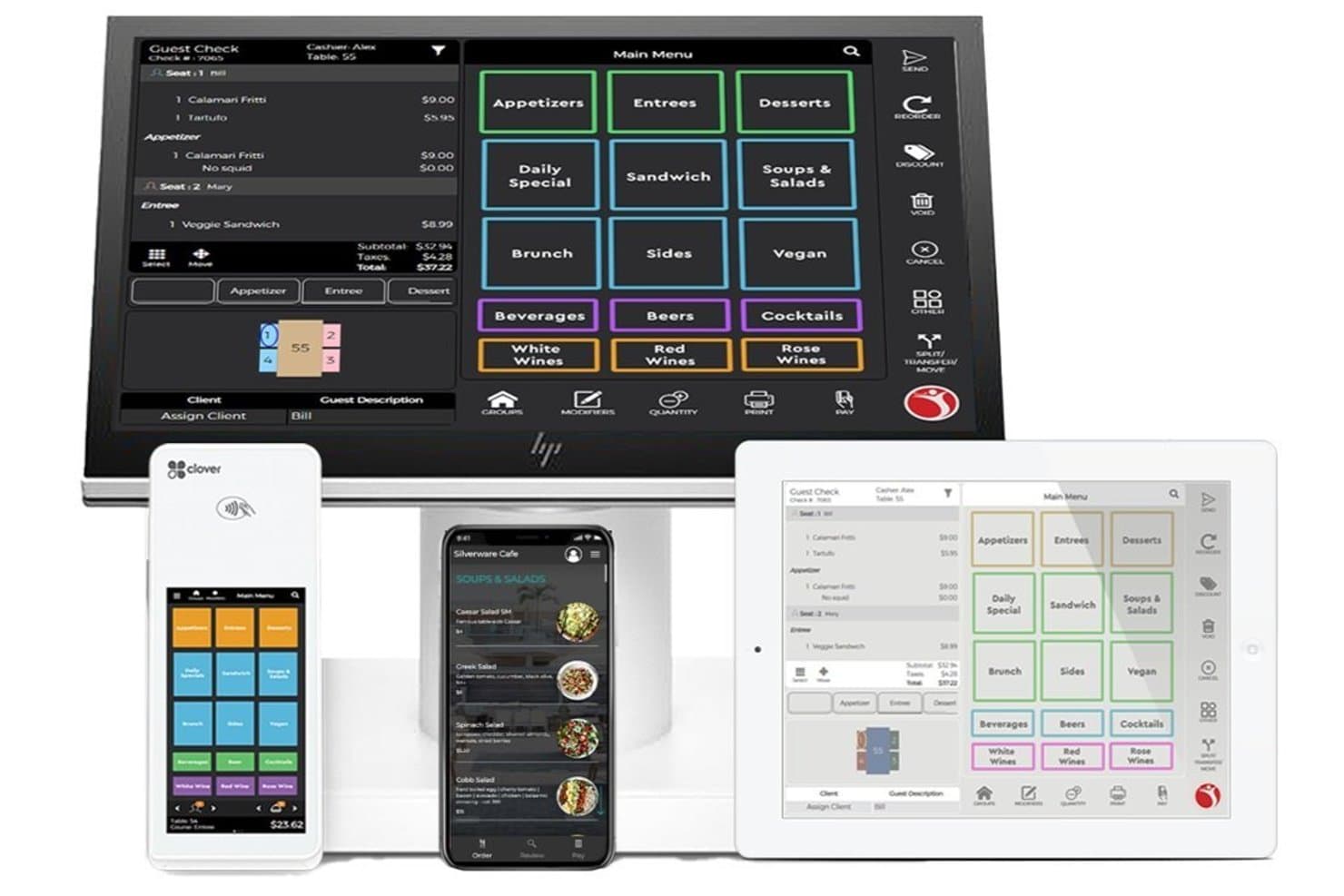
Silverware POS organizes menu categories across devices for hotel dining. Silverware POS is a hotel and resort point-of-sale platform built around multi-outlet F&B operations, PMS-connected folio posting, table management, mobile ordering, kitchen display, and centralized reporting across all on-property revenue centers.
Who Is Silverware POS Best For?
Silverware POS is a strong fit for hotel and resort operators running multiple F&B outlets who need every revenue center connected to a central PMS.
Why I Picked Silverware POS
I picked Silverware POS as one of the best because it's purpose-built for hotels running multiple F&B outlets that all need to talk to a central PMS. What I like most is the two-way PMS sync: charges posted from a poolside bar, in-room dining, or a banquet event land directly on the guest folio in systems like Oracle Opera or Maestro, in real time. The Maestro integration in particular runs on a shared database, so loyalty points earned at any outlet show up live in the PMS without any manual reconciliation.
Silverware POS Key Features
- Annoncer kitchen display system: Routes orders to kitchen screens in real time with workflow states like "Fired," "Cooking," and "Plated," and tracks per-guest dietary and allergen information.
- GuestX guest-device ordering: Lets guests order and pay from their own smartphone via a browser-based interface, with no app download required.
- Self-serve kiosks: Fully branded, outlet-specific kiosks support lobby, poolside, and quick-service ordering without staff involvement.
- Heartbeat reporting dashboard: Consolidates live sales, labor, and outlet performance data across all revenue centers into a single real-time view.
Silverware POS Integrations
Silverware POS lists 150+ integrations, including Oracle Opera, Maestro PMS, Infor HMS, RoomKey, Yellow Dog Software, OpenTable, Libro, Intelity, and Club Prophet. Its Alliance API supports custom integrations.
Pros and Cons
Pros:
- Shared-database PMS integration powers loyalty features
- Built-in offline mode supports continuous operation
- Real-time folio posting across all outlets
Cons:
- Frequent software price increases reported by users
- Core inventory features require third-party tools
Learn more about Silverware POS:
Other Hotel POS
Here are some additional hotel POS options that didn’t make it onto my shortlist, but are still worth checking out:
- 11BepozBest for QR-code room charge posting
- 12ICG FrontRestBest for all-outlet F&B in a closed ICG stack
- 13eZee OptimusBest for AI-powered room service ordering
- 14HotelogixBest for all-in-one PMS billing at low cost
- 15PlanetBest for international hotel payments and Tax Free
- 16Epos NowBest for independent hotels on a tight budget
- 17prostayBest for offline-first hotel outlet billing
- 18WinX by EHORSBest for all-in-one hotel stack in APAC
- 19NovuBest for one-time licensed, all-outlet billing
- 20POSitouchBest for F&B billing backed by 24/7 live support
How I Evaluate Hotel POS
When a guest's dinner charge needs to hit their room folio before checkout, the POS either handles it or it doesn't—I split my evaluation into baseline criteria every tool must meet and the differentiators that separate good from great.
Core Functionality (Table Stakes for This List)
When I'm selecting tools for my list, I rank each one on a scale from 0 (does not offer the functionality) to 5 (excels in this area) for each core functionality listed below. I then calculate the tool's total score into a percentage, using 65% as a benchmark to help assess its overall fit for the list.
- PMS Integration: I check whether the POS connects to major property management systems for real-time room charge posting and guest profile sync.
- Multi-Outlet Support: Each tool needs to handle restaurants, bars, room service, spas, and retail from a single back office with cross-outlet visibility.
- F&B Order Management: I look for table management, menu configuration, course firing, and kitchen display or printer routing that keeps service moving during peak covers.
- Payment Processing: Split checks, room charges, contactless payments, and gratuity handling all matter—especially when a guest wants to split a bar tab across two rooms.
- Inventory & Menu Management: Recipe-level costing, ingredient tracking, and low-stock alerts help F&B directors control food cost without manual spreadsheet work.
- Consolidated Reporting: I evaluate whether the system rolls up sales, labor, and revenue data across every outlet into dashboards that a general manager can act on quickly.
Once I have a list of tools that meet the criteria, I consider what sets each platform apart.
Differentiating Factors (What Sets Vendors Apart)
Here's how I compare and contrast different vendors:
Standout Features
Offline resiliency is the first thing I check—when your internet drops mid-dinner rush, the POS needs to keep firing orders and printing checks, then sync once connectivity returns. I also evaluate banquet and event management tools, since hotels regularly handle weddings and conferences that require pre-set menus, package billing, and posting to a master group folio. Multi-property chain management matters too: I look for centralized menu and pricing control that pushes updates across an entire portfolio with roll-up reporting for ownership groups.
Beyond Features
I check whether a vendor offers true 24/7 live support with hospitality-trained agents, since a POS failure during a Saturday banquet can't wait for a Monday ticket queue. PMS ecosystem fit matters just as much—I look for certified interfaces with platforms like Opera, Mews, or Cloudbeds, plus open APIs that connect to the accounting and payroll tools your group already runs. I also evaluate total cost of ownership, comparing per-terminal subscriptions, hardware bundles, and PMS interface fees to spot hidden costs before contract signing.
How to Choose a Hotel POS
Finding the right hotel POS option depends on matching your property’s F&B complexity, accounting needs, and guest billing workflows.
| If your priority is... | Look for... |
|---|---|
| If your priority is...Accurate room charge posting | Look for...Direct integrations with your property management system (PMS) |
| If your priority is...Managing multiple outlets or properties | Look for...Centralized back office and cross-venue reporting |
| If your priority is...Fast guest service at outlets and poolside | Look for...Mobile or QR-code room charge features |
| If your priority is...Handling banquets, weddings, or events | Look for...Built-in banquet/event and group folio billing tools |
| If your priority is...Keeping F&B costs in check | Look for...Ingredient-level inventory with automated usage alerts |
How to Vet Your Shortlist
- Verify direct PMS integration: Request a demonstration that includes posting a restaurant bill to a guest’s room folio in your actual PMS.
- Test multi-outlet setup: Build two mock F&B outlets in a demo or trial and generate a roll-up sales report across both venues.
- Simulate offline mode: Ask to see the POS process and sync behavior during a planned network interruption with in-progress F&B orders.
- Audit inventory tracking: Run a trial task configuring a recipe and trigger a low-stock alert using your own ingredients or menu.
- Decide on ecosystem vs. best-of-breed: Choose between an all-in-one PMS+POS stack for unified support or mixing vendors for more flexibility and feature depth.
What Are Hotel POS Systems?
Hotel POS systems are point-of-sale platforms designed to manage food, beverage, and retail transactions within hotels. These systems connect with property management software to post guest charges directly to room folios, track orders across multiple outlets, and handle payments from various sources.
Using a hotel POS helps your team centralize F&B operations, reduce billing errors, and ensure a smooth guest experience from restaurant to checkout.
Features of Hotel POS Systems
When selecting hotel POS systems, keep an eye out for the following key features:
- PMS integration: Links the POS with your property management system so staff can post restaurant, bar, or spa charges directly to guest room folios. This cuts manual errors and keeps guest bills accurate through checkout.
- Multi-outlet support: Manages restaurants, bars, room service, events, and retail outlets from a single back office, allowing for cross-venue menu management and unified reporting. This lets you see performance across your entire property or portfolio.
- F&B order management: Handles table layouts, seat assignments, menu configurations, modifiers, and sends orders directly to kitchen displays or printers to maintain smooth service during busy hours.
- Payment processing: Accepts a range of payment options including credit cards, room charges, mobile wallets, and split checks—important for guest convenience and accurate billing.
- Inventory and menu management: Tracks ingredient usage, supports recipe costing, and provides low-stock alerts so you can manage food cost and reduce waste without extra spreadsheets.
- Consolidated reporting: Aggregates sales, labor, and outlet performance data into actionable dashboards, helping managers make quick decisions and spot trends or issues.
- Offline mode functionality: Keeps the POS running and records in-progress orders even during network outages, syncing data automatically once the connection is restored.
- Banquet and event management: Offers banquet management tools for creating pre-set event menus, managing group billing, and posting group charges to master folios—a must for properties that host weddings or conferences.
- User access controls: Lets you set permission levels for roles such as managers, servers, and back office staff, protecting sensitive data and enforcing separation of duties.
- Integration with accounting and payroll: Connects directly to accounting and payroll software, automating financial data transfer and reducing duplicate entry or errors.
Common Hotel POS AI Features
Beyond the standard hotel POS features listed above, many of these solutions are incorporating AI with features like:
- AI-driven upsell recommendations: Uses guest profiles, purchase history, and real-time context to suggest relevant menu items or upgrades to staff during order entry, helping increase average check size and personalize service.
- AI-powered demand forecasting: Analyzes historical sales, booking patterns, and external factors like local events or weather to predict F&B demand, allowing teams to optimize staffing and inventory for each outlet.
- AI-based fraud detection: Monitors transaction patterns and user behavior to flag unusual activity or potential internal theft, alerting managers to risks before they impact revenue or guest trust.
- AI menu optimization: Continuously reviews sales data, guest feedback, and ingredient costs to recommend menu changes, pricing adjustments, or item placements that can boost profitability and guest satisfaction.
- AI guest sentiment analysis: Scans guest reviews, survey responses, and social media mentions to identify trends in guest satisfaction, helping managers address service gaps and improve the overall experience.
Benefits of Hotel POS Systems
Implementing hotel POS systems provides several benefits for your team and your business. Here are a few you can look forward to:
- Direct guest room charging: Staff can post restaurant, bar, and spa purchases straight to guest folios through PMS integration, cutting manual entry and billing errors.
- Unified outlet management: Run multiple outlets—from restaurants to retail—all from one back office with real-time oversight and consolidated reporting.
- Faster service at every outlet: Table management, menu configuration, and mobile order features help speed up transactions and improve guest experiences wherever orders are placed.
- Accurate inventory control: Ingredient-level inventory and automated low-stock alerts let your team track usage and cost without juggling extra spreadsheets.
- Flexible payment processing: Accept cards, room charges, mobile wallets, and split checks so guests can pay how they want, including handling multi-room tabs.
- Event and group billing support: Banquet management tools and master folio posting simplify event billing and group charge tracking for weddings, conferences, and large bookings.
- Operational resilience: Offline mode ensures the POS continues processing orders and printing checks even if the internet drops, syncing everything when connectivity returns.
Costs and Pricing of Hotel POS Systems
Selecting hotel POS systems requires an understanding of the various pricing models and plans available. Costs vary based on features, team size, add-ons, and more. The table below summarizes common plans, their average prices, and typical features included in hotel POS systems:
Plan Comparison Table for Hotel POS Systems
| Plan Type | Average Price | Common Features |
|---|---|---|
| Plan TypeFree Plan | Average Price$0 | Common FeaturesBasic order management, limited PMS integration, single outlet support, and simple reporting. |
| Plan TypePersonal Plan | Average Price$40–$80/month | Common FeaturesEnhanced PMS integration, basic inventory tracking, mobile ordering, and core payment processing. |
| Plan TypeBusiness Plan | Average Price$80–$150/month | Common FeaturesMulti-outlet management, advanced inventory controls, custom menu configuration, reporting, and event tools. |
| Plan TypeEnterprise Plan | Average Price$150–$300/month | Common FeaturesChain-wide management, centralized dashboards, offline mode, open APIs, 24/7 support, and custom integrations. |
Hotel POS FAQs
Here are some answers to common questions about hotel POS:
How do hotel POS systems integrate with property management systems?
Hotel POS systems integrate with property management systems (PMS) by allowing charges from restaurants, bars, or spas to post directly to a guest’s room folio in real time. This integration reduces billing errors and speeds up service. Most systems use certified interfaces or open APIs for this connection. Always ask vendors for a live demonstration to confirm the integration with your actual PMS platform.
Can hotel POS systems handle multiple outlets across the property?
Yes, most modern hotel POS systems support multi-outlet management. You can run restaurants, bars, room service, and retail shops from a single back office. This setup makes it easier to oversee all venues and generate performance reports across outlets. It’s essential for hotels with complex F&B operations or multiple properties.
What happens if the internet goes down—will orders and payments still process?
Yes, many hotel POS systems offer offline mode. This lets you keep taking orders, process payments, and print checks even if the network drops. Data syncs automatically once connectivity returns. During vendor evaluation, ask for a demonstration of offline mode with in-progress guest orders to see how it works in practice.
How do hotel POS systems support banquet and event billing?
Hotel POS systems with banquet and event management features let you create set menus, manage group billing, and post charges to master folios for events like weddings and conferences. This helps your team handle large events without losing track of payments or guest preferences. Look for built-in event tools during your trial or demo.
Is inventory tracking included in hotel POS systems?
Yes, many hotel POS systems include inventory and menu management features. This lets you track usage at the ingredient level, receive low-stock alerts, and manage recipe costing from the POS dashboard. These controls help teams keep food cost in check and avoid manual spreadsheet work.
What types of payment processing are supported by hotel POS systems?
Hotel POS systems usually support various payment options—credit cards, room charges, mobile wallets, and split checks. Some can even handle multi-room tabs when guests want to divide a bill. Ask each vendor to walk you through their payment workflows to match your property’s needs.