

Hotel digital signage software is a category of tools hotels use to manage digital screens for guest communications, wayfinding, events, and branding across their property or group. Whether you want to connect your PMS to guest displays, coordinate signage across multiple locations, or keep every team on the same page during high-traffic events, finding the right system can mean the difference between chaos and consistency.
In this guide, you’ll find my top picks for hotel digital signage software that actually fits the unique demands of hospitality work—so you can keep your guests informed and your operations running smoothly.
Why Trust Our Software Recommendations
6,700+
Reviews
20
Industry experts
16+
Evaluation factors
14
Years
Our team has been testing and reviewing software since 2012. As hospitality leaders ourselves, we know how difficult—and important—it is to choose the right software.
For this guide, we evaluated tools using hands-on testing and independent research, scoring tools using our selection criteria.
Our reviews reflect our human editorial judgment, not a sales pitch.
Hotel Digital Signage Software Comparison Table
This comparison table summarizes pricing details for my top hotel digital signage software selections:
| Tool | Best For | Trial Info | Price | ||
|---|---|---|---|---|---|
| 1 | Best for Samsung display-native hotel signage | 60-day free trial | From $20/month per screen | Website | |
| 2 | Best for multi-property brand and screen control | Free demo available | Pricing upon request | Website | |
| 3 | Best for event-driven meeting room displays | Free demo available | From $450 one-time | Website | |
| 4 | Best for cross-platform screen control without coding | 14-day free trial | From $20/screen/month (billed annually) | Website | |
| 5 | Best for MICE and PMS-connected signage | 30-day free trial | From $9/month | Website | |
| 6 | Best for event-driven meeting room signage | 30-day free trial + free demo available | From $14/screen/month (billed annually) | Website | |
| 7 | Best for enterprise hotel chains with Oracle PMS | 14-day free trial + free demo available | Pricing upon request | Website | |
| 8 | Best for OPERA PMS-connected hotel signage | 30-day free trial | From $14/month per player | Website | |
| 9 | Best for MICE and wayfinding across properties | Free demo available | Pricing upon request | Website | |
| 10 | Best for hotel groups managing signage at scale | Free demo available | Pricing upon request | Website |


Hotel Digital Signage Software Reviews
Below are my detailed summaries of the best hotel digital signage software that made it onto my shortlist. My reviews offer a detailed look at the features, integrations, and best use cases of each software to help you find the best one for you.
 Best for Samsung display-native hotel signage
- 60-day free trial
- From $20/month per screen
Visit WebsiteCustomer Rating:4.6/5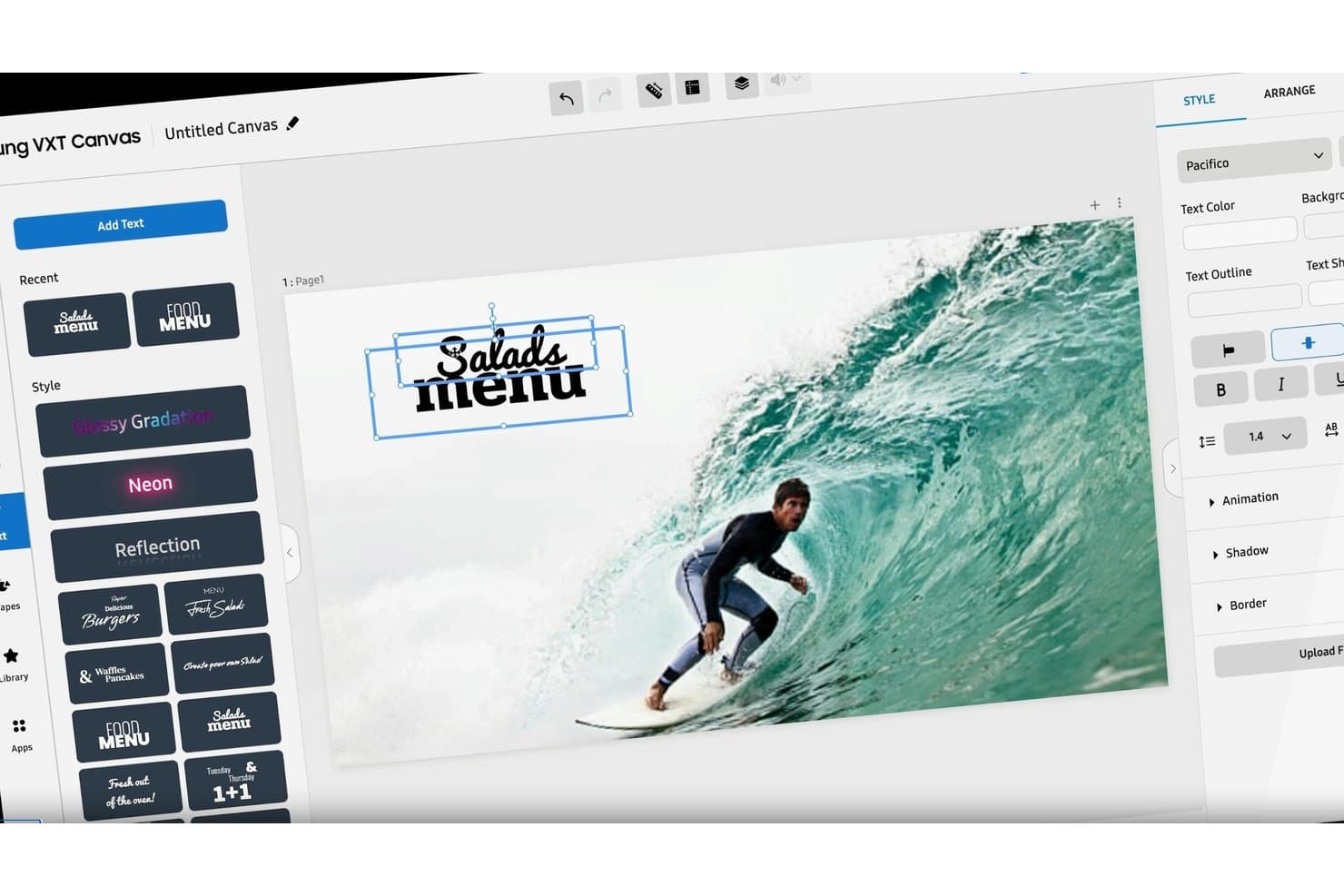
Samsung VXT lets users add styled text overlays to digital signage content. Samsung VXT is a cloud-based digital signage CMS that lets hotel teams design, schedule, and remotely deploy content across lobby displays, menu boards, corridor screens, and in-room Hospitality TVs from a single platform.
Who Is Samsung VXT Best For?
Samsung VXT is a strong fit for hotels that already run Samsung commercial displays and want a native CMS that manages those screens without compatibility workarounds.
Why I Picked Samsung VXT
Samsung VXT earns its spot on my shortlist because it's the only CMS built natively by the same company that makes the displays running in most hotel lobbies. I love how Tizen-native deployment eliminates the driver conflicts and firmware mismatches I've seen plague third-party CMS solutions on Samsung hardware. Zero-touch provisioning lets me register screens by serial number in bulk, so a 200-screen property rollout doesn't require my team on-site at every display. The SmartThings IoT integration is a genuine differentiator, automatically pushing emergency alerts to every screen the moment a fire sensor triggers.
Samsung VXT Key Features
- VXT Canvas drag-and-drop editor: Design lobby displays, menu boards, and event screens using 170–250+ templates with custom font support and widget-based layouts.
- Link My POS integration: Connects to Square, Toast, Oracle Simphony, and other POS systems to automatically update F&B menu boards when prices or items change.
- Infotainment by VXT feeds: Pulls from 200+ license-cleared content channels—weather, news, sports—to populate corridor and lobby screens with live data overlays.
- Proof of Play reporting: Verifies that scheduled content actually played on each screen, giving you an audit trail for compliance or campaign confirmation across properties.
Samsung VXT Integrations
Samsung VXT offers a smaller set of native integrations focused on its own ecosystem, including Samsung SmartThings IoT, Samsung Hospitality TV PMS controls, Link My POS (which connects to Square, Toast, Oracle Simphony, Clover, Revel, Appetize, Grubbrr, and VenueNext), Stingray Music, Infotainment by VXT (Seenspire), and the Data Sync App for Google Sheets, JSON, XML, and CSV feeds. A Server Open API is available on P and X Series plans for custom integrations, but there are no native connectors to hotel PMS platforms like Opera, Mews, or Cloudbeds.
Pros and Cons
Pros:
- QR codes allow mobile device casting
- Emergency alerts trigger full-screen overrides
- Native control of Samsung Hospitality TVs
Cons:
- Per-screen pricing escalates at large scale
- No native PMS signage content automation
Learn more about Samsung VXT: Best for multi-property brand and screen control
- Free demo available
- Pricing upon request
Visit WebsiteCustomer Rating:4.6/5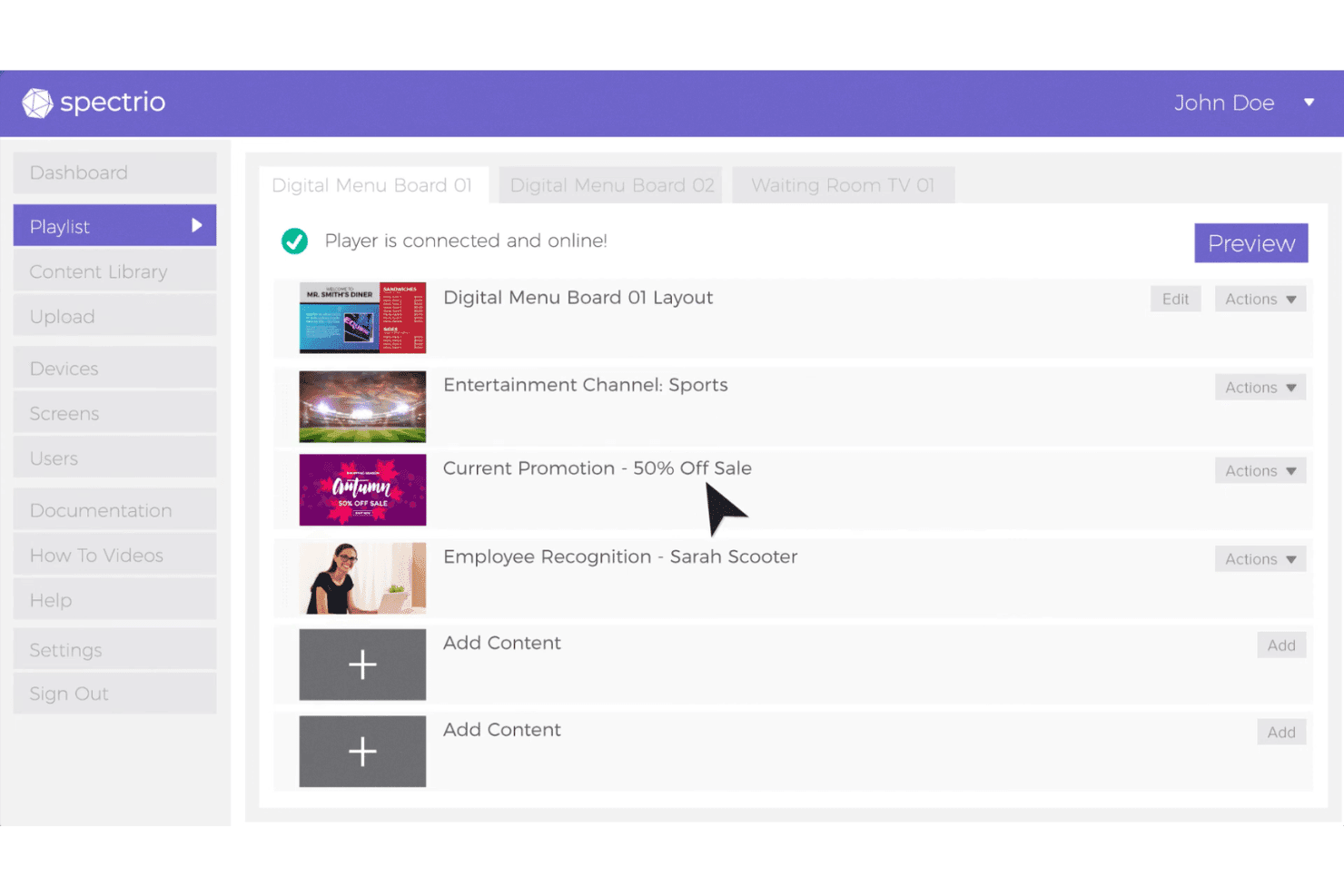
Spectrio includes a playlist management interface where users can organize digital signage content across multiple screen locations. Spectrio is a cloud-based digital signage platform built around a centralized CMS with multi-property content distribution, dayparted scheduling, interactive wayfinding kiosks, and an in-house creative studio.
Who Is Spectrio Best For?
Spectrio is a strong fit for hotel groups and multi-property brands that need centralized control over screen content across dozens or hundreds of locations.
Why I Picked Spectrio
I picked Spectrio as one of the best because no other platform on this list matches its multi-property brand governance at scale. I love that corporate teams can lock brand-level templates while property coordinators manage local content independently, all from one CMS. Spectrio's role-based permissions make this work cleanly across dozens or hundreds of locations, and the in-house Spectrio Studio team handles custom creative production when your property team doesn't have the bandwidth.
Spectrio Key Features
- Spectrio Studio creative services: An in-house team handles custom animation, video production, and branded content for hotels that don't have dedicated design resources.
- Interactive wayfinding kiosks: Touchscreen kiosks display floor maps, room directories, and event schedules, reducing directional inquiries to the front desk.
- Proof-of-Play analytics: The platform logs which content ran on which screens and when, giving you verifiable performance data across all displays.
- Tiered Spectrio Care support plans: Four support tiers range from 48-hour resolution to 15-minute first response, so you can match your SLA to your property's uptime requirements.
Spectrio Integrations
Spectrio offers native integrations with Google Calendar, Google Sheets, Instagram, Facebook, Slack, Microsoft Teams, Zoom, Power BI, TripAdvisor, and Yelp, plus RSS feeds and SSO support. An API and SDK are available for custom integrations, including PMS connections, though native connectors to hospitality platforms like Oracle OPERA, Mews, or Cloudbeds aren't documented.
Pros and Cons
Pros:
- Supports interactive wayfinding and guest kiosks
- In-house creative team builds custom assets
- Multi-property content control from one CMS
Cons:
- Hardware support limited for some player types
- No plug-and-play PMS integrations
Learn more about Spectrio: 3Best for event-driven meeting room displays
Mvix
- Free demo available
- From $450 one-time
Visit WebsiteCustomer Rating:4.6/5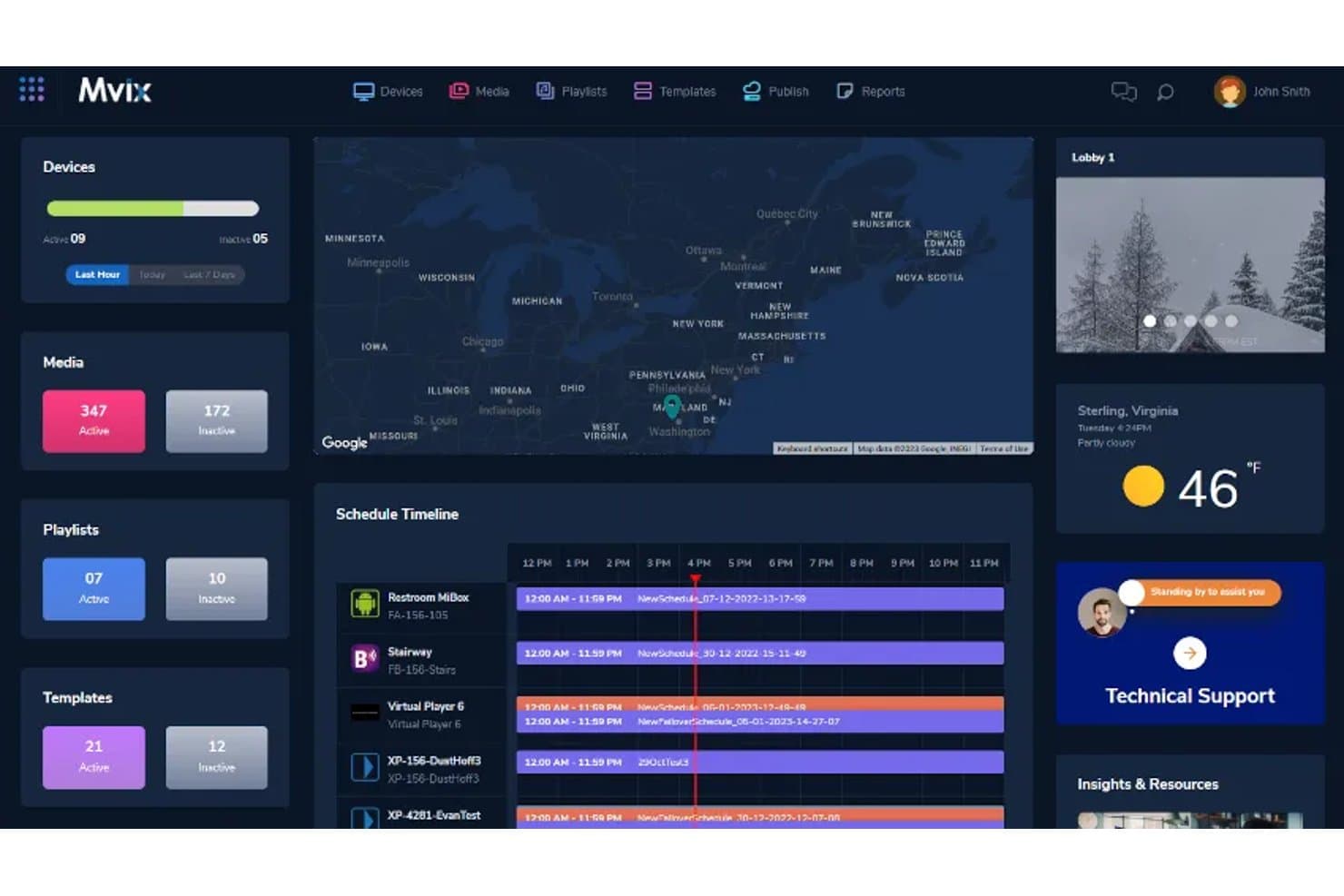
Mvix centralizes device, media, and schedule management in one dashboard. Mvix is a cloud-based digital signage platform for hotels that combines a centralized content management system, interactive wayfinding kiosks, meeting room displays, event schedule automation, and multi-screen management across single and multi-property deployments.
Who Is Mvix Best For?
Mvix is a strong fit for hotels and conference-heavy properties that need automated, real-time event and meeting room displays without relying on manual content updates.
Why I Picked Mvix
I picked Mvix as one of the best because of how well it handles automated event and meeting room displays, specifically through its native Delphi EMS integration. When a conference schedule changes, signage in lobbies, hallways, and outside room doors updates in real time without anyone touching the CMS. I also like the dedicated Meeting Rooms app, which supports on-the-fly booking directly from a touchscreen door display, synced live with calendar systems.
Mvix Key Features
- Interactive wayfinding kiosk: Touchscreen kiosks display interactive maps, floor routing, and directional signage so guests can self-serve without staff assistance.
- Email-to-Screen: Front desk staff can push announcements to any display by sending an email to a designated address, no CMS login required.
- Emergency alert override: CAP and IPAWS protocol support lets you instantly override all screens with emergency messaging, evacuation maps, or safety instructions.
- Multi-zone layout support: Arrange up to 10 simultaneous content zones on a single screen, mixing video, live data feeds, clocks, and tickers in one display.
Mvix Integrations
Mvix offers native integrations with Delphi EMS (Amadeus), Google Calendar, Square, Clover, Toast, Power BI, Tableau, Canva, and across the Microsoft ecosystem including Microsoft 365, Outlook, and Active Directory. It also supports SAML/SSO, CAP/IPAWS emergency alerting protocols, and provides REST APIs and webhooks for custom integrations, though no native PMS integrations (Opera, Mews, Cloudbeds) are documented.
Pros and Cons
Pros:
- Supports on-the-fly room booking
- Emergency alerts override screens instantly
- Automated event and meeting room displays
Cons:
- Hardware issues reported by some reviewers
- No native PMS integration available
Learn more about Mvix: Best for cross-platform screen control without coding
- 14-day free trial
- From $20/screen/month (billed annually)
Visit WebsiteCustomer Rating:4.5/5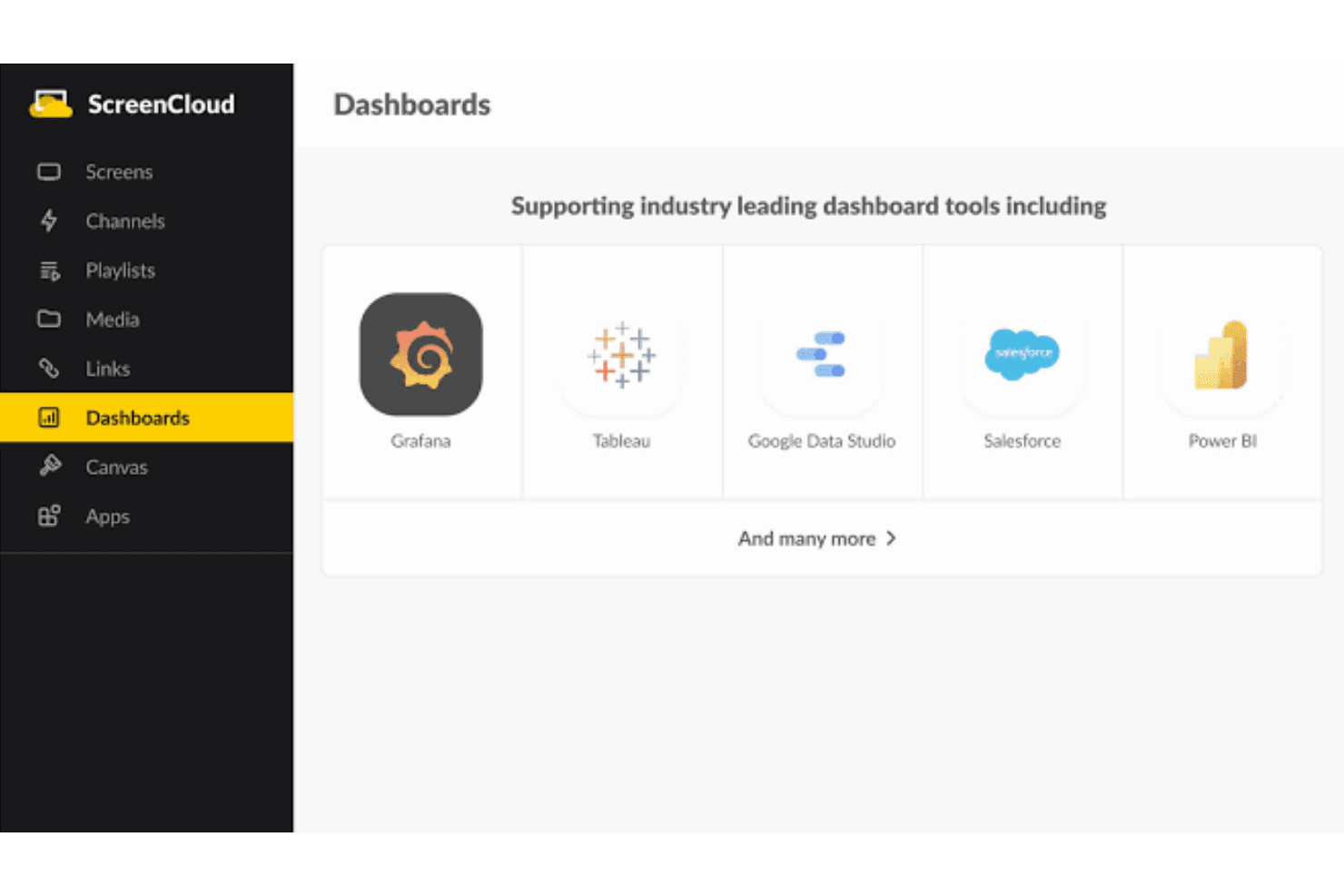
ScreenCloud supports industry-leading dashboard tools including Grafana, Tableau, Google Data Studio, Salesforce, and Power BI. ScreenCloud is a cloud-based digital signage platform that lets hotel teams create, schedule, and remotely manage content across lobby displays, meeting room panels, menu boards, and wayfinding screens from a single dashboard.
Who Is ScreenCloud Best For?
ScreenCloud is a strong fit for hotel groups and management companies that need to control signage across multiple properties and screen types without relying on IT staff for every update.
Why I Picked ScreenCloud
ScreenCloud earns its spot on my shortlist because it runs on virtually any screen hardware your hotel already owns, from Samsung Tizen displays in the lobby to LG webOS panels outside conference rooms, without a single line of code. I particularly like the Canvas editor's lockable brand templates, which let a central marketing team lock brand elements while individual properties swap out local event schedules or F&B promotions. The Broadcast feature also lets my team push an emergency message or a last-minute upsell offer to every screen across a property in one click.
ScreenCloud Key Features
- Quick Post: Publish a simple announcement with a title, image, or QR code directly from a phone or laptop, no design skills required.
- Meeting Room Software app: Syncs with Google Calendar and Microsoft Outlook to display real-time room availability and QR-code booking on door panels or tablets.
- Emergency Alerts app: Uses the Common Alert Protocol (CAP) to trigger an automatic content takeover across all screens with safety or urgent messaging.
- Offline playback: ScreenCloud OS devices cache content locally so screens keep playing during network outages.
ScreenCloud Integrations
ScreenCloud offers 80+ native app integrations, including Google Calendar, Microsoft Outlook, Microsoft Teams, Zoom Rooms, Google Meet, Slack, Canva, Google Reviews, TripAdvisor, and Instagram. It connects with Zapier and Microsoft Power Automate through its Webhooks app, and provides a GraphQL API for custom integrations with PMS or hospitality-specific systems.
Pros and Cons
Pros:
- Emergency alerts can override all displays
- Works with most hotel screen hardware
- Lockable brand templates for multi-property consistency
Cons:
- Template animations limited versus competitors
- No built-in hotel PMS integrations
Learn more about ScreenCloud: Best for MICE and PMS-connected signage
- 30-day free trial
- From $9/month
Visit WebsiteCustomer Rating:5/5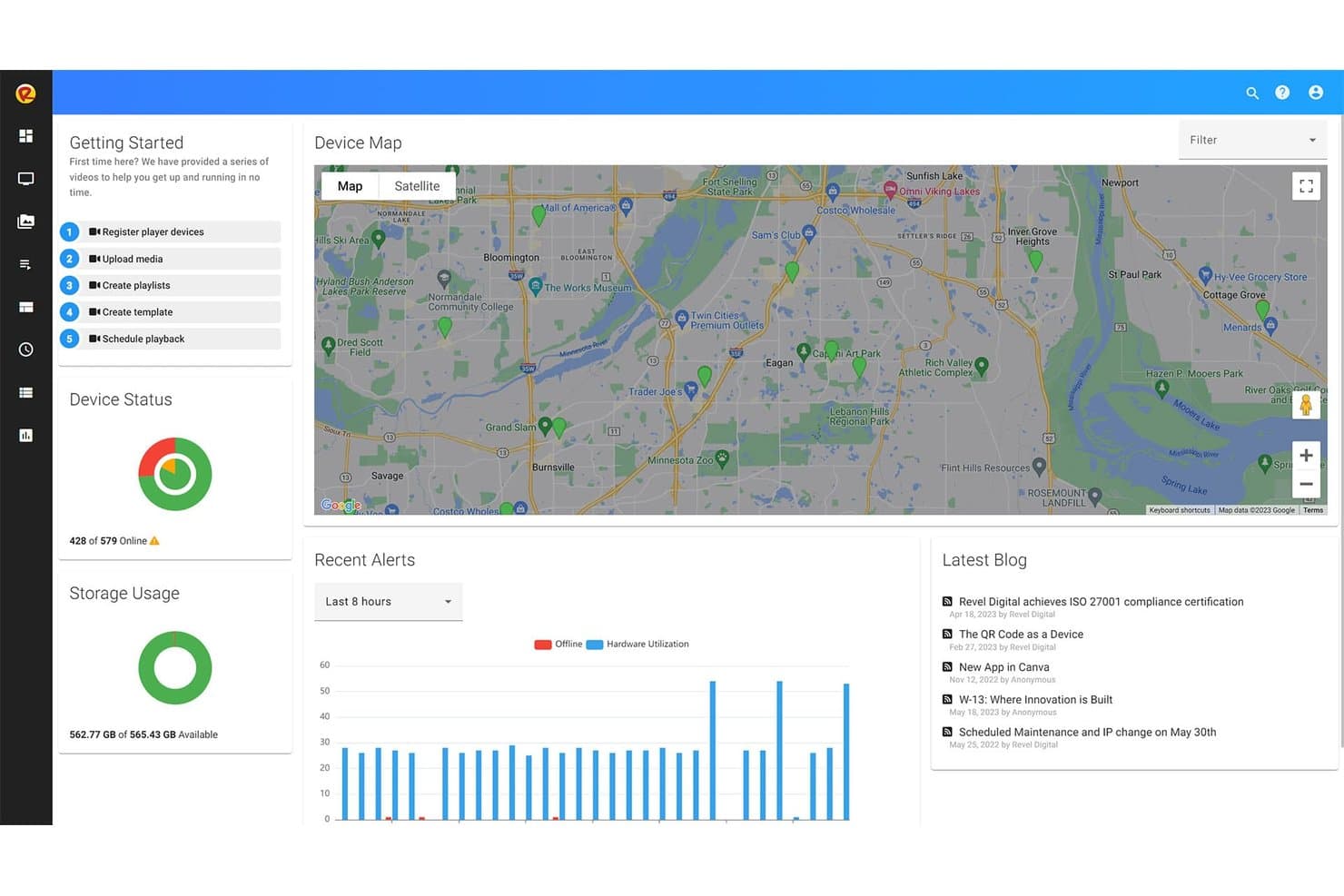
Revel Digital lets users monitor device locations via an interactive map dashboard. Revel Digital is a cloud-based digital signage platform built for hotels and event venues, with dedicated tools for PMS-connected displays, meeting room scheduling panels, and multi-property content management.
Who Is Revel Digital Best For?
Revel Digital is a strong fit for hotel groups and event venues that need PMS-connected displays and meeting room scheduling panels across multiple properties.
Why I Picked Revel Digital
I picked Revel Digital as one of the best because its Meeting Room Gadget and native PMS connections are purpose-built for hotels running heavy MICE calendars. When a booking changes in Cvent, Delphi, or Tripleseat, the conference room door panel updates within two minutes, no manual intervention needed. I also like that Opera, Maestro, and Cloudbeds connect directly, so lobby welcome screens can pull live group and event data straight from your PMS.
Revel Digital Key Features
- Multi-zone display designer: Build layouts with multiple independent content zones on a single screen, each running different media, feeds, or schedules simultaneously.
- Role-based access controls: Assign different content management permissions to IT, marketing, F&B, and front office teams so each group manages only their screens.
- AI image and template generation: Create on-brand visual content from plain-text prompts without any design software or external creative resources.
- AdHawk audience analytics: Use computer vision via compatible cameras to measure impressions, dwell time, and demographic data from guests engaging with your displays.
Revel Digital Integrations
Revel Digital offers 50+ native integrations, including Opera PMS, Maestro, Cloudbeds, Cvent, Delphi, Social Tables, Tripleseat, Google Calendar, Microsoft 365, and Slack, and it connects with Zapier and Microsoft Power Automate. A REST API and webhooks are available for custom integrations.
Pros and Cons
Pros:
- Unlimited screens and multi-property brand control
- Meeting room displays sync with events instantly
- AI-powered content generation and scheduling tools
Cons:
- Very few recent public user reviews
- Does not support Samsung or LG SoC displays
Learn more about Revel Digital : Best for event-driven meeting room signage
- 30-day free trial + free demo available
- From $14/screen/month (billed annually)
Visit WebsiteCustomer Rating:4.9/5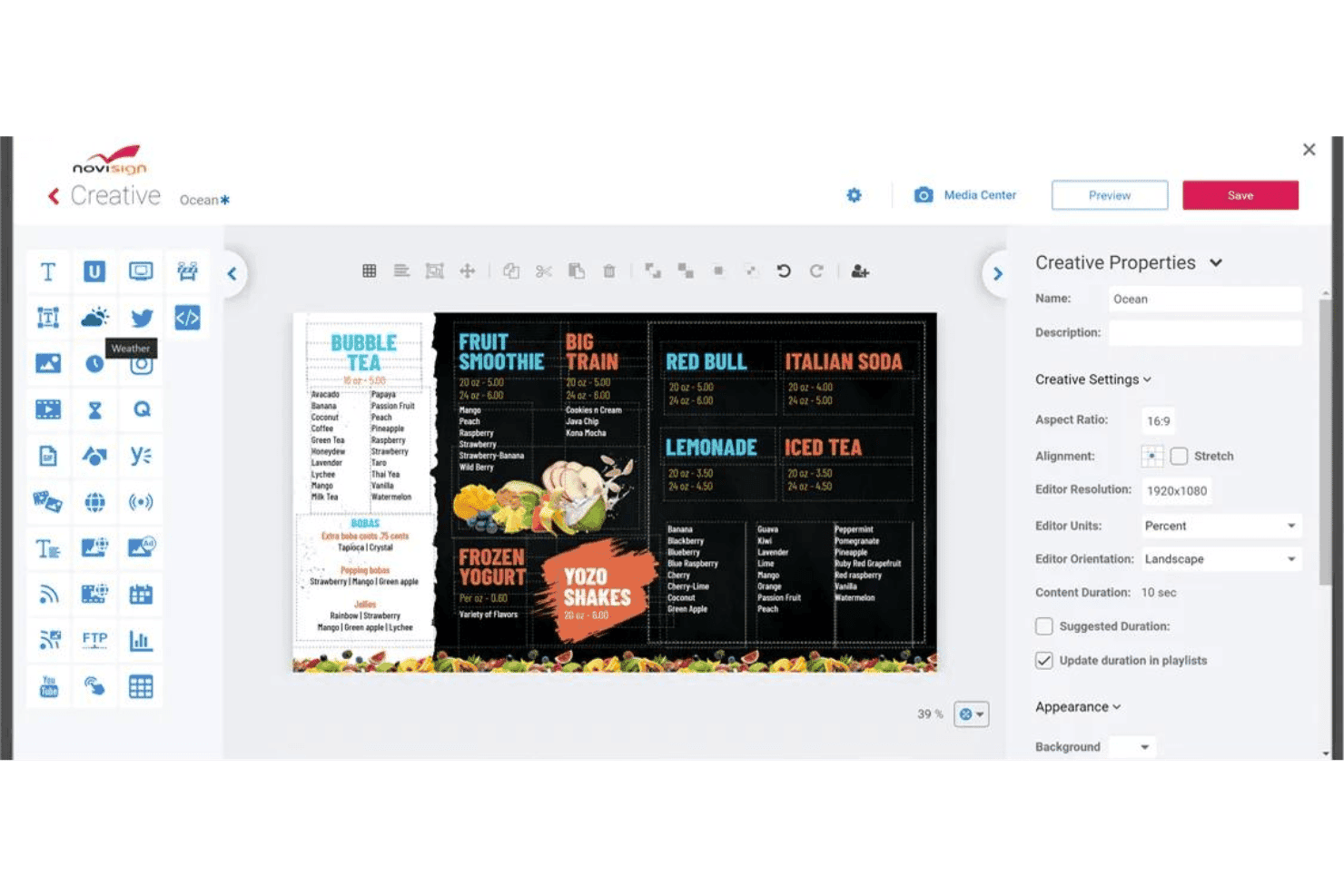
NoviSign offers a drag-and-drop digital signage creative editor with customizable menu board templates and content properties. NoviSign is a cloud-based digital signage platform for hotels that combines a drag-and-drop content editor, multi-screen remote management, event-driven meeting room boards, and native Amadeus Delphi integration for automated event directory displays.
Who Is NoviSign Best For?
NoviSign is a strong fit for conference and event hotels that need automated meeting room and event directory signage without manual content updates.
Why I Picked NoviSign
NoviSign earns its spot on my shortlist because of its native Amadeus Delphi integration, which automatically pulls banquet and meeting schedules directly onto lobby boards and conference room signage without anyone touching the CMS. I love that it pairs this with dedicated Mimo Monitors door panels (in 10"–22" form factors) that sync live room availability and session details. For a conference hotel running back-to-back events, that combination removes the manual update cycle entirely.
NoviSign Key Features
- Offline playback caching: Screens store content locally and continue playing automatically if the internet connection drops.
- Proof-of-play reporting: Track content delivery stats, screen availability, and media timing across all connected displays.
- Touchscreen kiosk support: Deploy interactive freestanding kiosks with touch zones, QR codes, polls, and wayfinding maps for guest-facing use.
- Role-based user permissions: Assign different access levels to front desk, marketing, and admin staff across one or multiple properties.
NoviSign Integrations
NoviSign offers native integrations with Amadeus Delphi, Microsoft Outlook/O365 Calendar, Google Calendar, Toast POS, Power BI, Tableau, Google Drive, Dropbox, and SharePoint, and it connects with Zapier. An API is available on the Premium plan for custom integrations, and the platform supports RSS/MRSS, JSON, XML, and CSV data feeds for live content.
Pros and Cons
Pros:
- Offline content playback minimizes network outage impact
- Meeting room signage with live schedule sync
- Native Amadeus Delphi integration for event boards
Cons:
- Editor can feel clunky for some users
- No native PMS integration for guest data
Learn more about NoviSign: Best for enterprise hotel chains with Oracle PMS
- 14-day free trial + free demo available
- Pricing upon request
Visit WebsiteCustomer Rating:4.5/5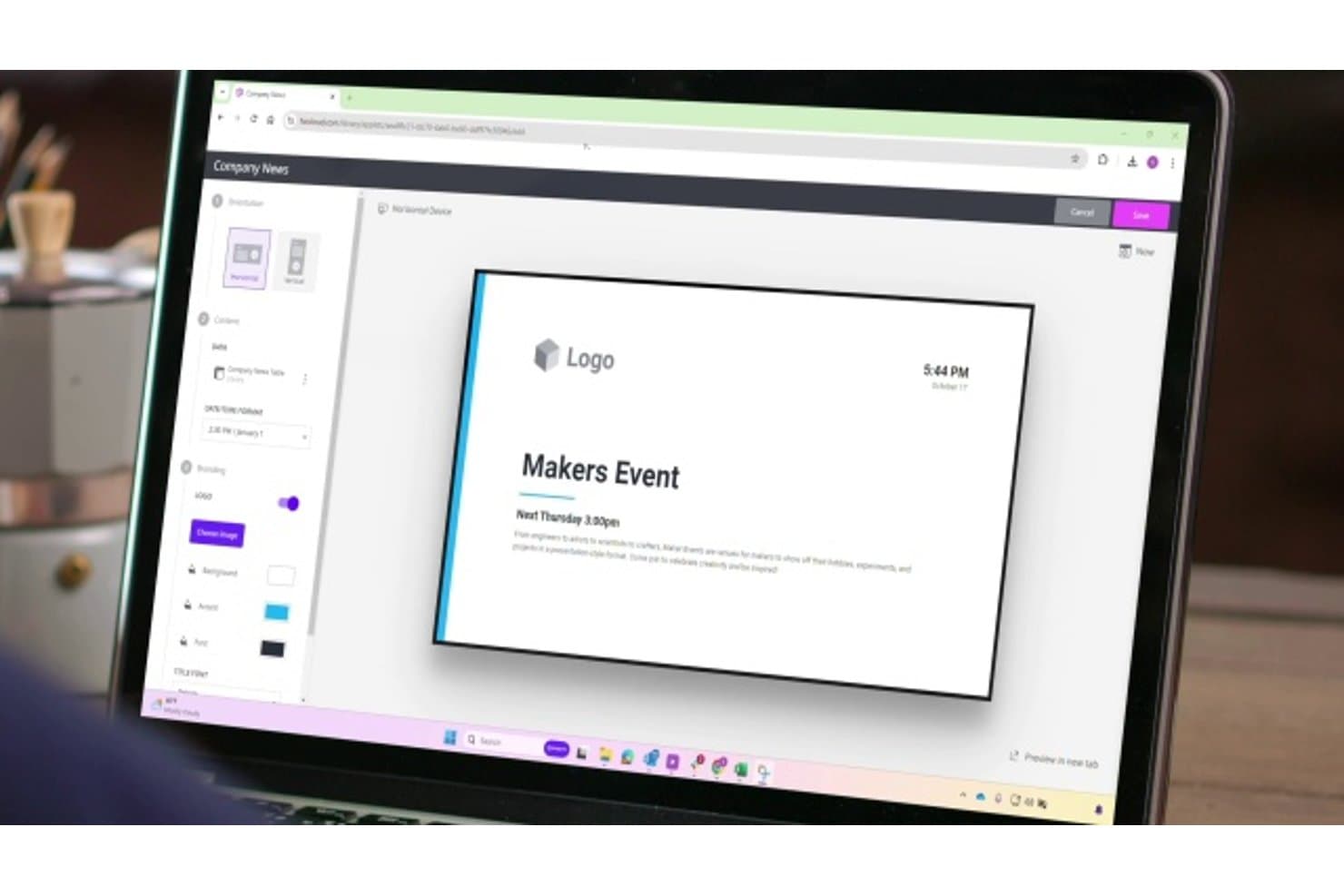
Poppulo lets users design branded digital signage screens for events. Poppulo is a cloud-based hotel digital signage platform that combines a centralized CMS, hospitality-specific templates, Oracle OPERA Cloud PMS integration, multi-property content management, and interactive guest-facing kiosk tools.
Who Is Poppulo Best For?
Poppulo is a strong fit for enterprise hotel chains and large resort groups running Oracle OPERA Cloud PMS that need centralized control across dozens or hundreds of properties.
Why I Picked Poppulo
Poppulo earns its spot on my shortlist because of how deeply it's built around Oracle OPERA Cloud PMS, which is the backbone of most large hotel chains. The native OHIP integration pulls live property data directly into signage, so welcome screens display a group's actual name and event times without anyone touching the CMS. I also love the Group Brand Takeover feature, which lets you restyle entire property displays for a corporate site visit or event group in minutes.
Poppulo Key Features
- Suite for Hotels templates: Ready-to-use, hotel-specific templates for event readerboards, menuboards, virtual concierge screens, and guest welcome displays that require no technical expertise to deploy.
- Content Experience Builder (CXB): A desktop-based advanced authoring tool for building multi-layered, dynamic layouts with API-driven data connections and custom interactive elements.
- Emergency alert override: Automated or one-click takeover of all screens with safety messaging, including multilingual alerts synced with external emergency alert systems.
- Back-of-house staff signage: Employee-facing displays for hotel staff that show guest arrival alerts, performance KPIs, and employee recognition content from the same central CMS.
Poppulo Integrations
Poppulo offers 80+ integrations, including Oracle OPERA Cloud (via OHIP), Microsoft 365, Google Workspace Calendar, Microsoft Exchange, Zoom Rooms, Microsoft Teams Rooms, Cisco, Neat, Power BI, and Salesforce. An open API is available through the Content Experience Builder for custom PMS, POS, and data workflows.
Pros and Cons
Pros:
- Dedicated hospitality templates and guest branding tools
- Enterprise-grade control for multi-property groups
- Native Oracle OPERA Cloud PMS integration
Cons:
- Advanced authoring tool is Windows desktop only
- Pricing only available after sales contact
Learn more about Poppulo: Best for OPERA PMS-connected hotel signage
- 30-day free trial
- From $14/month per player
Visit WebsiteCustomer Rating:4.3/5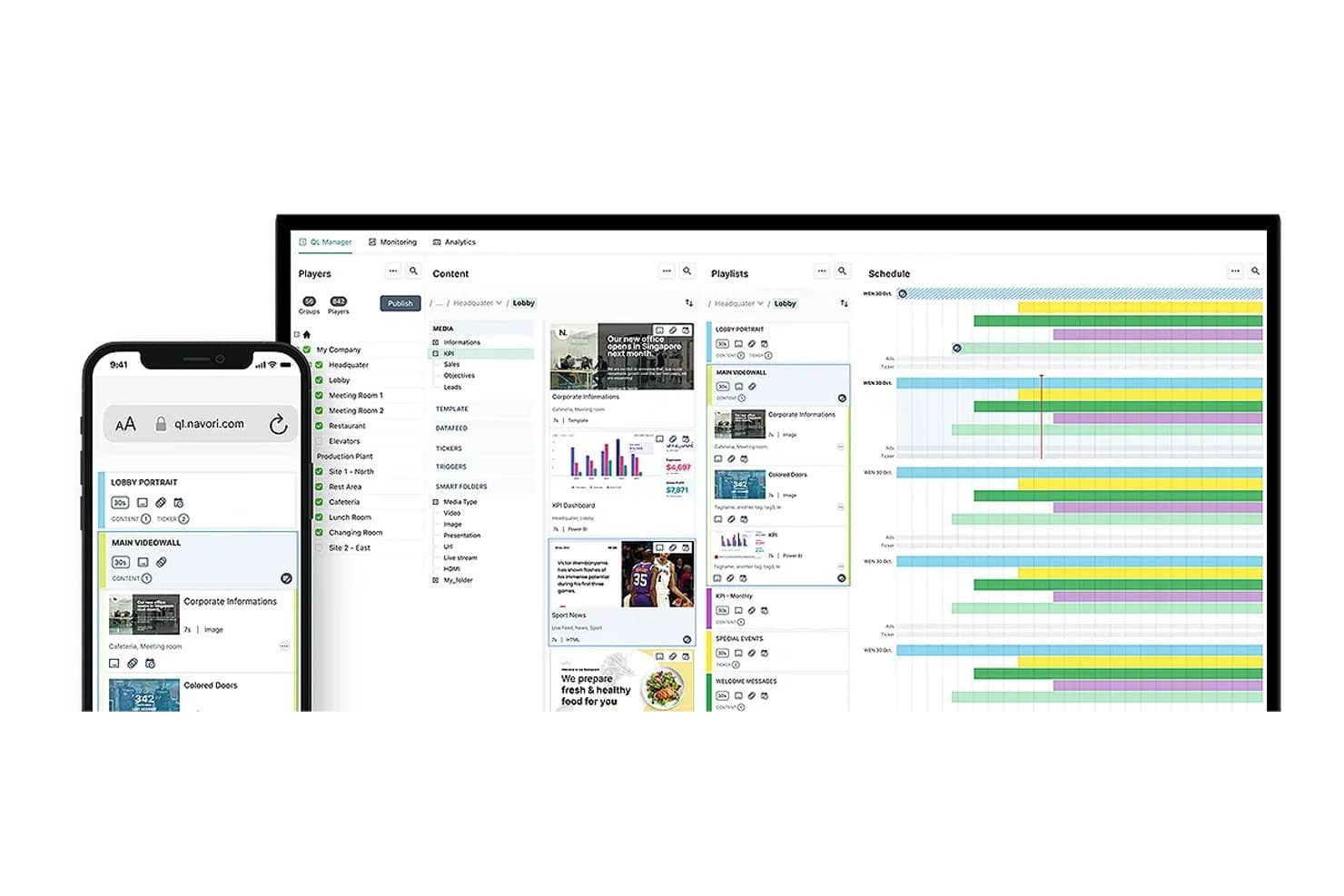
Navori lets users manage content, playlists, and schedules across hotel zones. Navori is a digital signage platform built for enterprise hotel networks, combining a centralized cloud CMS, hardware-agnostic player support, interactive wayfinding kiosks, live data feeds, and a certified OPERA PMS integration for real-time meeting room and event display management.
Who Is Navori Best For?
Navori is a strong fit for enterprise hotel groups and large convention properties running OPERA PMS that need to manage meeting room signage and event directories at scale.
Why I Picked Navori
Navori earns its spot on my shortlist because of its officially certified OPERA PMS integration, which is genuinely rare in this category. I like that it automatically pulls room booking data from OPERA via XML, keeping meeting room door panels and lobby event directories current without any manual updates. The Qompose Automate module adds AI-powered conditional playback on top of that, so content on F&B and spa screens can shift based on real-time signals like occupancy or time of day.
Navori Key Features
- Multi-tenant domain management: Organize screens, users, and content permissions by property, zone, or brand within a single hierarchical backend.
- AI-powered audience analytics: Aquaji uses computer vision to measure footfall, dwell time, and audience demographics on lobby and F&B displays.
- Emergency alert override: Trigger real-time safety and evacuation messaging across all screens simultaneously via the content automation engine.
- Hardware-agnostic player support: Deploy on Windows, Samsung Tizen, LG webOS, BrightSign, Android, ChromeOS, and Elo Touch from one CMS.
Navori Integrations
Navori offers native integrations with Micros Fidelio OPERA PMS (officially certified, Part n° 5009-268), Microsoft 365 Calendar, Google Calendar, Power BI, Salesforce, SAP, Screenfeed, Vistar, and Hivestack, plus live social feeds from LinkedIn, Facebook, Instagram, and X. It also supports RSS/JSON/XML live data feeds and provides an open REST API for custom integrations with CRM, ERP, and third-party backends.
Pros and Cons
Pros:
- Manages 99,000+ screens across many locations
- AI analytics measure guest engagement and demographics
- Certified OPERA PMS integration for meeting displays
Cons:
- Lacks pre-built templates for hotel signage
- Onboarding and setup often require technical expertise
Learn more about Navori: Best for MICE and wayfinding across properties
- Free demo available
- Pricing upon request
Visit WebsiteCustomer Rating:5/5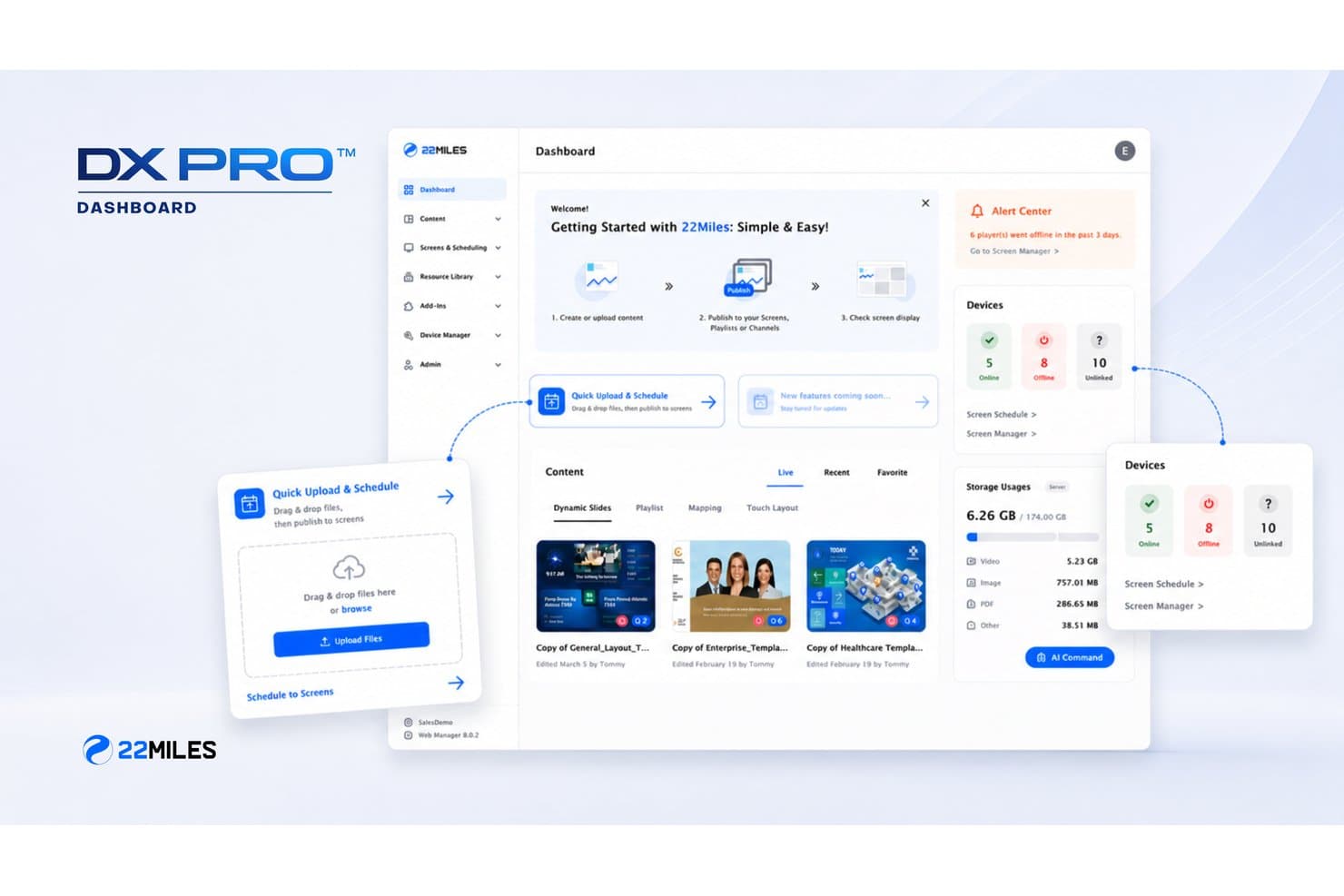
22Miles centralizes screen scheduling and content management from one dashboard. 22Miles is a hotel digital signage and wayfinding platform with a cloud-based CMS, interactive 3D maps, AI-powered guest kiosks, meeting room sign panels, and native integrations with event management and PMS systems.
Who Is 22Miles Best For?
22Miles is a strong fit for large hotels and resort groups that host events and conferences and need to manage wayfinding and digital signage across dozens—or hundreds—of screens.
Why I Picked 22Miles
I picked 22Miles as one of the best because no other platform on my shortlist handles MICE-scale wayfinding with this depth. When a hotel is running multiple conferences simultaneously, 22Miles syncs meeting room door panels directly with Delphi, Tripleseat, and EMS to display real-time session details and availability. Its 3D interactive maps with Carry2Mobile QR handoff let guests transfer turn-by-turn wayfinding to their own phones, which is genuinely useful in sprawling convention properties.
22Miles Key Features
- AI-powered multilingual chatbot: Deploy a GPT-backed AI assistant on kiosks and mobile that answers guest questions about directions, amenities, and services in multiple languages.
- Emergency alert override: Automatically push safety messaging, evacuation maps, and multilingual alerts to all screens instantly when an emergency feed is triggered.
- Hierarchical CMS permissions: Manage content at brand, property, and zone levels with role-based access controls so corporate teams and individual properties can each govern their own content.
- Back-of-house staff signage: Run internal-facing screens for operational updates, task assignments, and team communication alongside guest-facing displays.
22Miles Integrations
22Miles offers native integrations with hospitality and event management systems, including Opera PMS, Delphi, Tripleseat, Momentus, EMS, Envision, Ungerboeck, Micros POS, PowerBI, and across the Microsoft and Google Workspace ecosystems. An open API is available for custom integrations, and the platform is hardware-agnostic with certified support for BrightSign, Crestron, Cisco, AMX, and Samsung, LG, Sony, and Sharp/NEC displays.
Pros and Cons
Pros:
- AI-powered multilingual guest kiosks available
- Advanced 3D maps with AR wayfinding
- Excels at large-scale, multi-property deployments
Cons:
- Interface described as clunky by some users
- Desktop software unavailable for Mac users
Learn more about 22Miles: Best for hotel groups managing signage at scale
- Free demo available
- Pricing upon request
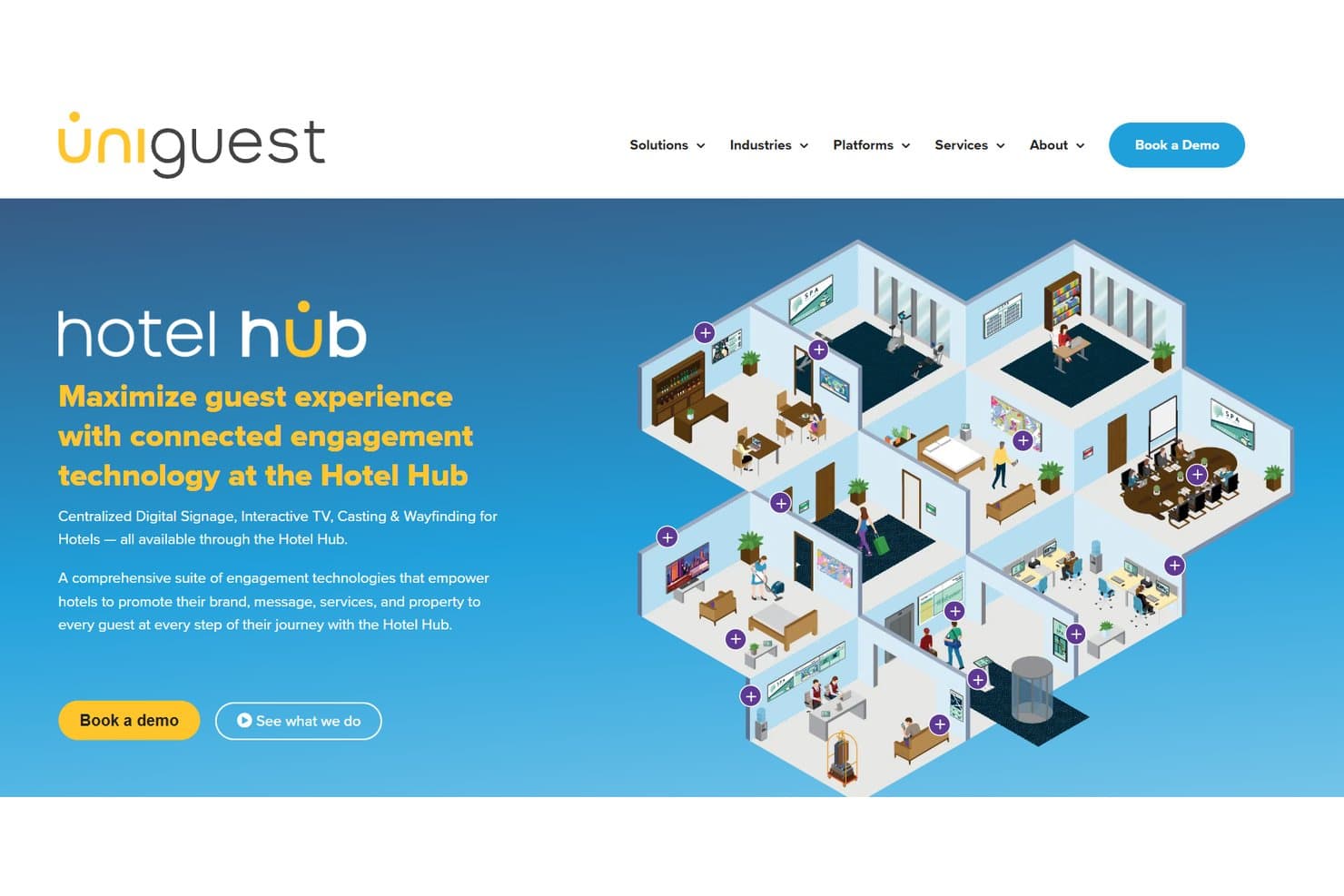
Uniguest Hotel Hub centralizes digital signage and guest engagement tools. Uniguest Hotel Hub is a cloud-based hotel digital signage platform that covers lobby displays, digital menu boards, interactive wayfinding, meeting room door panels, in-room TV, and casting from a single centralized CMS.
Who Is Uniguest Hotel Hub Best For?
Hotel groups and multi-property operators that need to manage signage across large portfolios will get the most value from Uniguest Hotel Hub.
Why I Picked Uniguest Hotel Hub
Uniguest Hotel Hub earns its spot on my shortlist because no other platform I've seen matches its ability to manage signage at scale across large hotel portfolios. The hierarchical CMS lets you organize content by brand, region, and property, with Content Tags pushing the right material to the right screens whether that's lobby displays, F&B menu boards, or meeting room door panels. I also like the Variables Module, which lets you define reusable values like property name and language once, then apply them across thousands of screens without rebuilding templates.
Uniguest Hotel Hub Key Features
- Interactive 3D wayfinding: Touchscreen lobby kiosks display interactive 3D property maps, with QR code handoffs so guests can send directions to their own phones.
- Reserva room booking panels: Meeting room door displays sync in real time with connected event management systems to show session details and room availability.
- PMS group code personalization: In-room TV content updates automatically based on guest group codes, so wedding parties, corporate groups, and sports teams each see tailored messaging.
- Hub Casting: Guests scan a QR code after check-in to cast content securely from their personal devices to in-room TVs.
Uniguest Hotel Hub Integrations
Uniguest Hotel Hub offers 22+ verified native integrations, including Oracle Opera, Mews, Amadeus, Stayntouch, HotelKey, Tripleseat, SevenRooms, NFS Rendezvous, Kipsu, and Volara, with an API also available for custom integrations.
Pros and Cons
Pros:
- Real-time meeting room door sign sync
- Interactive 3D wayfinding with guest QR handoff
- Manages thousands of screens across hotel groups
Cons:
- Digital directories reported as difficult to use
- Customer support responsiveness rated below average
Learn more about Uniguest Hotel Hub:
Other Hotel Digital Signage Software
Here are some additional hotel digital signage software options that didn’t make it onto my shortlist, but are still worth checking out:
- 11YodeckBest for multi-property screen management at scale
- 12OptiSignsBest for managing screens across multiple properties
- 13IntuifaceBest for touch-based guest self-service kiosks
- 14Look Digital SignageBest for multi-property screen management
- 15Rise VisionBest for non-technical staff managing hotel screens
- 16XiboBest for open-source screen control across properties
- 17VisixBest for MICE and conference-heavy properties
- 18EnplugBest for branded multi-property screen networks
- 19ScalaBest for enterprise-scale hotel and casino signage
Related Reviews
How I Evaluate Hotel Digital Signage Software
I split my evaluation into baseline functionality every tool must cover and the differentiators—like PMS integrations and MICE-ready features—that separate a capable platform from the right one.
Core Functionality (Table Stakes For This List)
When I'm selecting tools for my list, I rank each one on a scale from 0 (does not offer the functionality) to 5 (excels in this area) for each core functionality listed below. I then calculate the tool's total score into a percentage, using 65% as a benchmark to help assess its overall fit for the list.
- Remote content management: I look for cloud-based dashboards that let you push updates to lobby screens or event boards in real time, without walking to each display.
- Multi-screen and multi-property support: I evaluate how well a platform handles screen grouping, zone-based layouts, and role-based access across multiple hotel locations.
- Hospitality templates and media: Pre-built templates for welcome boards, meeting directories, and restaurant menus matter—I check for drag-and-drop design and live media support.
- Content scheduling and dayparting: The ability to rotate breakfast menus to lunch specials automatically, or trigger content around check-in surges, is something I assess in every tool.
- Hospitality system integrations: I check for connections to PMS platforms, event booking systems, and POS tools so signage content stays current without manual input.
- Hardware and OS compatibility: Broad support for commercial displays and media players—including Tizen, webOS, BrightSign, and Android SoC screens—keeps your AV options flexible.
Once I have a list of tools that meet the criteria, I consider what sets each platform apart.
Differentiating Factors (What Sets Vendors Apart)
Here's how I compare and contrast different vendors:
Standout Features
I look for emergency alert override capabilities—specifically, whether a platform can take over every screen instantly with evacuation maps and multilingual safety messaging triggered by fire panels or manual dispatch. For properties hosting conferences, I evaluate room-booking screen panels that sync with event management systems to show real-time availability and allow on-the-fly session extensions. Brand kit and multi-brand theming also matters: I check whether a hotel group can lock templates at the corporate level while letting each property localize content for its market.
Beyond Features
I evaluate each vendor's total cost of ownership, including whether pricing is per-screen or per-property and if media player hardware is bundled. A 200-room boutique hotel and a 40-property chain have very different budget math, so transparency around storage, bandwidth, and integration fees matters. I also check for offline playback caching and remote device monitoring—older properties with spotty Wi-Fi still need screens running during outages. Finally, I look at depth of PMS and event system connectors, since a native Opera or Mews integration that auto-updates guest welcome boards is far more useful than a generic API.
How to Choose a Hotel Digital Signage Software
The right hotel digital signage platform comes down to which operational pain you must solve first—here’s how to match your property’s most pressing needs to vendor strengths:
| If your priority is… | Look for… |
| Automating screen updates from your PMS | Native integrations with your PMS or POS |
| Managing hundreds of displays across sites | Centralized dashboard for multi-property |
| Customizing content for MICE or events | Event software sync or agenda templates |
| Keeping brand visuals consistent at scale | Multi-brand template locking tools |
| Simplifying staff management of screens | Drag-and-drop, code-free content editors |
How to Vet Your Shortlist
- Test PMS integration claims: Request a 30-minute live demo showing real-time guest or event data updated on a lobby screen.
- Evaluate mass screen control: Launch a pilot for at least five displays across test properties—confirm you can push an override or emergency message to all at once.
- Review event compatibility: Ask for a sample deployment using your event calendar (or MICE tool) so meeting room displays auto-update as bookings change over a one-week mock schedule.
- Check template locking: Obtain a written example of multi-brand governance—confirm you can restrict corporate brand assets while allowing localization at the property level.
- Decision filter—depth vs. flexibility: Decide if native hospitality system integrations (great for automation) matter more than broad hardware/OS compatibility (best for mixed-brand or legacy environments).
What Is Hotel Digital Signage Software?
Hotel digital signage software is a type of platform that lets hotels manage digital screens for guest information, wayfinding, event scheduling, promotional content, and branding across their property or group. You can control displays remotely, schedule content updates, and connect screens to systems like your property management or event booking tools to keep information accurate and up to date for guests and staff.
Features of Hotel Digital Signage Software
When selecting hotel digital signage software, keep an eye out for the following key features:
- Remote content management: Update and monitor your screens from a cloud-based dashboard, letting you push last-minute changes or special messages to any display without leaving your seat.
- Multi-screen and multi-property support: Group, schedule, and control displays across different areas and locations, making it easy to coordinate consistent communication in lobbies, hallways, elevators, and multiple hotel properties.
- Hospitality-specific templates: Access pre-built designs for welcome messages, event directories, conference agendas, restaurant menus, and wayfinding, enabling quick content creation that reflects your brand and guest experience standards.
- Content scheduling and dayparting: Set different content to run at specific times—like breakfast hours, check-in/post-checkout, or event windows—so guests always see relevant information at the right moment.
- Hospitality system integrations: Connect digital displays with your property management system (PMS), point-of-sale (POS), and event booking software to automate updates and keep information current without manual data entry.
- Hardware and OS compatibility: Operate your digital signage on a wide range of commercial displays and media players, supporting platforms like Tizen, webOS, BrightSign, and Android, so you aren’t locked into one vendor or device.
- Emergency alerts and override: Instantly broadcast evacuation instructions, safety messages, or critical updates to every screen property-wide, triggered either automatically by fire panels or manually by authorized staff.
- User permissions and access control: Assign different access levels to staff across departments or sites, so only the right team members can change, review, or approve signage content.
- Offline playback and caching: Make sure screens continue displaying scheduled content during Wi-Fi or network outages, so your guest communications never go dark.
- Real-time analytics and monitoring: Track screen uptime, content engagement, and device health from a centralized dashboard, helping you catch issues and measure the effectiveness of your signage strategy.
Benefits of Hotel Digital Signage Software
Implementing hotel digital signage software provides several benefits for your team and your business. Here are a few you can look forward to:
- Timely guest communication: Deliver up-to-date information, welcome messages, and event updates right where guests need them using remote content management and real-time syncing.
- Centralized operations control: Manage and schedule content for all screens across your property or multiple locations from a single dashboard, streamlining coordination and minimizing manual work.
- Automated system integrations: Connect with your property management system, point-of-sale, and event booking software so screens always reflect current bookings, menus, or meeting schedules.
- Customized guest experiences: Use hospitality-specific templates and content scheduling to tailor information for events, room types, or guest segments without complex design work.
- Brand consistency at scale: Lock brand assets and templates at the group level while letting each property localize messaging, supporting a unified look across diverse properties.
- Emergency and override messaging: Instantly push emergency alerts or important updates to all displays, ensuring guest and staff safety with override and alert features.
- Continuous screen uptime: Rely on offline playback and device monitoring to keep screens running and content visible even during network outages or connectivity issues.
Costs and Pricing of Hotel Digital Signage Software
Selecting hotel digital signage software requires an understanding of the various pricing models and plans available. Costs vary based on features, team size, add-ons, and more. The table below summarizes common plans, their average prices, and typical features included in hotel digital signage software solutions:
Plan Comparison Table for Hotel Digital Signage Software
| Plan Type | Average Price | Common Features |
| Free Plan | $0 | Basic content scheduling, limited remote management, access to standard templates, and limited screen support. |
| Personal Plan | $20-$40/month | Single property support, branding controls, more design templates, scheduling, and basic integrations. |
| Business Plan | $50-$150/month | Multi-property management, advanced permissions, PMS and POS integrations, offline playback, and analytics reporting. |
| Enterprise Plan | $200-$800/month | Unlimited screens, custom integrations, corporate template locking, emergency alerting, priority support, and SLAs. |
Hotel Digital Signage Software FAQs
Here are some answers to common questions about hotel digital signage software:
How can hotel digital signage software improve internal communication?
Hotel digital signage software keeps your staff updated with shift notices, event schedules, or service alerts right on employee-facing screens. You can push real-time updates to back-office, break room, or service corridor displays—especially helpful for teams with high staff turnover or multiple shifts.
What types of hospitality system integrations should I look for?
Look for integrations with your property management system (PMS), point-of-sale (POS), and event booking software. Native PMS integrations let you automate room status boards, update guest directories, or show real-time meeting schedules without extra data entry.
Can hotel digital signage software display content during internet outages?
Yes, most modern hotel digital signage platforms support offline playback or caching. This means scheduled content still displays even if Wi-Fi drops, so important guest or safety info never goes dark.
How do I manage branding across multiple hotel properties?
Many solutions let you create corporate-approved templates with certain brand elements locked in. Local managers can then tailor messages for their property while maintaining a consistent brand look across the group.
What’s the best way to test if a platform’s PMS integration actually works?
Request a live demo with your own PMS or a mock setup. Ask the vendor to show real-time guest or booking data updating on sample screens, so you can confirm true integration, not just a static content sync.
Are there options for non-technical staff to create and update screen content?
Yes, most leading digital signage tools offer drag-and-drop content editors with hospitality-specific templates. This lets front desk or event teams update displays quickly—no design skills or IT support needed.