

Free hotel property management software is a no-cost plan or trial for managing reservations, front-desk tasks, housekeeping, guest check-in, or broader hotel operations. Some options cover one workflow, while others require you to host and maintain the system yourself. Compare room and user limits, included features, and setup requirements to find a fit for your property’s size and daily routines. A free tool won’t always replace a full PMS.
Why Trust Our Software Recommendations
6,700+
Reviews
20
Industry experts
16+
Evaluation factors
14
Years
Our team has been testing and reviewing software since 2012. As hospitality leaders ourselves, we know how difficult—and important—it is to choose the right software.
For this guide, we evaluated tools using hands-on testing and independent research, scoring tools using our selection criteria.
Our reviews reflect our human editorial judgment, not a sales pitch.
Comparison Table: Free Hotel Property Management Software
Compare specs side by side for the free hotel property management software that made it onto my shortlist.
| Tool | Best For | Trial Info | Price | ||
|---|---|---|---|---|---|
| 1 | Best for free multi-property management | Free plan available | Pricing upon request | Website | |
| 2 | Best for free multi-user reservation ops | Free plan available | Pricing upon request | Website | |
| 3 | Best for granular user permissions on a free plan | Free plan available | Pricing upon request | Website | |
| 4 | Best for free housekeeping sync at check-out | Free plan available | From €15/month | Website | |
| 5 | Best for replacing paper logs at no cost | Free plan available | Pricing upon request | Website | |
| 6 | Best for solo-run hotels up to 40 rooms | Free plan available | From ₹5,400/year (billed annually) | Website | |
| 7 | Best for solo-owner free reservation management | Free plan available | From €19/month | Website | |
| 8 | Best for free PMS with unlimited rooms and no card | Free plan available | From €15/month | Website | |
| 9 | Best for free mobile check-ins with ID scan | Free plan + free demo available | From $10.50/month (billed annually) | Website | |
| 10 | Best for free grid-based front desk ops | Free plan available | From $35/month | Website |


Free Hotel Property Management Software Reviews
Below are my reviews of the free hotel property management software options that made my shortlist. I cover each tool’s key features, free-plan limits, and best-fit use cases to help you choose the right one.
 Best for free multi-property management
- Free plan available
- Pricing upon request
Visit WebsiteCustomer Rating:4.5/5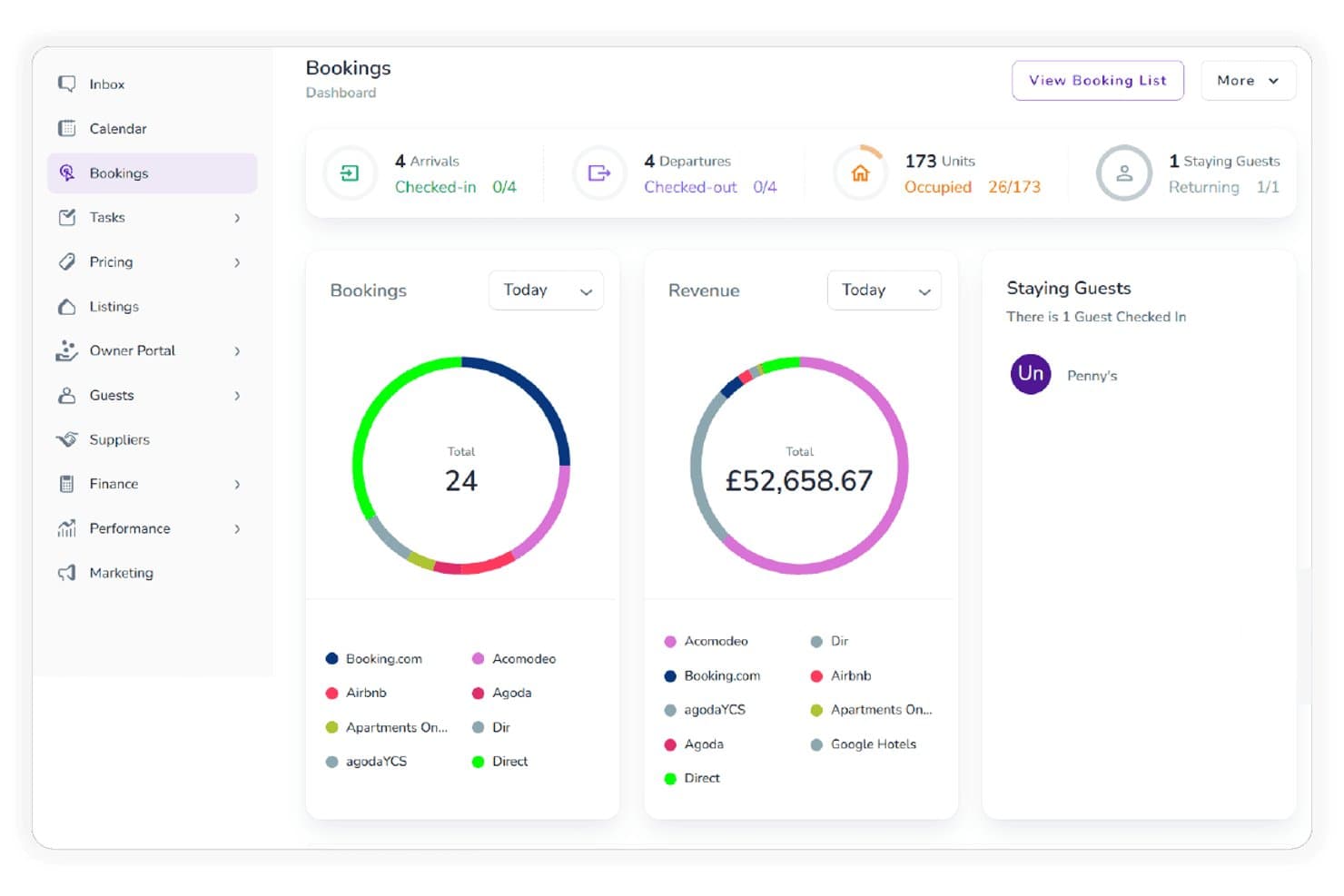
Zeevou tracks bookings and revenue across multiple channels in one dashboard. Zeevou is a hotel property management system with a multi-unit booking calendar, guest CRM, direct booking website, invoicing, and iCal connections for managing reservations across properties.
Who Is Zeevou Best For?
Zeevou suits B&B and guesthouse hosts who want a free system for managing bookings, guest records, and direct reservations.
Why I Picked Zeevou
I picked Zeevou because its free multi-property setup can cover a small guesthouse’s bookings without a spreadsheet. The multi-unit calendar, guest CRM, and hosted direct-booking site let me track stays, guest history, and direct reservations across properties. I keep in mind that free channel syncing is iCal-only, so I wouldn’t rely on it for live OTA availability.
Zeevou Key Features
- Automated invoicing and card payments: Create invoices and process payments within Zeevou.
- Owner portal: Give property owners access to relevant property information.
- Email automation: Set up automated guest emails.
- Google Travel integrations: Connect properties with Google Travel services.
Zeevou Integrations
Zeevou connects with Google Hotels and Google Vacation Rentals; its paid Channel Manager supports 200+ channels, including Airbnb, Booking.com, Expedia, and Vrbo. Other documented integrations include PriceLabs, Stripe, PayPal, and Xero; OpenAPI access requires Enterprise or a paid module.
What's Free?
Zeevou offers a free plan, with channel syncing limited to iCal. Live OTA connections through its Channel Manager require a paid plan.
Pros and Cons
Pros:
- Direct booking site supports digital reservations
- Guest CRM tracks stay history centrally
- Guest support earns repeated reviewer praise
Cons:
- No documented visual room-status board
- Online check-in and housekeeping require upgrades
Learn more about Zeevou: Best for free multi-user reservation ops
- Free plan available
- Pricing upon request
Visit WebsiteCustomer Rating:4.6/5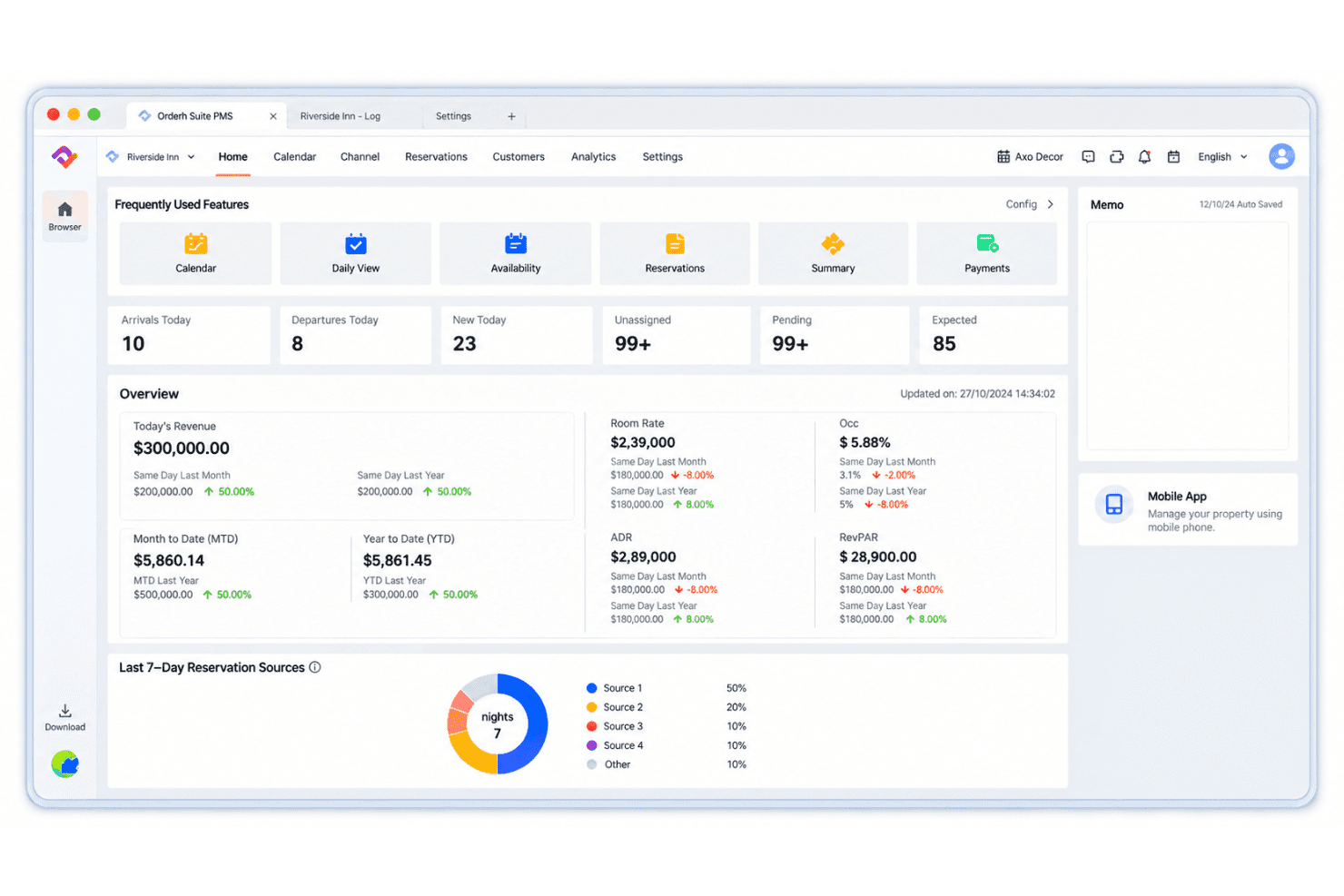
Smart Order displays revenue, occupancy, and reservations on one dashboard. Smart Order is a cloud-based hotel property management system that handles reservation calendars, front-desk check-ins and checkouts, guest records, and role-based staff access.
Who Is Smart Order Best For?
Smart Order suits independent hotels and small property operators that need a shared reservation calendar and role-based staff access.
Why I Picked Smart Order
I included Smart Order in my top picks because its Essential plan has no stated limits on rooms or usage duration. I particularly like its module-level staff permissions and shared reservation calendar, which allow front-desk teams to register walk-in guests and monitor room availability in real time.
Smart Order Key Features
- Guest profiles: Customer Management stores guest records, which you can export with reservation data.
- One-click check-in and checkout: Front-desk staff can record arrivals, departures, deposits, and extra payments.
- Group bookings: The reservation system supports bookings for groups.
- Basic reports: The free Essential plan includes a Basic Report module.
Smart Order Integrations
Smart Order lists integrations with Booking.com, Airbnb, Agoda, Trip.com, Expedia, Traveloka, Tujia, Hostelworld, PriceLabs, and Stripe. OTA syncing is listed as a paid Essential-plan add-on on the pricing page, though other vendor pages describe it as included.
What's Free?
Smart Order offers hotel management features with no restrictions on room count or usage duration. It includes front desk management, basic reporting, mobile access, and guest management. OTA synchronization and booking engine functionality are available as paid add-ons.
Pros and Cons
Pros:
- Guest records and basic reports are included
- Role-based access supports multi-user teams
- Shared calendar shows real-time availability
Cons:
- Little independent feedback verifies real-world reliability
- Free tier omits housekeeping and self check-in
Learn more about Smart Order: Best for granular user permissions on a free plan
- Free plan available
- Pricing upon request
Visit WebsiteCustomer Rating:4.5/5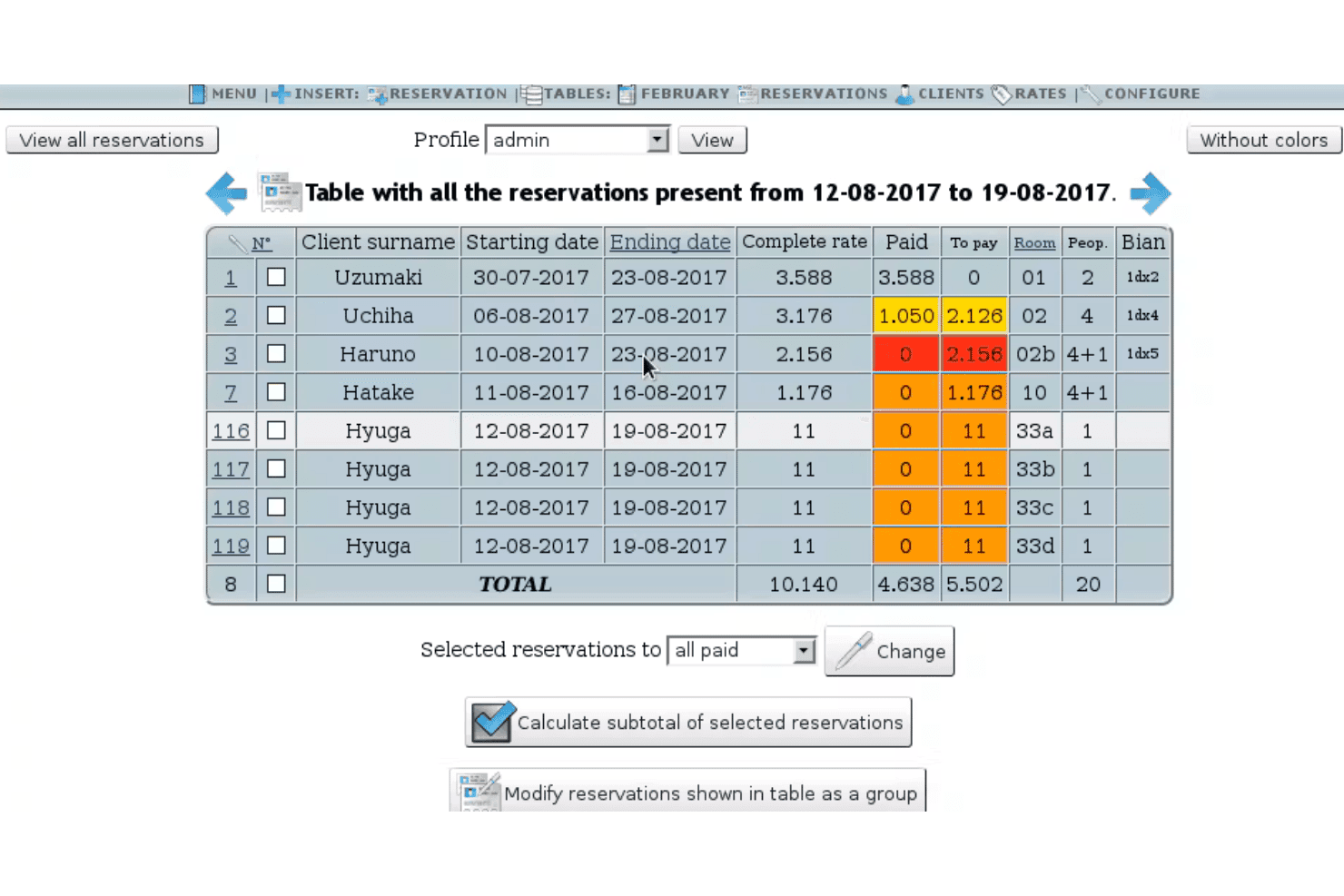
HotelDruid handles room bookings, assignments, rates, payments, and reports. HotelDruid is a free, self-hosted, open-source hotel property management system with reservation calendars, automatic room assignment, rate and payment records, guest profiles, and occupancy and revenue reports.
Who Is HotelDruid Best For?
HotelDruid suits independent hotel owners and front desk managers who need granular staff permissions and can manage a self-hosted PMS.
Why I Picked HotelDruid
I included HotelDruid in my top picks because its free, self-hosted system offers detailed user permissions, allowing administrators to control access by room, booking period, rate, and field. I particularly like how reception staff can manage reservations without permission to modify rates or room settings. Administrators can also restrict users to viewing only their assigned bookings, providing greater control over staff access.
HotelDruid Key Features
- Guest profiles: Store contact details and link guests to past bookings.
- Occupancy and revenue reports: View monthly charts, RevPAR, and revenue by booking source or payment method.
- Point of sale: Charge bar or restaurant items to a reservation or cash box.
- Custom documents and email: Create receipts, invoices, contracts, forms, and email messages.
HotelDruid Integrations
HotelDruid’s paid hosted channel manager syncs with Booking.com and Expedia, with additional two-way channels available through Octorate; free self-hosted users don’t get channel sync. Its paid booking engine supports PayPal, Stripe, and Mercado Pago.
What's Free?
HotelDruid offers free, open-source property management software that can be self-hosted without a time limit. It includes reservation management, room assignments, user permissions, invoicing, and reporting.
Pros and Cons
Pros:
- Revenue reports include RevPAR comparisons
- Automatic room assignment helps prevent conflicts
- Granular permissions by room and field
Cons:
- Housekeeping relies on an inventory workaround
- Dated interface draws recurring reviewer criticism
Learn more about HotelDruid: Best for free housekeeping sync at check-out
- Free plan available
- From €15/month
Visit WebsiteCustomer Rating:3.1/5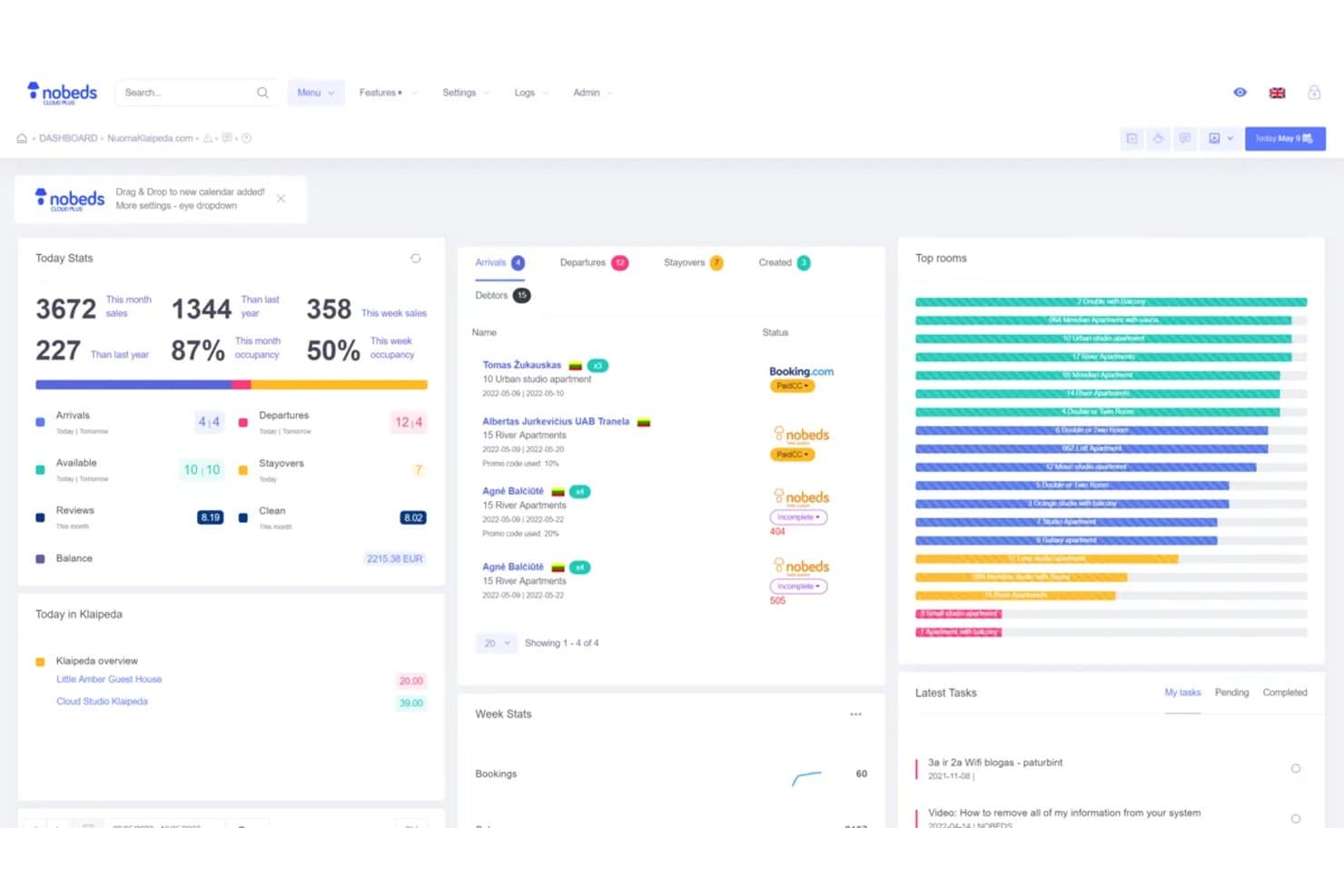
Nobeds centralizes bookings, stats, and tasks in one free dashboard. Nobeds is a free hotel property management system combining reservation and availability calendars, OTA channel management, a direct booking engine, guest records, and front-desk check-in and check-out workflows.
Who Is Nobeds Best For?
Nobeds suits independent hotels and small property teams that need a low-cost PMS for reservations and front-desk coordination.
Why I Picked Nobeds
I picked Nobeds for its housekeeping workflow, which automatically creates a cleaning task when a guest checks out. I like that cleaners can view their assigned tasks on mobile, while room statuses, including Cleaned, In Progress, and Pending, appear in the front-desk calendar. Nobeds also lists cleaner accounts on its free plan, although its plan details contain conflicting information.
Nobeds Key Features
- Reservation calendar: View bookings, occupancy, and rates in a calendar.
- Channel manager: Sync availability and reservations with connected booking channels.
- Direct booking engine: Add a commission-free booking widget to your website.
- Guest profiles: Store guest contact details, stay history, and preferences.
Nobeds Integrations
Nobeds connects with Booking.com, Airbnb, Trip.com, Expedia, Agoda, and Hostelworld, with iCal support for other channels. It also lists Stripe, SumUp, PriceLabs, and Vikey; a REST API and webhooks are available on the €99/month API plan.
What's Free?
Nobeds offers a free-forever plan for up to 10 rooms, three booking channels, and one manager account. Its housekeeping module includes cleaning tasks, mobile access, and room-status tracking. However, the number of cleaner accounts allowed on the free plan remains unclear.
Pros and Cons
Pros:
- Reviewers praise useful features without payment
- Checkout creates mobile-visible cleaning tasks
- Free plan includes core reservation workflows
Cons:
- Users report bugs and missing bookings
- Recent reviewers report little customer support
Learn more about Nobeds: Best for replacing paper logs at no cost
- Free plan available
- Pricing upon request
Visit WebsiteCustomer Rating:4.3/5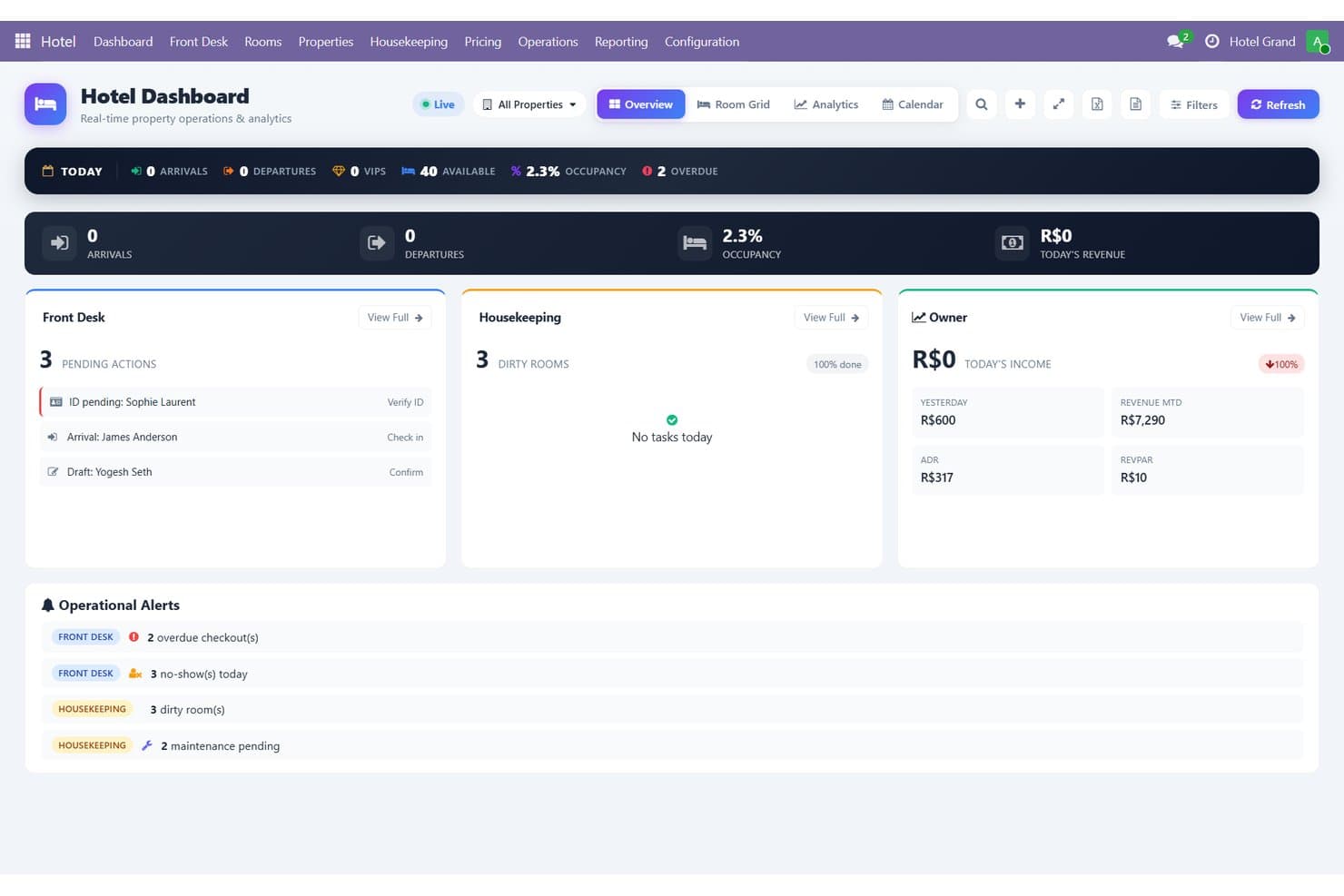
InnCentral centralizes front desk, housekeeping, and revenue data in one dashboard. InnCentral is a hotel property management system with a free plan that includes reservations, front desk, housekeeping, channel management, direct bookings, POS, invoicing, and guest records.
Who Is InnCentral Best For?
InnCentral suits small independent hotels that want front desk, reservation, and housekeeping tools in one property management system.
Why I Picked InnCentral
I included InnCentral in my top picks because its advertised free plan covers front desk operations, housekeeping, POS, and invoicing without additional costs. I particularly like how staff can track guest arrivals, room changes, and housekeeping statuses while managing guest records and billing digitally instead of relying on paper logs.
InnCentral Key Features
- Reservation calendar: View bookings and room availability in a calendar grid.
- Channel manager: The vendor claims two-way rate and inventory sync across 100+ channels.
- Direct booking page: Create a branded booking page with live availability and checkout payments.
- Owner reports: Review occupancy, ADR, RevPAR, revenue, channel mix, and P&L.
InnCentral Integrations
InnCentral claims 100+ integrations, including QuickBooks, Xero, Zoho Books, Stripe, and Razorpay. It also offers a REST API, Make, and Zapier.
What's Free?
InnCentral offers a free plan with no stated time limit or restrictions on rooms, users, reservations, branches, or properties. It includes property management, front desk operations, housekeeping, a booking engine, channel management, POS, and e-invoicing. No credit card is required to get started.
Pros and Cons
Pros:
- Includes guest records, bills, and POS
- Digital room statuses replace paper logs
- Combines reservations, front desk, and housekeeping
Cons:
- No native mobile app confirmed
- No independent user reviews yet
Learn more about InnCentral: Best for solo-run hotels up to 40 rooms
- Free plan available
- From ₹5,400/year (billed annually)
Visit WebsiteCustomer Rating:4.7/5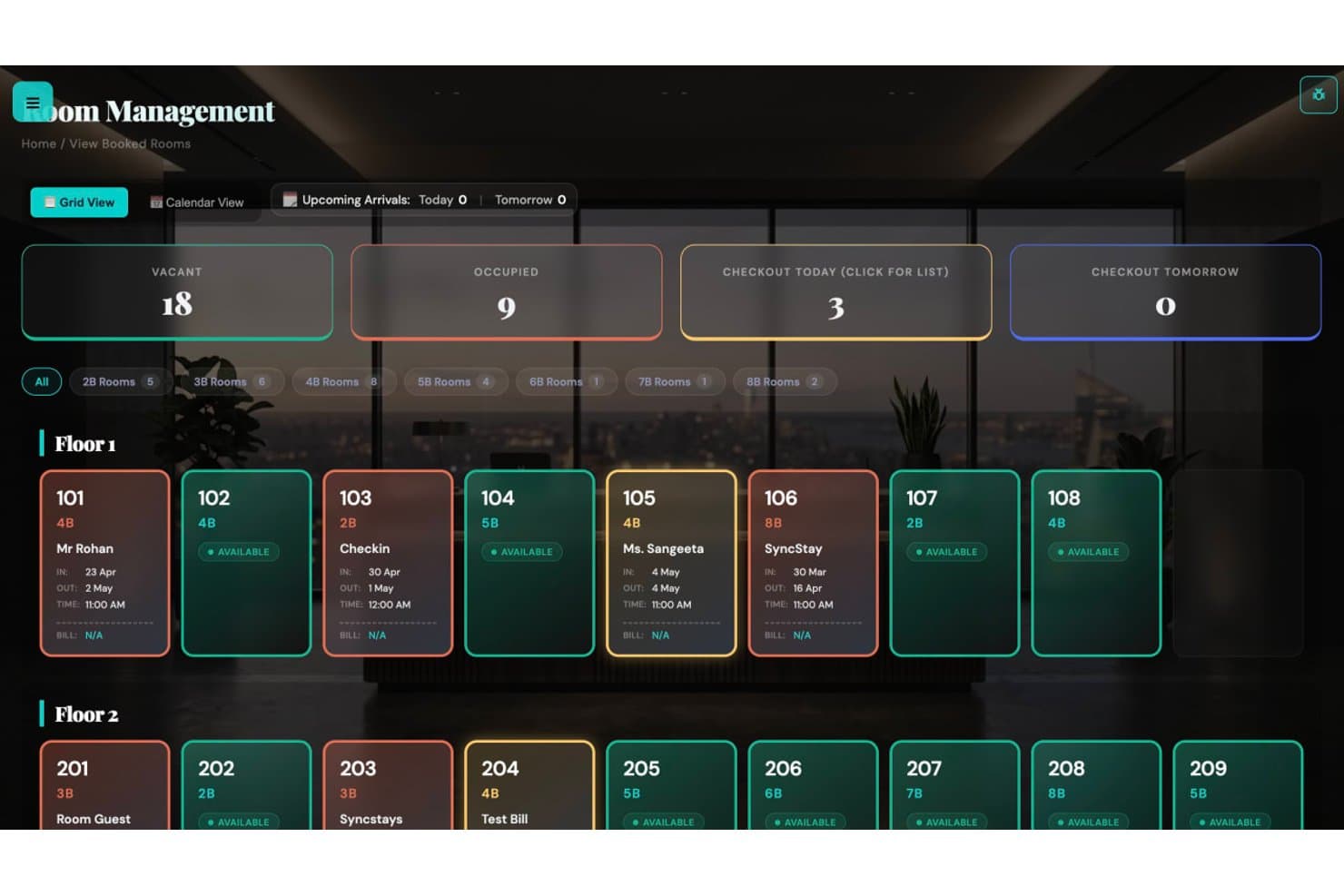
SyncStays lets users monitor room occupancy and status at a glance. SyncStays is a cloud-based hotel property management system with a free tier for room bookings, calendar and room-grid management, check-in and check-out, housekeeping, maintenance tracking, and activity logs.
Who Is SyncStays Best For?
SyncStays suits solo-run hotels up to 40 rooms, particularly independent properties in India that need straightforward tools for daily front-desk and housekeeping tasks.
Why I Picked SyncStays
I picked SyncStays as one of the best free hotel property management tools because its free plan supports hotels with up to 40 rooms. It includes a room grid, booking-conflict checks, and check-in and check-out tools.
SyncStays Key Features
- Group bookings: Link several rooms to one guest.
- Room moves: Reassign an active guest to a vacant room.
- Maintenance tracking: Record property repairs and maintenance issues.
- Mobile dashboard: Review hotel operations from a phone browser.
SyncStays Integrations
SyncStays lists six OTA integrations: Booking.com, Agoda, Goibibo/MakeMyTrip, Cleartrip, Expedia, and Airbnb. Channel management requires a paid Pro or Elite plan; Google Cloud Vision powers ID scanning on Elite.
What's Free?
SyncStays offers a free-forever plan for one hotel with up to 40 rooms and one user, with no credit card required.
Pros and Cons
Pros:
- Checkout triggers housekeeping tasks automatically
- Reviewers report fast support and bug fixes
- Reviewers praise quick booking and room tracking
Cons:
- Reports and guest-history search require upgrades
- Single-user access limits staff coordination
Learn more about SyncStays: Best for solo-owner free reservation management
- Free plan available
- From €19/month
Visit WebsiteCustomer Rating:5/5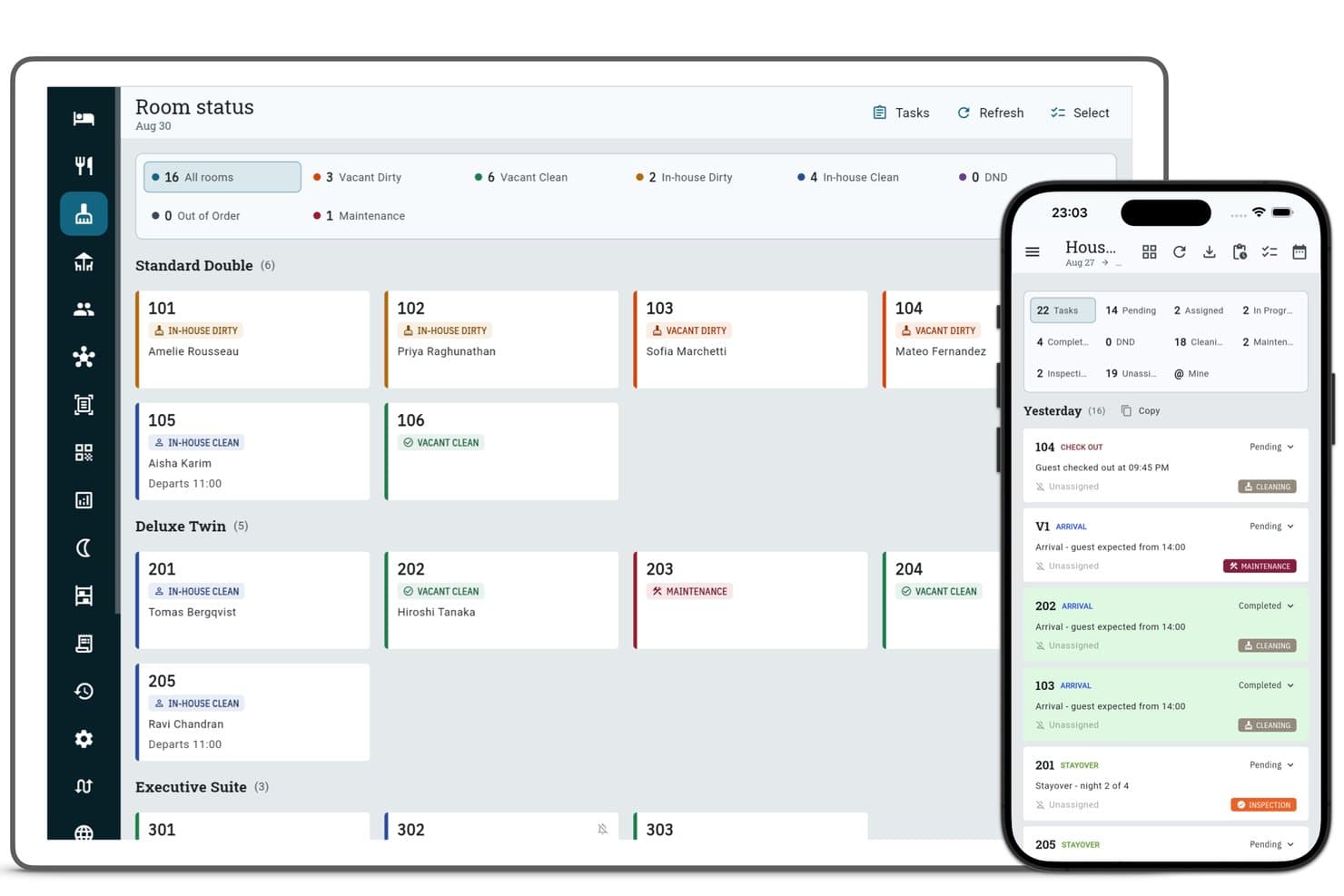
Zitlin tracks room status and housekeeping tasks across all room types. Zitlin is a free hotel property management system with unlimited-room reservation management, guest records, folios, invoicing, restaurant POS, and a 0% commission direct booking engine.
Who Is Zitlin Best For?
Zitlin fits solo owner-operators at independent hotels who handle front-desk bookings themselves and don’t need staff logins on the free plan.
Why I Picked Zitlin
I included Zitlin in my top picks because it supports unlimited rooms and tracks reservations from tentative bookings through check-out. I particularly like how solo owners can manage guest folios and accept direct bookings with 0% commission.
Zitlin Key Features
- Restaurant POS: Records orders and sends kitchen tickets.
- Hourly and day-use bookings: Supports short stays alongside standard room bookings.
- Rate restrictions: Set minimum or maximum stays, closed-to-arrival rules, and stop-sell dates.
- Room status: Shows whether rooms are vacant and clean, vacant and dirty, or under maintenance.
Zitlin Integrations
Zitlin connects to 60+ OTAs, including Booking.com, Airbnb, and Expedia, through a separately quoted channel manager; it also supports iCal and booking-engine links for Wix, WordPress, Shopify, Squarespace, and Webflow. TTLock, Akiles, Stripe, Razorpay, PayU, and API access are also documented, with API and payment gateway options requiring Pro or a quoted add-on.
What's Free?
Zitlin offers a free-forever plan with unlimited rooms, reservation management, a booking engine, restaurant POS, and invoicing. The plan supports one user account and has monthly fair-use limits on bookings and restaurant orders. New accounts also receive 60 days of Zitlin Pro, while channel management and OTA synchronization are quoted separately.
Pros and Cons
Pros:
- Reviewers praise responsive support
- Guest records and folios stay included
- Free reservations cover unlimited rooms
Cons:
- Monthly booking caps are undisclosed
- Free account allows only one user
Learn more about Zitlin: Best for free PMS with unlimited rooms and no card
- Free plan available
- From €15/month
Visit WebsiteCustomer Rating:5/5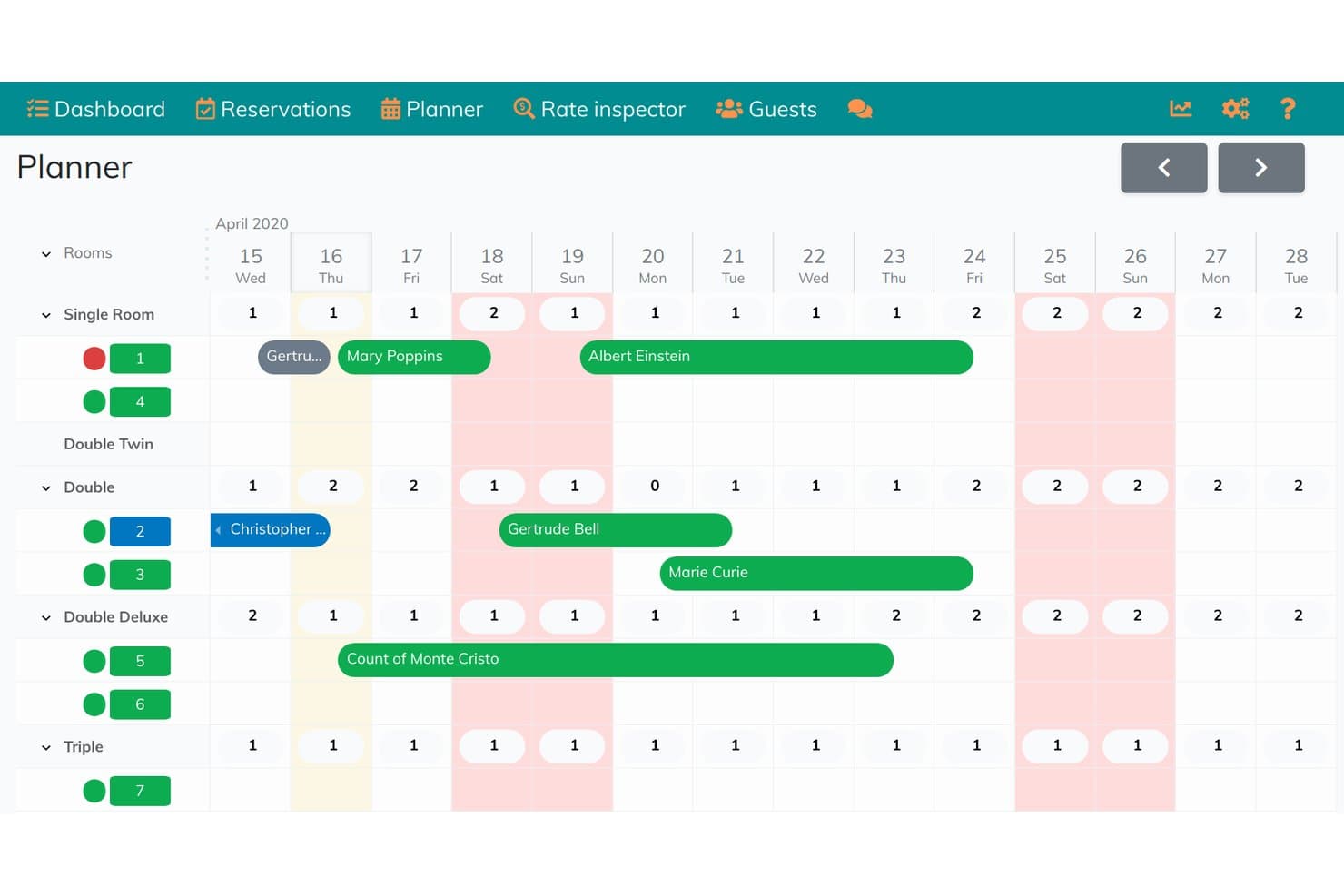
Hoteliera's planner gives a visual room booking calendar view. Hoteliera is a browser-based hotel property management system with a room planner, reservation management, check-in and check-out, housekeeping, invoicing, and a guest portal.
Who Is Hoteliera Best For?
Hoteliera suits independent hotel and guesthouse operators who want browser-based tools for daily front desk and housekeeping work.
Why I Picked Hoteliera
I picked Hoteliera for its permanent free plan, which supports unlimited rooms without requiring a credit card. I like that its planner tracks arrivals and departures, while housekeeping queues flag rooms that need cleaning. You can also issue invoices at checkout, although channel syncing requires a paid plan.
Hoteliera Key Features
- Guest portal: Guests can check in online, message staff, request services, and order extras.
- Staff accounts: Create staff accounts with permissions.
- Multi-property management: Manage multiple properties, each with its own rooms, reservations, staff, and settings.
- Direct booking website: Add a hosted website and booking engine with online payments through Stripe or PayPal.
Hoteliera Integrations
Hoteliera’s paid Premium channel manager syncs reservations with Booking.com, Airbnb, Expedia, and Agoda; its website also documents payments through Stripe and PayPal, plus TTLock smart locks. The API is listed for custom integrations.
What's Free?
Hoteliera offers a free-forever plan with unlimited rooms and no credit card required. The free plan includes reservations, room planning, guest management, and invoicing. Channel syncing with Booking.com, Airbnb, Expedia, and Agoda requires the paid Premium plan.
Pros and Cons
Pros:
- Housekeeping queues track room-cleaning status
- Guest portal handles check-in and requests
- Unlimited rooms support growing independent properties
Cons:
- Guest history and report details remain unclear
- Staff lack a native mobile app
Learn more about Hoteliera: Best for free mobile check-ins with ID scan
- Free plan + free demo available
- From $10.50/month (billed annually)
Visit WebsiteCustomer Rating:5/5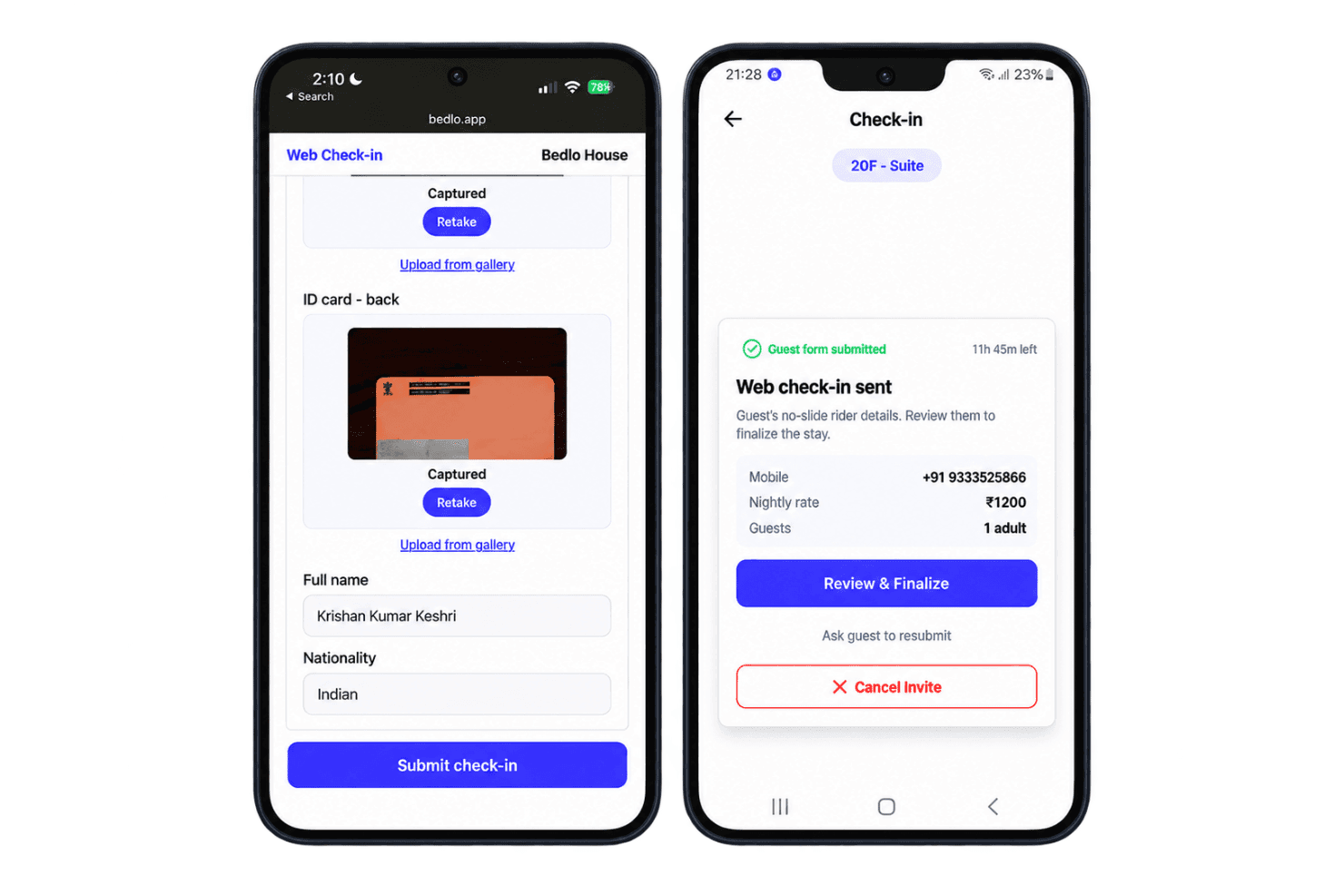
Bedlo tracks hotel bookings, guest records, room status, billing, and reports. Bedlo is a mobile-first hotel property management system for small properties, combining reservation calendars, guest records, room-status tracking, GST billing, reports, and WhatsApp booking tools.
Who Is Bedlo Best For?
Bedlo suits independent Indian hotel owners and small guesthouse operators.
Why I Picked Bedlo
I included Bedlo in my top picks because its mobile check-in features allow staff to scan guest IDs, automatically fill in registration details, and collect digital signatures. I particularly like how guests can complete check-in through a WhatsApp link, with staff reviewing and approving their information upon arrival.
Bedlo Key Features
- Reservation calendar: View bookings in timeline, month-calendar, or list format, with overlap prevention.
- Room status grid: Track rooms marked vacant, occupied, dirty, or under maintenance.
- Guest profiles: Search guest records with ID details, photos, and stay history; export the register as PDF or CSV.
- GST invoices: Generate invoices with applicable tax rates, property details, and a central/state tax split.
Bedlo Integrations
Native integrations are not clearly documented. Bedlo connects to WhatsApp for booking links and messages, and UPI for direct guest payments; it doesn’t sync OTA bookings.
What's Free?
Bedlo offers a free-forever Starter plan for properties with up to five rooms. It includes room management, ID scanning, and guest records without a time limit or credit card requirement.
Pros and Cons
Pros:
- Role permissions include activity log and undo
- Offline check-ins sync after reconnection
- Mobile ID scans capture guest details automatically
Cons:
- iOS and desktop access requires a browser
- Housekeeping relies on room-status updates
Learn more about Bedlo: 10Best for free grid-based front desk ops
OtelMS
- Free plan available
- From $35/month
Visit WebsiteCustomer Rating:4/5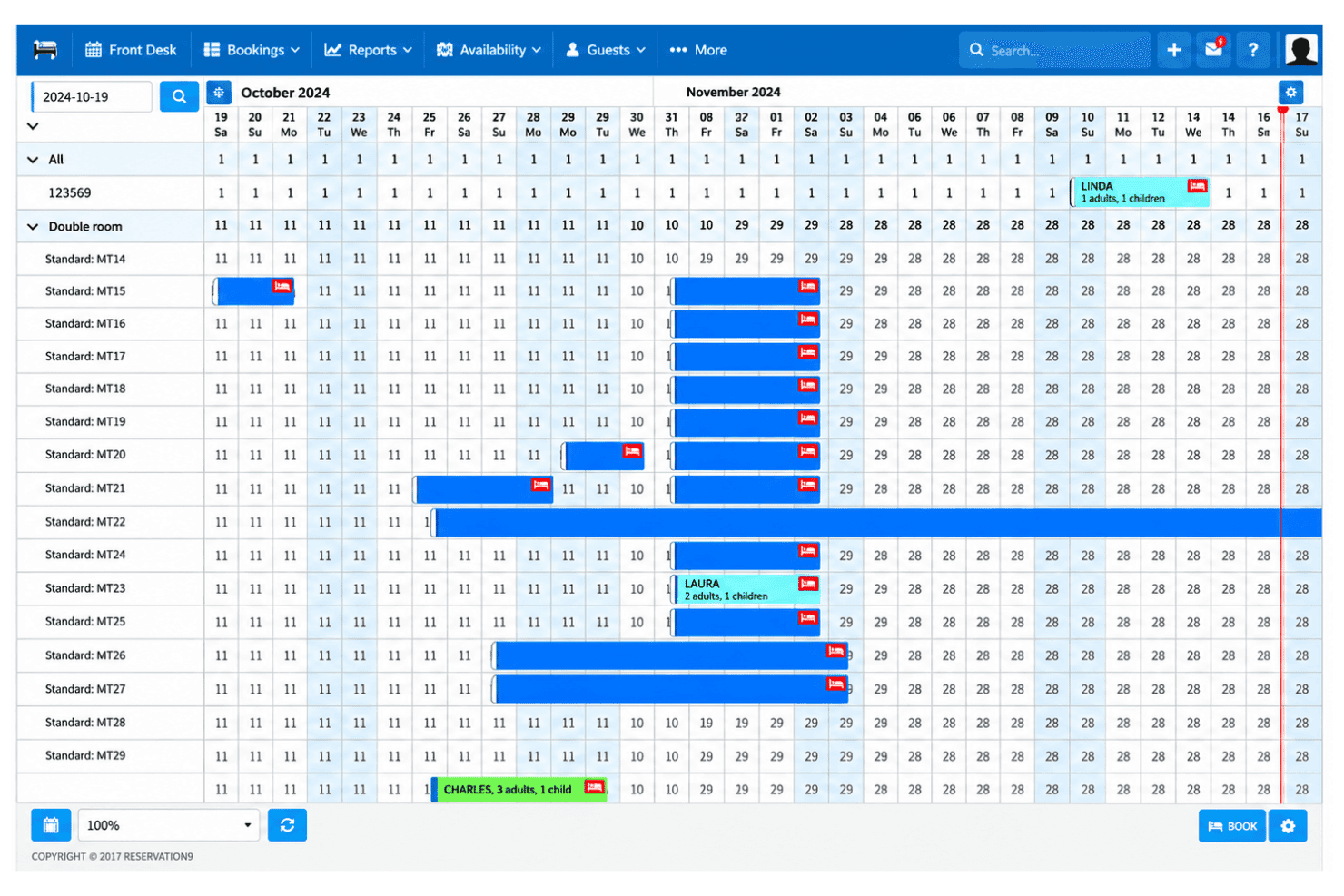
OtelMS tracks bookings, room availability, arrivals, and departures on a grid. OtelMS manages hotel reservations, front-desk tasks, guest profiles, reporting, and website bookings, with channel management offered on paid plans.
Who Is OtelMS Best For?
OtelMS suits independent hotels and small property teams that want to manage reservations and front-desk work through a visual room-and-date grid.
Why I Picked OtelMS
I picked OtelMS for its grid-based front desk management, which displays reservations and room availability on one screen. I like that staff can track expected arrivals and departures, identify overdue bookings, and change reservation colors during check-in.
OtelMS Key Features
- Guest profiles: Store guest details, stay history, and preferences for future bookings.
- Commission-free booking engine: Embed it on your website or Facebook page and accept direct reservations.
- Performance reports: View metrics such as ADR, RevPAR, financial results, and guest demographics.
- Activity log: Review a record of actions taken in the system.
OtelMS Integrations
OtelMS connects to Booking.com, Expedia, Airbnb, HRS, and Tripadvisor through its paid channel manager. Google Analytics tracking is available for the booking engine on paid plans.
What's Free?
OtelMS offers a free-forever plan with core PMS functionality, online bookings, reporting, and support.
Pros and Cons
Pros:
- Guest profiles retain stay histories and preferences
- Commission-free booking engine is included
- Room-and-date grid shows availability at a glance
Cons:
- Room and user limits aren't published
- Free tier lacks cross-channel reservation syncing
Learn more about OtelMS:
Other Free Hotel Property Management Software
Here are a few additional options that didn’t make my shortlist but are still worth checking out:
- 11QloAppsBest for open-source PMS with no room caps
- 12SirvoyBest for solo hosts wanting a free booking engine
- 13AviratoBest for free advisory setup with no OTA fees
- 14freetobookBest for commission-free direct bookings at no cost
- 15TribiiBest for free direct bookings at small properties
- 16PA PMSBest for built-in night audit on a free plan
- 17PingotelBest for free bookings with no signup friction
- 18Hotel PMSBest for Russian OTA sync on a free plan
- 19LodgableBest for free OTA sync across vacation rentals
- 20PremisesBest for free ops with Philippine local payments
Related Reviews
How I Evaluate Free Hotel Property Management Software
First, I define what counts as free. A qualifying hotel property management software plan stays free for ongoing daily operations, not just a trial, though room, user, or feature limits may apply. From there, I weigh three parts: core functionality, like booking availability and check-ins; standout features, like housekeeping coordination; and growth fit, including room limits.
Core Functionality (Table Stakes For This List)
In addition to my free plan requirements, I use a scoring system to select tools for my list. I score each one on a scale from 0 (does not offer the functionality) to 5 (excels in this area) for each core functionality listed below, based on what's available on the free plan. I then convert the total into a percentage to help assess each tool's overall fit, with extra weight on any functionalities I've deemed essential.
- Reservation Management (Essential): I look for booking creation and edits alongside a clear availability view that helps staff spot room conflicts before confirming a stay.
- Front Desk Operations: I check whether staff can record arrivals and departures and update room status as guests check out or rooms become ready.
- Channel Management: I evaluate whether the software syncs bookings with an external channel, reducing the need to update availability manually.
- Guest Records: I look for saved guest details and stay history staff can reference when handling repeat bookings.
- Multi-User Access: I check whether more than one staff member can work in the system and whether access levels suit their responsibilities.
Once I have a list of tools that meet the criteria, I consider what sets each platform apart.
Differentiating Factors (What Sets Vendors Apart)
Here's how I compare and contrast different vendors:
Standout Features
I check whether a free plan includes a direct booking engine you can embed on your property's website, since capturing reservations without OTA commissions makes a real difference for small operators watching margins. Housekeeping task coordination matters too—tools like Nobeds flag rooms for cleaning at check-out, which keeps front desk and housekeeping aligned without a group chat. I also evaluate mobile access, because an owner doing a walkthrough needs to update availability or confirm a check-in from their phone, not a desktop behind the counter.
Beyond Features
I check whether a free plan's room cap fits your current inventory and leaves breathing room for a seasonal spike. A ten-room limit works for a boutique B&B, but a property with fifteen keys needs to confirm upgrade pricing before committing. I also evaluate onboarding simplicity, since most free tiers rely on self-service setup and small teams rarely have IT staff to troubleshoot a complex install. Finally, I look for a data export option so you can migrate guest records and booking history if you outgrow the free tier later.
How to Choose Free Hotel Property Management Software
Choose a free hotel system by testing whether its limits, staff access, and setup match how your property handles bookings and room turnover.
| If your priority is… | Look for… |
|---|---|
| If your priority is…Avoiding booking conflicts | Look for…A clear availability view that staff can update |
| If your priority is…Staying within the free plan | Look for…Written room and user limits that fit peak operations |
| If your priority is…Coordinating front desk and housekeeping | Look for…A way to share room status and check-out updates |
| If your priority is…Keeping future options open | Look for…A documented export path for guest and booking data |
How to Vet Your Shortlist
- Count your inventory: Compare your current room count and seasonal peak with the plan’s room limit before you enter real bookings.
- Test a booking workflow: During a trial or setup, create and edit a sample reservation, then check whether the availability view reflects the change.
- Confirm plan limits: Save the vendor’s free-plan terms as a document, including room caps, user access, and what happens if you exceed a limit.
- Test data portability: Export a sample guest record and booking history, then confirm the file includes the fields your team needs.
- Choose your operating model: If you need vendor-managed setup, favor a hosted system; if you want control over hosting and maintenance, consider self-hosted software and budget staff time for upkeep.
What Is Free Hotel Property Management Software?
Free hotel property management software is a no-cost system for handling hotel reservations and daily operations. Depending on the plan, it can support front-desk tasks, guest check-in, housekeeping, or booking management, with limits on rooms, users, or features.
Some options stay free for ongoing use, while others are trials or require you to host and maintain the software yourself. Check the plan terms and setup needs before relying on it for daily operations.
Features of Free Hotel Property Management Software
Free hotel property management software often covers daily front-desk tasks, while paid plans typically add more automation, integrations, and reporting.
Typically Free Features
- Reservation management: Create, edit, and cancel bookings in one system. Staff can review stay details and avoid recording reservations across separate tools.
- Availability calendar: View occupied and open rooms by date. Updating a booking can adjust room availability, helping staff spot conflicts before confirming another stay.
- Guest profiles: Save contact details and basic stay information. Staff can refer to these records when preparing for arrivals or handling repeat bookings.
- Check-in and check-out: Record guest arrivals and departures against their reservations. This gives front-desk staff a clear way to track who has arrived and which stays have ended.
- Room status tracking: Mark rooms as occupied, vacant, or ready for guests. Front-desk staff can use these updates when assigning rooms or responding to arrival questions.
- Basic user access: Give staff accounts for routine tasks, depending on the plan’s user limit. Separate logins can help teams identify who updated a booking.
- Basic reporting: Review core figures such as bookings or occupancy, when included. These summaries help owners check activity without manually counting every reservation.
Typically Paid Features
- Channel management: Connect the property’s inventory to online travel agencies and sync rates and availability. This can reduce the need to update each channel separately.
- Direct booking engine: Add a booking form to the property’s website so guests can reserve directly. The engine can display available rooms and collect booking details.
- Housekeeping management: Assign cleaning tasks and update room readiness after check-out. Housekeeping staff can see which rooms need attention before the next arrival.
- Payment processing: Take or record deposits and guest payments through the system. Payment tools can also connect transactions to the relevant reservation.
- Rate management: Set and adjust room prices by date, room type, or demand rules. This gives managers more control over rates than a single fixed price.
- Automated guest communication: Schedule messages such as booking confirmations and pre-arrival instructions. The system sends them at set points in the reservation workflow.
- Advanced reporting and analytics: Review more detailed revenue, occupancy, and booking-source data. Managers can use these reports to assess performance across dates and channels.
- Third-party integrations: Connect the PMS with other hospitality systems, such as accounting or point-of-sale software. Available connections vary by provider and plan.
- Multi-property management: View or manage more than one property from a shared account. This is useful for operators who need to compare activity across locations.
Benefits of Free Hotel Property Management Software
Free plans have limits, but they can still support several useful parts of your hotel’s daily operations:
- Booking visibility: Reservation tools and availability calendars let you review stays and spot potential room conflicts before confirming a booking.
- Front-desk tracking: Check-in, check-out, and room-status features help you see which guests have arrived and which rooms are ready.
- Guest history: Guest profiles keep contact details and stay information available when your team handles repeat bookings.
- Staff coordination: Multi-user access lets staff update bookings or room status in one system, subject to the plan’s user limits.
- Lower software costs: An ongoing free plan can cover some routine property tasks without a recurring software fee, though room and feature limits may apply.
- More direct bookings: If the free plan includes a booking engine, guests can reserve through your website rather than relying only on external channels.
Costs and Pricing of Free Hotel Property Management Software
Free plans can cover basic hotel operations, but room limits and features vary. If you upgrade, these indicative prices and features can help you compare options.
Plan Comparison Table for Hotel Property Management Software
| Plan Type | Average Price | Common Features |
|---|---|---|
| Plan TypeFree Plan | Average Price$0 | Common FeaturesReservations, availability calendar, guest records, and basic room status tracking. |
| Plan TypePersonal Plan | Average Price$4-$8 per room/month | Common FeaturesReservations, check-in and check-out, guest profiles, and basic reports. |
| Plan TypeBusiness Plan | Average Price$8-$15 per room/month | Common FeaturesChannel management, booking engine, staff access, and housekeeping tools. |
| Plan TypeEnterprise Plan | Average Price$15-$25+ per room/month | Common FeaturesMulti-property management, integrations, automation, and advanced reporting. |
Free Hotel Property Management Software FAQs
Here are some answers to common questions about free hotel property management software:
Can free hotel property management software sync bookings from OTAs?
Yes, some free plans include channel management, but a zero-cost label doesn’t guarantee it. Check the plan page for supported channels, sync frequency, and whether rates and availability update both ways. Test a booking before going live. Place a test reservation through a connected channel and confirm it appears in the PMS calendar. Also check cancellation handling and duplicate booking prevention. If sync isn’t included, staff must update availability manually across channels, which can increase overbooking risk.
How can I protect guest data when using free hotel PMS software?
Protect guest data by checking the provider’s security and privacy terms before adding real records. Confirm who can access the system, whether accounts support individual logins, and how you can remove access when staff leave. Ask how backups work and whether you can export or delete guest data. Use strong, unique passwords and limit staff permissions to their job needs. If the vendor doesn’t explain data storage, retention, and incident support clearly, don’t rely on the free plan for sensitive guest records.
Is self-hosted hotel PMS software really free?
Yes, the software license can cost nothing, but running it still takes resources. You may need to pay for a server, domain, backups, or technical support, depending on the setup. Your team also handles updates, security patches, and recovery if the system goes offline. Before choosing self-hosted software, check its installation requirements and who will maintain it. Compare the full operating cost with a hosted free plan, and test restoring a backup before storing live reservations.
Does free hotel property management software include housekeeping management?
Yes, certain free hotel property management software includes housekeeping features for tracking room cleanliness, assigning cleaning tasks, and updating room statuses. More advanced functions, such as automated task assignments and inspection workflows, may require a paid plan.
Does free hotel property management software support multiple staff accounts?
Yes, some free hotel property management software allows multiple staff members to access reservations, housekeeping schedules, and guest information. However, free plans may restrict user accounts, access permissions, or administrative roles.