


vFairs-beoordeling: voordelen, nadelen, functies en prijzen



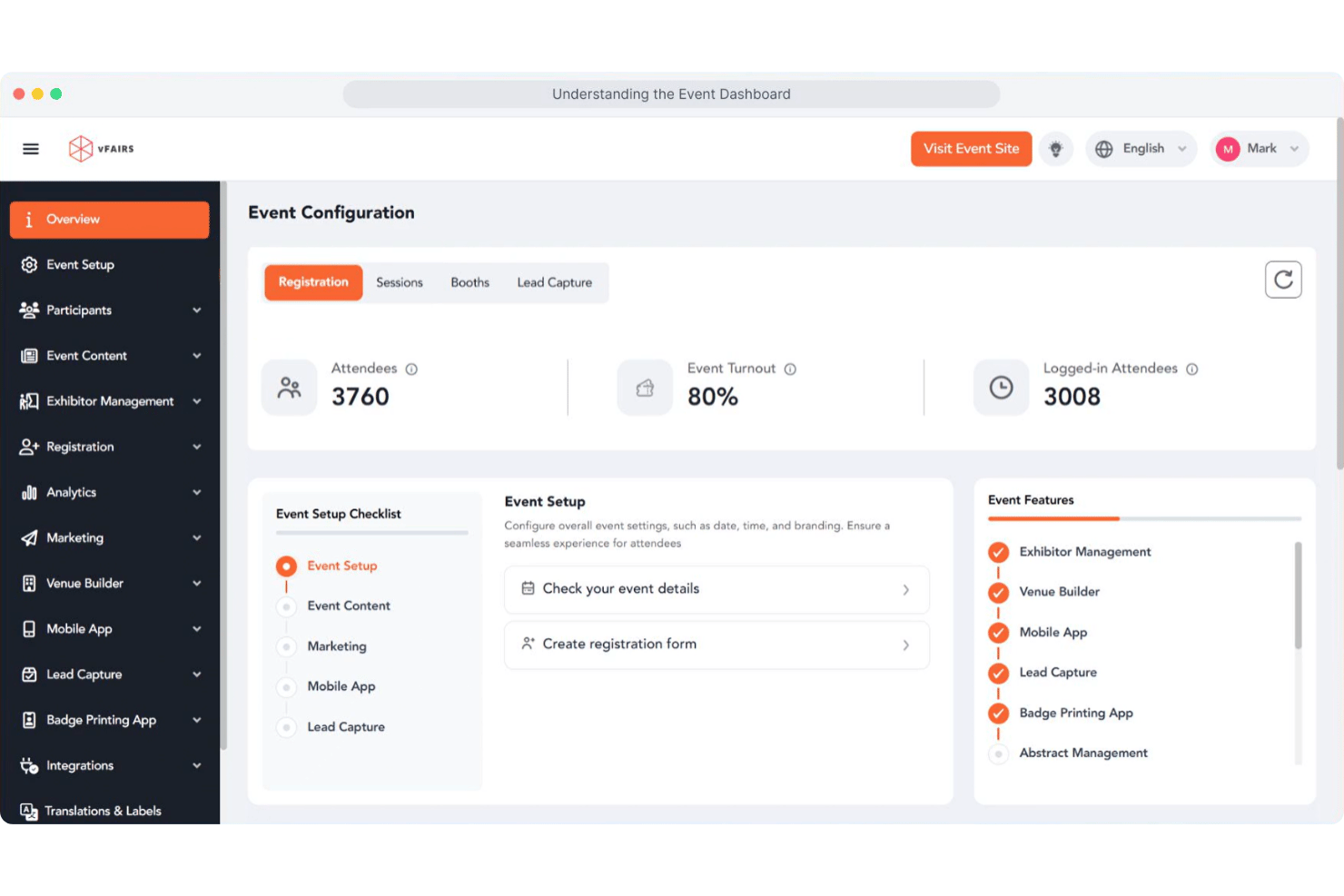
vFairs is an event management software built for teams that need to host virtual, hybrid, and in-person events with registration, ticketing, networking, and analytics in one place. I'd consider it if your property runs conferences, trade shows, or corporate events and you want more customization and flexibility than Cvent offers—without the enterprise price tag and implementation complexity that comes with it.
vFairs Evaluation Summary
- Pricing upon request
- Free demo available
Waarom u onze softwareaanbevelingen kunt vertrouwen
Ons team test en beoordeelt software sinds 2012. Als leiders in de horeca weten we zelf hoe moeilijk — en belangrijk — het is om de juiste software te kiezen.
Voor deze gids hebben we tools geëvalueerd met behulp van praktijktests en onafhankelijk onderzoek, waarbij we tools beoordeelden aan de hand van onze selectiecriteria.
Onze reviews weerspiegelen ons menselijke redactionele oordeel, geen verkooppraatje.
vFairs Overview
I think vFairs is a top pick if you want a visually engaging, all-in-one event management platform with strong support and easy onboarding. Its 3D virtual venues, interactive booths, and networking tools set it apart, especially for large-scale or hybrid events. Pricing is higher than some, but you get hands-on help and customization.
I’d suggest vFairs for hotels hosting conferences, expos, or multi-session events where attendee engagement and branded experiences matter most. If you need deep integrations or advanced analytics, you might find some limits compared to other options.
pros
-
You can create highly customizable virtual event environments that engage attendees.
-
Your team will appreciate the intuitive interface that makes managing events straightforward.
-
You get access to robust analytics tools that help track and improve event performance.
cons
-
Users often find the initial setup process time-consuming.
-
Some report that the platform can be overwhelming due to its extensive features.
-
You might experience occasional technical glitches during live events.
-

roommaster
Visit WebsiteThis rating combines scores from multiple user review sites to reflect overall customer sentiment about the product.4.3 -
Little Hotelier
Visit WebsiteThis rating combines scores from multiple user review sites to reflect overall customer sentiment about the product.4 -
Roomstay Hotel Booking Engine
Visit Website




How We Test & Score Tools
We’ve spent years building, refining, and improving our software testing and scoring system. The rubric is designed to capture the nuances of software selection and what makes a tool effective, focusing on critical aspects of the decision-making process.
Below, you can see exactly how our testing and scoring works across seven criteria. It allows us to provide an unbiased evaluation of the software based on core functionality, standout features, ease of use, onboarding, customer support, integrations, customer reviews, and value for money.
Core Functionality (25% of final scoring)
The starting point of our evaluation is always the core functionality of the tool. Does it have the basic features and functions that a user would expect to see? Are any of those core features locked to higher-tiered pricing plans? At its core, we expect a tool to stand up against the baseline capabilities of its competitors.
Standout Features (25% of final scoring)
Next, we evaluate uncommon standout features that go above and beyond the core functionality typically found in tools of its kind. A high score reflects specialized or unique features that make the product faster, more efficient, or offer additional value to the user.
We also evaluate how easy it is to integrate with other tools typically found in the tech stack to expand the functionality and utility of the software. Tools offering plentiful native integrations, 3rd party connections, and API access to build custom integrations score best.
Ease of Use (10% of final scoring)
We consider how quick and easy it is to execute the tasks defined in the core functionality using the tool. High scoring software is well designed, intuitive to use, offers mobile apps, provides templates, and makes relatively complex tasks seem simple.
Onboarding (10% of final scoring)
We know how important rapid team adoption is for a new platform, so we evaluate how easy it is to learn and use a tool with minimal training. We evaluate how quickly a team member can get set up and start using the tool with no experience. High scoring solutions indicate little or no support is required.
Customer Support (10% of final scoring)
We review how quick and easy it is to get unstuck and find help by phone, live chat, or knowledge base. Tools and companies that provide real-time support score best, while chatbots score worst.
Customer Reviews (10% of final scoring)
Beyond our own testing and evaluation, we consider the net promoter score from current and past customers. We review their likelihood, given the option, to choose the tool again for the core functionality. A high scoring software reflects a high net promoter score from current or past customers.
Value for Money (10% of final scoring)
Lastly, in consideration of all the other criteria, we review the average price of entry level plans against the core features and consider the value of the other evaluation criteria. Software that delivers more, for less, will score higher.
Core Features
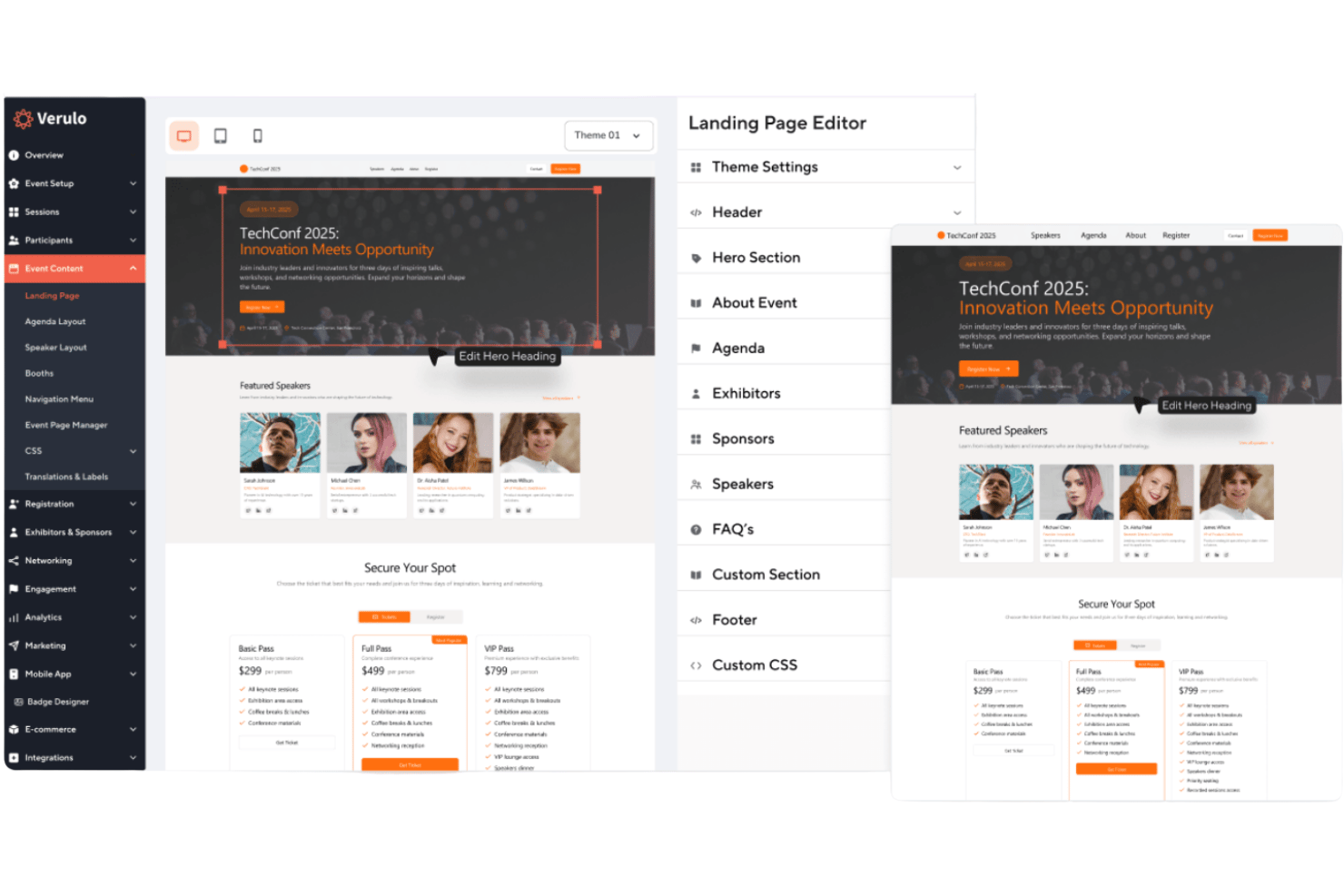
Custom-Branded Event Websites
Create fully branded event websites with custom registration forms and ticketing options.
3D Virtual Venues
Host immersive virtual events with customizable 3D environments and interactive exhibit halls.
Badge Printing and Check-In
Use instant badge printing and self-service kiosks for fast, secure onsite check-in.
Mobile Event App
Offer attendees a branded mobile app for agendas, networking, and lead capture.
Exhibitor and Sponsor Management
Give sponsors and exhibitors their own portals to manage content and track meetings.
Dedicated Project Manager
Work with a project manager for setup, configuration, and live event support.
Ease of Use
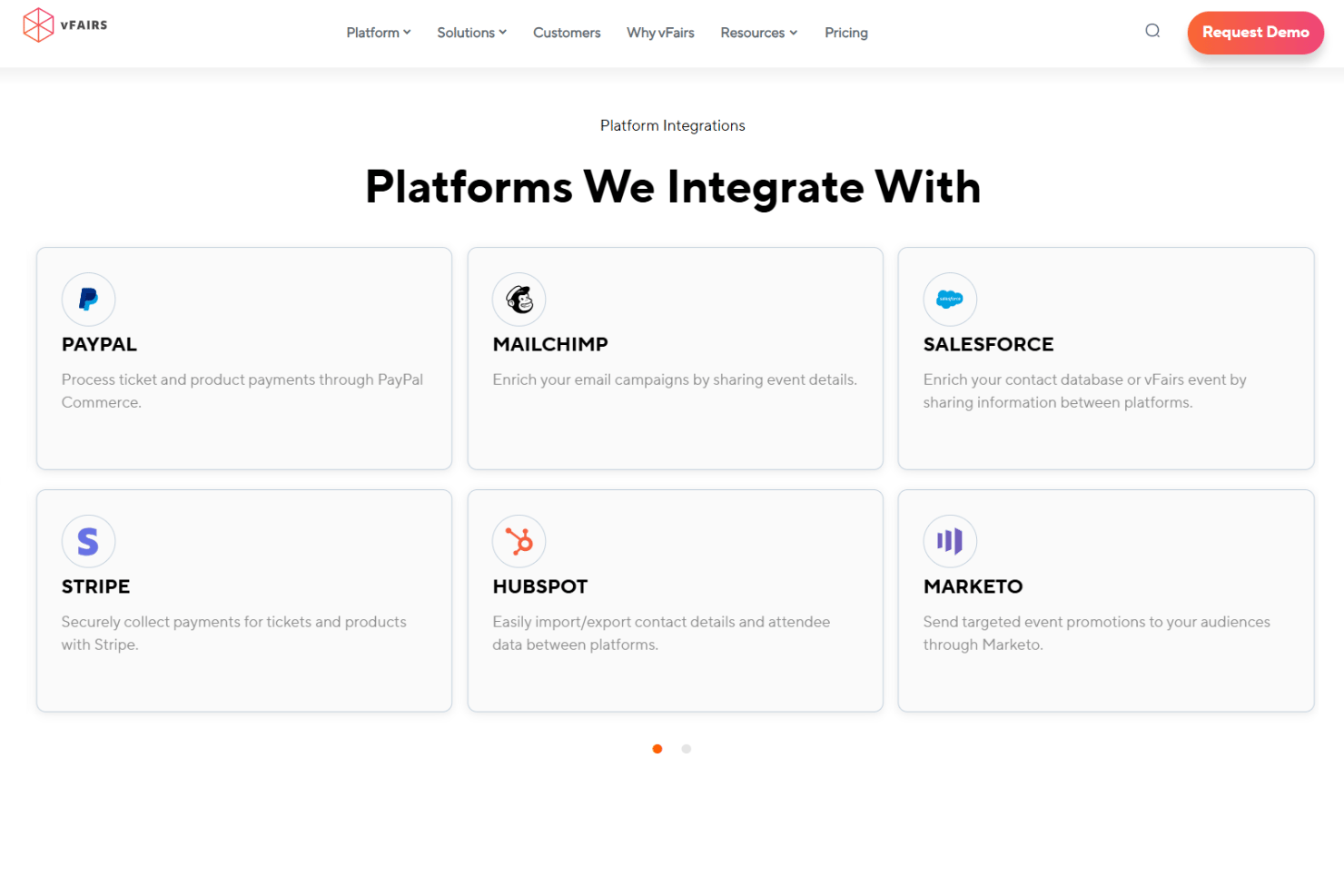
vFairs is user-friendly, especially for event organizers who want hands-on support and guided onboarding. The interface is clean, and most users say setup is straightforward thanks to dedicated project managers and detailed walkthroughs. Attendees find navigation intuitive, whether joining via desktop or mobile.
Some users mention minor challenges with the mobile app, but overall, vFairs makes it easy to manage complex events without needing deep technical skills.
Integrations
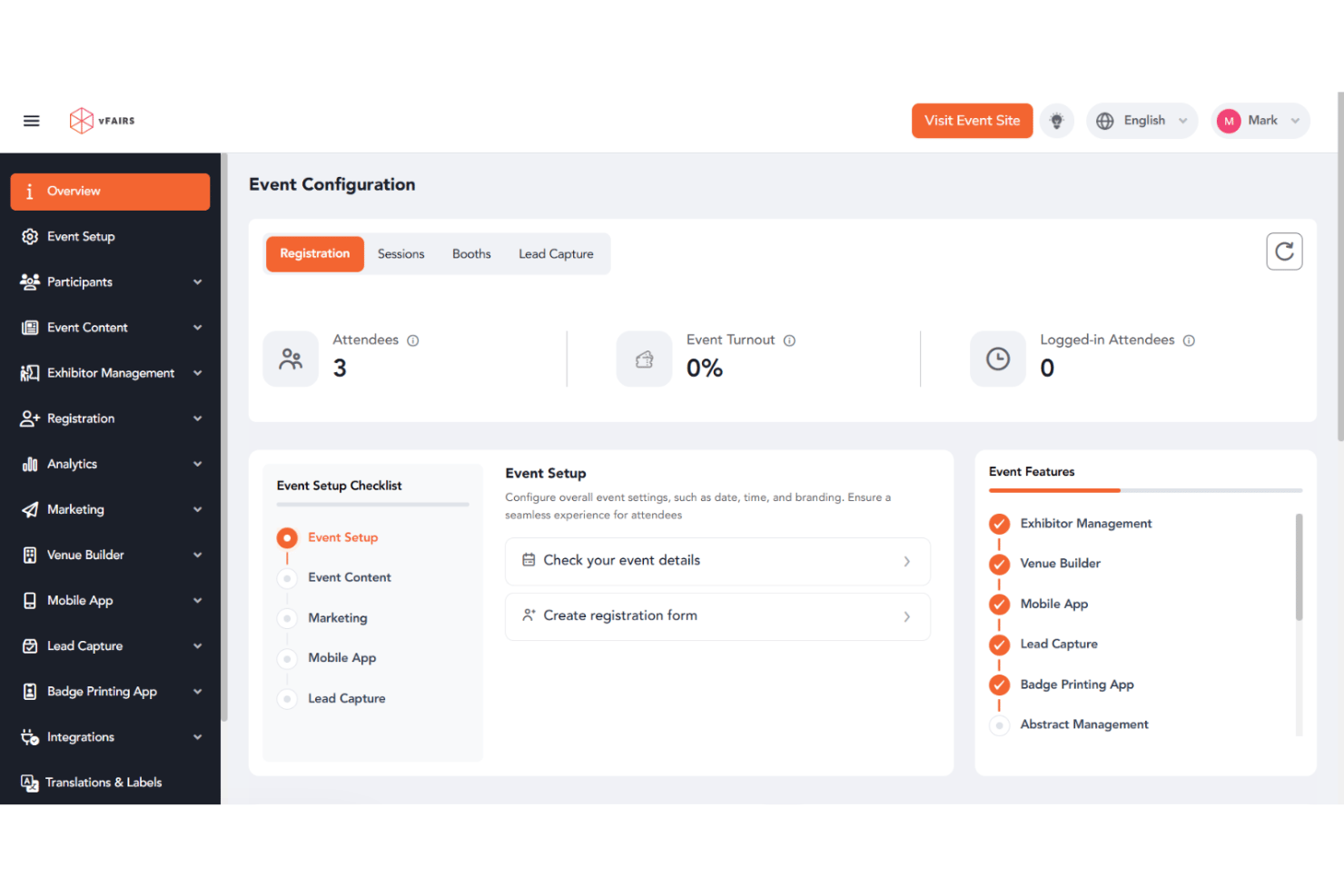
vFairs integrates with Zoom, Webex, Microsoft Teams, Salesforce, HubSpot, Mailchimp, Stripe, PayPal, Marketo, and Slido, among others.
vFairs also offers a RESTful API and connects with thousands of apps through Zapier and custom integrations.
vFairs Specs
- 2-Factor Authentication
- 360 Degree Feedback
- API
- Application Tracking
- Attendance Tracking
- Batch Permissions & Access
- Compliance Tracking
- Dashboard
- Data Export
- Data Import
- Data Visualization
- Employee Database
- Employee Engagement
- Employee Incentive Management
- Employee Onboarding
- Employee Training
- Expense Tracking
- External Integrations
- Feedback Management
- Multi-User
- Notifications
- Payroll
- Performance Appraisal
- Scheduling
- Time Management
- Timesheets
- Travel Management
- Vacation & Absence Calendar