

SpotMe-beoordeling: voordelen, nadelen, functies en prijzen
SpotMe brengt je volledige workflow voor evenementenbeheer samen op één plek, van registratie en marketing tot betrokkenheid van deelnemers en inzichten.

We review tools independently, and commissions help fund our testing. See our transparency policy, our methodology, or suggest a tool.
SpotMe is an event management software built for enterprise teams running branded in-person, virtual, and hybrid events. I'd consider it when your events need a white-label app experience with deep CRM integration baked in. If you've looked at Cvent, SpotMe gives you more control over in-event engagement and attendee experience—where Cvent leans toward logistics, venue sourcing, and registration workflows, SpotMe focuses on what happens once guests are actually there.
SpotMe Evaluation Summary
4.6/5
- Pricing upon request
- Free demo available
Waarom u onze softwareaanbevelingen kunt vertrouwen
6,700+
Reviews
20
Industry experts
16+
Evaluation factors
14
Years
Ons team test en beoordeelt software sinds 2012. Als leiders in de horeca weten we zelf hoe moeilijk — en belangrijk — het is om de juiste software te kiezen.
Voor deze gids hebben we tools geëvalueerd met behulp van praktijktests en onafhankelijk onderzoek, waarbij we tools beoordeelden aan de hand van onze selectiecriteria.
Onze reviews weerspiegelen ons menselijke redactionele oordeel, geen verkooppraatje.
SpotMe Overview
If you’re judging event management software by engagement tools, customization, and hybrid event support, SpotMe is a top contender. I think its branded app experiences, live polling, and analytics outperform most options, especially for hotels hosting complex or high-touch events. Pricing is on the higher side, but you get strong onboarding and responsive support. The interface is modern and easy to navigate, though integration options are more limited than some competitors.
I’d suggest SpotMe for properties that prioritize guest interaction and want a polished, interactive event platform over a basic scheduling tool.
Pros
- SpotMe's user-friendly interface makes planning easy for your team.
- The robust engagement tools enhance your audience's experience.
- Excellent customization options allow you to tailor events to your needs.
Cons
- The learning curve can be steep for new users.
- Limited offline functionality might hinder your work without internet access.
- Some users find the reporting features less comprehensive than expected.
Is SpotMe Right For Your Needs?
Who Would be a Good Fit for SpotMe?
SpotMe is ideal for corporate event planners and marketing teams in industries like technology and healthcare. Its user-friendly interface and robust engagement tools make it perfect for teams needing seamless communication and audience interaction.
If your work involves frequent virtual or hybrid events, SpotMe’s customization options and features like live streaming and audience engagement tools will elevate your event’s impact and foster meaningful connections with your audience.
- Corporate EventsSpotMe’s engagement tools and customization options make it perfect for large-scale corporate gatherings.
- Healthcare ConferencesSpotMe’s secure platform and powerful communication features suit the needs of healthcare professionals.
- Tech Industry MeetingsIts robust tech support and interactive elements make SpotMe a great choice for tech events.
- Marketing DepartmentsSpotMe’s analytics and engagement features help marketing teams enhance audience interaction.
- Virtual Trade ShowsSpotMe’s live streaming and virtual booths create an immersive experience for virtual trade shows.
- Educational WebinarsSpotMe’s interactive tools and ease of use make it ideal for educational settings and webinars.
Who Would be a Bad Fit for SpotMe?
SpotMe might not be the best choice for small businesses or teams with limited tech expertise. Its robust feature set can be overwhelming if your team lacks the resources to navigate a steep learning curve. If your events don’t require high levels of customization or audience engagement, you might find SpotMe’s capabilities more than you need, making simpler tools more cost-effective and efficient for your needs.
- Small Local EventsSpotMe’s advanced features may be excessive for small gatherings that don’t need high-tech interaction.
- Non-Tech Savvy TeamsIf your team struggles with tech, SpotMe’s complex features might pose a challenge.
- Budget-Conscious UsersSpotMe’s extensive capabilities might not justify the cost for those watching their budgets closely.
- Simplicity SeekersIf you prefer straightforward tools, SpotMe’s extensive features might feel overwhelming.
- Offline EventsSpotMe’s limited offline functionality makes it less ideal where internet access is unreliable.
- One-Time EventsFor single events, the time investment in learning SpotMe might not be worthwhile.
How We Test & Score Tools
We’ve spent years building, refining, and improving our software testing and scoring system. The rubric is designed to capture the nuances of software selection and what makes a tool effective, focusing on critical aspects of the decision-making process.
Below, you can see exactly how our testing and scoring works across seven criteria. It allows us to provide an unbiased evaluation of the software based on core functionality, standout features, ease of use, onboarding, customer support, integrations, customer reviews, and value for money.
Core Functionality (25% of final scoring)
The starting point of our evaluation is always the core functionality of the tool. Does it have the basic features and functions that a user would expect to see? Are any of those core features locked to higher-tiered pricing plans? At its core, we expect a tool to stand up against the baseline capabilities of its competitors.
Standout Features (25% of final scoring)
Next, we evaluate uncommon standout features that go above and beyond the core functionality typically found in tools of its kind. A high score reflects specialized or unique features that make the product faster, more efficient, or offer additional value to the user.
We also evaluate how easy it is to integrate with other tools typically found in the tech stack to expand the functionality and utility of the software. Tools offering plentiful native integrations, 3rd party connections, and API access to build custom integrations score best.
Ease of Use (10% of final scoring)
We consider how quick and easy it is to execute the tasks defined in the core functionality using the tool. High scoring software is well designed, intuitive to use, offers mobile apps, provides templates, and makes relatively complex tasks seem simple.
Onboarding (10% of final scoring)
We know how important rapid team adoption is for a new platform, so we evaluate how easy it is to learn and use a tool with minimal training. We evaluate how quickly a team member can get set up and start using the tool with no experience. High scoring solutions indicate little or no support is required.
Customer Support (10% of final scoring)
We review how quick and easy it is to get unstuck and find help by phone, live chat, or knowledge base. Tools and companies that provide real-time support score best, while chatbots score worst.
Customer Reviews (10% of final scoring)
Beyond our own testing and evaluation, we consider the net promoter score from current and past customers. We review their likelihood, given the option, to choose the tool again for the core functionality. A high scoring software reflects a high net promoter score from current or past customers.
Value for Money (10% of final scoring)
Lastly, in consideration of all the other criteria, we review the average price of entry level plans against the core features and consider the value of the other evaluation criteria. Software that delivers more, for less, will score higher.
Core Features
Event App Builder
Design fully branded, interactive event apps without coding. Build agendas, enable networking, and push real-time updates to attendees.
Live Polling and Q&A
Engage audiences with live polls, moderated Q&A, and word clouds. Collect instant feedback and drive session participation.
Multi-Stream Agenda Management
Manage multiple tracks and concurrent sessions with ease. Let attendees personalize schedules and receive real-time updates.
Role-Based Attendee Experiences
Deliver tailored content, agendas, and networking based on attendee type. Ensure speakers, sponsors, and VIPs get unique event journeys.
On-Demand Content
Offer session recordings and exclusive materials after the event. Let attendees access insights and resources anytime.
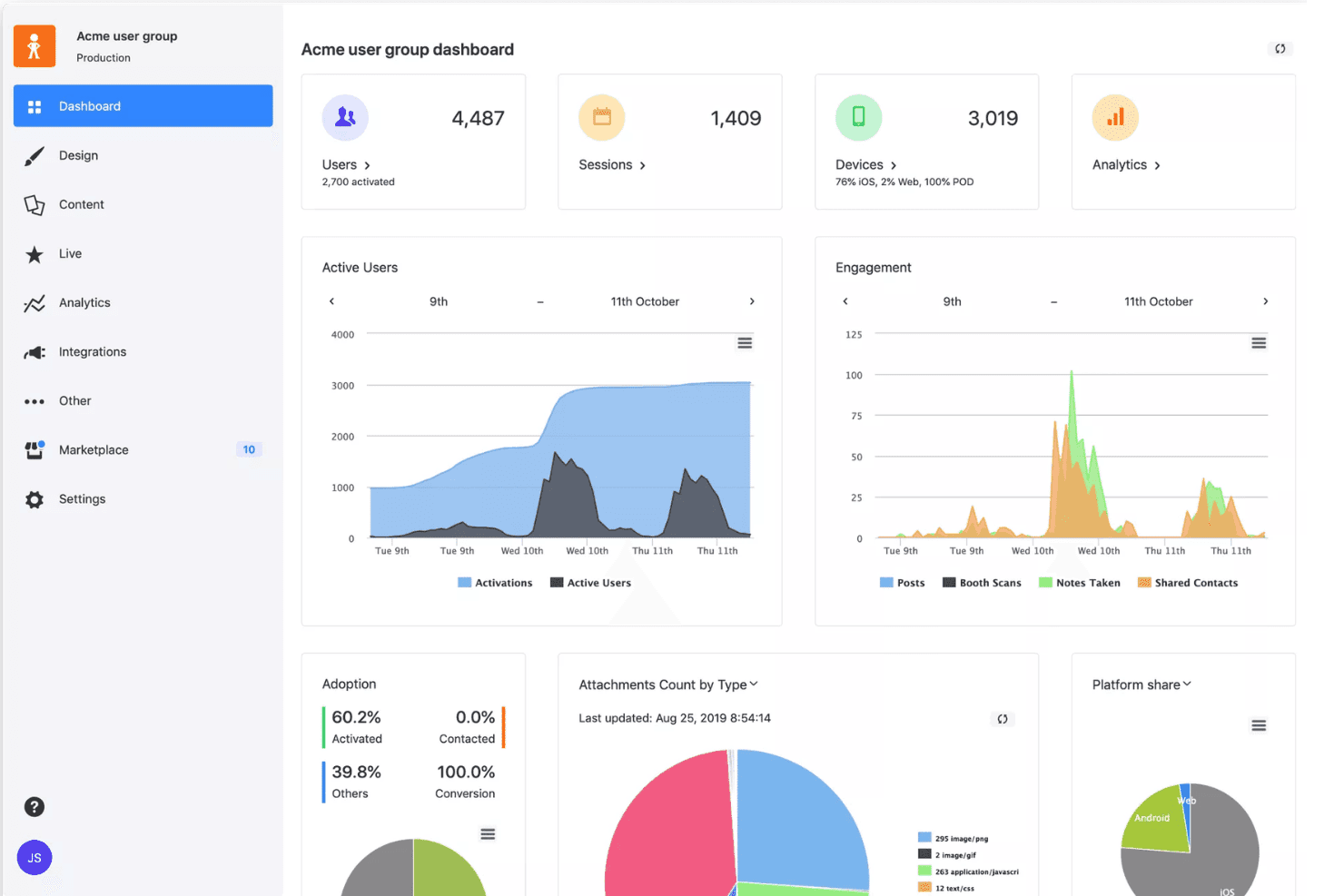
Event & Session Analytics
Track attendance, engagement, and content consumption in real time. Use analytics to refine future events and measure impact.
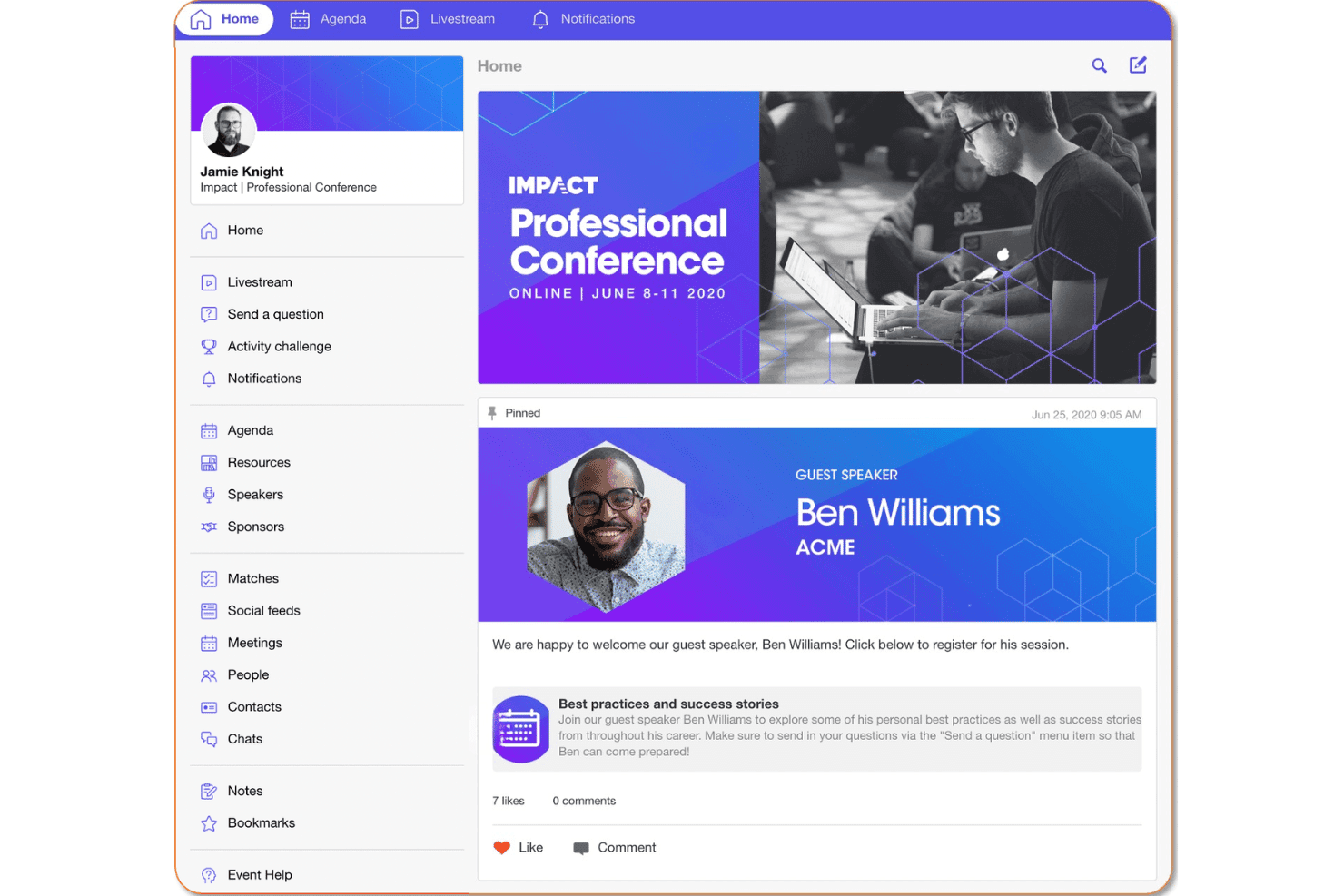
Ease of Use
SpotMe’s interface is modern and intuitive, making it easy for hotel teams to build branded event apps and manage agendas without technical skills. Users often mention the drag-and-drop builder and clear navigation as highlights. Onboarding support is strong, with guided setup and responsive help.
While some advanced features require a bit of exploration, most users find the platform straightforward for both in-person and virtual event management.
Integrations
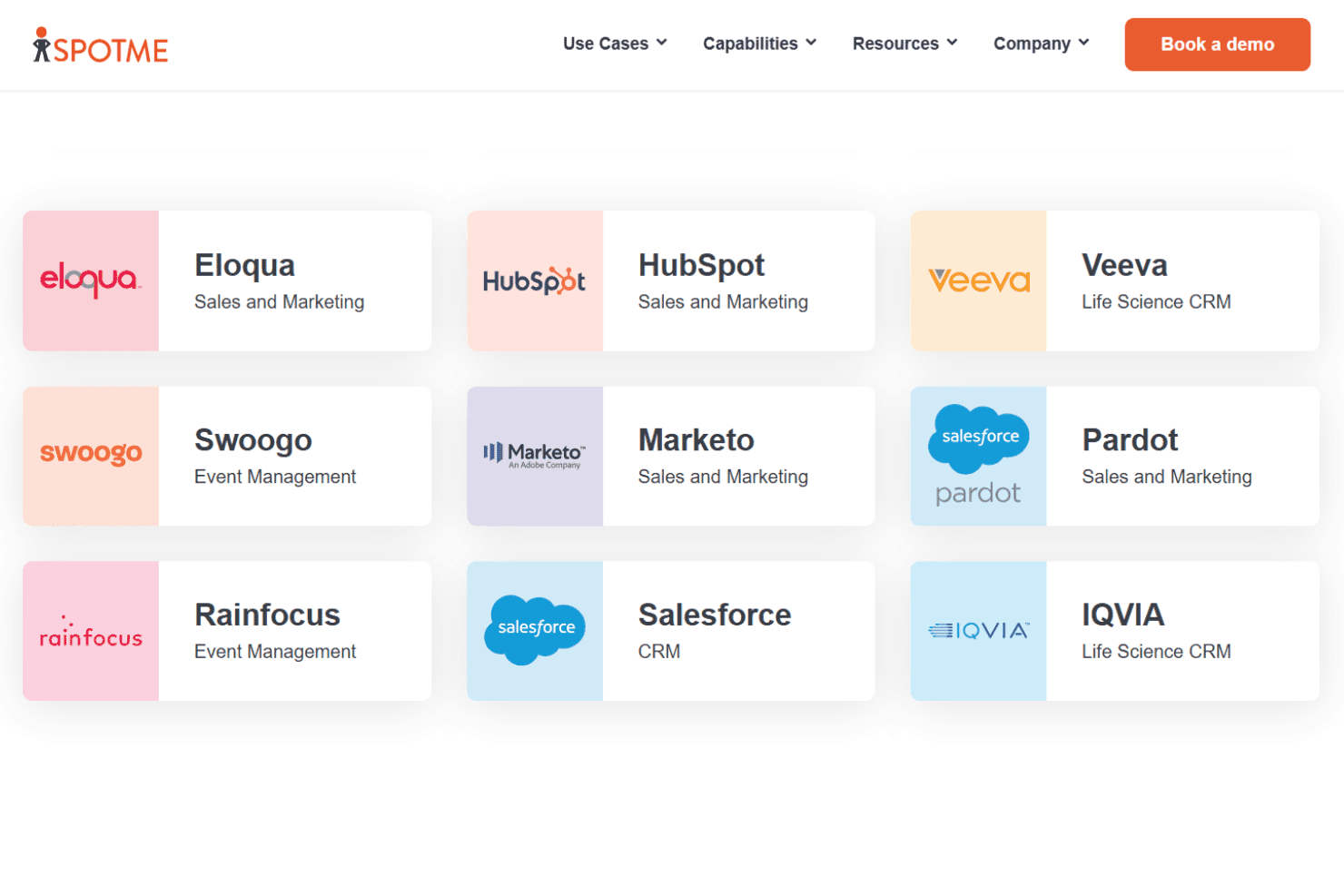
SpotMe integrates with Salesforce, HubSpot, Marketo, Eloqua, Pardot, Veeva, IQVIA, Swoogo, RainFocus, and Onomi, among others.
SpotMe also offers an API and developer resources for custom integrations.
SpotMe Specs
- Accounts Payable: No
- Accounts Receivable: No
- API: Yes
- Audience Targeting: Yes
- Budgeting: No
- Calendar Management: No
- Contact Management: Yes
- Customer Management: Yes
- Dashboard: Yes
- Data Export: Yes
- Data Import: Yes
- Data Visualization: No
- Expense Tracking: No
- External Integrations: Yes
- Forecasting: No
- General Account Ledger: No
- Inventory Tracking: No
- Lead Management: Yes
- Lead Scoring: Yes
- Marketing Automation: No
- Multi-User: Yes
- Notifications: Yes
- Project Management: No
- Scheduling: No
- Social-Media Integration: Yes
- Supplier Management: Yes
- Third-Party Plugins/Add-Ons: Yes
- Travel Management: No


