

Recensione Virtual PRO 2026: Pro, Contro, Caratteristiche e Prezzi
Virtual PRO è un software di gestione eventi progettato per eventi virtuali e ibridi, che offre strumenti per il coinvolgimento, la produzione e l'analisi dei dati. Scopri come aiuta i team a creare esperienze evento migliori.

Recensiamo gli strumenti in modo indipendente e le commissioni ci aiutano a finanziare i nostri test. Consulta la nostra politica sulla trasparenza, la nostra metodologia oppure suggerisci uno strumento.
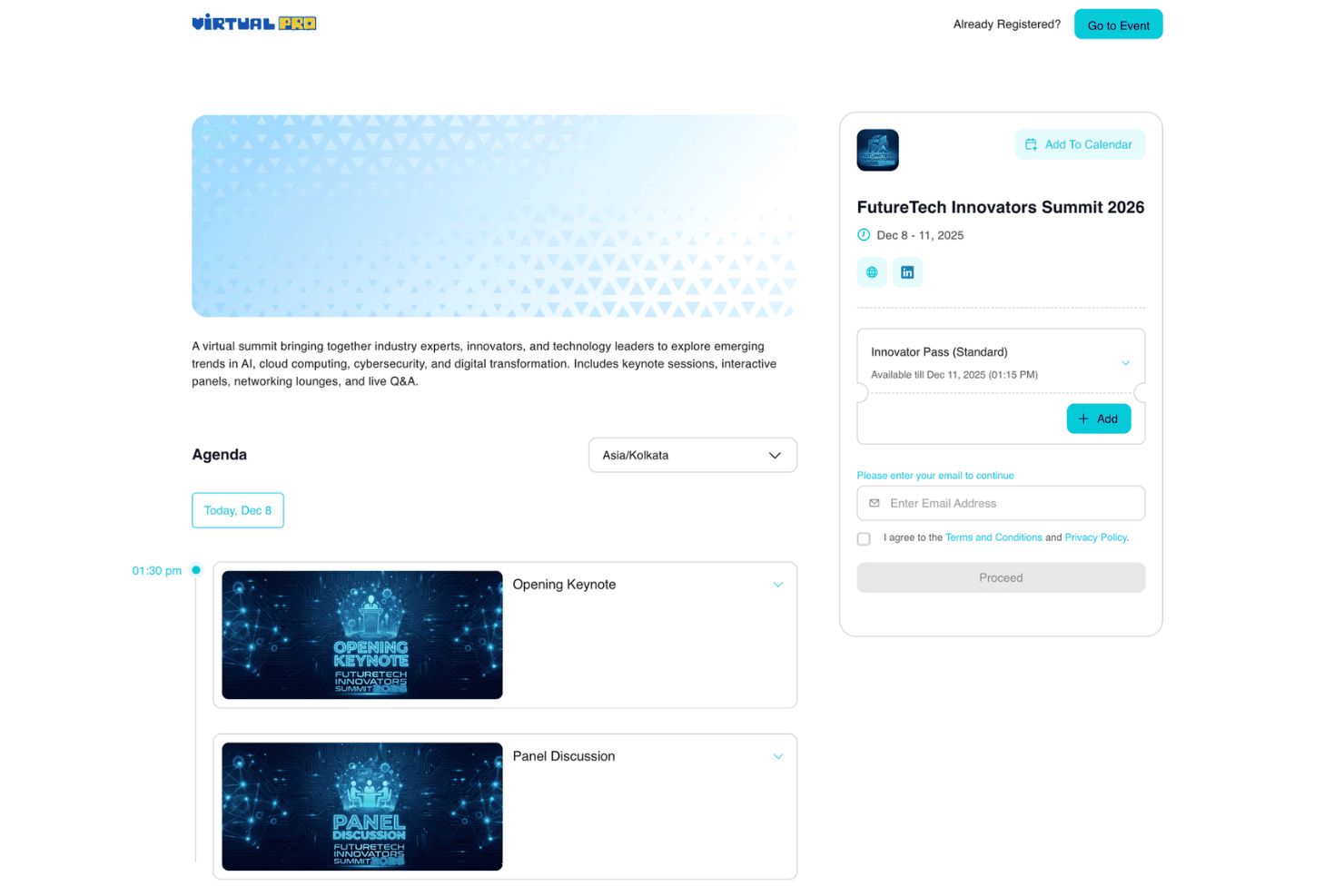
Virtual PRO is an event management software built for hotel teams coordinating property-level events, from banquets and conferences to private dining and corporate retreats. I'd consider it if your team handles events in-house and needs a tool designed around hospitality operations rather than a general enterprise platform. If you've looked at Cvent, Virtual PRO is worth a closer look—Cvent is built for large-scale, multi-event programs, while Virtual PRO focuses on the property-level workflows that hotel event teams actually deal with day to day.
Virtual PRO Evaluation Summary
4.6/5
- From $15,000/year
- Free demo available
Perché fidarsi dei nostri consigli sui software
6,700+
Reviews
20
Industry experts
16+
Evaluation factors
14
Years
Il nostro team testa e recensisce software dal 2012. In quanto leader del settore alberghiero noi stessi, sappiamo quanto sia difficile — e importante — scegliere il software giusto.
Per questa guida, abbiamo valutato gli strumenti attraverso test pratici e ricerche indipendenti, assegnando un punteggio agli strumenti in base ai nostri criteri di selezione.
Le nostre recensioni riflettono il nostro giudizio editoriale umano, non un discorso di vendita.
Virtual PRO Overview
In my opinion, Virtual PRO stands out for its virtual event production tools, audience engagement features, and structured event workflows. Its interface makes it easier for teams to create branded online experiences, manage attendees, and measure engagement.
While it may not be the best fit for teams focused only on in-person venue management, it works well for organizations running virtual events, webinars, and hybrid experiences.
Pros
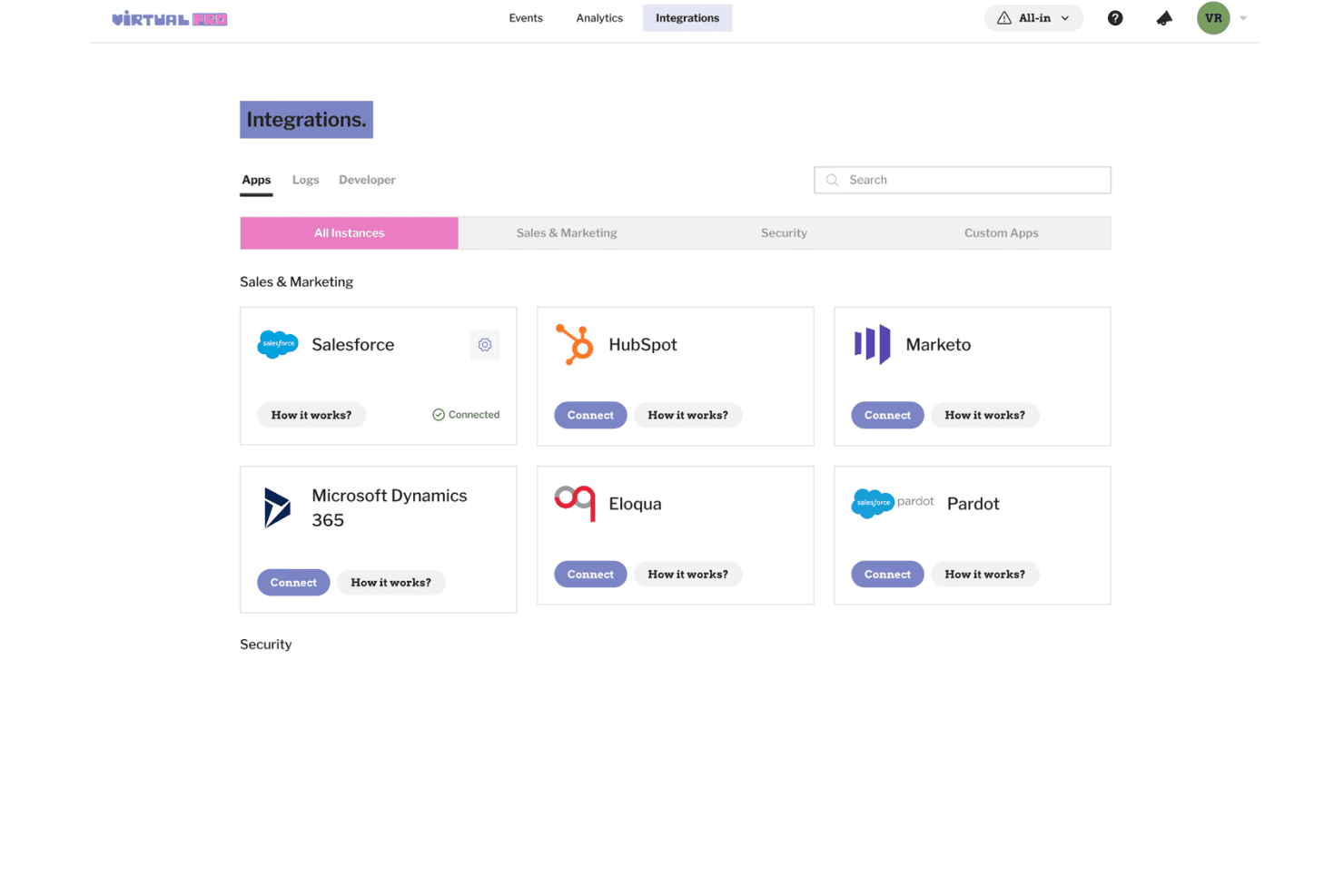
- Centralizes event registration, audience engagement, and event management tools
- Provides analytics for tracking attendee activity and event performance
- Supports branded virtual experiences with interactive engagement features
Cons
- Event reporting options are limited compared to other platforms
- No integrated mobile app for attendee experience
- Payment processing setup can be complex for first-time users
Is Virtual PRO Right For Your Needs?
Who Would be a Good Fit for Virtual PRO?
Virtual PRO is a great choice for hospitality, higher education, large venues, and organizations that run frequent or complex multi-day events. I think event teams needing central registration, detailed analytics, or sponsor management will benefit the most. Its blend of ease-of-use and advanced workflow tools matches teams that want both control and flexibility for recurring, mid-to-large scale events.
- Hotels and ResortsEvent management and guest communications are all handled in a single platform, saving time for hospitality teams.
- Corporate Event PlannersLarge-scale agenda and attendee tracking, plus custom branding and sponsor modules, suit professional meetings or conferences.
- UniversitiesYou can organize multi-day academic events or campus activities with advanced scheduling and automated notifications for students and staff.
- Convention CentersThe robust dashboard and session management tools make it easy to coordinate high-capacity, multi-room conventions.
- Nonprofit OrganizationsCustom workflows and affordable tiers help nonprofits manage fundraisers, galas, or donor events on a budget.
- Marketing DepartmentsGreat for teams designing branded product launches, workshops, or roadshows with integrated promotion and registration.
Who Would be a Bad Fit for Virtual PRO?
Virtual PRO may not fit every event type or scale, especially for pop-up gatherings, very small teams, or organizations needing deep custom code-level control. I don’t recommend it for use cases where mobile-first apps, on-site badge printing, or hands-on tech integration are must-haves, as its feature set is best for structured, broad events over ultra-niche use.
- Small Social ClubsOverly complex and feature-rich for simple monthly gatherings or clubs with under 20 people.
- Freelancer Event PlannersThe platform’s cost and advanced tools aren’t justified for one-person operations running occasional small events.
- Music FestivalsNo native mobile app or real-time mapping makes it less useful for large, highly mobile outdoor events.
- Trade Show ExhibitorsLacks fine-tuned lead tracking and badge printing tools exhibitors need for trade show booth management.
- Pop-Up ShopsBurdensome setup and unnecessary analytics for one-day, single-location events with no registration required.
- Tech StartupsCompanies needing open APIs for custom event app development or in-depth integration with proprietary systems will feel limited.
Come testiamo e valutiamo gli strumenti
Abbiamo trascorso anni a costruire, perfezionare e migliorare il nostro sistema di test e valutazione dei software. Il nostro metodo è progettato per cogliere le sfumature della scelta di un software e ciò che rende uno strumento efficace, concentrandosi sugli aspetti critici del processo decisionale. Qui sotto puoi vedere come funziona il nostro sistema di test e valutazione su sette criteri. Questo ci permette di offrire una valutazione imparziale dei software in base a funzionalità principali, funzioni distintive, facilità d’uso, onboarding, assistenza clienti, integrazioni, recensioni clienti e rapporto qualità-prezzo.
Funzionalità principali (25% del punteggio finale)
Il punto di partenza della nostra valutazione è sempre la funzionalità principale dello strumento. Ha le funzionalità di base che un utente si aspetta? Alcune di queste sono riservate solo a piani tariffari superiori? Ci aspettiamo che uno strumento regga il confronto con le capacità minime offerte dai concorrenti.
Funzioni distintive (25% del punteggio finale)
Successivamente, valutiamo le funzioni originali non comuni che vanno oltre le funzionalità di base normalmente presenti in strumenti simili. Un punteggio elevato riflette funzionalità particolari o uniche che rendono il prodotto più veloce, efficiente, o che offrono valore aggiunto all’utente. Valutiamo inoltre quanto sia facile integrare lo strumento con altri software tipici della struttura tecnologica per ampliare funzionalità e utilità. Gli strumenti che offrono numerose integrazioni native, connessioni di terze parti e accesso API per integrazioni personalizzate ottengono il punteggio migliore.
Facilità d’uso (10% del punteggio finale)
Consideriamo quanto sia rapido e semplice eseguire tramite lo strumento le attività descritte dalle funzionalità principali. Un software con punteggio alto è ben progettato, intuitivo, offre app mobile, fornisce modelli preimpostati e rende semplici anche operazioni complesse.
Onboarding (10% del punteggio finale)
Sappiamo quanto sia importante la rapida adozione di una nuova piattaforma da parte del team, quindi valutiamo quanto sia semplice imparare e utilizzare uno strumento con una formazione minima. Consideriamo quanto velocemente un membro del team possa iniziare a usare lo strumento senza esperienza precedente. Soluzioni con punteggio elevato richiedono poco o nessun supporto.
Assistenza clienti (10% del punteggio finale)
Verifichiamo quanto sia rapido e facile sbloccarsi e ricevere aiuto tramite telefono, chat dal vivo o knowledge base. Gli strumenti e le aziende che offrono assistenza in tempo reale ottengono il punteggio migliore, mentre i chatbot ottengono il punteggio più basso.
Recensioni clienti (10% del punteggio finale)
Oltre ai nostri test e valutazioni, consideriamo il punteggio net promoter dei clienti attuali o passati. Verifichiamo la probabilità che tornino a scegliere lo strumento per le sue funzionalità principali. Un software con punteggio alto rispecchia un elevato net promoter score tra clienti attuali e passati.
Rapporto qualità-prezzo (10% del punteggio finale)
Infine, in considerazione di tutti gli altri criteri, valutiamo il prezzo medio dei piani di ingresso rispetto alle funzionalità principali e teniamo conto del valore degli altri criteri di valutazione. Il software che offre di più spendendo meno otterrà un punteggio più alto.
Core Features
Branded Event Experiences
Create customized virtual event spaces with branded designs, content, and attendee experiences. Virtual PRO helps teams deliver polished online and hybrid events at scale.
Session Management
Build multi-session events with speakers, content, and structured programming. Teams can organize event experiences while keeping attendees engaged.
Audience Networking Tools
Create networking opportunities through 1:1 matchmaking, rooms, roundtables, lounges, and private meetings. Attendees can connect and collaborate throughout the event.
Sponsor and Exhibitor Management
Create sponsor experiences with virtual booths and engagement options. Teams can showcase sponsors and encourage audience interactions.
Live Streaming and Production Tools
Host virtual sessions with streaming tools, production support, and interactive event features. Virtual PRO helps teams deliver professional online events.
Event Analytics
Track attendee activity, session performance, and engagement insights. Teams can use event data to measure results and improve future experiences.
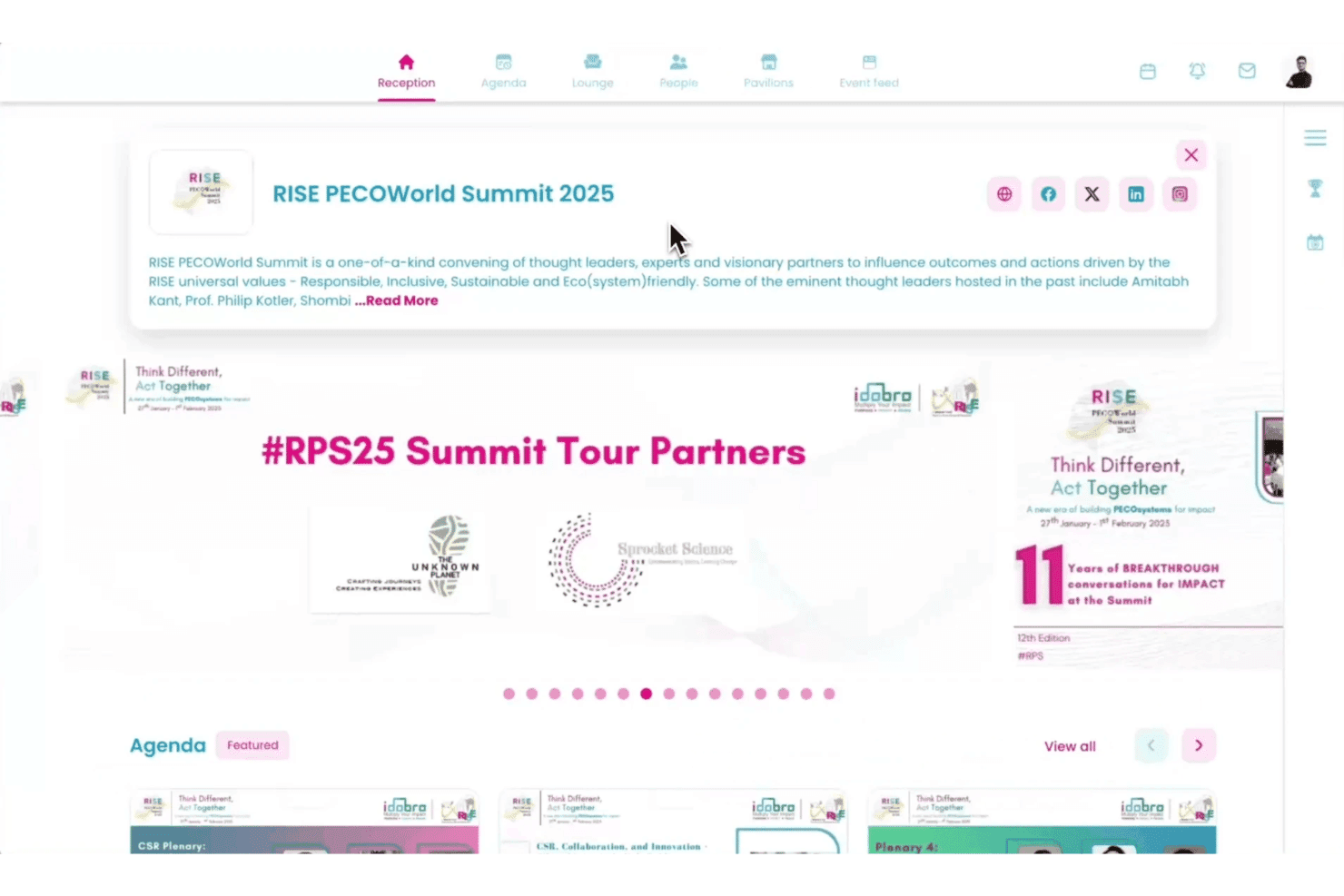
Ease of Use
Virtual PRO’s clean interface and organized workflows make it easy for event teams to create and manage virtual experiences. I find features like attendee tracking, session management, and engagement tools help users handle event tasks without navigating complex menus.
Users highlight the platform’s straightforward setup and support resources as helpful for launching events faster.
Integrations
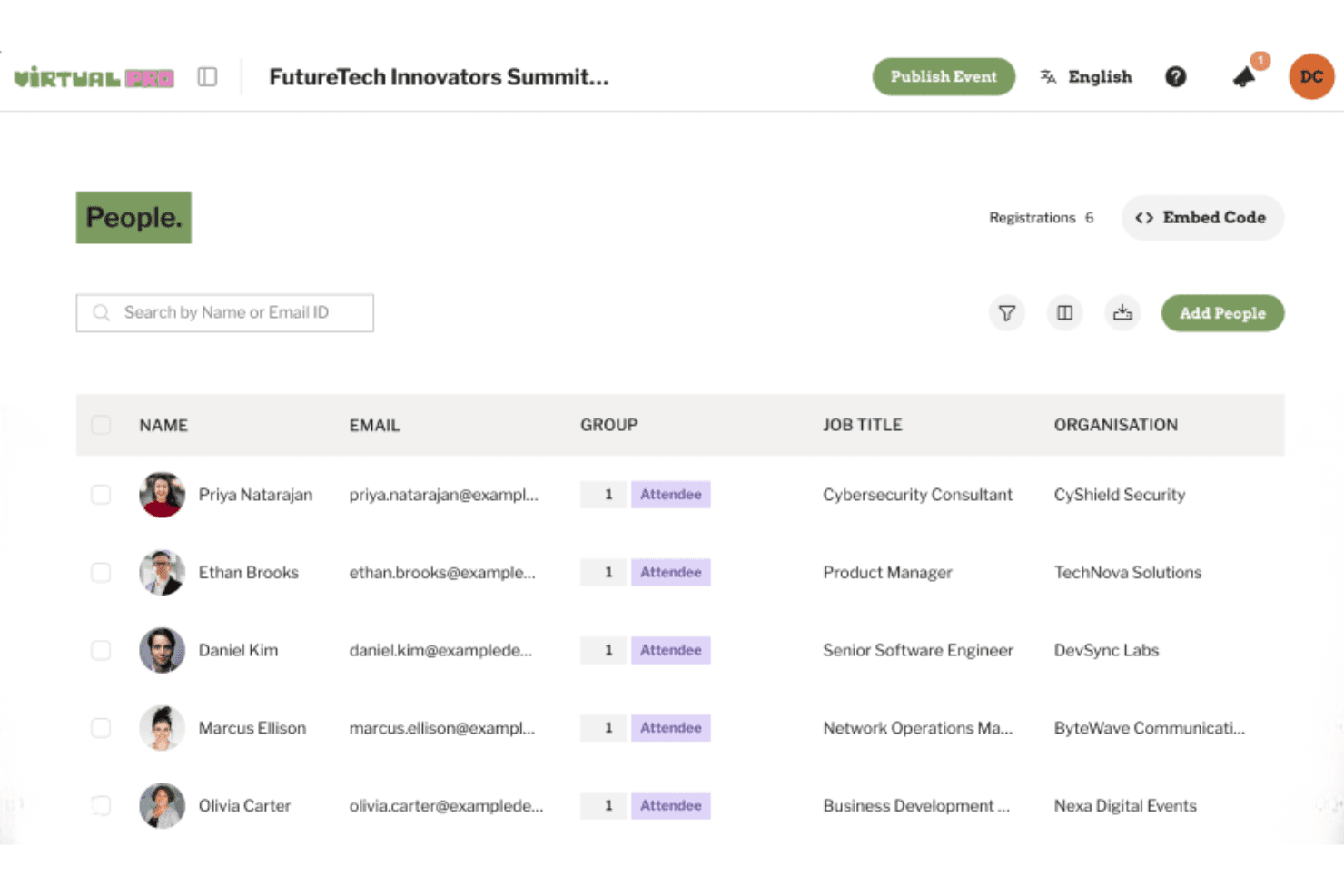
Virtual PRO integrates with Salesforce, HubSpot, Marketo, Microsoft Dynamics 365, Eloqua, Pardot, and other tools to support event data syncing and marketing workflows.
Virtual PRO also offers developer tools and API support for custom integrations based on event and enterprise requirements.
Virtual PRO Specs
- Accounts Payable: No
- Accounts Receivable: No
- API: Yes
- Audience Targeting: No
- Budgeting: No
- Calendar Management: Yes
- Contact Management: No
- Customer Management: No
- Dashboard: Yes
- Data Export: Yes
- Data Import: Yes
- Data Visualization: No
- Expense Tracking: No
- External Integrations: Yes
- Forecasting: No
- General Account Ledger: No
- Inventory Tracking: No
- Lead Management: Yes
- Lead Scoring: No
- Marketing Automation: No
- Multi-User: Yes
- Notifications: Yes
- Project Management: No
- Scheduling: Yes
- Social-Media Integration: No
- Supplier Management: No
- Third-Party Plugins/Add-Ons: Yes
- Travel Management: No


