

Recensione SkyTouch: Pro, Contro, Caratteristiche e Prezzi
SkyTouch si distingue per il suo design intuitivo e funzionalità flessibili, rendendolo una scelta intelligente di PMS per hotel che cercano efficienza basata su cloud senza le solite complicazioni tecnologiche.

Recensiamo gli strumenti in modo indipendente e le commissioni ci aiutano a finanziare i nostri test. Consulta la nostra politica sulla trasparenza, la nostra metodologia oppure suggerisci uno strumento.
SkyTouch is a cloud-based property management system built for hotels that need to manage reservations, front desk operations, and rate distribution from a single platform. I'd mainly consider it if you're running a mid-scale or economy property and want something more accessible and quicker to deploy than Oracle Opera, without sacrificing the rate management and channel distribution tools that independent and branded hotels actually rely on day-to-day.
SkyTouch Evaluation Summary
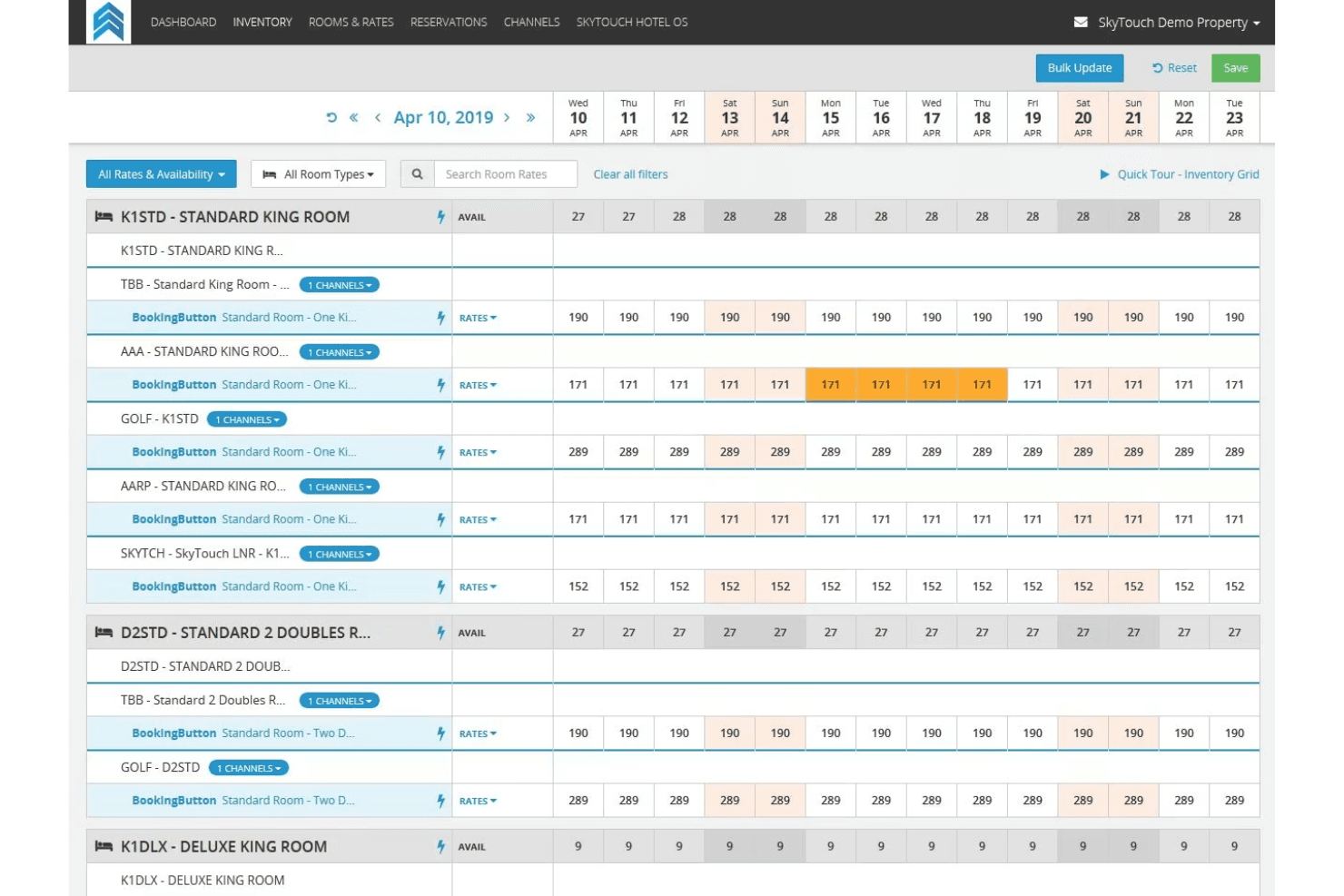
4.5/5
- Pricing upon request
- Free demo available
Perché fidarsi dei nostri consigli sui software
6,700+
Reviews
20
Industry experts
16+
Evaluation factors
14
Years
Il nostro team testa e recensisce software dal 2012. In quanto leader del settore alberghiero noi stessi, sappiamo quanto sia difficile — e importante — scegliere il software giusto.
Per questa guida, abbiamo valutato gli strumenti attraverso test pratici e ricerche indipendenti, assegnando un punteggio agli strumenti in base ai nostri criteri di selezione.
Le nostre recensioni riflettono il nostro giudizio editoriale umano, non un discorso di vendita.
SkyTouch Overview
If you’re judging cloud-based PMS options, I think SkyTouch is a strong contender for hotels that want a straightforward interface, responsive support, and flexible integrations. Its onboarding is quick, and the dashboard makes daily tasks easy for teams with varying tech skills. Pricing is transparent, and the system scales well for mid-sized properties.
While some advanced reporting and customization options lag behind the most feature-rich competitors, I’d suggest SkyTouch is best for operators who value reliability, ease of use, and a support team that’s easy to reach when you need help.
Pros
- Reliable uptime with minimal reported outages
- Fast onboarding and simple for new staff to learn
- Responsive US-based support team available 24/7
Cons
- Limited options for deep customization of workflows
- System updates can cause occasional slowdowns
- Reporting features are less advanced than some competitors
Is SkyTouch Right For Your Needs?
Who Would be a Good Fit for SkyTouch?
SkyTouch is ideal for independent hotels and small to mid-sized hotel chains looking to streamline operations without complex systems. If you manage a hotel where efficiency and quick guest service are priorities, SkyTouch’s intuitive interface and responsive support can make a big difference. For example, if your team needs to manage reservations and room assignments quickly, SkyTouch’s ease of use will help you stay on top of tasks with minimal training.
- Hotel Operations ManagersUser-friendly dashboards streamline daily task tracking and staff oversight.
- Extended Stay PropertiesAutomated rate and inventory tools help manage longer guest stays.
- Hospitality Management CompaniesCloud access allows managers to monitor several locations remotely.
- Independent Boutique HotelsFlexible features support unique guest experiences without heavy IT needs.
- Mid-Sized Hotel ChainsCentralized management tools make it easy to oversee multiple properties.
- Limited Service HotelsSkyTouch simplifies front desk and housekeeping coordination for smaller teams.
Who Would be a Bad Fit for SkyTouch?
Large hotel chains or resorts with complex operational needs might not find SkyTouch suitable due to its limited advanced features and reporting capabilities. If your team requires extensive customization or detailed analytics, SkyTouch might not meet your expectations. Businesses that rely heavily on data analysis for strategic decisions might find the reporting tools lacking in depth compared to more robust systems.
- Conference Center HotelsEvent management and group booking tools are less robust.
- Corporate Travel DepartmentsDetailed analytics and custom billing features are limited.
- Casino HotelsGaming and loyalty program integrations are not natively available.
- Multi-Brand Hospitality GroupsComplex integration requirements may not be fully supported.
- Luxury Hotel BrandsHigh-touch guest personalization features are limited compared to others.
- Large Resort ComplexesAdvanced reporting and customization needs may exceed SkyTouch’s capabilities.
Come testiamo e valutiamo gli strumenti
Abbiamo trascorso anni a costruire, perfezionare e migliorare il nostro sistema di test e valutazione dei software. Il nostro metodo è progettato per cogliere le sfumature della scelta di un software e ciò che rende uno strumento efficace, concentrandosi sugli aspetti critici del processo decisionale. Qui sotto puoi vedere come funziona il nostro sistema di test e valutazione su sette criteri. Questo ci permette di offrire una valutazione imparziale dei software in base a funzionalità principali, funzioni distintive, facilità d’uso, onboarding, assistenza clienti, integrazioni, recensioni clienti e rapporto qualità-prezzo.
Funzionalità principali (25% del punteggio finale)
Il punto di partenza della nostra valutazione è sempre la funzionalità principale dello strumento. Ha le funzionalità di base che un utente si aspetta? Alcune di queste sono riservate solo a piani tariffari superiori? Ci aspettiamo che uno strumento regga il confronto con le capacità minime offerte dai concorrenti.
Funzioni distintive (25% del punteggio finale)
Successivamente, valutiamo le funzioni originali non comuni che vanno oltre le funzionalità di base normalmente presenti in strumenti simili. Un punteggio elevato riflette funzionalità particolari o uniche che rendono il prodotto più veloce, efficiente, o che offrono valore aggiunto all’utente. Valutiamo inoltre quanto sia facile integrare lo strumento con altri software tipici della struttura tecnologica per ampliare funzionalità e utilità. Gli strumenti che offrono numerose integrazioni native, connessioni di terze parti e accesso API per integrazioni personalizzate ottengono il punteggio migliore.
Facilità d’uso (10% del punteggio finale)
Consideriamo quanto sia rapido e semplice eseguire tramite lo strumento le attività descritte dalle funzionalità principali. Un software con punteggio alto è ben progettato, intuitivo, offre app mobile, fornisce modelli preimpostati e rende semplici anche operazioni complesse.
Onboarding (10% del punteggio finale)
Sappiamo quanto sia importante la rapida adozione di una nuova piattaforma da parte del team, quindi valutiamo quanto sia semplice imparare e utilizzare uno strumento con una formazione minima. Consideriamo quanto velocemente un membro del team possa iniziare a usare lo strumento senza esperienza precedente. Soluzioni con punteggio elevato richiedono poco o nessun supporto.
Assistenza clienti (10% del punteggio finale)
Verifichiamo quanto sia rapido e facile sbloccarsi e ricevere aiuto tramite telefono, chat dal vivo o knowledge base. Gli strumenti e le aziende che offrono assistenza in tempo reale ottengono il punteggio migliore, mentre i chatbot ottengono il punteggio più basso.
Recensioni clienti (10% del punteggio finale)
Oltre ai nostri test e valutazioni, consideriamo il punteggio net promoter dei clienti attuali o passati. Verifichiamo la probabilità che tornino a scegliere lo strumento per le sue funzionalità principali. Un software con punteggio alto rispecchia un elevato net promoter score tra clienti attuali e passati.
Rapporto qualità-prezzo (10% del punteggio finale)
Infine, in considerazione di tutti gli altri criteri, valutiamo il prezzo medio dei piani di ingresso rispetto alle funzionalità principali e teniamo conto del valore degli altri criteri di valutazione. Il software che offre di più spendendo meno otterrà un punteggio più alto.
Core Features
Reservations Management
Handle individual and group bookings with real-time availability updates. The system makes it easy to modify, cancel, or extend stays.
Direct Billing
Automate invoicing and manage accounts receivable for corporate and group clients. This feature helps reduce manual billing errors.
Group Management
Organize group blocks, track room pick-up, and manage group rates. It’s designed for events, conferences, and tour bookings.
Housekeeping Management
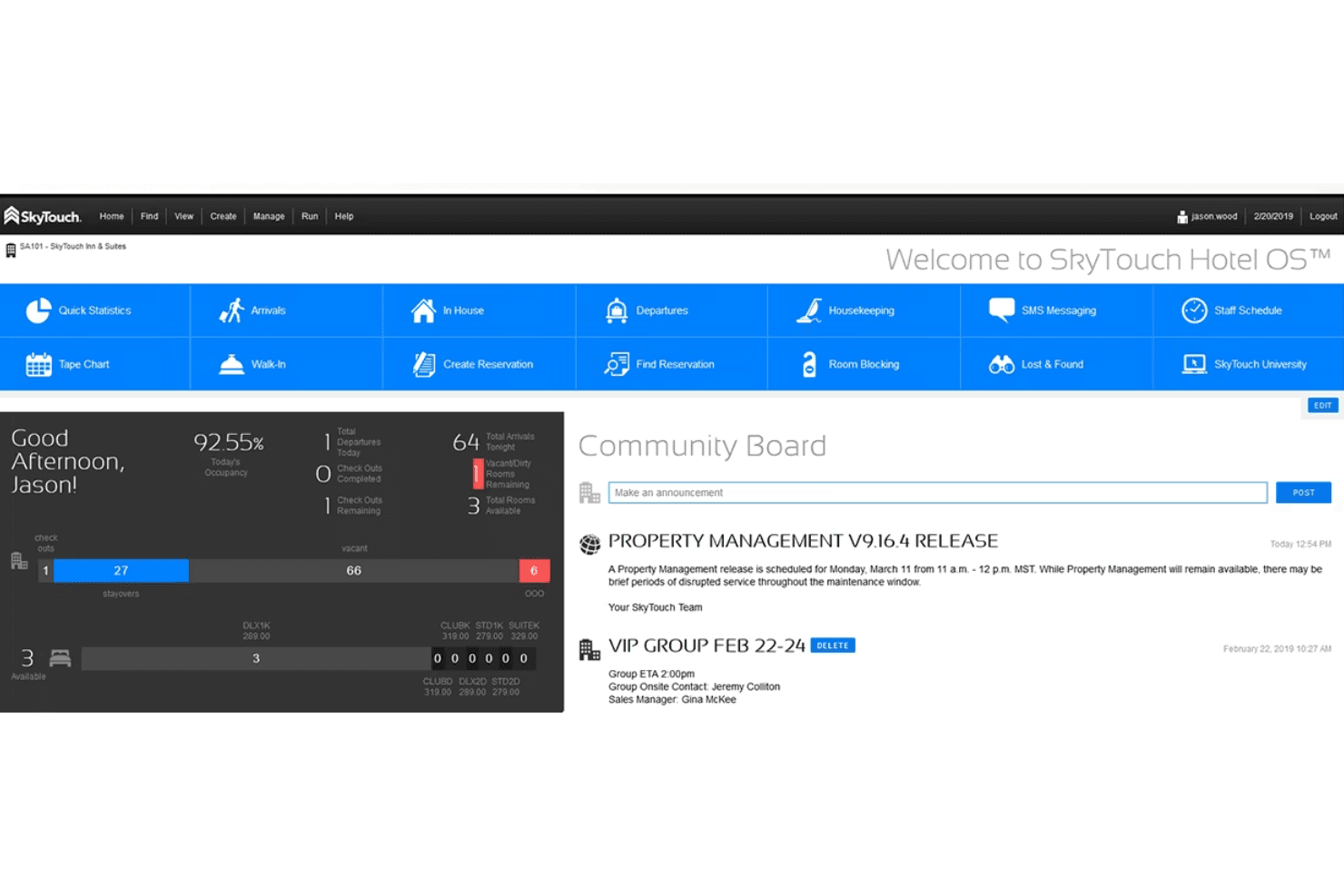
Assign rooms, track cleaning status, and update front desk teams instantly. The dashboard gives a live view of room readiness.
Automated Night Audits
Run daily audits automatically to reconcile transactions and close out the business day. This reduces manual work and ensures accuracy.
Reporting and Analytics
Access standard and custom reports on occupancy, revenue, and operations. Managers can quickly spot trends and make informed decisions.
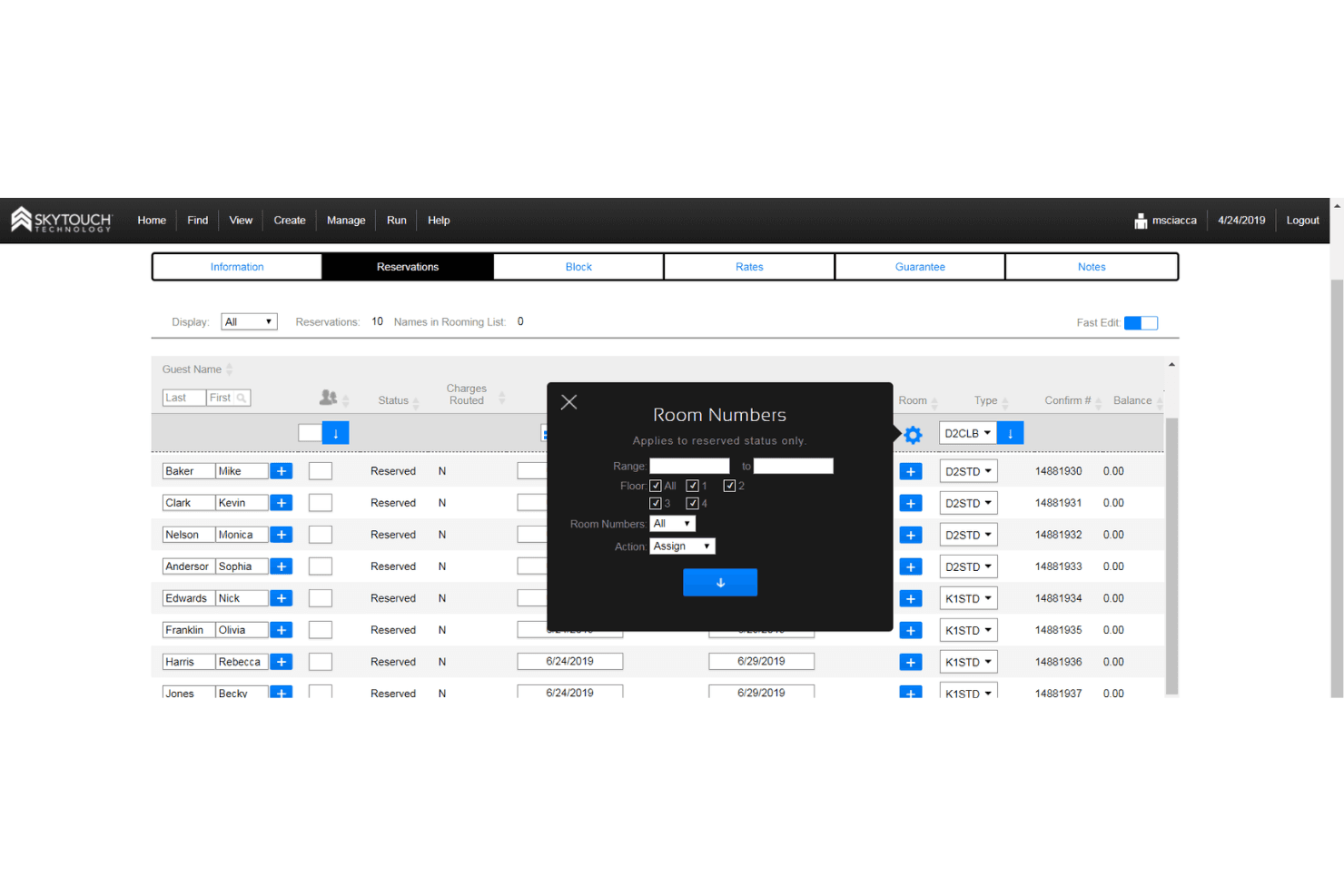
Ease of Use
SkyTouch is widely recognized for its clean interface and straightforward navigation, making it approachable for staff with varying tech skills. Most users say daily tasks like check-ins, room assignments, and billing are quick to learn and perform.
The dashboard is logically organized, and the onboarding process is fast, so new hires can get up to speed without much training. I think this ease of use is a major reason many hotels stick with SkyTouch.
Integrations
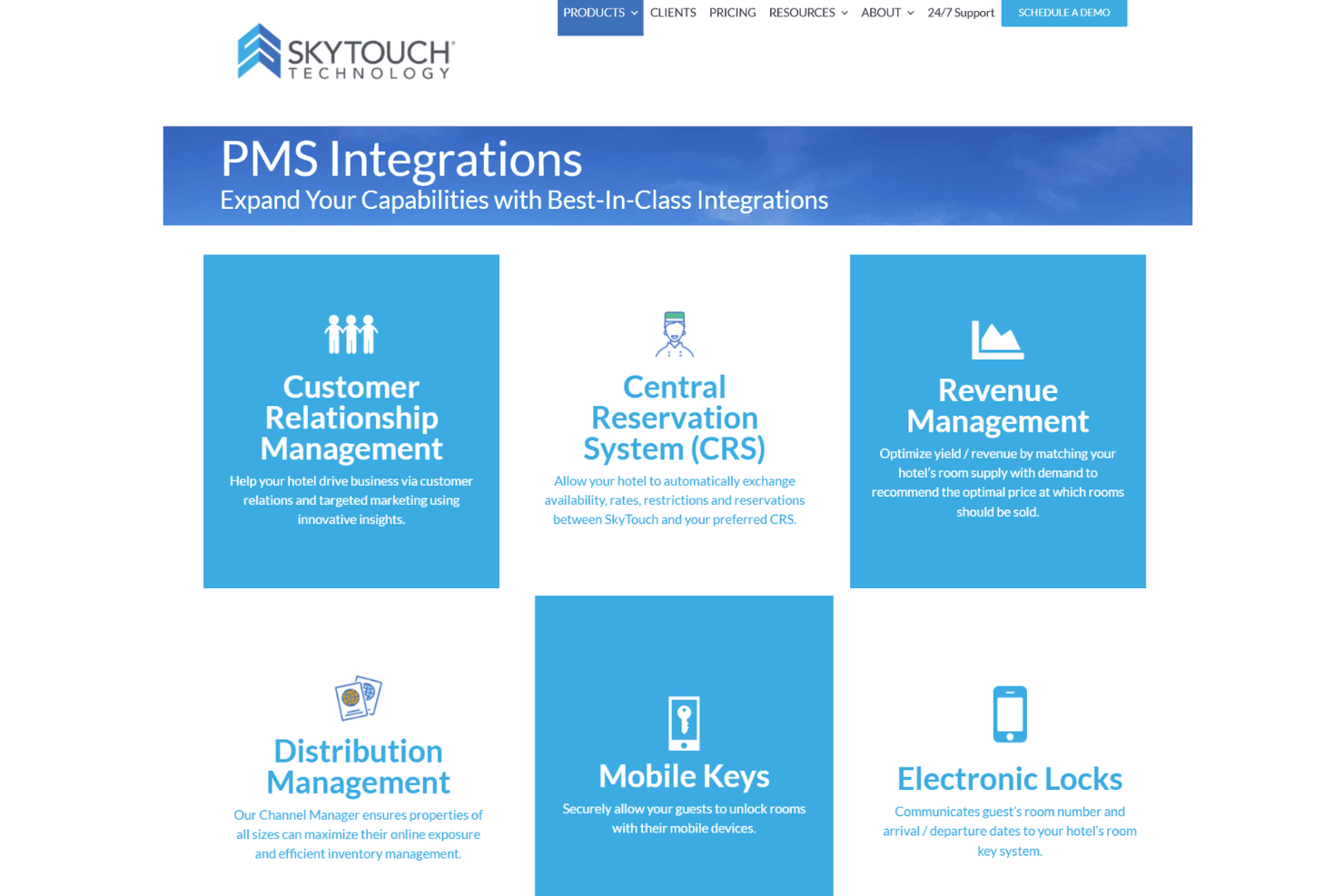
SkyTouch integrates with Toast, OpenKey, Medallia, Assa Abloy, Onity, GuestHub, Canary, Sojern, M3 Accounting, and iHotelier, among others.
SkyTouch also offers an API for custom integrations and connects with a wide range of third-party tools.
SkyTouch Specs
- API: Yes
- Budgeting: No
- Calendar Management: Yes
- Compliance Tracking: Yes
- Contact Management: Yes
- Customer Management: Yes
- Dashboard: Yes
- Data Export: Yes
- Data Import: Yes
- Data Visualization: Yes
- Document Management: Yes
- Expense Tracking: No
- External Integrations: Yes
- Forecasting: Yes
- Inventory Tracking: Yes
- Multi-Currency: Yes
- Multi-User: Yes
- Notifications: Yes
- Organization Management: Yes
- Payment Processor: Yes
- Payroll: No
- Scheduling: Yes
- Supplier Management: No
- Tax Management: No
- Workflow Management: Yes


