

Avis sur Oracle OPERA : Avantages, Inconvénients, Fonctionnalités Clés et Tarifs Mis à Jour

Nous évaluons les outils de façon indépendante, et les commissions aident à financer nos tests. Consultez notre politique de transparence, notre méthodologie ou suggérez un outil.
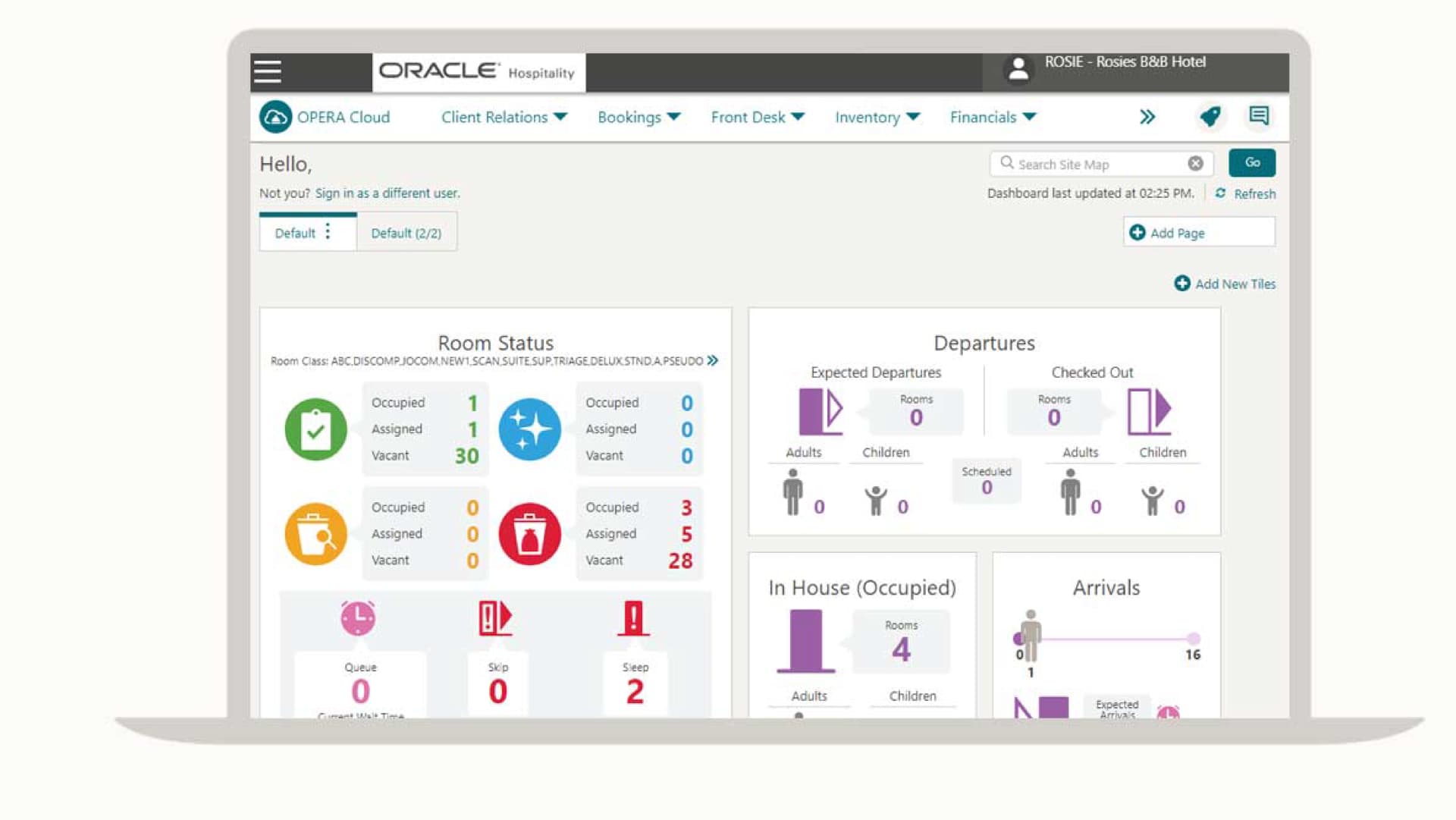
Oracle OPERA is a hotel property management software built for full-service hotels and multi-property groups that need centralized control over reservations, front desk operations, housekeeping, and billing. I'd consider it when your operation has complex requirements that mid-market tools like Cloudbeds aren't designed to handle—particularly if you need deep configuration options, enterprise-level reporting, and a wide ecosystem of third-party integrations across a large or branded property.
Oracle OPERA Evaluation Summary
0/5
- Pricing upon request
- Free demo available
Pourquoi faire confiance à nos recommandations de logiciels
6,700+
Reviews
20
Industry experts
16+
Evaluation factors
14
Years
Notre équipe teste et évalue des logiciels depuis 2012. En tant que leaders de l’hôtellerie nous-mêmes, nous savons à quel point il est difficile — et important — de choisir le bon logiciel.
Pour ce guide, nous avons évalué les outils grâce à des tests pratiques et une recherche indépendante, en notant les outils selon nos critères de sélection.
Nos avis reflètent notre jugement éditorial humain, et non un argumentaire de vente.
Oracle OPERA Overview
When evaluating Oracle OPERA as a property management software, its advanced integrations, flexible configuration, and global support network set it apart for large hotels and multi-property groups. The interface can feel overwhelming and rather clunky, onboarding can feel complex compared to simpler options, and pricing is often higher, but the depth of features—like group booking management and custom reporting—justifies the investment for properties with demanding requirements.
If you’re selecting a solution for a high-volume, multi-department operation, Oracle OPERA’s scalability and reliability make it a strong contender, though smaller hotels may find the learning curve and cost less appealing.
Pros
- Handles complex group bookings and event management well.
- Supports reservations, group sales, loyalty programs, reporting, and multi-department operations in a single platform.
- The system’s modular architecture allows properties to tailor functionality to their specific needs.
Cons
- Platform's breadth of features and configurability can make it difficult for new users or smaller teams to learn.
- Modular pricing, customization, and enterprise implementation can lead to significant upfront and ongoing costs.
- Can feel clunky, outdated, and unintuitive, particularly for teams accustomed to modern, minimalist software.
Is Oracle OPERA Right For Your Needs?
Who Would be a Good Fit for Oracle OPERA?
- Large Hotel Chains & Multi-Property GroupsOPERA’s modular and highly configurable architecture supports centralized management across multiple hotels, enabling corporate teams to standardize workflows, reporting, and controls across locations.
- Resorts and Full-Service PropertiesProperties with complex revenue streams, including room, F&B, events, and spa services, benefit from OPERA’s ability to manage group sales, loyalty programs, and multiple revenue centers within one system.
- Hotels With High Volume Group & Event BusinessOPERA’s Sales and Event Management modules help teams manage conferences, meetings, and banquets alongside room inventory, reducing redundant data entry and improving coordination.
- Hotels Requiring Deep Reporting and AnalysisEnterprise properties with strict reporting requirements can use OPERA’s advanced analytics and customizable reporting tools to extract operational insights and track performance across departments.
- Mixed-Use & Vacation Ownership PropertiesOPERA’s flexible rule-based operations and support for fractional ownership or condominium units make it a good fit for mixed-use properties that combine hospitality with real estate or timeshare models.
- International Hotels With Complex Distribution NeedsOPERA Cloud’s global integrations and support for GDS, loyalty, and channel management workflows help international properties coordinate availability, distribution, and pricing across markets.
Who Would be a Bad Fit for Oracle OPERA?
- Small Boutique HotelsOracle OPERA’s complexity and cost are excessive for properties with fewer rooms and simpler needs.
- Independent Bed and BreakfastsThe software’s enterprise-level features and setup requirements do not match the scale or budget of small, owner-operated accommodations.
- HostelsHostels often need flexible bed management and social booking tools, which Oracle OPERA does not prioritize.
- Vacation Rental ManagersOracle OPERA is not designed for managing dispersed, individually owned vacation homes or apartments.
- Seasonal LodgesShort operating seasons and limited staff make the investment and training required for Oracle OPERA impractical.
- Non-Hospitality BusinessesBusinesses like coworking spaces or serviced offices will not benefit from Oracle OPERA’s hospitality-specific workflows and integrations.
Comment nous testons et évaluons les outils
Nous avons passé des années à développer, affiner et améliorer notre système d’évaluation et de notation des logiciels. Notre grille d’analyse est conçue pour prendre en compte les nuances du choix d’un logiciel et déterminer ce qui rend un outil efficace, en se concentrant sur les aspects essentiels du processus décisionnel. Vous trouverez ci-dessous le détail de notre méthode d’évaluation et de notation selon sept critères. Cette approche nous permet de fournir un avis impartial sur le logiciel, en se basant sur les fonctionnalités principales, les caractéristiques différenciantes, la facilité d’utilisation, l’intégration, l’accompagnement client, l’intégration avec d’autres outils, les avis clients et le rapport qualité/prix.
Fonctionnalités de base (25% de la note finale)
Le point de départ de notre évaluation est toujours la fonctionnalité de base de l’outil. Possède-t-il les fonctions minimales attendues par un utilisateur ? Certaines fonctionnalités essentielles sont-elles réservées à des plans plus onéreux ? Nous attendons d’un bon outil qu’il soit au moins équivalent à la concurrence sur les fondamentaux.
Caractéristiques différenciantes (25% de la note finale)
Ensuite, nous évaluons les fonctionnalités originales qui vont au-delà de la base généralement présente dans cette catégorie de produits. Une bonne note reflète des options spécialisées ou uniques rendant le produit plus rapide, plus efficace, ou offrant une valeur ajoutée à l’utilisateur. Nous évaluons également la facilité d’intégration avec d’autres outils souvent utilisés dans la pile technologique pour étendre les fonctionnalités et l’utilité du logiciel. Les outils proposant de nombreuses intégrations natives, connexions tierces et accès API pour personnaliser les intégrations sont privilégiés.
Facilité d’utilisation (10% de la note finale)
Nous évaluons la rapidité et la simplicité d’exécution des tâches principales au sein de l’outil. Un logiciel bien noté est bien conçu, intuitif, propose des applications mobiles, fournit des modèles et simplifie les tâches relativement complexes.
Mise en route (10% de la note finale)
Sachant combien il est important qu’une équipe adopte rapidement une nouvelle plateforme, nous évaluons la facilité d’apprentissage et d’utilisation de l’outil avec un minimum de formation. Nous examinons aussi la rapidité d’installation et la mise en route pour un nouvel utilisateur sans expérience. Une note élevée indique qu’un accompagnement minimal, voire nul, est nécessaire.
Support client (10% de la note finale)
Nous examinons la facilité et la rapidité d’obtention d’une aide par téléphone, chat en direct ou base de connaissances. Les outils et entreprises proposant un soutien en temps réel obtiennent la meilleure note, tandis que les chatbots sont moins bien notés.
Avis clients (10% de la note finale)
Au-delà de nos propres tests et évaluations, nous prenons en compte le net promoter score des clients actuels et passés. Nous mesurons leur tendance à vouloir choisir à nouveau cet outil pour les fonctionnalités principales. Un logiciel bien noté reflète un net promoter score élevé des utilisateurs actuels ou passés.
Rapport qualité/prix (10% de la note finale)
Enfin, nous comparons le prix moyen des abonnements d’entrée de gamme aux fonctionnalités principales et à l’ensemble des critères évalués. Les logiciels offrant plus, pour moins, obtiennent la meilleure note.
Core Features
Reservation Management:
Create, modify, and track individual or group reservations with real-time availability. The system supports complex booking scenarios, including split stays and room upgrades.
Front Desk Operations:
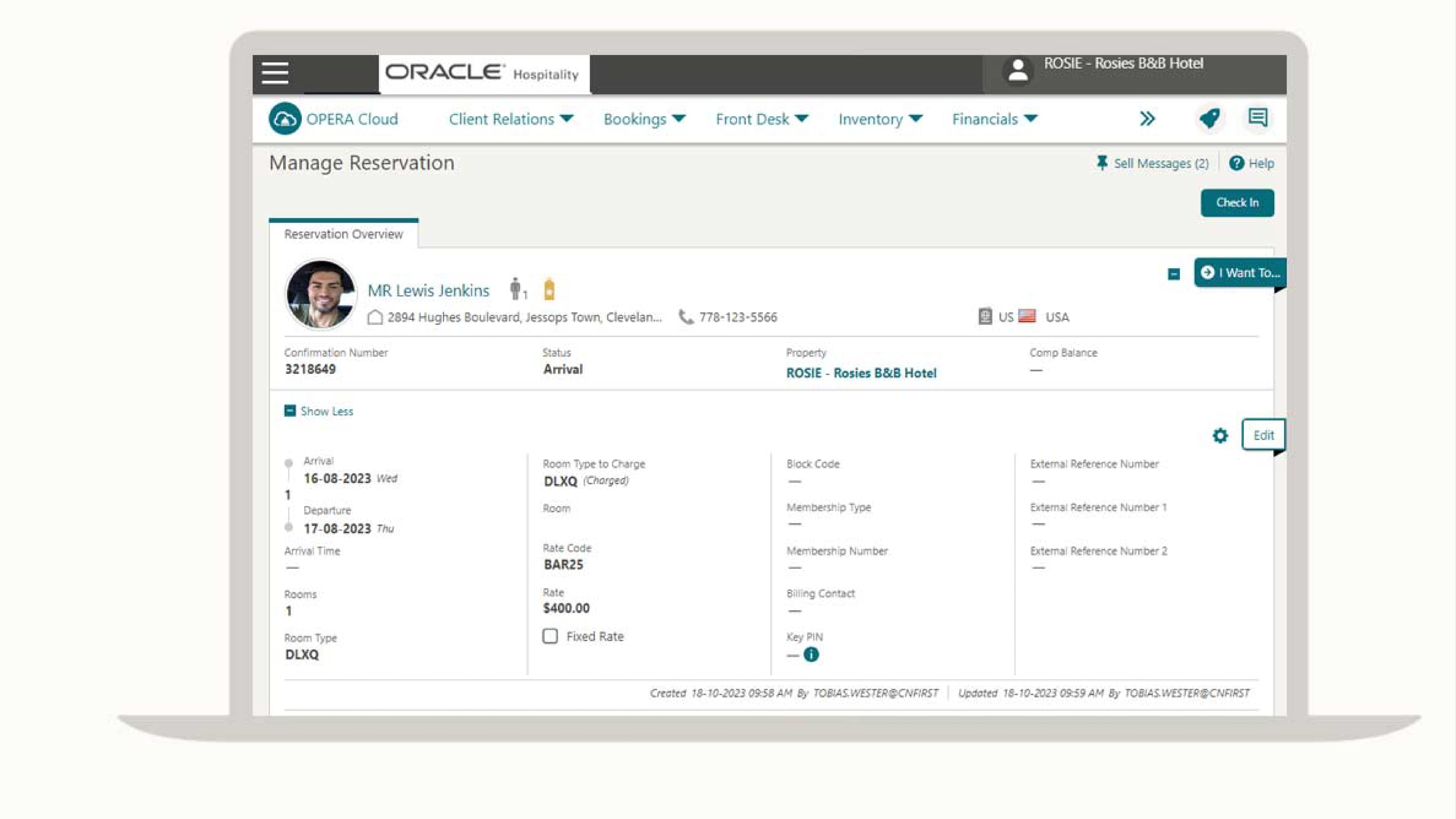
Manage check-in, check-out, room assignments, and guest folios from a centralized dashboard. Staff can access guest preferences and special requests instantly.
Housekeeping Management:
Track room status, assign cleaning tasks, and update availability in real time. Automated notifications help coordinate between front desk and housekeeping teams.
Rate and Inventory Management:
Set dynamic pricing, manage rate plans, and control room inventory across multiple channels. The platform supports yield management and negotiated corporate rates.
Reporting and Analytics:
Generate detailed operational, financial, and guest reports with customizable dashboards. Users can analyze occupancy trends, revenue performance, and guest demographics.
Guest Profile Management:
Store and update guest preferences, history, and loyalty information in a centralized database. This enables personalized service and targeted marketing campaigns.
Ease of Use
Oracle OPERA’s interface is feature-rich but can feel overwhelming for new users, especially in smaller properties or with limited IT support. Many users report that navigating menus and configuring workflows requires extensive training. However, once staff are familiar with the system, its depth allows for precise control over operations and guest management. The platform’s complexity is a trade-off for its advanced capabilities, making it better suited to teams with dedicated training resources.
Integrations
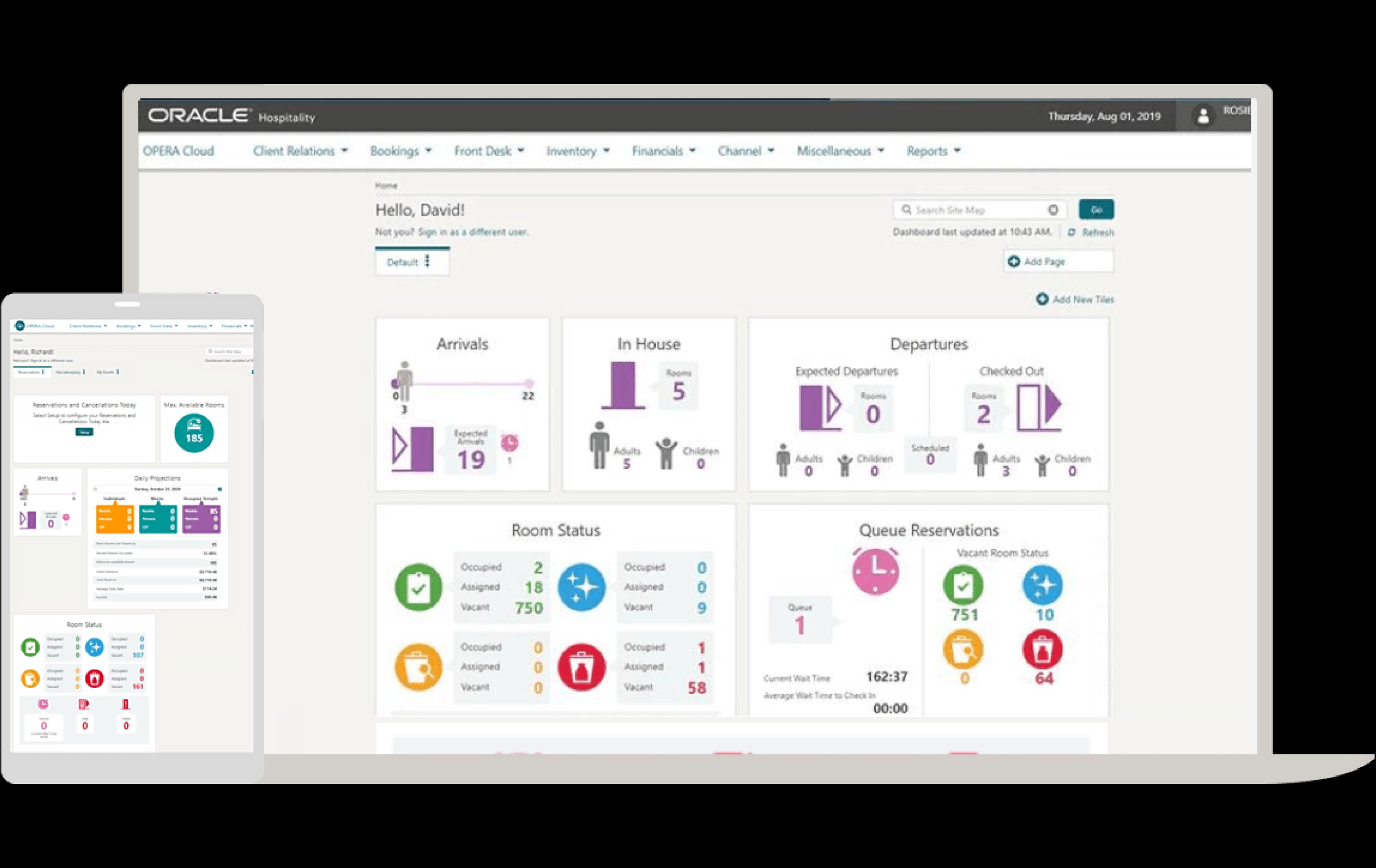
Oracle OPERA integrates with Oracle MICROS POS, Sabre, Amadeus, SiteMinder, Duetto, IDeaS, TravelClick, GDS systems, payment gateways, and key card systems, among others.
The platform also offers an API for custom integrations and connects with a wide range of third-party tools.
Oracle OPERA Specs
- API: Yes
- Budgeting: No
- Calendar Management: Yes
- Compliance Tracking: Yes
- Contact Management: Yes
- Customer Management: Yes
- Dashboard: Yes
- Data Export: Yes
- Data Import: Yes
- Data Visualization: No
- Document Management: No
- Expense Tracking: No
- External Integrations: Yes
- Forecasting: No
- Inventory Tracking: Yes
- Multi-Currency: Yes
- Multi-User: Yes
- Notifications: Yes
- Organization Management: No
- Payment Processor: No
- Payroll: No
- Scheduling: No
- Supplier Management: No
- Tax Management: No
- Workflow Management: Yes


