

Reseña de SkyTouch: Ventajas, Desventajas, Características y Precios
SkyTouch destaca por su diseño intuitivo y funciones flexibles, lo que lo convierte en una opción inteligente de PMS para hoteles que buscan eficiencia en la nube sin los habituales dolores de cabeza tecnológicos.

Revisamos las herramientas de forma independiente, y las comisiones ayudan a financiar nuestras pruebas. Consulta nuestra política de transparencia, nuestra metodología o sugiere una herramienta.
SkyTouch is a cloud-based property management system built for hotels that need to manage reservations, front desk operations, and rate distribution from a single platform. I'd mainly consider it if you're running a mid-scale or economy property and want something more accessible and quicker to deploy than Oracle Opera, without sacrificing the rate management and channel distribution tools that independent and branded hotels actually rely on day-to-day.
SkyTouch Evaluation Summary
4.5/5
- Pricing upon request
- Free demo available
Por qué confiar en nuestras recomendaciones de software
6,700+
Reviews
20
Industry experts
16+
Evaluation factors
14
Years
Nuestro equipo lleva probando y evaluando software desde 2012. Como líderes del sector hotelero, sabemos lo difícil —y lo importante— que es elegir el software adecuado.
Para esta guía, evaluamos las herramientas mediante pruebas prácticas e investigación independiente, puntuando las herramientas según nuestros criterios de selección.
Nuestras reseñas reflejan nuestro criterio editorial humano, no un discurso de ventas.
SkyTouch Overview
If you’re judging cloud-based PMS options, I think SkyTouch is a strong contender for hotels that want a straightforward interface, responsive support, and flexible integrations. Its onboarding is quick, and the dashboard makes daily tasks easy for teams with varying tech skills. Pricing is transparent, and the system scales well for mid-sized properties.
While some advanced reporting and customization options lag behind the most feature-rich competitors, I’d suggest SkyTouch is best for operators who value reliability, ease of use, and a support team that’s easy to reach when you need help.
Pros
- Reliable uptime with minimal reported outages
- Fast onboarding and simple for new staff to learn
- Responsive US-based support team available 24/7
Cons
- Limited options for deep customization of workflows
- System updates can cause occasional slowdowns
- Reporting features are less advanced than some competitors
Is SkyTouch Right For Your Needs?
Who Would be a Good Fit for SkyTouch?
SkyTouch is ideal for independent hotels and small to mid-sized hotel chains looking to streamline operations without complex systems. If you manage a hotel where efficiency and quick guest service are priorities, SkyTouch’s intuitive interface and responsive support can make a big difference. For example, if your team needs to manage reservations and room assignments quickly, SkyTouch’s ease of use will help you stay on top of tasks with minimal training.
- Hotel Operations ManagersUser-friendly dashboards streamline daily task tracking and staff oversight.
- Extended Stay PropertiesAutomated rate and inventory tools help manage longer guest stays.
- Hospitality Management CompaniesCloud access allows managers to monitor several locations remotely.
- Independent Boutique HotelsFlexible features support unique guest experiences without heavy IT needs.
- Mid-Sized Hotel ChainsCentralized management tools make it easy to oversee multiple properties.
- Limited Service HotelsSkyTouch simplifies front desk and housekeeping coordination for smaller teams.
Who Would be a Bad Fit for SkyTouch?
Large hotel chains or resorts with complex operational needs might not find SkyTouch suitable due to its limited advanced features and reporting capabilities. If your team requires extensive customization or detailed analytics, SkyTouch might not meet your expectations. Businesses that rely heavily on data analysis for strategic decisions might find the reporting tools lacking in depth compared to more robust systems.
- Conference Center HotelsEvent management and group booking tools are less robust.
- Corporate Travel DepartmentsDetailed analytics and custom billing features are limited.
- Casino HotelsGaming and loyalty program integrations are not natively available.
- Multi-Brand Hospitality GroupsComplex integration requirements may not be fully supported.
- Luxury Hotel BrandsHigh-touch guest personalization features are limited compared to others.
- Large Resort ComplexesAdvanced reporting and customization needs may exceed SkyTouch’s capabilities.
Cómo Probamos y Puntamos Herramientas
Hemos pasado años construyendo, refinando y mejorando nuestro sistema de pruebas y puntuación de software. La rúbrica está diseñada para capturar las particularidades de la selección de software y lo que hace que una herramienta sea efectiva, enfocándose en aspectos críticos del proceso de toma de decisiones. A continuación, puedes ver exactamente cómo funcionan nuestras pruebas y puntuaciones en siete criterios. Nos permite proporcionar una evaluación imparcial del software basada en funcionalidad principal, características destacadas, facilidad de uso, incorporación, soporte al cliente, integraciones, opiniones de clientes y relación calidad-precio.
Funcionalidad Principal (25% de la puntuación final)
El punto de partida de nuestra evaluación es siempre la funcionalidad principal de la herramienta. ¿Tiene las características y funciones básicas que un usuario esperaría ver? ¿Alguna de esas funciones básicas está limitada a planes de precios superiores? En esencia, esperamos que una herramienta esté a la altura de las capacidades mínimas de sus competidores.
Características Destacadas (25% de la puntuación final)
Luego, evaluamos las características destacadas poco comunes que van más allá de la funcionalidad principal, típicamente encontrada en herramientas de su tipo. Una puntuación alta refleja funciones especializadas o únicas que hacen que el producto sea más rápido, eficiente u ofrezca valor adicional al usuario. También evaluamos lo fácil que resulta integrar con otras herramientas normalmente presentes en el paquete tecnológico para ampliar la funcionalidad y utilidad del software. Las herramientas con abundantes integraciones nativas, conexiones de terceros y acceso a API para crear integraciones personalizadas obtienen la mejor puntuación.
Facilidad de Uso (10% de la puntuación final)
Consideramos qué tan rápido y fácil es ejecutar las tareas definidas en la funcionalidad principal usando la herramienta. El software que obtiene una puntuación alta está bien diseñado, es intuitivo de usar, ofrece aplicaciones móviles, proporciona plantillas y hace que tareas relativamente complejas parezcan sencillas.
Incorporación (10% de la puntuación final)
Sabemos lo importante que es la adopción rápida del equipo para una nueva plataforma, por eso evaluamos la facilidad para aprender y usar una herramienta con mínima capacitación. Analizamos qué tan rápido un miembro del equipo puede configurarse y comenzar a usar la herramienta sin experiencia. Las soluciones que obtienen una puntuación alta requieren poco o ningún soporte.
Soporte al Cliente (10% de la puntuación final)
Revisamos qué tan rápido y fácil es obtener ayuda por teléfono, chat en vivo o base de conocimientos. Las herramientas y empresas que ofrecen soporte en tiempo real obtienen la mejor puntuación, mientras que los chatbots obtienen la peor.
Opiniones de Clientes (10% de la puntuación final)
Más allá de nuestras propias pruebas y evaluaciones, consideramos el índice neto de promotores de clientes actuales y anteriores. Analizamos la probabilidad de que elijan la herramienta de nuevo para la función principal. Un software con alta puntuación refleja un alto índice neto de promotores de clientes actuales o anteriores.
Relación Calidad-Precio (10% de la puntuación final)
Por último, considerando todos los demás criterios, revisamos el precio promedio de los planes iniciales frente a las características principales y valoramos los otros criterios de evaluación. El software que ofrece más por menos obtiene una mejor puntuación.
Core Features
Reservations Management
Handle individual and group bookings with real-time availability updates. The system makes it easy to modify, cancel, or extend stays.
Direct Billing
Automate invoicing and manage accounts receivable for corporate and group clients. This feature helps reduce manual billing errors.
Group Management
Organize group blocks, track room pick-up, and manage group rates. It’s designed for events, conferences, and tour bookings.
Housekeeping Management
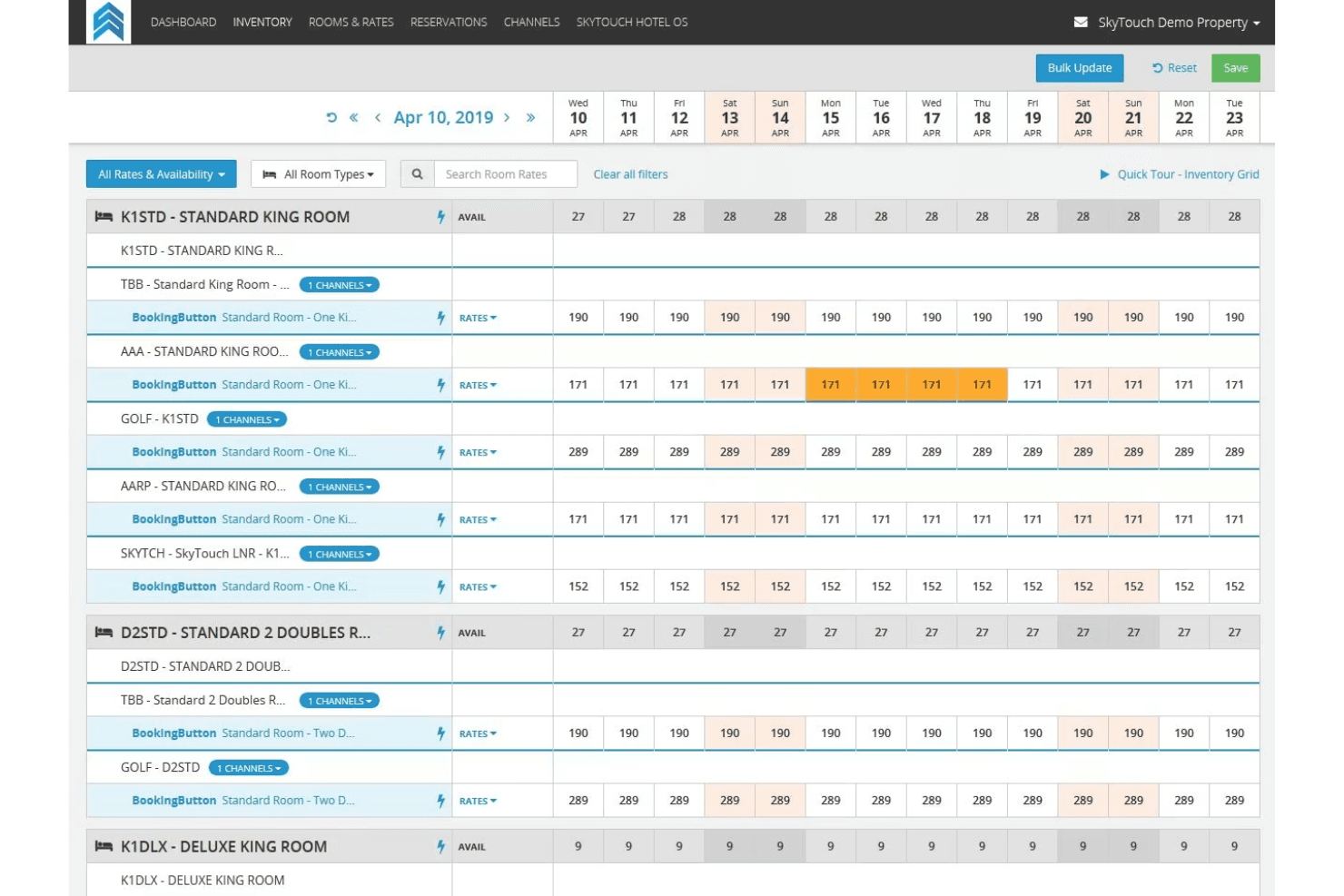
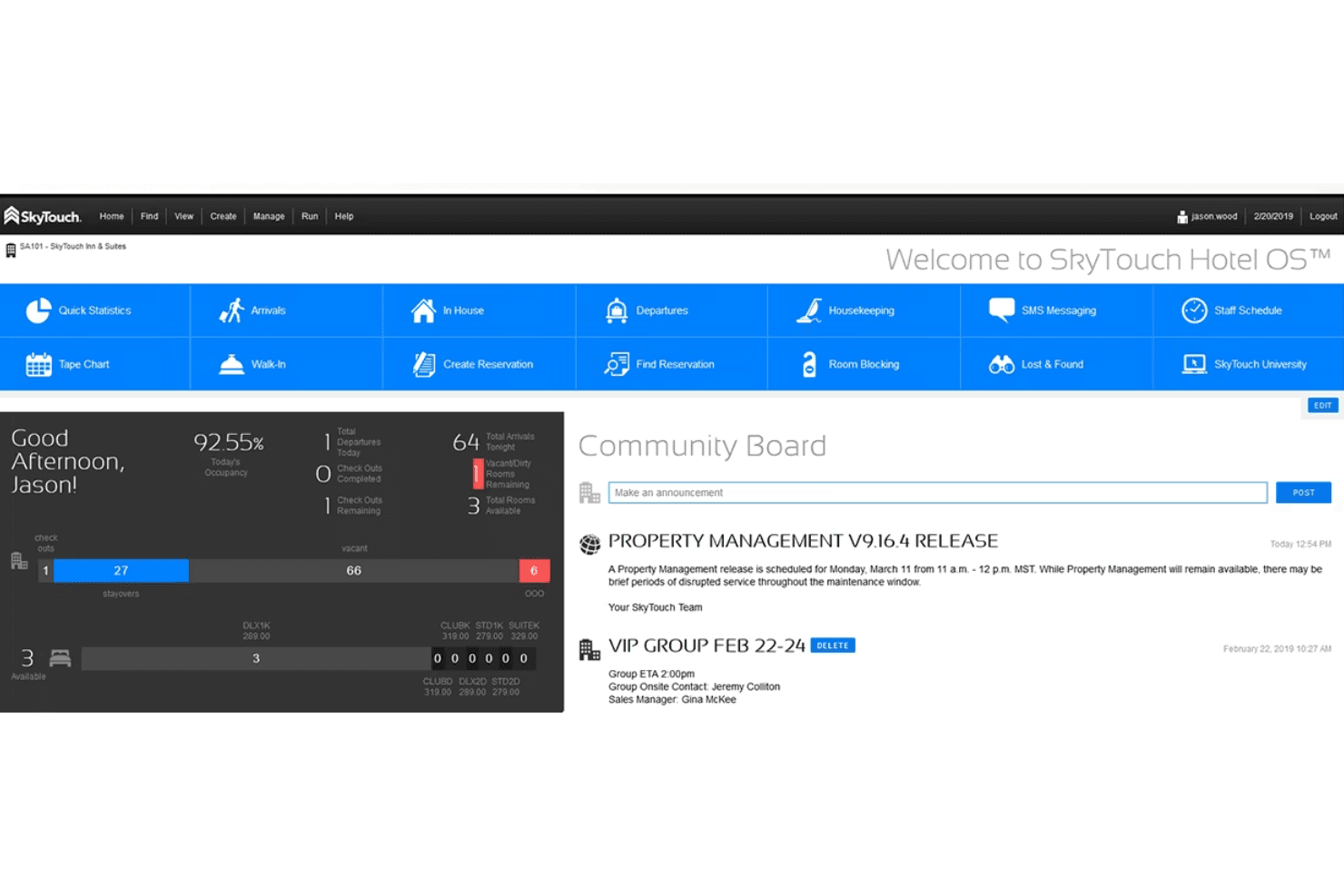
Assign rooms, track cleaning status, and update front desk teams instantly. The dashboard gives a live view of room readiness.
Automated Night Audits
Run daily audits automatically to reconcile transactions and close out the business day. This reduces manual work and ensures accuracy.
Reporting and Analytics
Access standard and custom reports on occupancy, revenue, and operations. Managers can quickly spot trends and make informed decisions.
Ease of Use
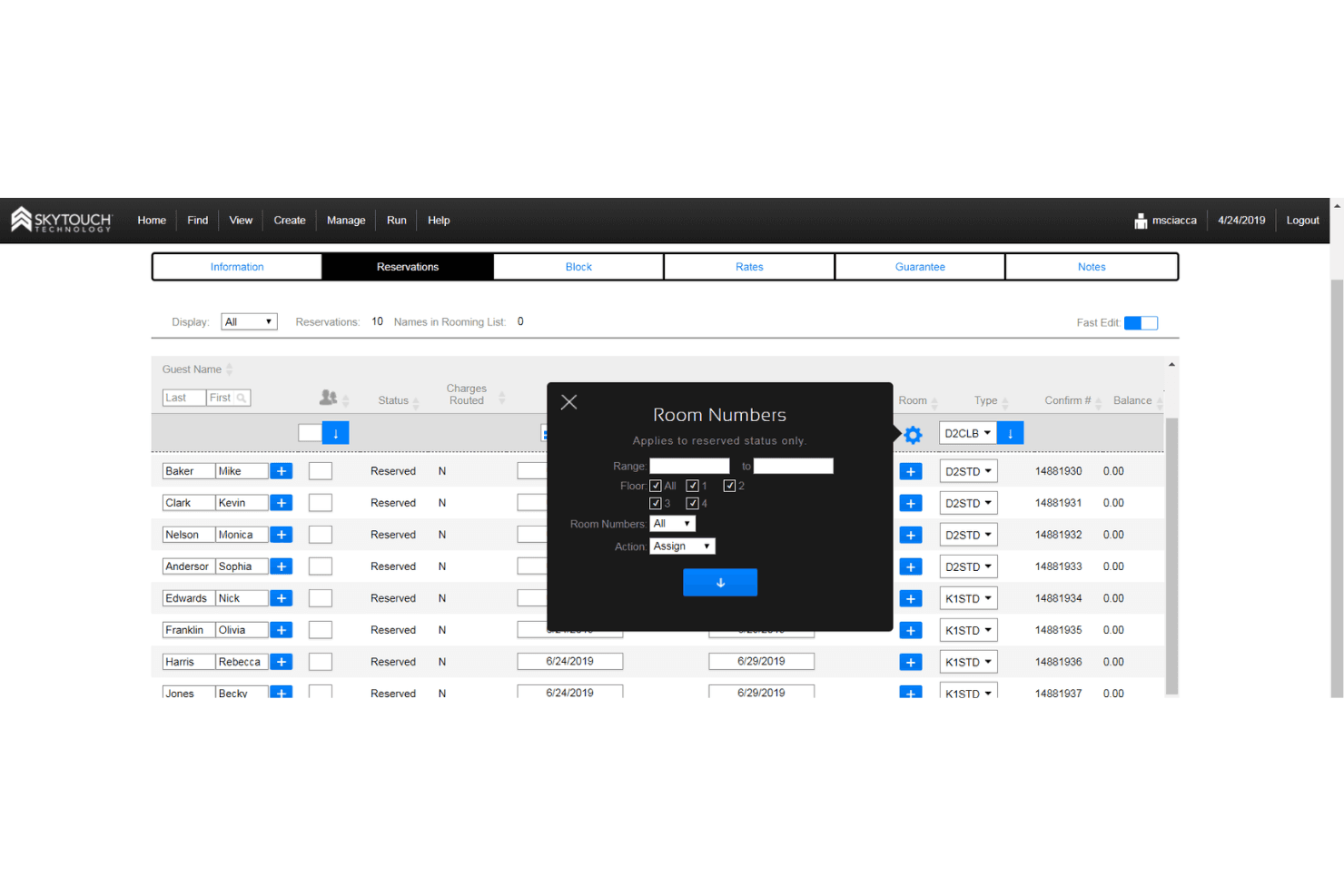
SkyTouch is widely recognized for its clean interface and straightforward navigation, making it approachable for staff with varying tech skills. Most users say daily tasks like check-ins, room assignments, and billing are quick to learn and perform.
The dashboard is logically organized, and the onboarding process is fast, so new hires can get up to speed without much training. I think this ease of use is a major reason many hotels stick with SkyTouch.
Integrations
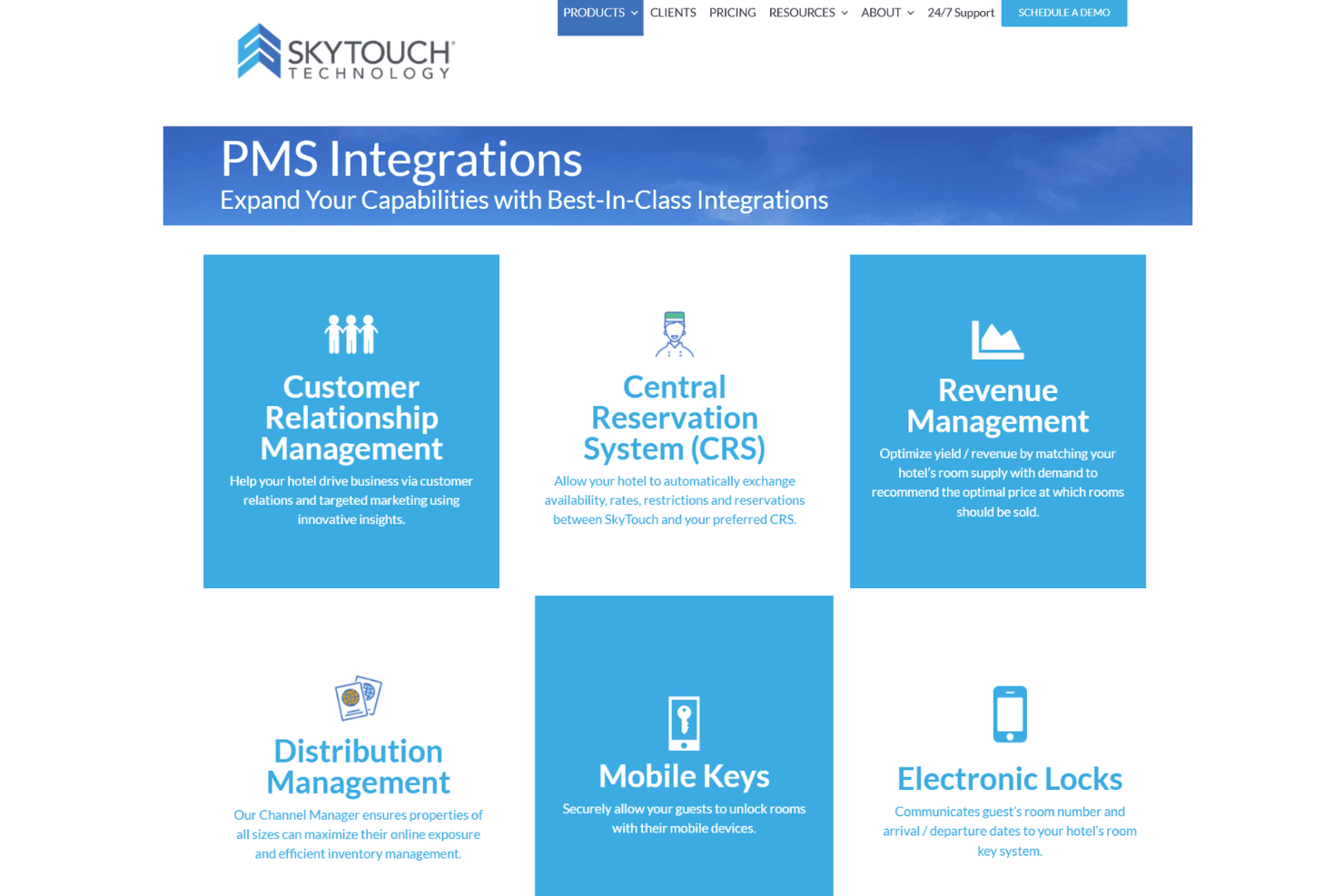
SkyTouch integrates with Toast, OpenKey, Medallia, Assa Abloy, Onity, GuestHub, Canary, Sojern, M3 Accounting, and iHotelier, among others.
SkyTouch also offers an API for custom integrations and connects with a wide range of third-party tools.
SkyTouch Specs
- API: Yes
- Budgeting: No
- Calendar Management: Yes
- Compliance Tracking: Yes
- Contact Management: Yes
- Customer Management: Yes
- Dashboard: Yes
- Data Export: Yes
- Data Import: Yes
- Data Visualization: Yes
- Document Management: Yes
- Expense Tracking: No
- External Integrations: Yes
- Forecasting: Yes
- Inventory Tracking: Yes
- Multi-Currency: Yes
- Multi-User: Yes
- Notifications: Yes
- Organization Management: Yes
- Payment Processor: Yes
- Payroll: No
- Scheduling: Yes
- Supplier Management: No
- Tax Management: No
- Workflow Management: Yes


