
Cisco Meraki Review: Pros, Cons, Features, and Pricing
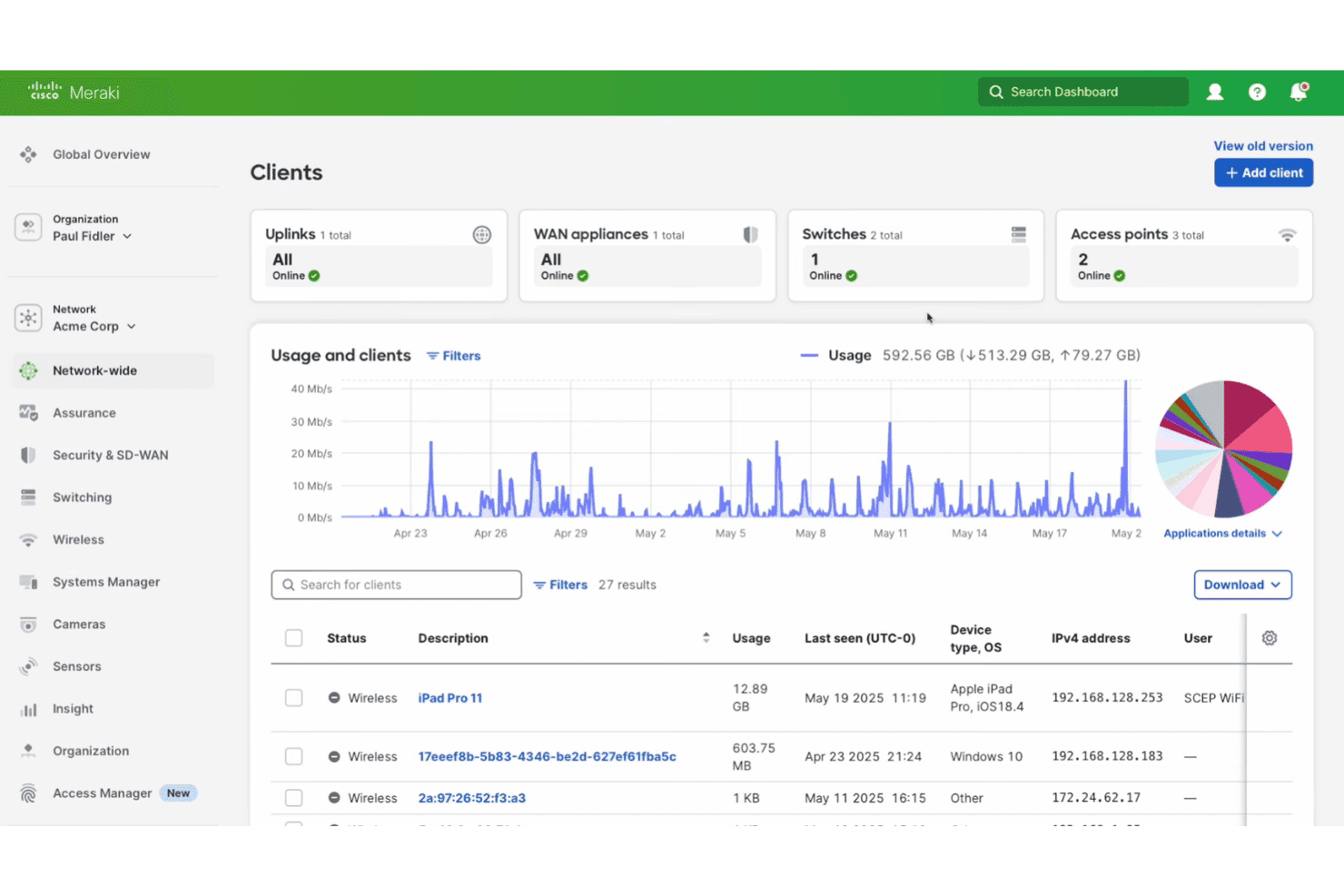
Cisco Meraki brings cloud-based network management into one platform, from Wi-Fi and security monitoring to device management, analytics, and centralized network administration.

We review tools independently, and commissions help fund our testing. See our transparency policy, our methodology, or suggest a tool.
Cisco Meraki is a hotel WiFi management software built around a centralized, cloud-based dashboard for managing guest and staff networks across access points, floors, and properties. I'd consider it if your team needs full network visibility without relying on on-site IT expertise. Compared to Aruba Networks, Meraki is easier to configure and monitor remotely, making it a stronger fit for hotel operators who want enterprise-grade control without the technical overhead that Aruba typically demands.
Cisco Meraki Evaluation Summary
4.3/5
- Pricing upon request
- 90-day free trial
Why Trust Our Software Recommendations
6,700+
Reviews
20
Industry experts
16+
Evaluation factors
14
Years
Our team has been testing and reviewing software since 2012. As hospitality leaders ourselves, we know how difficult—and important—it is to choose the right software.
For this guide, we evaluated tools using hands-on testing and independent research, scoring tools using our selection criteria.
Our reviews reflect our human editorial judgment, not a sales pitch.
Cisco Meraki Overview
If you’re judging network management solutions on ease of use, Cisco Meraki stands out with its intuitive dashboard and fast onboarding. I think its cloud-based controls and strong support make it a top pick for hotels with multiple locations or limited IT staff. Pricing is higher than some, but you get reliable uptime, automatic updates, and integrations with property systems.
Compared to others, Meraki’s interface is cleaner, and troubleshooting is simpler, though advanced customizations can be limited. For hotels prioritizing simplicity, security, and scalability, I’d suggest Meraki is a smart choice.
Pros
- You get a user-friendly interface that simplifies network management.
- It offers reliable performance with minimal downtime for your team.
- Your IT staff can manage multiple sites from a single dashboard.
Cons
- You might find limited customization options for specific needs.
- The hardware can sometimes be less robust compared to competitors.
- Your team may encounter occasional issues with advanced configuration settings.
Is Cisco Meraki Right For Your Needs?
Who Would be a Good Fit for Cisco Meraki?
Small to medium-sized businesses and educational institutions would thrive using Cisco Meraki. Its easy-to-use interface and centralized management make it ideal for teams that need efficient solutions without a large IT department. Retail chains can also benefit, as they can manage multiple locations from one dashboard, ensuring consistent network performance.
Cisco Meraki’s robust security features make it suitable for industries like healthcare that require strict data protection.
- Small BusinessesYour small business can enjoy simplified network management with minimal IT resources needed.
- Educational InstitutionsSchools can manage campus-wide networks easily, ensuring reliable connectivity for students and staff.
- Retail ChainsYou can oversee multiple locations from a single platform, maintaining consistent network standards.
- Healthcare ProvidersCisco Meraki’s security features protect sensitive patient data, making it a solid choice for your practice.
- Remote TeamsYour remote team can stay connected and secure with Cisco Meraki’s cloud-based solutions.
- Hospitality IndustryHotels and resorts can offer guests stable and secure Wi-Fi, enhancing their overall experience.
Who Would be a Bad Fit for Cisco Meraki?
Large enterprises with complex, highly customized network needs might not find Cisco Meraki suitable. Its limited customization options may not meet the intricate requirements of industries like finance, where detailed configurations and control are crucial. Organizations with advanced IT teams may also prefer a solution that offers deeper technical capabilities and hardware robustness, which Cisco Meraki might not fully provide.
- Large EnterprisesYour large company might need more customization than Cisco Meraki offers for complex networks.
- Financial SectorIf you require intricate security configurations, Cisco Meraki’s options may not suffice.
- Tech-Savvy TeamsAdvanced IT teams might find Cisco Meraki’s simplicity limiting for detailed technical tasks.
- Manufacturing IndustryFactories with demanding network environments may need more robust hardware than Cisco Meraki provides.
- Media CompaniesIf your work involves heavy data transfer, you might need a solution with higher data throughput.
- Government AgenciesAgencies needing stringent compliance controls might not find Cisco Meraki’s features comprehensive enough.
How We Test & Score Tools
We’ve spent years building, refining, and improving our software testing and scoring system. The rubric is designed to capture the nuances of software selection and what makes a tool effective, focusing on critical aspects of the decision-making process.
Below, you can see exactly how our testing and scoring works across seven criteria. It allows us to provide an unbiased evaluation of the software based on core functionality, standout features, ease of use, onboarding, customer support, integrations, customer reviews, and value for money.
Core Functionality (25% of final scoring)
The starting point of our evaluation is always the core functionality of the tool. Does it have the basic features and functions that a user would expect to see? Are any of those core features locked to higher-tiered pricing plans? At its core, we expect a tool to stand up against the baseline capabilities of its competitors.
Standout Features (25% of final scoring)
Next, we evaluate uncommon standout features that go above and beyond the core functionality typically found in tools of its kind. A high score reflects specialized or unique features that make the product faster, more efficient, or offer additional value to the user.
We also evaluate how easy it is to integrate with other tools typically found in the tech stack to expand the functionality and utility of the software. Tools offering plentiful native integrations, 3rd party connections, and API access to build custom integrations score best.
Ease of Use (10% of final scoring)
We consider how quick and easy it is to execute the tasks defined in the core functionality using the tool. High scoring software is well designed, intuitive to use, offers mobile apps, provides templates, and makes relatively complex tasks seem simple.
Onboarding (10% of final scoring)
We know how important rapid team adoption is for a new platform, so we evaluate how easy it is to learn and use a tool with minimal training. We evaluate how quickly a team member can get set up and start using the tool with no experience. High scoring solutions indicate little or no support is required.
Customer Support (10% of final scoring)
We review how quick and easy it is to get unstuck and find help by phone, live chat, or knowledge base. Tools and companies that provide real-time support score best, while chatbots score worst.
Customer Reviews (10% of final scoring)
Beyond our own testing and evaluation, we consider the net promoter score from current and past customers. We review their likelihood, given the option, to choose the tool again for the core functionality. A high scoring software reflects a high net promoter score from current or past customers.
Value for Money (10% of final scoring)
Lastly, in consideration of all the other criteria, we review the average price of entry level plans against the core features and consider the value of the other evaluation criteria. Software that delivers more, for less, will score higher.
Core Features
Cloud-Based Dashboard
Manage all network devices, sites, and users from a single web interface. Real-time monitoring and alerts help you spot issues quickly.
Automatic Firmware Updates
Devices receive security patches and feature upgrades without manual intervention. This keeps networks secure and reduces IT workload.
Layer 7 Application Visibility
See which apps and services are using bandwidth on your network. Block or prioritize traffic to improve guest and staff experiences.
Integrated Security and SD-WAN
Built-in firewall, VPN, and threat protection safeguard guest and internal networks. SD-WAN optimizes traffic for performance and reliability.
Guest Wi-Fi Management
Create branded splash pages, set bandwidth limits, and track guest usage. Easily segment guest and staff networks for better security.
Remote Troubleshooting Tools
Diagnose and resolve issues from anywhere using live tools like packet capture and cable testing. This minimizes downtime and reduces the need for on-site visits.
Standout Features
Meraki Mobile App
The mobile app lets you monitor and manage networks from your phone or tablet. You can receive alerts, view device status, and troubleshoot issues on the go.
Location Analytics
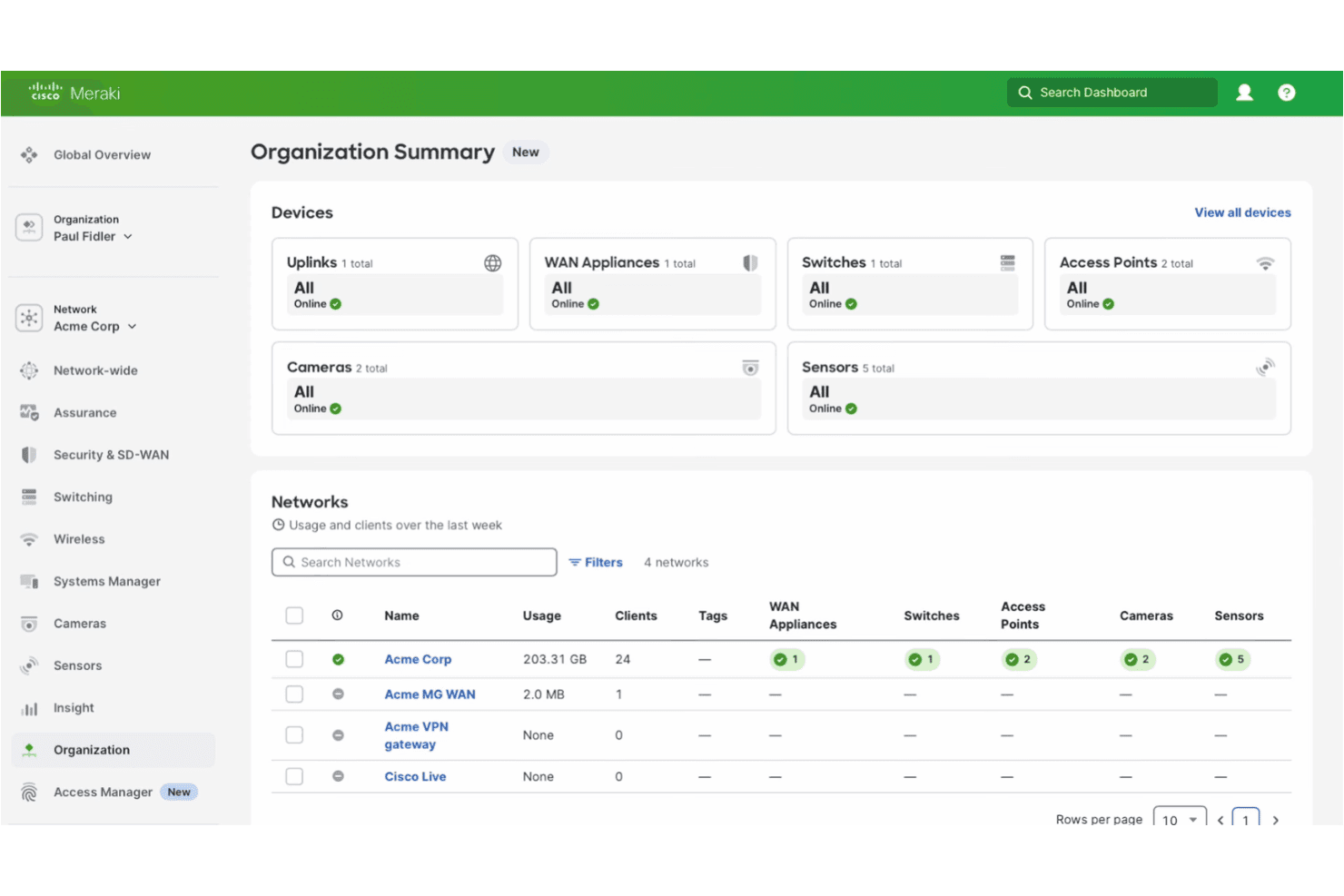
Meraki’s location analytics track foot traffic and device movement within your property. Use these insights to optimize lobby layouts, staffing, or guest services based on real visitor behavior.
Ease of Use
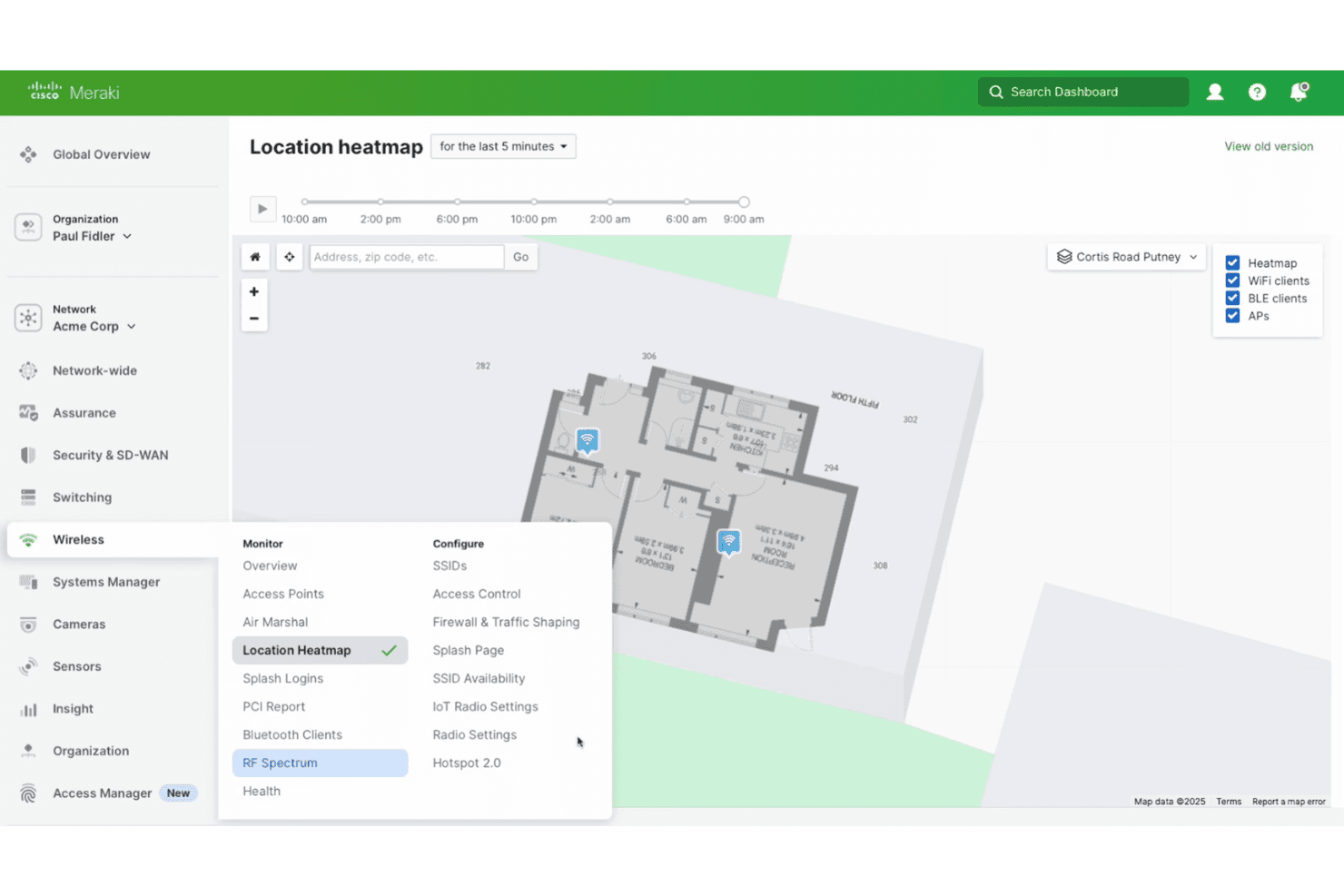
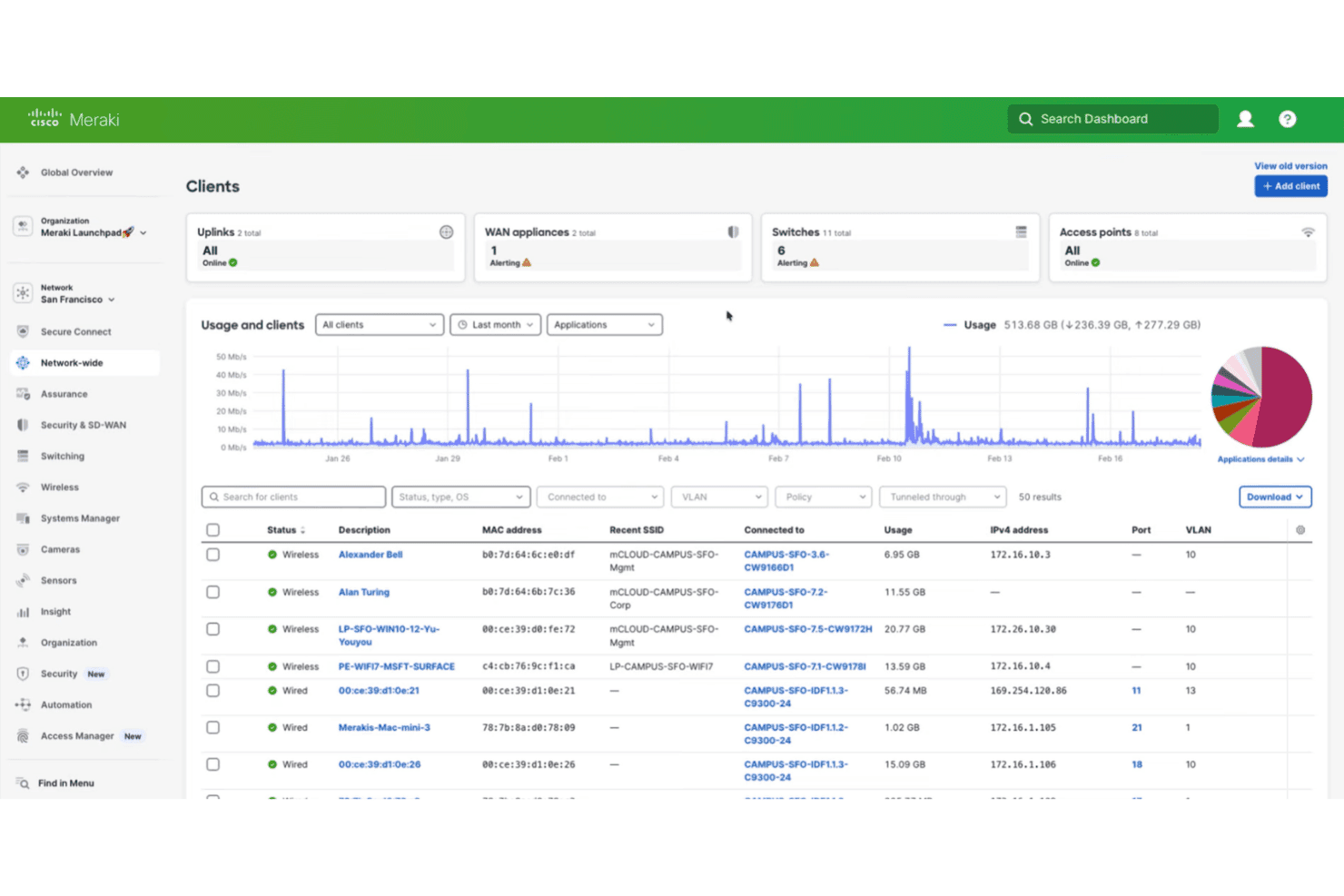
Cisco Meraki is one of the most user-friendly network management solutions I’ve used. The dashboard is clean, intuitive, and requires minimal training to navigate.
Users often mention how quickly they can deploy new devices or troubleshoot issues remotely. Features like drag-and-drop network mapping and guided setup wizards make onboarding fast, even for non-technical staff. I think hotel managers will appreciate how little time it takes to get up and running.
Onboarding
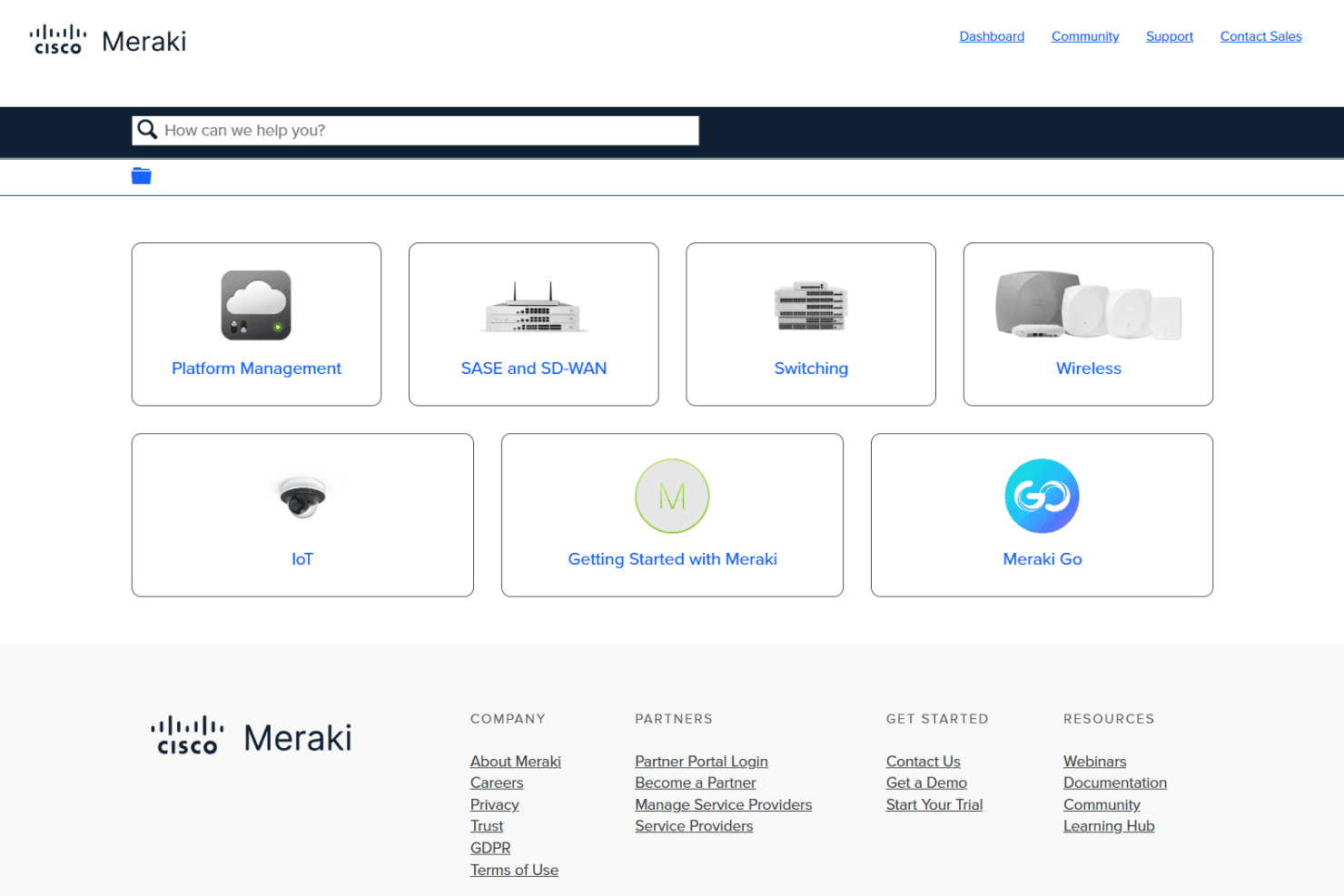
Cisco Meraki’s onboarding is fast and straightforward, with most users reporting they can get networks live in hours, not days. The setup process is guided with clear prompts, and the documentation is thorough and easy to follow.
I’ve seen users highlight the value of Meraki’s online training, webinars, and responsive support team. For hotel managers with limited IT resources, this means you can achieve full functionality quickly and confidently without needing deep technical expertise.
Customer Support
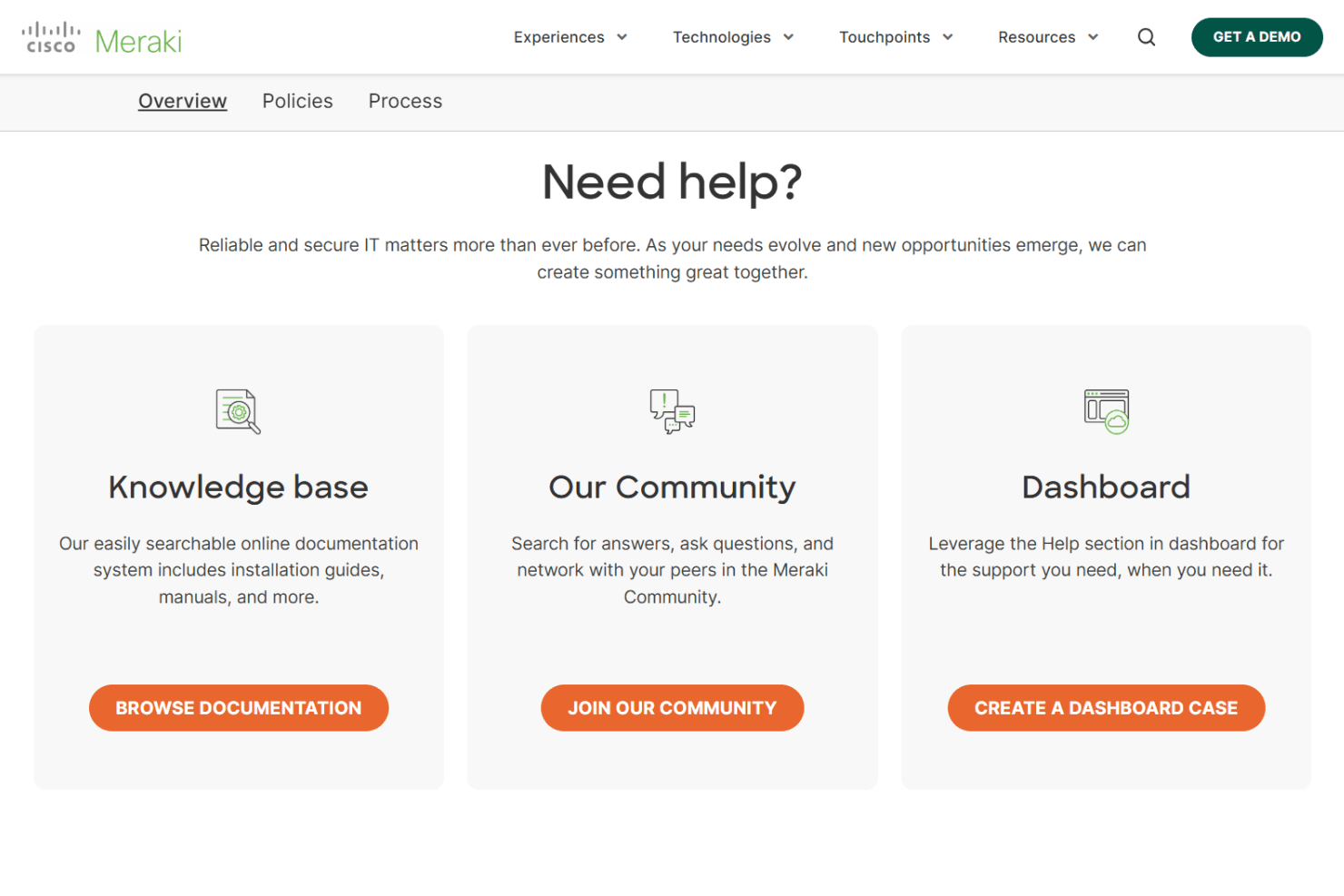
Cisco Meraki offers 24/7 support by phone, email, and an extensive online knowledge base. Most users say the support team is knowledgeable and helpful, especially during initial setup or troubleshooting. However, some mention slower response times during peak periods.
I think the combination of live assistance, community forums, and detailed documentation gives hotel managers plenty of ways to get answers and resolve issues quickly, even if you’re not a networking expert.
Integrations
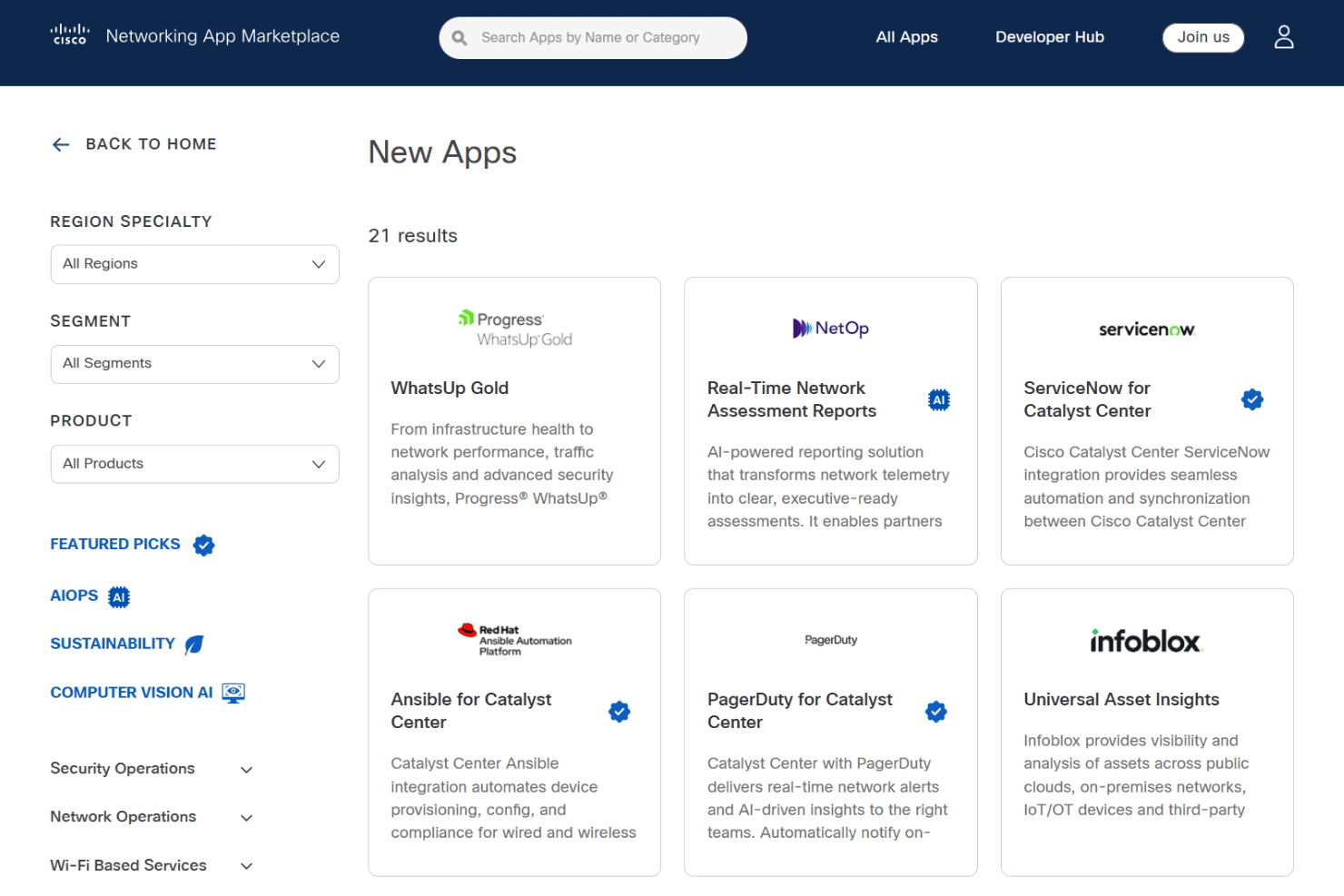
Cisco Meraki integrates with ServiceNow, Red Hat Ansible Automation Platform, Splash Access, Ekahau AI Pro, Cloud4Wi, AlgoSec, Genea Security, ORDR AI Protect, Claroty xDome, and Syslog Cloud Collector, among others.
Cisco Meraki also offers a comprehensive API and supports custom integrations through its Developer Hub.
Value for Money
Cisco Meraki delivers strong value for organizations that want hardware plus centralized cloud management in one ecosystem. Buyers often cite time savings, simpler multi-site control, and lower maintenance overhead as key returns.
Pricing is quote-based rather than transparent, which suits tailored deployments but makes upfront comparison harder.
Cisco Meraki Specs
- API: Yes
- Bug Tracking: No
- CI/CD Integration: No
- Cloud Deployment: Yes
- Code Review: No
- Code Transformation: No
- Collaboration Support: Yes
- Data Export: Yes
- Data Import: Yes
- Developer Tools: No
- External Integrations: Yes
- Git Integration: No
- History/Version Control: No
- IDE Plugins: No
- Local Deployment: No
- Multi-User: Yes
- Notifications: Yes
- Project Management: No
- Release Management: No
- Static Analysis: No
- Task Scheduling/Tracking: Yes
- Testing: No
Cisco Meraki FAQs
Cisco Meraki Company Overview & History
Cisco Meraki is a cloud-managed IT company headquartered in San Francisco, California, and operates as a division of Cisco Systems. The company is known for its cloud-first networking platform, which includes wireless, switching, security, SD-WAN, and IoT products.
Cisco Meraki serves a wide range of industries, with notable clients like Clarks and Visionworks, and is recognized for simplifying IT operations and delivering scalable solutions. As part of Cisco, Meraki benefits from global reach, strong financial backing, and a reputation for innovation in cloud networking.
Cisco Meraki Major Milestones
- 2006: Meraki is founded by Sanjit Biswas, John Bicket, and Hans Robertson.
- 2012: Cisco acquires Meraki for $1.2 billion, integrating it as a cloud networking division.
- 2013: Meraki expands its product line to include security appliances and switches.
- 2018: Meraki launches its IoT product portfolio, including smart cameras and sensors.
- 2022: Meraki platform recognized for enabling hybrid work and smart spaces across global enterprises.