

Rippling Review: Pros, Cons, Features, and Pricing
I see Rippling as a strong workforce platform, not a hotel-first labor tool. This review weighs whether its features, trade-offs, and pricing fit the realities of hotel staffing.

We review tools independently, and commissions help fund our testing. See our transparency policy, our methodology, or suggest a tool.
Rippling is an HR, payroll, and workforce management platform that supports hotel labor management, including employee records, onboarding, payroll processing, and attendance tracking. Compared with Deputy, Rippling is worth considering when connecting HR and payroll processes is a priority, rather than focusing primarily on employee scheduling and shift management.
Rippling Evaluation Summary

4.9/5
- From $8/user/month (billed annually)
- 14-day free trial + free demo available
Why Trust Our Software Recommendations
6,700+
Reviews
20
Industry experts
16+
Evaluation factors
14
Years
Our team has been testing and reviewing software since 2012. As hospitality leaders ourselves, we know how difficult—and important—it is to choose the right software.
For this guide, we evaluated tools using hands-on testing and independent research, scoring tools using our selection criteria.
Our reviews reflect our human editorial judgment, not a sales pitch.
Rippling Overview
I’d choose Rippling for hotels that want scheduling, time tracking, payroll, and HR records managed in one platform. Its drag-and-drop scheduling, shift swaps, time-off approvals, and automatic payroll sync can support housekeeping coverage and front-desk staffing changes.
Mobile access and 600+ integrations offer additional flexibility across departments. Pricing starts at $8/user/month, plus a base fee, with additional costs based on selected modules and team size. Compared with scheduling-focused tools, Rippling offers broader workforce management capabilities but less hotel-specific functionality. I’d assess its implementation requirements and support arrangements during a product demo before committing.
Pros
- Approved hours flow directly into payroll for fewer manual handoffs.
- Schedules factor in availability, overtime rules, labor budgets, and demand.
- Reviewers praise centralized payroll, leave, and employee records.
Cons
- Hotel-specific occupancy-to-staffing workflows aren’t documented.
- Some reviewers report implementation delays and incomplete employee setup.
- Users report inconsistent support access and slow issue follow-up.
Is Rippling Right For Your Needs?
Who Would be a Good Fit for Rippling?
Rippling suits hotels that want employee records, scheduling, time tracking, and payroll in one system. Its paperless onboarding, shift tools, payroll-synced hours, and third-party integrations are most useful when your team will use several of those capabilities together.
- Multi-Property GroupsGroups coordinating employee records across multiple teams can use Rippling’s centralized employee data alongside scheduling, time tracking, and payroll.
- Growing HotelsHotels adding HR and payroll needs as they grow can use employee records, lifecycle workflows, and payroll in the same platform.
- HR TeamsHR teams can manage paperless forms, handbooks, and policies while connecting employee details to scheduling, time tracking, and payroll.
- Payroll AdministratorsPayroll administrators can use time tracking and payroll-synced hours to bring recorded work hours into payroll processes.
- Hotel Operations TeamsOperations teams that manage routine shift changes can use drag-and-drop scheduling and mobile shift-swap requests.
- Tech-Connected TeamsTeams already working in tools such as Google Workspace, Slack, QuickBooks, or Microsoft 365 can connect them through Rippling’s integrations.
Who Would be a Bad Fit for Rippling?
Rippling is a weaker fit when you need scheduling alone, have little capacity for setup, or expect quick, consistent implementation support. Its base fee and add-on modules can also make it costly compared with simpler, location-priced hotel labor tools.
- Scheduling-Only HotelsHotels that only need shift planning may pay for more than they need, since Rippling combines scheduling with HR, time tracking, payroll, and employee records.
- Budget-Conscious IndependentsIndependent hotels with tight software budgets should weigh Rippling’s base fee and add-on modules against simpler tools with location-based pricing.
- Lean Admin TeamsTeams with little time for setup may struggle with Rippling’s implementation demands, which reviewers describe as overwhelming or rushed.
- Rapid OpeningsHotels opening on a tight timeline should confirm implementation details, since Rippling says first payroll can be ready in as little as two weeks but reviewers report delays.
- Support-Dependent TeamsTeams that need predictable, fast help may be a poor match because reviewers report inconsistent support access and slow follow-up.
- Hotel-Specific SchedulingHotels seeking a focused, hotel labor scheduling workflow may prefer a scheduling-first tool, since Rippling’s appeal rests on combining scheduling with broader HR and payroll functions.
How We Test & Score Tools
We’ve spent years building, refining, and improving our software testing and scoring system. The rubric is designed to capture the nuances of software selection and what makes a tool effective, focusing on critical aspects of the decision-making process.
Below, you can see exactly how our testing and scoring works across seven criteria. It allows us to provide an unbiased evaluation of the software based on core functionality, standout features, ease of use, onboarding, customer support, integrations, customer reviews, and value for money.
Core Functionality (25% of final scoring)
The starting point of our evaluation is always the core functionality of the tool. Does it have the basic features and functions that a user would expect to see? Are any of those core features locked to higher-tiered pricing plans? At its core, we expect a tool to stand up against the baseline capabilities of its competitors.
Standout Features (25% of final scoring)
Next, we evaluate uncommon standout features that go above and beyond the core functionality typically found in tools of its kind. A high score reflects specialized or unique features that make the product faster, more efficient, or offer additional value to the user.
We also evaluate how easy it is to integrate with other tools typically found in the tech stack to expand the functionality and utility of the software. Tools offering plentiful native integrations, 3rd party connections, and API access to build custom integrations score best.
Ease of Use (10% of final scoring)
We consider how quick and easy it is to execute the tasks defined in the core functionality using the tool. High scoring software is well designed, intuitive to use, offers mobile apps, provides templates, and makes relatively complex tasks seem simple.
Onboarding (10% of final scoring)
We know how important rapid team adoption is for a new platform, so we evaluate how easy it is to learn and use a tool with minimal training. We evaluate how quickly a team member can get set up and start using the tool with no experience. High scoring solutions indicate little or no support is required.
Customer Support (10% of final scoring)
We review how quick and easy it is to get unstuck and find help by phone, live chat, or knowledge base. Tools and companies that provide real-time support score best, while chatbots score worst.
Customer Reviews (10% of final scoring)
Beyond our own testing and evaluation, we consider the net promoter score from current and past customers. We review their likelihood, given the option, to choose the tool again for the core functionality. A high scoring software reflects a high net promoter score from current or past customers.
Value for Money (10% of final scoring)
Lastly, in consideration of all the other criteria, we review the average price of entry level plans against the core features and consider the value of the other evaluation criteria. Software that delivers more, for less, will score higher.
Core Features
AI-Powered Workforce Analytics
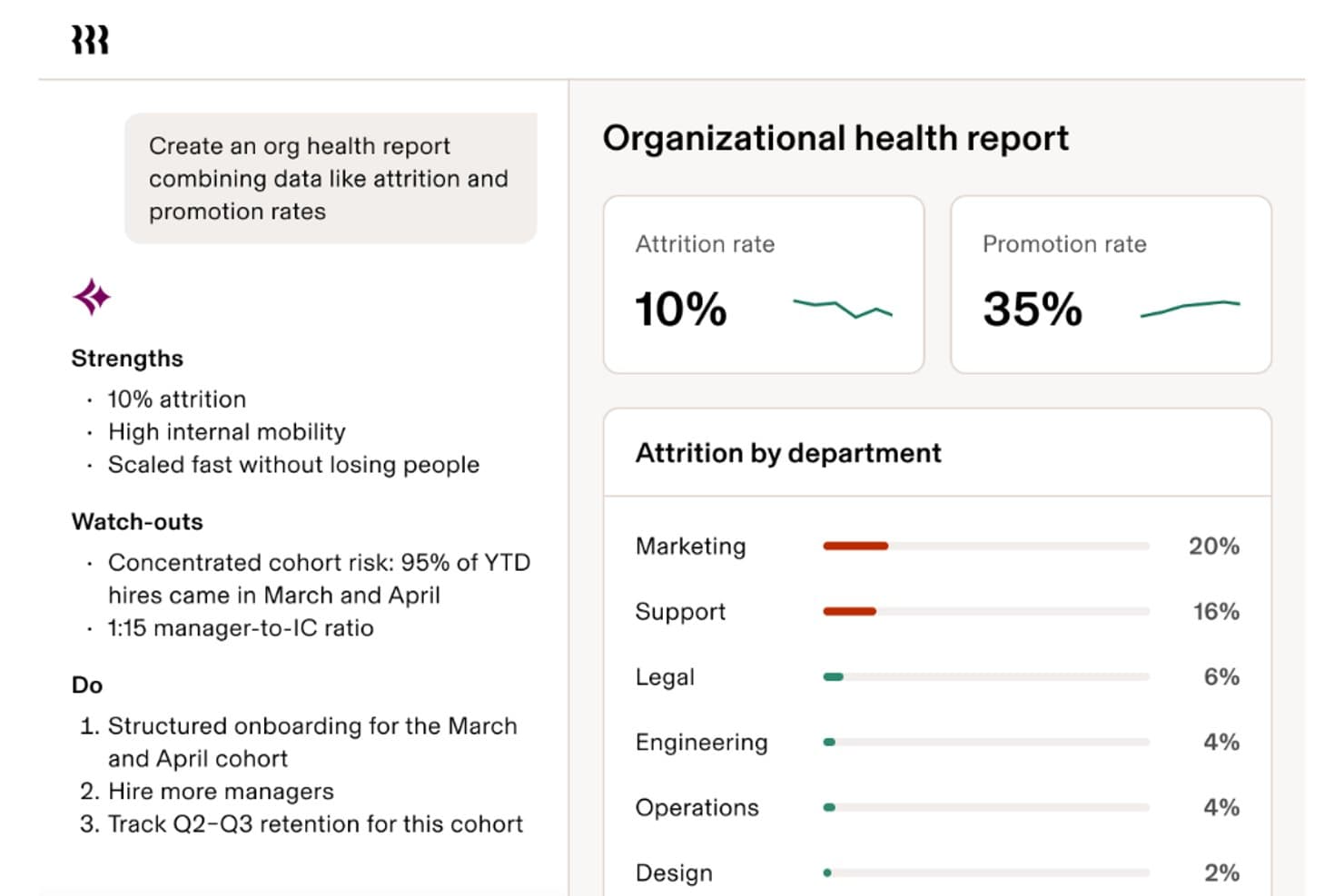
Rippling uses AI-powered data analysis to generate organizational health reports covering employee attrition, promotion rates, and departmental performance. Hotel managers can review workforce trends, identify employee retention risks, assess internal mobility, and make staffing decisions based on workforce data.
Employee Benefits Management
Rippling provides benefits management tools that allow hotel HR teams to compare employee insurance packages, review renewal options, and evaluate coverage costs. This gives managers a clearer view of available benefit plans when managing healthcare coverage and employee benefits during annual renewals.
Custom Employee Data Fields
Rippling allows HR teams to select employee, payroll, benefits, time-off, and attendance variables when organizing workforce information. Hotels can use custom fields to maintain additional employee details, track employment status, and organize departmental records according to their HR requirements.
Headcount Planning
Rippling provides headcount planning tools for tracking approved positions, available headcount, compensation ranges, and recruitment progress. Hotel managers can monitor staffing requirements across departments, review hiring approvals, and plan workforce expansion based on operational needs.
Mobile Employee Management
Rippling offers mobile access to employee profiles, benefits information, and payroll documents. Hotel employees can review their personal information, check insurance coverage, and access pay stubs from their smartphones without relying on desktop access.
Payroll Management
Rippling provides payroll processing tools for calculating employee earnings, reviewing working hours, and managing deductions, paid time off, commissions, and bonuses. Hotels can use these capabilities to process payroll across departments while accounting for different employee compensation arrangements.
Standout Features
Employee Performance Management
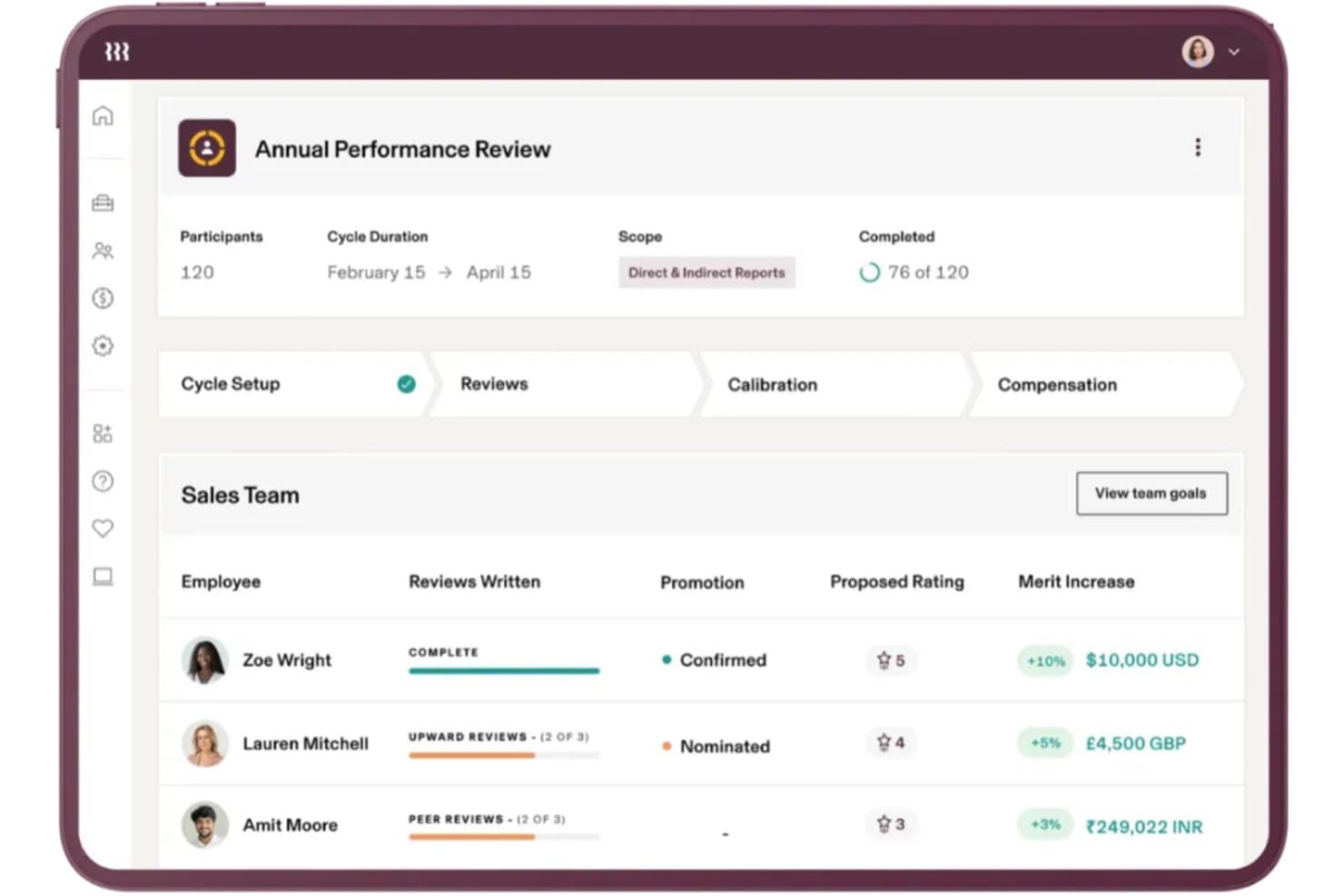
Rippling provides performance review tools for organizing employee evaluations, tracking review completion, and managing compensation recommendations. Hotel HR teams can coordinate performance assessments for housekeeping, front-desk, food-and-beverage, and management employees while monitoring promotion decisions and merit increases.
Workforce Reporting and Analytics
Rippling offers customizable workforce reports with filters, data columns, charts, and grouped employee information. Hotel managers can analyze hiring trends, compare new hires against available positions, monitor recruitment progress, and review headcount changes across departments.
Ease of Use
Rippling brings scheduling, time tracking, payroll, and employee records together, although its broader feature set can require more setup than a scheduling-focused tool. Drag-and-drop shifts, mobile shift-swap requests, and payroll-synced hours simplify routine workforce tasks.
However, some users report implementation delays, confusing settings, incomplete employee setup, and inconsistent support response times. These considerations may outweigh its broader functionality for hotels that primarily need straightforward shift scheduling.

Onboarding
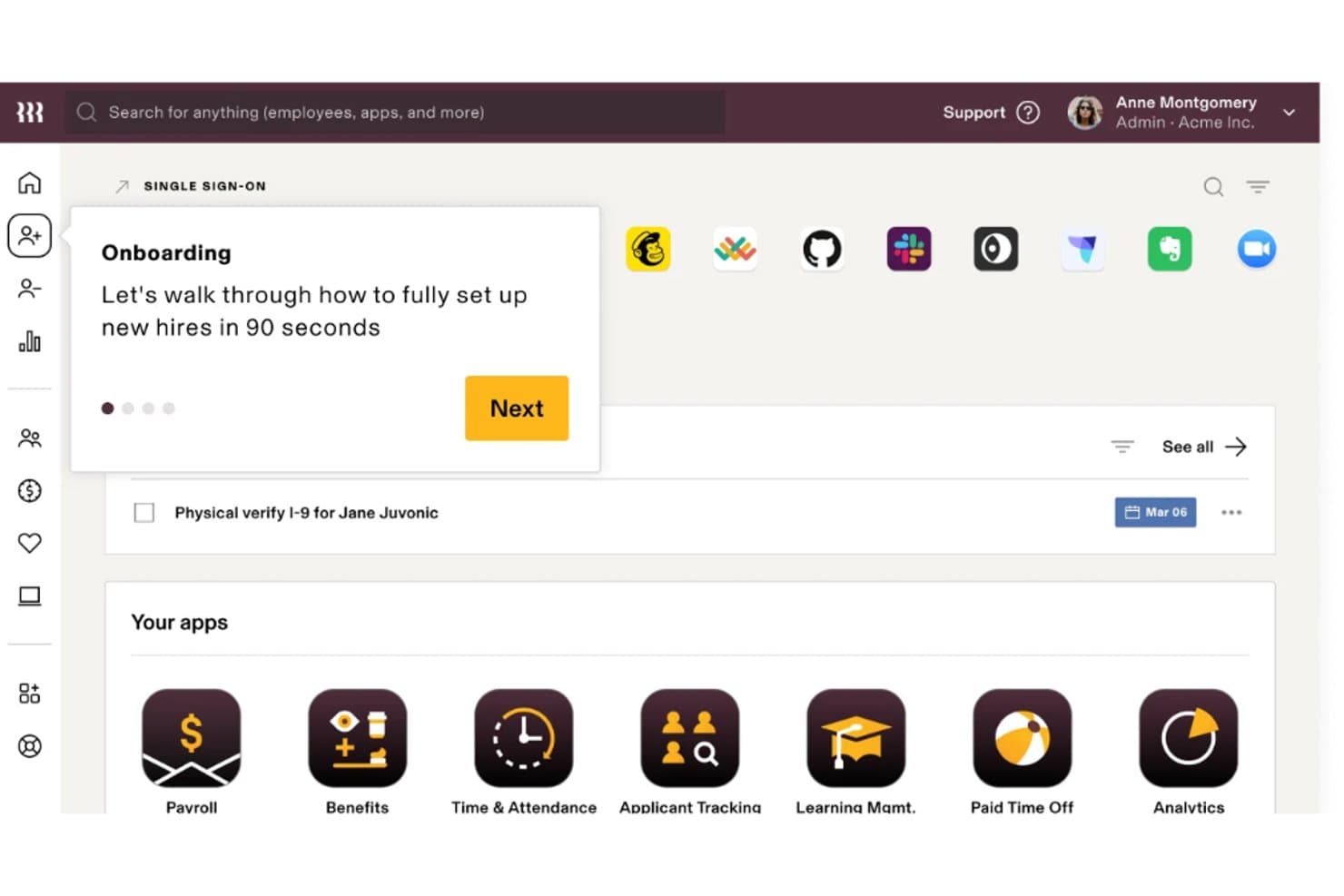
Rippling may require more setup than a scheduling-focused hotel tool, but its paperless onboarding, employee documents, handbooks, and policy management connect HR records with payroll and workforce operations. Small businesses can use guided self-setup or request hands-on implementation, with Rippling stating that the first payroll can be ready in as little as two weeks.
Admins can access chat, email, and video support, along with implementation guidance. However, some users report complex configuration, time-consuming implementation, and slow support responses, so I’d confirm setup requirements and support arrangements before committing.
Customer Support
Rippling provides a Help Center, videos, webinars, email, live chat, and guided self-setup or hands-on implementation. These resources give hotel admins several options for learning the platform and configuring workforce processes. However, support experiences can vary, with some users reporting slow responses, inconsistent assistance, and rushed implementation. I’d confirm support availability and implementation responsibilities, particularly for configuring hotel roles, schedules, and pay rules, before committing.
Integrations
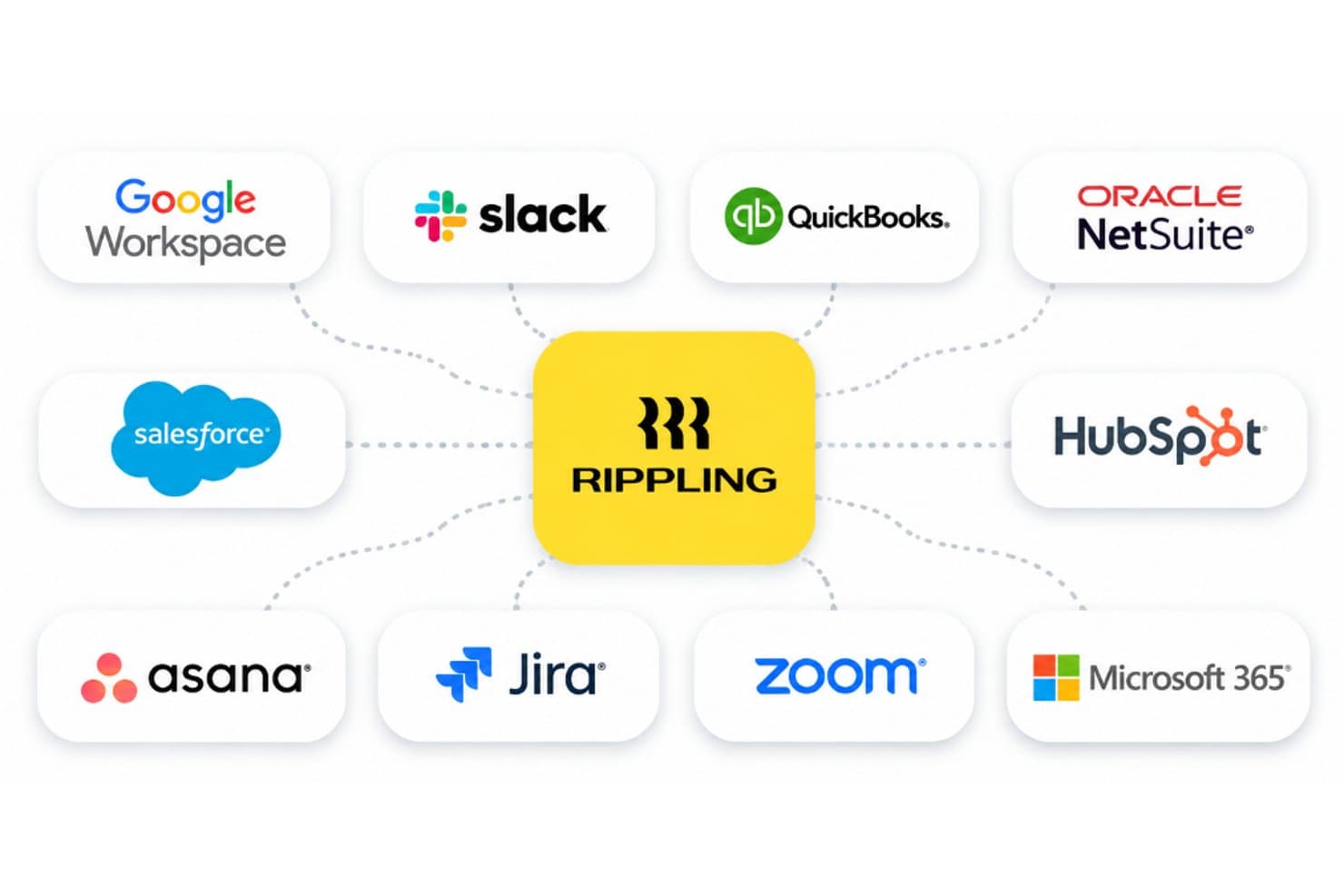
Rippling integrates with Google Workspace, Slack, QuickBooks, NetSuite, Salesforce, HubSpot, Asana, Jira, Zoom, and Microsoft 365, among others. Rippling also offers a REST API and connects with third-party apps through its native integrations and custom integrations in the Rippling App Shop.
Value for Money
Rippling is worth its higher cost when hotels need HR, payroll, and workforce management in one platform, but I wouldn't choose it solely for scheduling. Pricing starts at $8/user/monthy, plus a base fee, with final costs depending on the selected products and employee count. Its modular pricing lets hotels choose the HR, payroll, and workforce features they need, but the lack of publicly listed module prices makes budgeting difficult.
New Product Updates from Rippling
 Opens new window
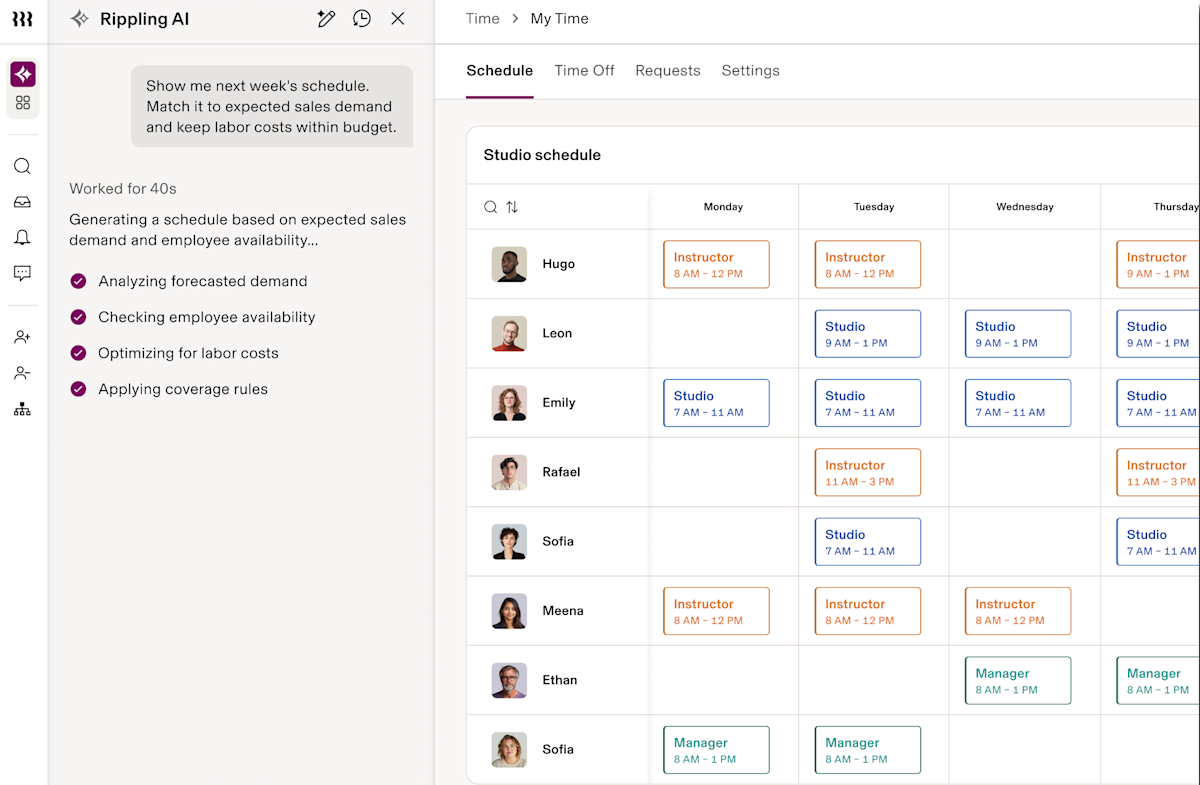
Rippling Launches AI Workforce Scheduling Agent
Rippling adds an AI-powered Workforce Scheduling Agent that creates hourly schedules based on forecasted demand, employee availability, and labor budgets. It also monitors staffing changes and recommends adjustments for managers to review and approve. Highlights include:
- AI Schedule Generation: Creates proposed shifts using POS sales forecasts, employee availability, and company policies.
- Staffing Adjustments: Identifies coverage gaps and recommends replacements when employees call out or demand changes.
- Labor Cost Tracking: Calculates the cost and coverage impact of scheduling decisions, including potential overtime.
- Manager Approvals: Allows managers to review, edit, and approve schedules and recommended changes.
Visit Rippling’s official site for more details.
 Opens new window
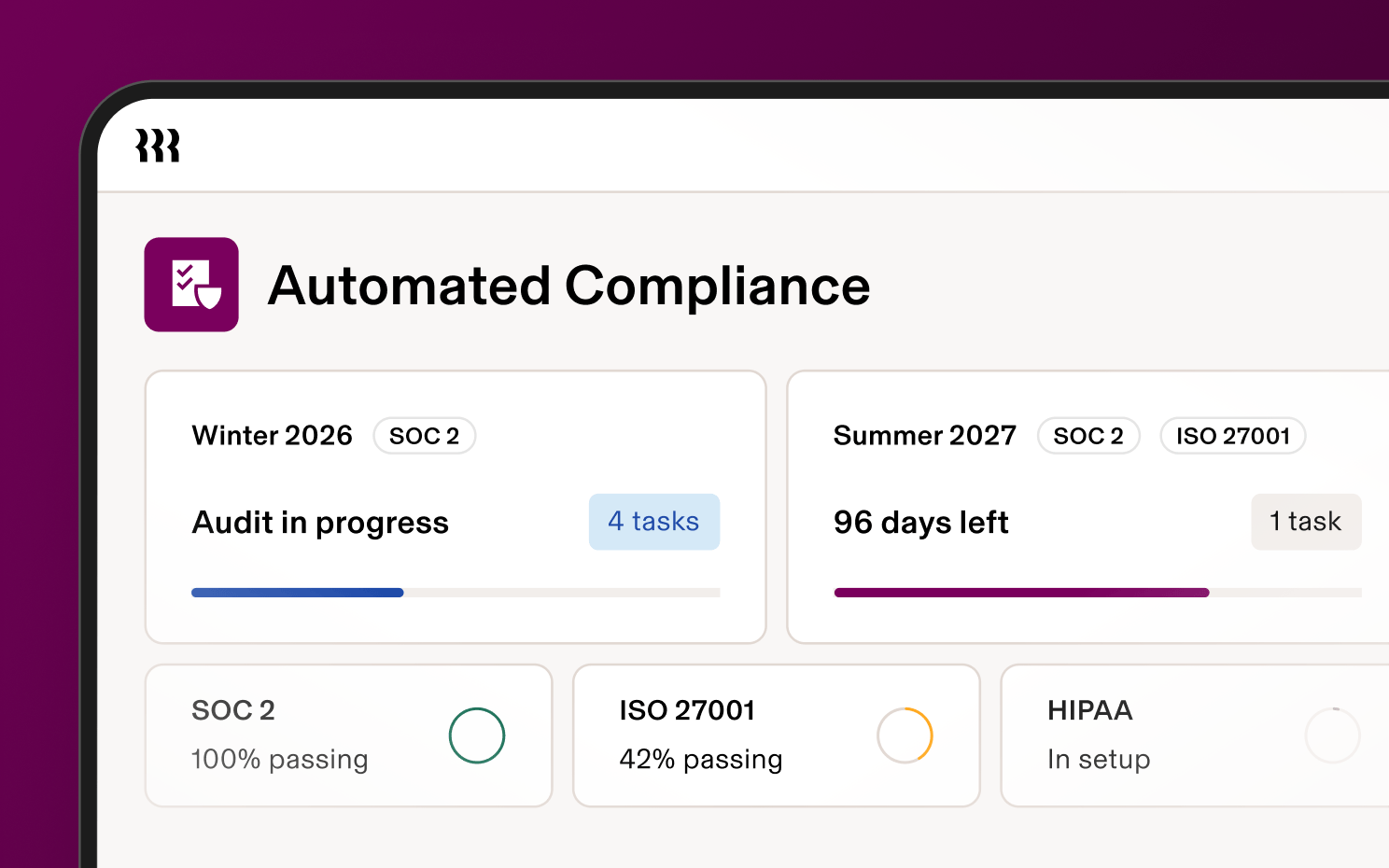
Rippling Expands Automated Compliance With AI Workflows
Rippling updates Automated Compliance with reusable compliance libraries, automated evidence collection, AI-assisted remediation, and built-in audit and trust tools. It currently supports frameworks including SOC 2, ISO 27001, and HIPAA, with additional frameworks planned for later release. Highlights include:
- Multi-Framework Support: Manage multiple compliance programs, including SOC 2, ISO 27001, and HIPAA.
- Reusable Libraries: Reuse policies, controls, evidence monitors, risks, and vendors across frameworks.
- Automated Evidence Collection: Collect evidence from connected Rippling and third-party systems.
- AI-Assisted Remediation: Identify missing evidence, outdated policies, and incomplete monitors and suggest remediation steps.
- Audit Portal: Manage auditor requests and supporting evidence in a dedicated workspace.
- Trust Centers: Publish approved compliance documentation for customers and prospects.
- AI Answer Banks: Use approved compliance context to help respond to security questionnaires.
Visit Rippling’s official site for more details.
Rippling Expands Preferred Carrier Program Integrations
Rippling adds Principal, Beam Benefits, and Sun Life to its Preferred Carrier Program, bringing the total to six participating carriers. The program supports deeper technology integration, operations coordination, service alignment, and product collaboration between Rippling and benefits carriers. Highlights include:
- Principal Integration: Adds Principal to Rippling’s Preferred Carrier Program for benefits administration.
- Beam Benefits Integration: Connects Beam Benefits through Rippling’s preferred carrier framework.
- Sun Life Integration: Adds Sun Life as a supported Preferred Carrier.
- Carrier Data Integration: Supports more connected benefits data flows between Rippling and participating carriers.
- Operations Coordination: Helps coordinate implementation, renewals, and service issues across Rippling and carriers.
Visit Rippling’s official site for more details.
 Opens new window
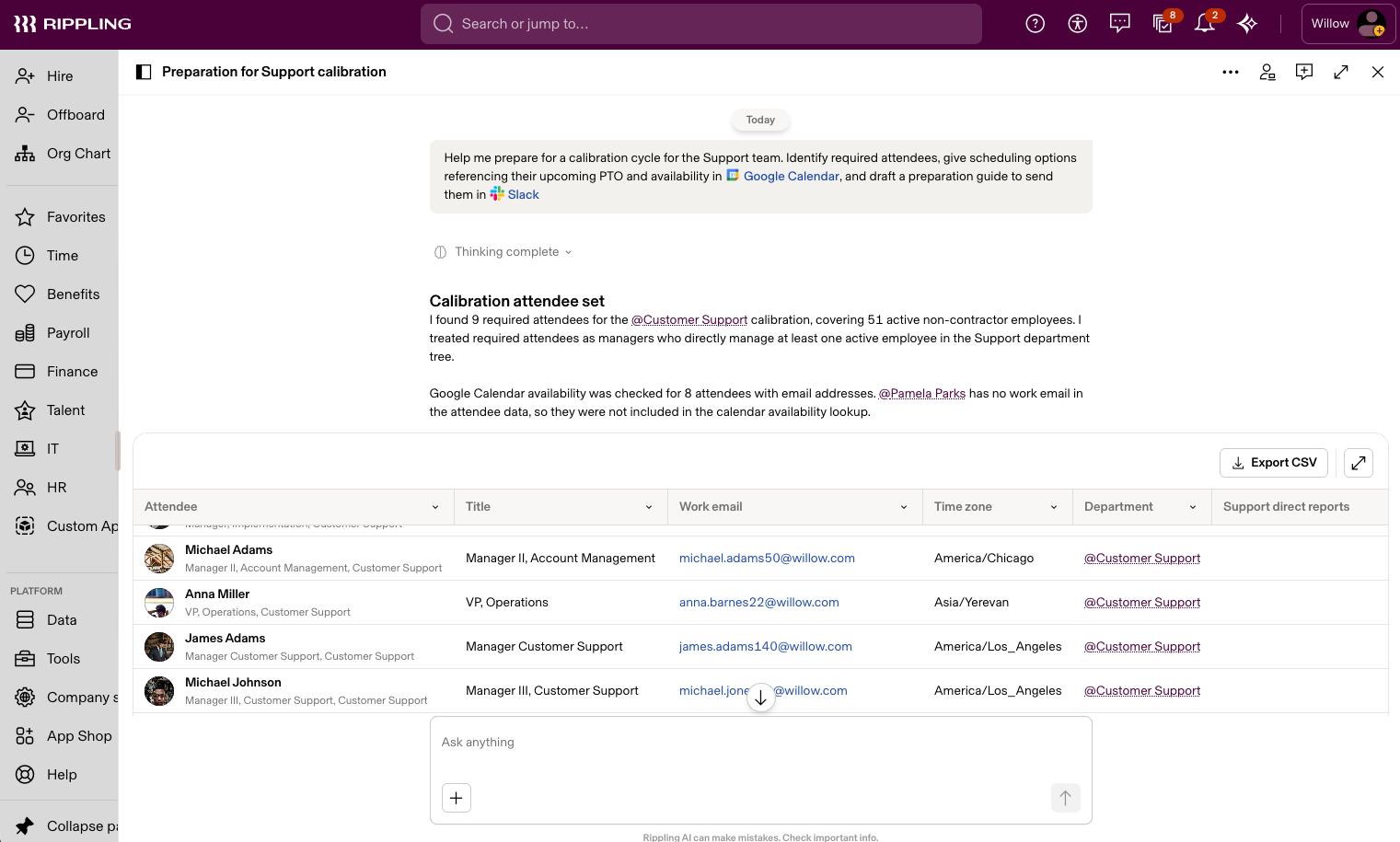
Rippling AI Adds Plugins, Skills, and Automations
Rippling AI adds plugins for approved third-party MCP connections, skills for reusable natural-language instructions, and automations for scheduled or event-based AI workflows. Each capability follows Rippling permissions so employees only access the data and actions they’re allowed to use. Highlights include:
- Plugins: Connect Rippling AI to approved third-party systems and take permitted actions across business tools.
- Skills: Package repeatable instructions, rules, files, and approved actions into reusable AI workflows.
- Automations: Run AI prompts on schedules or triggers from Rippling, email, Slack, or third-party systems.
- Workforce-Aware Access: Apply role, team, reporting line, policies, and permissions automatically as employees change roles.
- Natural-Language Workflow Setup: Describe a process in plain language and let Rippling AI generate the steps, prompts, and triggers.
Visit Rippling’s official site for more details.
 Opens new window
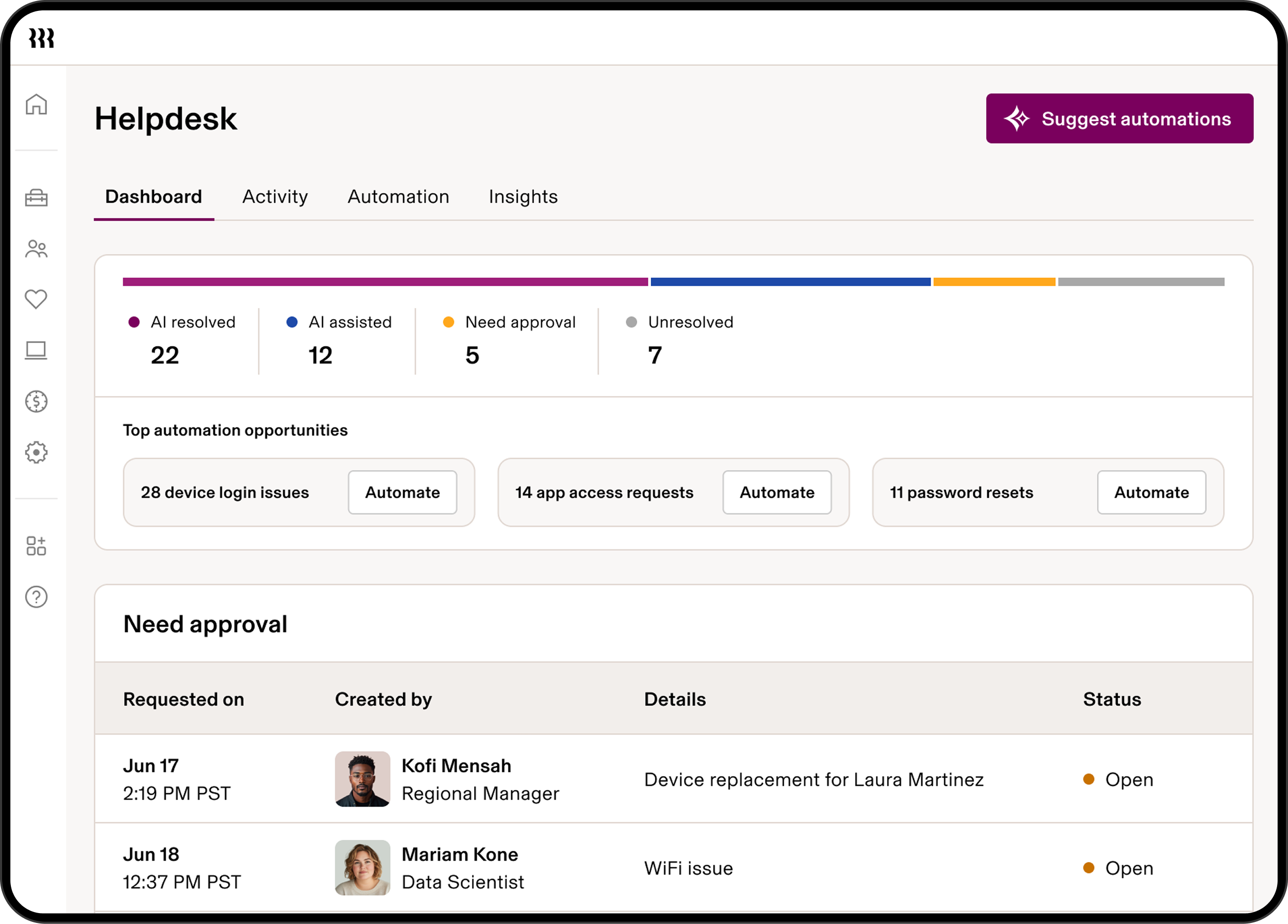
Rippling Introduces Agentic IT Helpdesk
Rippling launches Helpdesk to resolve routine IT requests using employee, policy, app, and device context. It can troubleshoot issues, take supported actions, route approvals, and escalate unresolved requests with context attached. Highlights include:
- Automated Ticket Resolution: Resolves routine requests such as app access, password resets, device lockouts, and replacements.
- Contextual Troubleshooting: Uses employee, device, policy, and app data to determine the next action.
- Approval Routing: Sends actions for approval when required by company policy.
- IT Actions: Supports actions across Rippling IT, including device replacement workflows.
- Contextual Escalation: Escalates unresolved requests with troubleshooting and employee context included.
- Activity Logs: Records requests, actions, resolutions, and escalations for visibility.
Visit Rippling’s official site for more details.
Rippling Adds AI-Powered Procurement Platform
Rippling adds Procurement with specialized AI agents for purchase intake, contract review, vendor security, purchasing, and renewals, alongside automated approvals and real-time spend visibility. The platform connects procurement with HR, IT, and finance data to help teams manage purchases, identify waste, and maintain control throughout the buying process. Highlights include:
- AI Procurement Agents: Automates purchase intake, contract review, vendor security checks, purchasing, and renewal management.
- Automated Approvals: Routes purchase requests based on criteria such as department, seniority, risk level, and vendor type.
- Spend Visibility: Connects cards, bills, expenses, and contracts with the employees and departments behind each purchase.
- Spend Controls: Flags duplicate vendors, invoice mismatches, upcoming renewals, and other potential unnecessary costs.
- Custom AI Agents: Lets teams build and customize agents around their own procurement processes.
Visit Rippling’s official site for more details.
 Opens new window
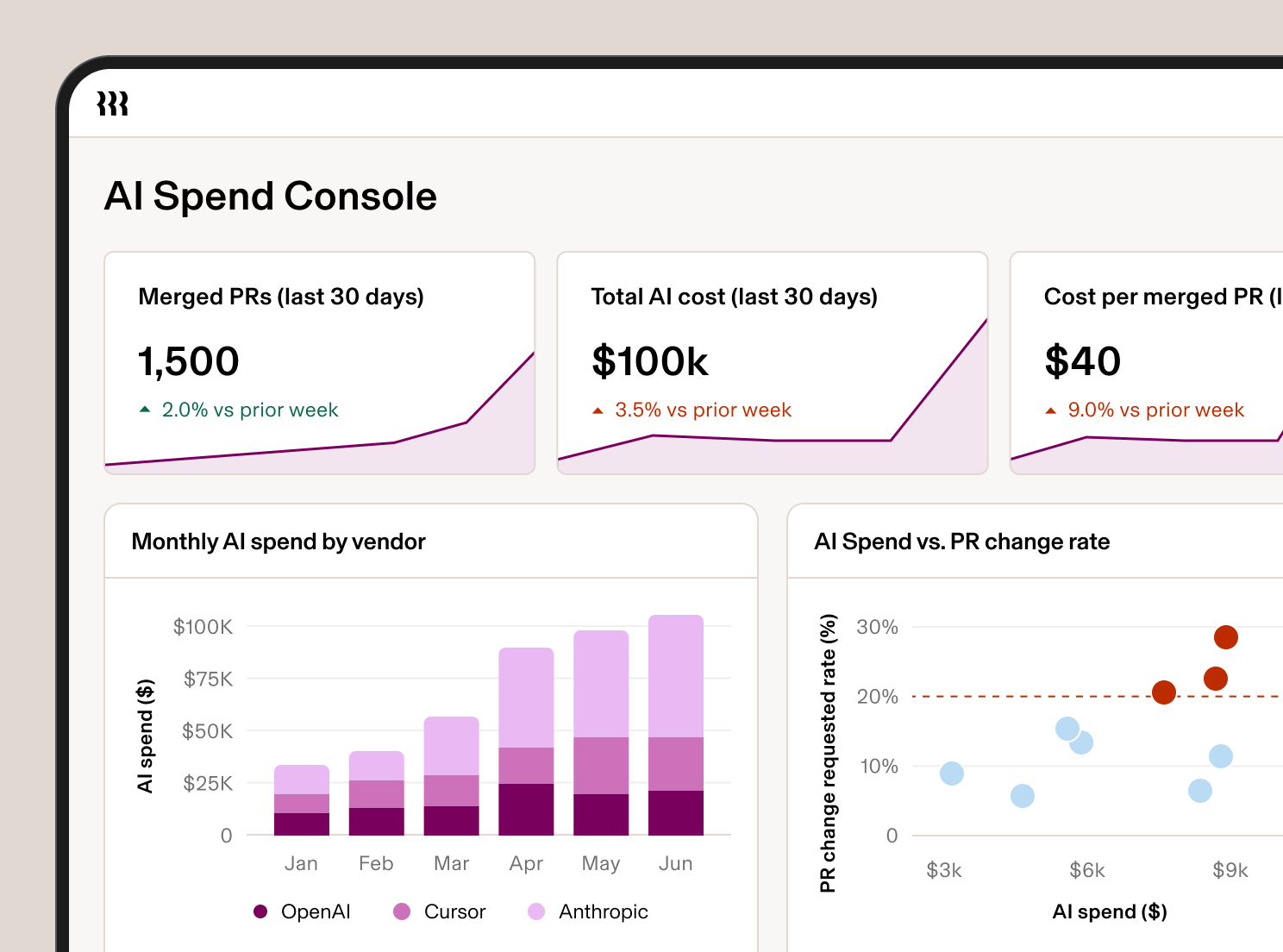
Rippling Adds AI Spend Console for AI Cost Governance
Rippling adds AI Spend Console with team-level spend breakdowns, business metric comparisons, natural-language analysis, and controls for approved model access. The console helps organizations track AI usage by role, team, or department, evaluate whether spend is driving value, and manage access to approved LLMs. Highlights include:
- AI Spend Visibility: Breaks down AI costs by teams, roles, and departments to show what is driving spend.
- Business Outcome Analysis: Connects AI spend with metrics such as performance ratings and pull request volume.
- Permissioned Dashboards: Generates dashboards across connected data while respecting existing Rippling permissions.
- Natural-Language Analysis: Lets users ask follow-up questions and drill into AI usage and spend without SQL.
- Model Access Controls: Supports policies for approved LLM access and routing based on employee attributes.
Visit Rippling’s official site for more details.
Rippling Specs
- 2-Factor Authentication: Yes
- 360 Degree Feedback: Yes
- API: Yes
- Application Tracking: Yes
- Attendance Tracking: Yes
- Batch Permissions & Access: Yes
- Compliance Tracking: Yes
- Dashboard: Yes
- Data Export: Yes
- Data Import: Yes
- Data Visualization: Yes
- Employee Database: Yes
- Employee Engagement: Yes
- Employee Incentive Management: Yes
- Employee Onboarding: Yes
- Employee Training: Yes
- Expense Tracking: Yes
- External Integrations: Yes
- Feedback Management: Yes
- Multi-User: Yes
- Notifications: Yes
- Payroll: Yes
- Performance Appraisal: Yes
- Scheduling: Yes
- Time Management: Yes
- Timesheets: Yes
- Travel Management: Yes
- Vacation & Absence Calendar: Yes
Rippling FAQs
Rippling Company Overview & History
Parker Conrad and Prasanna Sankar founded Rippling in 2016 and launched its employee management platform in 2017. Headquartered in San Francisco, the company had approximately 2,800 employees in 2024, according to Reuters. In May 2025, Rippling raised $450 million at a $16.8 billion valuation, with more than 20,000 customers and annual recurring revenue exceeding $100 million. Its customers include Taskrabbit and Five Guys. Rippling offers more than two dozen products across HR, IT, and finance and has appeared on the CNBC Disruptor 50 and Forbes Cloud 100 lists.
Rippling Major Milestones
- 2016: Founded by Parker Conrad.
- 2017: Launched its first employee-management product, focused on onboarding.
- 2019: Raised a $45 million Series A led by Kleiner Perkins.
- 2020: Raised $145 million in Series B funding led by Founders Fund.
- 2022: Raised $250 million at an $11.25 billion valuation and acquired RunX.
- 2023: Raised $500 million in Series E funding.
- 2024: Raised $200 million in Series F funding at a $13.5 billion valuation.
- 2025: Raised $450 million in Series G funding at a $16.8 billion valuation and announced an employee equity repurchase offer of up to $200 million.