


Cloudbeds vs. innRoad: Comparison and Expert Reviews for 2026
Cut through the noise—here’s my insider take on Cloudbeds vs. innRoad, with honest pros, cons, and guidance to help you choose the right hotel management tool for 2026.

We review tools independently, and commissions help fund our testing. See our transparency policy, our methodology, or suggest a tool.
Cloudbeds
4.3/5
- Free demo available
- Pricing upon request
innRoad
4.5/5
- Free demo available
- From $150/month
Why Trust Our Software Recommendations
6,700+
Reviews
20
Industry experts
16+
Evaluation factors
14
Years
Our team has been testing and reviewing software since 2012. As hospitality leaders ourselves, we know how difficult—and important—it is to choose the right software.
For this guide, we evaluated tools using hands-on testing and independent research, scoring tools using our selection criteria.
Our reviews reflect our human editorial judgment, not a sales pitch.
| Cloudbeds | innRoad | |
|---|---|---|
| Free Trial | Free demo available | Free demo available |
| Pricing | Pricing upon request | From $150/month |
Cloudbeds vs. innRoad Pricing & Hidden Costs
Cloudbeds uses a subscription-based pricing model that typically bundles core hotel management features, but may require extra fees for premium modules, advanced integrations, or support tiers.
innRoad also offers subscription pricing, but often tailors packages based on property size or specific operational needs, sometimes charging separately for certain add-ons like channel management or training. With both systems, you might see one-time implementation costs, and occasional upsells for features like multi-property support, advanced reporting, or extended onboarding.
To pick the right pricing approach, map out which features your team truly needs now—and which you might need as you grow. Ask each vendor for a line-by-line breakdown, specific to your property type and scale. I recommend pushing for clear details on contract terms, upgrade fees, and exactly what counts as “support”—so you avoid surprises that can creep in over time.
Both Cloudbeds and innRoad give you the essentials for hotel task management—think reservation calendars, housekeeping coordination, and billing all under one dashboard. You’ll also find built-in reporting, rate management tools, and integrations with major online travel agencies that help keep your occupancy steady.
But each platform has its own claims to fame. Cloudbeds stands out with its slick booking engine and marketplace for third-party integrations, making it a strong fit for teams chasing automation. innRoad is unique for its all-in-one approach, baking in PCI-certified payments and native channel management so you can handle everything without bouncing between tools.
| Cloudbeds | innRoad | |
|---|---|---|
| API | Yes | Yes |
| Budgeting | No | No |
| Calendar Management | Yes | Yes |
| Compliance Tracking | Yes | No |
| Contact Management | Yes | Yes |
| Customer Management | Yes | Yes |
| Dashboard | Yes | Yes |
| Data Export | Yes | Yes |
| Data Import | Yes | Yes |
| Data Visualization | Yes | Yes |
| Document Management | Yes | Yes |
| Expense Tracking | Yes | No |
| External Integrations | Yes | Yes |
| Forecasting | Yes | Yes |
| Inventory Tracking | Yes | Yes |
| Multi-Currency | Yes | Yes |
| Multi-User | Yes | Yes |
| Notifications | Yes | Yes |
| Organization Management | Yes | Yes |
| Payment Processor | Yes | Yes |
| Payroll | No | No |
| Scheduling | Yes | Yes |
| Supplier Management | No | No |
| Tax Management | Yes | No |
| Workflow Management | Yes | Yes |
| Integration | Cloudbeds | innRoad |
|---|---|---|
| IntegrationBooking.com | Cloudbeds✅ | innRoad✅ |
| IntegrationExpedia | Cloudbeds✅ | innRoad✅ |
| IntegrationAirbnb | Cloudbeds✅ | innRoad✅ |
| IntegrationTripAdvisor | Cloudbeds✅ | innRoad✅ |
| IntegrationStripe | Cloudbeds✅ | innRoad✅ |
| IntegrationQuickBooks | Cloudbeds✅ | innRoad❌ |
| IntegrationMailchimp | Cloudbeds✅ | innRoad❌ |
| IntegrationLightspeed POS | Cloudbeds✅ | innRoad❌ |
| IntegrationADP | Cloudbeds❌ | innRoad✅ |
| IntegrationCendyn | Cloudbeds❌ | innRoad✅ |
| IntegrationAPI | Cloudbeds✅ | innRoad✅ |
| IntegrationZapier | Cloudbeds✅ | innRoad❌ |
Cloudbeds brings a wider mix of integrations—especially for accounting, marketing, and point of sale—while innRoad leans into core property and payment tools. Both platforms cover the essentials and offer an API, but Cloudbeds’ Zapier connection gives your team more flexibility if you want deeper automation and niche connections.
| Factor | Cloudbeds | innRoad |
|---|---|---|
| FactorData Encryption | CloudbedsUses SSL/TLS encryption for data in transit and AES-256 for data at rest. | innRoadEncrypts sensitive information both in transit and at rest, with PCI DSS support. |
| FactorCompliance | CloudbedsGDPR-compliant with regular audits and international data handling features. | innRoadPCI DSS-certified for payments and supports GDPR and industry standards. |
| FactorUptime & Reliability | CloudbedsOffers 99.9% uptime SLA and real-time system status monitoring. | innRoadMaintains high uptime reports and prioritized service continuity with robust support. |
| FactorAccess Controls | CloudbedsProvides customizable user roles and two-factor authentication options. | innRoadFeatures user permissions and detailed role-based access management. |
| FactorIncident Response | CloudbedsHas proactive threat detection and a dedicated incident response team. | innRoadDelivers structured incident handling and timely notification protocols. |
Both Cloudbeds and innRoad check the main boxes for security and compliance, but innRoad shines with integrated PCI DSS certification and service continuity measures. In my experience, Cloudbeds stands out for transparent uptime stats and proactive threat detection, while innRoad gives peace of mind with trusted payment security and consistently positive reliability feedback.
| Factor | Cloudbeds | innRoad |
|---|---|---|
| FactorUser Interface | CloudbedsModern, color-coded dashboards make navigation quick, though some tabs hide advanced options. | innRoadClean, straightforward layout keeps most tasks within one or two clicks from the homepage. |
| FactorOnboarding | CloudbedsOffers guided tours and in-app checklists to get new users up to speed quickly. | innRoadPersonalized onboarding sessions help your team learn workflows tailored to your property. |
| FactorDaily Operations | CloudbedsDrag-and-drop calendar and intuitive room assignment make daily tasks easy for all staff. | innRoadSingle-screen tools simplify check-ins, check-outs, and housekeeping updates for front desk. |
| FactorCustomer Support | Cloudbeds24/7 chat support is fast, but deeper issues may require escalating to email or phone. | innRoadLive phone and email support during business hours often resolve issues on the first contact. |
| FactorCustomization | CloudbedsFlexible settings allow user role tweaks, though setup for advanced permissions can be tricky. | innRoadDefault roles and permissions are preset and easy to configure for most team structures. |
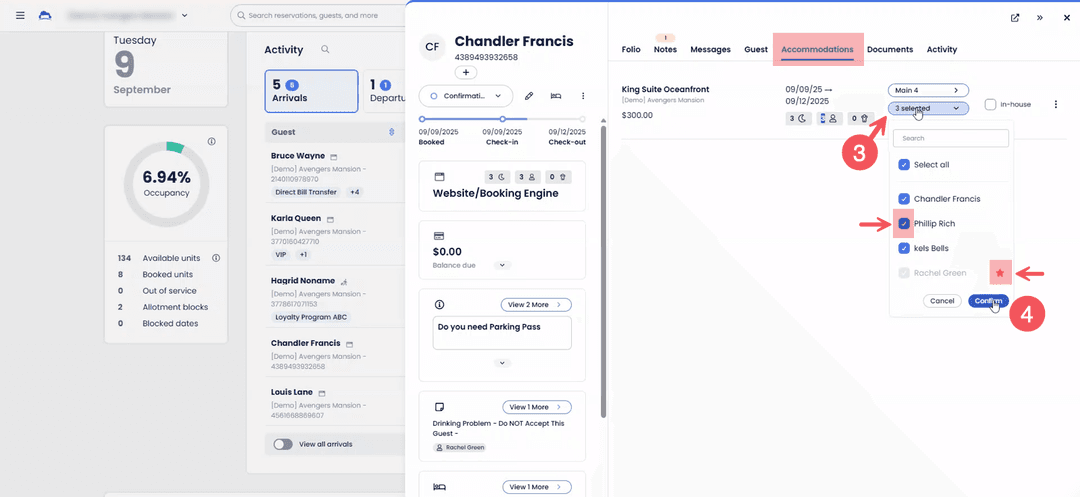
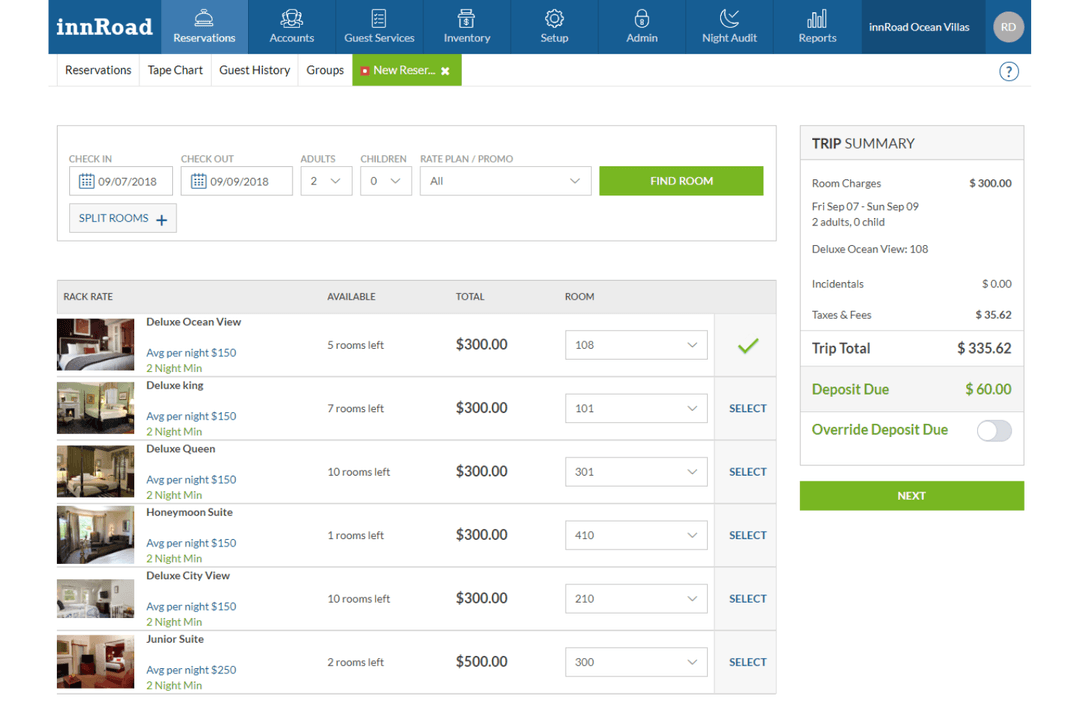
Cloudbeds feels approachable with a modern look, while innRoad delivers a super-simple workflow that suits teams who want less clicking and faster training. I find Cloudbeds gives tech-savvy teams more room to personalize their setup, but innRoad’s straightforward approach makes it a favorite for properties that want quick adoption and less hassle.
Cloudbeds
- Responsive customer support with live chat and onboarding help.
- Large integration marketplace and open API for extending functionality.
- Unified platform that combines PMS, payments, and optional distribution in one system.
- Advanced analytics and financial reporting may require external tools.
- Revenue marketing features must be purchased as add-ons.
- Platform depth can feel overwhelming for very small teams that need basic reservation management.
innRoad
- Automated rate management helps optimize revenue goals
- Direct booking engine increases commission-free reservations
- 24/7 live phone support from hospitality experts
- Session timeouts require frequent re-logging in
- Limited customization for reports and dashboards
- User interface feels dated compared to newer platforms
Cloudbeds
- Independent HotelsCloudbeds simplifies managing reservations and guest details, which suits your independent operations well.
- HostelsHostels can use Cloudbeds to manage shared inventory, group bookings, and online distribution while keeping front desk and housekeeping workflows in one place.
- Short-Term RentalsCloudbeds’s channel manager and direct booking engine help vacation and short-term rental owners sync listings and avoid double bookings.
- Boutique HotelsCloudbeds supports boutique hotels that want a single system for reservations, distribution, payments, and guest-facing tools. Teams can manage day-to-day operations without relying on multiple disconnected systems.
- B&Bs and InnsBeneficial when you need a straightforward way to manage reservations, payments, and guest communications without maintaining multiple systems, especially when you have a smaller team.
- Multi-Property Hotel GroupsCloudbeds supports hotel groups that manage multiple properties under one organization, allowing teams to oversee availability, pricing, and performance from a centralized view.
innRoad
- Boutique HotelsinnRoad’s direct booking engine and guest messaging tools help smaller hotels drive more direct reservations.
- Small Hotel GroupsCentralized management and multi-property dashboards make it easy to oversee several locations.
- Bed and BreakfastsAutomated rate management and simple reservation workflows suit smaller, owner-operated properties.
- Vacation RentalsChannel management and calendar syncing help manage multiple short-term rental listings.
- Front Desk TeamsUser-friendly dashboards and 24/7 support keep daily operations running smoothly.
- General ManagersReal-time reporting and mobile access support hands-on property oversight.
Who Should Use Cloudbeds, and Who Should Use innRoad?
Go with Cloudbeds if your team thrives on automation, wants deep integrations, or plans to scale with more advanced modules over time. I think Cloudbeds fits best for tech-forward properties and those juggling multiple third-party tools.
innRoad, on the other hand, is perfect for busy hoteliers who want an all-in-one platform with less setup fuss, built-in payment tools, and easy training—especially for teams that value reliability and want to hit the ground running. If your property prioritizes native functionality and simple workflows, innRoad’s your winner.
| Cloudbeds | innRoad | |
|---|---|---|
| Automation Options | Cloudbeds Includes Zapier integration and API access for workflow automation and custom triggers. | innRoad Automation is limited to native operations and built-in scheduling tools. |
| Booking Engine | Cloudbeds Offers a customizable, modern booking engine with marketplace add-ons for online sales. | innRoad Built-in booking engine is straightforward and designed for simple guest journey. |
| Integration Variety | Cloudbeds Connects with more third-party tools, including QuickBooks, Mailchimp, and Lightspeed POS. | innRoad Focuses on core property and payment integrations, with some exclusive hospitality tools. |
| Pricing Customization | Cloudbeds Packages are modular with optional add-ons for advanced features and integrations. | innRoad Subscription is often tailored by property size, with some features bundled as standard. |
| User Interface | Cloudbeds Color-coded dashboards with deep customization, best for tech-comfortable teams. | innRoad Simple, linear interface for quick adoption by teams of any skill level. |
| API Accessibility | Each platform provides API access, letting properties connect custom or third-party tools as operations grow. Both approaches give you flexibility over time—Cloudbeds emphasizes automation opportunities, while innRoad’s API supports connection to core systems. |
|---|---|
| Channel Management | Both systems connect directly with major OTAs like Booking.com, Expedia, and Airbnb. This keeps occupancy steady and feeds reservations into the unified dashboard—Cloudbeds does so with marketplace integrations, while innRoad offers native channel management. |
| Core Task Features | Both Cloudbeds and innRoad offer essential hotel management tools like reservation calendars, housekeeping coordination, and guest billing under one dashboard. Each platform keeps daily team workflows in one place—Cloudbeds with a modern calendar and innRoad with a single-screen system. |
| Security Standards | Both prioritize data security and compliance, offering SSL/TLS encryption, role-based access controls, and ongoing regulatory compliance. Each includes payment security (PCI support), user permissions, and visible incident response protocols—but with unique emphasis on reliability and payment protection. |
| Subscription Model | Both use a subscription-based pricing approach, bundling core features by default with options to add extra modules or services. While Cloudbeds offers modular add-ons, innRoad customizes plans based on property size or needs, but in both cases you’ll encounter a central subscription structure. |