

The best Xenia alternatives are hospitality workforce management platforms with mobile task assignment, maintenance tracking, inspections, and multi-property oversight. If Xenia doesn’t fit your hotel’s workflows, the right replacement should match your staffing model, property size, and operational priorities.
This guide compares options for frontline coordination, preventive maintenance, compliance checks, IoT monitoring, and franchise management, so you can choose software that supports daily hotel operations without adding unnecessary administrative work.
What Is Xenia?
Xenia is a hotel operations platform for managing maintenance, inspections, housekeeping, and guest requests. Teams can assign work orders, schedule preventive maintenance, build checklists, and track corrective actions from mobile devices. QR codes let guests submit requests, while dashboards show task progress, asset history, and completion data. Xenia suits hotels that need one system for frontline workflows and property maintenance.
Compare the Best Xenia Alternatives
Compare pricing and specs side by side for the Xenia alternatives that made it onto my shortlist.
| Tool | Best For | Trial Info | Price | ||
|---|---|---|---|---|---|
| 1 | Best for maintenance-heavy facility operations | Free demo available | Pricing upon request | Website | |
| 2 | Best for maintenance-first facility operations | Free demo available | From $25/user/month (billed annually) | Website | |
| 3 | Best for IoT-driven equipment maintenance tracking | Free demo available | Pricing upon request | Website | |
| 4 | Best for enterprise-wide frontline task ops | Free demo available | Pricing upon request | Website | |
| 5 | Best for IoT-connected facility maintenance | Free demo available | Pricing upon request | Website | |
| 6 | Best for asset-driven maintenance work orders | Free plan available | From $20/user/month (billed annually) | Website | |
| 7 | Best for hotel ops teams across properties | Free demo available | Pricing upon request | Website | |
| 8 | Best for inspections and IoT sensor monitoring | Free demo available | Pricing upon request | Website | |
| 9 | Best for IoT-triggered maintenance at scale | Free demo available | Pricing upon request | Website | |
| 10 | Best for compliance-led inspection workflows | Free demo available | Pricing upon request | Website |


Why Trust Our Software Recommendations
6,700+
Reviews
20
Industry experts
16+
Evaluation factors
14
Years
Our team has been testing and reviewing software since 2012. As hospitality leaders ourselves, we know how difficult—and important—it is to choose the right software.
For this guide, we evaluated tools using hands-on testing and independent research, scoring tools using our selection criteria.
Our reviews reflect our human editorial judgment, not a sales pitch.
Xenia Alternatives Reviews
Below are my detailed summaries of the best Xenia alternatives that made it onto my shortlist. My reviews offer a detailed look at the features, best use cases, and capabilities of each hotel operations platform to help you find the best one for you.
 Best for maintenance-heavy facility operations
- Free demo available
- Pricing upon request
Visit WebsiteCustomer Rating:4.8/5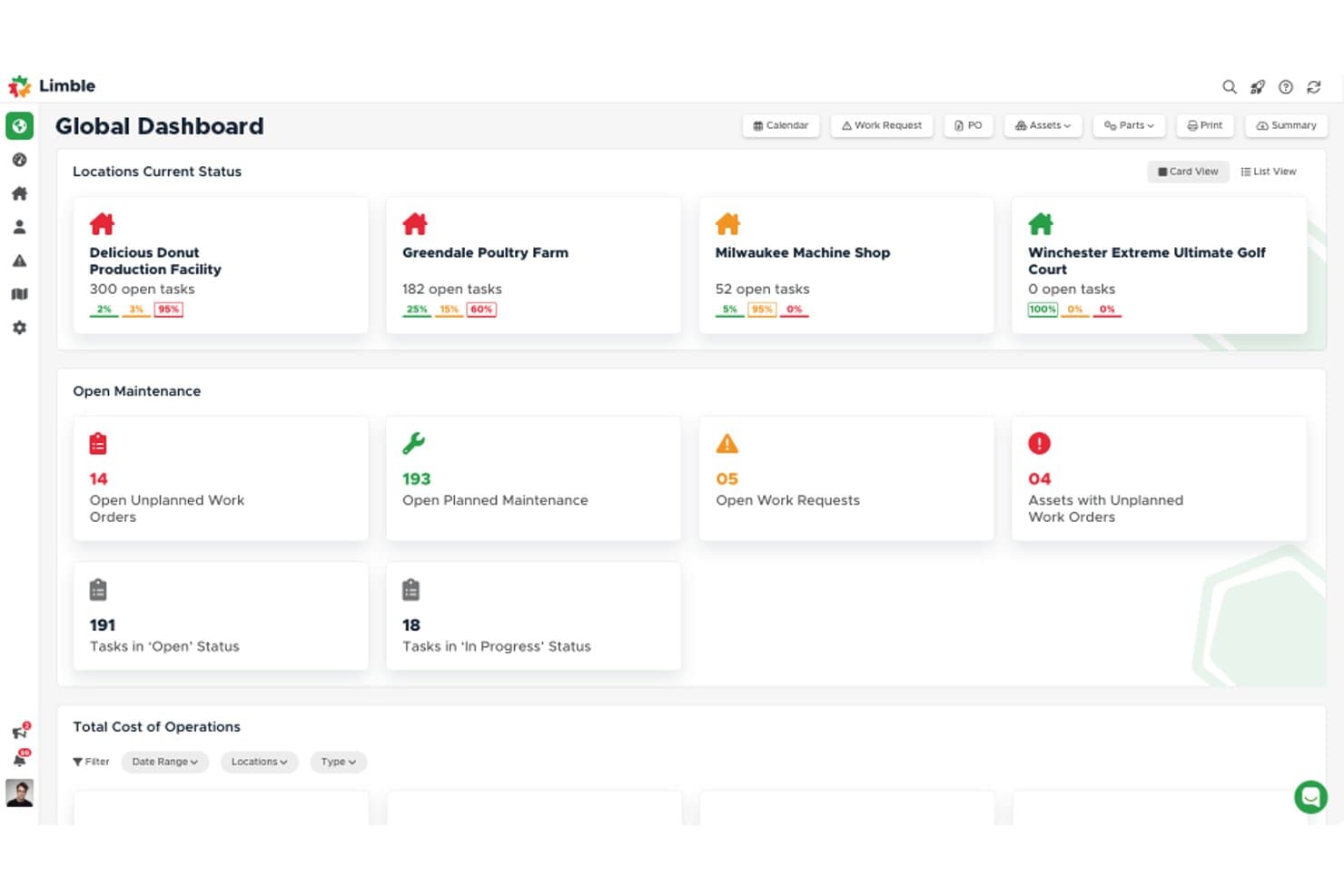
Limble manages work orders, preventive maintenance, asset history, and parts tracking. Limble is a CMMS for hotel engineering and facilities teams, combining work orders, preventive maintenance, asset histories, parts tracking, and mobile requests to manage equipment and guest-facing facility issues.
Who Is Limble Best For?
Limble suits hotel engineering and facilities teams that coordinate preventive maintenance, repairs, and asset records across guest-facing properties.
Why Limble Is a Good Xenia Alternative
I picked Limble because it is Best for maintenance-heavy facility operations. My team uses work orders, preventive maintenance schedules, and asset histories to manage guestroom equipment, HVAC issues, and facility repairs. Mobile maintenance requests and parts tracking help engineers respond with the right information on site.
Limble Key Features
- Downtime dashboards: View downtime, cost, and asset performance data.
- QR code requests: Submit maintenance requests by scanning asset QR codes.
- Open API: Build custom integrations with Limble’s API.
- Audit records: Maintain compliance records and automated standard operating procedures.
Limble Integrations
Limble’s native integrations are not clearly documented, but it provides an open API for custom integrations with other business systems.
Pros and Cons
Pros:
- Preventive maintenance supports recurring engineering tasks
- Downtime dashboards expose equipment performance
- QR codes connect assets to requests
Cons:
- Native integrations are not clearly documented
- Hotel operations workflows require manual configuration
Learn more about Limble: Best for maintenance-first facility operations
- Free demo available
- From $25/user/month (billed annually)
Visit WebsiteCustomer Rating:4.9/5
Coast manages hotel work orders, preventive maintenance, assets, parts, and facility requests. Coast is a mobile maintenance management platform for hospitality teams that organizes work orders, preventive maintenance, asset details, parts, and facility requests in one place.
Who Is Coast Best For?
Coast suits hotel engineering and facilities teams that need mobile work orders, preventive maintenance, and asset records in one system.
Why Coast Is a Good Xenia Alternative
I picked Coast because it fits hotels where maintenance-first facility operations shape daily work. My team uses mobile work orders and preventive maintenance schedules to handle room repairs, inspections, and recurring equipment tasks. Asset details, parts, and facility requests keep engineering work connected in one system.
Coast Key Features
- Real-time chat: Discuss maintenance tasks within Coast.
- Custom fields: Adapt records to your hotel’s workflows.
- Custom dashboards: Create views for operational reporting.
- Workflow automations: Set alerts and task escalations.
Coast Integrations
Coast supports Zapier and provides an Open API for custom integrations. Other native integrations aren’t clearly documented.
Pros and Cons
Pros:
- QR-coded asset records support room repairs
- Meter-based preventive maintenance scheduling
- Mobile work orders include photos and checklists
Cons:
- Initial onboarding can require extra guidance
- Advanced analytics and dashboard filtering remain limited
Learn more about Coast: Best for IoT-driven equipment maintenance tracking
- Free demo available
- Pricing upon request
Visit WebsiteCustomer Rating:4.5/5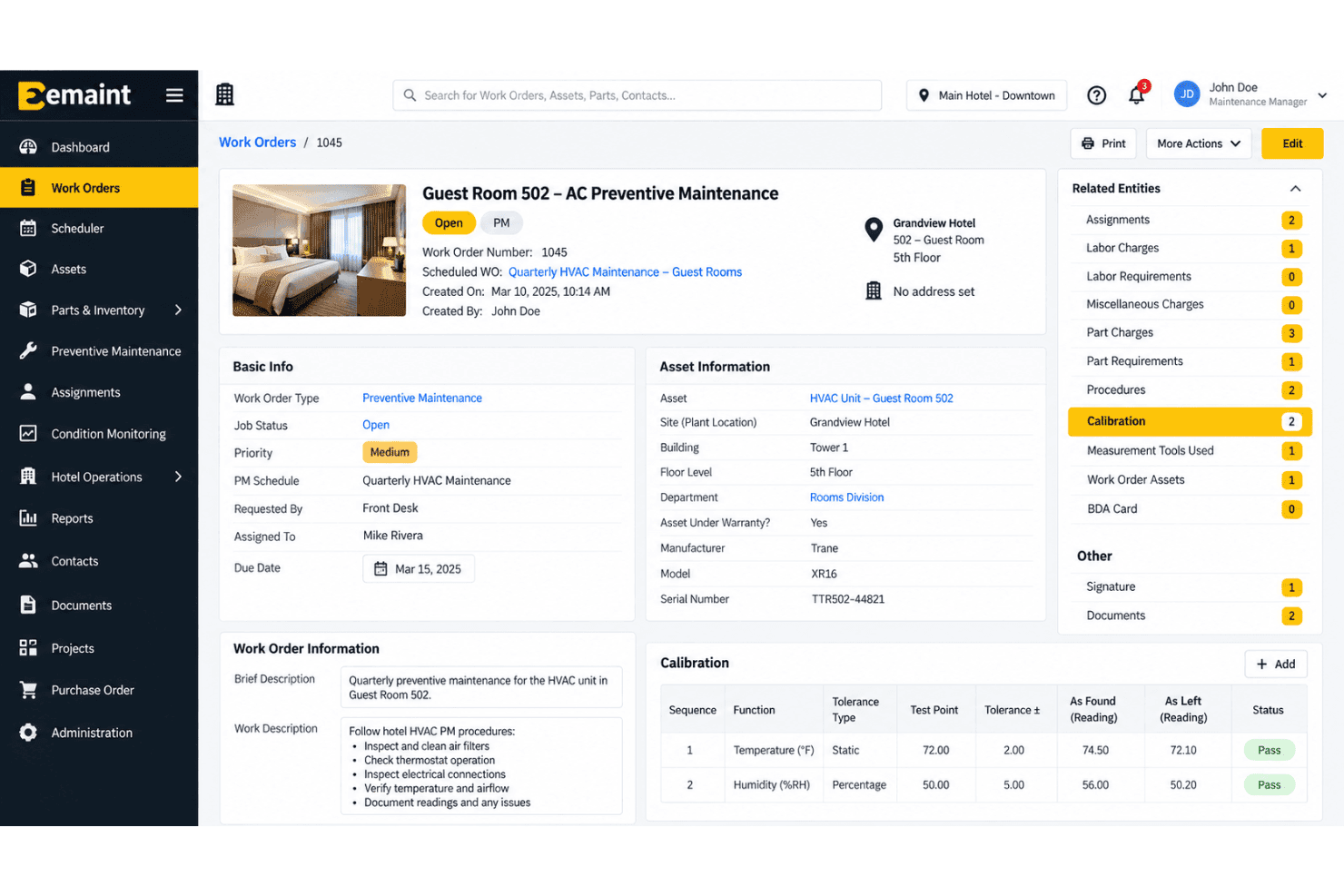
eMaint links work orders, preventive maintenance, assets, and IoT equipment data. eMaint is a cloud-based computerized maintenance management system for hotel engineering and facilities teams, combining work orders, preventive maintenance, asset records, and connected equipment data to coordinate property upkeep.
Who Is eMaint Best For?
eMaint suits hotel engineering teams that need IoT-connected equipment data alongside work orders, preventive maintenance, and asset records.
Why eMaint Is a Good Xenia Alternative
I picked eMaint because its cloud-based CMMS connects hotel engineering work orders with preventive maintenance and asset records. My team can use connected equipment data to track issues across guest rooms and facilities, then coordinate maintenance tasks from one system. It’s best for IoT-driven equipment maintenance tracking.
eMaint Key Features
- Inventory management: Track spare parts and plan preventive replenishment.
- Analytics and reporting: Monitor real-time KPIs with audit dashboards.
- AI optimization: Use AI tools to organize maintenance tasks.
- Multi-site governance: Manage maintenance operations across multiple properties.
eMaint Integrations
eMaint has a native integration with Fluke wireless sensors and supports SCADA and PLC data connections for equipment monitoring. Its low-code integrations connect with 1,000+ apps, including SAP, Oracle NetSuite, Sage Intacct, Salesforce, HubSpot, Monday.com, Microsoft Power BI, Tableau, Slack, and ServiceNow; a REST API supports custom integrations.
Pros and Cons
Pros:
- Responsive customer support and training
- Strong preventive maintenance scheduling
- Customizable workflows and fields
Cons:
- Interface takes time to navigate
- Reporting outputs feel limited
Learn more about eMaint: Best for enterprise-wide frontline task ops
- Free demo available
- Pricing upon request
Visit WebsiteCustomer Rating:4.4/5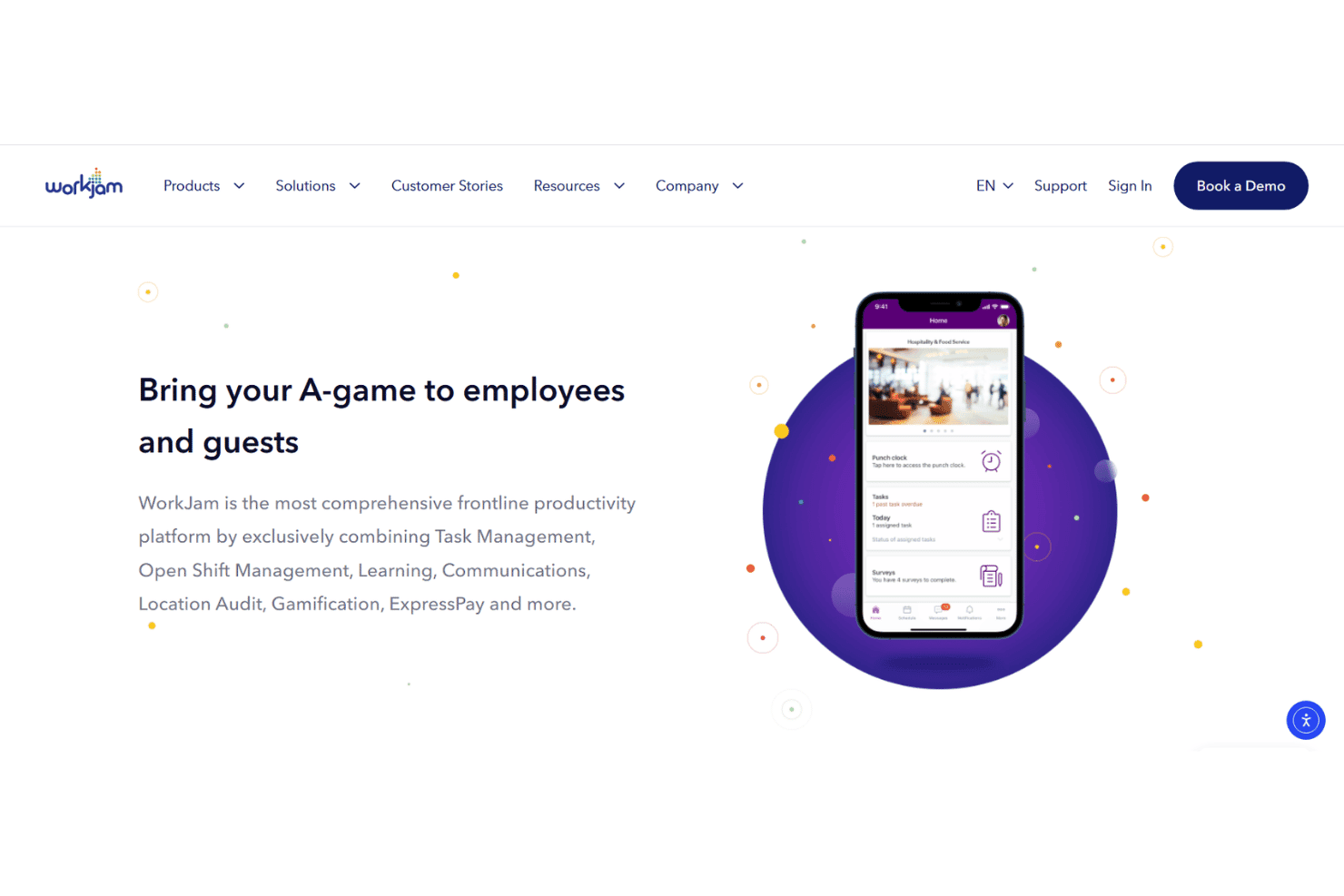
WorkJam combines hotel task assignments, audits, scheduling, training, and staff updates. WorkJam is a frontline workforce management platform for hotel groups that connects communications, scheduling, task assignments, audits, and learning across properties and departments.
Who Is WorkJam Best For?
Enterprise hotel groups that need to coordinate frontline tasks, communications, scheduling, audits, and learning across properties.
Why WorkJam Is a Good Xenia Alternative
I picked WorkJam because it gives enterprise hotel groups one place to coordinate frontline task operations across properties and departments. I use its task assignments, audits, and scheduling to manage room-readiness checks, service requests, and shift coverage. Its communications and learning features keep operating updates and training accessible to frontline teams.
WorkJam Key Features
- AI workflow engine: Connects enterprise systems and triggers operational workflows.
- Earned wage access: Lets employees access wages they’ve already earned.
- Multi-device support: Works on personal phones, shared devices, and desktops.
- System integrations: Connects with ERP, WMS, and WFM platforms.
WorkJam Integrations
WorkJam documents integrations with Microsoft Teams, UKG, ADP, and Salesforce, including an out-of-the-box connector for UKG. It provides open APIs and pre-built connectors for custom integrations with enterprise systems.
Pros and Cons
Pros:
- Role-targeted messaging reaches deskless teams
- Audit trails support property-level accountability
- Shift-aware assignments include photo verification
Cons:
- Enterprise rollout may require significant configuration
- Users report sign-outs and missed notifications
Learn more about WorkJam: Best for IoT-connected facility maintenance
- Free demo available
- Pricing upon request
Visit WebsiteCustomer Rating:4/5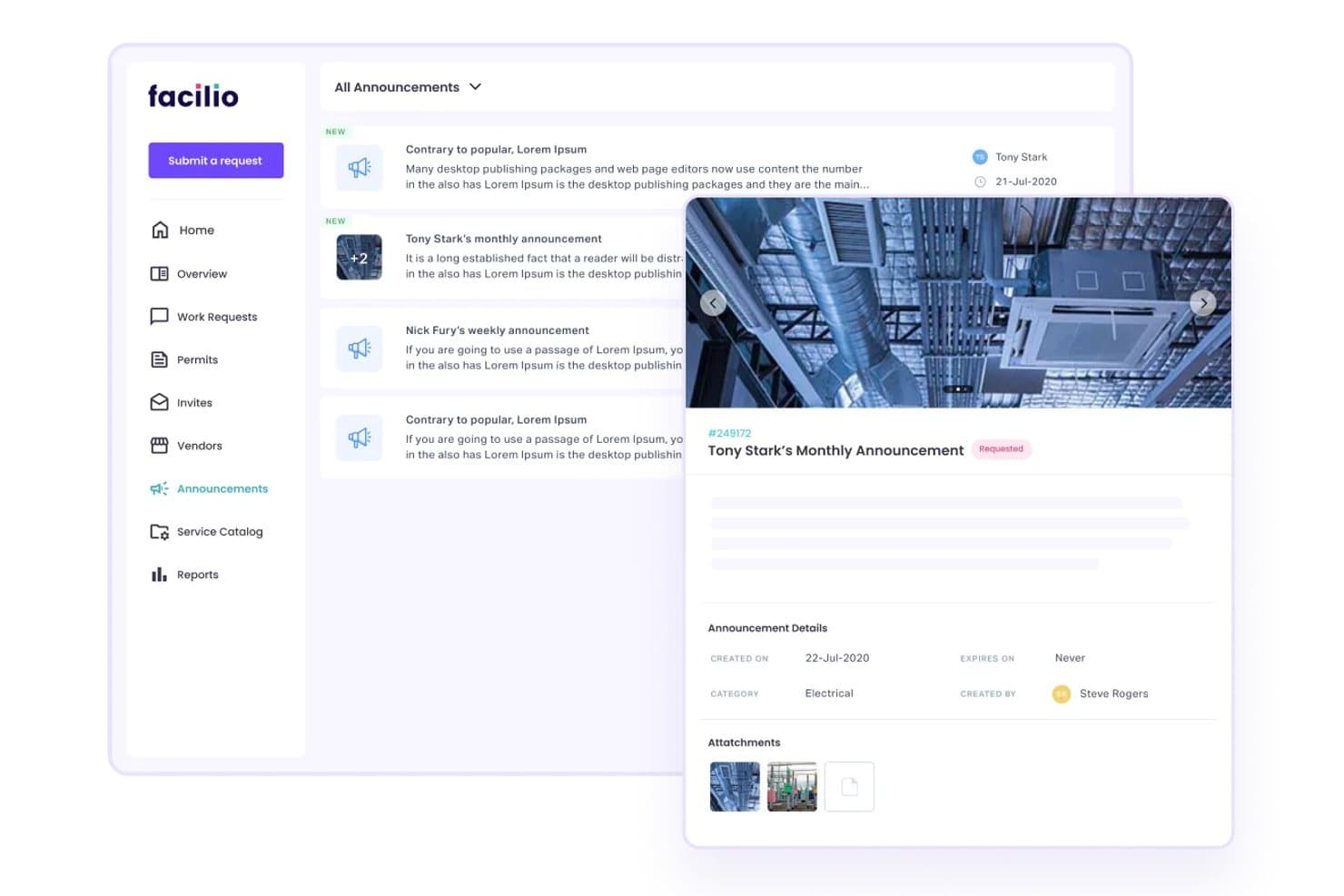
Facilio connects IoT maintenance, assets, work orders, inspections, and vendor tasks. Facilio is a facility management platform for hospitality teams that connects work orders, preventive maintenance, asset records, inspections, vendors, and service requests across properties.
Who Is Facilio Best For?
Hospitality facility teams managing IoT-connected assets, maintenance requests, inspections, and work orders across multiple properties.
Why Facilio Is a Good Xenia Alternative
I picked Facilio because its IoT-connected facility maintenance supports hotel teams managing property operations across locations. I use asset records and preventive maintenance workflows to track equipment needs before they affect guest rooms. Work orders, inspections, vendor coordination, and service requests keep maintenance activity connected to daily hotel operations.
Facilio Key Features
- Mobile CMMS app: Access facility workflows from mobile devices.
- SLA tracking: Monitor service-level adherence across maintenance activity.
- Energy monitoring: Review building energy data and optimization opportunities.
- Invoice verification: Use AI agents to check facility service invoices.
Facilio Integrations
Facilio documents integrations with Oracle ERP, SAP ERP, Microsoft Dynamics, Yardi, IBM TRIRIGA, IBM Maximo, Power BI, Tableau, Salesforce, and Microsoft Teams. It also provides REST APIs, ETL, SQL, file transfers, OData, and a Google Forms add-on for custom connections and service request intake.
Pros and Cons
Pros:
- Responsive support across time zones
- Real-time analytics track vendor performance
- IoT monitoring connects asset conditions
Cons:
- Implementation requires significant internal resources
- Mobile app functionality needs improvement
Learn more about Facilio: Best for asset-driven maintenance work orders
- Free plan available
- From $20/user/month (billed annually)
Visit WebsiteCustomer Rating:4.8/5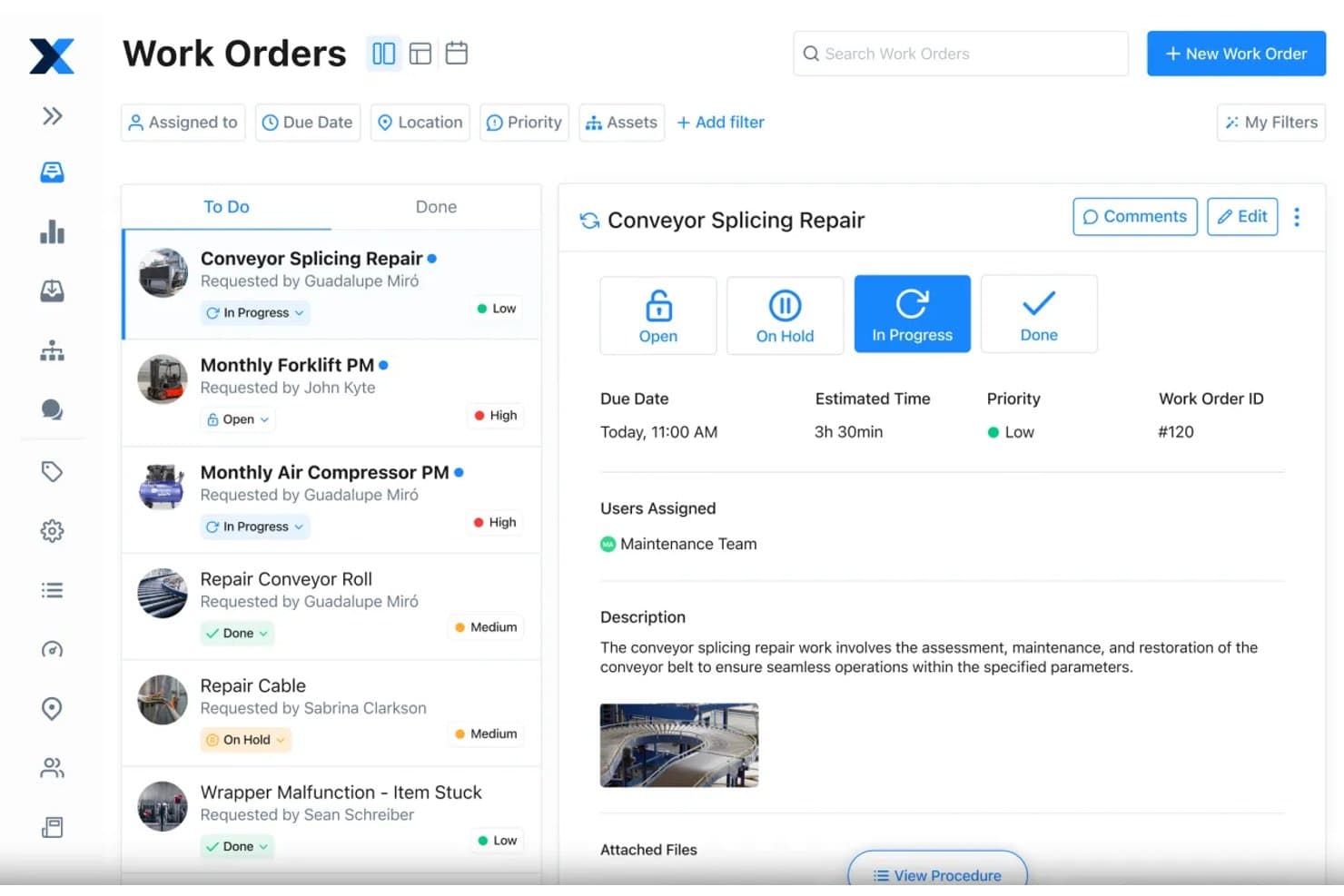
MaintainX lets users track and manage work orders by status and priority. MaintainX is an AI-powered CMMS and enterprise asset management platform for hotel engineering and facilities teams, combining work orders, preventive maintenance, inspections, and asset records to coordinate property upkeep.
Who Is MaintainX Best For?
MaintainX suits hotel engineering and facilities teams managing equipment-heavy properties with asset-based maintenance work orders.
Why MaintainX Is a Good Xenia Alternative
I picked MaintainX because it’s best for asset-driven maintenance work orders in hotel engineering teams. I use its asset records, preventive maintenance schedules, and inspections for guest rooms, HVAC units, and other property equipment. Its AI-powered CMMS ties each repair to the relevant asset and work order, keeping maintenance records separate from daily staffing workflows.
MaintainX Key Features
- Parts inventory: Track stock levels, low-stock alerts, reorders, and predicted part needs.
- Custom reporting: Build reports, charts, and data searches with natural-language prompts.
- AI troubleshooting: Turn manuals, procedures, and maintenance history into repair recommendations.
- Multi-site management: Create, assign, and track maintenance activities across properties.
MaintainX Integrations
MaintainX lists integrations with Samsara, Oracle NetSuite, Microsoft Dynamics 365, SAP, Microsoft Power BI, Infor, Google Forms, and Slack. It also offers an open API for custom integrations, Zapier connectivity, and custom integration services.
Pros and Cons
Pros:
- Offline capture supports property rounds
- Asset histories connect repairs, manuals, and inspections
- Mobile work orders suit deskless engineering teams
Cons:
- Dashboard can feel crowded for new administrators
- Complex asset hierarchies flatten in views
Learn more about MaintainX: Best for hotel ops teams across properties
- Free demo available
- Pricing upon request
Visit WebsiteCustomer Rating:4.8/5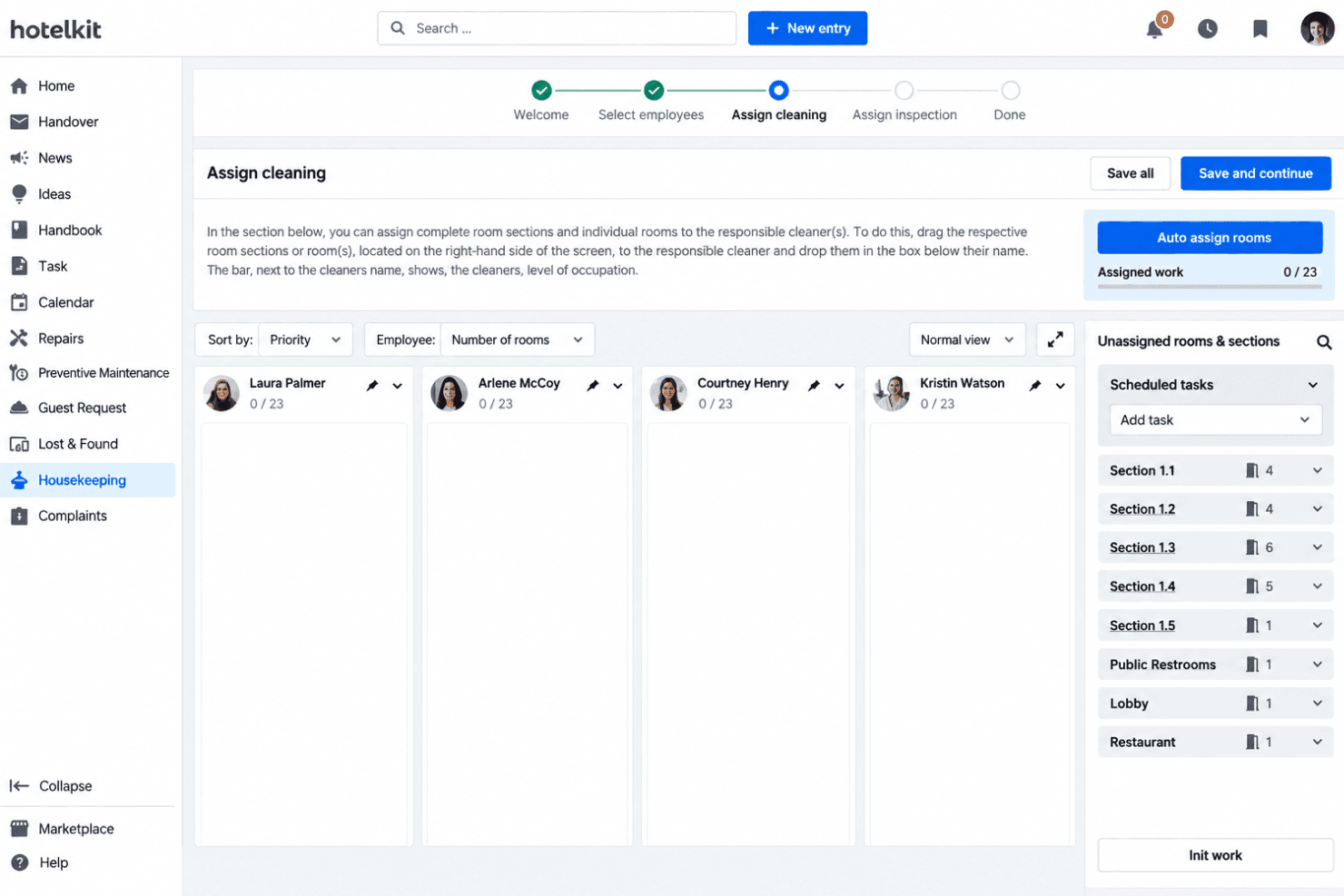
hotelkit organizes staff communication, tasks, and procedures for multi-property hotel teams. hotelkit is a hotel operations platform for hospitality teams that centralizes staff communication, task coordination, and operational knowledge across properties.
Who Is hotelkit Best For?
hotelkit suits hotel operations teams coordinating staff communication and daily tasks across multiple properties.
Why hotelkit Is a Good Xenia Alternative
I picked hotelkit because my team uses it to coordinate staff communication and daily tasks across multiple properties. I like having operational knowledge in one place, so front desk, housekeeping, and service teams can follow shared procedures during busy periods. Its cross-property structure suits hotel operations teams that need consistent workflows across locations.
hotelkit Key Features
- Room inspections: Create digital checklists for housekeeping inspections.
- PMS integration: Sync property management system data and room statuses.
- Maintenance tracking: Assign repairs and monitor completion status.
- Guest request dashboard: Track guest requests and complaints in real time.
hotelkit Integrations
hotelkit’s integration directory lists connections with Opera Cloud, Protel IO, Mews, apaleo, Stayntouch, Guestline, SIHOT, Oracle Hospitality Suite8, Guestnet, and Microsoft Entra ID. hotelkit also provides open APIs for custom integrations and partner-developed interfaces.
Pros and Cons
Pros:
- Digital checklists support room inspections
- Cross-property handovers keep teams aligned
- Hotel-specific workflows cover housekeeping and repairs
Cons:
- Calendar exports need improvement
- Offline functionality remains limited
Learn more about hotelkit: Best for inspections and IoT sensor monitoring
- Free demo available
- Pricing upon request
Visit WebsiteCustomer Rating:4.6/5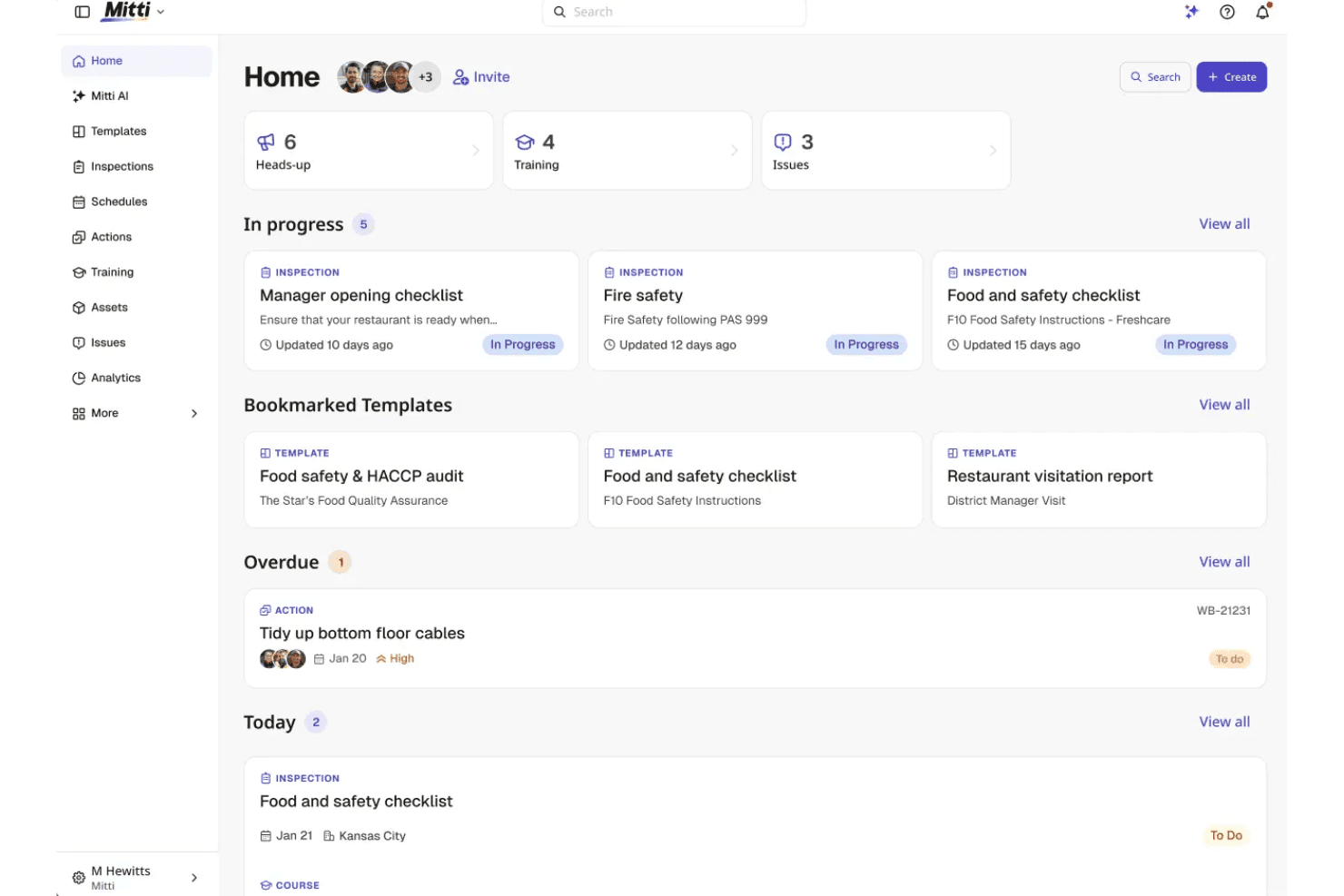
Mitti combines hotel inspections, checklists, and IoT monitoring across properties. Mitti by SafetyCulture is a hospitality operations platform for inspections, checklists, and IoT sensor monitoring, helping hotel teams track property conditions, identify issues, and coordinate follow-up work.
Who Is Mitti Best For?
Mitti suits hotel operations teams managing property inspections, checklists, and IoT sensor monitoring across one or more locations.
Why Mitti Is a Good Xenia Alternative
I picked Mitti because it combines hotel inspections, checklists, and IoT sensor monitoring in one platform. My team uses it to track property conditions, identify issues, and coordinate follow-up work across locations. It’s especially useful when housekeeping and operations teams need inspection records alongside sensor-based monitoring.
Mitti Key Features
- Training courses: Deliver hospitality training content through the platform.
- Heads Ups: Broadcast important messages to connected team members.
- API integrations: Build custom integrations using Mitti’s API documentation.
- Seat types: Assign full, lite, and guest access to different users.
Mitti Integrations
Mitti’s native integrations are not clearly documented. It provides API documentation for building custom integrations.
Pros and Cons
Pros:
- Issue workflows assign follow-up ownership
- IoT sensors flag property conditions
- Mobile inspections capture photos and signatures
Cons:
- App crashes can interrupt inspections
- Occasional sync issues affect offline users
Learn more about Mitti: Best for IoT-triggered maintenance at scale
- Free demo available
- Pricing upon request
Visit WebsiteCustomer Rating:4.7/5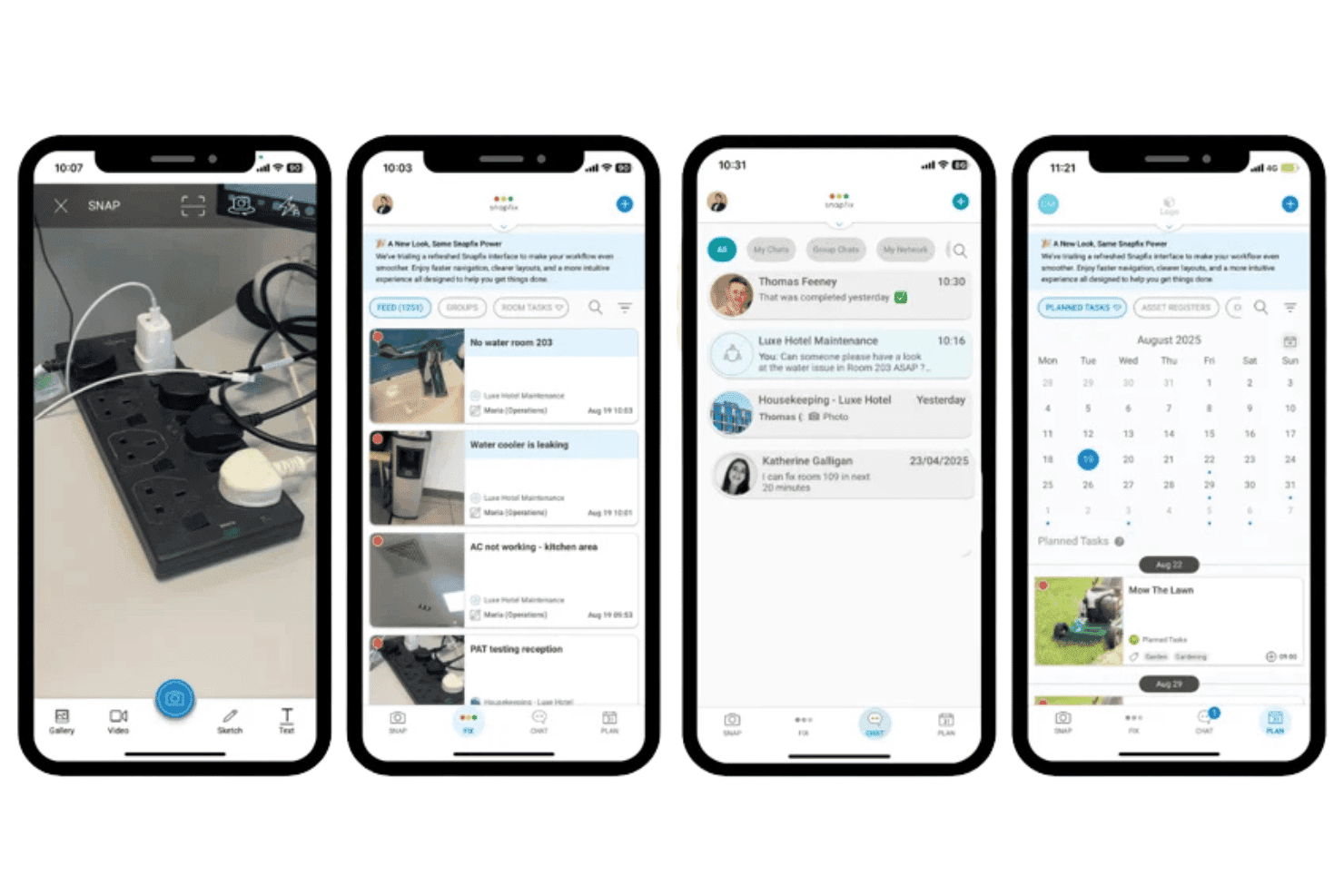
Snapfix lets hotel teams capture maintenance issues, assign repairs, chat, and plan tasks. Snapfix is a hospitality maintenance platform for hotel teams that connects work orders, inspections, assets, and service requests in one place, helping properties coordinate repairs and prevent recurring issues.
Who Is Snapfix Best For?
Snapfix suits hotel groups and multi-property operations teams that need IoT-triggered maintenance workflows across rooms, assets, inspections, and service requests.
Why Snapfix Is a Good Xenia Alternative
I picked Snapfix because it is best for IoT-triggered maintenance at scale. My team uses it to connect asset alerts with work orders, inspections, and service requests across hotel properties. That helps maintenance staff respond to room or equipment issues from one shared workflow.
Snapfix Key Features
- AI housekeeping schedules: Generate schedules based on daily operational changes.
- PMS synchronization: Sync room status with Guestline, Opera, Cloudbeds, Apaleo, or Mews.
- Multi-site console: View property operations from one login.
- SOP management: Share and enforce procedures across properties.
Snapfix Integrations
Snapfix integrates with hotel PMS platforms including Guestline, Oracle OPERA, Cloudbeds, Apaleo, and Mews. These connections synchronize room statuses with maintenance workflows across properties.
Pros and Cons
Pros:
- Preventive maintenance and compliance share one workflow
- Portfolio dashboards expose recurring maintenance problems
- Photo-based reporting captures issues in context
Cons:
- Desktop capabilities lag behind mobile features
- App sometimes requires reloading during use
Learn more about Snapfix: 10Best for compliance-led inspection workflows
Lumiform
- Free demo available
- Pricing upon request
Visit WebsiteCustomer Rating:4.4/5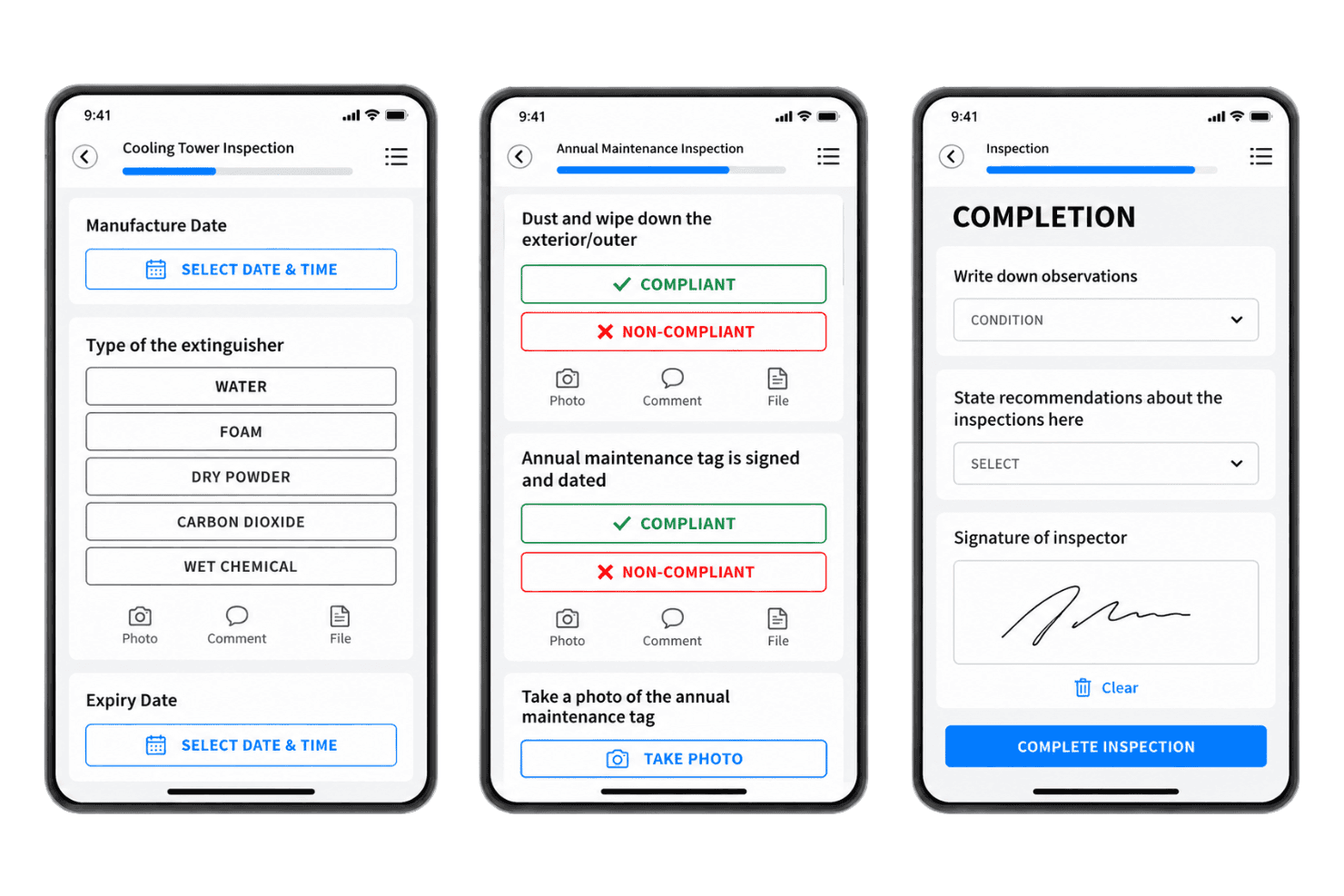
Lumiform tracks mobile inspections, SOP checks, corrective actions, and compliance records. Lumiform is a mobile inspection and checklist platform for hotels, restaurants, and multi-site hospitality teams that standardizes SOP execution, tracks corrective actions, and documents operational issues across locations.
Who Is Lumiform Best For?
Lumiform suits hospitality operations and compliance managers who need consistent inspections, SOP checks, and corrective-action tracking across multiple locations.
Why Lumiform Is a Good Xenia Alternative
I picked Lumiform because its mobile inspections and checklists give hospitality teams a consistent way to verify SOPs across locations. I use corrective-action tracking to assign follow-ups when housekeeping or service checks reveal issues. Its inspection records also document operational problems for compliance reviews and multi-site workforce oversight.
Lumiform Key Features
- No-code form builder: Create digital inspection forms with scoring and decision logic.
- Template library: Choose from over 12,000 ready-made inspection templates.
- Inspection scheduling: Set recurring schedules for routine property checks.
- Custom dashboards: Compare locations and track operational trends.
Lumiform Integrations
Lumiform offers one-click integrations with SharePoint, OneDrive, Google Drive, Box, Dropbox, and Power BI, plus webhook connections through Make, n8n, Power Automate, and Zapier. It also provides a REST API for custom integrations.
Pros and Cons
Pros:
- Dashboards compare inspection results across locations
- Corrective actions assign follow-up responsibilities
- Custom forms support hospitality SOP checks
Cons:
- Weak connectivity can disrupt inspections
- Initial setup can overwhelm smaller teams
Learn more about Lumiform:
Other Xenia Alternatives
Here are some additional Xenia alternatives that didn’t make it onto my shortlist but are still worth checking out:
- 11BindyBest for multi-site audit and inspection workflows
- 12OperandioBest for franchise multi-location ops oversight
- 13JoltBest for food-safe checklist ops at scale
- 14Fracttal OneBest for IoT-linked asset maintenance tracking
- 15DelightreeBest for franchise SOP-to-audit ops
- 16CrunchtimeBest for multi-unit restaurant ops compliance
- 17GoAuditsBest for audit-driven compliance tracking
- 18OpsAnaliticaBest for AI photo verification of ops tasks
- 19FexaBest for multi-location vendor and asset oversight
- 20TrailBest for hospitality compliance checklists
How I Evaluate Xenia Alternatives
I split my evaluation into core functionality every hotel operations platform must offer—task assignment, real-time visibility, and work order tracking—and differentiating factors like IoT monitoring and multi-property scalability that separate one tool from another.
Core Functionality (Table Stakes for This List)
When I'm selecting tools for my list, I rank each one on a scale from 0 (does not offer the functionality) to 5 (excels in this area) for each core functionality listed below. I then calculate the tool's total score into a percentage, and use that to help me assess its overall fit for the list.
- Task & checklist management: I look for assignable, recurring tasks and digital checklists that teams can build around daily room inspections, turnover workflows, or safety rounds.
- Real-time progress visibility: Managers need live dashboards showing task status across shifts and properties, not reports they have to pull manually after the fact.
- SOP & template library: I check whether the platform lets you store and reuse standard operating procedures, like a guest complaint workflow or pool maintenance checklist, across teams.
- Team communication: I evaluate whether staff can comment on tasks, tag teammates, or escalate issues without switching to a separate messaging app.
- Issue & maintenance tracking: I look for a clear ticket or work order lifecycle, from logging a broken HVAC unit to assigning a technician and tracking resolution history.
- Reporting & analytics: The platform should generate reports on completion rates, overdue tasks, and team performance trends that managers can filter by location or department.
Once I have a list of tools that meet the criteria, I consider what sets each platform apart.
Differentiating Factors (What Sets Vendors Apart)
Here's how I compare and contrast different vendors:
Standout Features
I look for IoT sensor monitoring that auto-generates tasks when readings drift out of range—like a walk-in cooler triggering a maintenance ticket before food safety is compromised. Offline mobile functionality matters just as much, since housekeeping and engineering staff often work in basements or stairwells with no signal. I also evaluate whether a platform includes an asset and equipment database that links each unit to its full service history, warranty status, and vendor contacts, so technicians aren't guessing when they respond to a work order.
Beyond Features
I evaluate how well each platform fits a deskless workforce—push notifications, multilingual support, and minimal onboarding friction matter because housekeeping and maintenance teams can't sit through lengthy training. Integration flexibility is just as important; I check for API access or connectors to existing PMS, payroll, or building management systems so you're not re-entering data across tools. I also look at multi-location scalability, specifically whether you can push standardized checklists to every property while still allowing site-level adjustments.
Why Look for Xenia Alternatives?
While Xenia is a good workforce management software choice for hospitality, some users seek alternative solutions for specific operational needs. You might be looking for a Xenia alternative because…
- Need deeper sensor-based maintenance alerts
- Require more detailed equipment service histories
- Need stronger integrations with existing hotel systems
- Manage franchises with complex location-level controls
- Want specialized compliance workflows for regulated operations
If any of these sound like you, you’ve come to the right place. My list contains several workforce management software options that are better suited for teams facing these challenges with Xenia and looking for alternative solutions.
Xenia Key Features
Here are some of the key features of Xenia to help you compare what alternative solutions offer:
Task assignment: Managers can assign operational tasks to specific team members, departments, or properties. Staff can view their responsibilities, update task status, and record completed work from mobile devices.
Digital checklists: Teams can create checklists for housekeeping, room inspections, safety rounds, and recurring operational procedures. Standardized checklists help managers verify that required steps were completed.
Preventive maintenance: Xenia lets teams schedule recurring maintenance tasks for equipment and property systems. Engineering staff can follow planned service routines instead of waiting for equipment failures to create work.
Work order tracking: Staff can log maintenance issues, assign work orders, and track each request through resolution. Managers can review open, overdue, and completed work from a central system.
Inspection management: Managers can build inspections and record corrective actions when rooms, facilities, or operational areas fail to meet requirements. Follow-up tasks provide a record of how issues were handled.
Guest request submission: QR codes allow guests to submit requests directly from the property. Teams can receive those requests, assign follow-up work, and track progress without relying solely on phone calls or front desk notes.
Mobile task access: Housekeeping, maintenance, and other frontline teams can access assignments and update work from mobile devices. This supports operations across guest rooms, service areas, and other locations away from a desk.
Real-time dashboards: Managers can monitor task progress, outstanding requests, and completion data through operational dashboards. This gives supervisors a current view of work across departments and properties.
Asset history: Xenia stores service and maintenance records for property assets. Teams can review previous work when responding to an issue, giving technicians more context before deciding what action to take.
Costs and Pricing of Xenia Alternatives
Selecting Xenia alternatives requires understanding the pricing models and plans available. Costs vary based on features, team size, add-ons, and more. The table below summarizes common plans, average prices, and typical features included in Xenia alternative solutions.
Plan Comparison Table for Xenia Alternatives
| Plan Type | Average Price | Common Features |
|---|---|---|
| Plan TypeFree Plan | Average Price$0/user/month | Common FeaturesBasic task management, limited checklists, mobile access, and small team support. |
| Plan TypePersonal Plan | Average Price$5-$15/user/month | Common FeaturesTask assignment, recurring checklists, issue reporting, basic dashboards, and email support. |
| Plan TypeBusiness Plan | Average Price$15-$40/user/month | Common FeaturesPreventive maintenance, inspections, workflow templates, reporting, integrations, and role-based access. |
| Plan TypeEnterprise Plan | Average Price$50-$150/user/month | Common FeaturesMulti-property management, advanced analytics, API access, custom permissions, dedicated support, and implementation services. |