

Recensione di Checkfront: Vantaggi, Svantaggi, Caratteristiche e Prezzi



Checkfront is a hotel booking software built for properties that need to manage reservations, packages, and bookable add-ons from a single platform. It's worth considering if your property offers experiences or activities alongside accommodations and you need guests to book everything together. If you've been looking at Cloudbeds but find it skews toward larger multi-property operations, Checkfront gives independent properties more flexible booking management without the complexity that comes with an enterprise-focused system.
Checkfront Evaluation Summary
- From $99 per month + 3% online booking fee
- Free demo available
Perché fidarsi dei nostri consigli sui software
Il nostro team testa e recensisce software dal 2012. In quanto leader del settore alberghiero noi stessi, sappiamo quanto sia difficile — e importante — scegliere il software giusto.
Per questa guida, abbiamo valutato gli strumenti attraverso test pratici e ricerche indipendenti, assegnando un punteggio agli strumenti in base ai nostri criteri di selezione.
Le nostre recensioni riflettono il nostro giudizio editoriale umano, non un discorso di vendita.
Checkfront Overview
When I compare Checkfront to other booking management software, I think its clean interface, flexible pricing, and strong integrations make it a top pick for hotels and tour operators who want control without complexity. The onboarding is straightforward, and support is responsive, but some advanced reporting features feel limited. If you’re judging options for multi-location properties or activity-based businesses, Checkfront’s real-time inventory and customizable booking flows stand out.
I’d suggest it’s best for teams who value ease of use and want to connect with payment gateways, channel managers, and marketing tools without a steep learning curve.
pros
-
Real-time availability calendar prevents double bookings.
-
Automated resource management saves time on manual tasks
-
Flexible pricing options for seasonal rates and discounts.
cons
-
Reporting features are less detailed than some competitors.
-
Modifying existing bookings can be confusing for staff.
-
Limited customization for guest-facing booking pages.
-

roommaster
Visit WebsiteThis rating combines scores from multiple user review sites to reflect overall customer sentiment about the product.4.3 -
Little Hotelier
Visit WebsiteThis rating combines scores from multiple user review sites to reflect overall customer sentiment about the product.4 -
Roomstay Hotel Booking Engine
Visit Website




Come testiamo e valutiamo gli strumenti
Abbiamo trascorso anni a costruire, perfezionare e migliorare il nostro sistema di test e valutazione dei software. Il nostro metodo è progettato per cogliere le sfumature della scelta di un software e ciò che rende uno strumento efficace, concentrandosi sugli aspetti critici del processo decisionale. Qui sotto puoi vedere come funziona il nostro sistema di test e valutazione su sette criteri. Questo ci permette di offrire una valutazione imparziale dei software in base a funzionalità principali, funzioni distintive, facilità d’uso, onboarding, assistenza clienti, integrazioni, recensioni clienti e rapporto qualità-prezzo.
Funzionalità principali (25% del punteggio finale)
Il punto di partenza della nostra valutazione è sempre la funzionalità principale dello strumento. Ha le funzionalità di base che un utente si aspetta? Alcune di queste sono riservate solo a piani tariffari superiori? Ci aspettiamo che uno strumento regga il confronto con le capacità minime offerte dai concorrenti.
Funzioni distintive (25% del punteggio finale)
Successivamente, valutiamo le funzioni originali non comuni che vanno oltre le funzionalità di base normalmente presenti in strumenti simili. Un punteggio elevato riflette funzionalità particolari o uniche che rendono il prodotto più veloce, efficiente, o che offrono valore aggiunto all’utente. Valutiamo inoltre quanto sia facile integrare lo strumento con altri software tipici della struttura tecnologica per ampliare funzionalità e utilità. Gli strumenti che offrono numerose integrazioni native, connessioni di terze parti e accesso API per integrazioni personalizzate ottengono il punteggio migliore.
Facilità d’uso (10% del punteggio finale)
Consideriamo quanto sia rapido e semplice eseguire tramite lo strumento le attività descritte dalle funzionalità principali. Un software con punteggio alto è ben progettato, intuitivo, offre app mobile, fornisce modelli preimpostati e rende semplici anche operazioni complesse.
Onboarding (10% del punteggio finale)
Sappiamo quanto sia importante la rapida adozione di una nuova piattaforma da parte del team, quindi valutiamo quanto sia semplice imparare e utilizzare uno strumento con una formazione minima. Consideriamo quanto velocemente un membro del team possa iniziare a usare lo strumento senza esperienza precedente. Soluzioni con punteggio elevato richiedono poco o nessun supporto.
Assistenza clienti (10% del punteggio finale)
Verifichiamo quanto sia rapido e facile sbloccarsi e ricevere aiuto tramite telefono, chat dal vivo o knowledge base. Gli strumenti e le aziende che offrono assistenza in tempo reale ottengono il punteggio migliore, mentre i chatbot ottengono il punteggio più basso.
Recensioni clienti (10% del punteggio finale)
Oltre ai nostri test e valutazioni, consideriamo il punteggio net promoter dei clienti attuali o passati. Verifichiamo la probabilità che tornino a scegliere lo strumento per le sue funzionalità principali. Un software con punteggio alto rispecchia un elevato net promoter score tra clienti attuali e passati.
Rapporto qualità-prezzo (10% del punteggio finale)
Infine, in considerazione di tutti gli altri criteri, valutiamo il prezzo medio dei piani di ingresso rispetto alle funzionalità principali e teniamo conto del valore degli altri criteri di valutazione. Il software che offre di più spendendo meno otterrà un punteggio più alto.
Core Features
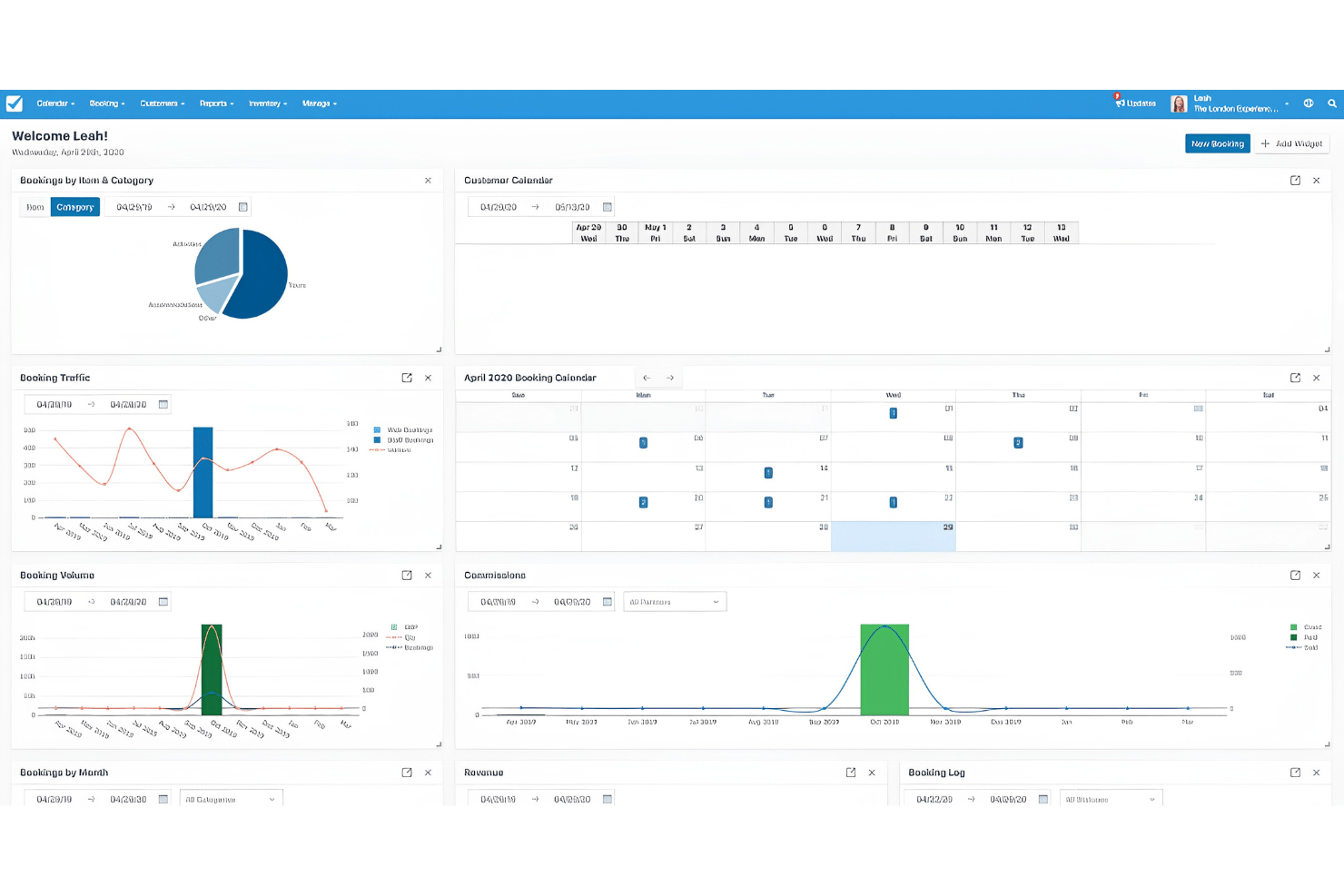
Real-Time Availability Calendar
Displays up-to-date inventory and prevents double bookings across all channels.
Automated Notifications
Sends instant email or SMS confirmations, reminders, and updates to guests and staff.
Customizable Booking Forms
Lets you tailor data collection fields to match your property’s unique requirements.
Resource Management
Tracks rooms, equipment, or staff availability and automatically allocates resources for each booking.
Flexible Pricing Rules
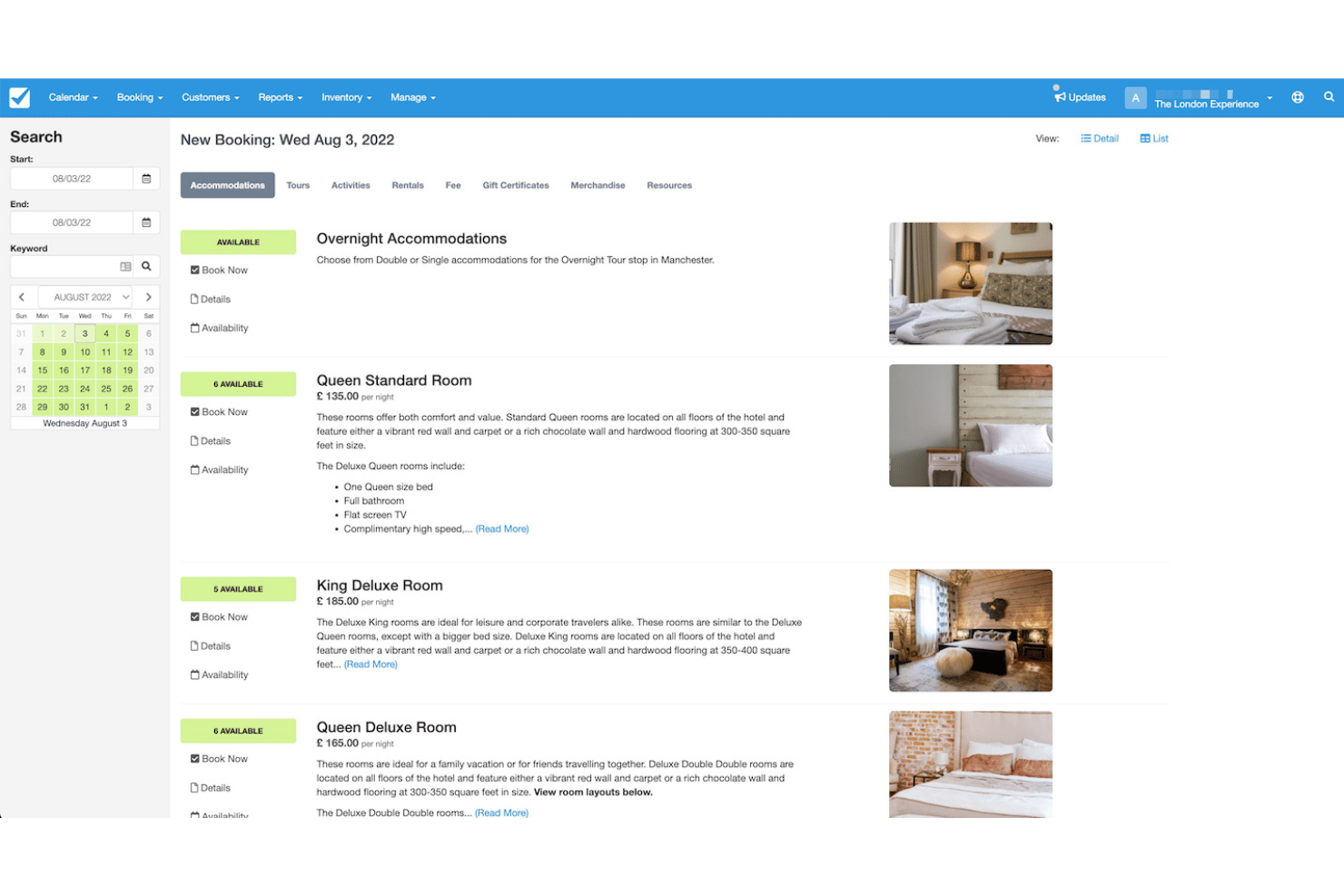
Supports seasonal rates, discounts, and package deals for different dates or guest types.
Centralized Dashboard
Gives you a single view to manage bookings, payments, and guest details in one place.
Ease of Use
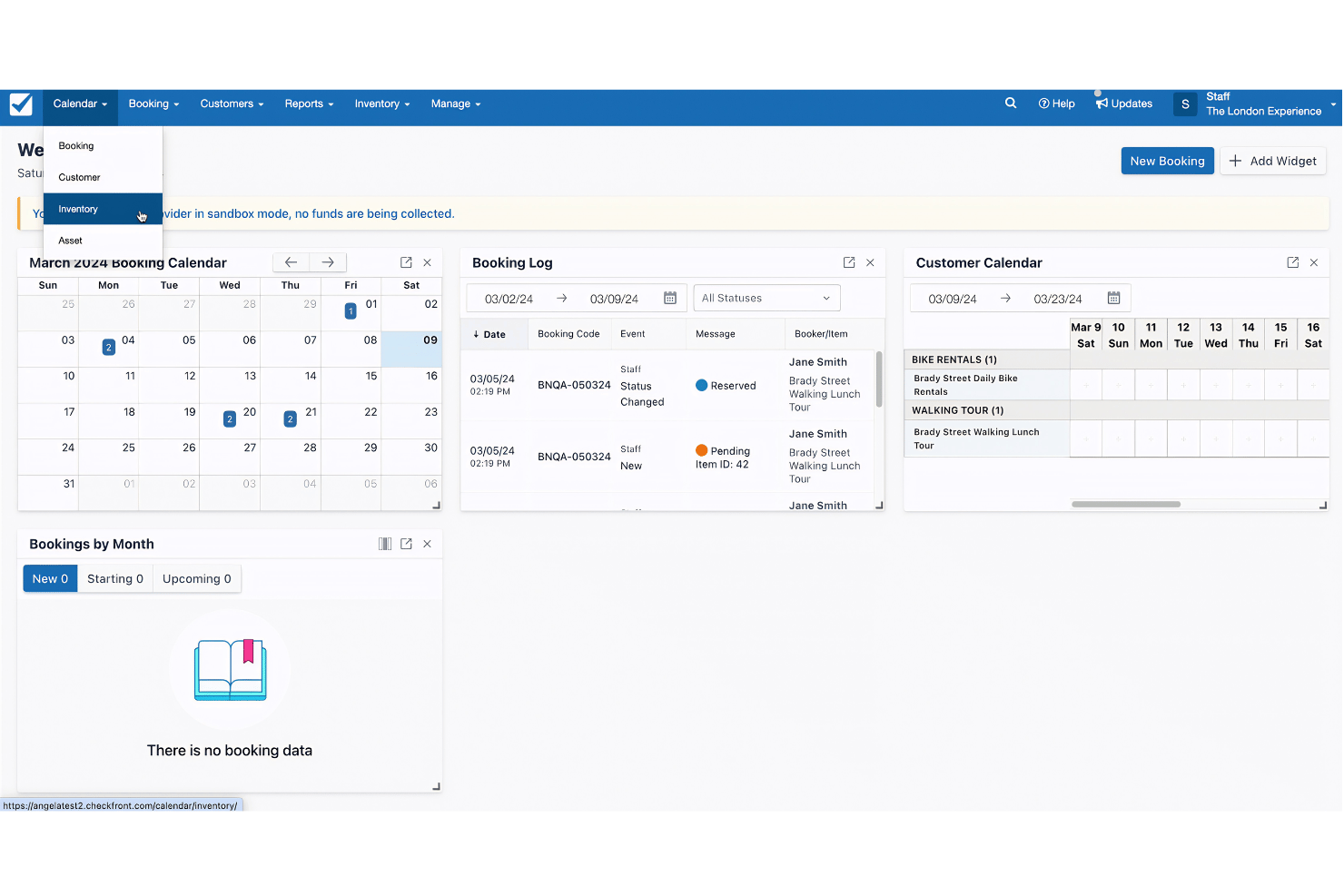
Checkfront stands out for its intuitive dashboard and clear navigation, making it easy for new users to get started without extensive training. Most users say setup is straightforward, and the booking calendar is visually clear. The drag-and-drop tools for managing inventory and bookings save time, while built-in help guides and responsive support reduce frustration.
Some users report minor confusion with booking edits, but overall, the platform feels approachable and efficient for daily operations.
Integrations
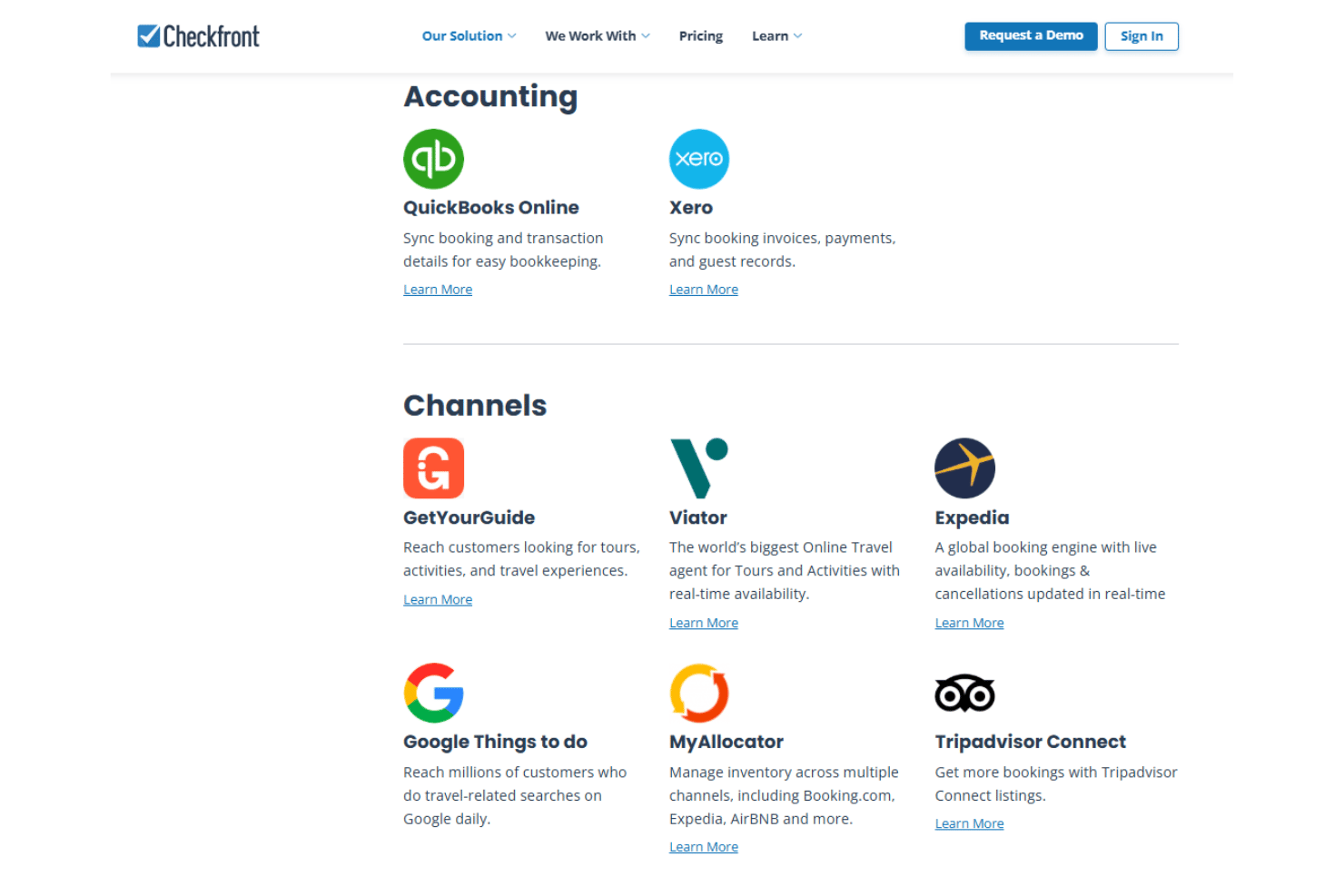
Checkfront integrates with QuickBooks Online, Xero, GetYourGuide, Viator, Expedia, Google Things to do, MyAllocator, Tripadvisor Connect, Stripe, and Square, among others.
Checkfront also offers an API and connects with third-party integration tools like Zapier.
Checkfront Specs
- API
- Budgeting
- Calendar Management
- Compliance Tracking
- Contact Management
- Customer Management
- Dashboard
- Data Export
- Data Import
- Data Visualization
- Document Management
- Expense Tracking
- External Integrations
- Forecasting
- Inventory Tracking
- Multi-Currency
- Multi-User
- Notifications
- Organization Management
- Payment Processor
- Payroll
- Scheduling
- Supplier Management
- Tax Management
- Workflow Management