


Avis sur RingCentral Events 2026 : Avantages, Inconvénients, Fonctionnalités et Tarifs



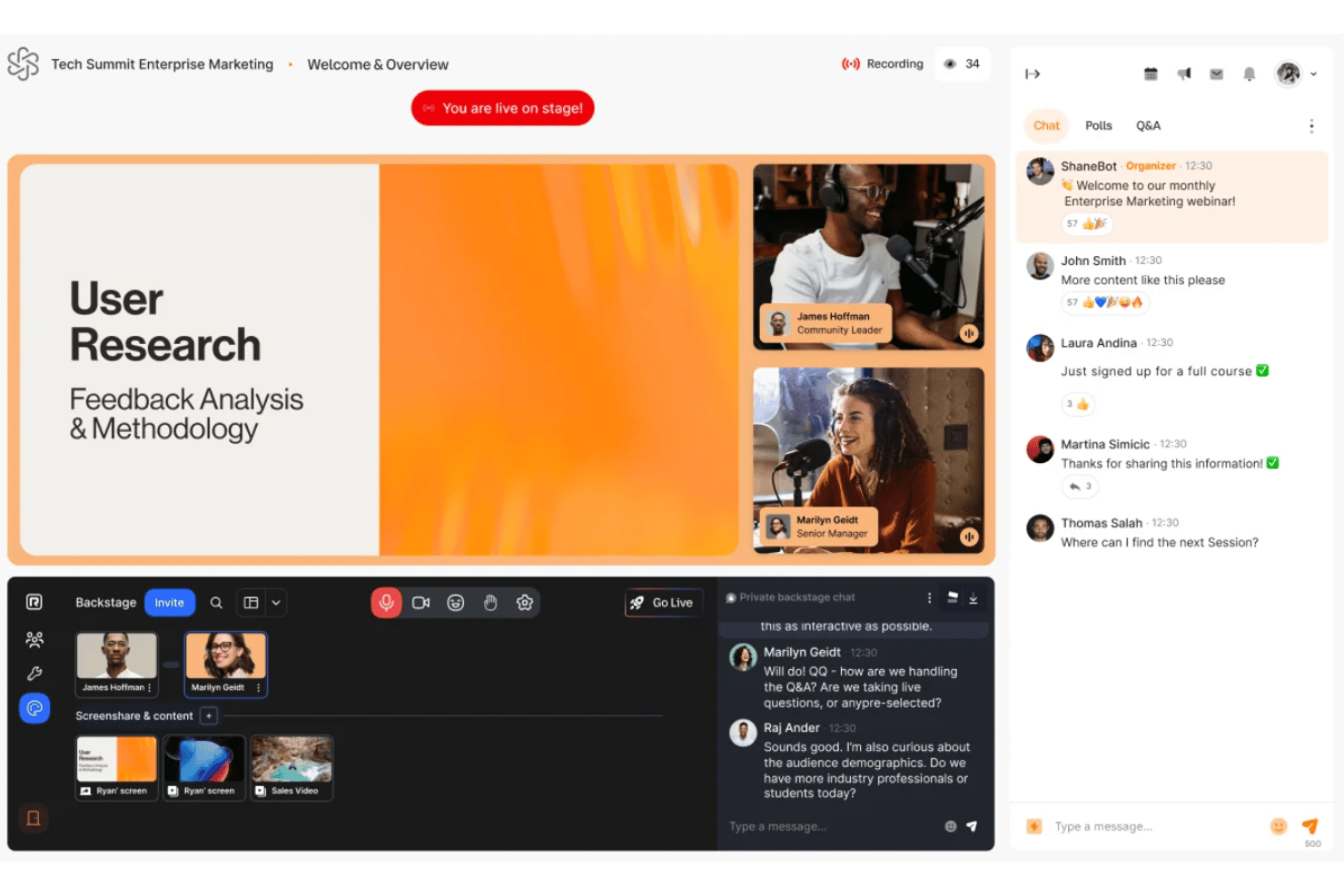
RingCentral Events is an event management software built for hosting virtual and hybrid events, with tools for attendee registration, networking, and live session management. It's worth a close look if your team needs to run polished online events without the implementation complexity of a platform like Cvent—particularly if you're already using RingCentral for day-to-day communications.
RingCentral Events Evaluation Summary
- From $99/organizer/month (billed annually)
- 30-day free trial
Pourquoi faire confiance à nos recommandations de logiciels
Notre équipe teste et évalue des logiciels depuis 2012. En tant que leaders de l’hôtellerie nous-mêmes, nous savons à quel point il est difficile — et important — de choisir le bon logiciel.
Pour ce guide, nous avons évalué les outils grâce à des tests pratiques et une recherche indépendante, en notant les outils selon nos critères de sélection.
Nos avis reflètent notre jugement éditorial humain, et non un argumentaire de vente.
RingCentral Events Overview
RingCentral Events is a top pick if you want a user-friendly platform with strong hybrid event features and reliable support. Its interface is intuitive, onboarding is quick, and integrations cover most needs, though some advanced customization options are limited compared to others. Pricing is competitive for mid-sized hotels, and the analytics dashboard makes judging event success straightforward.
I’d suggest it’s best for teams who value easy setup and flexible attendee engagement tools—especially if you’re comparing options for frequent virtual or hybrid events.
pros
-
Analytics dashboard offers detailed attendee engagement insights.
-
Networking and sponsor features are highly interactive.
-
Hybrid event tools support both in-person and virtual formats.
cons
-
Speaker onboarding process can be confusing for new users.
-
Pricing can be high for infrequent or small events.
-
Occasional platform glitches during high-traffic events.
-

roommaster
Visit WebsiteThis rating combines scores from multiple user review sites to reflect overall customer sentiment about the product.4.3 -
Little Hotelier
Visit WebsiteThis rating combines scores from multiple user review sites to reflect overall customer sentiment about the product.4 -
Roomstay Hotel Booking Engine
Visit Website




Comment nous testons et évaluons les outils
Nous avons passé des années à développer, affiner et améliorer notre système d’évaluation et de notation des logiciels. Notre grille d’analyse est conçue pour prendre en compte les nuances du choix d’un logiciel et déterminer ce qui rend un outil efficace, en se concentrant sur les aspects essentiels du processus décisionnel. Vous trouverez ci-dessous le détail de notre méthode d’évaluation et de notation selon sept critères. Cette approche nous permet de fournir un avis impartial sur le logiciel, en se basant sur les fonctionnalités principales, les caractéristiques différenciantes, la facilité d’utilisation, l’intégration, l’accompagnement client, l’intégration avec d’autres outils, les avis clients et le rapport qualité/prix.
Fonctionnalités de base (25% de la note finale)
Le point de départ de notre évaluation est toujours la fonctionnalité de base de l’outil. Possède-t-il les fonctions minimales attendues par un utilisateur ? Certaines fonctionnalités essentielles sont-elles réservées à des plans plus onéreux ? Nous attendons d’un bon outil qu’il soit au moins équivalent à la concurrence sur les fondamentaux.
Caractéristiques différenciantes (25% de la note finale)
Ensuite, nous évaluons les fonctionnalités originales qui vont au-delà de la base généralement présente dans cette catégorie de produits. Une bonne note reflète des options spécialisées ou uniques rendant le produit plus rapide, plus efficace, ou offrant une valeur ajoutée à l’utilisateur. Nous évaluons également la facilité d’intégration avec d’autres outils souvent utilisés dans la pile technologique pour étendre les fonctionnalités et l’utilité du logiciel. Les outils proposant de nombreuses intégrations natives, connexions tierces et accès API pour personnaliser les intégrations sont privilégiés.
Facilité d’utilisation (10% de la note finale)
Nous évaluons la rapidité et la simplicité d’exécution des tâches principales au sein de l’outil. Un logiciel bien noté est bien conçu, intuitif, propose des applications mobiles, fournit des modèles et simplifie les tâches relativement complexes.
Mise en route (10% de la note finale)
Sachant combien il est important qu’une équipe adopte rapidement une nouvelle plateforme, nous évaluons la facilité d’apprentissage et d’utilisation de l’outil avec un minimum de formation. Nous examinons aussi la rapidité d’installation et la mise en route pour un nouvel utilisateur sans expérience. Une note élevée indique qu’un accompagnement minimal, voire nul, est nécessaire.
Support client (10% de la note finale)
Nous examinons la facilité et la rapidité d’obtention d’une aide par téléphone, chat en direct ou base de connaissances. Les outils et entreprises proposant un soutien en temps réel obtiennent la meilleure note, tandis que les chatbots sont moins bien notés.
Avis clients (10% de la note finale)
Au-delà de nos propres tests et évaluations, nous prenons en compte le net promoter score des clients actuels et passés. Nous mesurons leur tendance à vouloir choisir à nouveau cet outil pour les fonctionnalités principales. Un logiciel bien noté reflète un net promoter score élevé des utilisateurs actuels ou passés.
Rapport qualité/prix (10% de la note finale)
Enfin, nous comparons le prix moyen des abonnements d’entrée de gamme aux fonctionnalités principales et à l’ensemble des critères évalués. Les logiciels offrant plus, pour moins, obtiennent la meilleure note.
Core Features
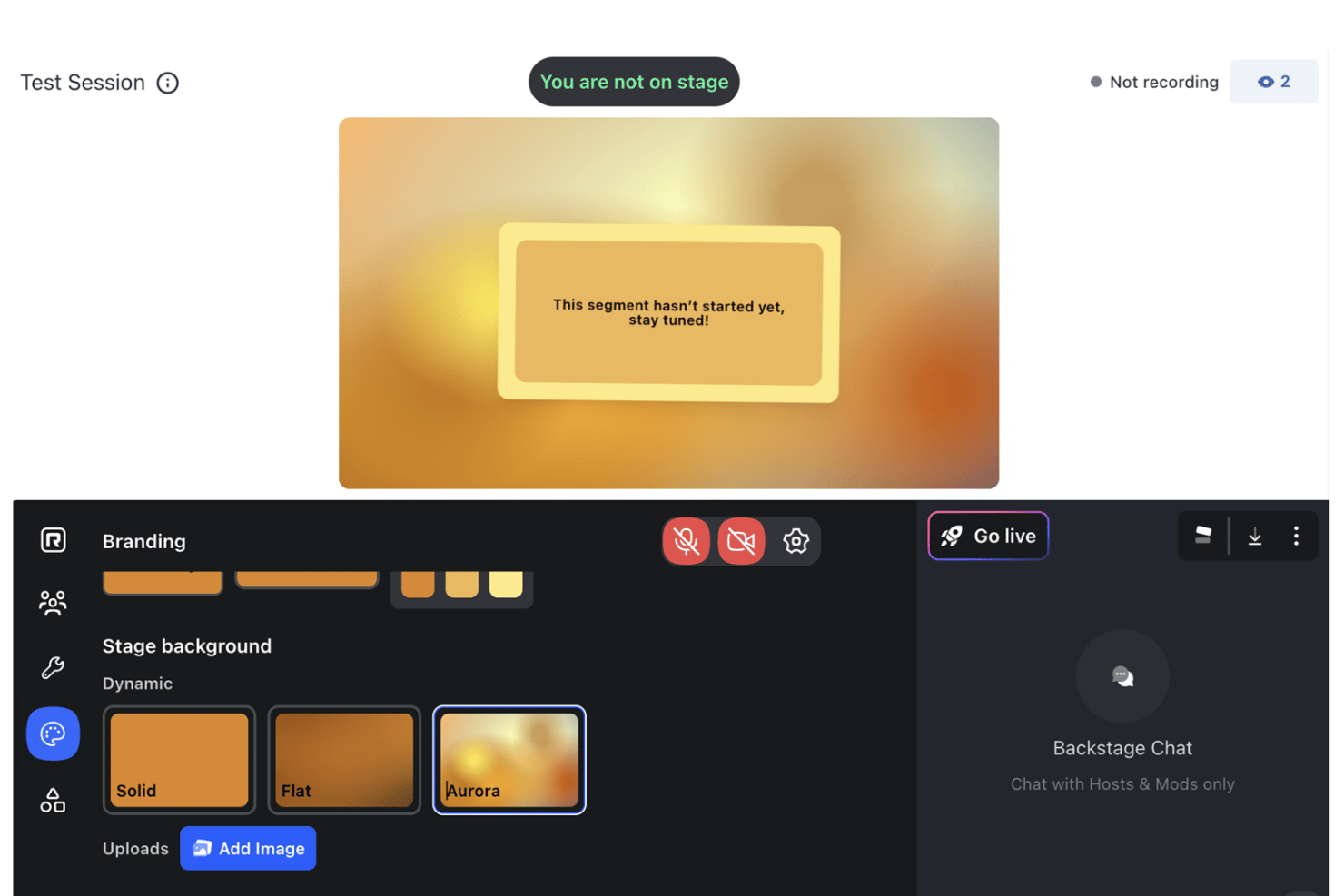
Custom Branding
Add your own colors, logos, and messaging to every event. This helps you create a consistent, on-brand experience for attendees.
Engagement Tools
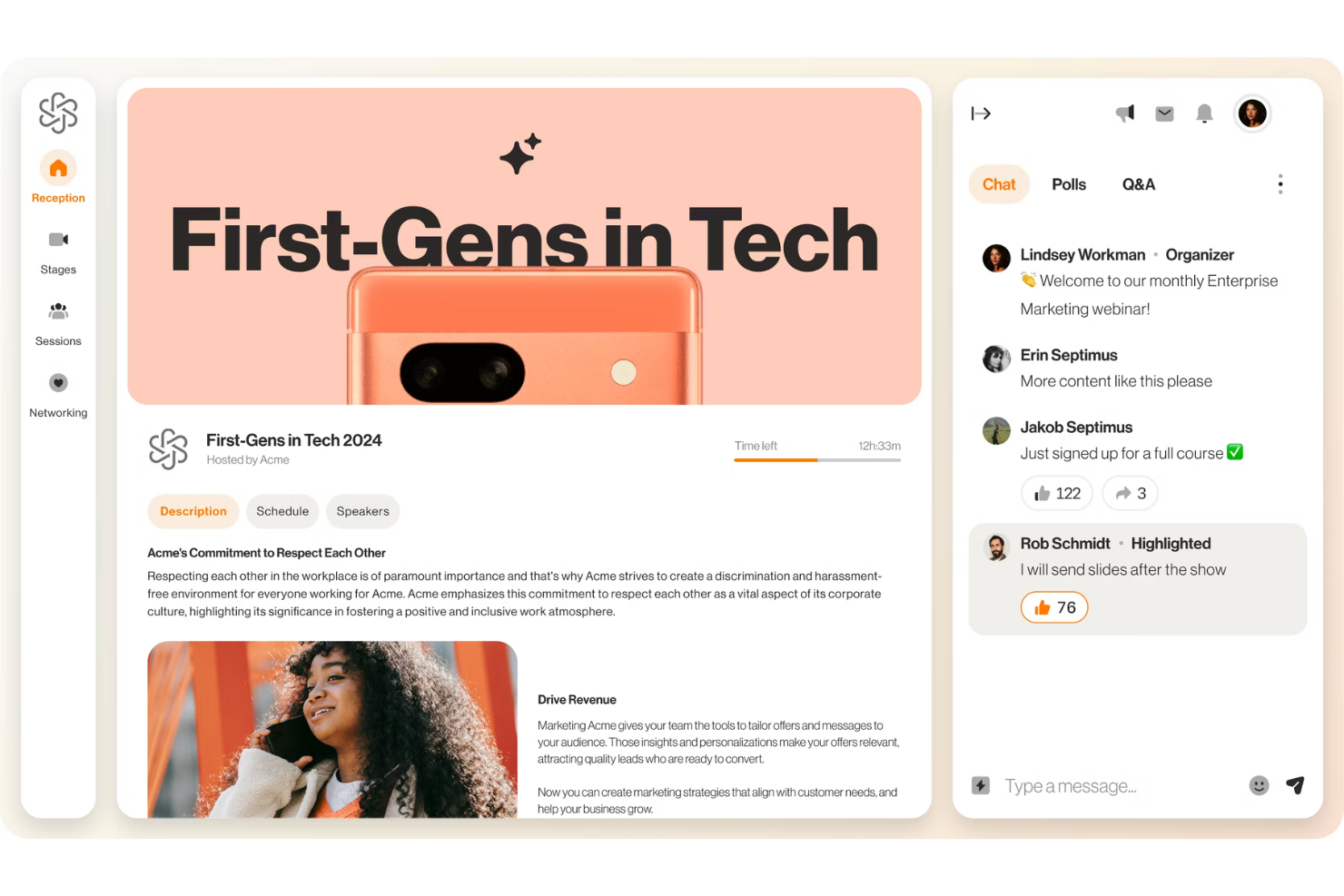
Use chat, Q&A, polls, and integrated apps to boost attendee participation. These features make it easy to keep guests involved and interacting throughout your event.
Virtual Event Venues
Set up virtual receptions, stages, and networking spaces for different event formats. This lets you recreate the feel of in-person events online.
Real-Time Analytics
Track attendee engagement, session popularity, and participation as your event happens. These insights help you judge event success and make improvements.
Networking Rooms
Offer dedicated spaces for attendees to connect and build relationships. This feature supports both structured and informal networking opportunities.
Automated Matchmaking
Uses attendee profiles and interests to suggest relevant connections and meetings. This saves time for guests and increases the value of networking at your events.
Ease of Use
RingCentral Events is one of the more approachable event management platforms I’ve used, with a clean interface and clear navigation that makes setup fast.
Users often mention how easy it is to build branded events and manage sessions without technical help. The drag-and-drop tools, guided onboarding, and real-time support chat help teams get started quickly.
Integrations
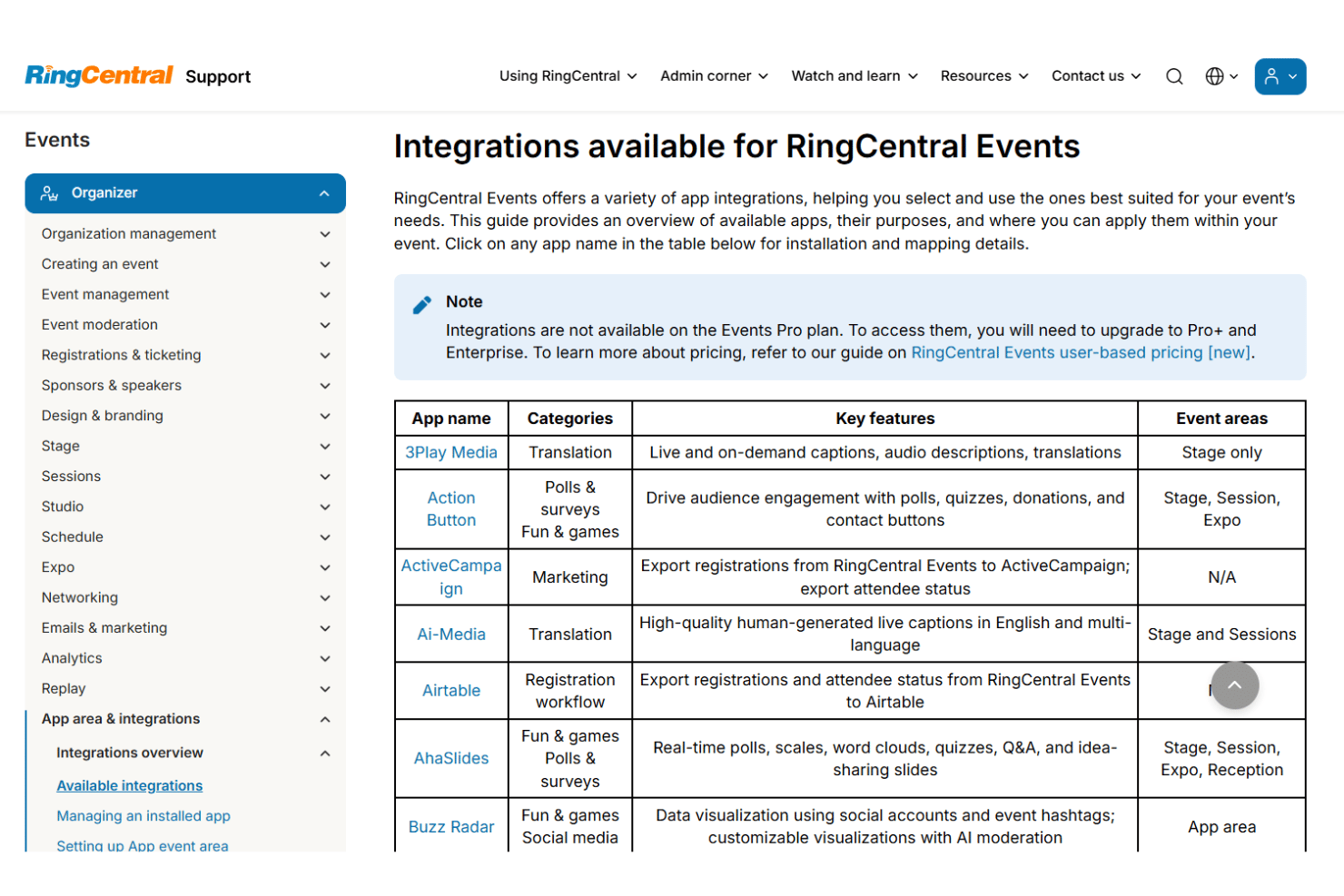
RingCentral Events integrates with HubSpot, Marketo, Salesforce, Slack, Mailchimp, Zapier, Google Analytics, LinkedIn, Eventbrite, and Microsoft Teams, among others.
RingCentral Events also offers a public API and supports connections with third-party integration tools for custom workflows.
RingCentral Events Specs
- Accounts Payable
- Accounts Receivable
- API
- Audience Targeting
- Budgeting
- Calendar Management
- Contact Management
- Customer Management
- Dashboard
- Data Export
- Data Import
- Data Visualization
- Expense Tracking
- External Integrations
- Forecasting
- General Account Ledger
- Inventory Tracking
- Lead Management
- Lead Scoring
- Marketing Automation
- Multi-User
- Notifications
- Project Management
- Scheduling
- Social-Media Integration
- Supplier Management
- Third-Party Plugins/Add-Ons
- Travel Management