

When I Work Review: Pros, Cons, Features and Pricing
I look beyond When I Work’s shift-making basics to see whether its scheduling, team communication, and pricing fit the realities of hotel staffing—and where the trade-offs show.

We review tools independently, and commissions help fund our testing. See our transparency policy, our methodology, or suggest a tool.
When I Work is hotel scheduling software for hotels that need to coordinate front desk, housekeeping, and service shifts, manage shift swaps and open shifts, and message staff in one place. I’d choose it over Homebase when you prefer per-user pricing for scheduling and team communication rather than Homebase’s location-based plans.
When I Work Evaluation Summary
4.5/5
- From $2.50/user/month
- Free trial available
Why Trust Our Software Recommendations
6,700+
Reviews
20
Industry experts
16+
Evaluation factors
14
Years
Our team has been testing and reviewing software since 2012. As hospitality leaders ourselves, we know how difficult—and important—it is to choose the right software.
For this guide, we evaluated tools using hands-on testing and independent research, scoring tools using our selection criteria.
Our reviews reflect our human editorial judgment, not a sales pitch.
When I Work Overview
I’d choose When I Work for hotels that need employee scheduling, shift swapping, open shifts, and team messaging in one mobile-friendly platform. Starting at $2.50 per user monthly, it offers affordable scheduling, although time tracking may cost extra and multi-location teams should compare higher-tier plans. Its auto-scheduling, payroll integrations, and live chat support cover everyday staffing needs.
I’d recommend it for hotels coordinating front desk, housekeeping, and other shift-based teams, though properties requiring direct occupancy-based scheduling may need additional tools.
Pros
- Per-user pricing and schedule templates suit smaller hotel departments.
- Mobile shift swaps and open shifts help cover callouts.
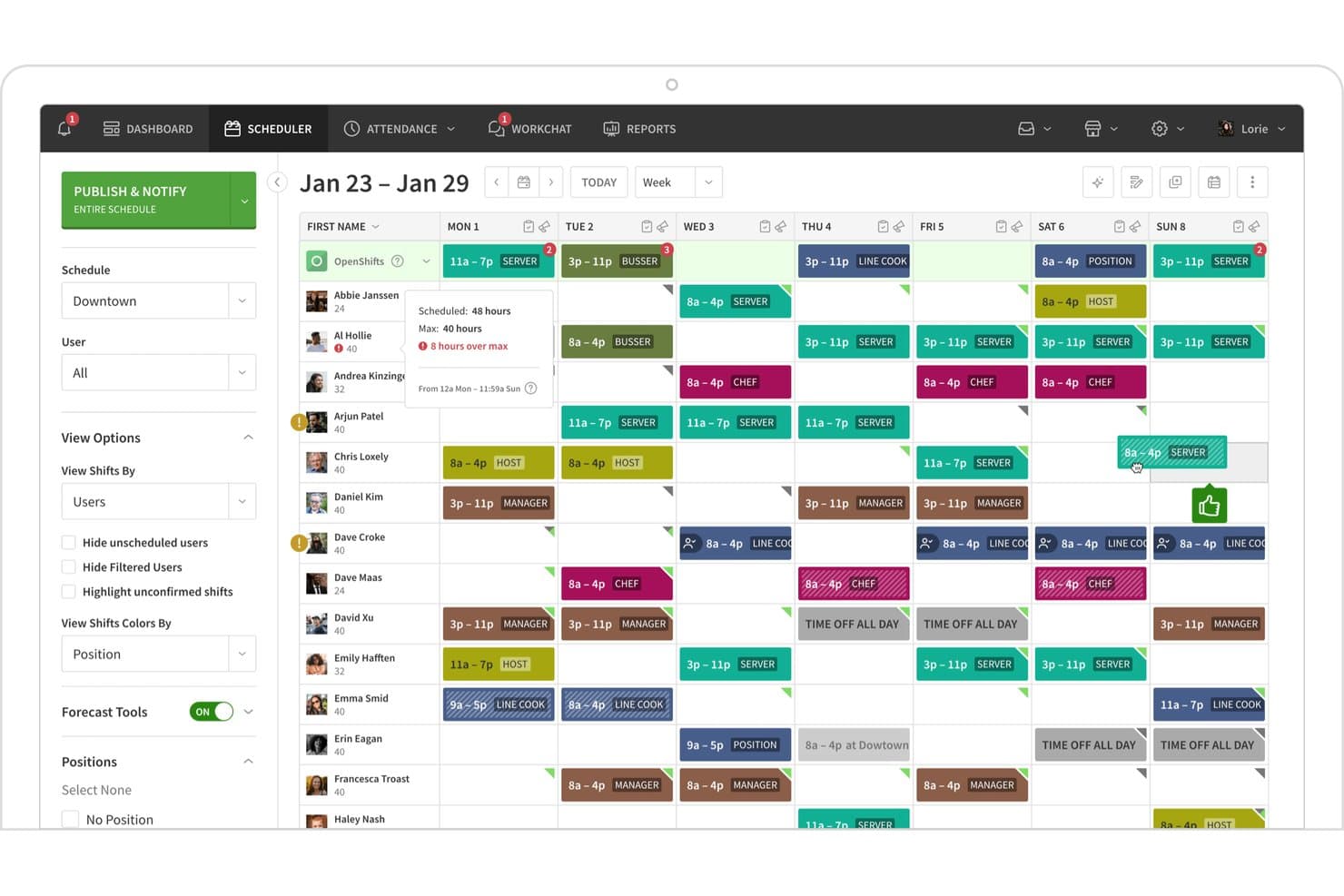
- Color-coded schedules show availability across front desk and housekeeping.
Cons
- Labor forecasts don’t account for room occupancy or arrivals.
- Notification and schedule-update glitches can leave staff uncertain.
- Time tracking adds cost, while reporting has noted limitations.


How We Test & Score Tools
We’ve spent years building, refining, and improving our software testing and scoring system. The rubric is designed to capture the nuances of software selection and what makes a tool effective, focusing on critical aspects of the decision-making process.
Below, you can see exactly how our testing and scoring works across seven criteria. It allows us to provide an unbiased evaluation of the software based on core functionality, standout features, ease of use, onboarding, customer support, integrations, customer reviews, and value for money.
Core Functionality (25% of final scoring)
The starting point of our evaluation is always the core functionality of the tool. Does it have the basic features and functions that a user would expect to see? Are any of those core features locked to higher-tiered pricing plans? At its core, we expect a tool to stand up against the baseline capabilities of its competitors.
Standout Features (25% of final scoring)
Next, we evaluate uncommon standout features that go above and beyond the core functionality typically found in tools of its kind. A high score reflects specialized or unique features that make the product faster, more efficient, or offer additional value to the user.
We also evaluate how easy it is to integrate with other tools typically found in the tech stack to expand the functionality and utility of the software. Tools offering plentiful native integrations, 3rd party connections, and API access to build custom integrations score best.
Ease of Use (10% of final scoring)
We consider how quick and easy it is to execute the tasks defined in the core functionality using the tool. High scoring software is well designed, intuitive to use, offers mobile apps, provides templates, and makes relatively complex tasks seem simple.
Onboarding (10% of final scoring)
We know how important rapid team adoption is for a new platform, so we evaluate how easy it is to learn and use a tool with minimal training. We evaluate how quickly a team member can get set up and start using the tool with no experience. High scoring solutions indicate little or no support is required.
Customer Support (10% of final scoring)
We review how quick and easy it is to get unstuck and find help by phone, live chat, or knowledge base. Tools and companies that provide real-time support score best, while chatbots score worst.
Customer Reviews (10% of final scoring)
Beyond our own testing and evaluation, we consider the net promoter score from current and past customers. We review their likelihood, given the option, to choose the tool again for the core functionality. A high scoring software reflects a high net promoter score from current or past customers.
Value for Money (10% of final scoring)
Lastly, in consideration of all the other criteria, we review the average price of entry level plans against the core features and consider the value of the other evaluation criteria. Software that delivers more, for less, will score higher.
Core Features
Shift Publishing and Notifications
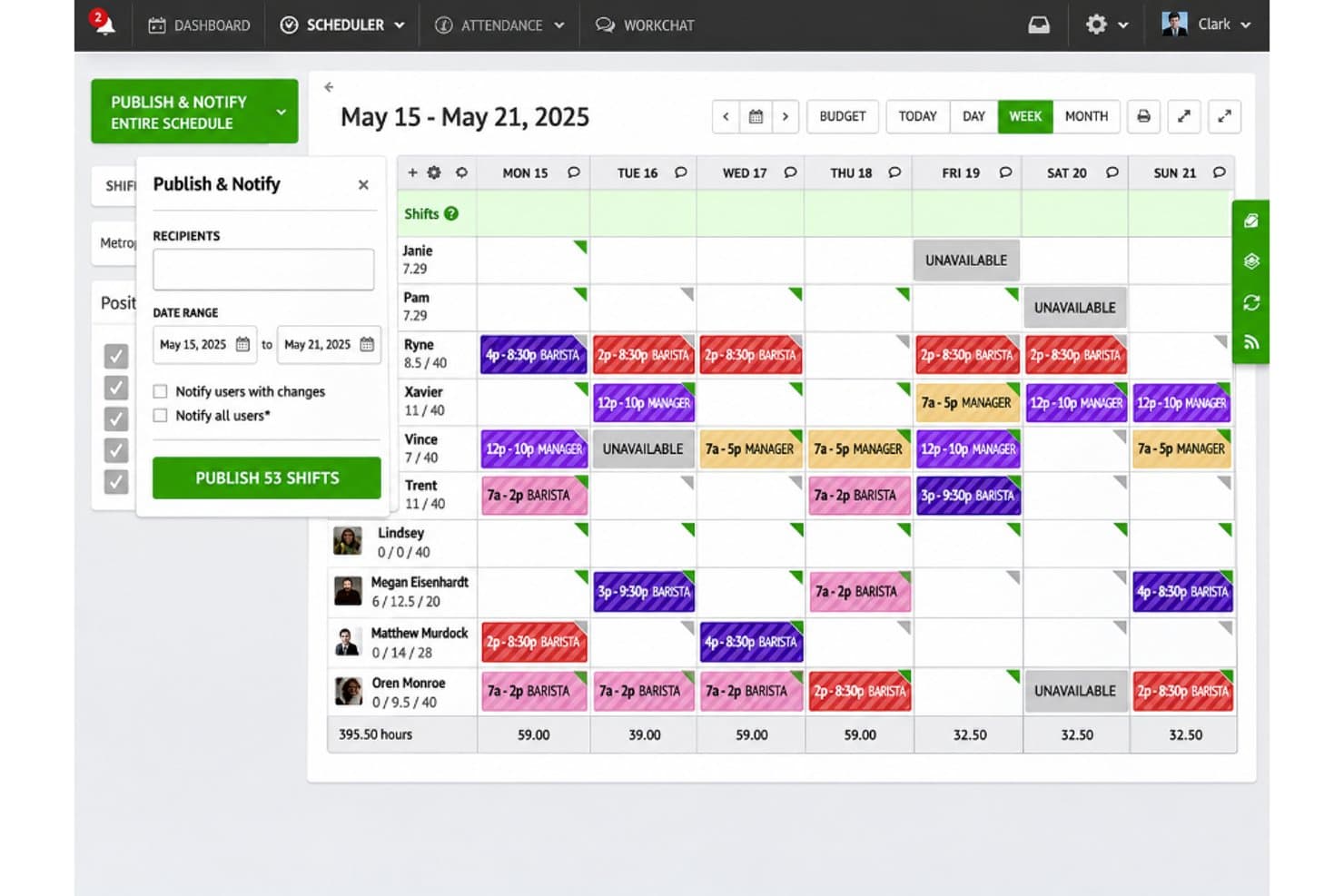
When I Work allows managers to publish employee schedules and notify staff about assigned shifts. Managers can select a date range, choose whether to notify employees about schedule changes, and publish multiple shifts at once.
Shift Assignment
When I Work displays available and previously assigned shifts when scheduling employees. Managers can select a staff member, review available shift times and positions, and assign a suitable shift directly from the scheduling calendar.
Team Communication
When I Work includes a WorkChat feature for employee communication. Staff and managers can access individual or group conversations to discuss schedules, share workplace updates, and coordinate shift-related activities.
Employee Wage Management
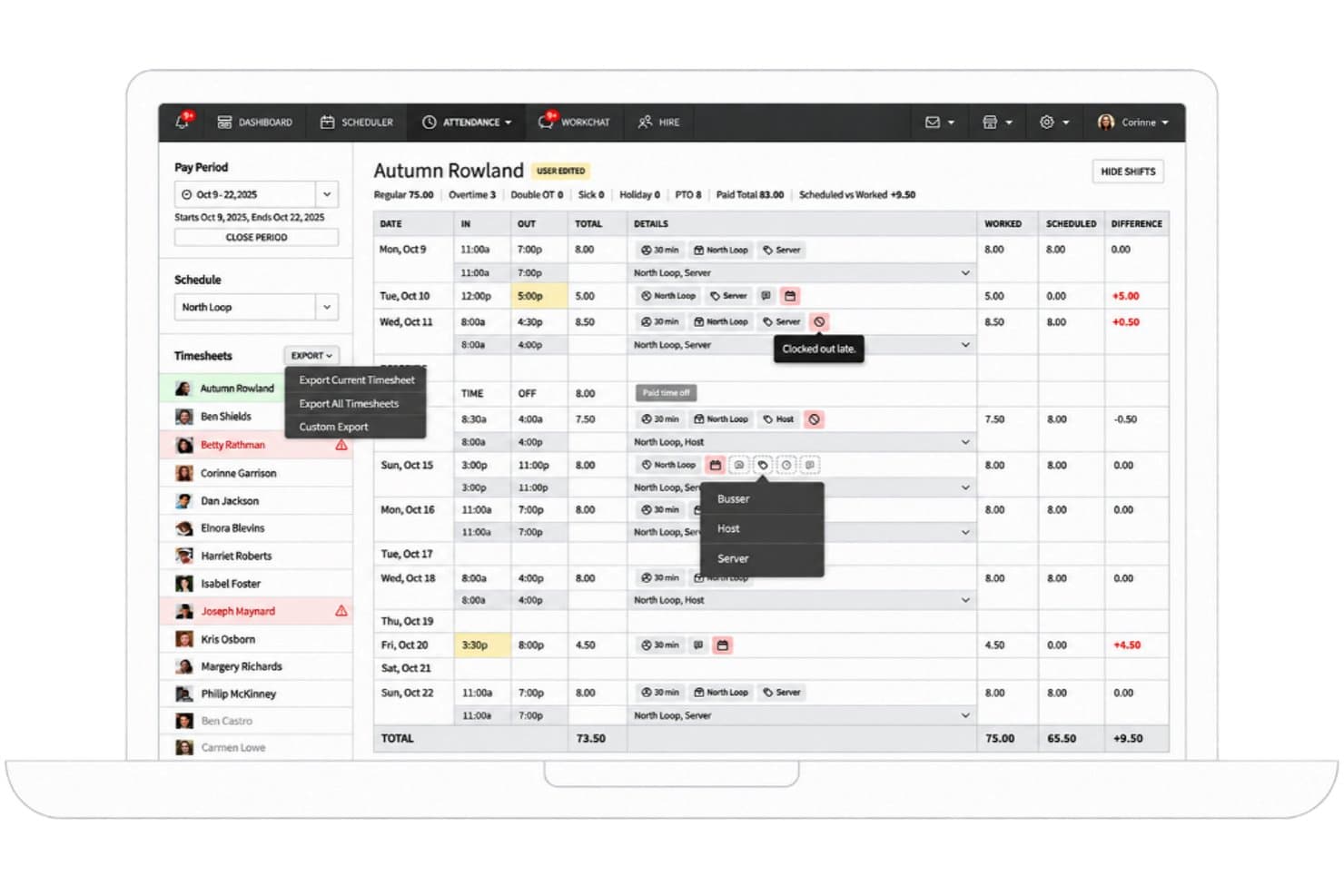
When I Work lets managers set base hourly wages, position-specific pay rates, and maximum weekly hours. The employee settings also include options for overtime exemption, attendance alerts, and timesheet editing.
Shift Acknowledgment
When I Work allows employees to review and acknowledge their assigned shifts. Staff can confirm multiple scheduled shifts at once, while managers can track acknowledgment to determine whether employees have reviewed their schedules.
Mobile Shift Scheduling
When I Work provides a mobile application where employees can view upcoming shifts, assigned positions, work locations, and scheduled hours. Staff can access their personal schedules and navigate between assigned shifts, the team schedule, and open shifts.
Ease of Use
When I Work offers an approachable interface for routine hotel scheduling, allowing managers to reuse shift templates, track employee availability, and manage open shifts in one platform. Its mobile app also gives staff access to schedules, shift swaps, and updates.
However, occasional notification delays and scheduling glitches may cause confusion when shifts change. I’d recommend it for hotels managing regular staffing schedules, though properties requiring occupancy-based scheduling or complex workflows may need additional tools.
Integrations
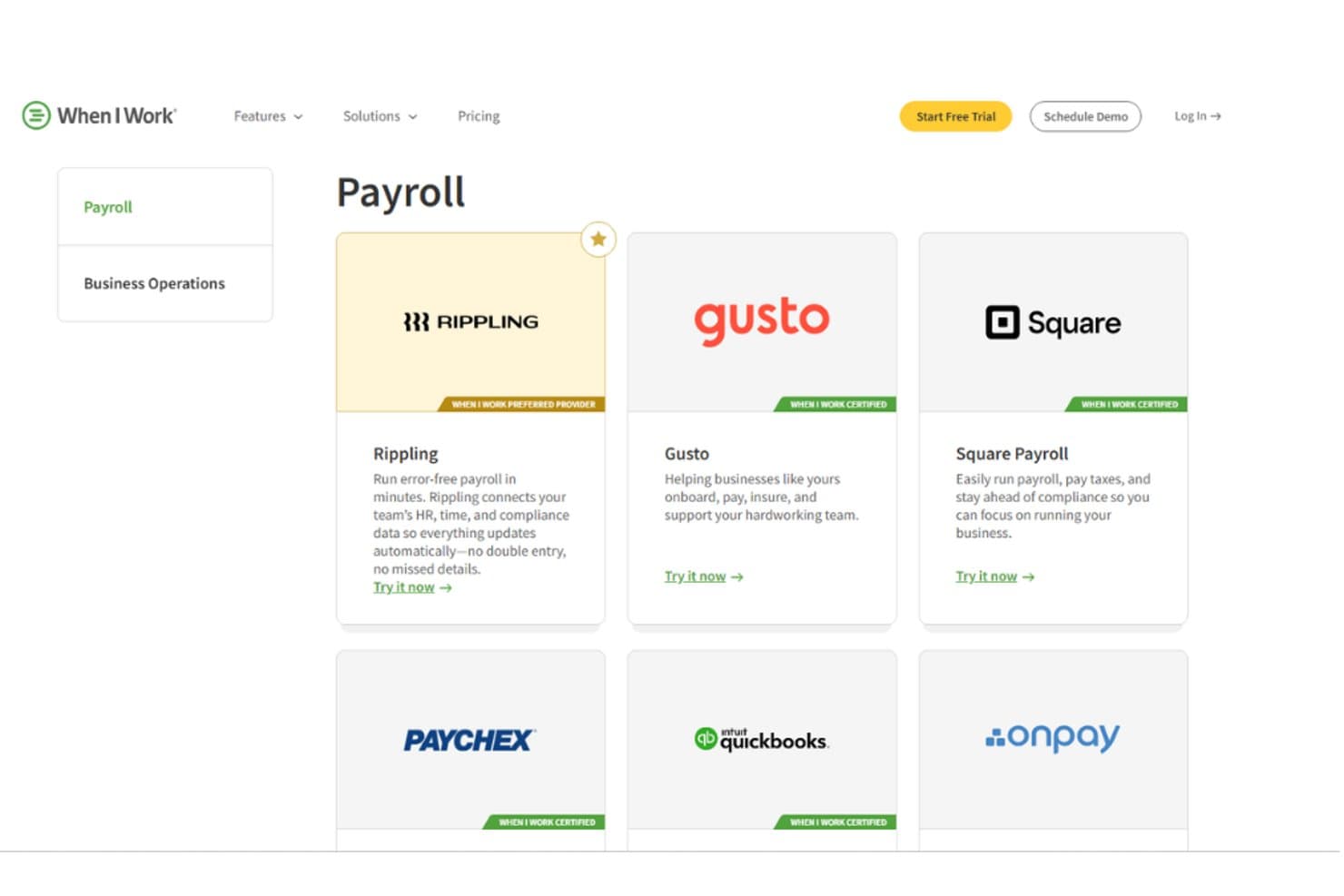
When I Work connects with Rippling, Gusto, Square Payroll, Paychex, QuickBooks Online, and OnPay for payroll processing, employee information management, and workforce administration. It also provides an API for custom integrations, with access dependent on subscription eligibility.
When I Work Specs
- 360 Degree Feedback: No
- API: Yes
- Application Tracking: Yes
- Attendance Tracking: Yes
- Batch Permissions & Access: Yes
- Calendar Management: No
- Dashboard: Yes
- Data Export: Yes
- Data Import: Yes
- Data Visualization: No
- Employee Database: No
- Employee Incentive Management: No
- Employee Onboarding: Yes
- External Integrations: Yes
- Feedback Management: No
- Forecasting: Yes
- Gantt Charts: No
- Multi-User: Yes
- Notifications: Yes
- Onboarding: Yes
- Project Management: No
- Scheduling: Yes
- Task Scheduling/Tracking: Yes
- Time Management: Yes
- Timesheets: Yes
- Travel Management: No
- Vacation & Absence Calendar: Yes

