

UKG Review: Pros, Cons, Features and Pricing
I assess UKG through a hotel operator’s lens: where its workforce tools may help manage labor, what trade-offs to weigh, and whether its features justify the price.

We review tools independently, and commissions help fund our testing. See our transparency policy, our methodology, or suggest a tool.
UKG is hotel labor management software that supports scheduling, labor forecasting, time tracking, attendance, and payroll. I’d consider it for hotels managing multiple departments or properties with complex staffing needs. Compared with Deputy, UKG offers broader HR, payroll, and workforce management capabilities for larger hotel operations.
UKG Evaluation Summary
4.3/5
- Pricing upon request
- Free demo available
Why Trust Our Software Recommendations
6,700+
Reviews
20
Industry experts
16+
Evaluation factors
14
Years reviewing software
Our team has been testing and reviewing software since 2012. As hospitality leaders ourselves, we know how difficult—and important—it is to choose the right software.
For this guide, we evaluated tools using hands-on testing and independent research, scoring tools using our selection criteria.
Our reviews reflect our human editorial judgment, not a sales pitch.
UKG Overview
I’d choose UKG for hotel groups managing complex scheduling, time tracking, payroll, and HR across multiple properties. Its labor forecasting, mobile self-service, and integrations support workforce planning and cost management. However, quote-based pricing, configuration, and training requirements may increase implementation costs. I think UKG suits larger hotel operations, while smaller properties may prefer a simpler workforce management system.
Pros
- Demand forecasts and rule-based schedules can match staffing to occupancy.
- UKG combines timecards, attendance, leave, payroll, and HR.
- Mobile self-service supports shift swaps, leave requests, and schedule access.
Cons
- Complex configuration can make routine scheduling changes click-heavy.
- Users report slow mobile apps and inaccurate time punches.
- High project costs and slow support responses can complicate rollout.


How We Test & Score Tools
We’ve spent years building, refining, and improving our software testing and scoring system. The rubric is designed to capture the nuances of software selection and what makes a tool effective, focusing on critical aspects of the decision-making process.
Below, you can see exactly how our testing and scoring works across seven criteria. It allows us to provide an unbiased evaluation of the software based on core functionality, standout features, ease of use, onboarding, customer support, integrations, customer reviews, and value for money.
Core Functionality (25% of final scoring)
The starting point of our evaluation is always the core functionality of the tool. Does it have the basic features and functions that a user would expect to see? Are any of those core features locked to higher-tiered pricing plans? At its core, we expect a tool to stand up against the baseline capabilities of its competitors.
Standout Features (25% of final scoring)
Next, we evaluate uncommon standout features that go above and beyond the core functionality typically found in tools of its kind. A high score reflects specialized or unique features that make the product faster, more efficient, or offer additional value to the user.
We also evaluate how easy it is to integrate with other tools typically found in the tech stack to expand the functionality and utility of the software. Tools offering plentiful native integrations, 3rd party connections, and API access to build custom integrations score best.
Ease of Use (10% of final scoring)
We consider how quick and easy it is to execute the tasks defined in the core functionality using the tool. High scoring software is well designed, intuitive to use, offers mobile apps, provides templates, and makes relatively complex tasks seem simple.
Onboarding (10% of final scoring)
We know how important rapid team adoption is for a new platform, so we evaluate how easy it is to learn and use a tool with minimal training. We evaluate how quickly a team member can get set up and start using the tool with no experience. High scoring solutions indicate little or no support is required.
Customer Support (10% of final scoring)
We review how quick and easy it is to get unstuck and find help by phone, live chat, or knowledge base. Tools and companies that provide real-time support score best, while chatbots score worst.
Customer Reviews (10% of final scoring)
Beyond our own testing and evaluation, we consider the net promoter score from current and past customers. We review their likelihood, given the option, to choose the tool again for the core functionality. A high scoring software reflects a high net promoter score from current or past customers.
Value for Money (10% of final scoring)
Lastly, in consideration of all the other criteria, we review the average price of entry level plans against the core features and consider the value of the other evaluation criteria. Software that delivers more, for less, will score higher.
Core Features
Employee Benefits Management
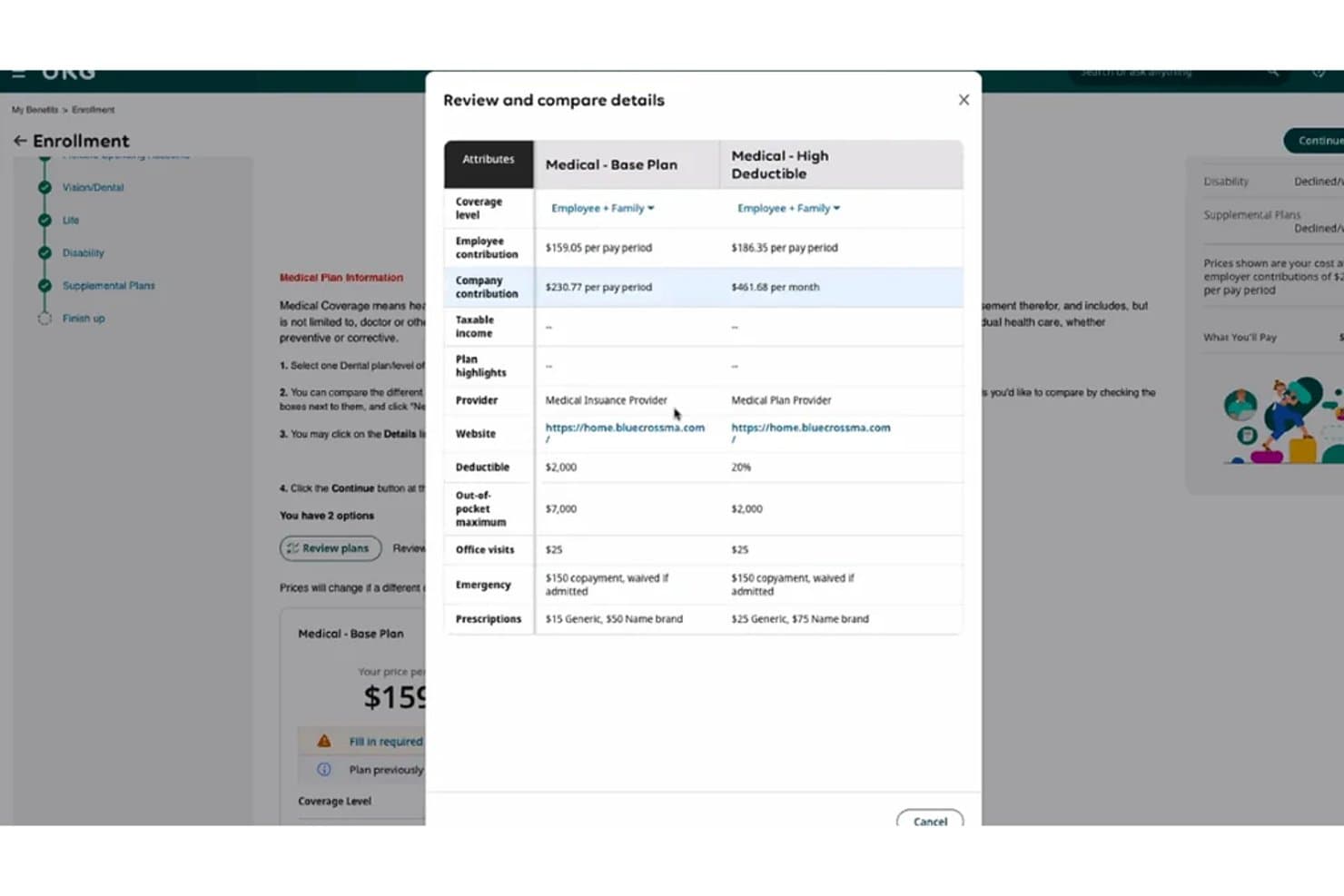
UKG allows hotel employees to compare benefit plans, review coverage details, and evaluate contribution amounts during enrollment. HR teams can manage benefit options and provide staff with information about medical coverage, deductibles, and out-of-pocket expenses.
Timesheet and Labor Cost Management
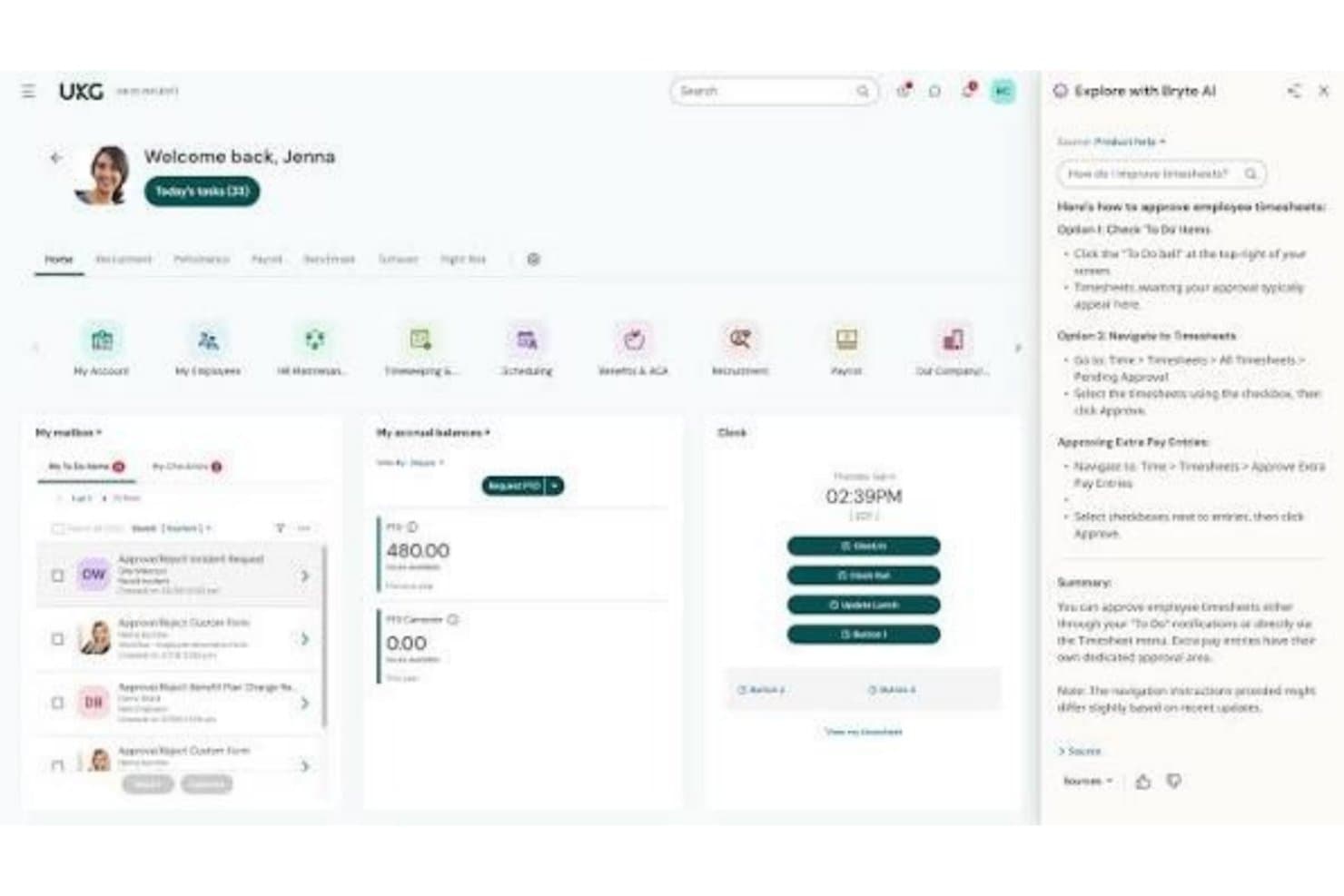
UKG provides timesheet monitoring tools that display unapproved time entries, employee hours, and labor allocation by cost center. Hotel managers can review recorded hours, identify pending approvals, and track labor distribution across departments to support payroll accuracy and cost control.
Employee Time Tracking
UKG provides employee time tracking tools for clocking in, clocking out, reviewing timesheets, and changing cost centers. Hotel staff can record working hours and allocate time to different departments, while managers monitor attendance and labor allocation.
Leave of Absence Management
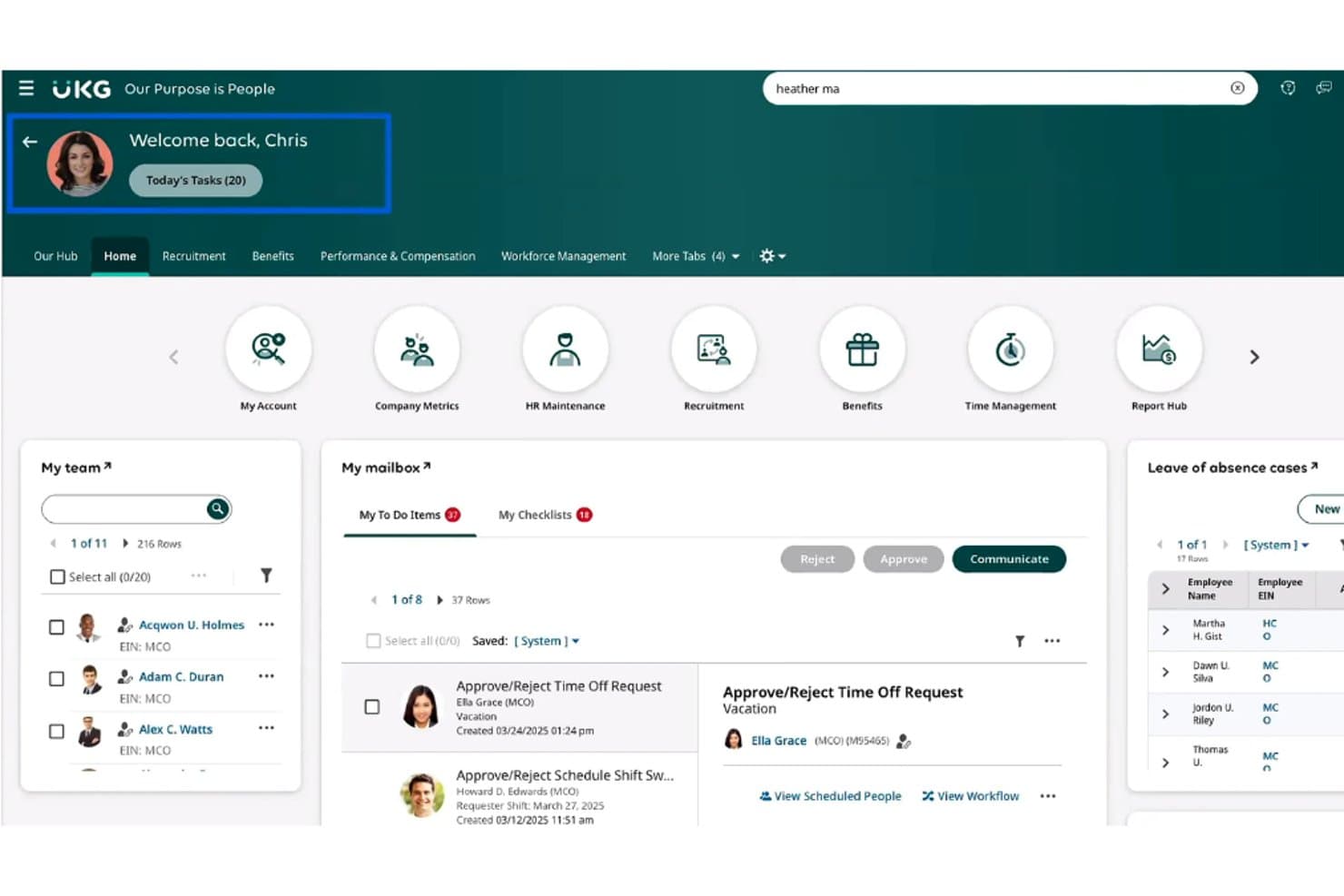
UKG allows hotel HR teams to manage employee leave cases, track approval statuses, and review eligibility requirements. Managers can record leave dates, supporting documentation, and return-to-work information to coordinate staffing during employee absences.
Mobile Employee Self-Service
UKG offers mobile access to timesheets, schedules, time-off requests, pay information, and employee notifications. Hotel staff can review their shifts, submit requests, and access workforce information from their smartphones without relying on desktop systems.
Employee Scheduling
UKG allows hotel managers to create employee schedules, assign shifts, and identify open shifts through a calendar-based interface. Managers can adjust shift times, assign breaks, monitor staffing coverage, and identify scheduling rule violations across hotel departments.
Ease of Use
UKG offers extensive workforce management capabilities, although its interface can be more complex than simpler hotel scheduling tools. It covers scheduling, time tracking, leave, payroll, and HR, while mobile self-service provides access to shifts and time-off requests. Some users report slow mobile performance, missed time punches, and difficult navigation. I’d recommend testing everyday scheduling and timekeeping tasks before committing.
Integrations
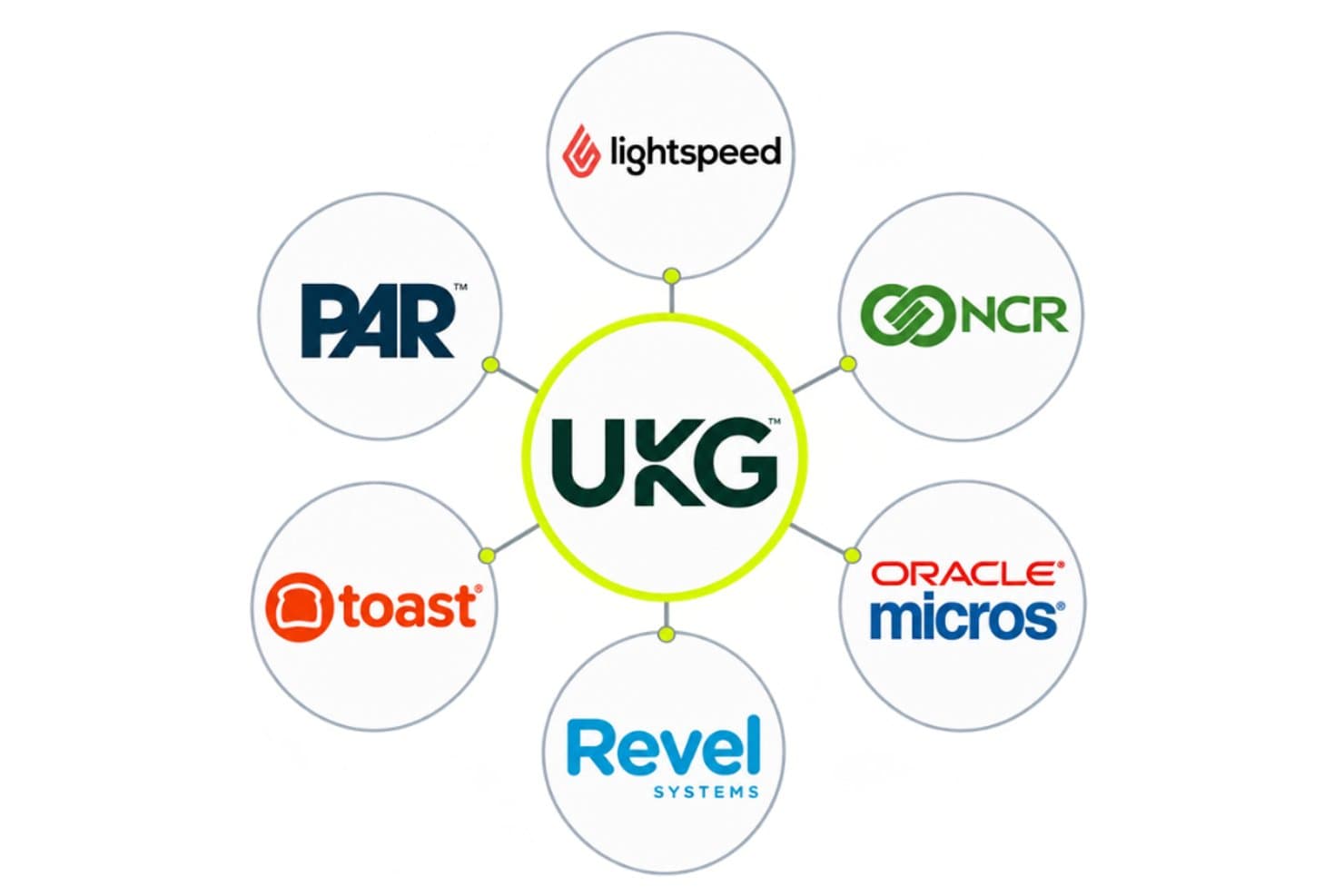
UKG connects with hospitality-related platforms such as Toast POS, Oracle MICROS, NCR Aloha, Lightspeed, Revel Systems, and PAR Brink for POS and workforce data workflows. It also supports Microsoft Teams, Oracle NetSuite, Greenhouse, and Microsoft Entra ID for communication, finance, recruitment, and identity management. UKG provides APIs through its Developer Hub and offers additional integrations through its Marketplace and integration partners, including Flexspring and Boomi.
UKG Specs
- 2-Factor Authentication: Yes
- 360 Degree Feedback: Yes
- API: Yes
- Application Tracking: Yes
- Attendance Tracking: Yes
- Batch Permissions & Access: Yes
- Compliance Tracking: Yes
- Dashboard: Yes
- Data Export: Yes
- Data Import: Yes
- Data Visualization: Yes
- Employee Database: Yes
- Employee Engagement: Yes
- Employee Incentive Management: Yes
- Employee Onboarding: Yes
- Employee Training: Yes
- Expense Tracking: Yes
- External Integrations: Yes
- Feedback Management: Yes
- Multi-User: Yes
- Notifications: Yes
- Payroll: Yes
- Performance Appraisal: Yes
- Scheduling: Yes
- Time Management: Yes
- Timesheets: Yes
- Travel Management: No
- Vacation & Absence Calendar: Yes


