

Connecteam Review: Pros, Cons, Features, and Pricing
I look beyond the feature list to see whether Connecteam’s mobile-first scheduling fits the realities of hotel shifts—and where its trade-offs may matter.

We review tools independently, and commissions help fund our testing. See our transparency policy, our methodology, or suggest a tool.
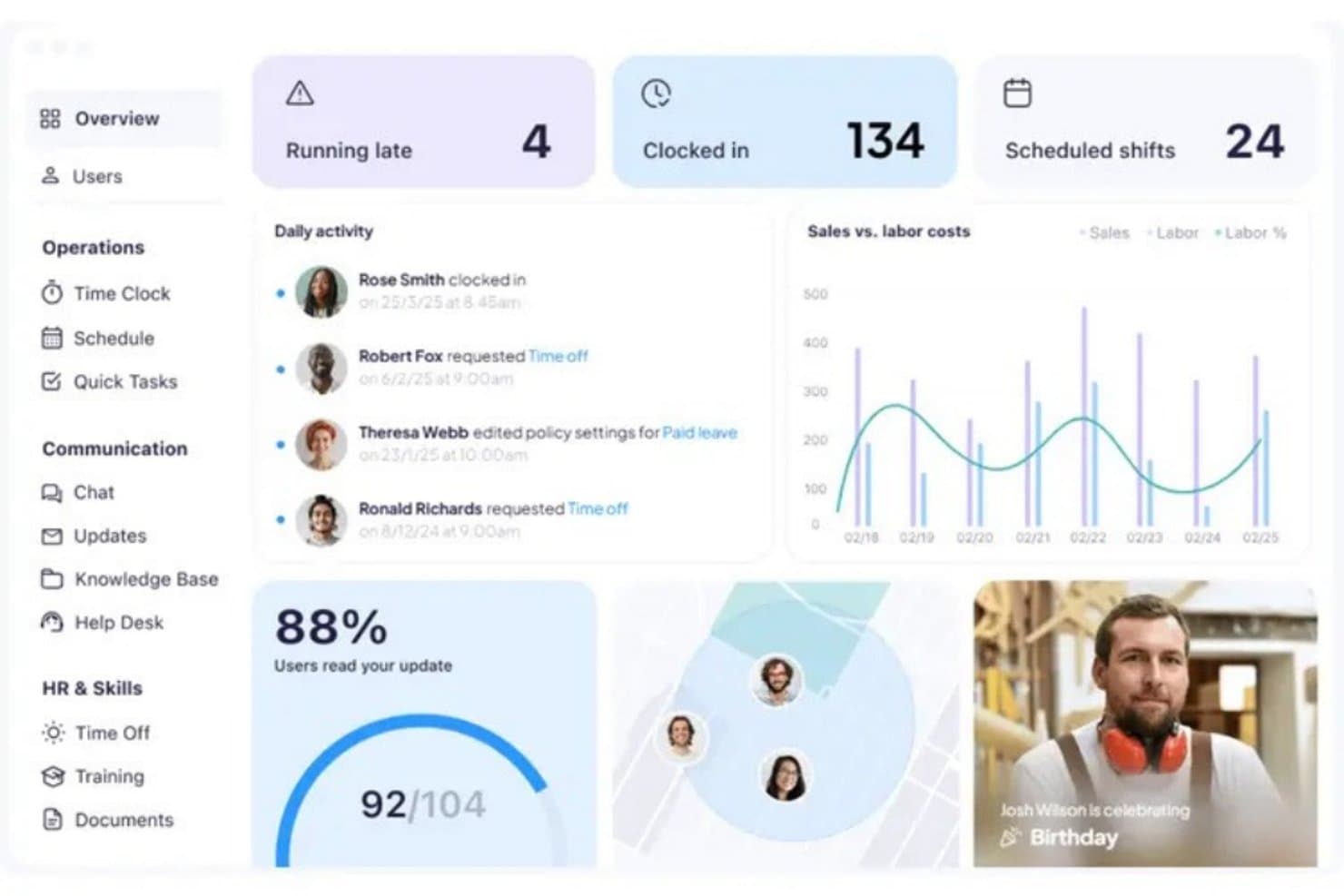
Connecteam is mobile-first hotel scheduling software that brings shift scheduling, task assignments, checklists, and team communication into one platform. It allows hotels to coordinate front desk, housekeeping, and service teams throughout the day. While When I Work primarily focuses on scheduling, time tracking, and messaging, Connecteam offers additional tools for overseeing daily hotel operations.
Connecteam Evaluation Summary
4.6/5
- Pricing upon request
- Free plan + 14-day free trial available
Why Trust Our Software Recommendations
6,700+
Reviews
20
Industry experts
16+
Evaluation factors
14
Years
Our team has been testing and reviewing software since 2012. As hospitality leaders ourselves, we know how difficult—and important—it is to choose the right software.
For this guide, we evaluated tools using hands-on testing and independent research, scoring tools using our selection criteria.
Our reviews reflect our human editorial judgment, not a sales pitch.
Connecteam Overview
I’d choose Connecteam for hotels that need mobile scheduling, time clocks, checklists, task assignments, and team communication in one app. Its availability-based auto-scheduling, recurring shifts, and labor-cost management can support changing occupancy and housekeeping coverage.
Pricing starts at $29/month for up to 30 users with annual billing, plus $0.80 per additional user. Its mobile app suits deskless hotel staff, while payroll, POS, and Zapier integrations offer additional flexibility. However, its general-purpose design may require customization to match hotel workflows, so I’d assess its setup requirements before committing.
Pros
- Availability-aware scheduling, templates, and open shifts support changing hotel coverage.
- Mobile swaps and confirmations keep front-desk and housekeeping rosters visible.
- Tasks, checklists, time clocks, and team chat sit alongside schedules.
Cons
- Occupancy and reservation data don’t automatically inform staffing levels.
- Reviewers report limited reporting for labor-cost and schedule analysis.
- Users report sync delays on older phones and weak connections.


How We Test & Score Tools
We’ve spent years building, refining, and improving our software testing and scoring system. The rubric is designed to capture the nuances of software selection and what makes a tool effective, focusing on critical aspects of the decision-making process.
Below, you can see exactly how our testing and scoring works across seven criteria. It allows us to provide an unbiased evaluation of the software based on core functionality, standout features, ease of use, onboarding, customer support, integrations, customer reviews, and value for money.
Core Functionality (25% of final scoring)
The starting point of our evaluation is always the core functionality of the tool. Does it have the basic features and functions that a user would expect to see? Are any of those core features locked to higher-tiered pricing plans? At its core, we expect a tool to stand up against the baseline capabilities of its competitors.
Standout Features (25% of final scoring)
Next, we evaluate uncommon standout features that go above and beyond the core functionality typically found in tools of its kind. A high score reflects specialized or unique features that make the product faster, more efficient, or offer additional value to the user.
We also evaluate how easy it is to integrate with other tools typically found in the tech stack to expand the functionality and utility of the software. Tools offering plentiful native integrations, 3rd party connections, and API access to build custom integrations score best.
Ease of Use (10% of final scoring)
We consider how quick and easy it is to execute the tasks defined in the core functionality using the tool. High scoring software is well designed, intuitive to use, offers mobile apps, provides templates, and makes relatively complex tasks seem simple.
Onboarding (10% of final scoring)
We know how important rapid team adoption is for a new platform, so we evaluate how easy it is to learn and use a tool with minimal training. We evaluate how quickly a team member can get set up and start using the tool with no experience. High scoring solutions indicate little or no support is required.
Customer Support (10% of final scoring)
We review how quick and easy it is to get unstuck and find help by phone, live chat, or knowledge base. Tools and companies that provide real-time support score best, while chatbots score worst.
Customer Reviews (10% of final scoring)
Beyond our own testing and evaluation, we consider the net promoter score from current and past customers. We review their likelihood, given the option, to choose the tool again for the core functionality. A high scoring software reflects a high net promoter score from current or past customers.
Value for Money (10% of final scoring)
Lastly, in consideration of all the other criteria, we review the average price of entry level plans against the core features and consider the value of the other evaluation criteria. Software that delivers more, for less, will score higher.
Core Features
Team Communication
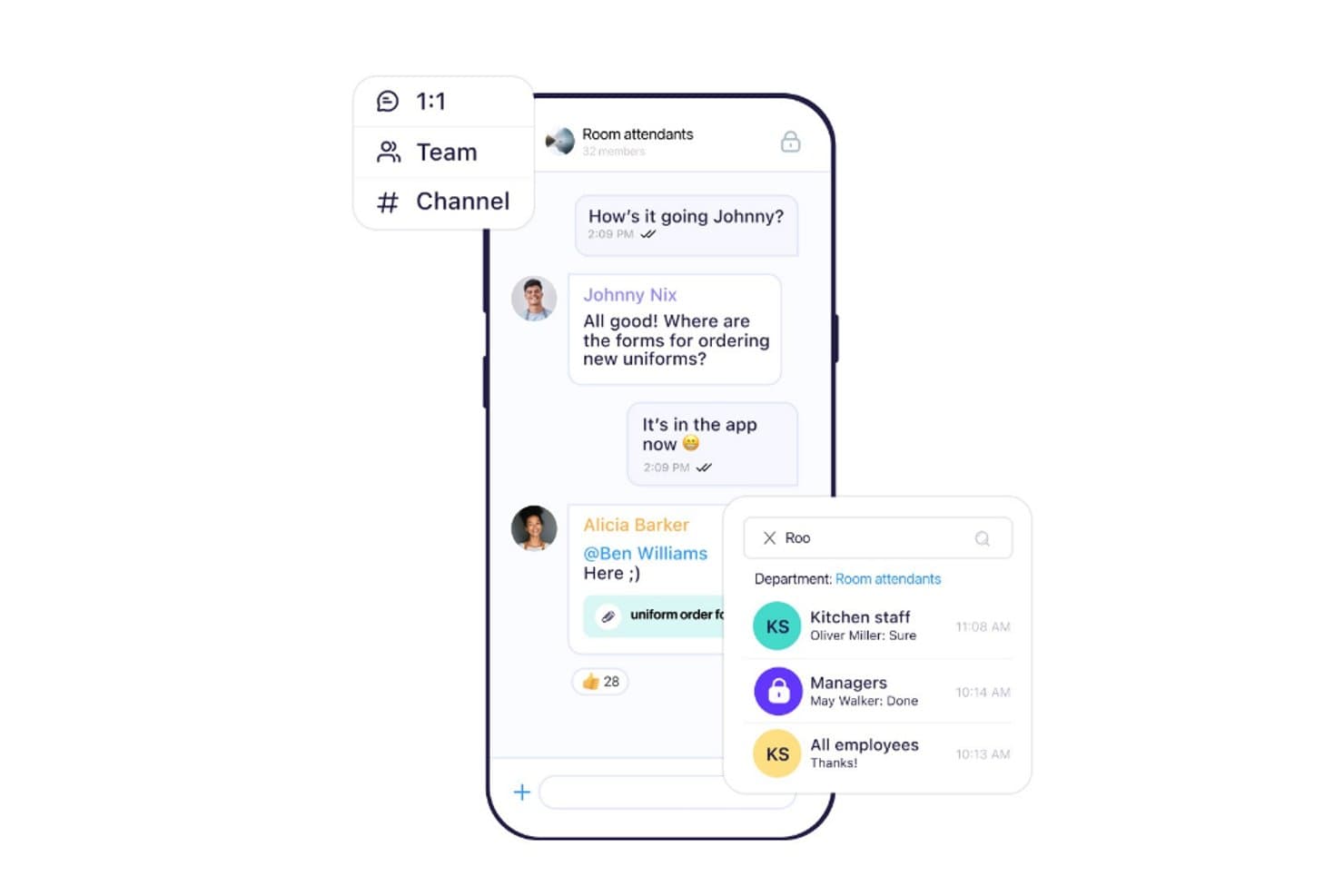
Connecteam provides team chat, private conversations, and group channels where hotel employees can communicate about daily operations. Front desk, housekeeping, kitchen, and maintenance teams can share updates, discuss guest requests, and coordinate shift-related activities.
Employee Document Management
Connecteam provides a centralized document management system to store, distribute, and track employee paperwork. Hotel managers can organize onboarding documents, employment forms, licenses, and other staff records while monitoring submission status, expiration dates, and pending approvals.
Digital Forms and Checklists
Connecteam allows hotel managers to create digital forms and inspection checklists for recurring operational tasks. Housekeeping and maintenance staff can complete safety inspections, verify cleaning procedures, submit reports, attach signatures, and provide location details directly through the app.
Mobile Workforce Management
Connecteam offers a mobile app that gives hotel employees access to time clocks, work schedules, training materials, and team communication. Staff can clock in, review assigned shifts, complete training courses, and receive operational announcements from their smartphones.
Task Management
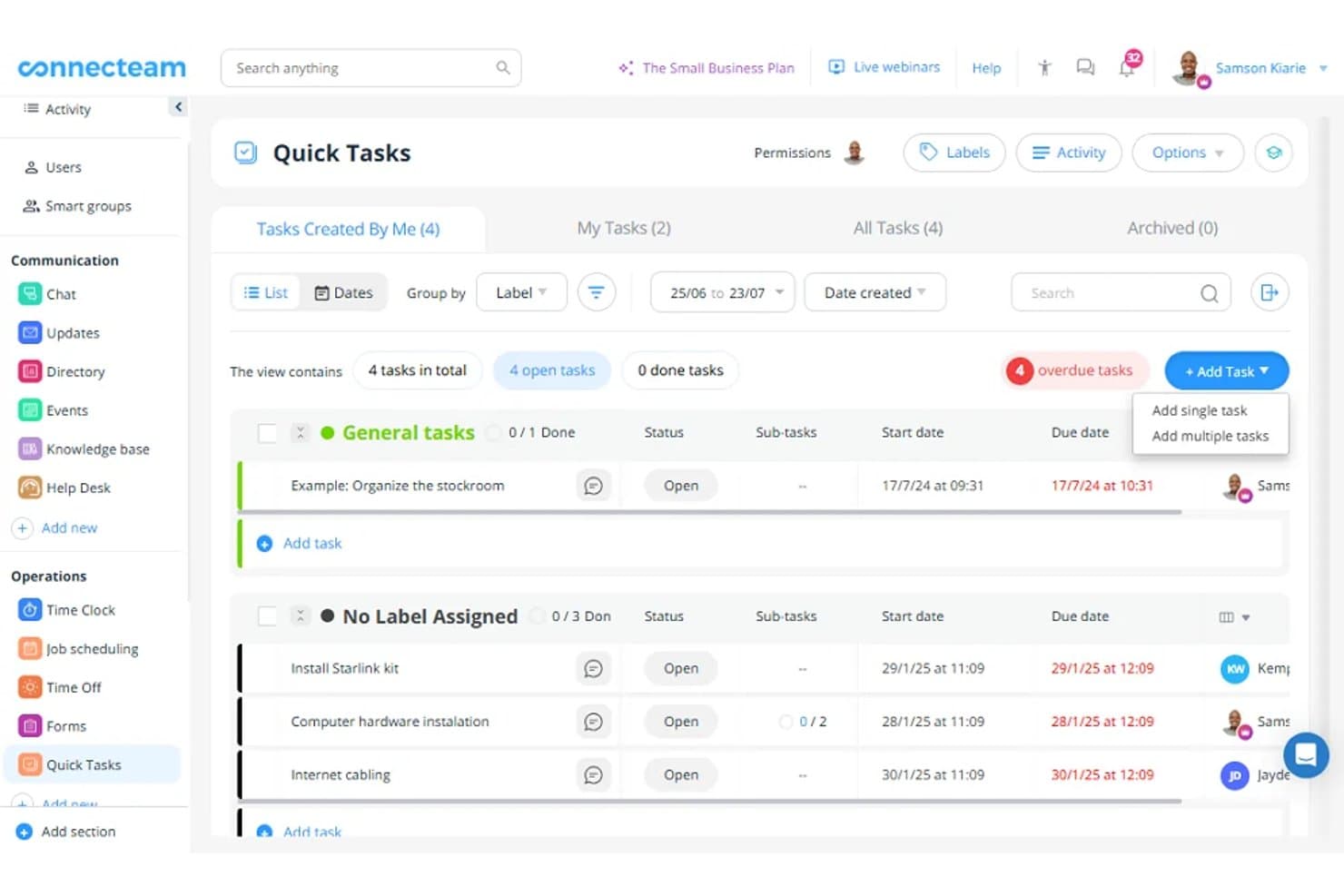
Connecteam lets hotel managers assign tasks, set deadlines, add instructions, and track completion progress. Housekeeping supervisors can distribute room-cleaning assignments, while maintenance managers can track repair requests and monitor outstanding operational tasks.
Employee Scheduling
Connecteam provides a visual scheduling interface for creating and assigning employee shifts. Hotel managers can review staff availability, identify open shifts, monitor scheduling conflicts, and publish schedules. Employees can also view their assignments and schedules through the mobile app.
Ease of Use
Connecteam is designed for day-to-day use by hotel staff, with mobile access to schedules, tasks, checklists, and team communication. Its all-in-one setup requires more configuration than a scheduling-only tool, particularly when setting up different workflows across housekeeping, front desk, and service teams. Customizing modules, permissions, and notifications before rollout can make the platform easier to manage across departments.
Integrations
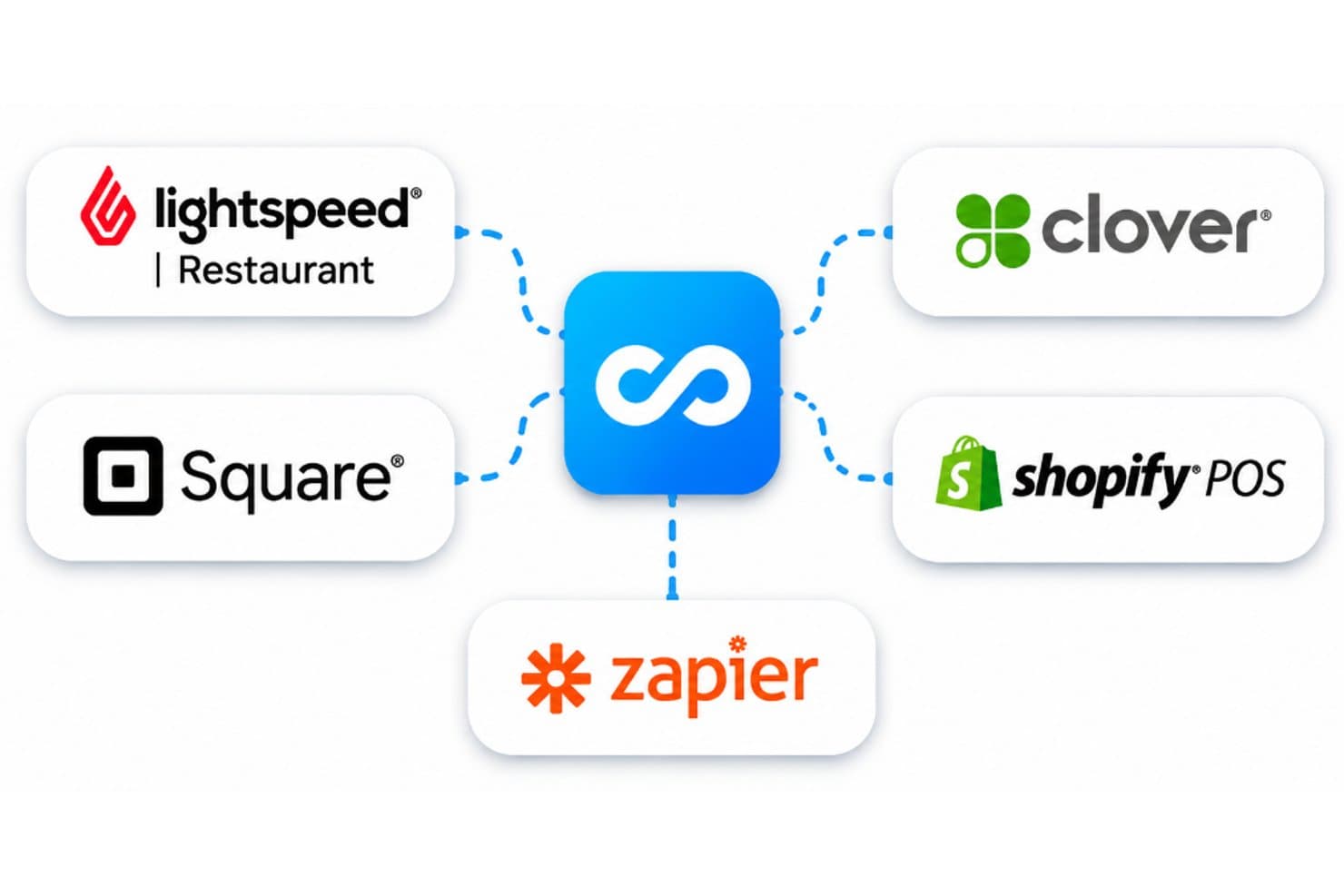
Connecteam integrates with hospitality-related POS platforms, including Lightspeed Restaurant, Clover, Square, and Shopify POS. It also offers an API for custom connections and supports additional third-party integrations through Zapier.
New Product Updates from Connecteam
 Opens new window
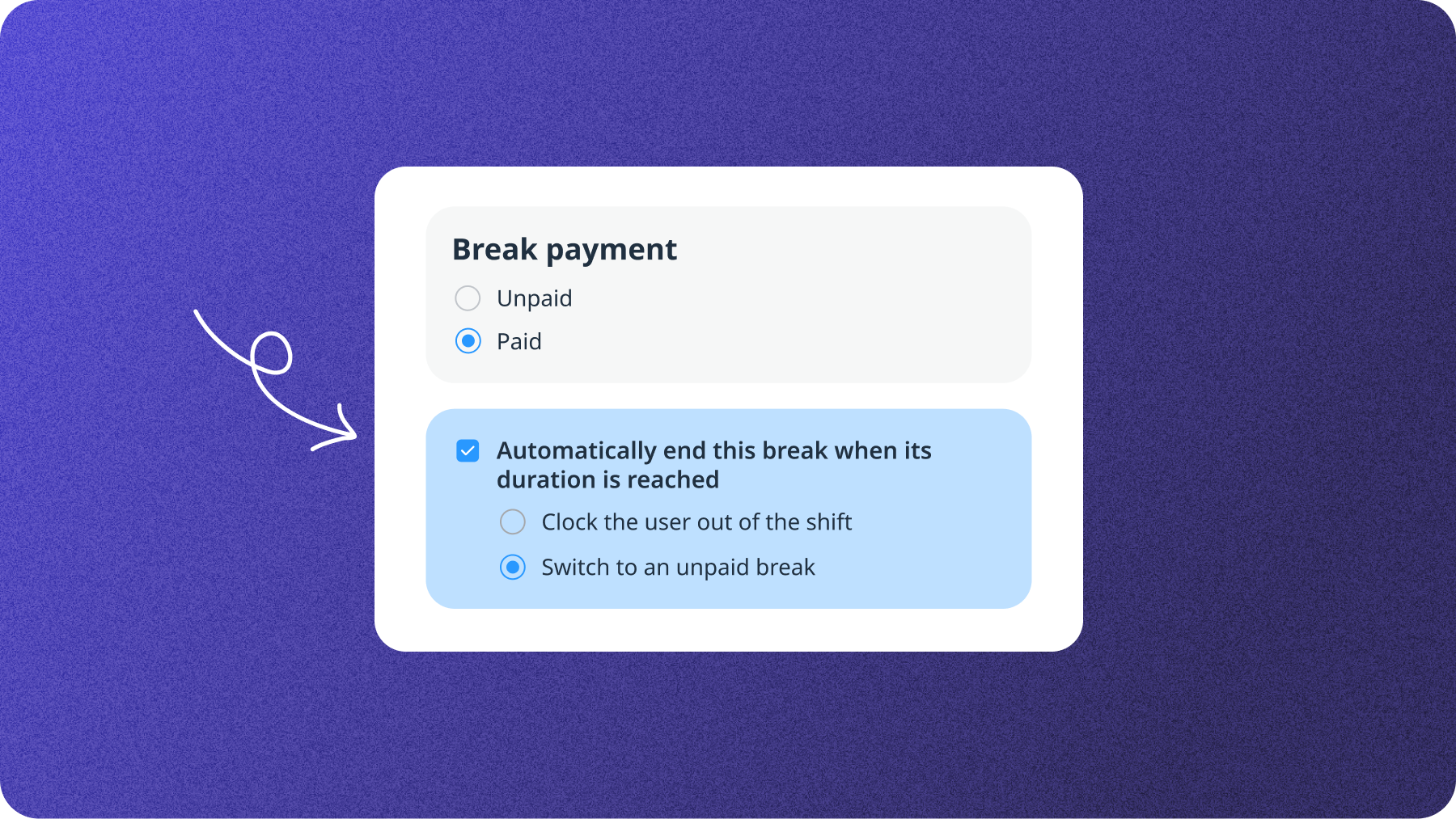
Connecteam Adds Automatic Paid Break Actions and Manual Break Windows
Connecteam introduces automatic actions when paid breaks end and specific time windows for starting manual breaks. These updates help admins control break durations and maintain team coverage. Highlights include:
- Automatic Paid Break Actions: Automatically clocks employees out or switches them to unpaid breaks when their paid break duration ends.
- Manual Break Start Windows: Lets admins set specific hours when employees can start manual breaks.
Visit Connecteam’s official site for more details.
 Opens new window
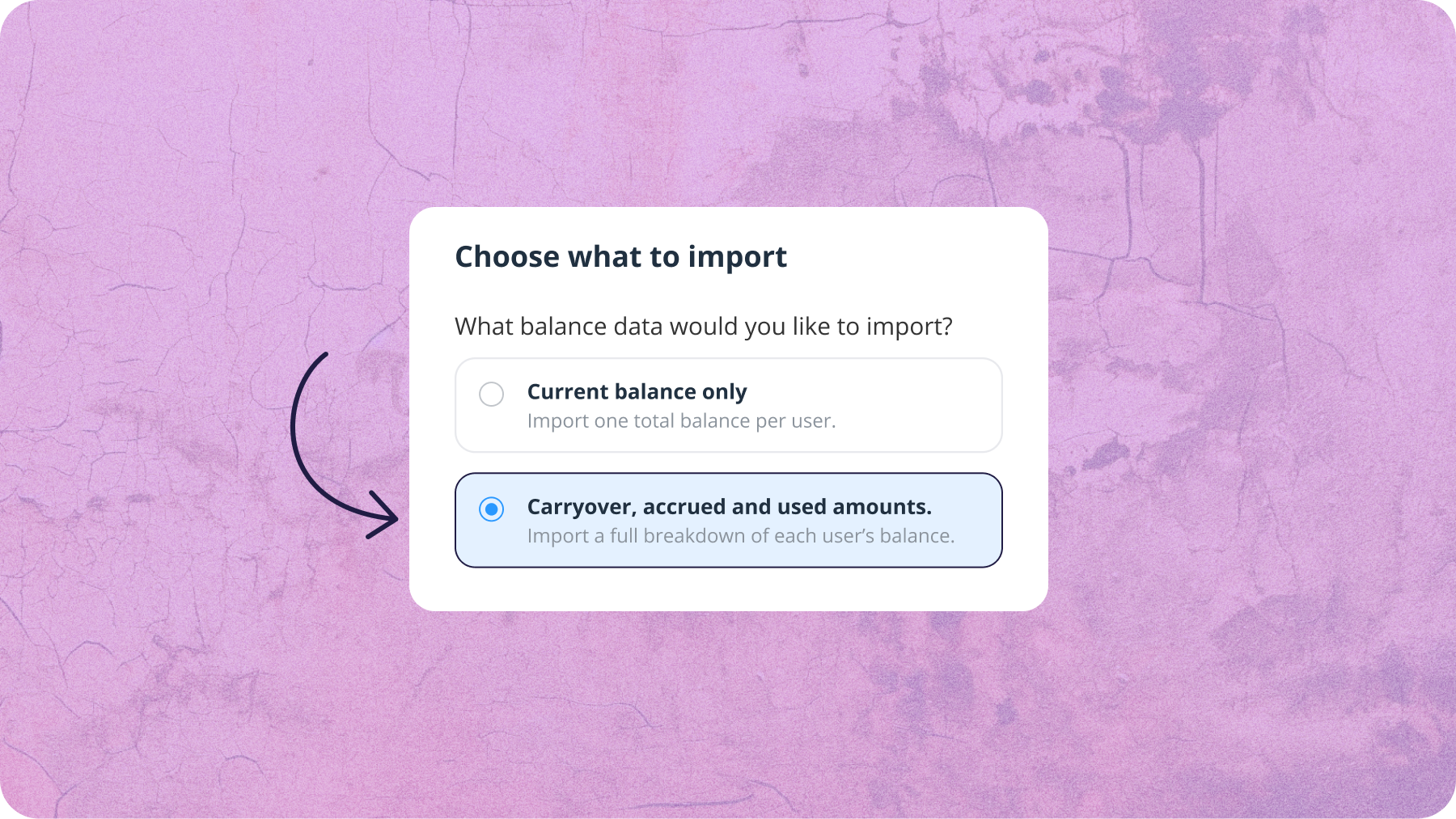
Connecteam Adds Bulk CSV Import for Time Off Balances
Connecteam introduces bulk CSV imports for time-off balances and automatic calculations based on carryover, accrued, and used amounts. These updates help admins update employee balances efficiently. Highlights include:
- Bulk CSV Import: Lets admins import or update multiple employees’ time-off balances using a CSV file.
- Automatic Balance Calculation: Calculates total balances from carryover, accrued, and used amounts.
Visit Connecteam’s official site for more details.
 Opens new window
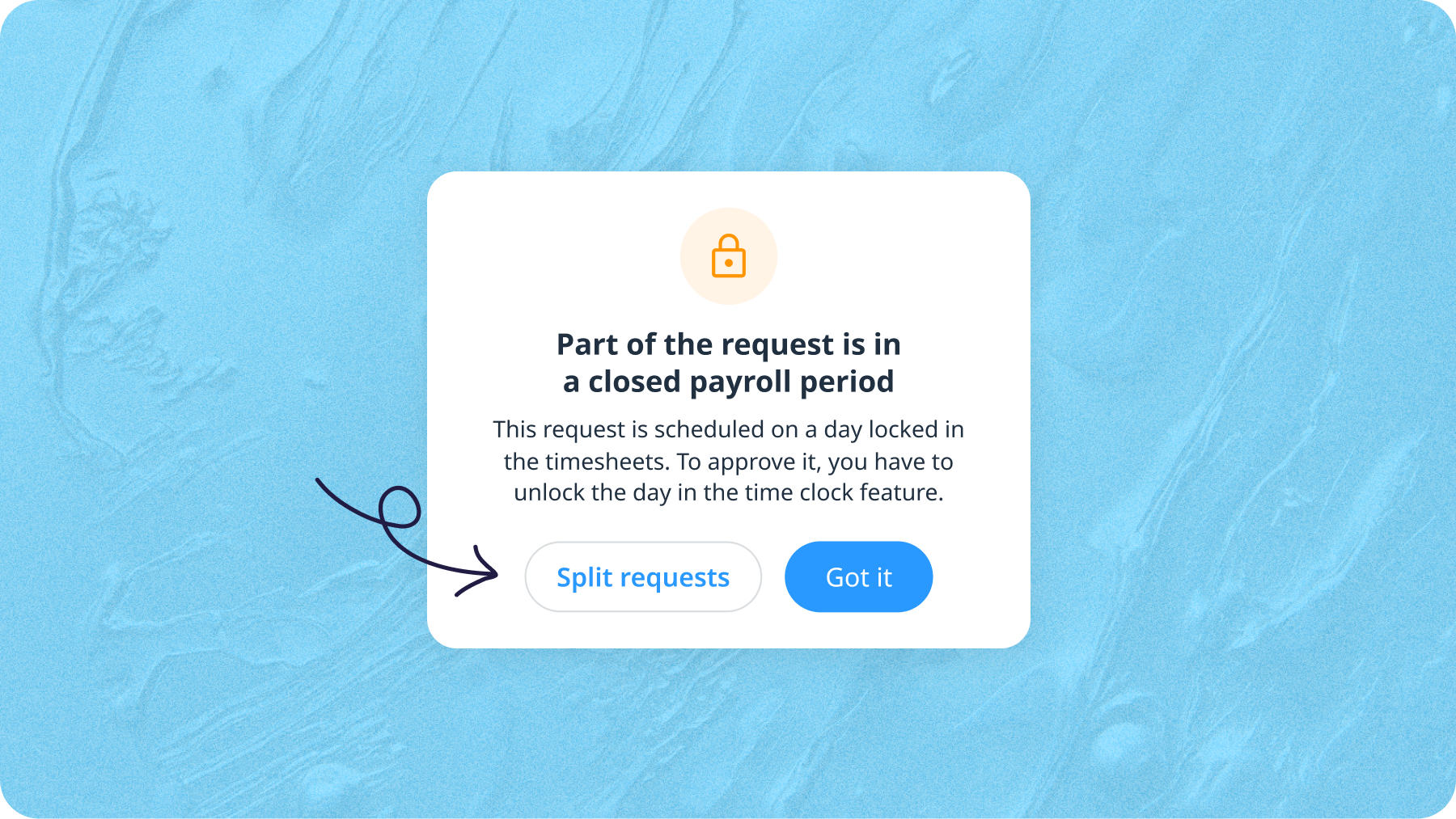
Connecteam Adds Time Off Limits and Flexible Request Management
Connecteam introduces automatic time-off request blocking based on team availability and the ability to manage requests spanning locked pay periods. These updates help admins prevent understaffing and handle upcoming requests without changing finalized payroll records. Highlights include:
- Automatic Time-Off Limits: Blocks additional requests when the maximum number of employees allowed off on the same day is reached.
- Locked Pay Period Management: Splits requests spanning locked pay periods, allowing admins to approve or reject unlocked dates without changing finalized payroll.
Visit Connecteam’s official site for more details.
 Opens new window
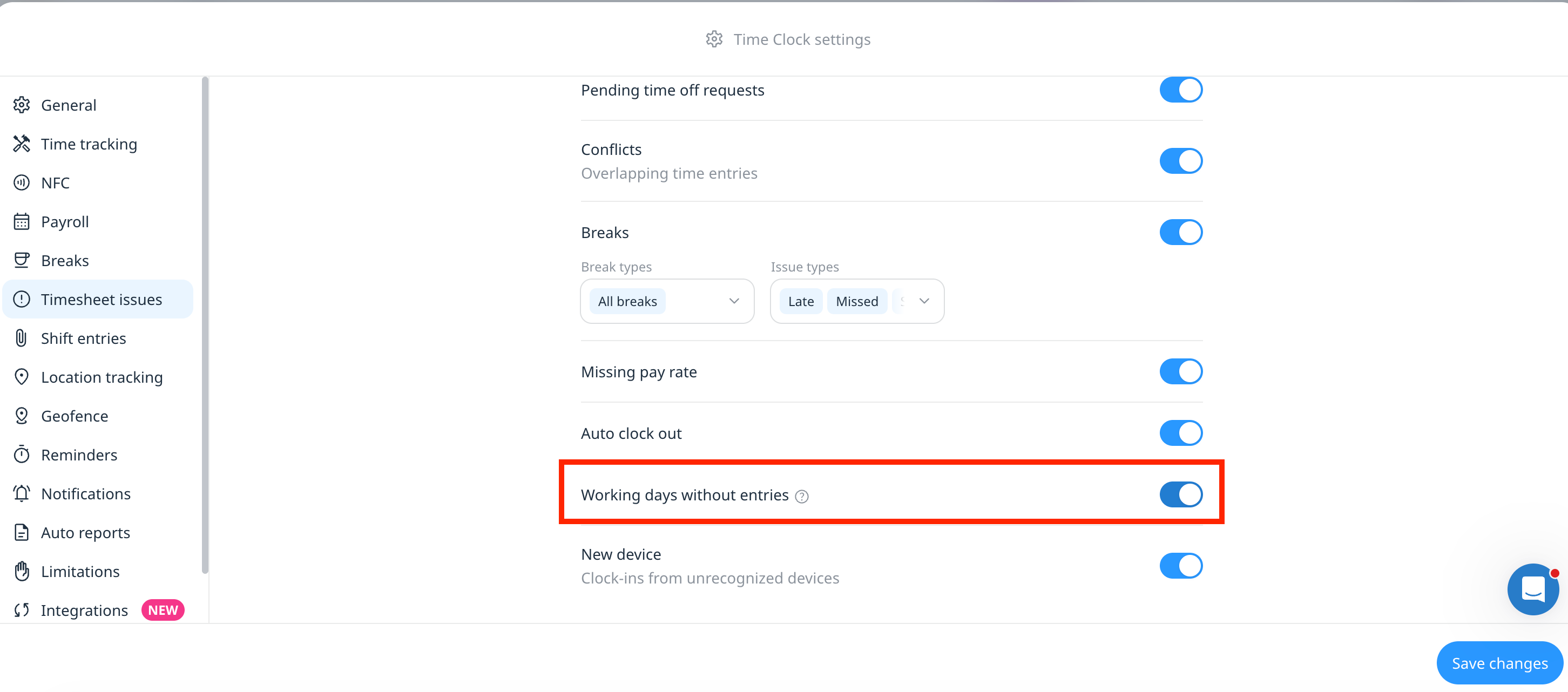
Connecteam Expands Break and Timesheet Controls
Connecteam adds threshold-based break rules, per-user policies, automatic handling for unended paid breaks, expanded Timesheet Issues, and centralized break exception reporting. These updates give admins clearer control over break compliance while helping employees and payroll teams resolve discrepancies faster. Highlights include:
- Flexible Break Rules: Use recurring or threshold-based requirements that scale with total shift length.
- User-Specific Policies: Apply different break rules by employee with effective dates for policy changes.
- Auto-End Paid Breaks: Automatically clock employees out or move them to an unpaid break when a paid break runs long.
- Mobile Issue Details: Let employees view itemized explanations for timesheet issues directly on mobile.
- Missing Workday Alerts: Flag expected workdays with no logged hours or reported time off.
- Break Exceptions Report: Export break compliance issues and premium payment calculations for payroll and audits.
Visit Connecteam’s official site for more details.
 Opens new window
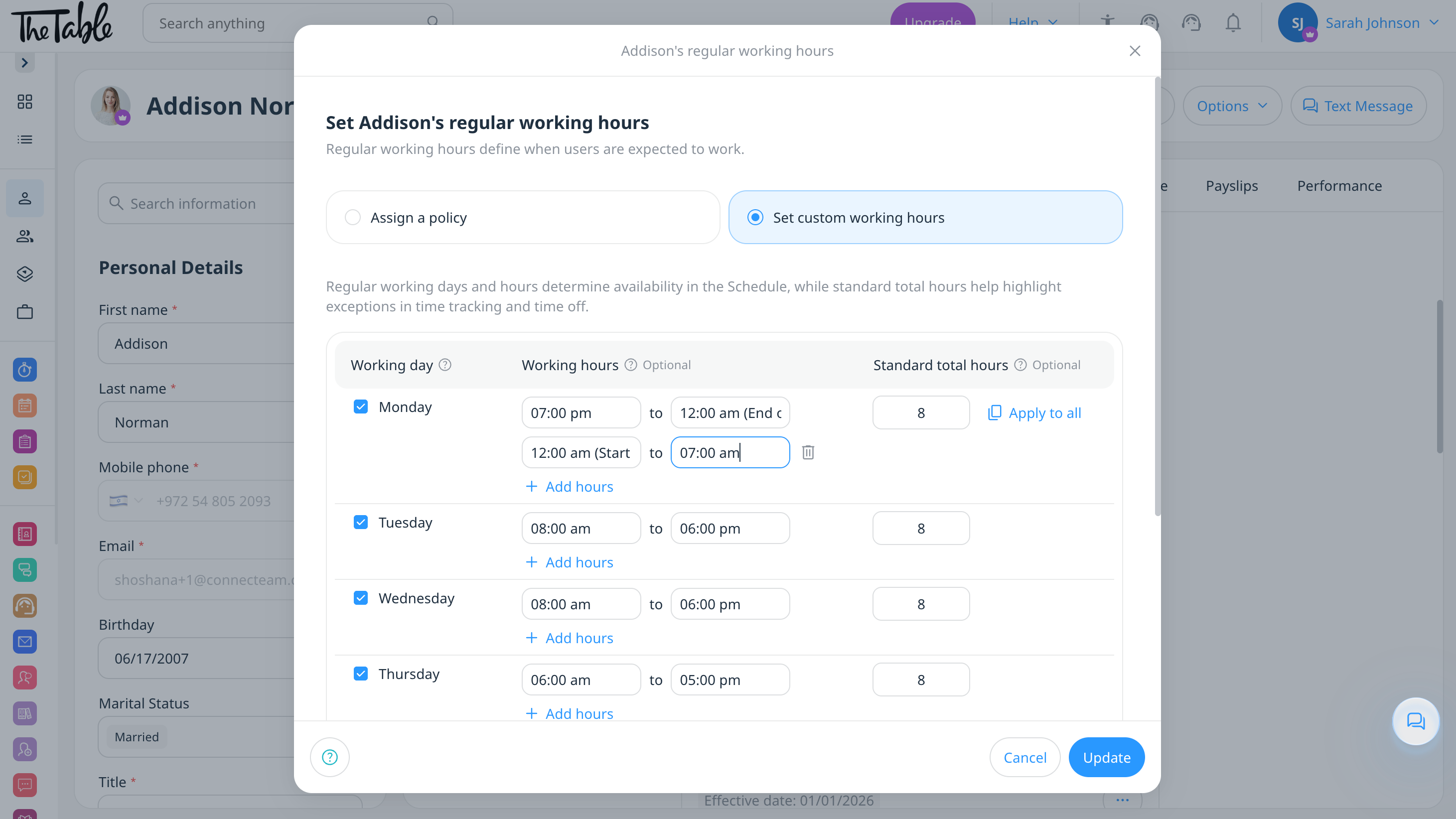
Connecteam Adds Shift Swaps and Split-Shift Scheduling
Connecteam adds 1-to-1 shift swaps and multiple daily working-hour ranges for Regular Working Hours. These updates simplify schedule changes while keeping employee availability and split-shift schedules accurate. Highlights include:
- Shift Swaps: Let employees request direct 1-to-1 shift exchanges with colleagues.
- Admin Approval Options: Complete agreed swaps automatically or route them for admin approval.
- Multiple Daily Ranges: Set more than one working-hour range within the same day.
- Split-Shift Support: Reflect non-continuous schedules more accurately in availability and scheduling.
Visit Connecteam’s official site for more details.
 Opens new window
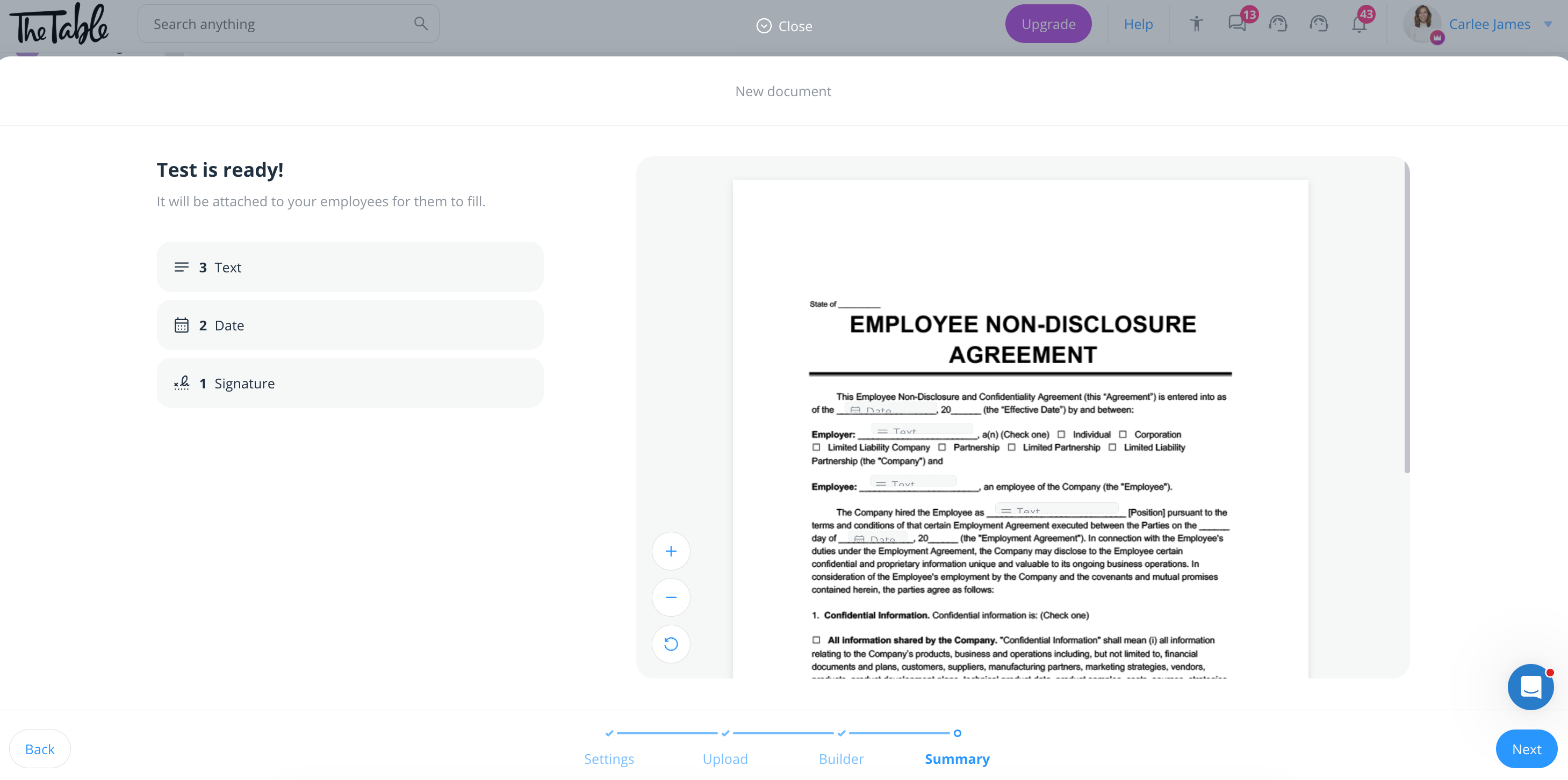
Connecteam Adds Signing Order for Multi-Signer Documents
Connecteam adds signer sequencing, role-based field assignments, and automatic handoffs for multi-signer documents. These updates help keep document workflows organized and ensure each signer completes the right section in the correct order. Highlights include:
- Signing Order: Set the sequence in which signers receive and complete a document.
- Role-Based Fields: Assign specific fields to individual signer roles.
- Automatic Routing: Move documents to the next signer once the previous step is complete.
- Multi-Step Workflows: Support onboarding and approval processes that require several signers.
Visit Connecteam’s official site for more details.
 Opens new window
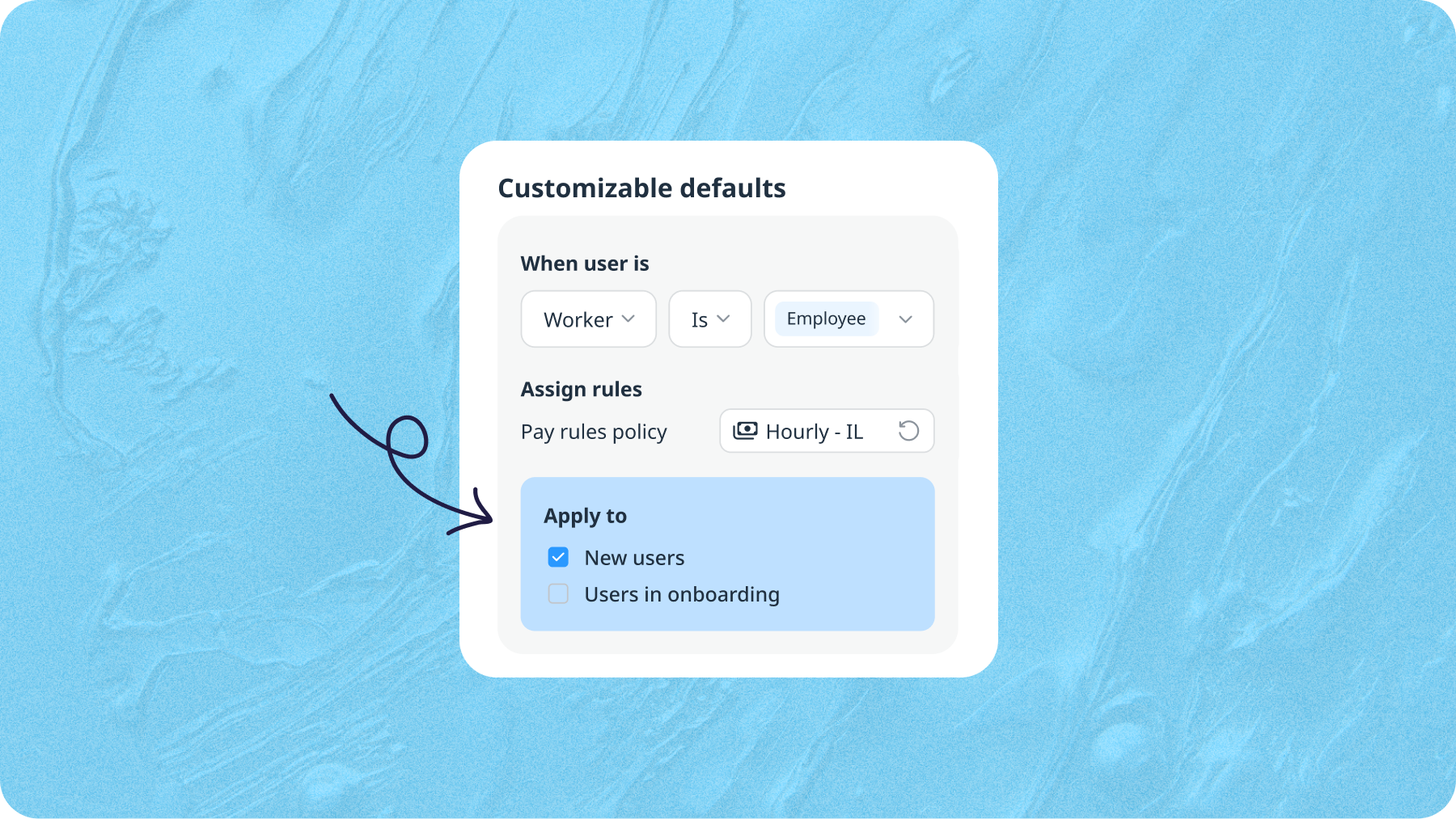
Connecteam Onboarding Notifications and Default Rules Control
Connecteam lets admins choose onboarding notification recipients and target customizable default rules to new users, onboarding users, or both. These updates give admins more control over onboarding communication and policy assignment. Highlights include:
- Onboarding Notifications: Lets admins choose who receives alerts when users are assigned to a pack or finish onboarding.
- Targeted Recipients: Helps limit notifications to the admins responsible for specific users.
- Customizable Default Rules: Lets admins apply default rules to new users, onboarding users, or both.
- Policy Targeting: Prevents unwanted rule assignments during onboarding.
Visit Connecteam’s official site for more details.
 Opens new window
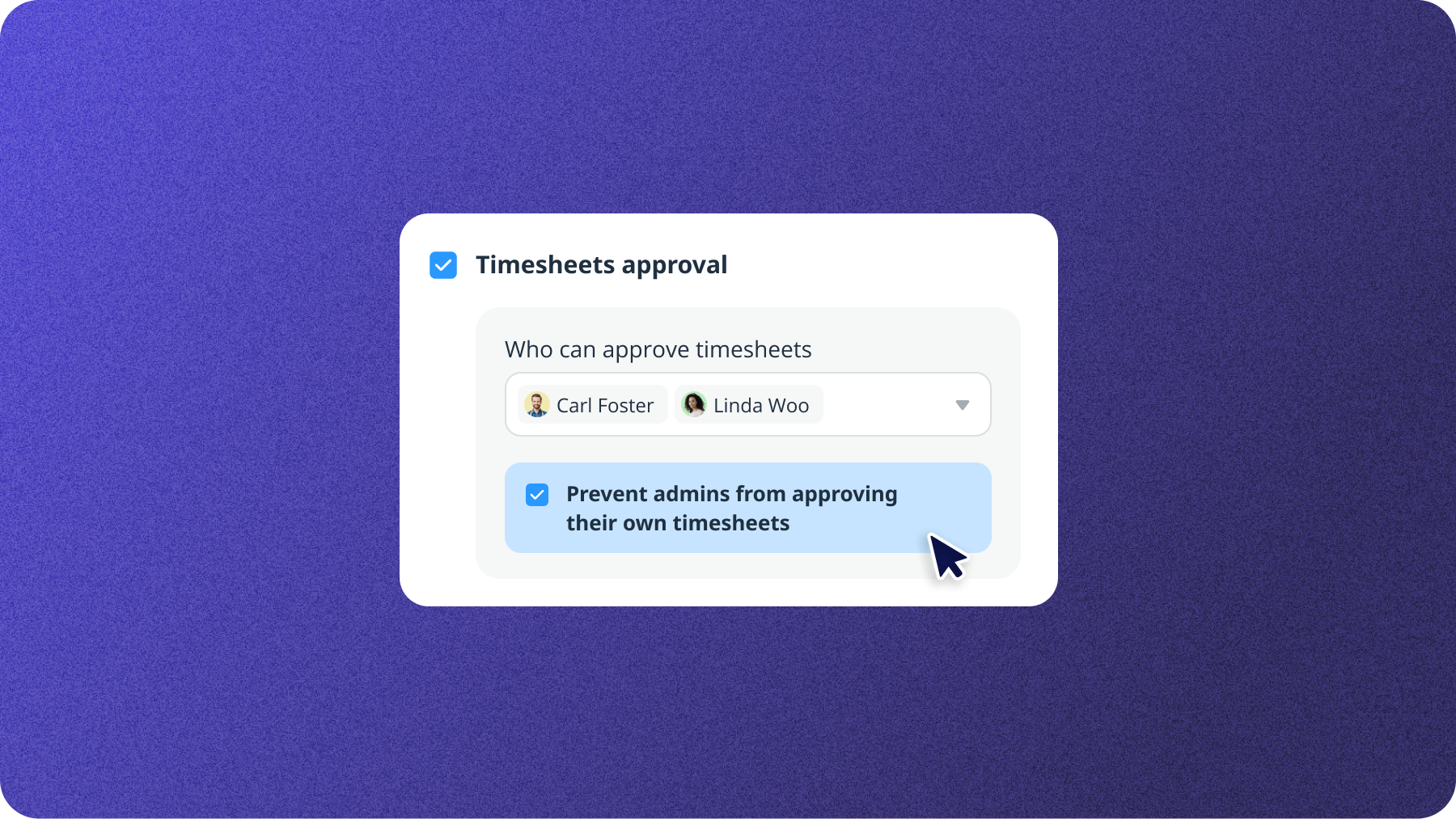
Connecteam Strengthens Timesheet Controls and Adds Site-Wide Geofences
Connecteam prevents admins from approving or locking their own timesheets and lets teams create site-wide geofences without assigning them to specific jobs. These updates strengthen time tracking controls while simplifying location-based clock-ins. Highlights include:
- Timesheet Approval Controls: Requires another authorized admin to approve or lock an admin’s timesheet.
- Owner Exception: Lets Company Owners continue approving their own timesheets when needed.
- Site-Wide Geofences: Applies clock-in boundaries across an entire branch or location.
- Flexible Job Rules: Lets individual jobs use dedicated geofences or allow clock-ins anywhere within the site.
Visit Connecteam’s official site for more details.
 Opens new window
Connecteam Expands Time Off Rules and Holiday Policies
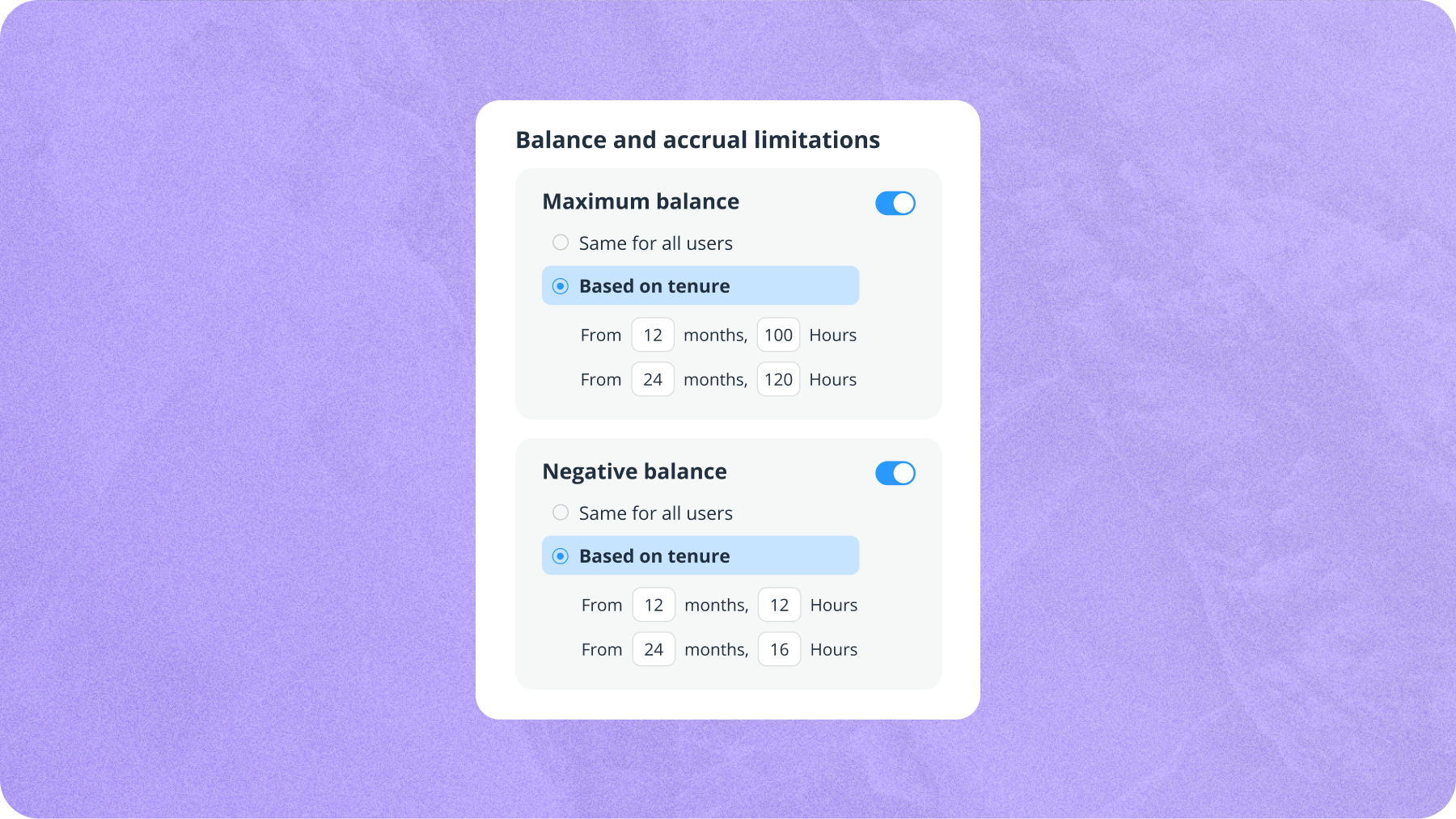
Connecteam expands Time Off with tenure-based limits and recurring federal, bank, and custom holiday policies. These updates reduce manual policy maintenance and keep holidays synced across time off, timesheets, schedules, and balances. Highlights include:
- Tenure-Based Usage Limits: Applies different maximum yearly time off limits based on employee tenure.
- Negative Balance Rules: Adjusts allowed negative balances automatically as employees reach tenure milestones.
- Recurring Holiday Policies: Lets admins set country-based or custom holidays to repeat every year.
- Full and Partial Days: Supports both full-day and partial-day holidays.
- Holiday Sync: Applies holidays across Time Off, timesheets, schedules, and balances.
Visit Connecteam’s official site for more details.
 Opens new window
Connecteam Adds Pay Period Locks and Break Premium Controls
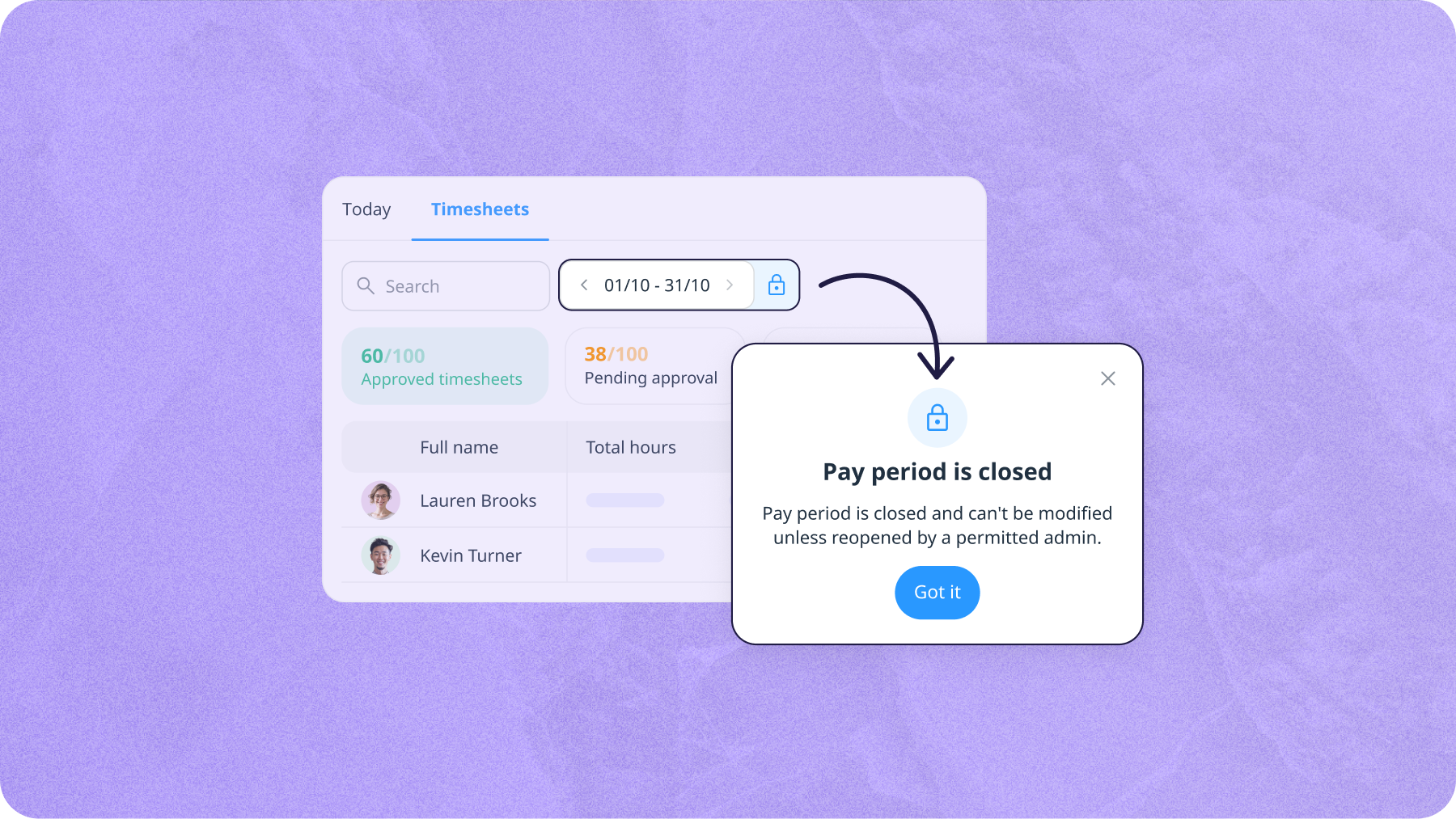
Connecteam adds pay period locking after payroll export and Dismiss Premium and Reapply Premium actions within timesheets. These updates prevent unauthorized edits to processed timesheets while giving admins more control over break premium exceptions. Highlights include:
- Close and Lock Pay Periods: Prevents timesheets from being reopened or edited after payroll export.
- Payroll Manager Permission: Lets authorized admins reopen pay periods for corrections and lock them again afterward.
- Dismiss Premium: Removes Break Premium hours for a specific break violation when an exception applies.
- Reapply Premium: Restores previously dismissed Break Premium hours directly from the timesheet.
Visit Connecteam’s official site for more details.
Connecteam Specs
- 2-Factor Authentication: Yes
- 360 Degree Feedback: Yes
- API: Yes
- Application Tracking: No
- Attendance Tracking: Yes
- Batch Permissions & Access: Yes
- Budgeting: No
- Calendar Management: Yes
- Dashboard: Yes
- Data Export: Yes
- Data Import: Yes
- Data Visualization: Yes
- Employee Database: Yes
- Employee Engagement: Yes
- Employee Incentive Management: Yes
- Employee Onboarding: Yes
- Expense Tracking: Yes
- External Integrations: Yes
- Feedback Management: Yes
- Forecasting: No
- Multi-User: Yes
- Notifications: Yes
- Onboarding: Yes
- Payroll: Yes
- Project Management: Yes
- Scheduling: Yes
- Time Management: Yes
- Timesheets: Yes
- Travel Management: No
- Vacation & Absence Calendar: Yes


