

7shifts Review: Pros, Cons, Features and Pricing
I look beyond 7shifts’ restaurant roots to see whether its scheduling tools fit hotel teams—and where the features, trade-offs, and pricing fall short.

We review tools independently, and commissions help fund our testing. See our transparency policy, our methodology, or suggest a tool.
7shifts is workforce scheduling software that hotels can use for hotel scheduling software, with tools for restaurant scheduling, time tracking, and labor management. I’d consider it for a hotel with an on-site restaurant that needs to coordinate hourly food-and-beverage shifts, staff availability, and shift swaps. Compared with Hotel Effectiveness, 7shifts is a better fit when restaurant teams are the priority because its scheduling tools are designed around restaurant operations.
7shifts Evaluation Summary
4.7/5
- From $44.99/month
- Free plan + 14-day free trial + free demo available
Why Trust Our Software Recommendations
6,700+
Reviews
20
Industry experts
16+
Evaluation factors
14
Years
Our team has been testing and reviewing software since 2012. As hospitality leaders ourselves, we know how difficult—and important—it is to choose the right software.
For this guide, we evaluated tools using hands-on testing and independent research, scoring tools using our selection criteria.
Our reviews reflect our human editorial judgment, not a sales pitch.
7shifts Overview
I’d choose 7shifts for hotels managing on-site restaurant and food-and-beverage teams rather than property-wide scheduling. Its availability tracking, shift swapping, time clocking, and labor management tools support staffing across different meal services and peak hours. A free plan and paid options starting at $39.99 per location monthly with annual billing provide flexibility, while mobile access and POS integrations support daily operations. Its 14-day trial and AI Schedule Importer also make initial setup more manageable. I’d recommend it for hotels prioritizing restaurant staffing over coordinating multiple departments.
Pros
- Staff availability, time-off requests, and shift swaps support variable coverage.
- Built-in messaging keeps schedule changes and team notices together.
- Labor forecasting helps match restaurant staffing plans to sales demand.
Cons
- Restaurant-first workflows don’t coordinate front desk and housekeeping.
- Reviewers report app crashes, slow loading, and random logouts.
- Some managers want printable schedules for cross-department staff.


How We Test & Score Tools
We’ve spent years building, refining, and improving our software testing and scoring system. The rubric is designed to capture the nuances of software selection and what makes a tool effective, focusing on critical aspects of the decision-making process.
Below, you can see exactly how our testing and scoring works across seven criteria. It allows us to provide an unbiased evaluation of the software based on core functionality, standout features, ease of use, onboarding, customer support, integrations, customer reviews, and value for money.
Core Functionality (25% of final scoring)
The starting point of our evaluation is always the core functionality of the tool. Does it have the basic features and functions that a user would expect to see? Are any of those core features locked to higher-tiered pricing plans? At its core, we expect a tool to stand up against the baseline capabilities of its competitors.
Standout Features (25% of final scoring)
Next, we evaluate uncommon standout features that go above and beyond the core functionality typically found in tools of its kind. A high score reflects specialized or unique features that make the product faster, more efficient, or offer additional value to the user.
We also evaluate how easy it is to integrate with other tools typically found in the tech stack to expand the functionality and utility of the software. Tools offering plentiful native integrations, 3rd party connections, and API access to build custom integrations score best.
Ease of Use (10% of final scoring)
We consider how quick and easy it is to execute the tasks defined in the core functionality using the tool. High scoring software is well designed, intuitive to use, offers mobile apps, provides templates, and makes relatively complex tasks seem simple.
Onboarding (10% of final scoring)
We know how important rapid team adoption is for a new platform, so we evaluate how easy it is to learn and use a tool with minimal training. We evaluate how quickly a team member can get set up and start using the tool with no experience. High scoring solutions indicate little or no support is required.
Customer Support (10% of final scoring)
We review how quick and easy it is to get unstuck and find help by phone, live chat, or knowledge base. Tools and companies that provide real-time support score best, while chatbots score worst.
Customer Reviews (10% of final scoring)
Beyond our own testing and evaluation, we consider the net promoter score from current and past customers. We review their likelihood, given the option, to choose the tool again for the core functionality. A high scoring software reflects a high net promoter score from current or past customers.
Value for Money (10% of final scoring)
Lastly, in consideration of all the other criteria, we review the average price of entry level plans against the core features and consider the value of the other evaluation criteria. Software that delivers more, for less, will score higher.
Core Features
Schedule Building
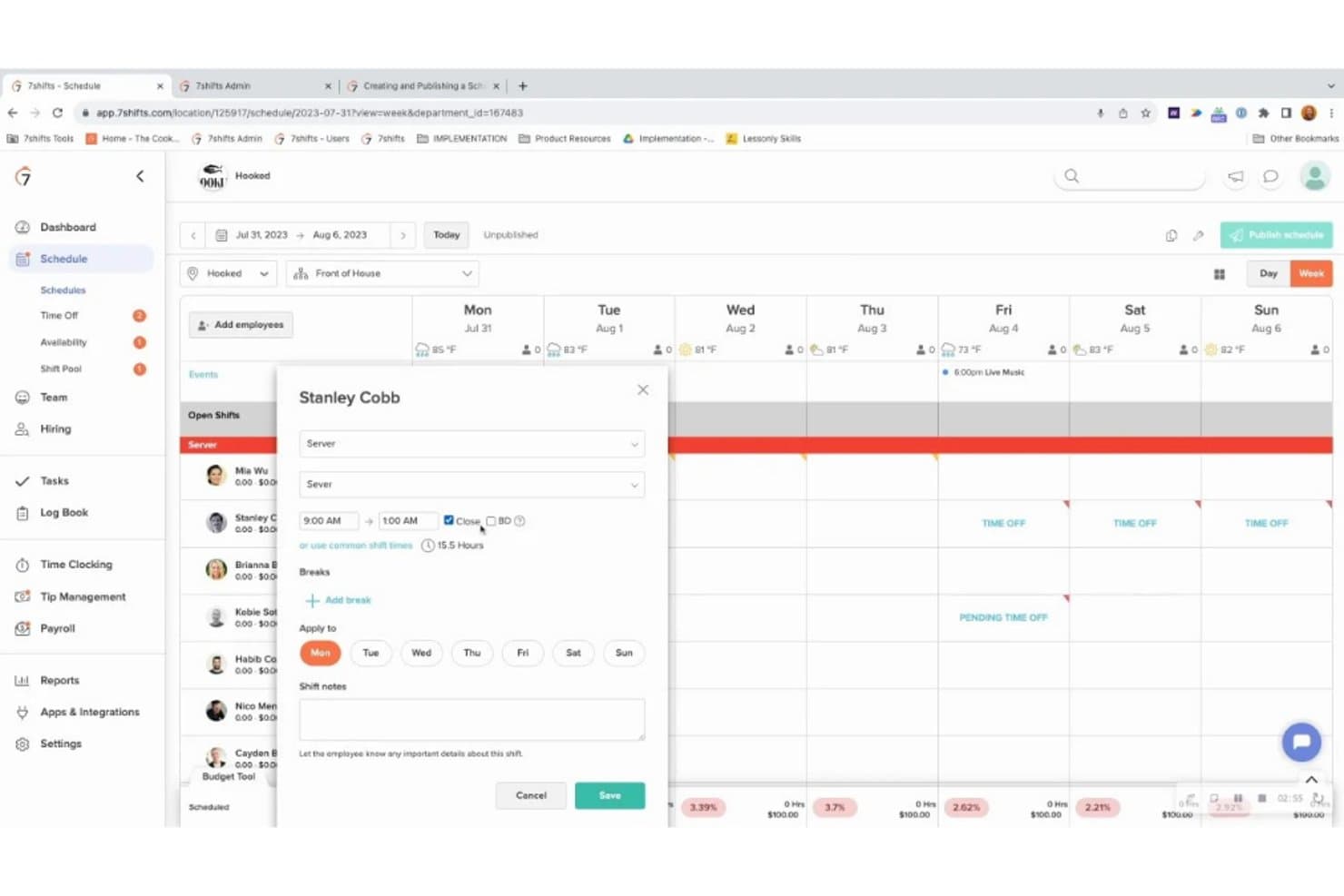
7shifts allows managers to create employee shifts by assigning staff, selecting roles, setting working hours, and adding breaks or shift notes. Managers can also apply shifts to specific days and organize schedules by department or location.
Payroll Management
7shifts provides a payroll dashboard for reviewing pay periods, processing regular and off-cycle payroll, and tracking submission deadlines. Managers can also access employee payroll records, tax information, benefits, and payroll reports.
Time Clocking
7shifts provides mobile time clocking features for recording and reviewing employee punches. Managers can approve time entries, switch between approved and unapproved punches, and manually add missing records.
Labor and Sales Reporting
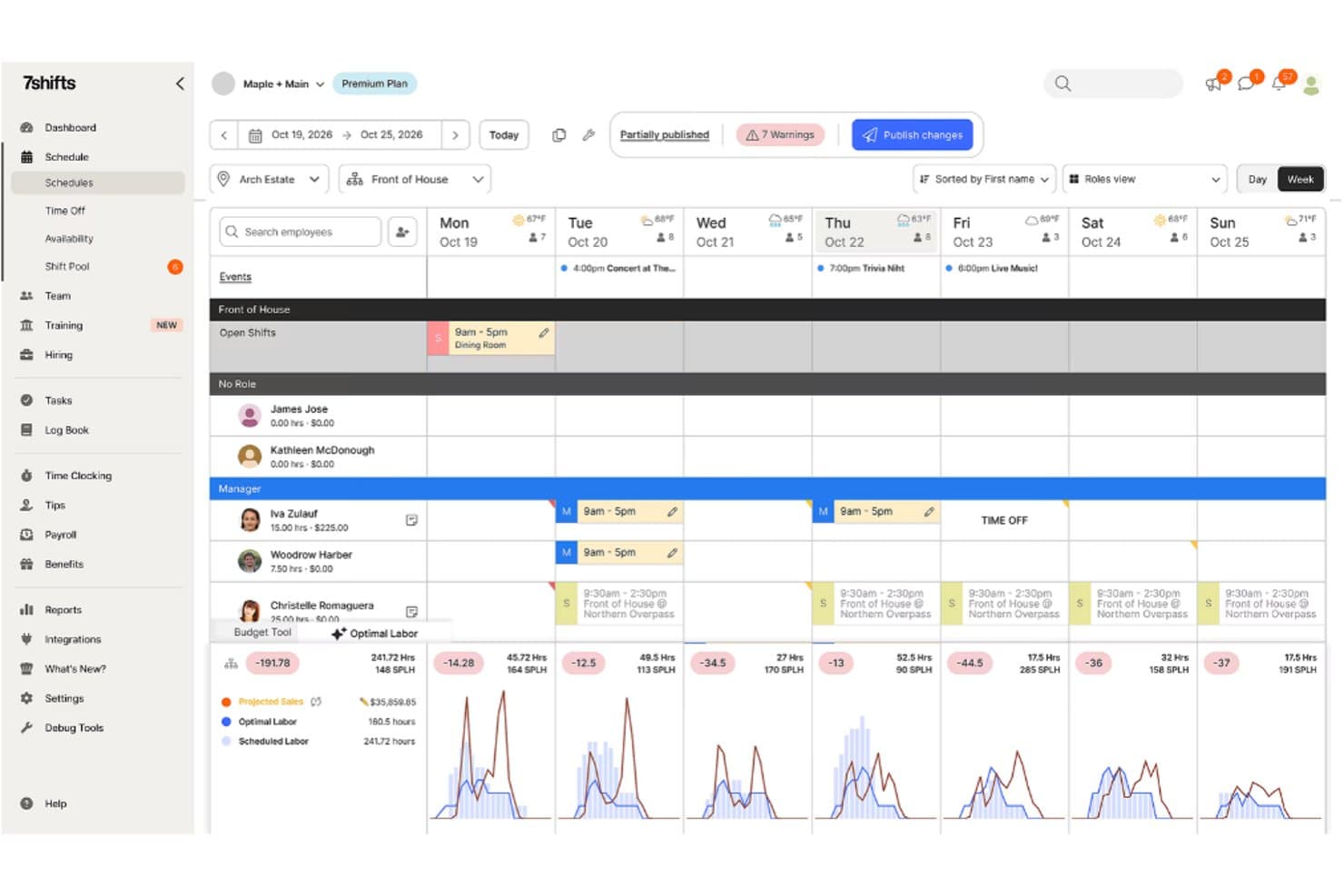
7shifts displays actual and projected sales alongside scheduled and actual labor costs. Managers can compare labor expenses, review sales variances, monitor labor percentages, and export reports for further analysis.
Task Management
7shifts generates task summaries showing completed, incomplete, and in-progress assignments. Managers can review individual task lists, monitor completion percentages, and identify outstanding responsibilities.
Employee Engagement Reporting
7shifts provides an employee engagement dashboard for monitoring shift feedback, employee reliability, attendance, and engagement levels. Managers can review average shift scores, identify highly engaged or disengaged employees, and track late arrivals, no-shows, sick days, shift bids, and dropped shifts.
Ease of Use
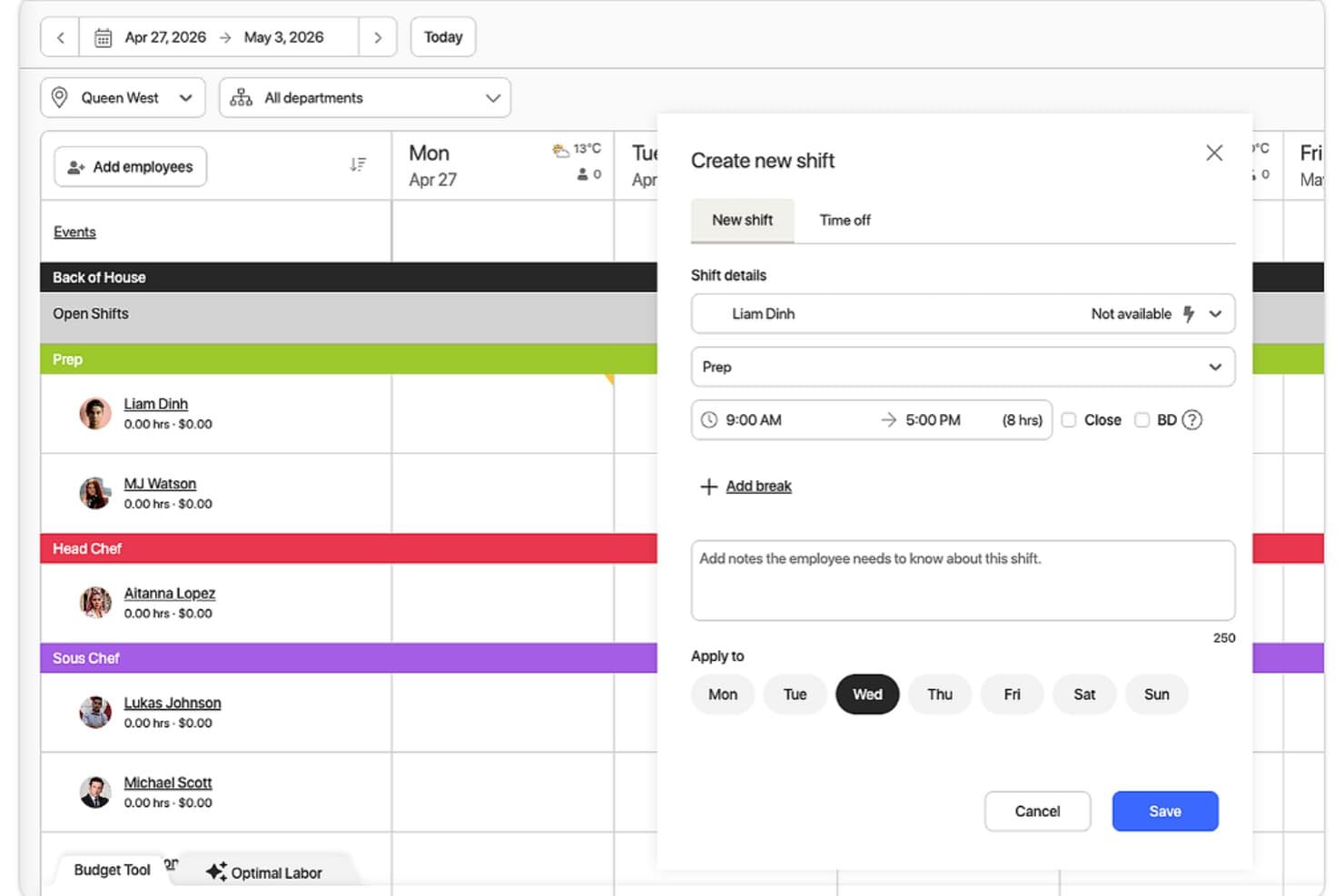
7shifts offers an approachable scheduling experience for hotel restaurant teams, with a mobile app for checking shifts, submitting availability, requesting time off, and swapping shifts. Managers can build schedules using drag-and-drop tools and adjust staffing as needed. Some users report occasional app crashes, slow loading, unexpected logouts, and confusing scheduling displays, which may affect access during busy service hours.
I’d recommend it for hotels prioritizing food-and-beverage scheduling rather than property-wide workforce management.
Integrations
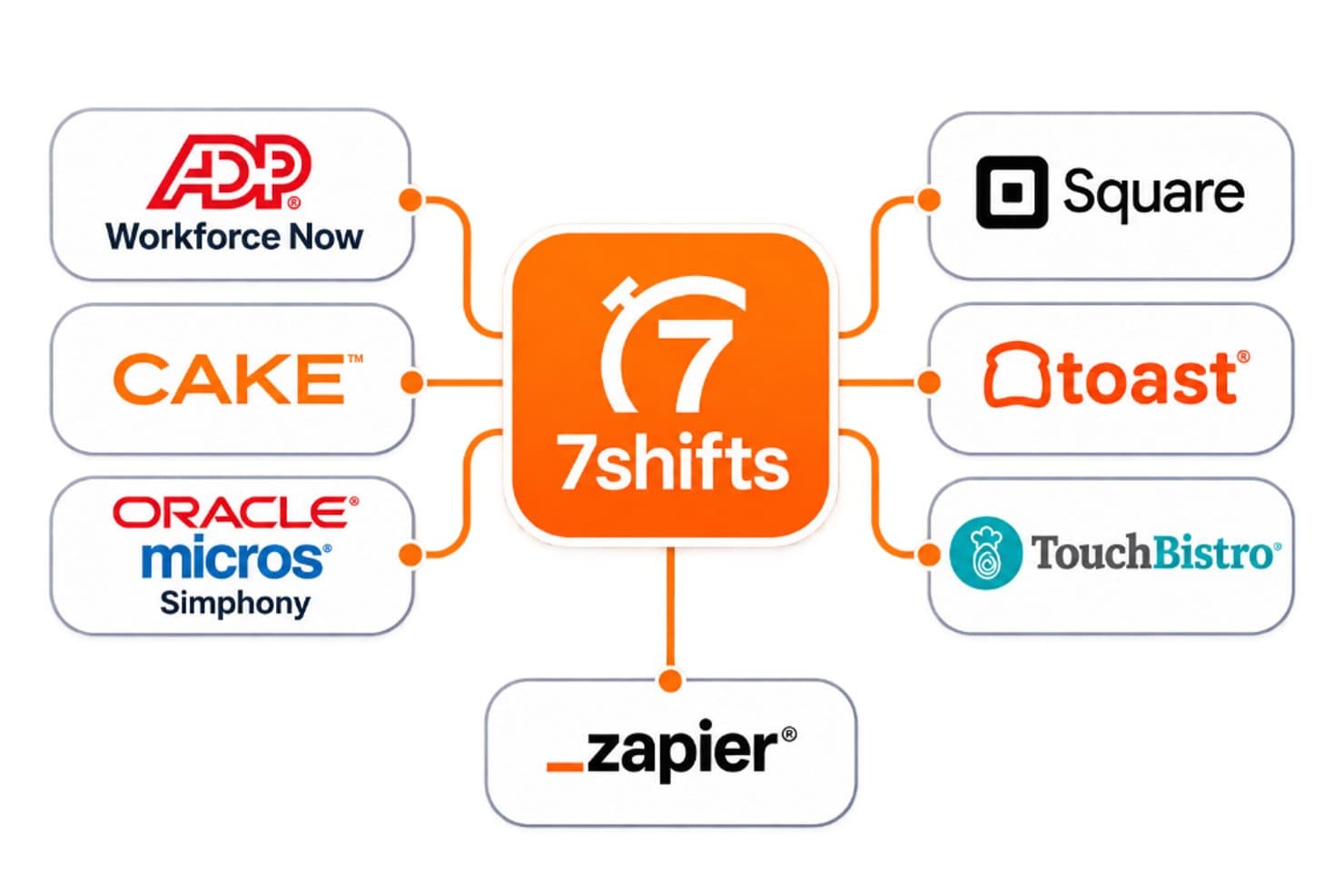
7shifts integrates with ADP Workforce Now, CAKE, Oracle MICROS Simphony, Square, Toast, and TouchBistro. It also offers a REST API and connects with third-party tools through Zapier.
7shifts Specs
- API: Yes
- Budgeting: Yes
- Calendar Management: Yes
- Contact Management: Yes
- Customer Management: Yes
- Dashboard: Yes
- Data Export: Yes
- Data Import: Yes
- Data Visualization: Yes
- Expense Tracking: Yes
- External Integrations: Yes
- Forecasting: Yes
- Inventory Tracking: Yes
- Multi-Currency: Yes
- Multi-User: Yes
- Notifications: Yes
- Organization Management: Yes
- Payroll: Yes
- Scheduling: Yes
- Supplier Management: Yes
- Tax Management: Yes


